Streamline your entire accounting process with the top Balance Sheet management software. Pick the right Balance Sheet Software to manage, analyze, and reconcile your financial statements accurately:
Are you searching for a Balance Sheet software for your business? Read this article and find the most suitable software according to your business requirements and size.
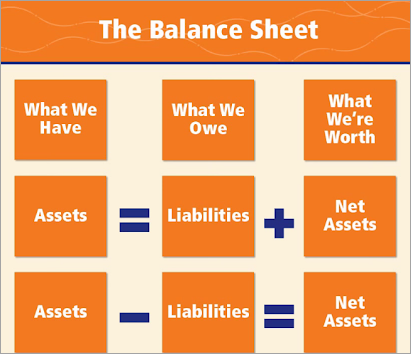
A Balance sheet is a financial statement that contains information about a company’s assets, liabilities, and equity for a specific period. Keeping a record of each transaction you make and what you receive is crucial for every business. It provides a clear idea of the cash flows, helps in strategic planning, and more.
Table of Contents:
Balance Sheet Tools: Hand-Picked List
Manual entry of each inbound and outbound transaction can be time-consuming and resource-intensive. So, a software that offers balance sheet preparation tools is generally used for this purpose.
Watch this video to learn more about a Balance Sheet:
Balance Sheet Preparation Tools: Key Features
A Balance sheet preparation software offers the following main features for streamlining the process:
- It syncs all transactions you have made and received by connecting with your bank accounts, credit cards, and payment apps.
- It gives its users clear, real-time visibility into the cash flows.
- It offers tools for identifying cash trends and bottlenecks, and predicting future growth opportunities.
- It offers standard security features for keeping your account data secure and private.
- Some software offers pre-built templates for preparing balance sheets.
Why Balance Sheet Software Matters for Your Businesses
Having looked at the features offered by the balance sheet software, we can now say that the balance sheet software delivers several benefits to businesses, for example:
- They make the whole process quick, more accurate, and efficient.
- They help in identifying cash trends and making better business decisions.
- Businesses will always be able to get real-time insights into the cash flows.
- Their automated reports can help businesses in several ways.
- This software can save businesses from troubles arising from manual errors.
via Aziroff
In this article, we have provided a well-researched list of the top Balance Sheet software. Go through the detailed reviews section to understand the usability of each one for your business.
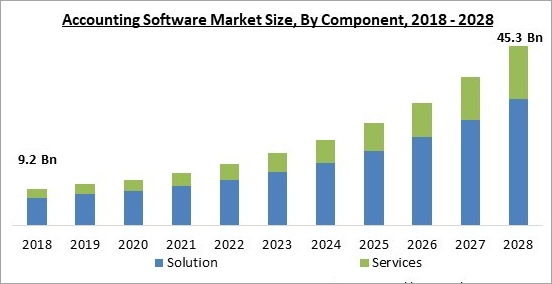
via KBV Research
Expert Advice: If you are looking for the best balance sheet software, keep these tips in mind-
Best Balance Sheet Software
- QuickBooks
- Moody’s Balance Sheet Management Solution
- FIS Balance Sheet Manager
- Oracle Balance Sheet Management Software
- Jedox
- Xero
- FreshBooks
- Zoho Books
- Oracle NetSuite
- Sage Intacct
- Wave
Comparing the Top Balance Sheet Management Software
| Software | Best for | Most suitable for | Top Benefits | Ratings |
|---|---|---|---|---|
| QuickBooks | Being an intuitive, all-in-one accounting software | Small businesses | • Pre-installed balance sheet templates • Easy to use • 24/7 support • Advanced security features • A number of integrations | 5/5 |
| Moody’s Balance Sheet Management Solution | Tools for strategic planning and risk management | Organisations of all sizes. | • Commendable analytical tools • Risk assessment capabilities • Real-time data of the cash flows | 5/5 |
| FIS Balance Sheet Manager | Managing balance sheets while navigating financial uncertainties. | Mid to large sized businesses | • Intuitive and user-friendly interface • Multi-dimensional planning and reporting • Risk exposure analysis | 4/5 |
| Oracle Balance Sheet Management Software | Being a complete suite for your budgeting, planning, and forecasting needs. | Businesses of all sizes. | • Advanced analytics • Interactive dashboards • Useful reporting tools • Deep visibility into accounts’ data • Scenario-based what-if analysis | 4/5 |
| Jedox | Quick, automated balance sheet preparation. | Businesses of all sizes | • Allows the users to integrate data from any source • Deep visibility • Highly scalable • Advanced data security | 4/5 |
Detailed reviews about the top Balance Sheet preparation software-
#1) QuickBooks
Best for being an intuitive, all-in-one accounting software for small businesses.
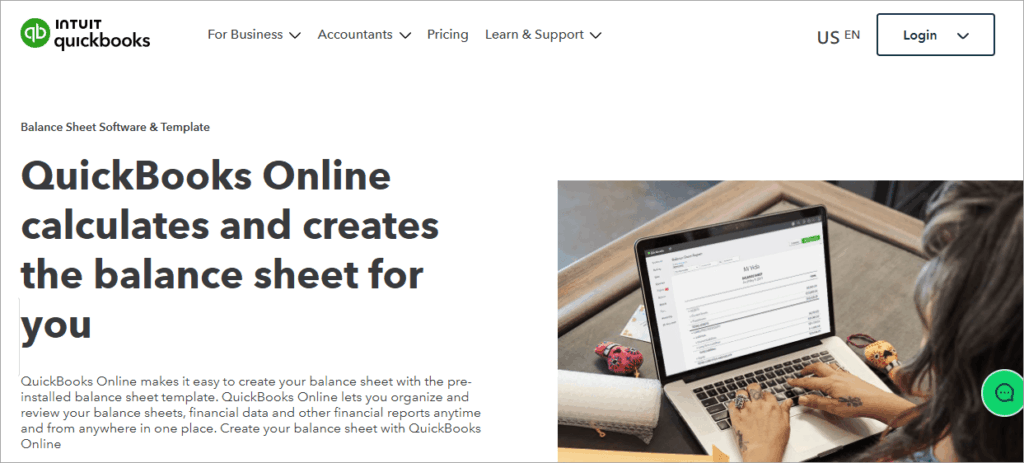
QuickBooks Online is an automated balance sheet preparation software. It is an award-winning accounting software that is recommended by its users as it is easy to use, feature-rich, affordable, and secure.
With QuickBooks, users can save a lot of time by getting the accounting data organised and financial reports prepared and sent to the business partners, investors, etc., automatically; thus eliminating the need for manual data entry.
Further Reading => Best Financial Reporting Software
It is a PCI, SOC, ISO 27001, and VPAT certified platform and assures its users to keep their business data will be kept safe, with the help of features like multi-factor authentication and anti-fraud technology.
Features:
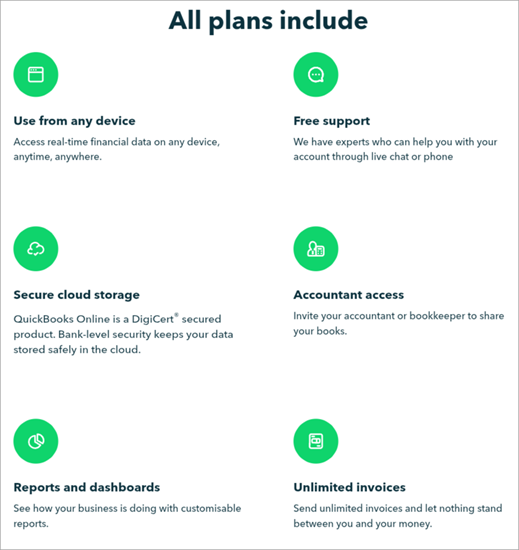
- Automated Data Organising and Report Generation: QuickBooks tracks and organises your accounting data and gives you updated balance sheet reports, anytime. Users can even schedule a specific time for report sharing.
- Pre-installed Templates: The software gives you access to a number of pre-built templates to start with.
- Integration: QuickBooks integrates with a number of third-party applications, thus making your accounting workflows easy.
- Dashboards: Offers intuitive dashboards, which can be customised the way you want.
- Data Security: The platform is DigiCert® secured, which means that your data will be stored securely in the cloud.
Pros:
- Pre-installed balance sheet templates
- Easy to use
- Automated report generation and sharing tools
- 24/7 live chat and phone support
- Can be accessed online, anytime, from anywhere, and through any device.
- There is a 30-day free trial
- Supports multiple currencies
- Syncs data with Excel
- Let’s you automate workflows
- Free guided setup
- Mobile apps for iPhone and Android users
Integration with other financial tools and systems: PayPal, Square, Amazon Business Purchases, and many more.
Why we recommend QuickBooks as the #1 balance sheet software: QuickBooks claims that their clients have been able to save about 13.3 hours a week, as compared to working with other methods of Balance sheet preparation.
QuickBooks has over 7 million customers from around the world, and this figure is enough to prove how trusted QuickBooks is globally. Their users have time and again stated that QuickBooks makes managing financial operations easy and allows them to easily collaborate with their team. QuickBooks generates useful, customisable reports and is highly suitable for small businesses.
Price: QuickBooks offers the following price plans:
| Simple Start | Essentials | Plus | Advanced |
| USD 9.50 per month | USD 14 per month | USD 20 per month | USD 38 per month |
Check our Review of Best QuickBooks Alternatives
#2) Moody’s Balance Sheet Management Solution
Best for organisations of all sizes that want tools for strategic planning and risk management.
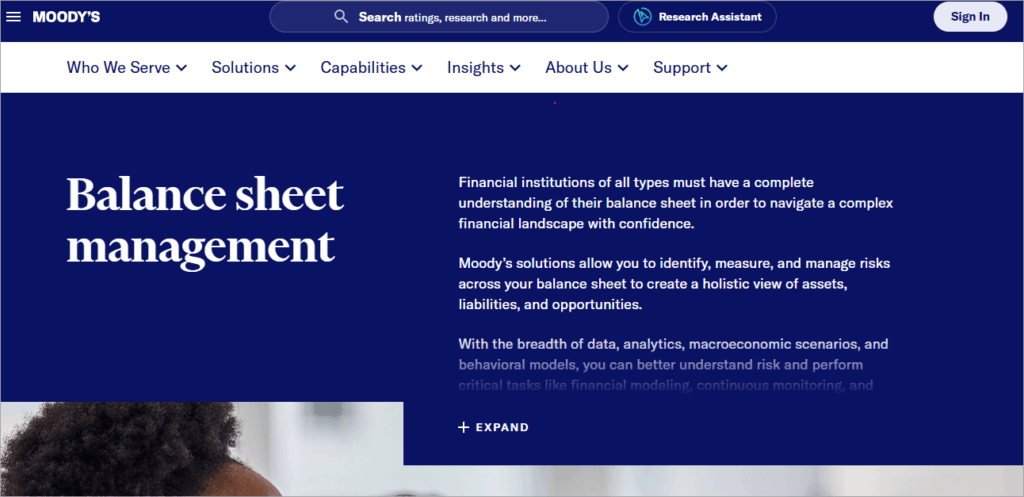
Moody’s Balance Sheet Management Solution is an award-winning, reliable platform that helps organisations navigate through their financial accounts. It has tools for risk identification and management and gives its users a complete view of their assets and liabilities.
It is a SaaS based solution that is fit for financial modeling, continuous monitoring, and strategic planning.
Check this video to learn how to perform effective balance sheet hedging strategies for Liquidity gap management with Moody’s:
Features:
- Asset and Liability Management: Moody helps organisations in maintaining financial resilience. It gives them visibility into their assets and liabilities, thus helping them identify growth opportunities.
- Liquidity Management: Gives its users exact data about the current and future cash flows
- Capital Management: Runs stress scenarios for optimising the balance sheet and capital planning
- Investment Management: The software has an investment management module for aligning the user’s investment portfolios with their risk-appetite, liquidity needs, etc., so that the profitability of the portfolio can be maintained.
- Impairment Accounting Analytics: The software offers analytical tools that calculate your credit losses.
- Credit Portfolio Management: The app warns users about credit risks that may reach the balance sheet.
Pros:
- Suitable for organisations of all sizes.
- Commendable risk identification and management tools for complex operational models.
Integration with other financial tools and systems: Moody’s offers robust API capabilities to connect with Banking systems, Data solutions, and more.
Also Read => Top Financial Consolidation Software
Why we recommend Moody’s Balance Sheet Management Solution: The software has a commendable set of tools that help users navigate risks and make strategic decisions.
Stephen Mullin from MetLife Investment Management states that Moody’s has given them the right information at the right time, which helped them make better and informed business decisions.
The application is highly recommended for financial institutions of all sizes.
Price: Contact them for pricing and other information.
Website: https://www.moodys.com/web/en/us/solutions/balance-sheet-management.html
#3) FIS Balance Sheet Manager
Best for mid to large-sized businesses that want to manage their balance sheets while navigating financial uncertainties.
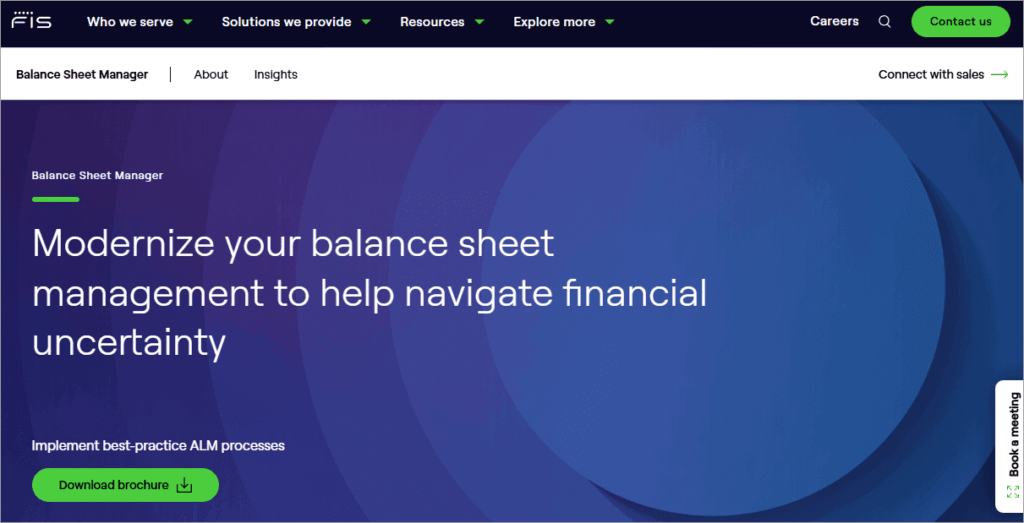
FIS Balance Sheet Manager was formerly known as Ambit Focus. It is a modern-day application that helps banks and other financial institutions in making better business decisions through scenario analysis. It also helps them in maintaining compliance with the regulatory requirements.
It is a fully integrated ALM and liquidity risk management solution that enables risk assessment across departments. It offers an intuitive interface and highly useful reporting capabilities.
Features:
- Balance Sheet Analysis: The app allows its users to analyse balance sheets so that the internal Asset Liability management can be strengthened and regulatory reporting can be improved.
- Customised Reporting: FIS automates the data, calculation, and reporting process. It offers built-in standard reports, plus allows its users to create their own reporting layout.
- Ease of Use: The app has an intuitive interface that makes the processes easy to manage.
- Project Future Earnings: It offers tools for analysing risk exposures and examining Interest Rate Risk in the Banking Book (IRRBB) and Credit Spread Risk in the Banking Book (CSRBB).
Pros:
- Behavioral modeling and what-if analysis
- Helps banks in modeling several risk factor scenarios
- Intuitive and user-friendly interface
- Multi-dimensional planning and reporting
- Built-in fund transfer pricing (FTP) functionality
Integration with other financial tools and systems: Allows integrations with ERPs, CRM systems, and cloud platforms.
Why we recommend FIS Balance Sheet Manager: FIS is one of the Fortune 500 companies and a member of Standard & Poor’s 500® Index.
They are known for their deep expertise in providing data-driven insights that help their clients in solving business-critical challenges. FIS Balance Sheet Manager is suitable for merchants, banks, and capital market firms.
Price: Contact them for pricing information.
Website: https://www.fisglobal.com/products/fis-balance-sheet-manager
#4) Oracle Balance Sheet Management Software
Best for providing a complete suite of solutions for your budgeting, planning, and forecasting needs.
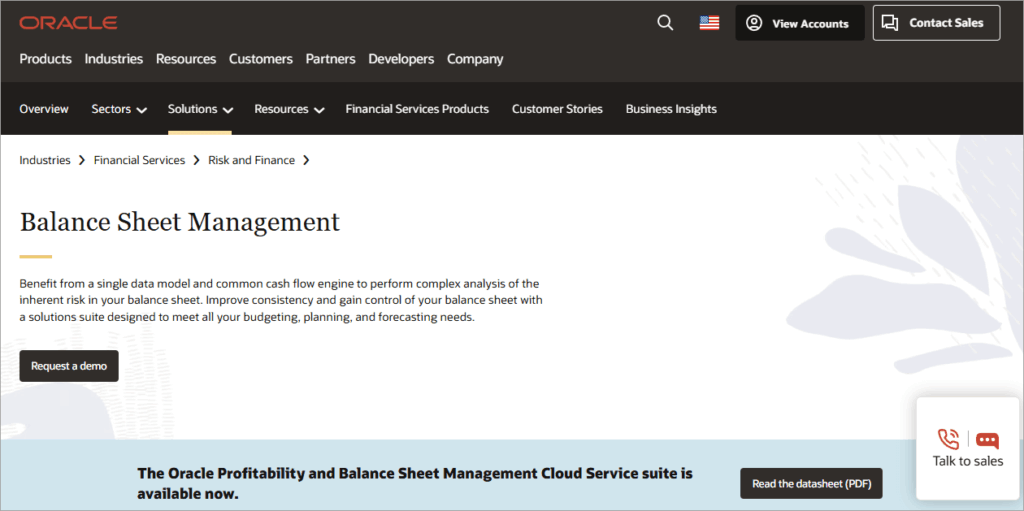
Oracle is a globally acclaimed and trusted name. Oracle Balance Sheet Management Software is a powerful solution for growing profitability during uncertainties. It strengthens the balance sheet, thus giving a competitive edge to its clients.
It offers robust risk analysis capabilities along with a complete view of the cash flows, balance sheet planning tools, and much more, and claims to deliver faster time-to-value.
Features:
- Asset Liability Management: The app gives its users accurate data about profitability, earnings stability, and risk exposure. Plus, it keeps track of liquidity gaps, funding concentrations, and more.
- Balance Sheet Planning: Oracle’s Balance Sheet Management Software forecasts future performance, economic conditions, and risks, thus helping businesses in the planning process.
- Funds Transfer Pricing: The platform has the best transfer pricing methods, which include ALM forecasting and budgeting. It helps its clients in setting transfer rates for financial instruments, assigning transfer rates to individual customer relationships, and more.
- Liquidity Risk Management: The application offers extensive drill-through capabilities, behavior modeling tools, and many more features that enable the clients to get a clear understanding of the liquidity gaps.
- Cash Flow Engine: Gives a complete view of the cash flows, offers in-built validation rules for performing comprehensive quality checks on input data, and much more.
Pros:
- Advanced analytics
- Interactive dashboards
- Useful reporting tools
- Scenario-based what-if analysis
- Multi-Currency support
Integration with other financial tools and systems: Fully integrates with other Oracle applications, thus enabling smooth data flow and workflow automation.
Why we recommend Oracle Balance Sheet Management Software: Their analytics are commendable. Plus, the platform is highly scalable and flexible. It supports multi-currency simulations and offers comprehensive planning and reporting tools.
It is a complete balance sheet management solutions provider.
Price: Contact them for pricing information.
Website: https://www.oracle.com/financial-services/analytics/balance-sheet-management/
#5) Jedox
Best for businesses of all sizes who want a quick, automated balance sheet basics software.

Jedox is trusted by some of the biggest and renowned brands like Bosch, BNP Paribas, Telekom, Papa John’s and more. This balance sheet integrity software is known for saving time and effort and making the complex financial planning and reporting processes easy.
Jedox offers commendable integration capabilities, tools for simulating scenarios, detecting trends, discovering bottlenecks, and exploring new opportunities for future growth.
Features:
- Automations: Jedox automates the data collection, compilation, and analysis processes.
- Integrations: It integrates with S4/Hana Views, Snowflake, SAP, your ERP, CRM, and HR systems, thus streamlining the smooth flow of data.
- Financial Planning and Reporting: Jedox adopts standardized and compliant reporting techniques like AI and ML for reporting, planning, analysis, and modeling.
- Get a Complete View: Jedox gives you a 360° view of the business, runs what-if analysis, and more.
- Security: The platform has access control features and is KPMG and IDW standard PS880 certified.
Pros:
- Allows the users to integrate data from any source
- Suitable for organisations of all sizes
- A highly scalable platform
- 24/7 support
Integration with other financial tools and systems: Microsoft Power BI, Qlik, Salesforce, and more.
Why we recommend Jedox: Jedox has over 2,900 clients, which include businesses of all sizes. The biggest plus point of Jedox is its seamless integration with the business systems, which makes the whole automation process quite smooth.
Read from their site to know how Europe’s leading fashion manufacturer and retailer is saving 66% of the planning time and boosting scenario planning with Jedox.
Price: Contact them for a personalized price quote.
Website: https://www.jedox.com/en/financial-planning-analysis/balance-sheet-software/
#6) Xero
Best for small businesses that want an easy-to-use and feature-rich accounting software.
Xero is an easy-to-use accounting software for small businesses, which is quite scalable, secure, and reliable. It is a unified accounting platform and is trusted by millions of businesses from all over the world.
For balance sheet management, Xero would be the best choice for small businesses because of its quick and accurate data capture, balance sheet preparation, reporting, and analytical capabilities.
Here is a video to learn how to manage your receipts and bills with Hubdoc and Xero:
Features:
- Data Capture: With Hubdoc, all of your data gets automatically captured into Xero. You can use pictures, files, emails, or upload documents to extract data from your bills and receipts.
- Free Balance Sheet Templates: Xero offers free templates for kick-starting your balance sheet preparation process.
- Integrations: Xero integrates with almost all major business applications, including Shopify and Stripe.
- Data Import: It automatically imports all of your financial data from different banks, and gives you feeds from all of your bank accounts
- Reporting: It offers some preset formats for reporting, which are- Monthly, Quarterly, and Yearly Comparisons. You can either choose from them or choose a standard report, or create a new layout for a custom report.
- Analytics: Provides analytical tools for tracking your cash flow, checking your financial health, and extracting up-to-date information.
- Security: Xero is ISO/IEC ISO27001:2022, SOC 2 certified, PCI DSS v4.0, and SAQ A compliant platform that protects your data through multiple layers, including encryption and multi-factor authentication.
Pros:
- Multi-currency support
- Let’s you create up-to-date, custom reports
- You can share reports with your accountant, bookkeeper, etc.
- Offers free templates
- Free for one month
Why we recommend Xero: 88% of Xero’s clients are of the view that Xero helped them in managing business finances all in one place, and 87% of them stated that Xero improved their financial visibility.
If you want a free balance sheet software, just go for Xero. It is affordable, reliable, scalable, secure, feature-rich, and very easy to use. Small businesses would find this accounting software quite beneficial.
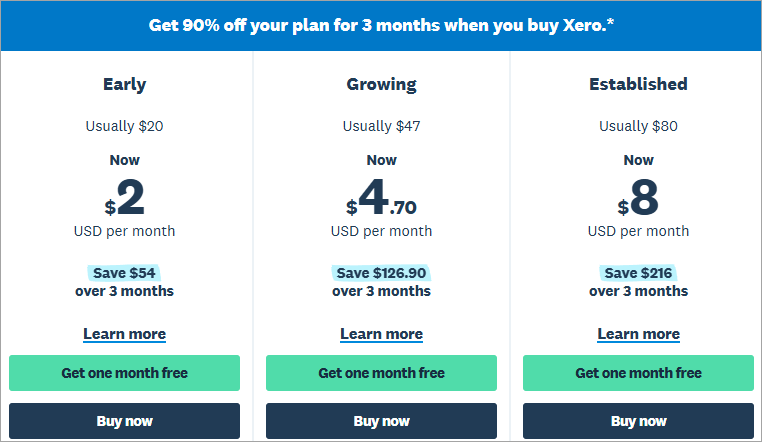
Price: Xero is free for one month, plus it constantly offers different offers on its paid plans. It is currently offering a 90% discount for the first 3 months of usage.
Price plans after discount are:
| Early | Growing | Established |
| $2 per month | $4.70 per month | $8 per month |
Website: https://www.xero.com/us/
#7) FreshBooks
Best for small businesses that are looking for an easy-to-use, secure, and unified accounting software.
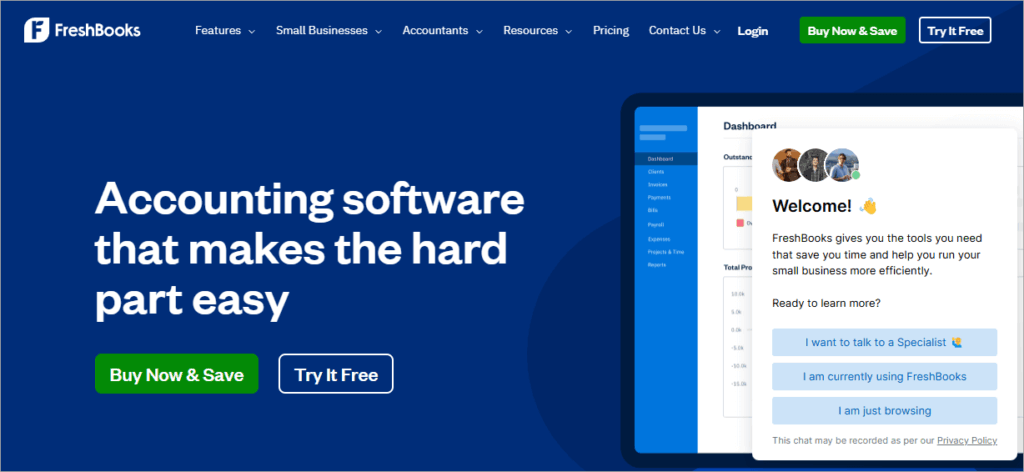
FreshBooks is an accounting software for small businesses. It is probably the easiest to use accounting software out there and is loved by its users. It offers features for automating tasks, including tracking expenses, organising them, invoicing, collaboration, reporting, and more.
FreshBooks offers a 30-day money-back guarantee and 50% off on its plans for the first 6 months of usage.
Features:
- Automated Expense and Receipts Tracking: FreshBooks scans and saves receipts, extracts data from them to track your expenses, tracks your bank accounts, and keeps a record of payments you receive.
- Integrations: Connects with over 100 apps, including Invoices Up, TaxBandits 1099 for FreshBooks, Stripe, WooCommerce, Shopify, and more.
- Security: Provides 256-bit SSL encryption for your data-in-transit. Plus, it has access controls, constant surveillance, and many more features.
- Reporting: FreshBooks automatically generates standard business reports, which can be downloaded and shared with your accountant.
Pros:
- Offers 50% off on its price plans for 6 months.
- A 30-day free trial
- Feature-loaded mobile apps for Android and iPhone users.
- Supports multiple currencies and multiple languages.
Why we recommend FreshBooks: FreshBooks claims to save around 553 hours for users each year. It is used by over 30 million small businesses, coming from across 160 countries. The users of FreshBooks have been quoted as saying that the application is quite intuitive and makes accounting simple.
It is a PCI DSS Level 1 Compliant, secure platform and is highly suitable for small businesses, freelancers, and self-employed professionals.
Price: FreshBooks offers the following price plans:
| Lite | Plus | Premium | Select |
| $10.50 per month | $19 per month | $32.50 per month | Custom pricing |
Website: https://www.freshbooks.com/
#8) Zoho Books
Best for being an affordable, all-in-one accounting software for businesses of all sizes.
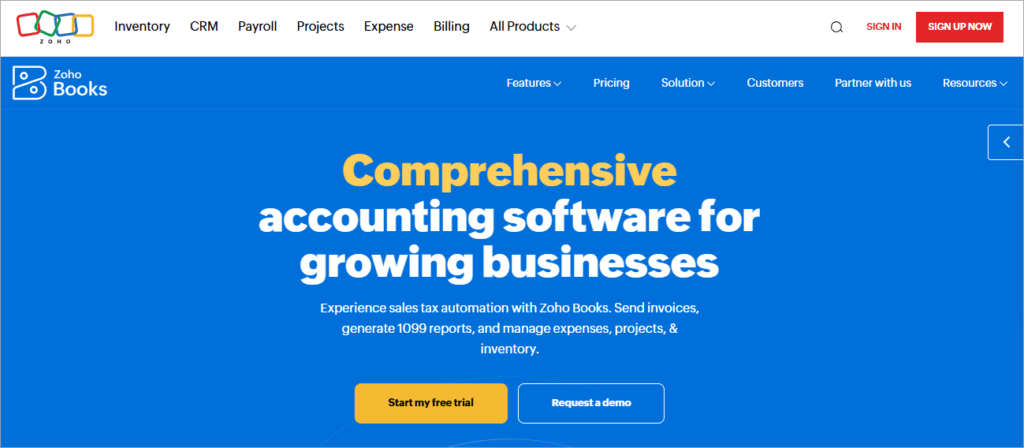
If you want a free balance sheet software, then Zoho is the best option. It is trustworthy, secure, feature-rich, scalable, and affordable. It is an all-in-one accounting software with features ranging from automated tracking of financial data and payroll management to advanced reporting and analytical capabilities.
And the best part is, they offer different price plans so that businesses can choose a plan that suits their unique requirements.
Features:
- Automated Synchronisation of Bank Account with your Books: Zoho Books tracks your transactions from different credit cards and bank accounts.
- Reporting and Analytics: Zoho Books offers more than 70 built-in and customizable reports, and its analytical tools help businesses in understanding trends and making better business decisions.
- Integrations: Offers seamless integration with a number of applications, including payment gateways, third-party applications, Zoho apps, and partner banks.
- Security and Privacy: Zoho is compliant with industry-leading privacy standards and provides advanced data protection tools to its users, including data encryption, access controls, and more.
Pros:
- Provides custom solutions for unique business requirements
- Supports multiple currency transactions
- Supports 22 languages
- Team collaboration tools
- Advanced business intelligence and reporting features
- Workflow automation tools
- Mobile apps for Android and iOS users
- A free version for Microsoft businesses
Why we recommend Zoho Books for balance sheet preparation: Zoho Books is an affordable and highly scalable platform that is suitable for businesses that want to expand their markets globally.
Their flexible pricing structure makes the platform suitable for businesses of all sizes.
Price: Zoho Books offers a highly useful free version for 1 user. Their paid plans are as follows:
| Standard | Professional | Premium | Elite | Ultimate |
| $15 per month billed annually | $40 per month, billed annually | $60 per month, billed annually | $120 per month, billed annually | $240 per month, billed annually |
Website: https://www.zoho.com/us/books/
#9) Oracle NetSuite
Best for being a unified business solutions provider for startups as well as businesses of all sizes.
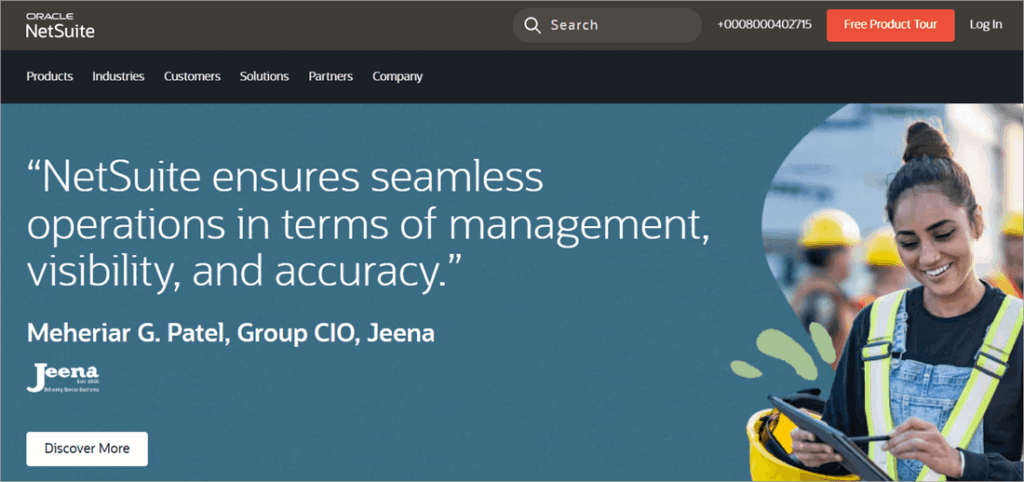
Oracle NetSuite is a cloud-based, comprehensive ERP system that offers innovative balance sheet management solutions. It has over 41K customers from around the world, and about 20% of the Fortune 100 companies are its clients.
Check their website to understand the step-by-step guide on how to create multiple-column balance sheets with NetSuite.
Features:
- Automated Accounts Tracking: Oracle NetSuite has automations for tracking and transferring data from different apps and bank accounts to one place. Users get access to real-time bank and credit card data. This allows real-time syncing of bank records and account balances
- Integrations: NetSuite offers seamless integration with different applications used in the business, including financial management capabilities, inventory and order management, HR, and more.
- Reporting and Analytics: The platform tracks cash flows and predicts future cash trends. Their advanced reporting capabilities are commendable.
Pros:
- What-if analysis
- Several useful integrations
- Suitable for businesses of all sizes.
- Easy to use
- Multi-currency support
- Supports multiple languages
Why we recommend Oracle NetSuite: Daniel Counts from U.S. CAD has stated that Oracle NetSuite provides them with a 360° view of the business and saves a significant amount of time. Oracle NetSuite has been a saviour for businesses from different industries.
Oracle NetSuite is suitable for startups as well as businesses of all sizes.
Price: Contact them for pricing information.
Website: https://www.netsuite.com/portal/in/home.shtml
#10) Sage Intacct
Best for small to medium-sized businesses that are looking for a secure platform that can integrate well with their systems.
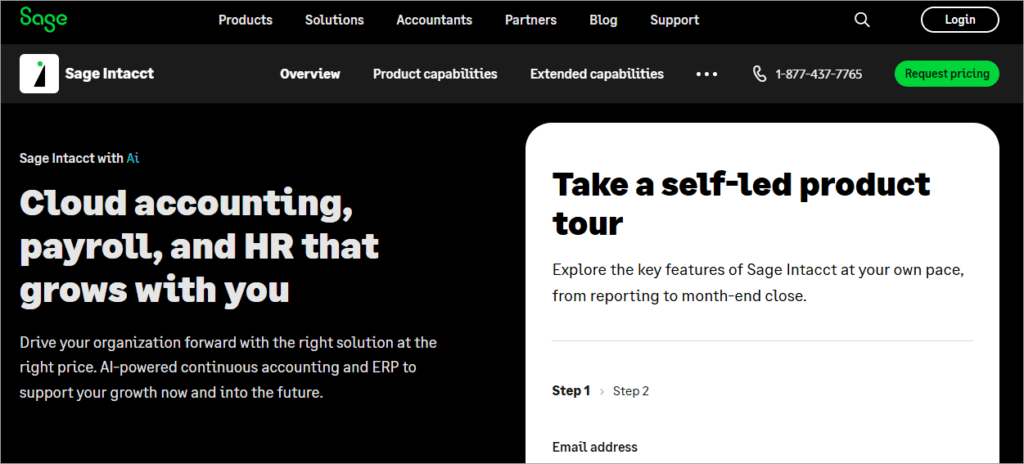
Sage Intacct is a renowned cloud-based accounting software that provides its users with easy-to-use tools for balance sheet management, planning, HR, payroll, and more.
The main plus points about Sage Intacct are its usability, flexibility, scalability, and compliance. It is an ISO 27001, ISAE 3402, ISO/IEC 27001 certified, PCI, and GDPR compliant platform that offers access controls and other useful security features.
Features:
- Automated Record Keeping: The app tracks all of your assets, revenue, net income, and expenses in real time.
- Integrations: Sage Intacct has robust APIs for seamless integration with your applications.
- Dashboards and Reporting: The platform offers intuitive dashboards and hundreds of real-time reports that help in making data-driven, strategic decisions.
- Payroll and HR: It has tools for streamlining payroll and managing HR.
- AI-powered Accounting: With Sage Intacct, you will get automations for AP, general ledger, anomaly detection, and more.
Further Reading => Top-Rated Payroll Software to Look For
Pros:
- Built to suit your industry-specific needs.
- Offers many pre-built integrations.
- Easy to use
Why we recommend Sage Intacct: Sage Intacct claims to uplift your finance team’s productivity by 65%. It has more than 24K customers and is known for being a leader in delivering customer satisfaction.
The customers of Sage Intacct are of the view that the platform is easy to use, saves a significant amount of time, provides deep visibility into accounts, and its real-time reports make their business operations easier.
Price: Contact them to get a tailored price quote, as per your business requirements.
Website: https://www.sage.com/en-us/sage-business-cloud/intacct/
#11) Wave
Best for small businesses that want an affordable yet useful accounting software.
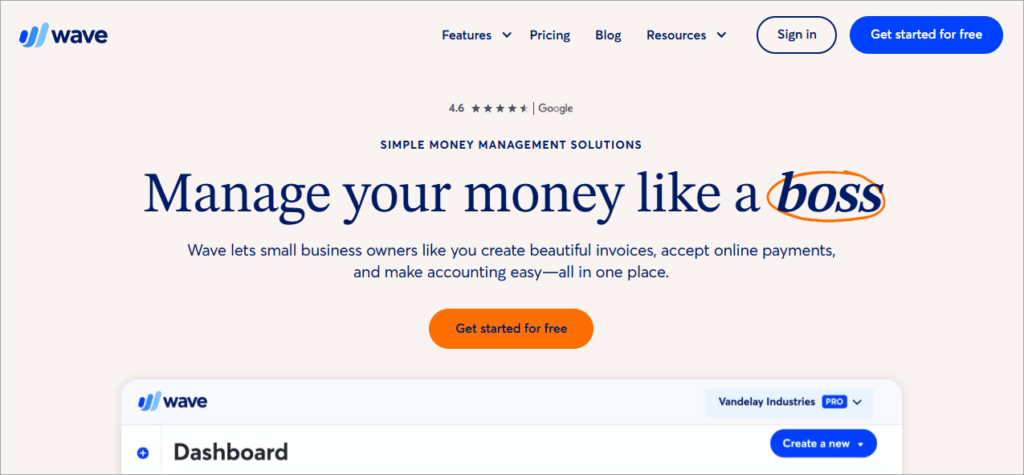
Wave is a web-based accounting tool whose features include importing and categorising transactions, providing real-time visibility into the accounts, generating financial statements, cash flow reports, balance sheets, and much more. Features, including payroll and digital capture of receipts, are available at additional costs.
Wave offers step-by-step guides for switching from other applications.
Features:
- Automated Data Import: Wave imports, merges, and categorizes all of your bank transactions, which can then be viewed anytime.
- Robust Accounting Reports: Their monthly and yearly reports help businesses in identifying cash flow trends and in business decision-making.
- Security: It is a PCI Level-1 certified platform and offers 256-bit encryption to credit cards and bank account information.
Pros:
- Secure platform
- No need to install the software
- It can be used from anywhere, at any time.
- A free plan
Why we recommend Wave: Wave has served over 5.9 million small business owners in the USA and Canada and has logged more than 1.5 billion accounting transactions to date.
It is a simple accounting platform built for small businesses. Their free plan allows unlimited invoices and bill creation, bookkeeping records, cash flow management, and more. For more features like sending automated payment reminders, digital capture of receipts, tracking expenses, and more, you’ll have to buy their Pro plan.
Price: Wave offers a free plan. Their Pro plan costs $170 per year. For accepting online payments with Wave, you will have to pay 2.9% + $0.60 per credit card transaction with each plan.
Website: https://www.waveapps.com/
FAQ’s on Balance Sheet Basics Software
1. What is the main purpose of a balance sheet?
A Balance Sheet is prepared to track a company’s cash flows, assess its financial health, predict cash trends, identify bottlenecks, and plan for future growth opportunities.
2. What is balance sheet preparation software?
A Balance Sheet software is an accounting application that integrates with an organisation’s applications and uses automation for keeping a record of all the cash flows, uses data analytics for identifying trends, provides real-time data reports, and much more.
3. Which software is used for the balance sheet?
Most of the popular accounting software offers balance sheet preparation tools. Some of the best Balance Sheet Software are QuickBooks, Moody’s, FIS, Oracle Balance Sheet Management Software, Jedox, Xero, FreshBooks, Zoho Books, Oracle NetSuite, Sage Intacct, and Wave.
4. What are the benefits of accounting software?
The accounting software for balance sheet preparation offers the following top benefits:
• They save a lot of time and resources
• They ensure accurate entry of data
• They give deep visibility into the cash flows
• They provide quick, real-time reports
• They help in business decision-making
5. How much does accounting software cost per month?
A basic accounting software would cost around $10 per user per month. Some of them offer free plans or free trials, which can be used for checking the software’s suitability for the business.
6. Does Excel have a balance sheet template?
You can create a balance sheet in Excel. Users can even create a customised balance sheet template in Excel.
If you want a pre-built Excel balance sheet template, then you can download one from ClickUp, Vertex42 or WPS. These applications allow users to download customisable balance sheet templates for Excel.
7. Does Google have a balance sheet template?
You can find balance sheet templates in Google Sheets. For using a balance sheet template from Google, follow these steps:
• Go to Google Sheets
• Click on the Template gallery
• You will see many pre-built templates for Annual Budget, Balance sheet, Expense report, etc.
• Open the Balance sheet template and start working on it. You can customise the template as per your requirements.
8. How do you make a good balance sheet in Excel?
Follow these steps for creating a balance sheet in Excel:
• Open a blank spreadsheet
• In the top row, merge 3-4 cells in the middle and write the title (Company’s name) in it.
•In the second row, again merge 3-4 cells in the center and write Balance Sheet
• In the third row, write the period for which the balance sheet is being made
• Now in the fourth row, write Assets in the left side of your spreadsheet and make sure to make it bold.
• Below the cell Assets, write Current assets
• Now, keep on typing in the list of current assets owned by the company in a column
• After current assets, write Total, then leave a line
• Now type Fixed Assets (in bold) in the same column
• Add items in the fixed assets, then write Total Assets (make it bold)
• In the same way, create another column for Liabilities. (Make sure you leave 4-5 columns between the headings Assets and Liabilities).
• In the Liabilities column, type Liabilities in the first row, then Current Liabilities in the second row, then list the current liabilities, then type Current Liabilities
• Now leave a line, type Long term liabilities, and then add your long-term liabilities, one by one.
• Now leave a line and add Stockholder equity. Add items to this list, then type Total Equity at the end.
• Now add dollar amounts for your assets and liabilities
• Now add the assets’ and liabilities’ amounts to write the Totals. You can use the formula =SUM, then select the cells you want to add.
• This creates your balance sheet. Now you can add borders to your totals, so that the viewers would be able to find them easily.
You can also use a balance sheet template and make the whole process quick and easy.
Conclusion
The Balance sheet preparation software is usually available at an affordable cost and delivers several benefits. This has made the use of such software quite popular among businesses from almost all industries.
The users of balance sheet preparation software state that they save significant time and effort with this software; they also help in attaining more accuracy, efficiency, and productivity in business operations.
The Balance Sheet software that we included in our list is known for delivering good value for money, is easy to use, powerful, scalable, secure, and reliable. Based on your business size and feature requirements, you can choose a suitable software for your business.
- Time taken to research this article: We spent 18 hours researching and writing this article so you can get a useful, summarized list of tools with a comparison of the top 5 of them for your quick review.
- Total tools researched online: 34
- Top Balance Sheet Software shortlisted: 11
Was this helpful?
Recommended Reading
-

This tutorial compares the best Accounting Software. Select the Bookkeeping Software that meets your needs: Accounting software saves time and hassles in recording financial transactions. Using the accounting app allows accounting personnel and business owners to focus on strategic aspects of managing a business. It automates the task of generating…
-

Review this article to evaluate the top Cloud Accounting Software with comparison to identify the best cloud-based accounting software for your business: In today's times, the tasks you perform to keep your business running have become digital. You need to send price quotes, invoices to your customers, make and receive…
-
Comparison of popular Small Business Accounting Software with features & pricing to help you select the best Business Accounting Software: Business Accounting Software is an application that records all the company’s transactions and generates reports. These accounting tools offer the functionalities to prepare financial reports that will give you visibility…
-
Here we will review and compare the top Financial Management Software to help you decide the best Financial Management System per your requirement: Financial Management, as the name suggests, refers to managing finances. The term is commonly used for business enterprises that need to manage their finances properly and accurately…