Learn how to use AddROM FRP Bypass APK with this step-by-step guide, including installation steps, setup instructions, and safer AddROM alternatives to bypass FRP locks on Android.
Factory Reset Protection (FRP) is one of the most effective security systems found on Android devices. Additionally, FRP can be one of the biggest challenges faced by owners who, after conducting a factory reset, forget their Google account passwords.
This is where addROM FRP Bypass comes in, allowing one to easily connect to their gadget by bypassing the verification process.
This guide will walk you through the process of downloading, installing, and using AddROM FRP Bypass APK. It provides information about what AddROM does, how compatible it is with newer versions of Android, potential dangers of using APK files, how to fix some issues related to the installation process, and what other software can be used instead of AddROM.
What is AddROM FRP Bypass?
AddROM FRP Bypass is one such method for obtaining access to the Android device in case of a factory reset, provided that you are the genuine owner and wish to verify your Google account. However, while AddROM can be successful for some old versions of Android, but newer security patches often limit success.
What is the FRP Feature on Android
Google has gone above and beyond to ensure the safety and privacy of its device users. The feature known as “Factory Reset Protection” is just another example of this. Almost all Android devices after 5.1 Lollipop have this feature enabled by default.
The purpose it serves is quite simple – to prevent any unauthorized access after a phone has undergone a factory reset.
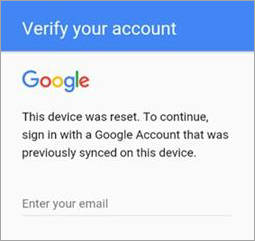
[Via CyberArk]
Let’s say you’ve factory reset your device for any reason. You’ll be able to completely access your phone after such a reset only after providing the correct Google account credentials. I am talking about the Google ID and password connected to your phone.
Can FRP Be Disabled?
Yes, it is possible to disable FRP from your phone’s settings. Just do so before you hit the factory reset button. First, make sure all types of screen locks are disabled by going to “Settings”.
Once that is done, go to “Accounts” and delete or remove all Google accounts associated with the phone. You can now proceed to factory reset your device through the “Settings” and not worry about being locked out because of the FRP lock.
If you’ve hit the reset button without removing the accounts and locks, FRP will kick in. From here on, the only way in is to verify your Google account credentials.
While FRP protects your phone from access by an unauthorized person, it could also lock you out of your own device if you’ve forgotten your Google credentials. When faced with such a frustrating situation, tools like addROM bypass can come to your rescue.
What Is AddROM FRP Bypass and How it Works?

AddROM is a highly well-known library containing particular APK files and shortcuts of settings that help bypass FRP. In the event of a hard reset of the Android phone while the Google account is not logged out of, the device becomes locked.
AddROM offers the vital “keys,” which are actually the tools that allow users to unlock the settings and bypass the Google account verification process.
How AddROM Works: The fundamental principle behind AddROM revolves around sandboxing or using particular bypass entry points during the Android wizard setup process.
How AddROM FRP Bypass Works: AddROM uses several methods to help users access device functions during the Google verification lock:
- Accessing System Settings: AddROM allows accessing the Android Settings menu from the locked device through the shortcuts provided. This enables users to access the device settings despite being locked with FRP.
- Use of APK to Bypass Verification: By using AddROM, the device could be tricked into opening FRP bypass APK files such as account manager or shortcut app files.
- Method that Works Through Screen Lock: In this technique, AddROM accesses the option to “Open Set Screen Lock” on the device to set up a new password or pattern lock.
Devices and Android Compatibility
AddROM supports devices that use outdated to average Android security patches, depending on the device and update versions.
Android Compatibility: It works well on Android 5.0 (Lollipop) up to Android 11. Compatibility on Android 12, 13, and 14 is somewhat rare and mainly dependent on the security patches of the particular device.
Brands: AddROM can be applied to phones made by Samsung, Xiaomi, LG, Motorola, and Huawei.
Supported Hardware: It is likely to function on both Qualcomm and MTK phones provided that there is a browser or setting access method.
When AddROM Fails To Work
AddROM might not be always successful for certain conditions, including those below, especially with newer phones that have increased levels of protection:
- Recent Updates: Newer updates of the Android operating system can protect the phone from being accessed via the browser or other points of access required for older versions of AddROM.
- Knox or Enterprise: Phones with Knox or those under enterprise management have security measures that cannot be manipulated by adding settings or installing apps through AddROM.
- Newer Implementation of FRP: The FRP feature in some newer phones is connected to more intricate system features, which render APK methods ineffective.
How to Use AddROM FRP Bypass APK
1. Make sure your locked phone has an activated SIM card in it. Boot it up until the verification screen appears.
2. Now switch to the working Android phone and proceed to install addROM Bypass on it.
3. Make sure you are downloading the software from the official site.
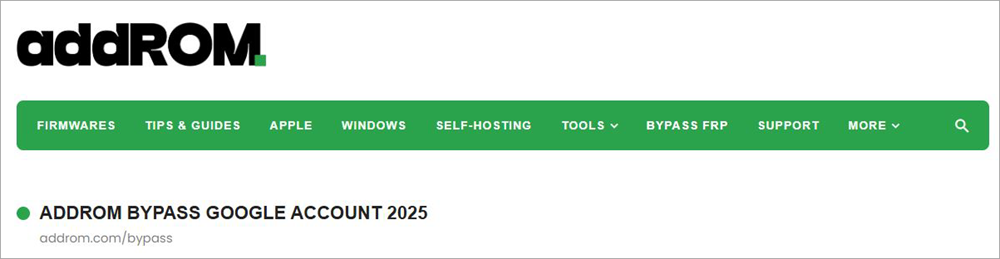
4. Scroll until you find the HushSMS.apk file. Download this file.
5. Once downloaded, go the My Files > Downloads > Install HushSMS.apk.
How to Use addROM Bypass to Bypass the FRP Lock
Now that you have the APK installed, let’s understand how you can use it to bypass the FRP lock:
1. With the HushSMS app installed, open it and tap on WAP PUSH SL.
2. Now, enter the phone number that’s connected to your locked Android device.
3. In the ensuing Messages box, type – www.youtube.com/@addROMcom.
4. Follow this up by tapping on the SEND WAP PUSH SL button.
5. This will result in the addROM YouTube channel opening up on your locked phone.
6. Now, click the “Menu” icon at the top right corner and select Terms & Privacy Policies. This will open up a browser page.
7. Search for addrom.com/bypass and then download Google Account Manager (GAM) APK.
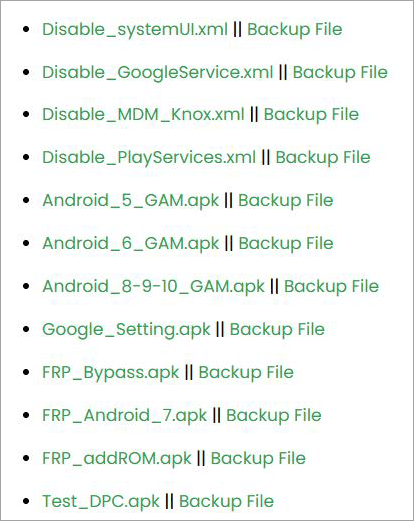
8. On the same site, you’ll find the FRP Bypass APK file; download it as well.
9. Install both files on your locked device.
10. Once installed, open FRP Bypass APK, navigate to Menu, and select Browser Sign-In.
11. Sign in with a Google account and reboot your device.
You have successfully bypassed the FRP lock on your phone.
Here is the video to bypass FRP Google on all Samsung Devices:
AddROM FRP Bypass APK Free Download: Is It Safe?
Safety should be your top concern when looking for an FRP bypass APK. Due to the nature of their function, such apps require high levels of permissions that cannot be granted to typical applications.
Although the original AddROM is quite popular among many technicians, its fame resulted in various dangerous clones appearing online. Being aware of potential threats and learning about ways to protect yourself before clicking the download button is key.
Risks of APK Malware: If downloaded from unreliable third parties, APK files may contain hidden malware in the form of spyware or adware which might pose a serious threat to your data and device.
Methods for Checking the Authenticity of the APK File
Before installing the APK file, it is necessary to ensure that the APK file is genuine:
- File Size: Check whether the size of the file is unusually large or small.
- Scan the APK file: Scan the APK file using an antivirus program to ensure that it is free from any malware.
- Permissions: Be careful while installing applications asking for unnecessary permissions like accessing contact lists or sending messages.
AddROM Fake Download Sites to Stay Away From
You should be wary of any AddROM mirroring sites that might not be safe to use. Do not use downloaders that ask you for:
- Surveys: Human Verification is a frequent indicator of a phishing website.
- Payment Information: AddROM applications cannot ask you to give your credit card details.
- .EXE Files Instead of APK Files: APK files cannot come bundled as .EXE files.
Does AddROM Work on Android 12, 13, and 14?
The process of skipping FRP on Android 12, 13, and 14, as of 2026, has been made very difficult.
With the implementation of the new “v2” security system by Google, several conventional ways to bypass FRP using an app, like AddROM’s classic settings injection, are constantly getting patched. Yet, while the one-click APK technique is losing its ground, the AddROM community still offers the required links.
Android Compatibility Table (2026 Update)
This table summarizes the effectiveness of AddROM based on your current OS version and security patch level.
| Android Version | AddROM Success Rate | Primary Method |
|---|---|---|
| Android 11 & Below | High (90%) | Direct APK installation (FRP_AddROM.apk) |
| Android 12 | Medium (60%) | "Set Screen Lock" shortcut or Alliance Shield X |
| Android 13 | Low (30%) | Accessibility Menu / TalkBack "Voice Command" exploit |
| Android 14 | Experimental | Browser-to-Settings "Reset All Settings" loop |
AddROM Not Working? Fix Common Problems
It is common to have roadblocks while circumventing security. The fact that the AddROM APK fails to install, or that there is an issue with the website links, does not necessarily mean that the software is “broken.” It may be a problem with the system itself. Here are the most common problems and their tested solutions for 2026.
Problems with Setup Wizard Access: One of the most common problems involves failure to access any browser or settings menu using a Setup Wizard.
Problem: Standard techniques used to access accessibility and voice menus might not work on certain Android devices.
Possible Fixes:
- Try Alternative Methods of Accessibility: Certain more recent Android updates might rely on gestures and other means for accessing system menu items.
- Take a Look at Emergency Options: In other cases, accessing emergency or secondary menus might grant access to more options.
- Try Access Methods Based on SIM Notifications: In some situations, SIM-based notifications can lead you to additional shortcuts to the settings section.
- May Be Compatible with Updates: If nothing helps, there is a chance that updates might prevent such procedures from working anymore.
If Setup Wizard access fails completely, trying an updated FRP bypass alternative may be necessary.
Problems with Browser Start-Up
Sometimes you may reach an assistant or menu, but attempts to open Chrome or Settings show a restriction message.
The Problem: Certain devices might maintain the Setup Wizard in a restricted state that prevents the launch of external applications.
Solutions:
- Explore Other App Locations: Even when the browser is restricted, other built-in apps may still lead to web or settings access.
- Use Device-Specific App Stores: Some device models might use manufacturer-specific app stores that could allow access to other settings-related tools.
- Try Built-In Menu Accesses: Some devices may allow users access via help pages, privacy policy pages, or technical support menus that would open the browser.
- Look into Possible Restrictions: When all other options fail, more restrictive security measures may interfere with browser start-up processes.
If browser launch issues persist, a newer FRP bypass alternative may be required.
Fixes for the Google Account Verification Loop Problem
It is possible that your phone or tablet will ask for Google account verification even after restarting the device despite having added an account.
Solutions:
- Either make sure you have enabled key Google applications before performing a factory reset.
- Uninstall and then reinstall the account if the account installation did not go through smoothly.
- Alternatively, try setting up a password lock for the phone or tablet.
Factors to Consider Before Using addROM
Before you decide to use addROM, it is important to understand a few things. First and foremost, this platform could have a lasting effect on the functioning of your device. It would do you good to consider a few things before deciding to use the app.
For starters, using addROM could render your device’s warranty void. This might hinder your attempt at getting manufacturer support in the future. Second, you are putting your data and privacy at risk by using tools like addROM bypass.
The tool also demands some technical proficiency from its users. It must be used appropriately, and any improper use could significantly affect your device’s integrity.
I would also suggest backing up your phone’s data before addROM bypass download. This will ensure your data isn’t compromised during the device unlocking process.
Does addROM Work?
The common consensus seems to be yes, addROM does work. However, I’ve also come across some complaints regarding the tool, especially concerning its tedious installation process and compatibility issues.
To better understand just how effective addROM is, I suggest you go through some of its pros and cons, as I’ve curated them below for your reference:
Benefits and Limitations of addROM
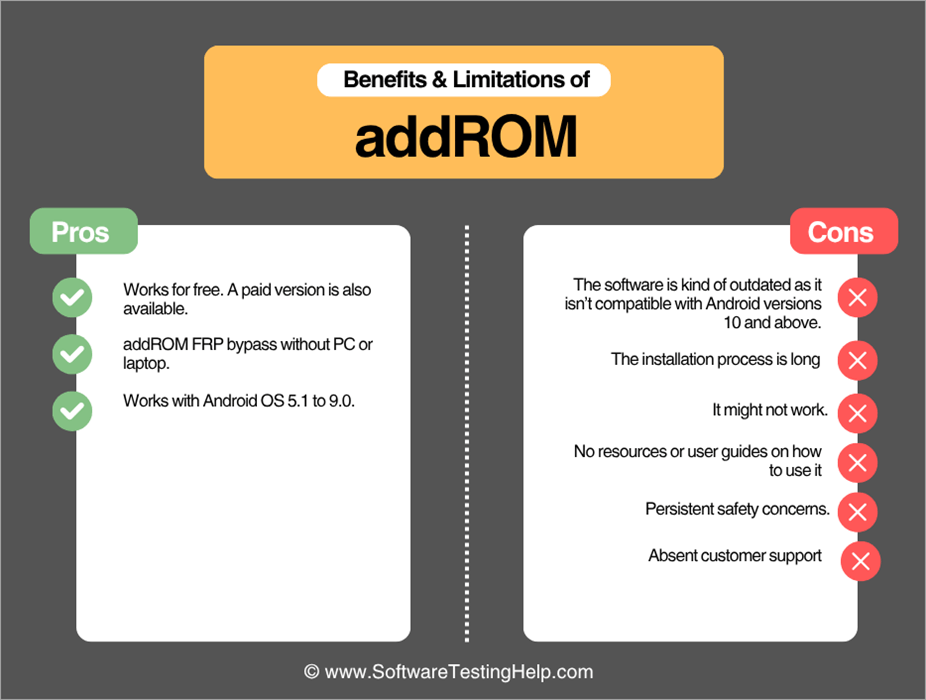
| Pros | Cons |
| Works for free. A paid version is also available. | The software is kind of outdated as it isn’t compatible with Android versions 10 and above. |
| addROM FRP bypass without PC or laptop. | The installation process is long |
| Works with Android OS 5.1 to 9.0. | It might not work. |
| No resources or user guides on how to use it | |
| Persistent safety concerns. | |
| Absent customer support |
Best AddROM Alternatives for FRP Bypass
While addROM Bypass is a widely used tool to bypass FRP locks, it isn’t the most convenient solution to your problem. addROM is incompatible with most modern Android devices; it only supports these versions:
- Lollipop 5.0
- Marshmallow 6.0
- Nougat 7.0
- Oreo 8.0
- Pie 9.0
If you are using an Android device operating on an older OS, then well and good. However, addROM bypass is simply ineffective with Android devices 10.0 and above. The bypass process itself isn’t really simple.
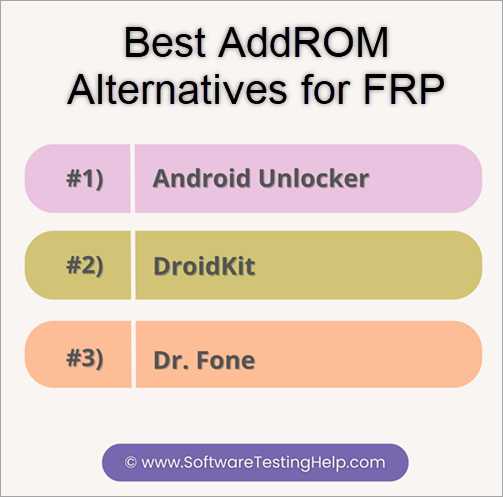
Fortunately, there are alternatives out there that do make up for addROM bypass’s limitations. Some of the best are as follows:
#1) Android Unlocker
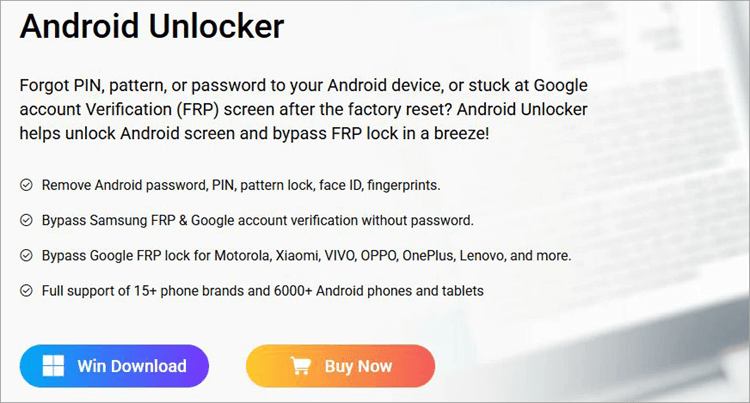
Think of Android Unlocker as a far more convenient alternative to addROM. The tool makes bypassing FRP locks look as easy as a walk in the park. Besides FRP locks, you can use the tool to bypass passwords, PINS, fingerprints, and Face ID. The software also works well with all older and newer versions of the Android OS.
Features:
- Remove all types of Android Lock.
- Works with 15 Android brands.
- Bypass FRP and Google account verification.
- Work with all new and old Android OS versions.
Price: Android Locker will cost you $39.90
Website: https://www.appgeeker.com/android-unlocker.html
#2) DroidKit
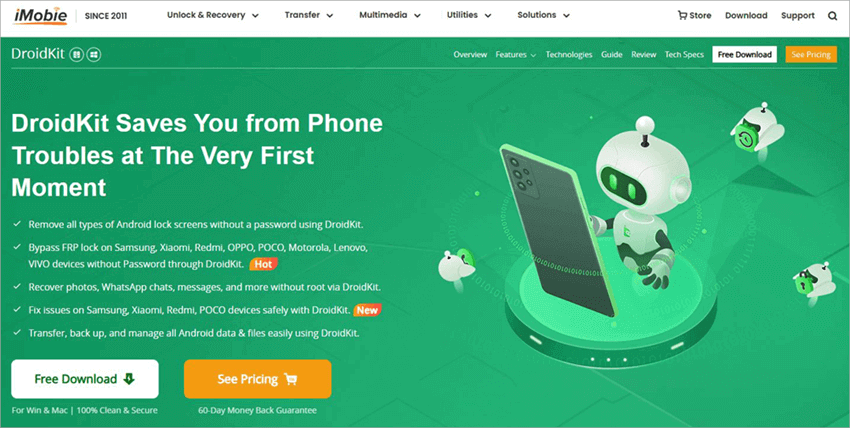
DroidKit is another tool that is as user-friendly as it is functionally robust. It ensures a clean and safe bypass of your phone’s FRP lock once launched.
The platform works with almost all Android devices operating on OS versions 6.0 and above. You don’t need to be a technical aficionado to use this tool. The installation and bypass process is fast and simple.
Features:
- All types of Android lock screens bypassed.
- Bypass FRP locks.
- Recover images, docs, messages, etc.
- Back up and manage data.
Price: DroidKit FRP Bypass will cost you $39.99
Check our DroidKit Review Here
#3) Dr. Fone
Wondershare’s Dr.Fone serves as the perfect solution to a thousand problems that could affect your phone’s performance. You will have an easy time using this tool to bypass FRP locks or any other screen lock stopping you from accessing your device. This tool also works with the latest Android 15 version.
Features:
- Screen Unlock
- Data Recovery
- System Repair
- Data Eraser
Price: The basic tool will cost you $29.95, while the full toolkit will cost you $79.95.
Bypassing Samsung FRP Lock with Wondershare Dr. Fone Screen Unlock
AddROM vs. Modern FRP Tools (2026 Comparison)
The choice of the tool will depend on your access to a PC and the exact Android patch you need. Although AddROM is called “manual,” modern bypass methods are based either on artificial intelligence guidance or on “special service mode.”
Why to Choose AddROM (Without PC Method)?
AddROM continues to be the best choice for those who do not have a PC. Almost any modern program (SamFw, UnlockTool, etc.) needs a PC running Windows OS and special USB drivers to interact with the device bootloader.
AddROM Advantage:
- Free of Charge: You won’t have to purchase expensive “pro” licenses that cost several hundred dollars per year or pay for unlocks individually.
- Fast Start: No need to download anything; you can begin with AddROM bypass without leaving the mobile phone’s browser.
- Security: No need to install any strange EXE programs onto your PC.
When to Opt For PC-Based Tool?
If you continue to get Action Restricted or Installation Blocked messages while using AddROM, a security update might have restricted the functioning of APK-based methods.
In this case, a PC-based tool may be needed because it can offer:
- Deeper recovery options for your device
- Options to deal with new FRP security restrictions beyond APK-based methods
- Timely security updates
The following table explains the use if AddROM APK and Modern Tools
| Tool | Free | Android 14 Support | PC Required | Difficulty | Best For |
|---|---|---|---|---|---|
| AddROM APK | Yes | Limited (Manual) | No | Medium | Older devices/Quick fixes |
| SamFw Tool | Yes | High | Yes | Easy | Samsung (One-Click) |
| UnlockTool | No | Full | Yes | Expert | Professionals/Technicians |
| Dr.Fone AI | No | High | Yes | Very Easy | Non-technical users |
| Magisky | Yes | Medium | No | High | Users without a computer |
Is AddROM Legal to Use?
The use of AddROM could be legal if it was used to recover a device that one owns from lockout after the factory reset of the device. But legality may vary with ownership, authorized use, and applicable laws.
Ownership of the Device: Use of AddROM could be legal in situations where the person is the legitimate owner of the device, has forgotten the Google login details, or has lost access to their own device through a reset.
Consequences of Unauthorized Use: The use of FRP bypass tools, such as AddROM, to unlock devices owned by another person or unauthorized use of these tools could be illegal. It may also lead to instability of the device.
When Professional Repair May Be Better: If the device has newer security protections, enterprise restrictions, or repeated bypass failures, an authorized service center or professional repair option may be a safer and more reliable solution.
FAQs on AddROM
1. Does AddROM FRP Bypass still work in 2026?
It works well with devices that run Android 5.0 and above up to Android 11. Nevertheless, the new devices with OS Android 12, 13, and 14 will most likely encounter security updates, blocking APK installation.
Thus, for the new devices, AddROM can be considered as gateway” to access system settings rather than a one-click fix.
2. Is the AddROM APK safe to download?
The original AddROM APK files have been considered the norm in the industry when it comes to technicians, but it should be noted that it is safe to install it only via its authentic website. Do not go for mirror sites requiring your personal information such as surveys or even credit cards.
3. What is the best AddROM alternative?
For users on modern Android versions (13/14) or Samsung devices, alternatives like SamFw Tool (Free) or UnlockTool (Paid) are more reliable. These utilize PC-based ADB and “Test Mode” exploits that bypass the security blocks that stop standard APKs from working.
4. Can AddROM bypass Samsung FRP?
Yes, but it will depend on the Knox version of security measures. Most older models of Samsung Galaxy will be easily bypassed. For newer models, such as S23, S24, S25 series, the process will involve using “Alliance Shield X” or PC-based bypass tools.
Conclusion
As someone who occasionally forgets his own login credentials, I understand just how frustrating it can be to get locked out of your phone after a factory reset. That said, this isn’t a problem that a good bypass tool cannot fix. addROM FRP bypass has been a much raved-about solution for Android users who’ve had to bypass their device’s FRP locks.
The success rate of this device working is through the roof, provided you are using it to unlock older Android devices (Lollipop 5.0 to Pie 9.0). addROM FRP bypass isn’t something I can recommend if you’re using a new Android device.
You’ll have better luck with alternatives like DroidKit or Android Unlocker when unlocking an Android device operating on OS 10.0 and above.
Research process:
Time taken to review and research this article: Approximately 45 hours were spent on comprehensive research, review, evaluation, verification, and final preparation to ensure accurate and reliable information.
You can find additional FRP Bypass guides by checking out our tutorials below.
- Xiaomi/Redmi FRP Bypass MIUI 10-14: New Tricks for 2026
- Top Free FRP Bypass Tool to Unlock Android and PC
- GSMNeo FRP Bypass Tool Review and Alternatives
- How to Open APK File on Windows, Android, Mac OS
Was this helpful?
Recommended Reading
-

Discover the versatile ways to safely Bypass FRP on Android devices with the GSMNeo FRP tool. Explore its efficient features & functionalities along with a list of GSM NEO Alternatives: GSMNeo is a free tool for bypassing Google FRP (Factory Reset Protection) on Android devices without using a P.C. Factory…
-
This tutorial reviews and compares the best iCloud Bypass Tools to help you with the iCloud/iPhone activation lock removal/bypass process: Apple iCloud is an online cloud storage service built into every Apple device. You can log into the online account by entering your user ID and password. If you happen…
-

Are you stuck on the Windows 10 login screen? Isn't your password working? Stop worrying and read through the steps on how to bypass Windows 10 login screen without a password: Role-based access control is essential for securing data-sensitive cloud-based or client-server web-based applications that validate registered users with a…
-
In this tutorial, you will understand the methods of Bypassing Samsung FRP Lock with Wondershare Dr. Fone Screen Unlock: Initially introduced to the Android 5.1 version, Factory Reset Protection (FRP) is an in-built security feature designed to prevent users from using devices after a factory data reset. This security feature…