An in-depth review of Aternos Minecraft Server with alternatives for lag-free gaming. Learn all about its safety, features, performance, security concerns, and limitations from this unbiased review:
There is no shortage of free Minecraft servers today. A simple Google search will acquaint you with hundreds of options, all being flocked by thousands of die-hard Minecraft fans daily.
As a diehard fan, I understand such freemium servers’ appeal. Most Minecraft players are young, with little to no money to their names. I don’t see a good reason that something as amazing as Minecraft should be inaccessible to them simply because they can’t afford to buy a server.
Aternos Minecraft Server: Honest Review With Alternatives
That said, these servers, while free, suffer from limited performance and customization. Last year, I embarked on a mission to find a premium server host that does not skimp on customization and performance. My quest led me to the Aternos Minecraft server.
It was impossible to escape the hype surrounding this server, so I had to check it out for myself. After having done so, I have thoughts, and I would like to share them here.
So, without much further ado, let’s dive into my comprehensive Aternos review.
What is Aternos?
If you have been a Minecraft player for a very long time, then of course, you’ve heard about Aternos. After all, it has been one of the most sought-after free Minecraft server hosting platforms for nearly a decade. Feel free to check our detailed guide on Minecraft server hosting.
Although free, I believe players gravitate towards the Aternos server hosting platform as it offers them the privilege of owning their personal game server.
Aternos first made its presence felt long back in 2013. It was founded by Matthias Neid in Bonn, Germany. Aternos quickly rose to prominence because of its simple business model, which involved acquainting players with fully customizable Minecraft servers for no charge at all.
Getting started with Aternos was also simple. You simply had to create an account and start your server. Once created, you manage your server through a real-time console. For Minecraft, Aternos servers are still immensely popular, catering to over 94 million users from around the world.
During peak hours, Aternos is more than capable of hosting up to 100,000 Minecraft servers.
How to Use Aternos Minecraft Server
As I mentioned before, getting started with Aternos is fairly simple. All you have to do is follow the guide below step-by-step:
#1) First, you need to visit the official Aternos website.
#2) On the main page, click on the “Play” button as shown below.

#3) Now, create your account by signing up. Accept the “Terms of Service” to proceed.

#4) Once your account is created, you’ll find yourself on a page with a button that clearly states – “Create a Server” as depicted below. Click on it.
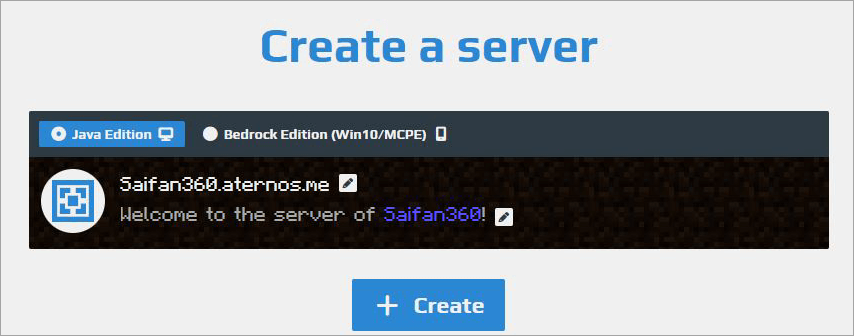
#5) Select the version of Minecraft you are playing (Java Edition or Bedrock Edition) before hitting “Create” again, as shown below.
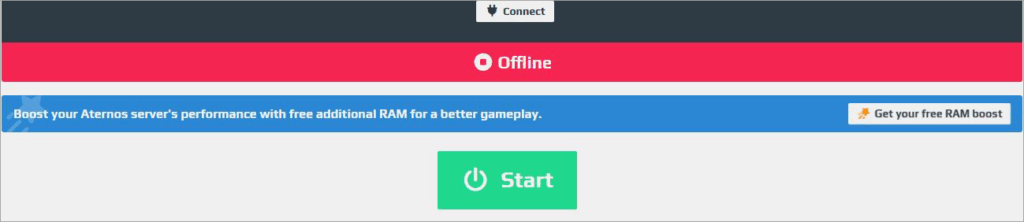
Pat yourself on the back as you’ve successfully created your server. From your console, you can now be able to configure your server, change software, customize player access, and more.
Key Features of Aternos Servers
For a free server hosting platform, Aternos really delivers when it comes to features. Here are all the features that I adored when using Aternos server hosting.
#1) Fully Customizable
It is a well-known fact that Aternos offers fully customizable servers. That has led to this platform still being relevant more than a decade after it was launched. You can configure and customize almost every aspect of your server.
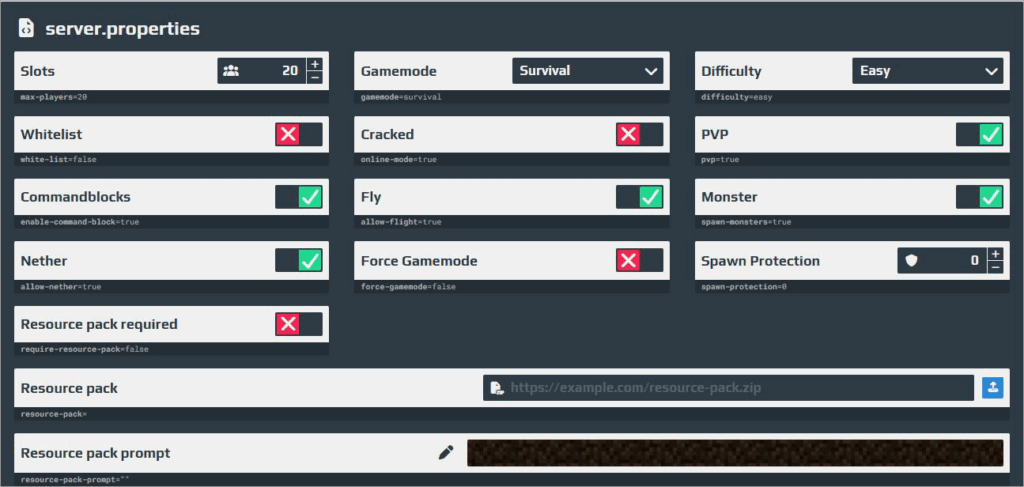
From basic plugins to mods, you can use them to customize your server as you deem fit.
You can adjust player slots, gamemode, and difficulty whenever you like. The configuration itself is very simple, which I appreciated.
#2) Real-Time Console
Configuring or customizing the server is made easy, thanks to the real-time console you’re armed with as soon as a server is created. This console is easy to navigate, with all aspects of the server clearly accessible to you. Your gameplay will immediately reflect any changes you make.
#3) Mods and Plugins
Like I said, Aternos goes above and beyond to offer players a seamless, customized experience. It does so by offering a very unrestricted approach to the use of plugins and mods. You can add any relevant plugin without hesitation to considerably modify your Minecraft world.
Besides plugins, you also have the freedom to experiment with different mods. You have the complete privilege of using any one of your favorites or employing any one of the many pre-configured modpacks offered by Aternos.
#4) DDoS Protected
Despite being free, I appreciate just how much Aternos does to protect its players from malware or virus attacks when playing online.
All players using Aternos servers are guaranteed solid DDoS protection. This means the servers are well-equipped to immediately detect and mitigate attacks that can harm and take your server down.
#5) Automatic Backups
This is yet another feature that shows just how well-equipped Aternos is for protecting its users. Creating backups is essential when you’re playing any game online, let alone Minecraft.
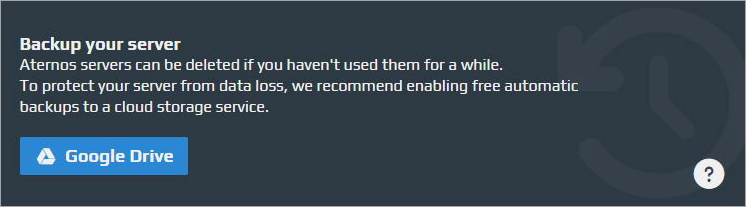
You can count on Aternos to keep a backup of your server in your Google Drive. These backups ensure that your efforts within your Minecraft world aren’t lost in the case of a successful malware attack.
#6) Access Sharing
Sharing access to your server with a friend is simple in Aternos. You can share access without actually sharing access to your main account. To add a friend, you simply have to input your friend’s Aternos username and hit the “Add” button.

Once added, you can choose which permissions to grant and which ones to deny, thus deciding how much control your friend gets.
#7) Advanced Server Management
Despite being free, I was impressed with the advanced features Aternos offers, which make managing various aspects of your server very convenient. For instance, Aternos offers a web-based file manager, which makes it easier to manage files about schematics or datapacks.
You can easily upload and download server data with Aternos. Aternos lets you export a backup of your world file as a .zip archive. Uploading a custom world is also simple, and you can upload this data as a .zip archive or as a folder. That said, you can only upload files up to 1 GB in size.
It is also worth noting that Aternos does not offer FTP access. This is done to prevent malicious content from infiltrating the server.
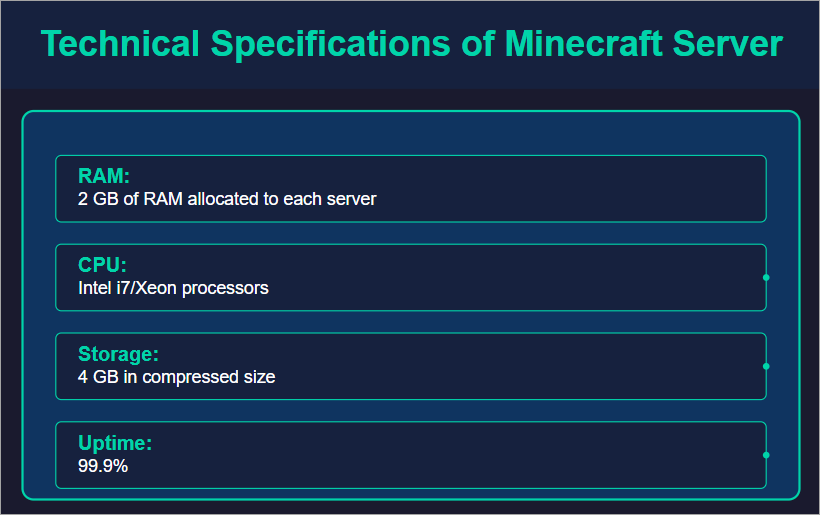
As I mentioned before, Aternos’s servers are limited to a storage size of 4 GB. However, Aternos does help its users manage this limitation via the “Optimize” feature. By enabling this feature, Aternos will automatically delete unused chunks from your Minecraft world.
The World Optimization feature works with all modded worlds. However, it is recommended to disable this feature for worlds that were generated using external software like WorldPainter.
Customer Support
As far as support is concerned, I have things I like about Aternos and areas where I feel it could improve. I feel the documentation and resources offered are great. They are easy to understand and help if you’d like to find a quick solution to a problem you are facing.
You can reach out to the team by raising a ticket or joining the Aternos Discord server. You can also email support@aternos.org, which will automatically create a support ticket. There is no live assistance or chat support. In fact, Aternos discourages its customers from reaching out to team members directly.
This can lead to delays in resolution. I hope they will incorporate live chat assistance soon for a better user experience.
Safety and Security Features
I’ve already mentioned DDoS protection and automated backups being the primary arbiters of safety and security on a server offered by Aternos.
Beyond that, Aternos also follows a stringent privacy policy to make sure user data is never compromised. You can change a password any time you want. You are also alerted if Aternos deems your password to be weak.
Aternos’s access feature makes it easier to control user access, making sure only authorized players have access to your server. Furthermore, Aternos facilitates spawn protection. This means a player can restart their gameplay in any area within the Minecraft world without having to worry about being harmed right off the bat.
On the downside, Aternos is ad-supported. There may be ads on the platform that can potentially harm your system. My advice would be to avoid clicking on any advertisements you find on the platform.
Aternos also experienced a massive data breach in 2015, which impacted over 1.4 million users. Although that was a long time ago and Aternos has bolstered its security, I would recommend being vigilant when using this platform.
Merits & Demerits of Using Aternos
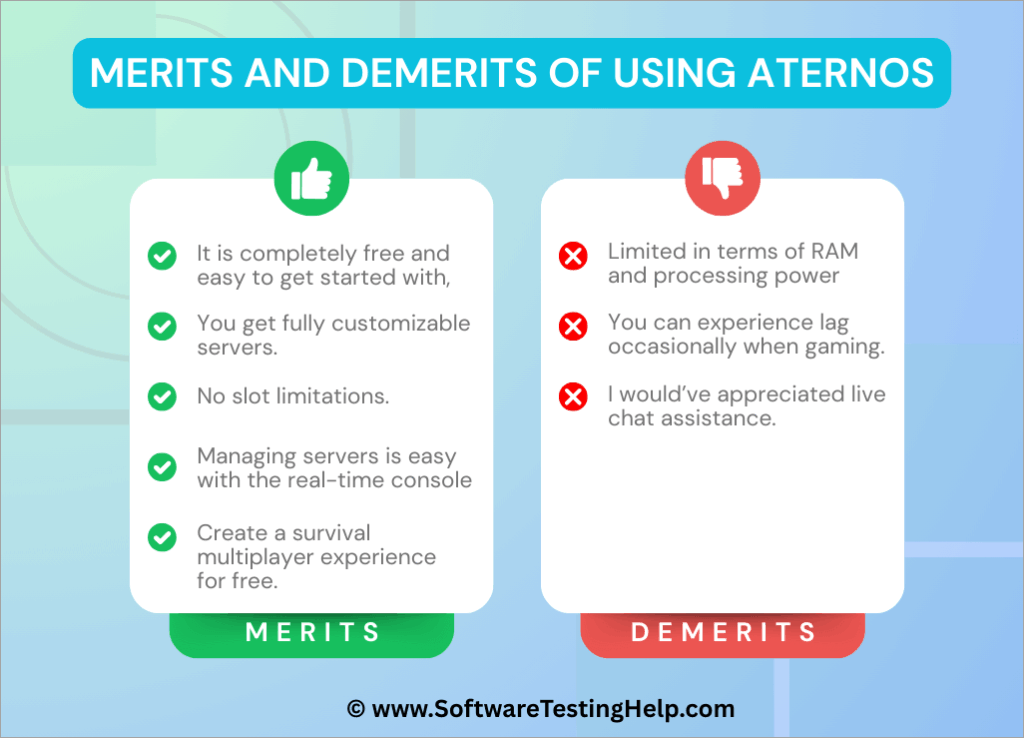
Enlisted below are some of the merits and demerits of using Aternos.
What I Like About Aternos
- It is completely free and easy to get started with.
- You get fully customizable servers.
- No slot limitations. You can play with as many friends as you like.
- Managing servers is easy with the real-time console.
- Create a survival multiplayer experience for free.
- Connect to the server with a custom domain.
What I don’t Like About Aternos
- Limited in terms of RAM and processing power
- You can experience lag occasionally when gaming.
- I would’ve appreciated live chat assistance.
Limitations of Aternos Minecraft Server
As with a free server host, Aternos offers an experience that is plagued by a variety of issues. It is more than likely that you will experience availability and performance issues while using Aternos due to the following constraints:
#1) Limited RAM Allocation
This is one reason why Aternos can offer its servers for free. It cuts costs by allocating a limited amount of RAM to each user. As evidenced by some users, each server is allocated a RAM of 2 – 2.5 GB. This could, in turn, result in players experiencing lag and performance issues.
#2) Limited CPU Access
Another way through which Aternos cuts costs is by running multiple servers on shared host systems. During peak hours, this practice can cause overloads, making it really challenging for the game to process new mods or generate new chunks of the world.
#3) Storage Restrictions
Each server is granted 4 GB of storage. If a Minecraft project exceeds this storage limit, the server will run into issues. This storage limitation also makes Aternos completely unsuitable for larger Minecraft worlds. In the long run, players may have to delete certain chunks of the world only to get the server running.
#4) Automatic Server Shutdowns
Aternos also shuts down any server that has been idle for a certain period. It does to save resources. This means that Aternos is not suitable for players who want to run a server round-the-clock.
#5) Scalability Issues
Aternos adheres to an ad-supported business model, which is what makes it possible to not charge its users. This also means that Aternos has to deliberately limit its scalability. This makes the server host only ideal for casual gameplay.
Despite these issues, you can take certain measures to improve performance on an Aternos server. For instance, I would recommend installing fewer mods, as it is deemed an effective Aternos server lag fix. I would also suggest using performance-enhancing software.
PaperMC is a great example of this. You could also try using plugins like LaggClear to fix lag issues.
Queue Wait Times and How to Bypass Them
Long queues or wait times to join a server are a common issue on free server hosts like Aternos. You’ll have no other option than to wait for your turn if the server maxes out its player capacity. You can only join the game once a slot becomes open. Aternos’s queue time can be excruciatingly long during peak hours.
The best way to bypass these queues is to avoid gaming during peak hours. Minecraft servers are busiest during weekends and evenings. Try to join a server late at night or early mornings.
Another thing you can do is try to restart the server right before the server’s “idle time” runs out. Be cautious, though, as Aternos will delete your server if you cannot restart it before the idle time runs out.
Alternatively, you could try opting for a paid server with better resources. Public queues are not an issue with most paid hosts, as you pay for dedicated resources.
Is Aternos Legit?
As Aternos is a free platform, there are legitimate concerns about its legitimacy. After having used the platform myself and reading some testimonials from players themselves, I can safely say that Aternos is a legitimate platform and one you can use to get your server for free.
The platform is completely ad-backed, which is what ultimately makes it free for users. You are going to find ads as you navigate through the platform or use its console. However, they do nothing to hinder your experience. The platform also hosts over one million Minecraft players daily, who all seem to like the experience offered to them by Aternos.
Best Scenarios to Use Aternos
Aternos is a free server host that’s limited in its performance, capacity, and availability. This makes the server ideal for casual gameplay between a small group of friends. It is not meant to host larger Minecraft projects.
Using Aternos could also prove useful if you want to indulge in a Minecraft world once and then forget about it. Aternos also makes for a good option if you want to test out a few mods and plugins without any risks.
Aternos could also prove invaluable for developers of plugins and mods, as they can use the isolated environment offered by this server host to test out the plugins and mods they’ve just developed.
List of the Best Aternos Alternatives
If Aternos isn’t your cup of tea, some alternatives may appeal to you more. Here are a few other options that I suggest you check out:
- Minefort
- AxentHost
- Minehut
- Falix
Comparing the Top Aternos Competitors
| Name | Best Features | 24/7 Support | Player Slots | Price |
|---|---|---|---|---|
| Aternos | Live real-time console and Automatic Backup | No | Unlimited | Free Forever |
| Minefort | File Management and User-Friendly console | Yes | Up to 200 players. | Free Forever, Paid plans start at $5.99/month |
| AxentHost | Mods Installer and File Manager | No | Unlimited | Free to use |
| Minehut | Limitless Add-Ons and Access Sharing | No | Unlimited | Free to use. Custom paid plans |
| Falix | Performance insights and FTP Support | No | Unlimited | Free. Paid plans start at $9.65/month |
Detailed Reviews:
#1) Minefort
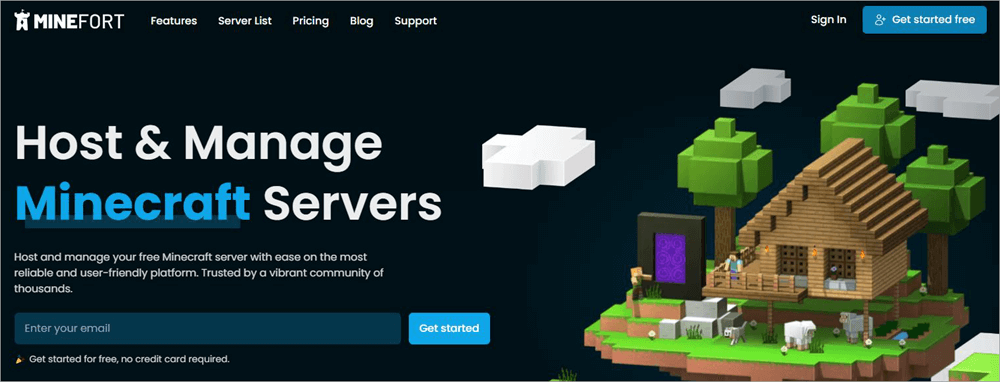
Minefort is a very popular Minecraft hosting platform and one that stands out for being considerably more scalable than many of its contemporaries. It also offers amazing optimization capabilities.
Like Aternos, Minefort is free with ads. Unlike Aternos, Minefort offers an option to get rid of the ads with a premium plan that starts at $5.99/month.
Pricing: Free to use. Premium plans start at $5.99/month.
Website: https://minefort.com/
#2) AxentHost
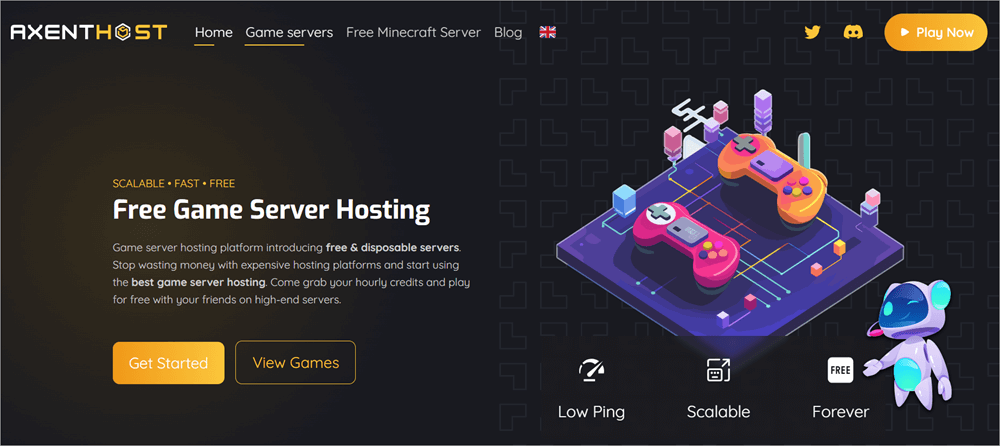
AxentHost earns a mention in this article for its lineup of features and top-notch hardware. This is a platform that caters to Minecraft players, regardless of their experience level. Creating a server with AxentHost is very simple.
The features are highly configurable. File management is also a breeze with this platform, as you are granted complete access to your server files.
Price: Free with limited resources.
Website: https://axenthost.com/
#3) Minehut
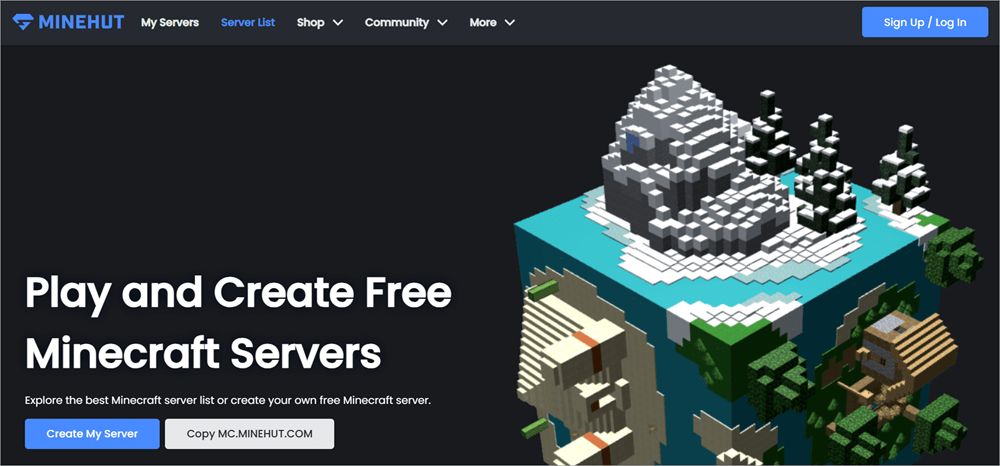
While not as popular as Aternos, I find Minehut to still be a decent free Minecraft server hosting option. The platform is backed by Minecraft server list ads, which is what makes it free.
Besides the free plan, Minehut also offers paid plans, which let you upgrade specific aspects of your server, like RAM or CPU. Minehunt also stands out to me by offering benefits like DDoS protection. In the battle between Aternos VS. Minhut, I see the latter as a worthy alternative.
Price: Free. Custom paid plans are available based on requirements.
Website: https://app.minehut.com/
#4) Falix
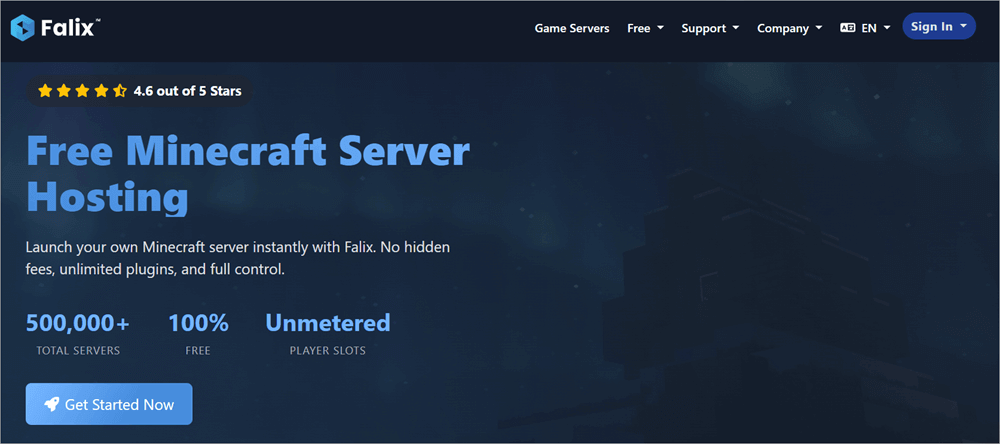
Falix is yet another free, ad-backed Minecraft server hosting option that I can confidently recommend. With servers located strategically in Germany and the USA, you are guaranteed great performance and speed with Falix.
The control panel you get with Falix is also one of the best I’ve seen. The panel can be personalized as per your needs. Thanks to this panel, it is much easier to get complete control over your personal Minecraft server.
Price: Free. Paid plans start at $9.65/month
Website: https://falixnodes.net/free-minecraft-server-hosting
Frequently Asked Questions
1. Is Aternos 100% free?
Yes, Aternos is completely free forever. This is one of Aternos’s most endearing aspects and why it is still relevant today, more than a decade after its launch. All you have to do is sign up and create your server.
2. How does Aternos make money?
Aternos does not charge its customers to create personalized servers. It makes money through advertisements. The platform is totally ad-backed and has been since its launch in 2013. You’ll notice advertisements peppered throughout the Aternos website and server console.
3. Is Aternos safe?
For my own personal experience and the experience of many who continue to use this platform, I can safely attest to the safety of this platform. Although there are ads on Aternos, none of them are harmful. There are no pop-up ads that might redirect to a shady webpage.
Plus, the servers you create are completely protected through various stringent security measures. For starters, your servers on Aternos are DDoS protected. Plus, Aternos also facilitates automatic backups.
4. Is Aternos mod-friendly?
Yes, Aternos offers you the option to switch between several software that do support mods. You can play with your favorite mods or use any one of the many pre-configured modpacks available to you.
5. Does Aternos delete servers?
Only inactive servers are deleted by Aternos. Any server that has been inactive for around 3 months is automatically deleted by Aternos. However, you can recover them from the “Previous Servers” section within your control panel.
6. When not to use Aternos?
I would not recommend Aternos if you need any of the following:
• A high-performance server meant to handle larger, long-running Minecraft projects.
• A server that can run 24/7 without shutting down automatically.
• A server that can accommodate a high volume of players without lag or performance issues.
• A server with dedicated resources and guaranteed availability.
Here is a quick video guide that explains all the server options:
Take a look at the video below to understand the step-by-step process to create a Minecraft server in Aternos:
Conclusion
As far as freemium Minecraft server hosting platforms go, I truly believe that Aternos might very well be one of the best. It is one of those rare platforms that does not seem to compromise on performance despite offering its services for free.
Creating a Minecraft server and configuring it is a breeze with Aternos’ real-time live console.
You can also scale the server to your heart’s content, as there are limitations upon you when it comes to player slots. I also like the effort put into making Aternos safe and secure for all users. You get DDoS-protected servers with automatic backups.
There are ads, though, and I would’ve liked live chat assistance. Despite its shortcomings, Aternos still rises to the occasion and caters to players who’d like to enjoy and share their Minecraft worlds without paying a dime.
For more quick Minecraft-related guides, you can explore our range of Minecraft tutorials below:
- Apex Hosting Review: Best Minecraft Server Hosting
- Top 10+ Terraria Server Hosting Providers
- How to Find the Seed of a Minecraft Server
- Top Minecraft Earth Server List
- The 8 Best Rust Server Hosting Providers
Was this helpful?
Recommended Reading
-

This is a comprehensive review of Apex Hosting with features, pricing, pros, cons, and comparison with other Minecraft Hosting Platforms: In this article, we will take a thorough analysis of the many features provided by Apex Hosting, understand whether the pricing packages that the platform offers are reasonable. Read this…
-

We have put together a list of the best, free, and cheapest Minecraft Server Hosting Provider companies in the world. Check out the detailed comparison and select a suitable vendor for you. Minecraft Server Hosting is a service provided by hosting companies to help individuals or organizations host their games…
-

Unlock the Crafting Secrets and get to know how to make Terracotta in Minecraft. Explore more about the Terracotta Minecraft recipe and learn to successfully create terracotta within the Minecraft game environment: Terracotta, as hardened clay was introduced on 24th April 2013 by Dinnerbone - its developer, and released under…
-
Are you looking for the best private servers for WoW 2026? This comprehensive research and analysis of popular private servers for World of Warcraft have been conducted according to expansion and patches, server type, experience rates, PvP/PvE gameplay, features, stability, and player experience overall. If you are searching for Classic/Vanilla,…