


Here we will review and compare the top Financial Management Software to help you decide the best Financial Management System per your requirement:
Financial Management, as the name suggests, refers to managing finances. The term is commonly used for business enterprises that need to manage their finances properly and accurately in order to become successful and grow in their respective fields.
Financial Management Software
Financial management includes organizing, planning, budgeting, financial reporting, forecasting, and allocating the finances of an enterprise judiciously, to grab the maximum possible profits.
Financial management is also done by individuals in the way that they make budgets for future expenses and savings or organize their spending or make planned investments.

Financial Management Software is available to make the process of financial management easy, transparent, accurate, cost-saving, and more profitable.
In this article, you can get an insight into the top features, cons, prices, and verdicts about the top financial management systems. Compare them and thus decide for yourself, which one suits you the most.

Pro-Tip: There are several financial management software available to choose from. If you want a simple software for budgeting purposes only, then do not go for the ones which are loaded with other features as they would be costly for you but can be extremely beneficial if you want plenty of features in a single platform, like budgeting, planning, investment tools, expert advice, etc.
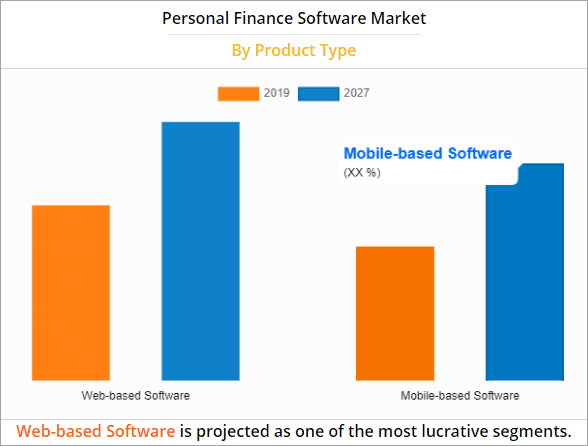
Facts Check: According to Allied Market Research, the Global Personal Finance Software Market is estimated to expand from $1024.35 million in 2019 to $1576.86 million by 2027, growing at a Compound Annual Growth Rate (CAGR) of 5.7% from 2020 to 2027.
List of Top Financial Management Software
Here is a list of some popular Financial Management systems:
- Zoho Finance Plus
- Xero
- Joiin
- Katana
- Quicken
- Moneydance
- BankTree
- Mint
- Honeydue
- Mvelopes
- Personal Capital
- FutureAdvisor
- Money Dashboard
- PocketGuard
- EveryDollar
- GoodBudget
- Yotta
- Albert
- YNAB
- Payhawk
- Sage
- Oracle Netsuite
Comparing the Best Financial Management Systems
| Tool name | Best for | Features | Price | Free trial |
|---|---|---|---|---|
Zoho Finance Plus | Integrated financial suite for all businesses | • Books management • Invoicing • Inventory management | Starts at $149/month | 14 Days |
Xero | Simplifying and streamlining the accounting process | • Financial Reporting • Invoicing • Bank Reconciliation | Starts at $25/month | 30 days |
Joiin | Financial consolidation automation | • Multi-currency reporting • Intercompany management • Budgeting | Starts at $19/month | 14 Days |
Katana | Integrations with popular accounting software. | • Purchase and sales order management • Real-time inventory valuation • Cost tracking. | Starts at $179/month (billed annually) | Free demo available |
Quicken | Wide feature set for financial needs. | • Customized budget planning, • Online payment, • Categorize expenses, • Live customer service | Starts at $2.39/month | Free Trial for 30 days |
BankTree | Managing multiple types of bank accounts | • Account Management • Track investments • Mobile app | $40 | Available |
Mint | Cash flow insights | • Customized budgeting • Monitors credit flow • Data security | Free | |
Honeydue | Joint banking | • Joint spendings and savings • Multi lingual • Budgeting | Free | – |
Mvelopes | Budgeting | • Plan budget • Pay off debt easily • Create envelopes to have planned expenditure | • Basic- $5.97 per month • Premier- $9.97 per month • Plus- $19.97 per month | 30 day free trial |
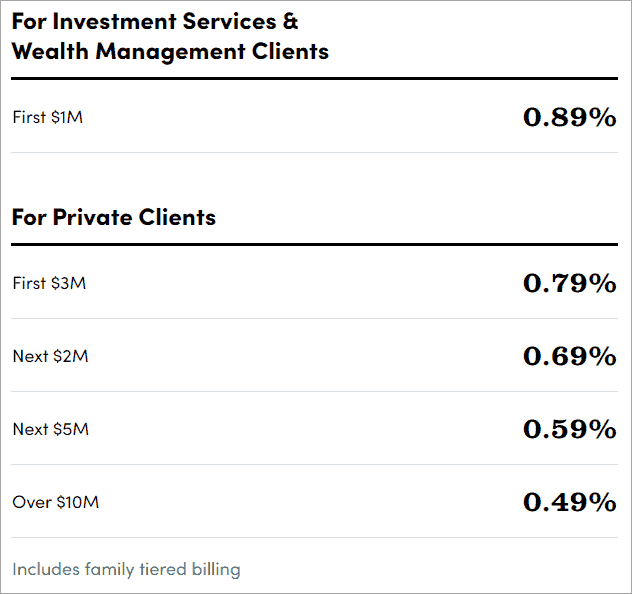
Personal Capital | Expert advice | • Expert assistance for strategic planning • Minimize tax expenditure • Use on web or through mobile application | • 0.89% for first $1 million • 0.79% for first $3 million • 0.69% for first $2 million • 0.59% for first $5 million • 0.49% for first $10 million | Not available |
Future Advisor | Making and maintaining portfolios | • Diversified investing suggestions • Tax-Loss Harvesting • Maintaining portfolio | Contact directly for price quotes | Not available |
Sage | Intuitive Visual Reporting Dashboard | • Revenue and Billing Automation • Cash Management • Order Management | Quote-based | Free demo |
Oracle Netsuite | Budgeting and forecasting | • Revenue management • Human Capital Management • Pre-built and customizable reports | Quote-based | Free demo |
Let us review the above-listed software.
#1) Zoho Finance Plus
Best for Integrated financial suite for small and mid-sized businesses.
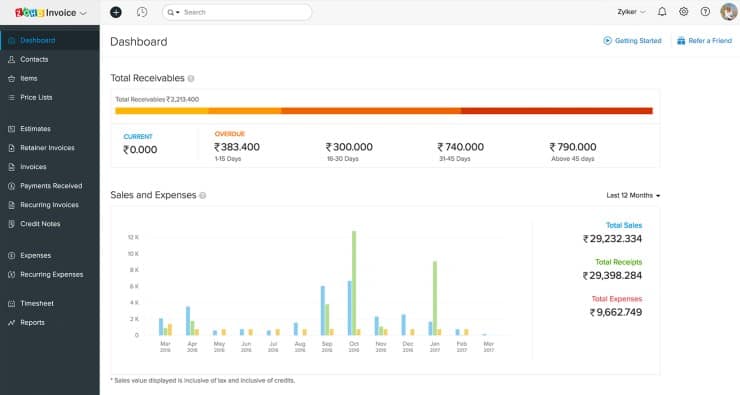
Zoho Finance Plus is an all-in-one financial management solution offered by the popular Zoho Corporation. The platform is widely revered for its blending of various finance modules in a single, unified platform.
Functionality
Right from accounting to inventory and expense management, Zoho Finance Plus covers a wide range of finance-related modules. These comprehensive suite of tools let users streamlines all sorts of financial processes. The tool offers powerful accounting features like journal entries, bank reconciliation and financial reporting capabilities.
It also supports multi-currency transactions and facilitates automatic bank feeds. The tool is also great at simplifying the creation and management of invoices. Plus, you can rely on the tool to easily track and categorize expenses as well.
Usability
Similar to Xero, we really like the dashboard Zoho Finance Plus offers. Everything on the dashboard is well-organized. It is clutter-free, making all modules readily accessible with just a single click. The reporting is comprehensive and immaculate.
Features:
- Invoicing: You’ll be able to create professional invoices, send automatic payment reminders, and accept online payments with Zoho’s invoice module.
- Books Management: The tool lets you manage all aspects of your finances with ease. You’ll be able manage receivables and payables, import bank feeds automatically, and comply with tax regulations.
- Inventory Management: The tool considerably simplifies the order management process from beginning to end. You’ll be able to manage multiple warehouses seamlessly.
- Expense Management: You’ll be able to manage all stages of expense with Zoho’s Expense module. The tool can also automate the expense reporting process.
Why We Like Zoho Finance Plus
Zoho combines the best of Zoho’s Finance Management Modules and presents it to users in a single, unified platform. Simply put, you get all the tools you need to manage the operations and finances of your business seamlessly within a centralized platform.
Pros:
- Users get access to a comprehensive suite of financial tools to streamline benign and complex financial processes.
- It provides users with a wide range of customizable reports and analytics tools to help businesses make informed financial decisions.
- Allows users to easily create and manage vendor records, track bills, and streamline the payment process.
Cons:
- Zoho Finance Plus is perhaps best suited for small and mid-sized businesses. Large businesses with complex requirements will run into certain problems with the tool.
Verdict: Zoho Finance Plus is a powerful financial management solution, especially when you consider its integration, accounting, and reporting capabilities. We believe it is a compelling option for small and mid-sized enterprises who seek a centralized financial management solution.
Pricing: Zoho Finance Plus adheres to a pay as you go pricing model. The pricing starts at $149/month for 10 users.
#2) Xero
Best for Simplifying and streamlining the accounting process.
With Xero, you get a cloud-based financial management software that’s suitable for small and large enterprises alike.
Functionality
Xero comes jam-packed with a broad array of features, which all work together to make accounting processes as easy as possible. You can use the software to generate professional invoices within minutes. It also saves you a lot of time by integrating seamlessly with all of your organization’s bank accounts.
The software also facilitates accurate expense reporting while featuring a robust reporting module. Xero also does a good job of keeping user-data secure round-the-clock. It leverages industry-standard security measures like data encryption, 2FA, and data backups to ensure users get the security and privacy they need.
Usabilty
Xero further benefits from a clean and intuitive user-interface. You get a dashboard that provides users with a clear overview of crucial financial metrics. The user-friendly layout drastically reduces the learning curve involved. As such, the tool is ideal for novice and professional users alike.
Features:
- Invoicing: Xero considerably simplifies the invoicing process. You get to use customizable invoice templates to generate and send invoices that look professional.
- Bank Reconciliation: Xero integrates seamlessly with both bank accounts and credit cards. This facilitates automatic bank feeds and effortless reconciliation.
- Expense Tracking: Xero offers tools that let businesses manage and track their expenses effectively. Users are able to categorize expenses, capture receipts, and set up rules for recurring expenses
- Financial Reporting: Xero can be used to generate a wide range of financial statements. This includes profit and loss statement, balance sheets, cash flow statements, etc.
Why We Like Xero?
Xero offers an extensive range of features, all designed to make otherwise complex accounting processes considerably simple. It comes equipped with a robust visual dashboard and security measures that make the platform easy to use and secure.
Pros:
- The tool comes with an user-friendly, intuitive and easy to navigate interface
- It employs industry-standard security measures like regular data backups and 2FA
- It can seamlessly integrate with a wide range of third-party applications such as payment gateways, CRM, and payroll systems.
Cons:
- Some users have reported issues pertaining to bank feeds being disconnected.
Verdict: Xero is a feature-rich financial management software with many impressive aspects to it. It delivers in spades with regards to a user-friendly interface, robust functionality, and substantial data security. You’ll be able to streamline almost all processes involved in financial management with the help of this intuitive solution.
Price: Xero adheres to a flexible pricing structure. You can opt for any of the below plans:
- Starter: $25 per month
- Standard: $40 per month
- Premium: $54 per month
You can access all of Xero’s features without paying a dime for the initial 30 days.
#3) Joiin
Best for Financial consolidation automation.
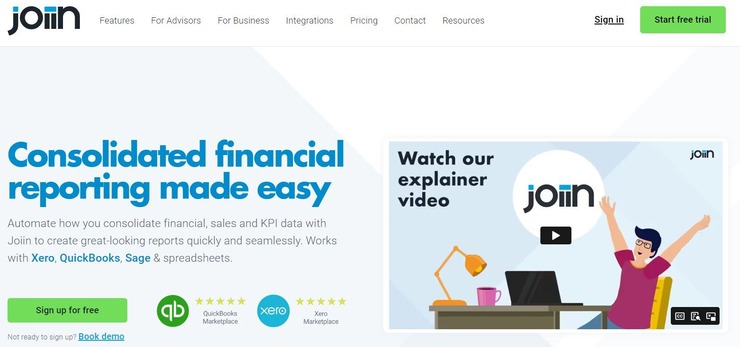
With Joiin, you get a software that automates how you consolidate your sales, finance, and KPI-related data.
Functionality
Joiin is perhaps best known for its ability to produce comprehensive consolidated finance reports. The software integrates seamlessly with platforms like Sage and QuickBooks. Once integrated, it automatically pulls data from these platforms. Everything from your profit and loss statement to balance sheets and other key reports are presented to you in one place.
Another area where Joiin shines is in its ability to produce customizable reports. As a user, you have the privilege of creating customizable reports that look stunning and professional at the same time. You can also create presentations and PDFs using multiple sets of reports.
Usability
The software is easy to set-up and use. You’ll have no issue connecting to financial platforms and seeing data at your desk. The consolidation part is completely automated. While you are presented with professional-looking reports, you also have the freedom to further customize those reports as per your preference.
Features:
- Report Packs: You can create stunning presentations and PDFs that feature multiple set of reports using this software.
- Multi-Currency Reporting: The software can report across multiple companies located worldwide and supports multiple currencies.
- Budgeting: The software can pull budget-related data from platforms like QuickBooks and present it to you in a consolidated report.
- Multi-Client: The software can be used by accounting professionals to manage multiple clients with a single subscription.
Why I Like It?
Joiin offers a lot that I really love. It is super easy to use. It connects and pulls data from almost all popular accounting platforms out there. The automation is robust and you’ll have no issues customizing reports using this software.
Pros:
- Flexible pricing
- Easy to use interface
- Multi-currency support
- Customizable reporting
Cons:
- Support could be more responsive.
Verdict: In essence, Joiin is a great financial management software if you are looking for a robust reporting tool. Its ability to automate how financial data is consolidated is second to none. Easy to use and affordable, this is a software I would recommend businesses and accounting professionals alike.
Price: Joiin is available in 6 editions. They are as follows:
- Starter: $19/month
- Small: $35/month
- Medium: $58/month
- Large: $91/month
- X-Large: $175/month
- XX-Large: $280/month
All plans are billed annually.
#4) Katana
Best for: Integrations with popular accounting software.
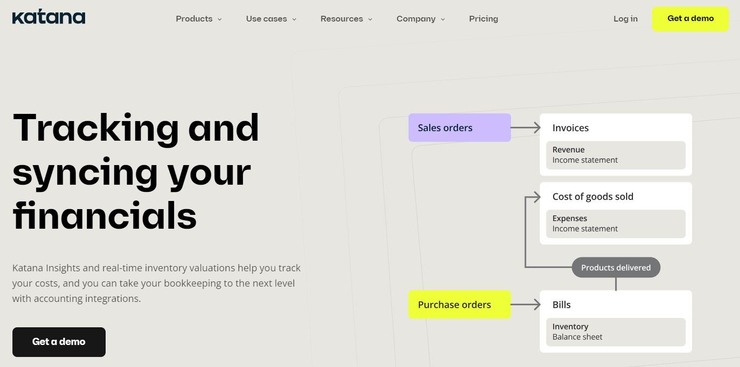
Katana is a cloud-based software that’s perhaps best known for its real-time inventory management capabilities. What most people don’t realize, however, is just how great the software is at helping users, especially manufacturers and retailers, get greater visibility over their financials.
Functionality
Katana arms its users with data-driven insights and real-time valuations into one’s inventory. This data can be used to keep costs in check. The biggest strength of this tool is its integration with popular accounting tools. As of today, Katana can seamlessly integrate with software like Xero and QuickBooks online.
Once integrated, the software immediately imports key financial data to the above-mentioned accounting solutions. This integration allows Katana to keep inventory data in sync with accounting records. You can rely on the software to create invoices based on sales orders and convert POs to bills in just a single click.
You also don’t have to worry about keeping your record up-to-date as the software will ensure your inventory balance is updated automatically.
Usability
Katana is easy to set-up and features an interface that can be used by the most novice users without any technical expertise. Navigating through the interface to access the tool’s various features is quite simple. The dashboard does a good job of centralizing just about all the information you need to gain complete control and visibility over your finances.
Features:
- Insights: The software arms users with data-driven insights. This insight can be used to analyze sales, purchasing, and manufacturing as well as improve collaboration.
- Accurate Costing: The software is quite meticulous when it comes to tracking costs. The software provides you with real-time inventory valuation, which helps in achieving cost accuracy. You can rely on the software to make informed decisions when it comes to pricing.
- Live Inventory: You are provided with real-time insights into your inventory levels. This proves useful in preventing both overstocking and stockouts. You get total control over your inventory for raw and finished products.
- Purchase and Sales Orders: You can issue purchase orders directly from Katana. The platform can also consolidate sales orders across multiple sales channels. The data from both sales and purchase orders can be seamlessly synched with your chosen accounting software.
Why I Like Katana?
Katana integrates seamlessly with some of the best accounting software out there. Its integration with tools like Xero and QuickBooks, for instance, can help you maintain consistency between accounting, sales, and inventory records. Plus, the software is very easy to use and proves quite effective in controlling costs.
Pros:
- Real-time insight into inventory.
- Integration with prominent accounting tools.
- Easy set-up.
Cons:
- Can be expensive.
Verdict: Katana makes it to my list for its seamless integration with popular accounting apps like Xero and QuickBooks. These integrations can be leveraged by its users to keep track of purchases and sales automatically in a bid to control costs.
Price: Katana offers the following subscription plans:
- Starter: $179/month
- Standard: $359/month
- Professional: $799/month
- Professional Plus: $1799/month
A free demo is available upon request. All plans are billed annually.
#5) Quicken
Best for the wide feature set for your financial needs.
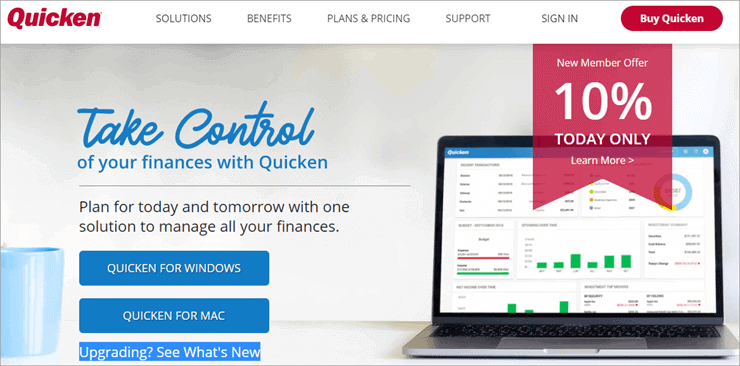
Quicken is a financial management system that makes budgeting easy, gives you insight into all your accounts, expenditure, bills payments, savings, investment, and more, and lets you pay your bills online through the Quicken application.
Features:
- A single place to have an insight into your net worth, spending, savings, and investments and sync your data across devices to access it from anywhere, anytime.
- Plan your customized budget.
- Online payment or payment through email for all your bills.
- Live customer service.
- Categorize expenses based on your personal or professional use.
- Track your spending to cut off extra outgoing money.
Cons:
- Quicken integrates with many banks to automatically sync your transaction details or you can import your details to the application, but for other banks, who do not integrate with the software, you have to do manual data entry.
Verdict: Quicken is a wide featured financial management system that is highly recommended by its users because of its ease of use and excellent customer support facility.
Price: Price plans are categorized as under:
- Starter- $35.99 per year
- Deluxe- $51.99 per year
- Premier- $77.99 per year
- Home & Business- $103.99 per year
Free Trial available for 30 days, afterward the price will be $5.99/month only. This offer is valid from September 3, 2024 – October 3, 2024.
#6) Moneydance
Best for investors.

Moneydance is a personal finance application that helps you in managing your finances, budgeting, and making investment easier and more productive for you.
Features:
- Connects with hundreds of financial institutions and sends payments automatically
- Provides you financial reports containing the summary of your cash flow
- Reporting done with the help of graphs
- Set reminders for bill payments and never pay a late fee
- Assists investors by showing current prices or performance of various stocks, bonds, mutual funds, and more.
Cons:
- No synchronization on cloud
Verdict: Moneydance is a highly recommendable application for investors or those who look for personal budgeting software.
Price: There is a free trial for 30 days. Price starts from $49.99.
#7) BankTree
Best for Managing multiple types of bank accounts.

BankTree is a fantastic software that one can use to better visibility over their bank accounts and investment portfolio. With the help of this software, you’ll be able to track your savings, checking, and credit card accounts. You also get the tools necessary to manage your entire investment portfolio seamlessly.
Features:
- Account Management
- Download latest stock prices
- Reports with actionable insights
- Scan receipts with mobile app
Verdict: BankTree comes in the form of an online, desktop, and mobile application. As such, this is a software one can use to track their revenue, expenses, and investments on the go. The tool also features a robust reporting features wherein you are presented with insights via interactive charts.
Price: $40
#8) Mint
Best for being budget-friendly and the cash flow insights it provides.

Mint is a free financial management system that is also the #1 most downloaded personal finance app that assists you in refining your spending habits, reminds you to pay your bills on time, and provides you personalized insights about your credit flow so that you can spend and save smartly.
Features:
- Customized budgeting based on your income and expenses,
- Keeps an eye on your expenditure so that you can cut the excess spending if required,
- Monitors your credit flow, provides reports, and suggests changes,
- Keeps your data secure with 256-bit encryption,
Cons:
- Interrupting advertisements
- Not compatible with some financial institutions. Requires manual data entry sometimes.
Verdict: Mint is the most downloaded free financial management software, having mostly positive reviews by its users, which makes it a highly recommended application.
Price: Free
Website: https://www.mint.com/
#9) Honeydue
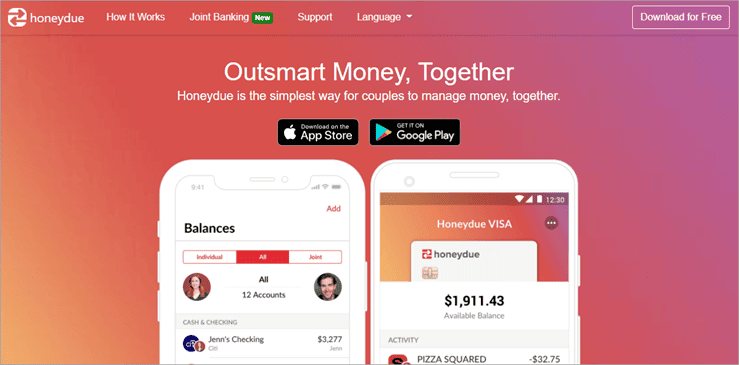
Best for couples to manage their finances together.
Features:
- Spend and save jointly with your partner.
- Multilingual: Supports English (U.S., U.K., and Canadian), Spanish and French
- Protects you from fraud. Your deposits are FDIC secured.
- Budgeting and instant notifications for each partner
Cons:
- You can not set any financial goals
Verdict: Honeydue is recommended to those who want to spend and save together with the help of software that is available absolutely free of cost.
Price: Free
Website: https://www.honeydue.com/
#10) Mvelopes
Best for budgeting.

Mvelopes is a financial management system that assists you in planning your budget by offering you feature that help you get rid of debt, increase your savings, and spend judiciously.
Features:
- Plan a budget in minutes
- Helps you pay off your debts
- Helps you increase your savings
- Allocate your money to different envelopes, each having a purpose
Cons:
- Manual data entry is annoying
Price: There is a 30-day free trial, then you have to pay according to the following price plan:
- Basic- $5.97 per month
- Premier- $9.97 per month
- Plus- $19.97 per month
Website: https://www.mvelopes.com/
#11) Personal Capital
Best for planning retirement with the assistance of experts.

Personal Capital is a financial management software that assists you in managing your cash flow, your wealth, making budgets so that you can plan for your retirement with the help of personal strategies offered by the software.
Further Reading => Most Popular Meter to Cash Automation Software
Features:
- Get expert advice to make strategies for future planning
- Helps minimize tax expenditure
- Can be used online as well as through the mobile application
- Plan your savings and spending based on your net worth and your liabilities
Cons:
- Can not work if your net worth is less than $100,000.
Verdict: Personal Capital is highly recommended to large enterprises or big investors who need expert advice for strategic financial management and planning.
Price: There is a free version. The fee structure for the paid version is as follows:
Website: https://www.personalcapital.com/
#12) FutureAdvisor
Best for making and maintaining portfolios

Future Advisor is one of the best financial management systems which assists you in making wise investments by giving you expert advice and helps you make digital portfolios. You can access your account anytime.
Features:
- Manages your wealth by saving taxes, suggesting diversified investment opportunities, and managing your multiple accounts.
- Tax-Loss Harvesting: If any of your investments devalues, the system uses the technique of delaying taxes, to save your money.
- When you want cash, the system sells some of your assets to make cash available to you while making sure that your remaining assets are well diversified.
- Makes decisions for maintaining the value of your portfolio, keeping in mind your risk tolerance level and how to save for your retirement.
Cons:
- High management fee
Verdict: FutureAdvisor users state that the system offers some very nice features absolutely free, the fees charged later is very high, but it is a highly recommendable managing software.
Price: Contact directly for price quotes.
Website: https://www.futureadvisor.com/
Further Reading => Most Popular Fintech Software Development Companies
#13) Money Dashboard
Best for planned expenditure and savings.
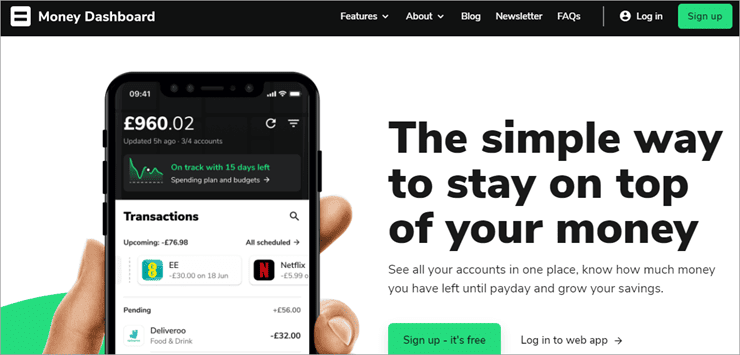
Money Dashboard is a web-based financial management software that manages all your accounts and helps you increase your savings by keeping you informed about how much net amount of money you have after paying your bills from time to time.
Features:
- Plan your expenditure, the software will notify you from time to time of the money left for saving after paying your bills
- One place to have an insight into all your bills and subscriptions
- Keeps an eye on your spending so you can cut off your extra spendings to save for unforeseen circumstances.
- Can connect with banks or financial providers to help you retrieve or transfer money instantly.
Cons:
- No compatibility with Windows or Mac
- Not much useful to large enterprises
Verdict: Money Dashboard is a highly rated financial management system that works as an application on Android or iPhone/iPad. The application has been voted as the best Personal Finance app in the British Bank Awards.
Further Reading => Most Popular Loan Origination Software to Look For
Price: Contact directly to get price quotes customized according to your features’ requirements.
#14) PocketGuard
Best for those who want to cut excess expenditure and save more.

PocketGuard aims at simplifying your finances by taking control of your savings with the help of the autosave feature. It shows you your expenditure on various departments so that you can cut the excess expenditure in order to save more.
Features:
- Set your goals and the system will show you how much amount of money is left after paying your bills and necessary expenses
- Plan your expenditure, cut excess spendings to achieve your saving goals
- Have a glance at your accounts, cash flow at one single place
- PocketGuard even helps you negotiate for better rates on your bills
- Keeps your data secure with 256-bit SSL encryption
- The autosave option lets you save automatically, the amount you wish to save each month. You can withdraw cash from autosaved money, anytime.
Cons:
- Not available globally
- Lacks features for investors
Verdict: PocketGuard is a simple and affordable budgeting and planning application that aims at maximizing your savings. The software is currently available in the USA and Canada only and is recommendable for those living in the USA or Canada, who want a simple budgeting app.
Price: PocketGuard is free. The Plus version is paid which costs $4.99 per month or $34.99 per year.
#15) EveryDollar
Best for tracking your spending to save more.

EveryDollar is a budgeting application that helps you plan a budget so that you can track your spending and make strategies on how to save more by having an insight into your cash flow.
Features:
- Customizable templates to plan your monthly budget.
- Synchronization helps you access the application from any device, from anywhere
- Creates and gives you a report of each dollar you spend.
Cons:
- Not available internationally
- Manual entry of transactions
Verdict: EveryDollar is a simple budgeting application recommendable for individual use. The software is very easy to use, as stated by most of the users.
Price: $99 per year (Free version also available)
#16) GoodBudget
Best for budgeting through the method of envelopes.
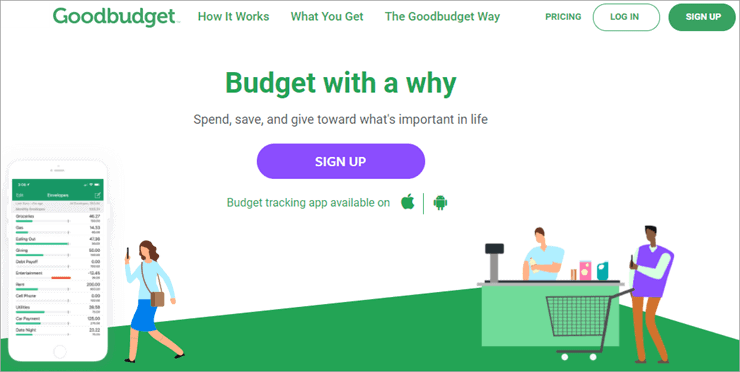
GoodBudget is a financial management system that helps you in maintaining a budget with the help of the envelope budgeting method so that you can save for what is important in your life.
Features:
- Envelope budgeting method helps you in allocating your net worth to different categories (envelopes) to ensure purposeful spending.
- Sync or share your budget with anyone to spend and save together.
- Helps you pay off debt and save simultaneously.
Cons:
- Does not sync your cash flow with financial institutions automatically, you have to either enter the data manually or import it into the system.
Verdict: GoodBudget is a simple budgeting application meant for households who want to put a check on their excess spending.
Price: There is a Free version and a Plus version. The Plus one costs you $7 per month or $60 per year.
Further Reading => List of the BEST FinTech Consulting Companies/Services
#17) Yotta
Best for encouragement for saving more.

Yotta is a free financial management software that gives you a reward for savings. You get 0.20% of your savings as a reward and can even win up to $10 million in weekly draws.
Features:
- Encourages you to save more by giving a reward of 0.20% of your savings.
- You get a chance to win $10 million every week
- Make deposits to win tickets for the lucky draw
- You can withdraw your deposits anytime, but you only have six chances for money withdrawal in a month.
Cons:
- Encourages you to put your money in a sort of lottery where you may win, but winning a large amount is less probable.
Verdict: Yotta has some very attractive features and encourages you to increase your savings. The rewards given by Yotta on your savings are better than many big banks.
Price: Free
#18) Albert
Best for wide features for financial management.
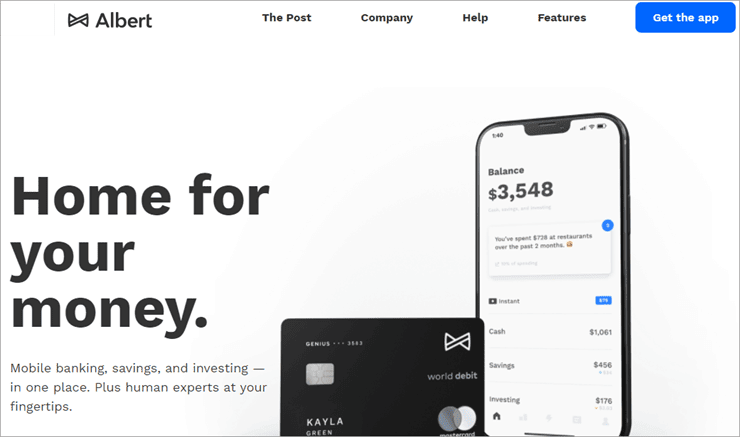
Albert is one of the best financial management systems which offers you wide features that you need in order to manage your wealth, achieve your saving goals, get instant advance cash, or expert advice for investors.
Features:
- If you are out of cash, Albert offers you instant advance money so you can pay your bills on time and repay the amount to the financial management software on your next payday.
- Set your saving goals for multiple purposes and let Albert do it for you. The system analyses your income, necessities, and other spending habits and saves the rest on its own.
- Albert offers you a 0.10% annual reward on your savings and a 0.25% reward when you switch to Albert Genius
- Expert advisors to guide you in investing
- Join insurance policies you want for your loved ones and your belongings directly from the app.
Verdict: Albert is a great application if you want a single platform for your budgeting, saving, and investing requirements.
Price: There is a free trial for 30 days and the core functions are always free to use. If you opt for Albert Genius, it starts at $4 per month.
#19) YNAB
Best for easy budgeting method.
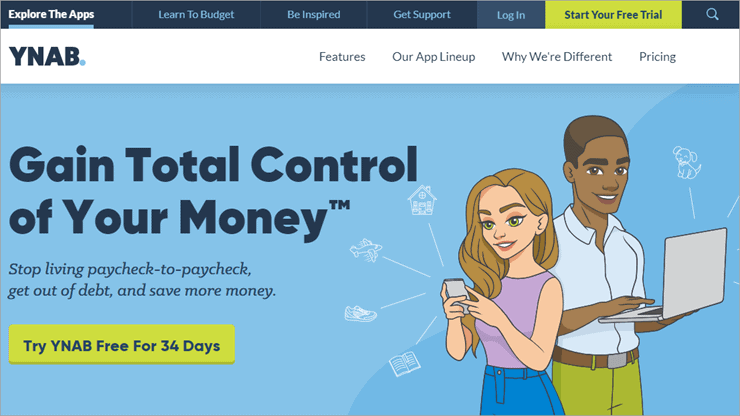
YNAB is basically a budgeting application that aims at helping you spend smartly, rather than spending less. The software offers you a 34-day free trial and is very easy to use.
Features:
- Easy budgeting method to help you spend more wisely.
- YNAB lets you sync your data information across devices and share your budget with anyone you want to spend and save together.
- Helps you achieve your previously set goals by tracking your income and cash flow.
- Gives your financial reports in the form of graphs and charts and provides free live online workshops for customer support every week.
Cons:
- Lacks investment features
- Does not pay or track your bills automatically
Verdict: YNAB is highly recommended by its users due to its ease of use and effective budgeting method.
Price: There is a 34-day free trial. The price that follows is $11.99 per month or $84 per year.
#20) Payhawk
Best for Expense management and corporate card control.

Payhawk is an all-in-one financial management solution that’s more focused on helping companies get better visibility and control over their expenses. By automatically reconciling card payments and setting a range of card controls, the software helps businesses control card spending at scale. The software can also be used to define spend policies, set spend limits, and track expenses in real-time.
Features:
- Control Card Spending at Scale
- Account Payable Management
- Expense Management
- ERP Integration
Verdict: With Payhawk, CFO’s and finance teams get a financial management software that offers the combined benefits of account payable, expense management, corporate card control, and seamless ERP integration.
Price: The All-in-One Spend plan costs $299/month. The Premium Cards plan will cost you $199/month. A custom enterprise suite plan is also available.
#21) Sage
Best for Intuitive Visual Reporting Dashboard.
As far as cloud-based financial management solutions go, Sage Intacct has to be the most sought-after of its kind today. This is a software one can use to gain complete visibility and control over their personal and business finances. This is a software you can rely on to streamline accounting and finance-related workflows as well as automate complex billing processes.
Features:
- Predictive and Dimensional Analytics
- Revenue and Billing Automation
- Cash Management
- Order Management
- General Ledger
Verdict: Sage Intacct is a tool that automates various tedious processes associated with finance. It also integrates seamlessly with other existing finance software, thus making it an ideal choice for personal and business use.
Price: Quote-based
#22) Oracle Netsuite
Best for Comprehensive Budgeting and Forecasting.

Oracle Netsuite facilitates real-time financial management in the cloud. The software comes with pre-built accounting intelligence, which helps users gain better visibility over their finances. You are also armed with the tools necessary to configure as well as monitor business processes as well as workflows.
Plus, the customizable reports do a good job of keep you updated about your company’s financial status.
Features:
- Comprehensive finance and accounting
- Customer relationship management
- Revenue management
- Human Capital Management
- Pre-built and customizable reports
Verdict: Oracle Netsuite is a great financial management software to have by your side if you wish for complete visibility over your integrated finances and financial performance. The software also does a good job of helping you assure compliance.
Price: Contact for quote
Disclosure: We may earn commission from partner links on SoftwareTestingHelp. We publish unbiased product and service reviews; our opinions are our own and are not influenced by commissions from our advertising partners. Learn more about how we review products and read our advertiser disclosures.
FAQs on Financial Management System
What is financial management?
It means organizing, planning, allocating, budgeting, reporting the finances of an enterprise or an individual in a judicious way to attain some set of goals.
What are financial management skills?
Financial Management skills include:
Leadership skills
Logical and reasoning skills
Critical thinking
Ability to analyze and interpret the given set of data
Knowledge of Commerce, Economics, Statistics, Mathematics
Recommended Reading => Get To Know What Do Finance Jobs Pay
Which is the best software for financial management?
Personal Capital, FutureAdvisor, or Quicken are some of the best software for financial management, loaded with wide features to help you out with almost all your requirements related to your finances while Mint and Honeydue are free and easy to use budgeting software.
Conclusion
In this article, we did a thorough study about the best available Financial Management Systems in the market.
Based on our study, we can now conclude that, if you need a simple budgeting application then you should go for YNAB, Mint, Honeydue, Mvelopes, GoodBudget, or EveryDollar out of which, Mint and Honeydue are absolutely free to use which is a great advantage over others.
Suggested reading =>> Best Finance Transformation Solutions
Yotta and Albert are also budgeting applications that encourage you to save more by offering rewards on savings while on the other hand, Personal Capital, FutureAdvisor, or Quicken are loaded with wide features to help you out with almost all your requirements related to your finances.
PocketGuard and Money Dashboard are saving-oriented applications while Moneydance is a good choice for the investors, to have insight into current prices of various stocks, bonds, mutual funds, etc and invest wisely with the help of experts.
Research Process:
- Time taken to research this article: We spent 10 hours researching and writing this article so you can get a useful summarized list of tools with the comparison of each for your quick review.
- Total tools researched online: 25
- Top tools shortlisted for review: 10
Was this helpful?
Recommended Reading
-

Comparison of popular Small Business Accounting Software with features & pricing to help you select the best Business Accounting Software: Business Accounting Software is an application that records all the company’s transactions and generates reports. These accounting tools offer the functionalities to prepare financial reports that will give you visibility…
-
This tutorial compares the best Accounting Software. Select the Bookkeeping Software that meets your needs: Accounting software saves time and hassles in recording financial transactions. Using the accounting app allows accounting personnel and business owners to focus on strategic aspects of managing a business. It automates the task of generating…
-
This tutorial compares the top 10 BEST Financial Consolidation Software. Select the one that fits best according to your needs: The word consolidation means to merge, unite, combine, or incorporate something. Financial Consolidation, as the name suggests, is calculating the net worth of an enterprise through the assets, liabilities, bills…
-
List and Comparison of the Top 10 Commercial and Free Business Management Software to Manage Your Business Efficiently: Top Business Management Tools for Small to Large-Sized Businesses. Business Management Software includes a wide range of solutions. It is an application that will help you in managing your business. We can…
-
List of the Top Incident Management Software Tools: What is “INCIDENT” and Incident Management? An incident is defined as an unplanned interruption to an IT service or a reduction in the quality of an IT service. Any deviation from its normal or usual way of operation is an incident. The…
-
List and Comparison of the Top Open Source and Commercial Project Portfolio Management Software. This Detailed PPM Software Review will Help You Select the Best PPM Tool For Your Business: Project Portfolio Management Software is the application used by leadership and PMOs for making better decisions and maximize business value.…
-
An Exclusive List & Comparison of Top Team Management Software with Features and Pricing. Select the Best Team Management Tool Based on This In-depth Review: Team Management Software is an application that has features for collaboration, communication, and management of people. It includes the functionalities for team scheduling, communication, and…
-
Learn about the free and paid Personal Finance Software available through this in-depth review and comparison to select the Best Budgeting Software: Personal Finance Software is an application with the capabilities to keep track of your finances in real-time. It will let you plan the budget, keep track of your…


