


Below is the list of secure browsers that have been tested and reviewed by our experts. This guide will assist you to select the most secure browser.
Choosing the right web browser is the most important first step when it comes to protecting your online identity and your private information. According to a report published by TotalAssure, organizations around the world faced 2086 cyberattacks in 2026.
In this guide, we tested and compared the most secure browsers in 2026 according to their security features, privacy controls, fingerprinting protection, malware and phishing protection, updates, speed and usability. We also describe which browser is best for normal usage, privacy, anonymity, Windows, Mac, Android, and iPhone.
What Is the Most Secure Browser?
Brave is the best secure browser which caters to the needs of an ordinary user as it encompasses all the features needed for a secure browser like security, protection from trackers, protection from fingerprinting and integration with Chromium. Tor Browser can be used for anonymous surfing while Mullvad Browser is ideal for anti-fingerprinting.
Most Secure Browsers in 2026: Tested & Compared
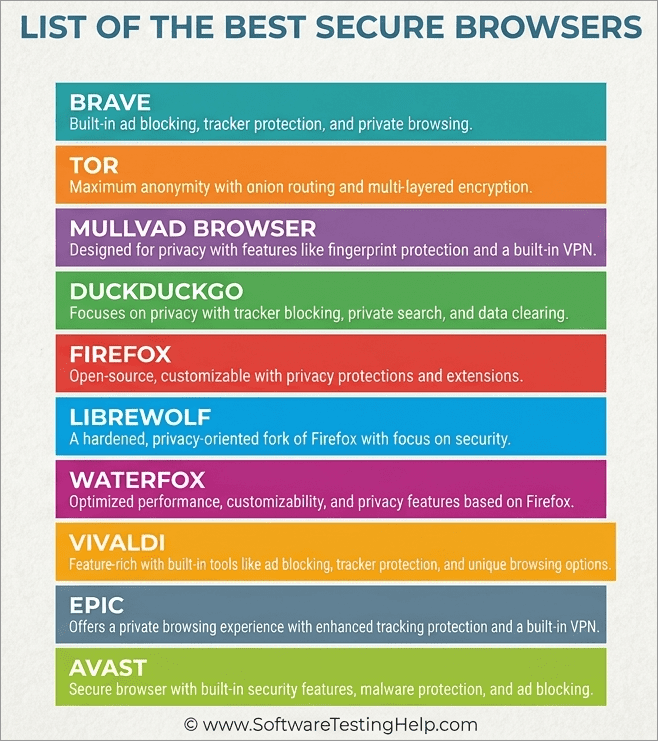
Luckily, you have plenty of options at your disposal, and I’ll be recommending 10 of the best secure browsers here.
What Should You Look For in the Best Secure Enterprise Browser
The best secure enterprise browsers will offer certain privileges to keep you and your data secure when surfing online.
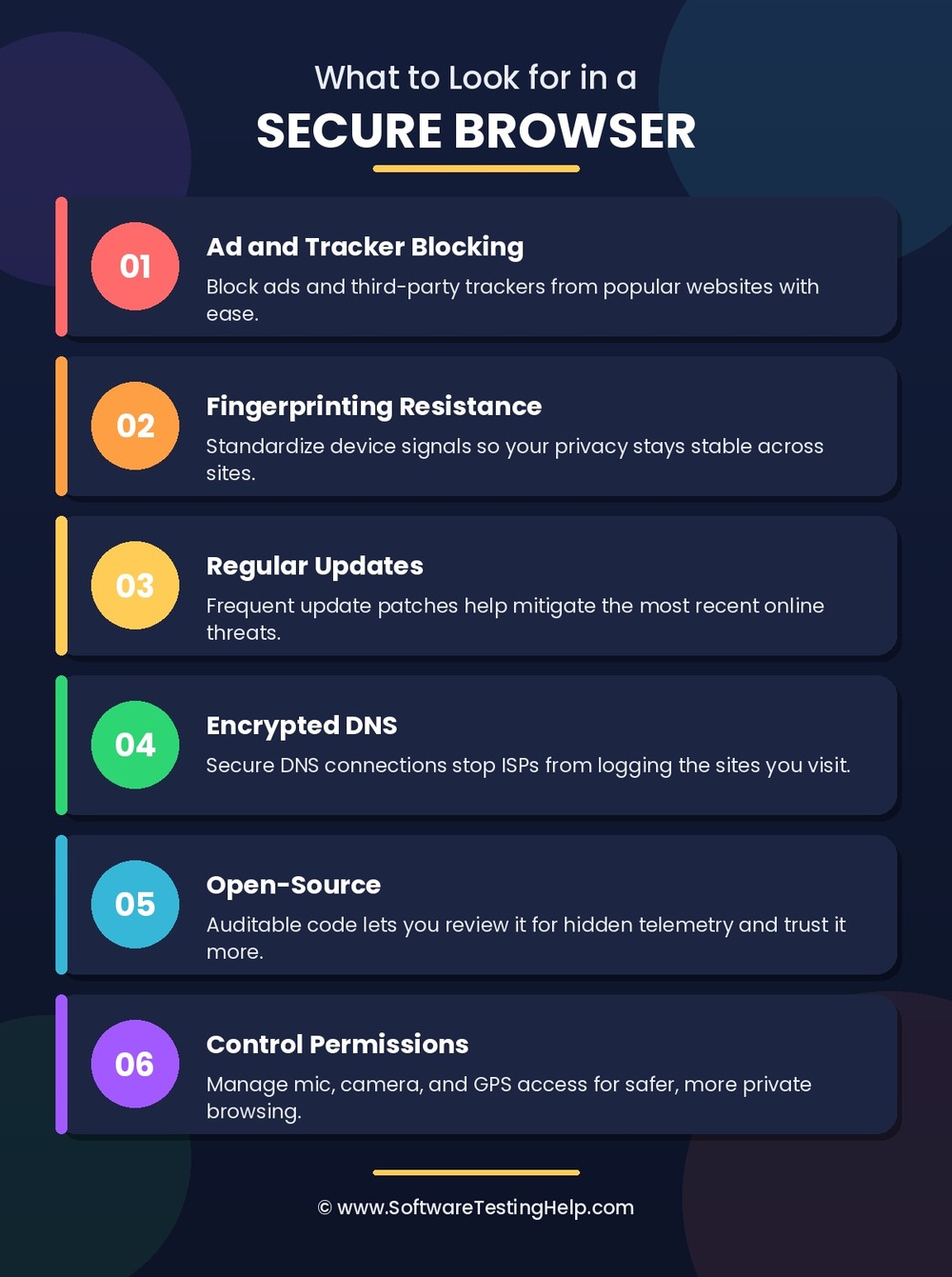
The privileges are as follows:
- Ad and Tracker Blocking: Opt for tools that can easily block advertisements and third-party trackers from popular websites.
- Fingerprinting Resistance: Websites use signals to identify devices. You’ll need a browser that can standardize these signals if you want privacy that feels stable.
- Regular Updates: Threats evolve, putting your online activity at risk. You need a browser that releases updates regularly to mitigate the most recent threats with ease.
- Encrypted DNS: Go for a browser that establishes a secure connection via encrypted DNS. This will stop ISPs from logging the websites or domains you frequent.
- Open-Source: Open-source browsers let you audit their code and review it for telemetry. Needless to say, an open-source browser is simply more trustworthy.
- Control Permissions: Opt for a browser that lets you control permissions to the microphone, camera, or GPS on your device, thus making online surfing more secure.
Here is the video on how the browser can be used as a security tool:
How We Tested These Most Secure Browsers
I arrived at my shortlist by focusing on three major characteristics. It was important to me for a browser to offer fingerprinting protection, tracker blocking, and script handling capabilities. I wanted these features to be built-in rather than serve as an add-on.
I also made sure to only list browsers whose performance or usability wasn’t drastically compromised due to the privacy features. Each browser was tested on banking or online shopping websites to see just how well they fare when it comes to protecting sensitive information.
What Makes a Browser Secure?
A secure browser keeps your computer safe as well as ensures the safety of your data and privacy by sandboxing any web threat and encryption.
- Process Sandboxing: Keeps your tabs separate so malicious code cannot get out of the browser into your operating system or steal data from other websites.
- Automatic Updates: Provides quick and automatic updates to fix any potential zero-day exploits.
- HTTPS Enforcement: Forces an encrypted connection to make sure no one can intercept any of your traffic through a public network.
- Phishing and Malware Prevention: Prevents access to malicious URLs, downloads, and scam pages thanks to constantly updated databases.
- Anti-Tracking and Anti-Fingerprinting: Prevents any tracking of your actions, blocks third-party cookies, and hides the signature of your hardware and browser.
Best Secure Browsers in 2026 (Tested and Reviewed)
We have reviewed the top-rated secure browsers in this section to help you in making the right choice:
Secure Browser Comparison 2026: Security, Privacy, Anonymity & Fingerprinting
| Name | Best for | Engine | Tracker and Ad Blocking | Fingerprinting | Rating |
|---|---|---|---|---|---|
| Brave | Advanced security features | Chromium | Built-in | Built-In | 5/5 |
| Tor | Anonymous Browsing | Gecko | Doesn’t prioritize ad blocking | Letterboxing | 4.5/5 |
| Mullvad | Tracker and ad blocking | Gecko | Uses uBlock Origin | Tor-backed | 4.5/5 |
| DuckDuckGo | Privacy-Focused Search Engine | Chromium-based for Windows and Android, Safari-based for iOS and macOS. | Built-in tracker protection | Moderate | 4.5/5 |
| Firefox | Built-in free VPN | Gecko | Built-in | Possibly Hardened | 4/5 |
Detailed Reviews: Most Secure Browsers
#1) Brave
Best for advanced security features like fingerprinting protection, ad and tracker blocking.
Brave positions itself as a privacy- and security-first browser, and it is completely justified in doing so. The browser can block ads and trackers and also enable robust fingerprint protection. It is Chromium-based. As such, you can expect smooth performance with faster loading.
Features:
- Built-in fingerprinting, ads, and tracker-blocking tools.
- Search engine is fully built on an independent index of the web
- Comes with a self-custody crypto wallet
- User-first AI that can answer your questions and help with research.
- Built-in firewall and VPN to mask browsing activity.
- Built-in web-page translation.
| Pros | Cons |
|---|---|
| Built-in security and privacy features | Personally, I’m not a fan of the crypto-friendly features |
| Fast speed with optimized performance | The security features may hinder browsing performance on certain websites. |
| Cross-platform syncing | |
| Tor integration | |
| Compatible with most extensions in the Chrome Web Store |
- Platform Compatibility: Windows, macOS, iOS, Android, Linux
- Engine: Chromium-based
- Open Source: Yes
- Initial Release: 2016
How I would rate its capabilities
| Fingerprinting Protection | 5/5 |
| Tracker Blocking | 5/5 |
| Data Collection | 4/5 |
| Content Filtering | 4.5/5 |
| Speed | 5/5 |
| Customization | 4/5 |
| Resource Usage | 3.5/5 |
Price: The Brave browser is free to use. In premium plans, you can choose to get extra privileges. For instance, the Brave Origin version will cost you $59.99 as a one-time fee, whereas its VPN plan starts at $9.99/month.
Website: https://brave.com/
#2) Tor
Best for anonymous browsing.
Tor was the pioneer when it comes to browsers that place heavy emphasis on online security. Tor has been the go-to browser for whistleblowers and journalists for almost two decades now because of its robust security features. It is a browser that you can use to circumvent censorship and mask your online activity against strict surveillance.
Features:
- Blocks third-party trackers by isolating website sessions.
- Robust fingerprint protection.
- Relays and encrypts traffic three times as it passes through the Tor network.
- Helps bypass censorship and access restricted websites.
- Allows you to choose the script you want to show on various websites.
| Pros | Cons |
|---|---|
| Open source and free to use | Can slow down your speed because of multi-layered encryption. |
| Onion Routing | Some websites do not respond well to Tor exit node IP addresses. |
| Great at hiding your real IP address | |
| Very easy to use | |
| Fingerprint resistance. |
- Platform Compatibility: Windows, macOS, Android, Linux
- Engine: Gecko
- Open Source: Yes
- Initial Release: 2008
How I would rate its capabilities:
| Fingerprinting Protection | 5/5 |
| Tracker Blocking | 5/5 |
| Data Collection | 5/5 |
| Content Filtering | 1/5 |
| Speed | 2/5 |
| Customization | 2/5 |
| Resource Usage | 2/5 |
Price: Free to download and use.
Check our In-Depth Review of Tor Browser
#3) Mullvad
Best for trackers and ad blocking.
Mullvad is yet another privacy-focused browser that makes it to my list because of its partnership with the Tor Project. Some of the same experts behind the Tor Browser developed this browser. It leverages uBlock Origin and is therefore quite exceptional at blocking trackers.
Features:
- Blocks third-party trackers
- Fingerprinting protection
- Private Mode is triggered by default to not save cookies.
- Clear browsing history in one tap.
- Letterboxing to stop tracking scripts.
| Pros | Cons |
|---|---|
| Open Source | Only hides the IP address when paired with a VPN. |
| No telemetry | Not compatible with many extensions. |
| Decent browsing speed | |
| Native ad-blocker. |
- Platform Compatibility: Windows, macOS, Linux
- Engine: Gecko
- Open Source: Yes
- Initial Release: 2009
How I would rate its capabilities:
| Fingerprinting Protection | 5/5 |
| Tracker Blocking | 4/5 |
| Data Collection | 5/5 |
| Content Filtering | 3/5 |
| Speed | 4/5 |
| Customization | 2/5 |
| Resource Usage | 4/5 |
Price: Free of charge. Its pricing plans start at $5.77/month.
Website: https://mullvad.net/en/browser
#4) DuckDuckGo
Best for privacy-focused search engines.
DuckDuckGo is a browser many privacy-conscious folks recommend as an alternative to Google. The browser does not collect data, thus setting itself apart from search engines like Google.
The browser opens in privacy mode by default. As such, it blocks almost all ads and cookie pop-ups automatically. It also stops online trackers by automatically imposing HTTPS connections.
Features:
- Blocks third-party trackers from Google, Facebook, etc.
- Blocks targeted ads.
- Allows you to chat with popular AI bots privately.
- Secure password management
- Blocks email trackers.
| Pros | Cons |
|---|---|
| Ease of use | No indexing. |
| Prevents data tracking | Not as feature-rich as other mainstream browsers. |
| Facilitates encrypted searches | |
| Watch YouTube without ads |
- Platform Compatibility: Windows, macOS, Android, iOS
- Engine: Chromium-based for Windows and Android, Safari-based for iOS and macOS.
- Open Source: Yes
- Initial Release: 2008
How I Would Rate its capabilities:
| Fingerprinting Protection | 3.5/5 |
| Tracker Blocking | 4/5 |
| Data Collection | 4/5 |
| Content Filtering | 3/5 |
| Speed | 4/5 |
| Customization | 2/5 |
| Resource Usage | 4/5 |
Price: Free to download and use
Website: https://duckduckgo.com/
#5) Firefox
Best for built-in VPN.
Firefox is widely known for its built-in VPN protection. However, there is so much more to this browser than meets the eye. It promises you enhanced tracker protection from the get-go. It can block thousands of very well-known trackers automatically. Plus, you can actually see all the trackers that were blocked by the browser.
Features:
- Tracker and ads blocker
- Built-in privacy report
- AI-powered chatbots.
- Cross-platform browser syncing
- Free password manager
| Pros | Cons |
|---|---|
| Blocks 2000+ ad trackers | The mobile app isn’t that great |
| Highly customizable | Some websites may load slowly. |
| Automatically deletes cookies | |
| Fingerprint blocking |
- Platform Compatibility: Windows, macOS, Android, iOS, Linux
- Engine: Gecko
- Open Source: Yes
- Initial Release: 2002
How I would rate its capabilities:
| Fingerprinting Protection | 3/5 |
| Tracker Blocking | 4/5 |
| Data Collection | 3.5/5 |
| Content Filtering | 2/5 |
| Speed | 4/5 |
| Customization | 4/5 |
| Resource Usage | 4/5 |
Price: Free to use
Website: https://www.firefox.com/en-US/
#6) LibreWolf
Best for uBlock Origin-powered tracker blocking.
As far as community-driven projects are concerned, LibreWolf is perhaps the best. It is built from the latest Firefox stable source. It stands out for effectively using uBlock Origin to block trackers and ads.
The browser is purposely hardened to maximize privacy. Overall, this is a great browser for folks who want to browse anonymously without compromising on performance.
Features:
- Facilitates protection against fingerprinting and tracking.
- Automatically clears browsing history and cookies.
- Built-in uBlock Origin extension
- Built-in password manager
- Blocks email spy pixels.
| Pros | Cons |
|---|---|
| Supports Chrome and Firefox extensions | Limited in features |
| Open source and free of charge | The interface leaves a lot to be desired aesthetically. |
| Distraction-free reader mode | |
| Default privacy-based search engine |
- Platform Compatibility: Linux, macOS, and Windows.
- Engine: Gecko
- Open Source: Yes
- Initial Release: 2020
How I would rate its capabilities:
| Fingerprinting Protection | 4/5 |
| Tracker Blocking | 4/5 |
| Data Collection | 4/5 |
| Content Filtering | 3/5 |
| Speed | 4/5 |
| Customization | 4/5 |
| Resource Usage | 4/5 |
Price: Free to download and use
Website: https://librewolf.net/
#7) Waterfox
Best for deep customization and solid performance.
Waterfox is another privacy-focused browser that stands out for offering deep customization. The browser offers you DNS, consent handling, and tracker protection right out of the box. Waterfox is also great at blocking phishing attempts and malware attacks in its track by using Google’s Safe Browsing service.
Features:
- Full uBlock Origin filter for ad blocking.
- Tree-style tab layout organization.
- Combines traditional DNS and Oblivious DNS.
- Isolates incognito tabs.
- Keyboard-first workflow
| Pros | Cons |
|---|---|
| Built-in vertical tabs | No AI |
| No telemetry | Infrequent updates |
| Native ad-blocking | Occasional glitches |
| Out-of-the-box tracker blocking |
- Platform Compatibility: Linux, macOS, and Windows.
- Engine: Gecko
- Open Source: Yes
- Initial Release: 2011
How I would rate its capabilities:
| Fingerprinting Protection | 3/5 |
| Tracker Blocking | 4/5 |
| Data Collection | 4/5 |
| Content Filtering | 2/5 |
| Speed | 4/5 |
| Customization | 5/5 |
| Resource Usage | 4/5 |
Price: Free to download and use
Website: https://www.waterfox.com/
#8) Vivaldi
Best for extensive customization and Built-in Proton VPN.
Like Waterfox, Vivaldi is another browser that offers deep personalization capabilities. It is also great for ensuring robust security. It comes with a built-in ad and tracker blocker. By far the best aspect of this browser is the Proton VPN, which you can enable within the browser with a single click.
Features:
- Private Browsing Mode enabled by default.
- Built-in Password Manager
- One-click Proton VPN Activation.
- Encrypted Syncing.
- Tab tiling and stacking
| Pros | Cons |
|---|---|
| Algorithm-free feed reader | Partially open-source |
| No data mining and default privacy mode | Can put a toll on your system because of resource-intensive performance. |
| Sleek interface with deep customization, platform syncing | |
| Built-in VPN and ad blocker |
- Platform Compatibility: Linux, macOS, Android, iOS, and Windows.
- Engine: Chromium
- Open Source: Partial
- Initial Release: 2015
How I would rate its capabilities:
| Fingerprinting Protection | 2/5 |
| Tracker Blocking | 3/5 |
| Data Collection | 3.5/5 |
| Content Filtering | 2/5 |
| Speed | 4/5 |
| Customization | 5/5 |
| Resource Usage | 2/5 |
Website: https://vivaldi.com/
#9) Epic
Best for blocking ultrasound signaling.
Epic is a Chromium-based browser that offers you better privacy online while not compromising on performance or speed. It is a browser you can rely on to block ads and trackers, with additional filters for maximized protection. You can use Epic to securely connect to many websites, particularly those that support the browser.
Features:
- Fingerprinting protection.
- uBlock Origin-powered ad blocking.
- Blocks third-party trackers
- Shows you which websites are tracking you.
- Blocks Flash Cookies.
| Pros | Cons |
|---|---|
| Blocks tracking scripts | Limited customization |
| Native ad blocking | Not a fan of the interface |
| Privacy mode is always on | Proxy speed can vary |
| Works with almost all Chrome extensions |
- Platform Compatibility: macOS, Android, iOS, and Windows
- Engine: Chromium
- Open Source: Partial
- Initial Release: 2010
How I would rate its capabilities:
| Fingerprinting Protection | 3/5 |
| Tracker Blocking | 4/5 |
| Data Collection | 4/5 |
| Content Filtering | 1/5 |
| Speed | 3/5 |
| Customization | 2/5 |
| Resource Usage | 3/5 |
Price: Free to use
Website: https://epicbrowser.com/
#10) Avast
Best for protection against malware and phishing attempts.
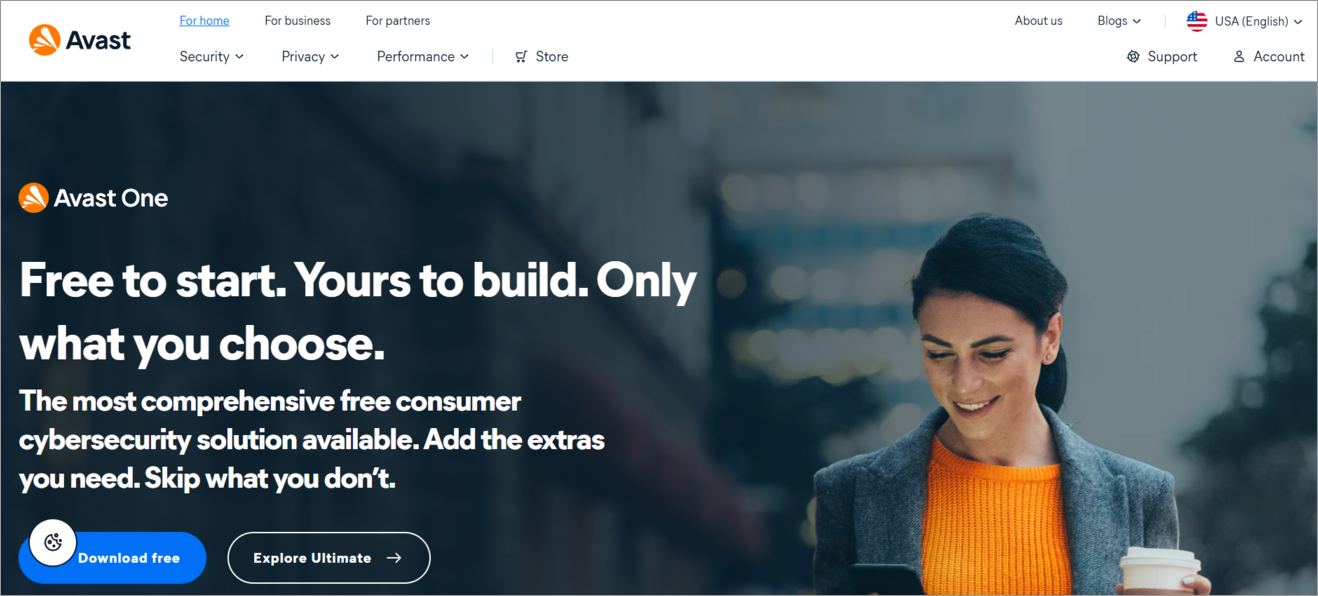
Avast is a platform synonymous with threat protection. As such, you can bet its browser hits it out of the park when it comes to online security. The browser provides you with robust protection against malicious websites and risky downloads. Thanks to features like Bank Mode, the platform is excellent for net banking and online shopping.
Features
- Secure connection with HTTPS encryption.
- Blocks malicious websites and downloads.
- Bank Mode protects login credentials and passwords on sensitive sites.
- Built-in antivirus protection
- Fingerprinting protection.
| Pros | Cons |
|---|---|
| Neat security management dashboard | Not open source |
| One-tap fingerprinting and phishing protection | Advanced features hidden behind a paywall |
| Browser data syncing. | Heavily dependent on the Avast ecosystem. |
| Native ad-blocking |
- Platform Compatibility: macOS, Android, iOS, and Windows.
- Engine: Chromium
- Open Source: No
- Initial Release: 2016
How I would rate its capabilities:
| Fingerprinting Protection | 2/5 |
| Tracker Blocking | 4/5 |
| Data Collection | 2/5 |
| Content Filtering | 4/5 |
| Speed | 4/5 |
| Customization | 3/5 |
| Resource Usage | 3/5 |
Pricing: Free to download and use. Its premium plan starts at $4.99/month.
Website: https://www.avast.com/en-us/index#pc
What’s the Best Browser for Mobile Privacy?
In my opinion, the following browsers are great for on-the-go privacy:
- Brave for its ad and tracker blocking capabilities
- Firefox for its customization and built-in VPN
- Tor for true online anonymity.
- DuckDuckGo for its user-friendliness.
Tips to Stay Protected When Browsing Online
Whether or not you use a security-first browser, everyone surfing online should adhere to the following tips to keep themselves safe:
- Always Update: Keep your OS, plugins, extensions, and browser up-to-date. Any bug, glitch, or security loophole is often fixed with patches released through updates.
- Block Trackers and Ads: Blocking trackers and ads is the most effective way to remain safe online. Use a third-party ad and tracker blocker if your browser doesn’t offer them as built-in features.
- Use Strong Passwords: Your password should be tough to crack. Common wisdom today states a good password will be one that blends letters, numbers, and special characters. Besides using strong credentials, I would also suggest using tools like Google’s Password Manager to safely store or create passwords.
- Don’t Click on Suspicious URLs: Do not click on any suspicious links sent to you via email or SMS. Doing so may result in you unwittingly downloading spyware or malware on your system.
- Use a VPN: Those who value their privacy and don’t want websites or ISPs tracking their online activity should use a reliable VPN connection. Nord and ExpressVPN are two great options.
- Use Antivirus Software: Your system’s built-in threat protection and firewall may not be enough to thwart some of the more advanced threats brewing online. So, I suggest installing and activating a reliable anti-virus software, one that can detect and intercept a variety of online threats with ease.
Security vs Privacy vs Anonymity: What’s the Difference?
The primary responsibility of a secure browser is to keep your computer/device, your data, and your privacy safe from any threat on the internet.
| Concept | Core Focus | Key Question | Real-World Analogy | Primary Example |
| Security | Protection & Integrity | “Is my data safe from unauthorized access or theft?” | Locking your front door so intruders can’t enter. | Encryption, Passwords, Firewalls |
| Privacy | Control & Consent | “Who has permission to see and use my personal data?” | Closing your blinds so neighbors can’t look inside. | End-to-end messaging, Data opt-outs |
| Anonymity | Identity Concealment | “Can my actions or data be traced back to who I am?” | Walking down the street wearing a mask and paying cash. | Tor Network, Pseudonyms, Cash |
Frequently Asked Questions
1. Which browser cannot be tracked?
Even the most secure browsers out there can be tracked by a seasoned hacker. That said, you do decrease your chances of getting hacked or tracked by using a browser that prioritizes user privacy and security. I believe Brave is a good example of a browser that ensures robust security because of its Shield features (ad blocking, tracker blocking, and fingerprinting masking).
The Tor browser is also great, especially for circumventing online censorship and accessing blocked websites.
2. Which is the Most secure browser for Windows 11
• Brave: It uses Chromium multi-process sandboxing to provide protection from exploits based on Windows along with strong ad and script blocking.
• Microsoft Edge: Very secure in business and OS-level settings owing to its built-in Microsoft Defender SmartScreen and Hardware-enforced Stack Protection even though privacy needs adjustment.
• Mullvad Browser: It is designed specifically to block browser fingerprinting and minimize tracking when combined with a VPN..
3. Is incognito 100% safe?
No, Incognito is not safe at all. This mode only stops your browser from saving cookies and local browsing history. Third-party trackers and your ISP can still track your online activity.
4. Which is the Most secure browser for Android
• DuckDuckGo Private Browser: Perfect for straightforward and uncompromising privacy with tracker-blocking enabled automatically and one tap data deletion.
• Brave Browser: Best when it comes to all-round security with integrated ad and tracker-blocking, HTTPS-upgrade, and fingerprinting protection.
• Tor Browser: Highest level of anonymity with encrypted connections to the network that, however, limits your everyday browsing speed.
5. Is Google or DuckDuckGo safer?
DuckDuckGo is much safer in terms of protecting users’ data privacy, since it does not monitor search history, logs IP addresses or creates personal advertisements for its users. The service Google Search is far better when it comes to real-time protection against phishing attacks and malware thanks to Google Safe Browsing.
6. Is Chrome a secure browser?
I would say that Chrome is a secure browser, but not as effective as something like Brave when it comes to ensuring user privacy. Chrome’s frequent updates and sandboxing feature make it a safe browser. However, it tracks your browsing data and may not be suitable for users who want a higher degree of anonymity when surfing online.
7. Is Safari or Chrome safer?
Safari is more protected in terms of built-in data privacy and tracking prevention features like Intelligent Tracking Prevention and iCloud Private Relay. Chrome is ahead in terms of built-in security features, including fast sandbox updates, fast patching of vulnerabilities and strong phishing protection.
8. Are free secure browsers just as good as paid ones?
I would say, yes! They are just as good and, in some aspects, even better than the paid ones out there. Please look at our list. All the browsers I’ve mentioned on this list can be used for free, and you are not charged a dime extra to use their security features.
I’ve come across so-called “premium” browsers that don’t even have basic security features or keep their advanced features locked behind a paywall. Browsing security and privacy don’t cost much. All you have to do is choose the right browser and follow some important tips for better online safety
9. Which is the Most secure browser for iPhone
Safari: The most secure browser for iOS users in general owing to stringent sandboxing at the system level, Intelligent Tracking Prevention, and hardware security integration.
Brave: It offers an additional layer of active ad, tracker, and script blocking when running on the native iOS WebKit engine.
DuckDuckGo Private Browser: It works great for privacy-focused users looking for session clearing and private search features instantly.
Conclusion
So, there you have it: the definitive answer to what are the best dedicated secure browsers. As we move into a world being dominated by new AI-enabled tech, the demand for secure browsing has reached an all-time high.
I believe that all of the 10 browsers I’ve recommended here are more than capable of meeting that demand. As for my personal recommendation, here’s how I would suggest picking a browser best suited to your requirements:
- Go for Brave if you are looking for a privacy-focused platform.
- Go for Tor if anonymous browsing is what you need.
- Go for DuckDuckGo if you want a privacy-focused search engine.
- Go for Firefox if you want free built-in VPN protection.
Research Process: The total time involved to complete and publish this article is approximately 42 hours. This content was created through a structured research approach to ensure accuracy and reliability.
For more related guides, you can explore our range of tutorials below:
- Top 10 Private Browsers for iOS & Android [SECURE]
- Top 8 Browser Security Solutions for Enterprises
- Top 10 Browsers For PC (Web Browser Ranking)
- 10 Remote Browser Isolation Solutions & Vendors
- 10 Best Browsers for Android
Was this helpful?
Recommended Reading
-

List of the latest and best Cross Browser Testing Tools for your website Browser Compatibility Testing on different browsers and Operating Systems: Cross Browser Testing can be the biggest pain for any Software Tester. But thanks to all the cross-browser testing tools available online to help in minimizing the testing…
-
Review and comparison of the Best Ad Blocker for Safari. Put an end to the content being blocked because of ad placement by websites on the landing page with these Safari Ad Blockers: Are constant ads getting on your nerves? Too many ads can frustrate and a simple solution is…
-

This tutorial compares the top 10 Browsers for PC. You can select the fastest and best web browser most suitable for you: The word ‘browse’ can be used in many contexts and can have different meanings in different scenarios. For instance, ‘to browse’ means to scan, skim, or read and…
-
Cloudification and digital transformation have disrupted traditional network security products. Thanks to the cloud and the web, users can communicate globally, access SaaS applications all over the world, and access knowledge resources that can help them with their core business efforts. A wide range of new capabilities is now available…


