Are you confused if Shift Browser is safe and legit to download? Get to know what Shift Browser is, along with its features, pricing, pros & cons from our quick guide to make the right choice before installing:
As a small business owner, I spend a lot of time on my browser with a dozen or so tabs open at a time. One moment I am chatting on Slack, the next I am on Gmail. Hopping between these tabs constantly has thrown my life into chaos. I realize this and yet feel helpless to do anything about it.
That was until I heard about the Shift browser. When you promise me reprieve from “tab-chaos” plaguing my professional life, of course, I am going to jump at the opportunity to give it a shot.
Is Shift Browser Trustworthy: Explore Now
That is exactly what I did. Consider this article my review of the Shift Browser, where I share my experience after using it for about a month.
Here is the inside story of Shift Browser: How it became a customizable browser:
What is Shift Browser?
The Shift Browser is a Chromium-based web browser that consolidates multiple email accounts, web applications, and workflows into a single, unified digital dashboard. The browser was designed to help users manage or boost their productivity.
It does so by directly addressing the cognitive fatigue caused by constantly switching between various tabs in a browser. In a typical web browser, you’d have to jump between multiple tabs and email accounts, thus wasting a lot of time.
The Shift Browser basically serves as your central command center, bringing all of your apps, workstations, and email accounts under a single view. The Shift Browser also benefits from being built on the Chromium engine, the same engine that powers popular browsers like Chrome and Edge.
As such, Shift gives you Chrome-like super-fast performance while staying true to its distinct identity as a browser designed to boost productivity.
To truly understand what makes Shift different from other browsers, I’ll have to tell you about its various features.
Key Features of Shift Browser
Enlisted below are some of the prime features of Shift Browser.
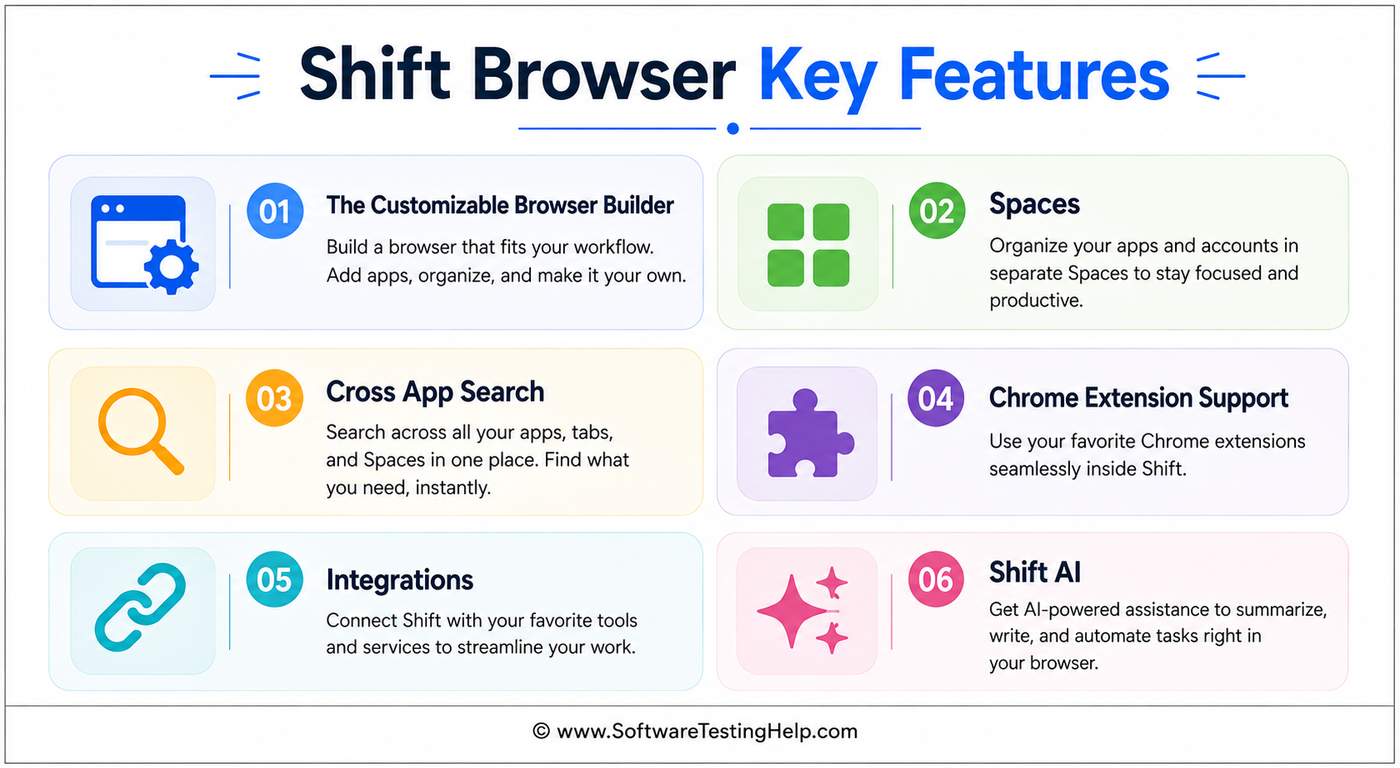
#1) The Customizable Browser Builder
One of Shift Browser’s biggest USPs is its customizable nature. As a web browser, this is arguably one of the most customizable browsers I’ve had the privilege of using. The customization begins as soon as you launch the browser for the first time.
You choose a template that determines your browser’s appearance and the placement of its essential components. You then decide its color theme and pick how many workspaces it’ll feature (more on this later). You can just drag-and-drop elements on the interface to customize your dashboard’s layout.
Here’s a look at my browser, the way I designed it.
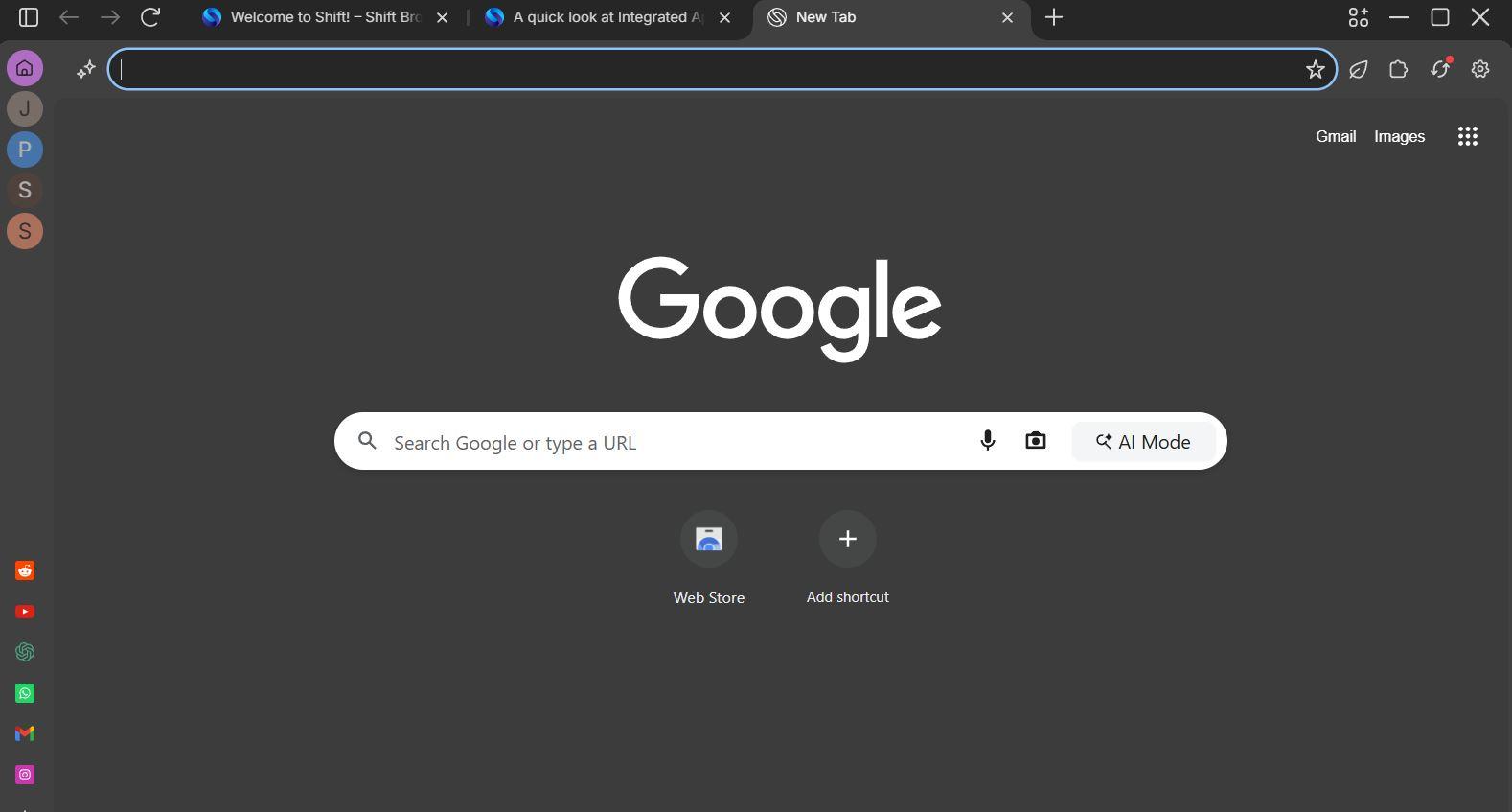
Let’s say I want to shift the apps pinned to my screen from left to right.
All I have to do is:
- Click on the Settings icon in the top-right corner of my screen.
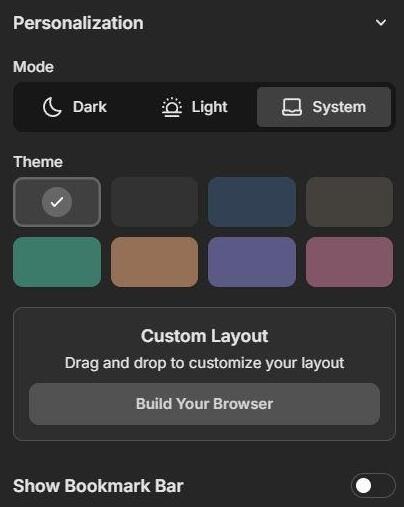
- Select “Build a browser”
- Select Bars
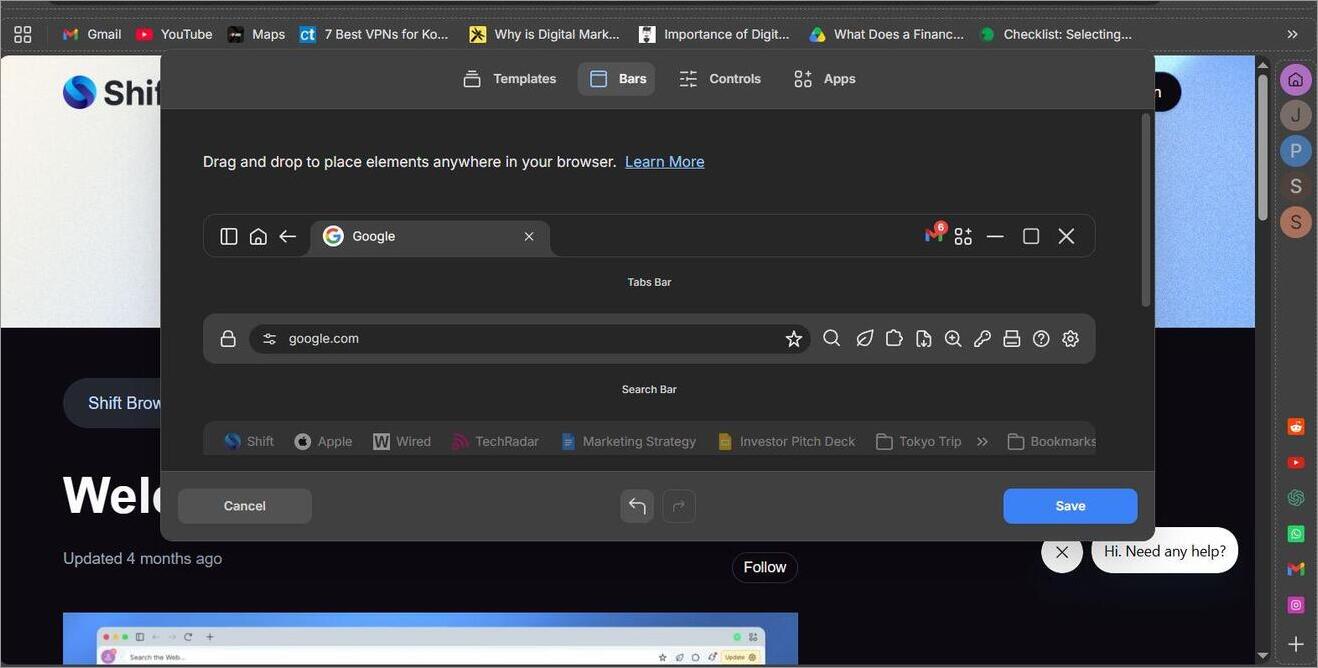
- Then just drag the left-side menu bar all the way to the right.
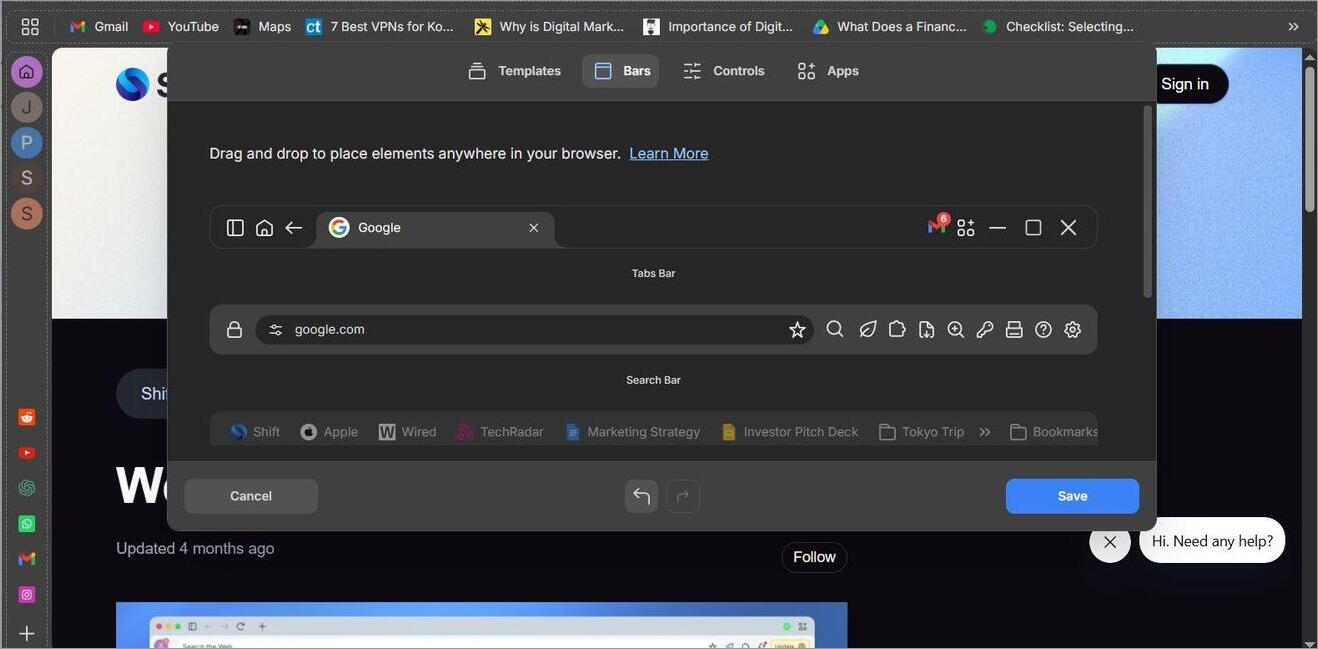
It is that simple.
#2) Spaces
Shift Browser’s customizability extends into one of my favorite features on the platform. The browser basically lets you organize your workstation into multiple isolated spaces, each featuring its own set of applications and tools.
You can have one space assigned for work, another for personal use, and a third for whatever purpose you deem fit. Once these spaces are created, you can switch between them with a single click.
Now, you may ask, isn’t this the same as creating different profiles in Chrome? Well, yes, but there is a major advantage in Shift. You don’t need to create an email account to create a dedicated space.
All you have to do is the following:
- Click on the “+” icon
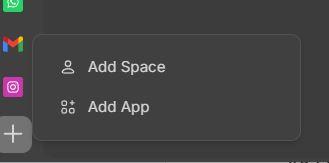
- Select “Add a Space”.
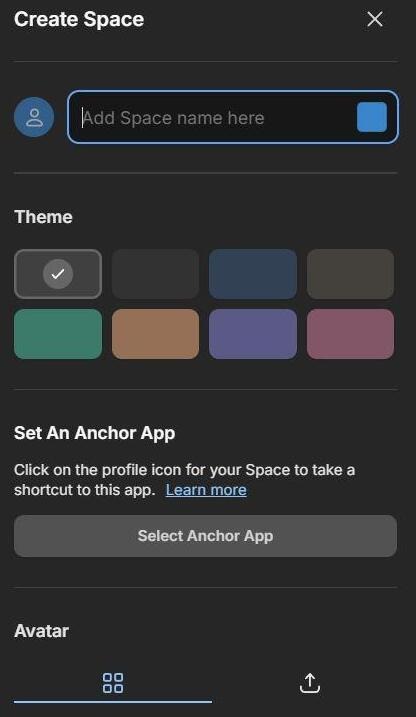
- Name the Space, choose a color theme, give it an avatar, set an anchor app, and hit the “Create Space” button.
#3) Cross App Search
As I said before, Shift lets you pin apps to a particular space so you have an easier time accessing them whenever necessary. It even goes a step further by letting you look for information across connected apps through the search function. This way, you don’t have to open and search every app individually.
Enter the keyword related to what you are looking for, and Shift will scan all integrated applications to bring you the email, document, or file you need.
#4) Chrome Extension Support
Shift Browser was built on the Chromium engine. So, it should come as no surprise to anyone that it offers Chrome extension support. This basically means that all the extensions that work on Chrome will also work flawlessly on the Shift Browser.
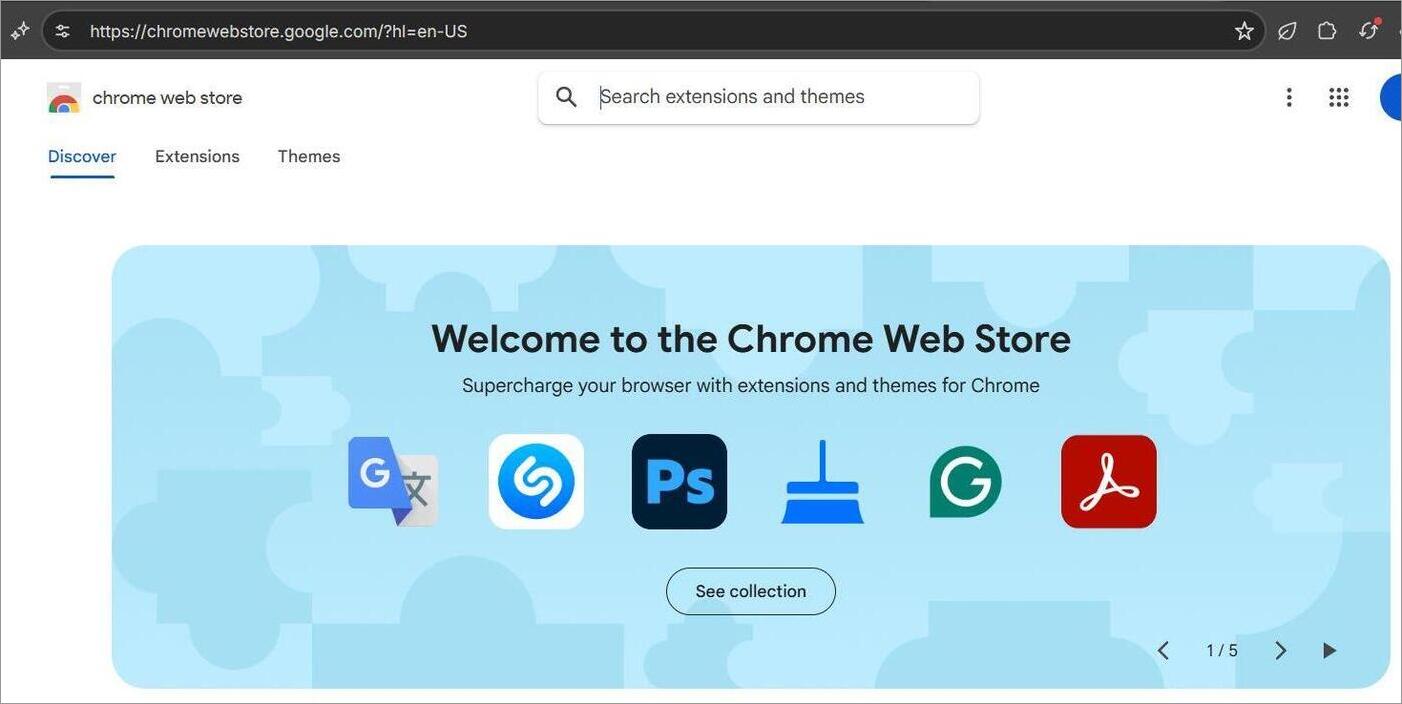
This includes extensions like Grammarly, Extensify, OneTab, Checker Plus for Gmail, and more.
#5) Integrations
The Shift Browser facilitates integration with over 1500 applications. This includes prominent work (email, maps, templates), utilities (manuals, dictionary, weather), and fun (games, recipes) applications.
Adding an app to your workspace is simple.
All you have to do is:
- Click on the “+” icon
- Select Add App
- Choose an app you want from the library.
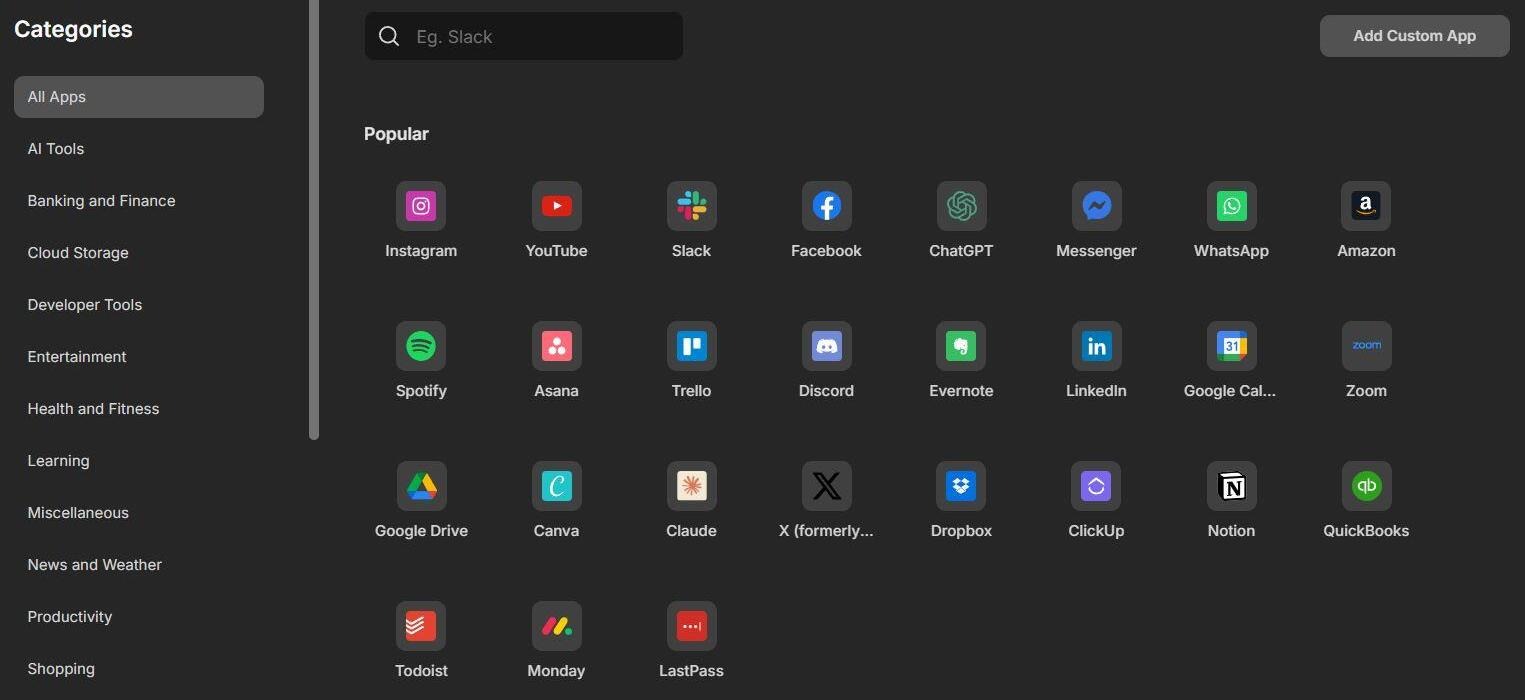
- Name the account, decide whether you want to add a shortcut, and hit the “Add App” button.
#6) Shift AI
Almost all applications and browsers today come with integrated AI, so how could Shift let itself be left behind? Shift’s AI assistant is something you can summon anytime you have a query or need help to summarize the information you’ve come across on a website.
Here is the video on Shift AI:
Let’s say there’s a YouTube video about an hour long. Save yourself some time by asking Shift AI to summarize the video for you.
Here’s how you do it:
- With the YouTube video open in the browser, select the diamond icon you see in the top-right corner of your screen. Depending on how you’ve customized the browser, this icon may appear somewhere else in your browser.
- Once that is done, simply enter the prompt “Summarize this YouTube video”.
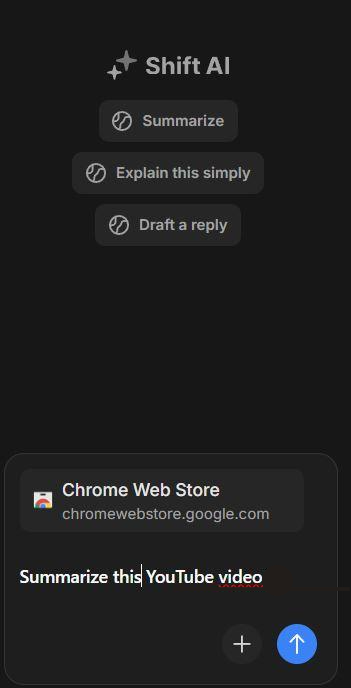
- Shift AI will have the video summarized within a minute.
How to Get Started with Shift Browser
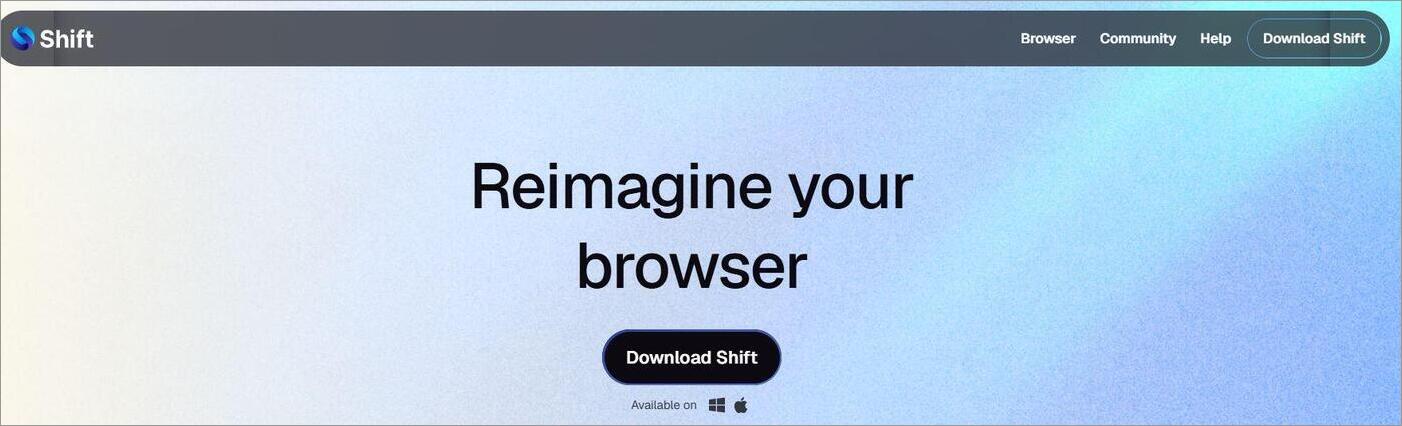
- Go to the official website and hit the Download Shift button.
- Follow the on-screen instructions to complete the installation.
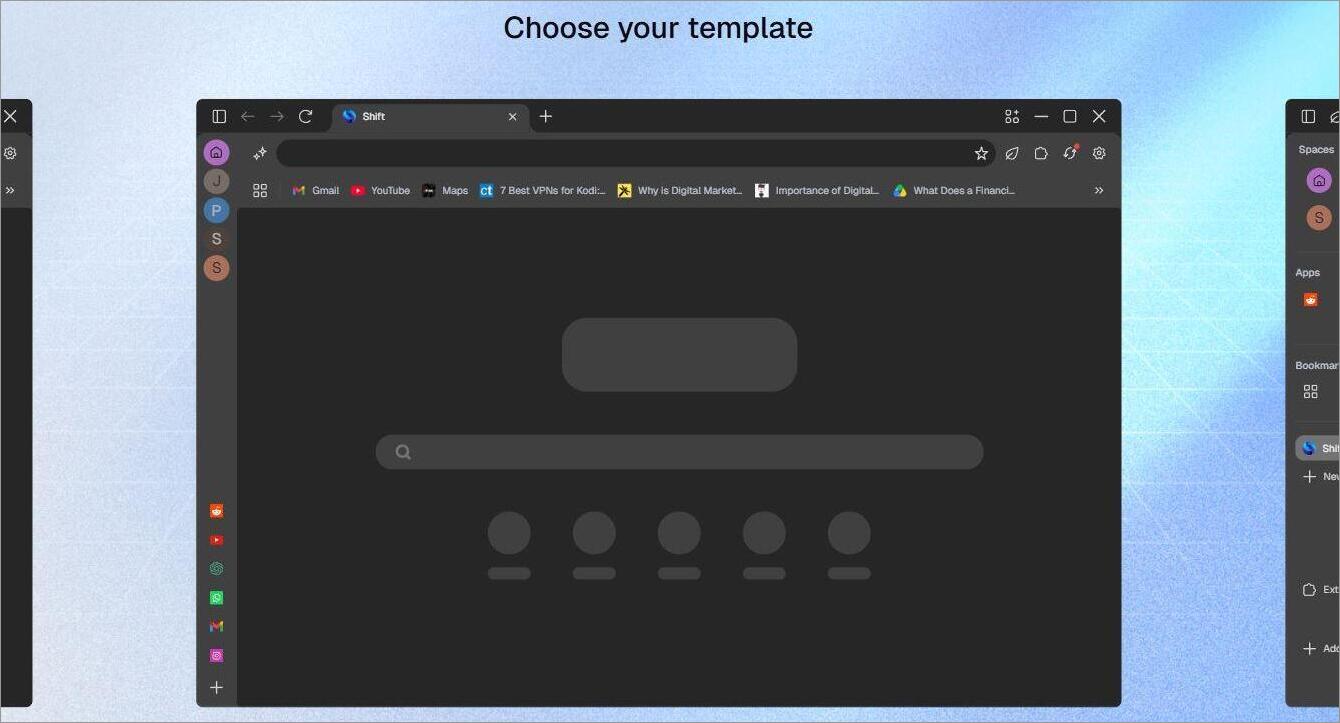
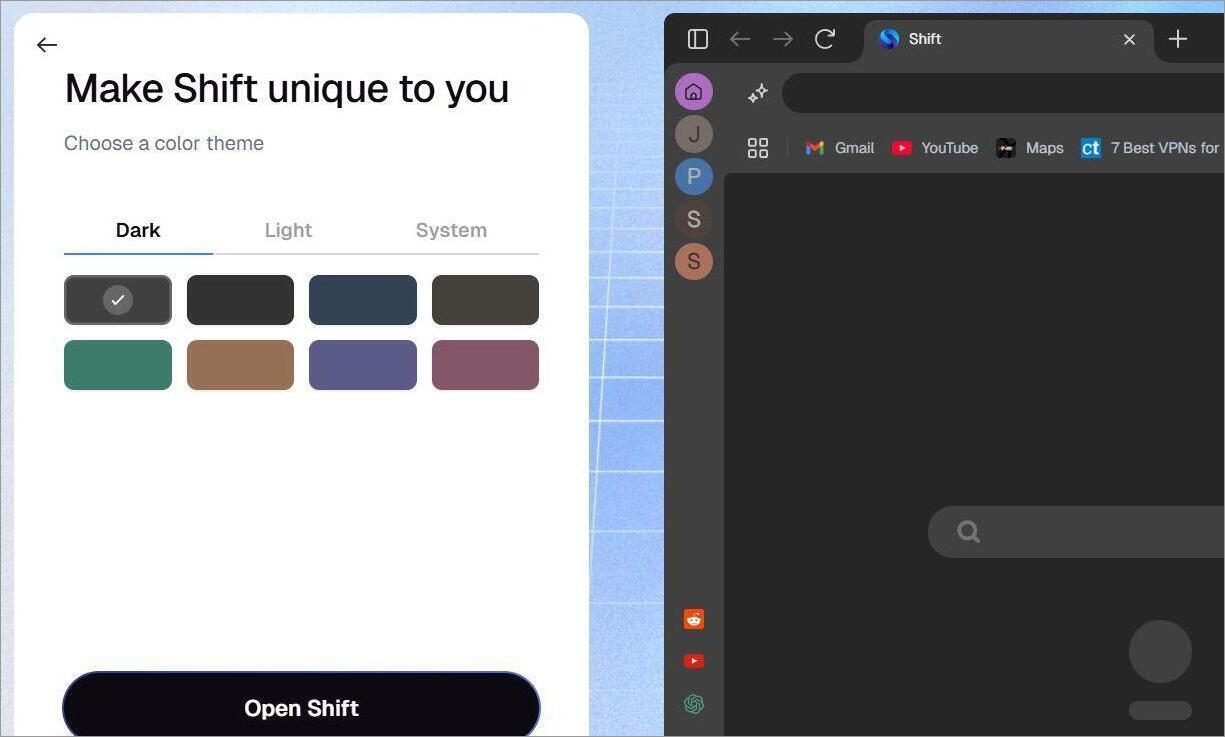
- Launch the browser, add spaces, select a template, and choose a theme.
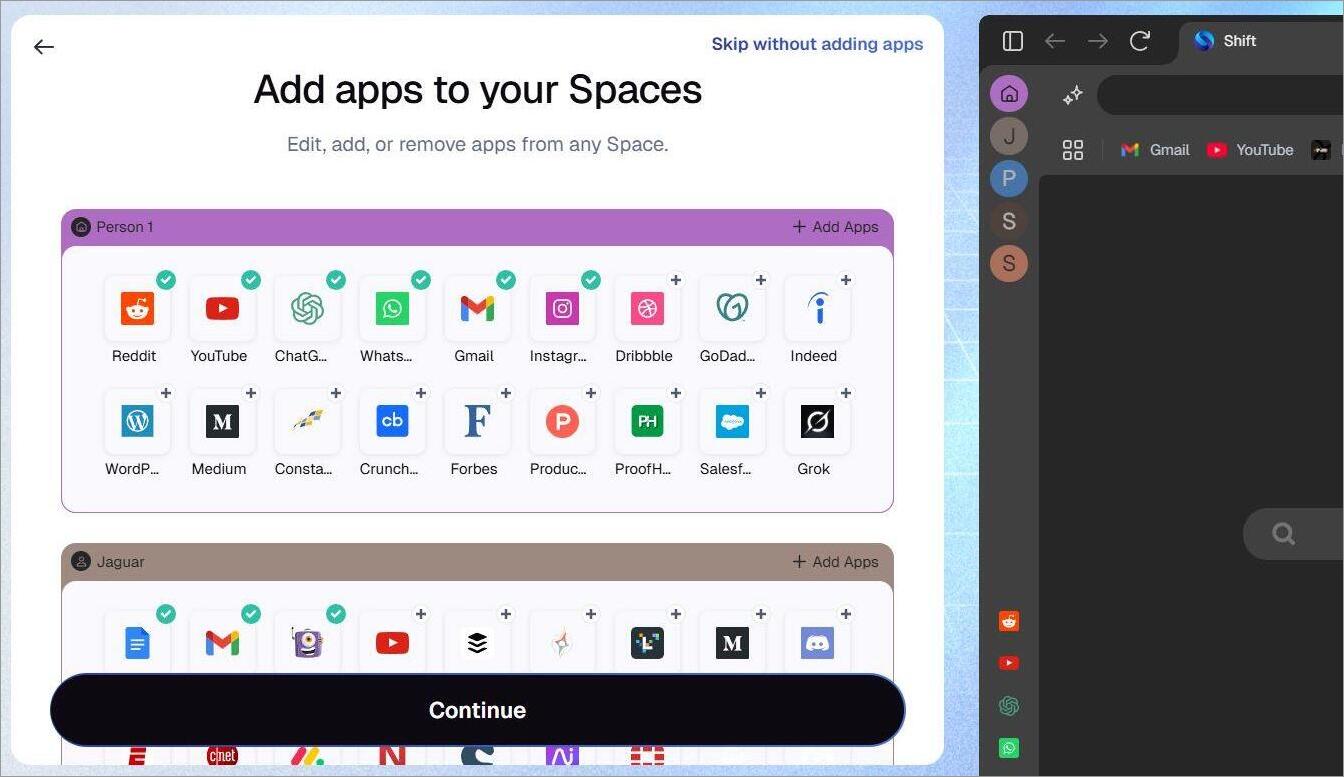
4. Hit Next to see your browser ready to use.
You can customize the look and layout of your browser whenever you wish.
System Requirements
| OS | macOS, Windows 10 and Windows 11 |
| RAM | Minimum 8 GB |
| Architecture | Chromium-Based |
| Mobile/Tablet | Not Supported |
Shift Browser Pricing
You can use the Shift Browser without paying any fees, with some limitations. For instance, you’ll only be able to set up 5 spaces and integrate up to 10 apps. Shift AI usage will also face limitations under the free plan.
You can bypass these limitations by opting for the advanced plan, which costs:
- $19.99/month
- $199.99/year
The premium plan doesn’t set any limits on the number of spaces you can create or apps you can add. You also get priority support with the advanced plan.
I would suggest going with the advanced plan if you are using the browser for business and have multiple email accounts or apps to manage. If not, the free plan should satisfy you.
User Reviews and Ratings
The general online consensus on the Shift Browser seems to be positive. It enjoys a 4.5/5 rating on G2, a 9.3/10 rating on TrustRadius, and a 4.3/5 rating on Zoftware.
Most of the praise for the tool can be attributed to its user-friendliness, customizability, and the ability to juggle multiple accounts. It has also garnered a fair share of criticism regarding occasional performance issues. Some users also think that its premium plan is too expensive.
Pros and Cons
| Pros | Cons |
|---|---|
| User-friendly | Can be resource-intensive compared to other browsers and end up causing performance issues. |
| Highly customizable | The advanced plan is too expensive |
| Integrates with 1500+ apps | Not meant for casual browsing. |
| Carbon-Neutral browsing | |
| Good free tier | |
| Good at consolidating tools, apps, and email accounts in one view. |
Is Shift Browser Safe?
I’ve come across a lot of confusion surrounding the Shift Browser. There are people online asking whether the Shift Browser is malicious. To them, I would say, do not worry; the Shift Browser is completely safe to use and won’t harm your system or compromise your online privacy.
The browser was built on the Chromium engine. As such, it comes with the same security features that secure browsers like Chrome and MS Edge. The browser employs a local-first architecture and facilitates network encryption.
Besides these measures, Shift also comes with several advanced security features. For instance, all downloaded files are scanned against Avira’s database to ensure nothing malicious gets onto your system.
The browser also benefits from Google Privacy Risk, which means you’ll see warning messages for phishing risks or insecure domains before a website fully loads.
The browser also facilitates Sandboxed processes. This basically means that your website content runs in isolated layers. This way, any issue arising in one tab does not spread to another.
Shift also saves your browsing data (app info, history, emails, etc.) locally. Rest assured, nothing is saved on Shift’s server.
You can also rest assured when using Shift AI, as all of your chats remain anonymous, thanks to the Cloudflare Privacy Proxy.
Shift also conducts periodic password scans to flag credentials it deems weak or compromised.
I still suggest you check Shift’s privacy policy for your own reassurance before using the browser.
List of the Best Shift Browser Alternatives
Here are some of the top replacements for Shift Browser:
- Arc
- Wavebox
- Workona
- Rambox
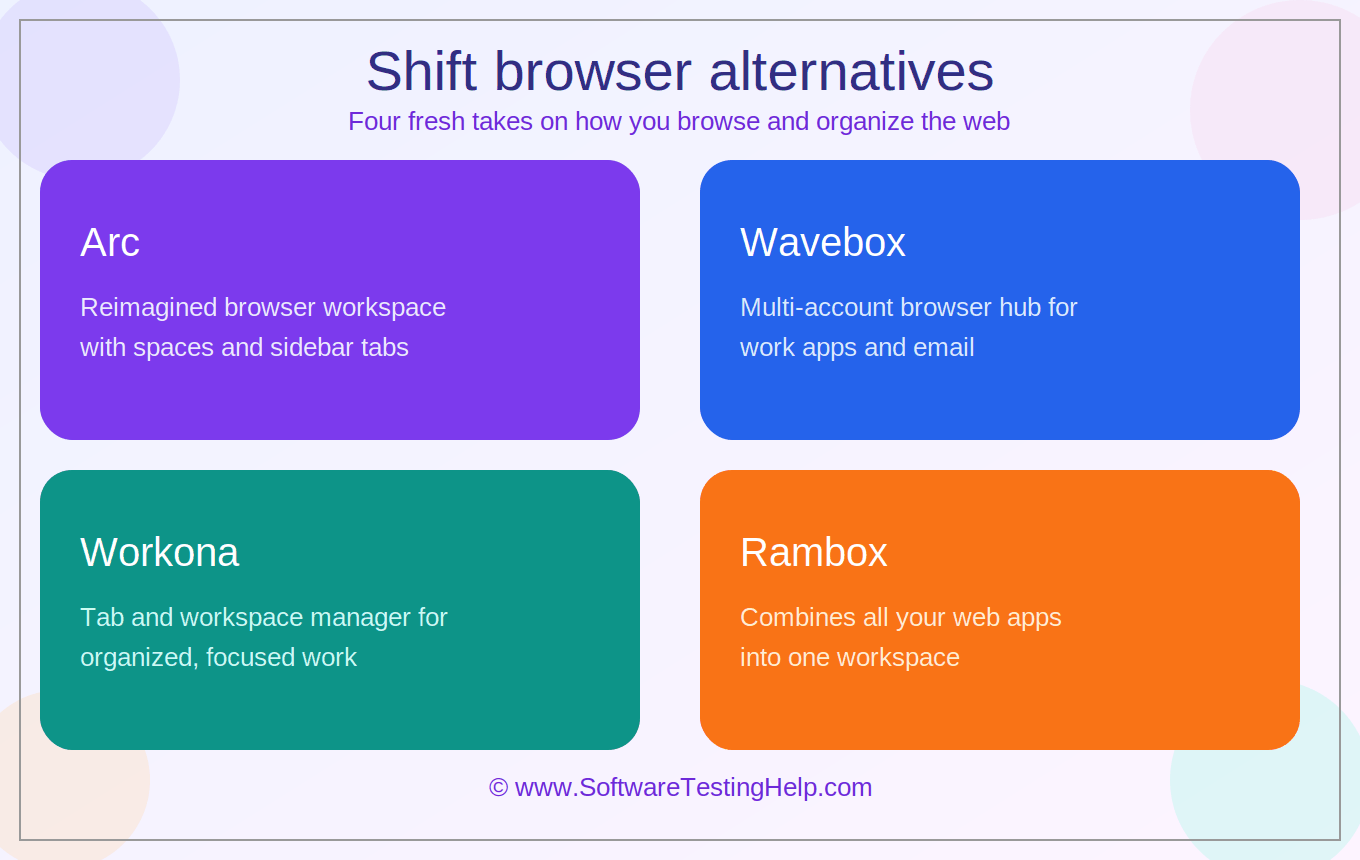
Comparing Shift Browser With Its Competitors
| Name | Best for | App Available | Price | Extension Support |
|---|---|---|---|---|
| Shift | Multi-tab switching | No | Free to Use, starts at $19.99/month | Supports Chrome Extensions |
| Arc | Visual browsing | Yes | Free | Native and Developer Extensions |
| Wavebox | SaaS workflow management | No | Free to use. Paid plans start at $8.99/month | Chrome extension support |
| Workona | Project-based tab management | Yes | Contact for quote | Works as an extension for Chrome, Firefox, and Edge |
| Rambox | App consolidation | No | Free to use; paid plan starts at $7/month. | Supports 700+ apps |
Detailed Review of Alternatives to Shift Browser
#1) Arc
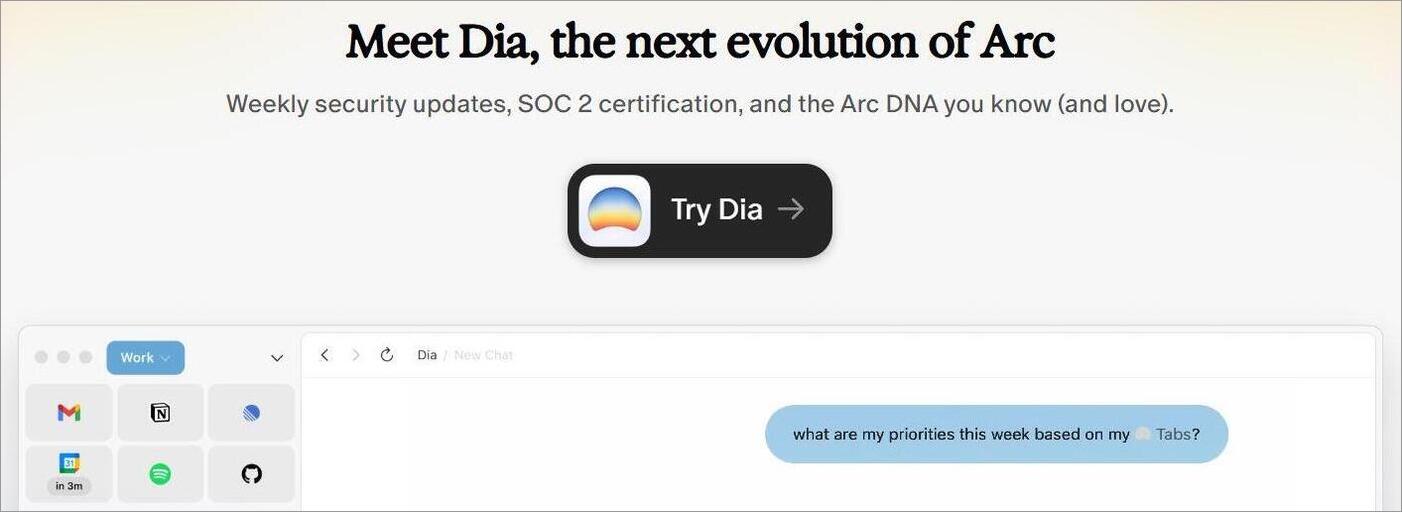
Like Shift, Arc is another Chromium-based browser you can employ to manage multiple accounts. It also lets you create multiple dedicated spaces and supports Chrome extensions. It distinguishes itself from its contemporaries by serving as an operating system interface rather than a typical page-viewing browser.
Price: Free to use
Website: https://arc.net/
#2) Wavebox
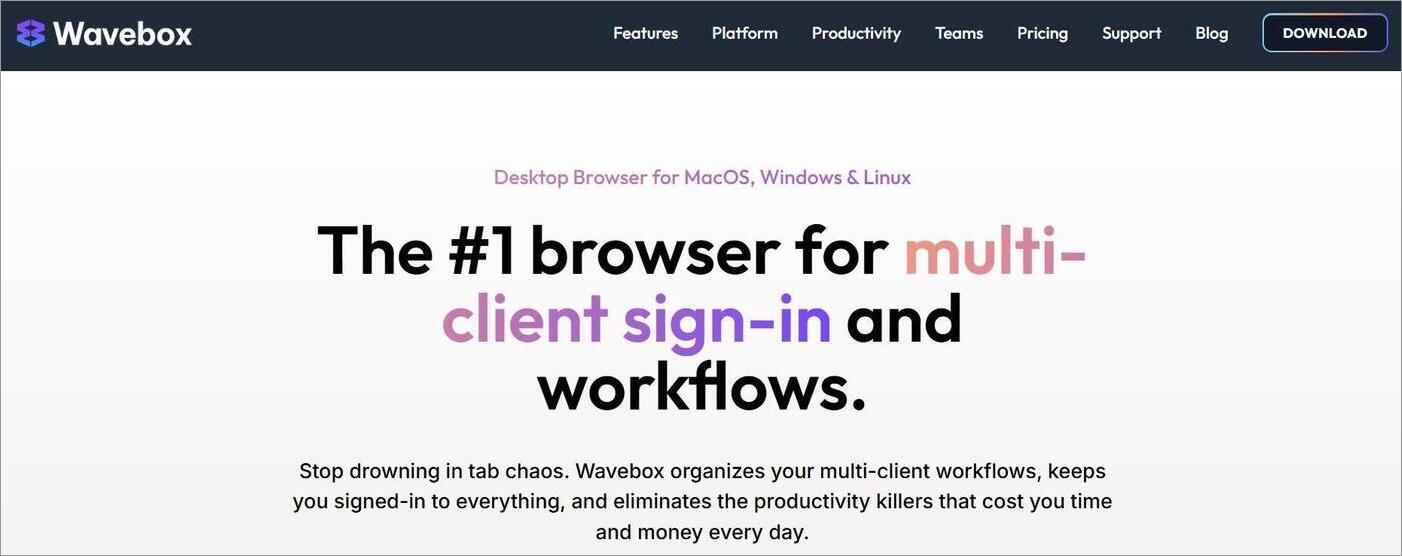
Wavebox is yet another browser that can help you deal with “tab chaos”. Compatible with Windows, Mac, and Linux, this browser streamlines multi-client sign-ins and workflows. My favorite aspect of the browser is the split-screen, which lets you work on two different tabs at the same time.
Price: Free to use. Paid plans start at $8.99/month
Website: https://wavebox.io/
#3) Workona
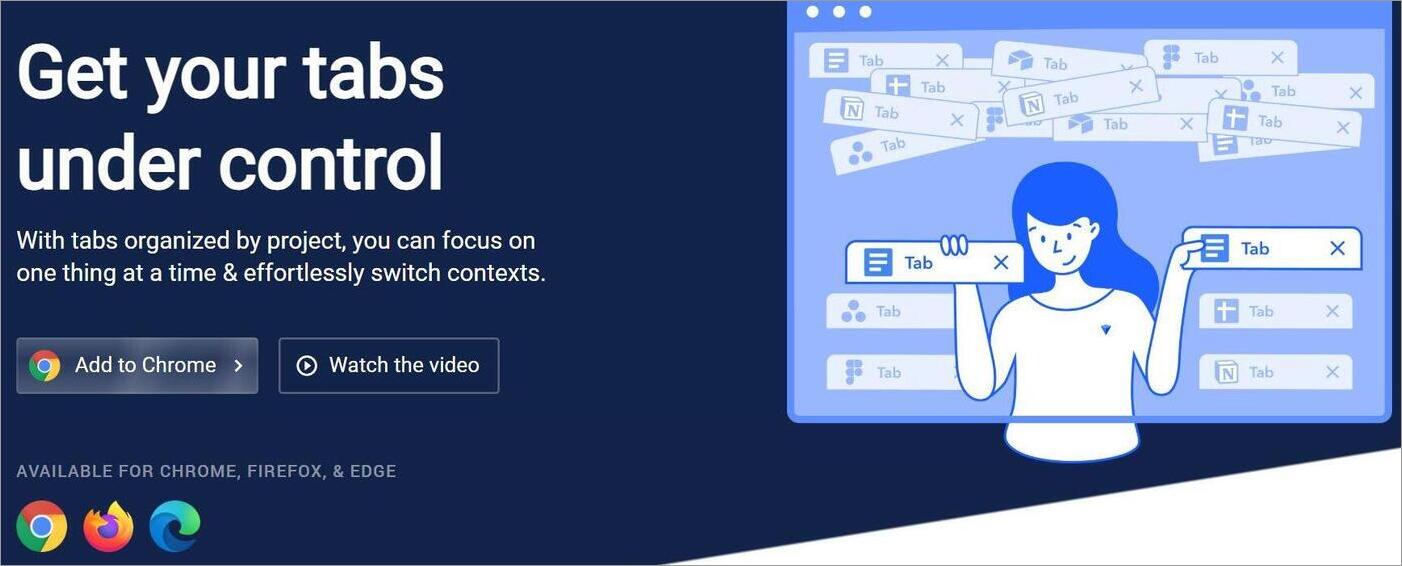
Workona is a productivity-based browser extension designed for seamless project management. Like the other browsers on this list, you can create spaces with a single click and then organize them based on your project. Each tab you open is autosaved, so you don’t have to worry about losing your progress.
Price: Contact for quote
Website: https://workona.com/
#4) Rambox
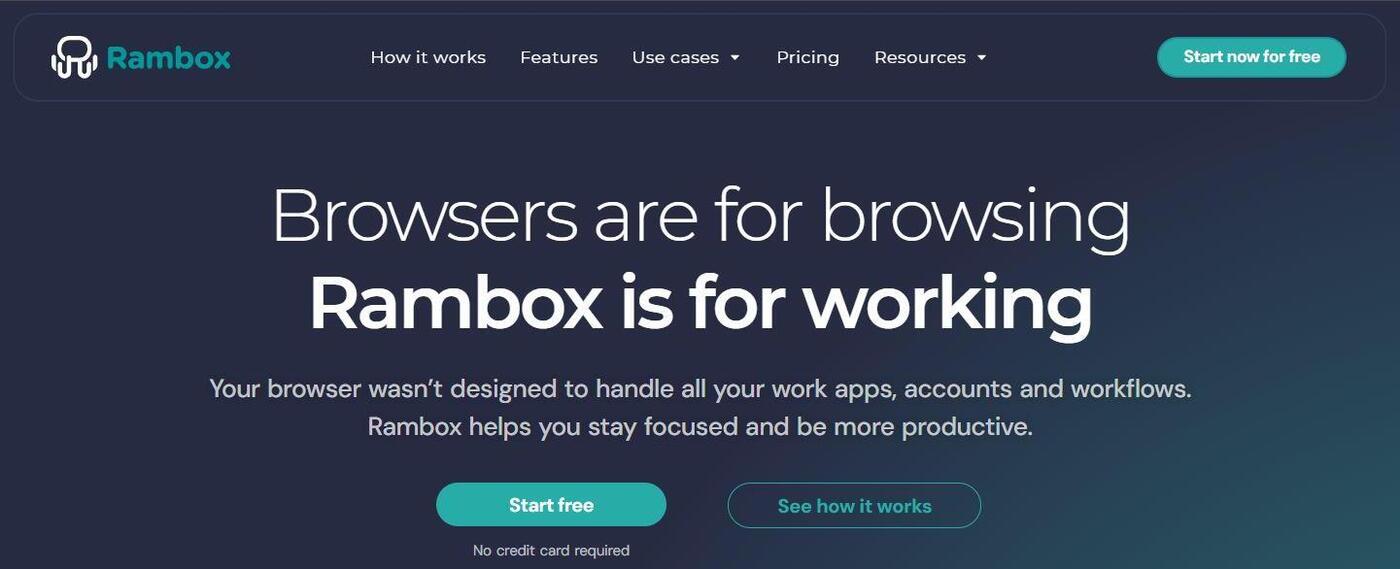
Rambox does what a productivity-based browser should, which is to consolidate all of your workflows under a single, unified dashboard. It is very easy to use and highly customizable. Once launched, it can help you with seamless context-switching or cross-app management.
Price: Free to use; paid plan starts at $7/month.
Website: https://rambox.app/
Frequently Asked Questions
1. Is the Shift Browser legit?
Yes, the Shift Browser is a legitimate Chromium-based web browser launched by Shift Technologies Inc. almost a decade ago. According to the hundreds of online reviews out there, Shift Browser is completely safe to use.
2. Is Shift better than Chrome?
Shift is better than Chrome, only if you need a browser that can help with context or app switching. Chrome is still miles apart and one of the best browsers to exist because of its performance alone.
If you are going to use Shift, don’t treat it as Chrome’s replacement. You should use it on top of Chrome.
3. Who is behind the Shift Browser?
Shift Browser was developed and launched by a company called Shift Technologies Inc. It is headquartered in Victoria, British Columbia, Canada.
4. How did Shift Browser get onto my computer?
Well, that probably happened because you downloaded some software recently and Shift came as part of the bundled package. It is also possible that someone with access to your computer downloaded the browser on your system without your awareness.
5. Do I need a Shift browser?
If you manage multiple accounts, web apps, and tabs daily, as I do, then the Shift Browser is worth considering. If you want a browser for casual internet surfing, then Chrome, MS Edge, or any other browser would prove sufficient.
Conclusion
The Shift Browser lives up to its promise of helping you deal with “Tab-Chaos” by consolidating multiple workflows, apps, and tools under a single, centralized view. Going in, I want you to understand that Shift is a browser meant to streamline context-switching and boost productivity.
It isn’t meant for casual browsing. Set your expectations right, and you won’t be disappointed. The browser will serve freelancers, project managers, business owners, and content creators very well.
A heads-up: this browser is a resource hog and can lead to performance problems on weaker machines. My gaming laptop prevented me from encountering this problem.
The browser is free to use. So, I suggest you download and give the Shift web browser a try.
Research Process: The total time involved to complete and publish this article is approximately 41 hours. This content was created through a structured research approach to ensure accuracy and reliability.
For more related guides, you can explore our range of tutorials below:
- Best Secure Browsers For Ultimate Privacy
- How to Open Incognito Tab on Different Browsers and OS
- How to Check Safari History (Complete Guide)
- IE Tester Tutorial – Internet Explorer Browser Testing Online
- The Top 10 Browsers For PC (Web Browser Ranking)
- The 10 Best Browsers for Android
- What is Leaf Browser: Review With Alternatives
- Top 10 Private Browsers for iOS & Android [SECURE]
Was this helpful?
Recommended Reading
-

This tutorial explains why do we need to clear browser cache and different methods to Clear Cache in browsers like Chrome, Firefox, etc.: A few decades back no one would have ever imagined that a connection of numerous computers can lead to an evolution of the world's largest network, which…
-
Discover the latest Mobile Browsers that combine innovative features, speed & security. Explore the best Browsers for Android and pick the perfect one to enhance your mobile browsing experience with privacy controls: Android’s browser is a web application used for accessing online content on Android-supported devices, including mobile phones and…
-
This tutorial compares the top 10 Browsers for PC. You can select the fastest and best web browser most suitable for you: The word ‘browse’ can be used in many contexts and can have different meanings in different scenarios. For instance, ‘to browse’ means to scan, skim, or read and…
-
Cloudification and digital transformation have disrupted traditional network security products. Thanks to the cloud and the web, users can communicate globally, access SaaS applications all over the world, and access knowledge resources that can help them with their core business efforts. A wide range of new capabilities is now available…