


Dominate the animation world with Adobe Express audio animation. Discover how to use Adobe Express to animate your voice and create animated voice videos of your favourite character for free
Imagine creating a character and then animating it with your voice-over. The best part is, you don’t need to be a skilled animator. A decade from now, I would have dismissed this idea as a pipe dream. That said, things have changed with the introduction of software solutions that have forever revolutionized animation.
Gone are the days when animation was a skill exclusive to professional animators or artists. We have advanced tools today that allow you to create characters from scratch and animate their speech with your recorded or uploaded voice-over.
Table of Contents:
Adobe Express Voice Animation: Step-by-Step Guide

No need to put a pencil to paper, no need to draw elaborate sketches, or spend a lot of time behind a computer screen to breathe life into a character. With a few clicks, you can animate a character with audio alone.
Suggested Reading => Free Drawing Software to Explore
As I mentioned, there are numerous tools available today that make such animation simple. One of my personal favorites, though, is Adobe Express.
Here is a video tutorial on how to use Adobe Express:
If you don’t know what Adobe Express does, allow me to introduce you to this gem of a tool.
Adobe Express Animate Your Voice: Overview
Adobe Express is a design and editing tool that helps you craft visuals and graphics. It essentially simplifies the creation of stunning images, videos, social media posts, and marketing materials by arming you with a vast array of ready-made templates and layouts.
Further Reading => How to Post on Instagram From PC
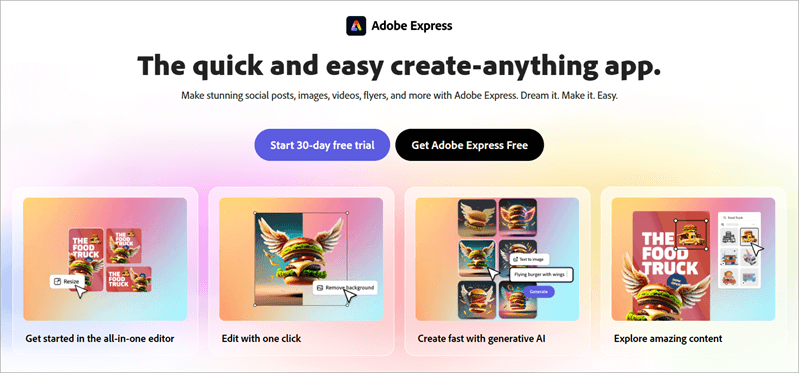
Simply put, Adobe Express makes graphic design, video editing, and basic animation accessible to folks who aren’t particularly skilled at these tasks. The recent version of Adobe Express features an AI that automates all the above tasks.
You can rely on this AI to generate images, templates, music, and even convert text to speech in a matter of minutes.
If you wish to save money on hiring professional designers or feel the gratification of creating head-turning visuals, Adobe Express is for you.
Now that you know what Adobe Express does, let’s focus on the subject that compelled me to write this little blog. I am, of course, talking about the ability of Adobe Express to animate your voice.
Adobe Express, Animate From Audio: An Amazing Feature to Make Your Characters Speak
Throw a stone and you’ll find a boatload of tools that do what Adobe Express does best. Yet, I believe Adobe Express is in a league of its own for its ability to create character animations with audio.
Suggested Read => Best Logo Animation Software

You don’t have to do a lot of heavy lifting. The software provides you with pre-designed characters and background templates. You simply pick the one you like, edit the size and other elements with a few clicks, hit animate, preview the animation, and download the result. It is that simple.
How Adobe Express Animate from Audio Works
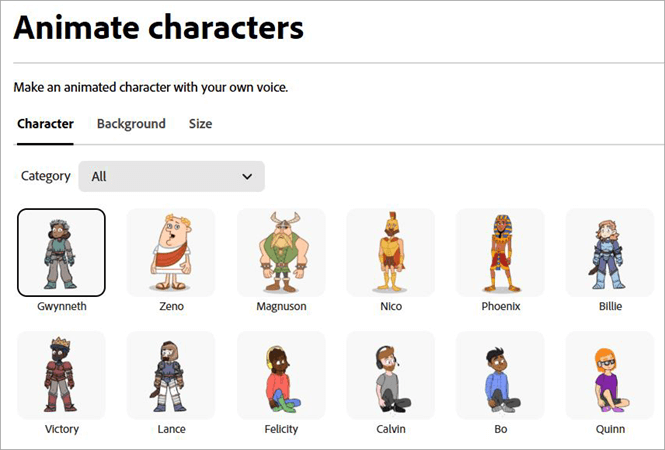
There is a wide range of characters to choose from. From animals to people and even robots, you won’t find yourself starved for options. You then animate the character by simply recording your voice or uploading an audio.
You can further customize the animation by adjusting the layout size or trimming the audio to get a desirable result.
Suggested Reading => How to Trim Videos on Windows
Once done, you’ll have a final result that depicts your chosen character moving its lips to narrate the speech you recorded or uploaded.
Let me remind you that Adobe Express is a beginner-friendly tool, which was conceived to help non-designers create stunning designs. All you need to do is follow a few easy steps to animate from audio with Adobe.
Follow the below guide to animate your character in no time:
How to Animate from Audio in Adobe Express
Follow these steps:
#1) Open Animate From Audio in Adobe Express.
#2) Browse the tool’s character and background library. Pick the character and background you like.
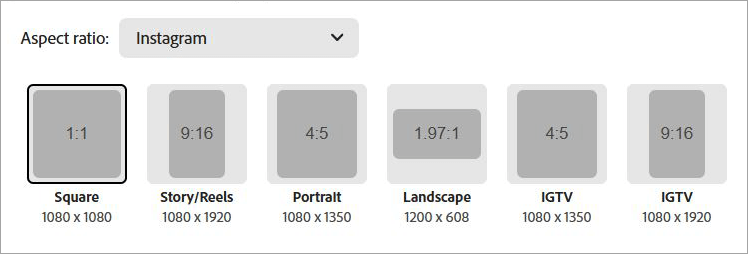
#3) Adjust the layout’s size (Portrait, Landscape, Square, etc.) You can download the file in various aspect ratios based on where you wish to ultimately post it.
Also Read => Free Voice and Speech Recognition Software
#4) Once you’ve finalized the character, background, and size, hit the blue record button to start recording your voice. Alternatively, you can upload an audio file in MP3, MP4, WAV, and AIF format.
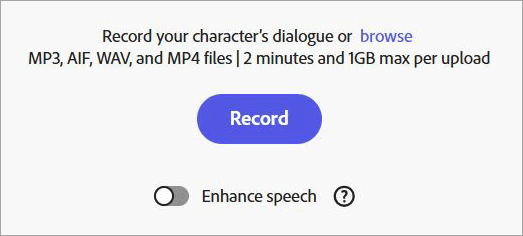
#5) You pause and resume recording as you wish. Hit the “Done” button once you’ve finished recording.
#6) Wait until Adobe Express processes your animation.
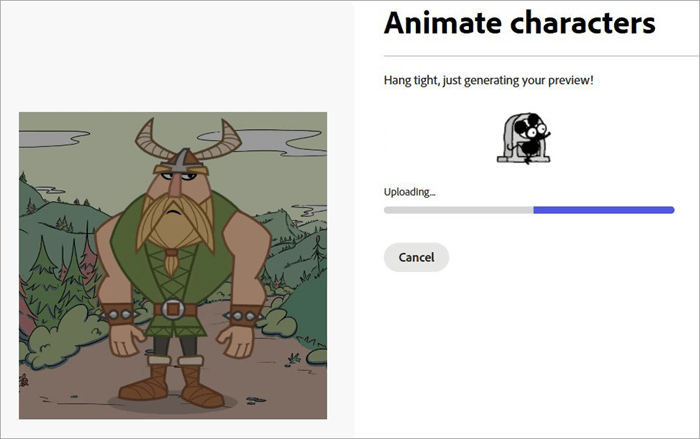
#7) Hit the “Play” button on the animation to preview the result. You can edit out the audio handles at the beginning and end for a more polished result.
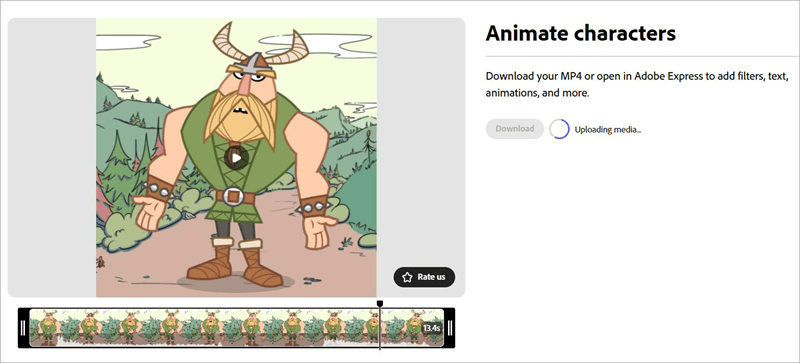
#8) If you are satisfied, hit “download”.
Your animated character is now ready. In hindsight, I don’t have any complaints about the animation or the process. I was impressed from beginning to end. It took about 5 minutes for Adobe to process the animation. The result was nearly flawless.
Also Read => Top Whiteboard Animation Maker Tools
The character moved impeccably to mimic my recorded speech. The lip movements were perfectly in sync with the audio. In the end, the animation looked great and my voice sounded clear as well.
You could switch on the “Enhance Speech” toggle before you hit the record button to get audio that sounds like it was recorded in a professional studio.
Just make sure your uploaded file isn’t larger than 1 GB. Also, you can only record audio up to 2 minutes long.
I also appreciate not having to sign up or pay to use this feature. You can use Adobe Express to animate your voice for free. While you don’t have to sign up when animating or recording your voice, you’ll need to eventually do it to download the file.
Further Reading => Most Popular Voice Monitoring Software Solutions
Adobe Express’s Price
Adobe Express’s price is one of its most enticing qualities. You don’t need to pay anything to try the tool’s Animate From Audio feature. The free plan also grants you access to over 10000 static and video templates, along with over a million royalty-free assets. You also get AI generative credits, but in a limited capacity.
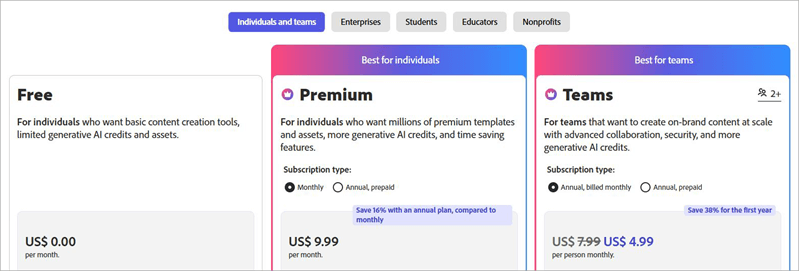
If your goal is to only use Adobe Express to animate using voice, I’d recommend using the tool for free. For a better experience, consider Adobe Express’s reasonably priced premium subscriptions.
The individual premium plan is ideal for independent creators, unlocks many advanced features, and will cost you $9.99/month. The team plan meant for seamless collaboration on designs will cost you $4.99 per person/month.
There is a 30-day free trial on the Individual Premium plan, while there is a 14-day free trial on the Team plan.
Premium and Team plans also come with annual subscriptions, which will cost you $99.99/ year and $49.99/person per year, respectively.
Whom Does Adobe Express Serve
With Animate From Audio, Adobe Express largely benefits digital marketing agencies, social media marketers, advertisers, and content creators.
According to a report published in Forbes, over 91% of consumers preferred visual, interactive content over simplistic text-based media. Now imagine the traction advertisers can garner with visual content that is also animated.
Adobe Express provides marketers and advertisers with the most cost-effective way to create animated promotional campaigns. They can create a speaking character that could even serve as their brand’s mascot, thus grabbing more eyeballs on social channels like Facebook, Twitter, and Instagram.
Independent creators on YouTube, Instagram, and TikTok also stand to gain more ground online by using animated characters created via Adobe Express. The animated character with a voice-over can make a normal YouTube video or Instagram reel considerably more compelling.
I think Adobe Express is a great tool for anyone, professional or otherwise, who wants to create content that strays from the conventional and has its own distinct identity.
Alternatives to Adobe Express
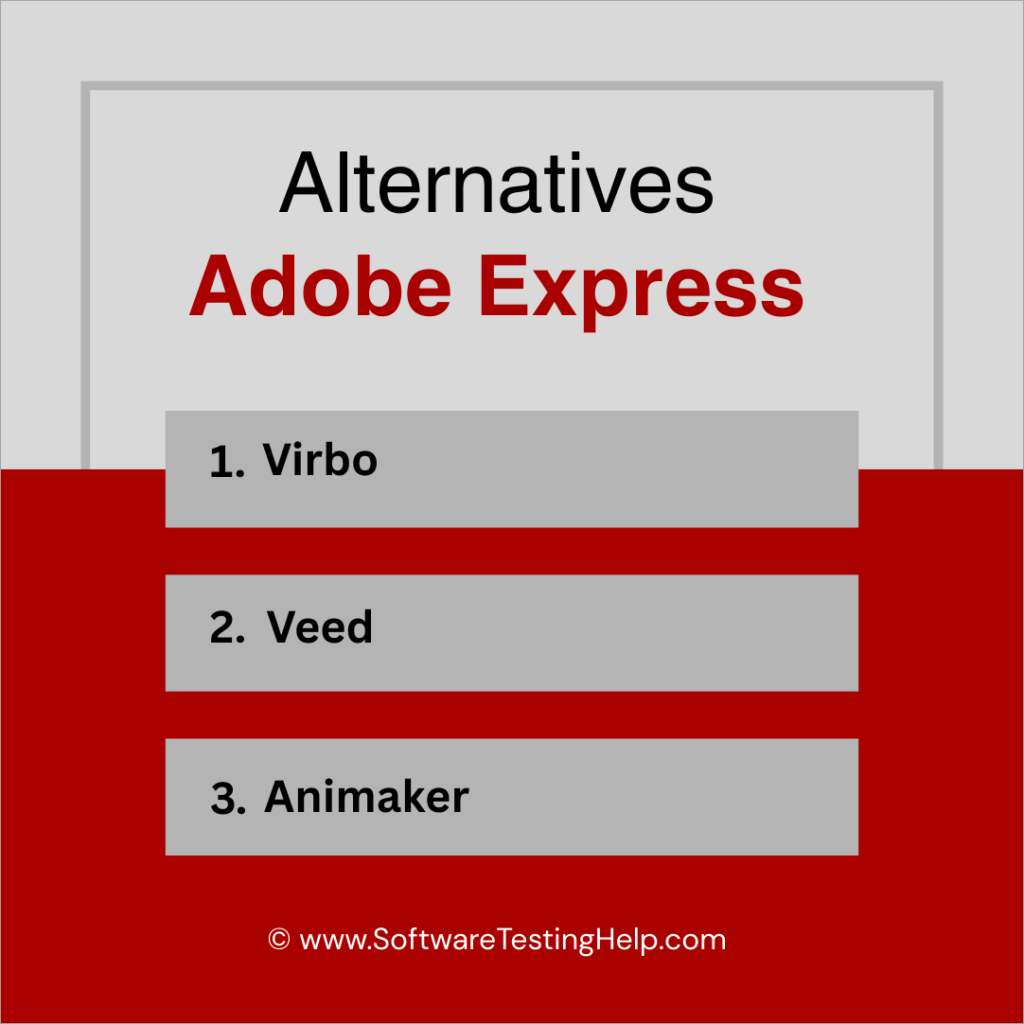
#1) Virbo
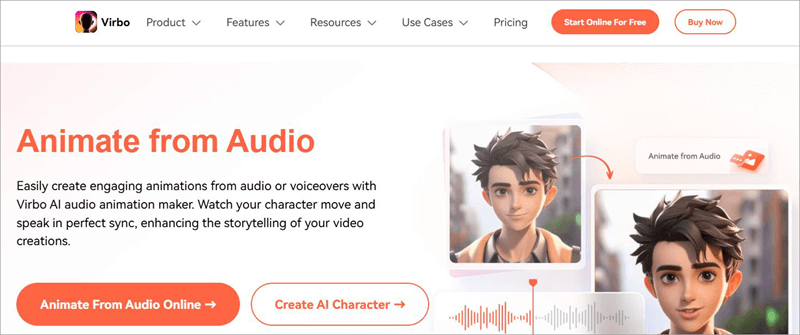
I don’t think I can recommend a better tool than Virbo for those who wish to animate from Audio with AI. Like Adobe Express, you get a ton of pre-made characters to choose from. You can even generate a character from scratch using Virbo’s impressive AI generative capabilities.
The software also stands out for its AI voice cloning tech. You can use it to adjust the pitch, tone, and emotion of a recorded audio.
Website: https://virbo.wondershare.com/animate-from-audio.html
Suggested Read => Best AI Voice Generator
#2) Veed
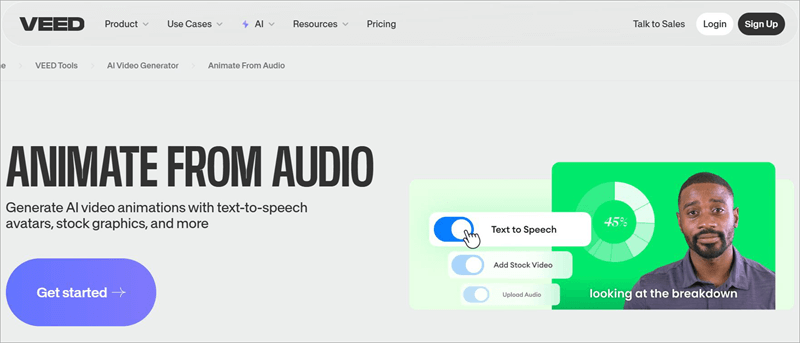
Veed is another tool that makes excellent use of its AI generative capabilities to bring animations to life with voice-overs.
You can upload a voice or convert text to speech using this tool. You then have the option to either upload your own avatars, choose from Veed’s library, or generate one from scratch using Veed’s AI.
Website: https://www.veed.io/tools/ai-video/animate-from-audio
#3) Animaker
Not as straightforward as Virbo or Adobe Express, Animaker is still a great tool for animating characters with a voice-over.
You get all the tools necessary to create your characters, which you can later animate using audio. There is a text-to-speech creator here as well that lets you generate audio that can convey a message in varying emotions.
Website: https://www.animaker.com/
FAQ’s on Adobe Animate From Audio
1. What audio format does Adobe Express support?
You can upload audio to animate your character in MP4, MP3, AIF, and WAV formats. It is also important to note that your audio file should not be more than 1GB.
2. How do you record your voice on Adobe Express?
A single click is all it takes to record a voice on Adobe Express. When animating a character, find a small blue button with “Record” labeled on it right beneath the window that showcases your chosen character.
Make sure a microphone is connected to your computer. Simply hit the “record” button and start speaking.
You have the option to pause and resume your recording. When the recording is finished, simply hit “Done” and Adobe Express will automatically start processing your file.
3. How do I add audio to Adobe Express?
Adding audio is simple and Adobe Express lets you do this in 4 ways. First, try uploading an audio file from your computer. Second, you can use an audio file from Adobe Express’s library. Third, you can record fresh audio through a microphone connected to your computer.
Finally, you can generate speech through text, thanks to Adobe’s amazing AI.
4. Is Adobe Animate from Audio free?
Yes, Adobe Animate from Audio is completely free to use without any restrictions. However, you still need to sign up to download the final animated file.
If you wish to use the tool beyond this feature, then there are monthly and annual premium plans that you can try. If your goal is to only use the character animator, the free plan should suffice.
5. What is Adobe Express used for?
Adobe Express is largely used to create visual graphics and designs. The tool comes loaded with thousands of assets, templates, layouts, and impressive AI generative capabilities.
All of these elements combined can help non-designers create stunning visual content in the form of social media posts, banners, ads, logos, flyers, voice-over animations, and more.
Further Reading => Speech Emotion Recognition Guide
Conclusion
Thanks to tools like Adobe Express, animating characters with a voice-over has never been simpler. That doesn’t mean you can use the software for advanced animations. The tool is perfect, though to create small video clips or social media posts, which feature a speaking animated character.
Such posts can help you gain traction online as an independent creator and a business. Using Adobe Express Animate from Audio is also simple. All you have to do is pick your character, record or upload your audio, and leave the rest to this intuitive tool.
The audio syncs perfectly with the character’s lip movements or mouth animation. Plus, you don’t pay a dime to use this tool. You can sign up to use Adobe Express online via your browser. Alternatively, you can opt for Adobe Express Animate from Audio download as an iOS or Android app.
Both the Abode Express Animate from Audio APK and the iOS app are user-friendly and feature-packed. However you wish to use it, I believe you’ll find the tool immensely useful, simple, and even fun to try.
Was this helpful?
Recommended Reading
-

This tutorial explains how to do a Voiceover on Google Slides and why Google Slides is your best choice to create presentations: Presentation is considered an effective and efficient way to present data to the audience and make a complex topic easier. Earlier, it was a pretty cumbersome task to…
-
Select the best AI Voice Generator from the list of many computer voice generators available in the market today for amazing results: Voice cloning technology has been around for a while now and has undergone several impressive changes since its initial years. It was once a tool used vehemently for…
-
This tutorial explores and compares the best Discord Voice Changer software with pricing. Select a professional or free voice changer for Discord from this list: Nothing can match the popularity of Discord Voice Changers today. The idea of being able to distort your voice to the point of it becoming…
-

List and detailed comparison of the best free Voice and Speech Recognition Software for Mac and Windows in 2026: What is Voice recognition software? Voice recognition software is an application that makes use of speech recognition algorithms to identify the spoken languages and act accordingly. This software analyzes the sound and…


