Select the best AI Voice Generator from the list of many computer voice generators available in the market today for amazing results:
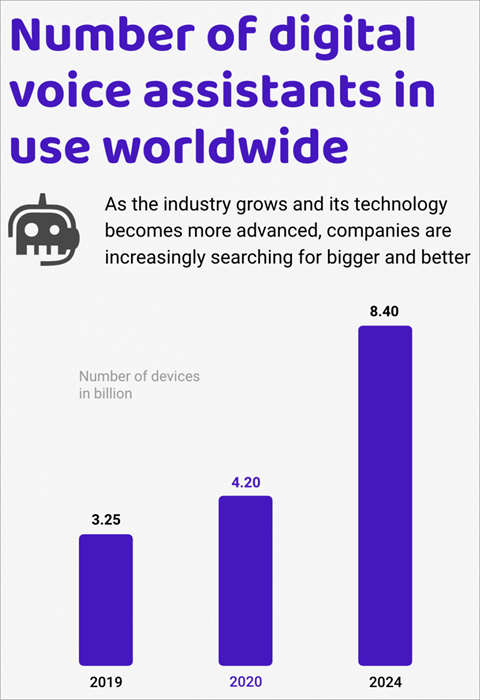
Voice cloning technology has been around for a while now and has undergone several impressive changes since its initial years. It was once a tool used vehemently for entertainment and has now evolved to incorporate several broader commercial and business applications.
Voice cloning no longer requires large volumes of voice samples, neither do they need professional equipment to function properly.
Thanks to advanced AI and voice synthesis technology, mimicking any kind of voice has become considerably simple. AI-generated voices are used widely today in our games, branding, for voice work in animated films, voice assistants, and audiobooks, etc.
Suffice to say, AI Voice Generators have real-life personal and business benefits that did not exist just a decade ago.
AI Voice Generators Review

The market itself is brimming with voice generating tools powered by AI. There are so many options at your disposal that finding the perfect voice generator might become somewhat complicated. This article, however, aims to clear any doubts you might have by recommending the best AI Voice generators available in the market today.
Pro-Tips:
- The Voice Generator should be user-friendly and effortless to use.
- The generated voice should feel as natural as possible without sounding robotic.
- It should provide you with a broad range of high-quality AI voices.
- The text-to-speech generation should be seamless, with all words being pronounced accurately.
- It should offer easy customization options.
- Grammar Assistance is a huge plus
- Finally, the tool should be affordable and especially ideal for SMBs
Our TOP Recommendations:
 |  |  |  |
 | |  | |
| Murf | Speechify | Speechelo | Synthesys |
| • Voice Cloning • Voice Changer • Text-to-Speech | • 30+ Voice • 15+ Languages • Text Scanner | • Text to Speech • 23+ Languages • Add Inflections | • Full Customization • AI Voice and Video • 66+ Languages |
| Price: $13 Monthly Trial version: Free Plan | Price: $139 annual Trial version: Free Plan | Price: $47 Trial version: NA | Price: $29 monthly Trial version: NA |
| Visit Site >> | Visit Site >> | Visit Site >> | Visit Site >> |
List of Top AI Voice Generators
Here is a list of the most impressive AI text to speech generators:
- Murf.AI
- Lovo.ai
- Speechify
- Notta Showcase
- Speechelo
- Synthesys.io
- EaseText
- Play.ht
- Spik.ai
- Resemble.ai
- Replica
- Woord
- Sonantic
- Clipchamp
- Voicera
- NaturalReader
- Nova AI
- Panopreter
- ElevenLabs
- Vidnoz
- ClevGuard CleVoice
- Dragon Home
Comparison of the Best Computer Voice Generators
| Name | Best For | Fees | Ratings |
|---|---|---|---|
| Murf.AI | Natural Sounding Studio-Quality AI Voice Generator | Free version available, $13/ month for the basic plan, $26/month for the pro plan, $49/month for the enterprise plan. |  |
| Lovo.ai | Voice-over crafting | Free Version Available, Personal Plan – $17.99, Freelancer – $49.99 |  |
| Speechify | Gallery of Natural Sounding AI Voices | A free plan with basic features is available. The premium plan costs $139/year. | |
| Notta Showcase | AI Voice translation and dubbing | Free to use, Pro version costs $21/month | |
| Speechelo | Creating the human-sounding voiceovers. | $47 One-time fees. | |
| Synthesys | Unlimited AI Text to Speech Generator | Audio Synthesys – $29 per month, Human Studio Synthesys – $39 per month, Audio and Human Studio Synthesys – $59 per month. | |
| EaseText | Multi-lingual support and high level of customization | Personal Edition: $3.95/month, Family Edition: $6.95/month, Business Edition: $12.95/month | |
| Play.HT | Customizable Cloud-Based AI Voice Generator | Free Version Available, Personal – $19/month, Professional – $39/month, Growth – $99/month, Business – $199/month. | |
| Spik.ai | Machine Learning-based Voice Generation | Free, registration is required. | |
| Resemble.ai | Speech Generator Paired with Real-Time API | Entry-level plan – $30/month, Contact Resemble representatives for a custom plan. | |
| ClevGuard CleVoice | AI-based voice changer | 1 Month Plan: $49.99, 3 Month Plan: $25.33/month, 1-Year Plan: $11.67/month | |
| Dragon Home | Providing a human-like, engaging, and personalized user experience. | Home: $200 Professional: Starts at $500 | |
Best AI text-to-speech generators review:
#1) Murf.AI
Best for natural-sounding studio-quality AI Voice Generator.
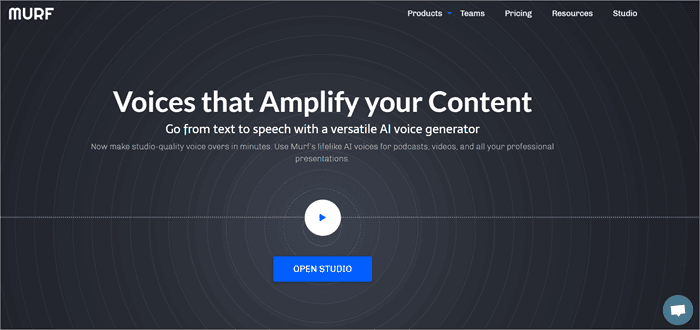
Murf.AI is a versatile text-to-speech voice generator that grants your studio-quality voiceovers for a variety of professional applications. The tool consists of a huge voice library featuring over 115 unique voices in 15 different languages. Its AI is smart enough to produce your voice in the right tone, picking up on every punctuation and exclamation mark you feed it.
It also comes integrated with a grammar assistant, allowing you to produce proofread scripts that only enhance your voice-over work. The tool also allows you to upload your own videos, audio, and images for seamless synchronization with your generated voice. The tool also offers an impressive collaboration feature with its enterprise plan.
Features:
- Generate and customize voiceovers.
- Access the entire voice library with a single subscription.
- Audio and text input support.
- Online team collaboration.
- Instant premium quality voice generation.
Verdict: Murf.AI offers a ton of advanced features that make voice generation feel natural, fast, and superior in quality because of its intelligent AI. You get access to a diverse library of voices that can even convert home recordings into professional-sounding voice-over work.
Its integrated grammar assistant and online collaboration features also do a good job of augmenting Murf’s user experience.
Price: Free version is available, $13/month for the Basic plan, $26/month for the Pro plan, $49/month for the Enterprise plan.
#2) Lovo.ai
Best for crafting voiceovers.
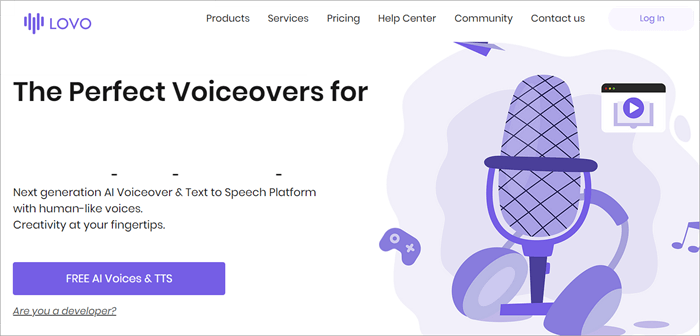
Lovo.ai through its easy-to-use platform, allows casual users and developers to generate speech from the text as well as craft human-sounding voice-overs. The platform harbors over 180 voice styles in over 33 languages. The platform also constantly updates itself with new voices every day, thus providing users with a plethora of choices.
The tool creates customized voices in just 15 minutes. It just takes 3 very simple steps to convert text to speech on this platform. Users can also access its API to create truly natural-sounding voices that can be fine-tuned to exude human emotions.
Features:
- Unlimited listening, conversion, and sharing.
- Access to a huge voice library.
- Convert up to 15000 characters in one go.
- DIY voice cloning.
Verdict: Lovo.ai is a great text-to-speech generator with an impressive AI powering its functions. It allows you to create natural-sounding voices in just 3 simple steps. The huge voice library makes it possible to create versatile voice-over work that can be utilized for audiobooks, videos, podcasts, and more.
We highly recommend you try the free version before opting for its premium alternatives.
Price: Free version is available, Personal Plan – $17.99, Freelancer – $49.99
#3) Speechify
Best for Gallery of Natural Sounding AI Voices.

Speechify is a tool we adore because of its ability to turn text in any format into natural-sounding speech. This web-based platform can take any PDF, email, doc, or article you feed it and turn it into audio that you can listen to instead of reading. You get to adjust the reading speed as well, which means you can listen to the converted audio at a speed that is 5-9 times faster than usual.
You have over 30 natural-sounding male and female voices to choose from. Moreover, the software is intelligent enough to identify more than 15 different languages. Perhaps the best part about Speechify is its ability to seamlessly convert scanned printed text into clearly audible audio.
Features:
- Chrome and Safari Extensions
- 15+ Languages Supported
- Save Files across multiple devices
- 30+ Voices to choose from
- Scan and convert printed text to speech
Verdict: Speechify is an easy-to-use AI voice generator that is capable of converting any textual content into immaculate natural-sounding voices in just a few clicks. To convert text-to-speech, you simply have to select your reading goal, choose the voice, and adjust your reading speed. This is one AI-voice generator that both casual users and professionals will find appealing.
Price: A free plan with basic features is available. The premium plan costs $139/year.
#4) Notta Showcase
Best for AI Voice translation and dubbing.
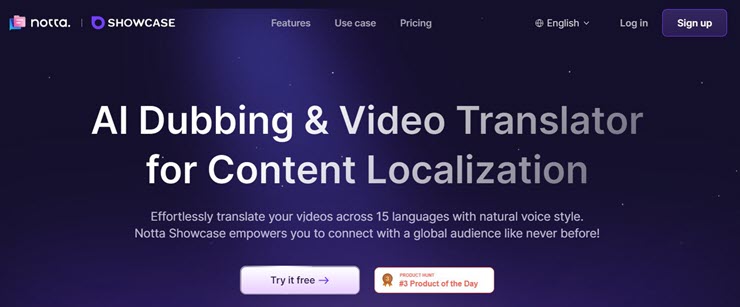
Notta recently came out with AI video translator that truly hits it out of the park with its dubbing and voice cloning capabilities. You can use the software to translate or dub any video in a plethora of languages. Currently, the software’s AI can dub a video you feed it in 15 different languages. Notta’s exceptional voice cloning capabilities ensure that the dub sounds natural instead of robotic.
Besides translation, Notta Showcase can also automatically generate subtitles and add captions to the translated video. All you have to do is upload the video or directly post its link from an online source. After doing so, select the language and hit “Translate”. It is that simple.
Features:
- Translate videos in 15 languages
- Clone the voice in the video for accurate natural sounding dubbing.
- Automatic subtitle generation.
- Record screen.
Verdict: Notta Showcase is a one-of-a-kind tool you can use to generate natural sounding AI voices that translate your videos. You can use it to translate your promotional videos or videos on social media to make it more accessible to global audience.
Price: Notta Showcase is free and can be used to translate 30 minutes of a video. Its pro version will cost you $21/month.
Visit Notta Showcase Website >>
#5) Speechelo
Best for creating human-sounding voiceovers. It gives you full customization freedom.
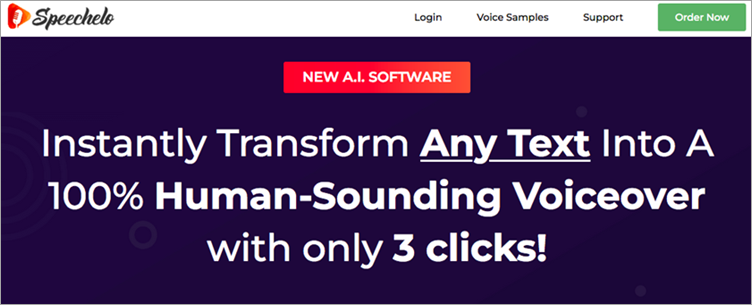
Speechelo can convert any text into a human-sounding voiceover. It has male as well as female voices. Its text-to-speech engine can add inflections to the voice. It can work with all video creation software. It supports English and 23 more languages. Speechelo lets you choose the tone for reading the text.
Further Reading => Speech Emotion Recognition Guide
Features:
- Speechelo has over 30 human-sounding voices.
- It offers three ways to read the text, normal tone, joyful tone, and serious tone.
- It has features of adding breathing sounds and longer pauses after each phrase.
- The online text editor checks the text and adds punctuation marks as required.
- It will let you change the speed and pitch.
Verdict: Speechelo is easy to use and can convert any text into voiceover with only 3 steps. It can be used for sales videos, training videos, educational videos, etc. The solution is compatible with Windows, Mac, Linux, Android, and Chrome platforms
Price: Speechelo is available for $47. There will not be any monthly payments. It offers a 60-days money-back guarantee.
#6) Synthesys.io
Best for unlimited AI Text to Speech generator.

Synthesys can generate any text you feed into amazing natural-sounding speech, which can later be used for a variety of commercial and personal purposes. From voiceovers to generating friendly greetings, Synthesys can create AI speeches in a wide variety of tones, accents, and languages.
There is no limit to how much you can use Synthesys. It is available 24/7 to generate an unlimited number of texts.
Features:
- A cloud-based application that can be used from anywhere, via any mobile and computer device.
- Over 35 female and 30 male voices.
- Adjust reading speed and pause length.
- Listen to all the demo voices beforehand.
Verdict: Synthesys makes it onto our list because of how easy it is to use. Simply paste or type in the text you want to convert, choose the tone, gender, language, etc., and then click ‘create’. It will only take you a few clicks and minutes to generate speech.
Price: Audio Synthesys – $29 per month, Human Studio Synthesys – $39 per month, Audio and Human Studio Synthesys – $59 per month.
#7) EaseText
Best for multi-lingual support and high level of customization.
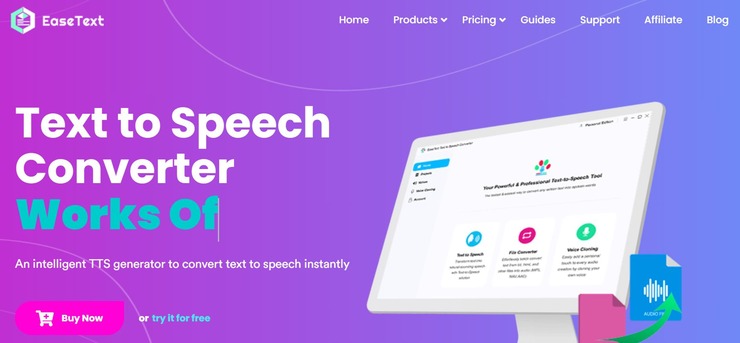
With EaseText, you get an easy to use text-to-speech converter that can produce ultra-realistic sounding voices from the text you provide the software with. You get to choose from over 1300 unique, natural sounding voices alongside a variety of customization options to ensure the generated voice sounds just the way you prefer.
The software supports multiple file formats and can easily convert written text in batches. The software can also generate voices in 30 languages. These include Spanish, Dutch, Italian, Russian, Chinese, and many more. Available for both Mac and Windows, the software is free to download. As such, you can try the software before purchasing its paid license.
Features:
- Supports Multiple Languages
- Extensive Selection of Voices
- Substantial Customization Options
- Batch Convert Text to Speech
Verdict: EaseText earns a spot on this list because of its ability to produce AI voices that perfectly match human voices. The voices are generated in the highest quality possible while being capable of effortlessly replicating various human speech patterns.
Price: The Windows and Mac versions of EaseText offer the following subscription plans:
- Personal Edition: $3.95/month
- Family Edition: $6.95/month
- Business Edition: $12.95/month
All plans are billed annually.
#8) Play.ht
Best for customizable cloud-based AI Voice Generator.

Play.ht is a web-based voice generator that facilitates high-quality text-to-speech generation. The platform is extremely easy to operate, owing to its simple UI. It comes with a text box on its home page, wherein you type your text, select the language, gender, voice style and set conversion speed to get the job done.
The platform offers 570 unique AI voices, supports over 60 languages, and can be employed for both commercial and personal purposes. It comes with both free and premium versions. The free version is quite good but restricts the voice styles you can choose from. The platform also allows you to download your generated speech in MP3 and WAV format.
Features:
- Voice inflections to fine tune speech tone.
- Customize Speech Pronunciations.
- Preview all voice styles before application.
- Experiment with different speech styles.
Verdict: Play.ht works well as both a premium and free voice generator. It employs intuitive AI and utilizes voice synthesis technology from Google, IBM, and Microsoft to generate realistic voices. With several languages and voice styles to choose from, Play.ht is definitely worth checking out.
Price: Free version available, Personal – $19/month, Professional – $39/month, Growth – $99/month, Business – $199/month.
Website: https://play.ht/
Further Reading => Most Popular Voice Monitoring Software Solutions
#9) Spik.ai
Best for Machine Learning-based voice generation.

Spik is an efficient web-based voice generator known for its natural-sounding text-to-speech generating capabilities. Similar to Play.ht, Spik too offers a simple UI to help novice users quickly generate a voice through the speech they feed the text box on Spik’s main page.
Spik succeeds at creating realistic-sounding voice effects because of its proper utilization of machine learning technology. This is a completely free app. Non-registered users, however, can only generate files from text not exceeding 300 characters.
To generate files with up to 1000 characters in text, you will have to sign-up for the site’s service. Aside from text, Spik.ai also allows SSML, aka Speech Synthesis Markup Language, to make the tone of the generated speech sound more human.
Features:
- TEXT and SSML utilization for speech generation.
- Free to use.
- Three-step speech-generating process.
- Choose from three different English-speaking styles.
Verdict: Spik.ai is simple, free, and easy to use, but is extremely limited in features. It doesn’t generate speech in any language other than English. This is a tool we recommend only to advanced users, as fine-tuning speech tone on this platform might not be everybody’s cup of tea.
Price: Free, registration required
#10) Resemble.ai
Best for speech generator paired with real-time API.
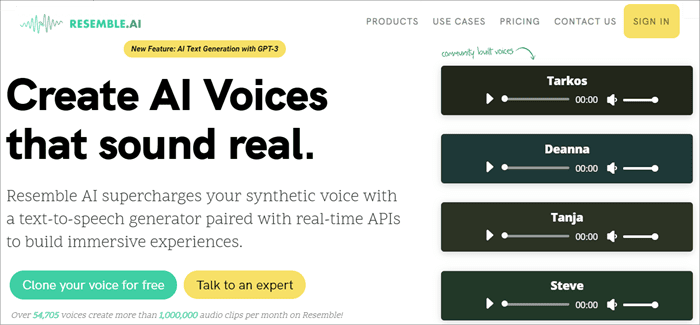
Resemble.ai works on many fronts. Not only can it help you create speech from text but also generate text for advertisements with just one click. The platform can also create a customized voice that can be employed as your voice assistant for Alexa, Google, and more. Call centers can also use the tool to clone the voices of their agents and personalize them accordingly.
You get 4 different options with Resemble to craft synthetic voices. You can create voices using the API, record up to 50 samples directly on the web platform, pick from a plethora of voice actors or upload the raw audio without a script.
Features
- Customize the brand voice.
- Craft dynamic IVR agents.
- One-click AI text generation for advertisements.
- Instant language dubbing.
Verdict: Resemble.ai is an advanced AI text-to-speech generator that has several business-related applications. The tool is especially useful for developers as they can employ Resemble’s low-latency API to build voices at will and perform other crucial development functions.
Price: Entry level plan is $30/month. Contact Resemble representatives for a custom plan.
Website: https://www.resemble.ai/
#11) Replica
Best for animators and game developers seeking AI Voice actors.

Replica features a vast gallery of AI voices recorded by professional voice actors in the industry. There is a wide variety of demo voices on this platform that you can try for free before subscribing to its premium service.
Based on the voice style you select, Replica will convert your given text into a natural-sounding voice on-demand with all the necessary range and emotions intact.
Once you’ve added your script, you can tweak the pitch, volume and fine-tune the voice to sound angry, sad, happy, surprised, and more. The generated voice can be downloaded as an MP3, WAC, OGG, or FLAC at 22 kHz. The platform allows 30 minutes of free voice credit, thus providing you with enough room to experiment with all of its voice styles.
Features:
- Audition voices from Replica’s massive voice library.
- Modify speech rate, pitch, tone, and volume.
- Add voice effects.
- Script creation.
- Voice Line prototyping.
Verdict: With its massive gallery of voice styles and contributions from professional voice actors, Replica is an ideal text-to-speech generator for creators of games, films, and animation. It features a simple audition system wherein you try out each voice and an equally convenient voice modification system, which makes generated speech eerily realistic and natural-sounding.
Price: Try 30 minutes free, 4 hours of voice credit for $24, 100 hours of credit for $300, Custom enterprise plan also available.
#12) Woord
Best for using as Chrome Extension and Article URL to Speech Generation
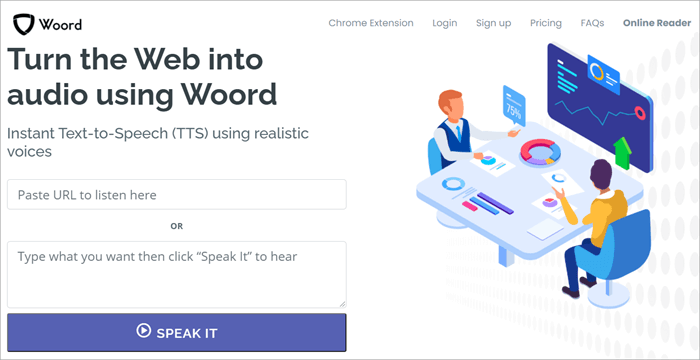
With Woord, you get two very convenient methods to generate speech. You can either opt to type in the text you want to convert or paste the URL of an entire article to start the process. Similar to all good voice generating tools, Woord also features a massive gallery of custom voices to choose from.
You can select the style, gender, language, and even the accent from its library. The platform as of today offers over 60 voices in over 10 different languages. The voice generation is also very quick. You can preview the generated voice by simply hitting the ‘Play’ button or directly proceed to download the file in MP3 format.
Features:
- Create and redistribute generated voices across various mediums.
- Unlimited text to speech generation.
- Chrome browser extension.
- OCR to capture text from images and PDFs.
Verdict: Woord works as an affordable AI voice generator that allows you to generate a wide range of voices from a limitless amount of text. Integrating OCR also makes the tool stand out from many of its competitors. Its added Chrome browser extension only makes the tool considerably more convenient to use.
Price: Free plan available, Basic Plan – $24.99. Pro Plan – $99.99
#13) Sonantic
Best for crafting highly expressive AI-generated voices.
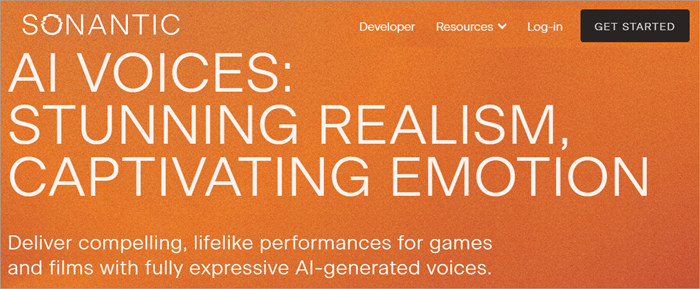
Sonantic is an intuitive AI voice generator that is widely popular in entertainment circles for its ability to create life-like expressive AI voices. You can easily tweak the tone of your generated speech between various human emotions like anger, sadness, and happiness. You can increase or decrease the intensity of the emotions by simply switching between three distinct levels.
The platform can rapidly transform entered text to voice. Production directors can have high-quality voice-over work for their projects within minutes with Sonantic. You can also control the pitch and pacing of voice-over work as the platform provides full control to users over various voice performance parameters.
Features:
- High-quality sound export.
- Modify or Tweak AI Voice’s pitch, volume, pacing, and tone.
- Choose from a huge library of professional voice-over work.
- Switch emotion intensity between high, medium, and low variants.
Verdict: Sonantic is a delight to work with when it comes to doing voice-over production for projects pertaining to films, games, or animation. It can transform scripts into realistic AI voices within minutes and help you obtain naturally expressive voices with the help of several voice performance parameters.
Price: Custom Pricing plan
#14) Clipchamp
Best for highly customizable Text to Speech generator.

Many know Clipchamp as a competent video editing service provider. However, few are aware of its other tool that uses AI technology to convert text-to-speech within seconds. The platform provides users with a gallery of over 170 lifelike voices. These voices contain female, male, neutral, and different-aged voices.
The platform currently supports over 70 languages, which basically means it can process text in almost any popular global language. Customizing voice-overs is also very simple as you get parameters with which you can control speed, and fine-tune the voice to convey the right emotions and pronunciations.
Features:
- Drag-and-drop text bar.
- Select voice, language, and speed.
- Preview generated file.
- Add a variety of sound and music effects.
Verdict: The incorporation of innovative AI technology alongside a slew of advanced editing features makes Clipchamp a one-of-a-kind text-to-speech generator. It comes with a drag-and-drop text box, which makes the already simple voice generating process even easier on this platform.
Clipchamp is definitely worth checking out for users who want to execute casual voice-over work.
Price: Basic Plan is Free, Creator – $9/month, Business – $19/month, Business Ultimate – $39/month
#15) Voicera
Best for embedding voice into content.
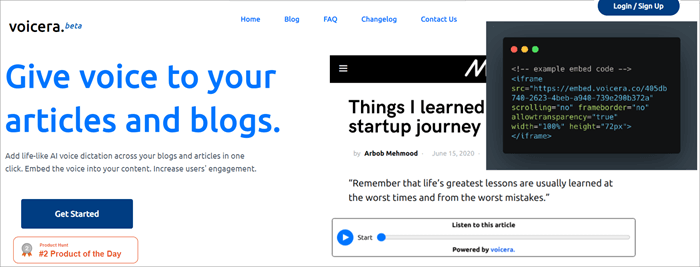
Voicera is for those who want to make their written articles and blogs appear more dynamic to readers. As such, Voicera leverages intelligent AI to create realistic voices that can be embedded directly into your content. The platform automatically detects content and crafts a natural-sounding voice with just one click.
The platform supports over 10 languages, with more languages being integrated regularly. Voicera also offers a variety of accents, which users can choose to make their articles sound as they wish. However, what really sells the platform is the fact that it is completely free to use.
Features:
- Free lifetime validity.
- Multi-lingual voice support
- Lightweight tool
- One-Click Voice Generation
Verdict: If you want to convert your long-form articles or blogs into natural-sounding audio narratives, then Voicera is for you. You get to convert an endless amount of blogs and articles into their audio formats so your readers can listen to your content rather than simply read it.
Price: Free
#16) Natural Reader
Best for Chrome Browser Extension.
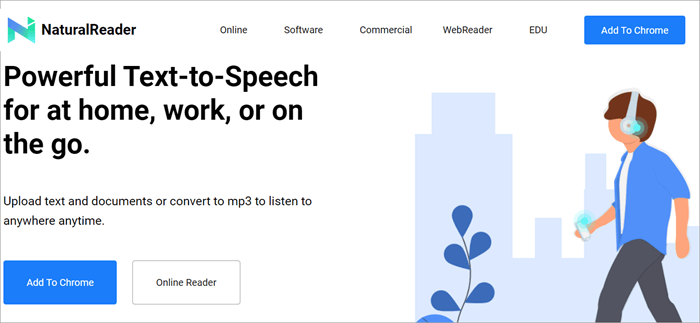
Natural Reader is a free AI text-to-speech voice generator with a very simple function. It converts any written material you feed it to natural-sounding AI voices.
The platform also comes integrated with OCR technology which makes capturing text from images and scanned PDFs simple. The platform also features a convenient Chrome extension to make the user experience more compelling.
Features:
- Convert Text files to MP3.
- Upload text on the go.
- Optimized for mobile.
- Simple customization features.
Verdict: Natural Reader is an AI voice generator that emphasizes convenience. It lets you convert any text into a high-quality, crisp MP3 file, which you can listen to at any time. The tool is free to use and serves a wide variety of applications like broadcasting, IVR, and creating narration for YouTube videos.
Price: Free
#17) Nova AI
Best for Convert in more than 35 languages.
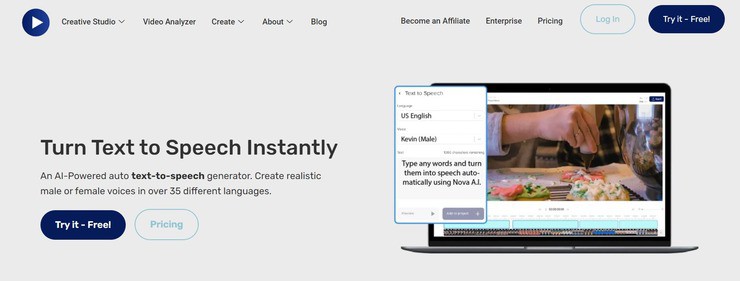
With Nova AI, you get a tool that can quickly convert text into realistic sounding male and female voices automatically. It can do so in more than 35 languages. You get to choose from multiple AI voices. To use the tool, simply paste the text you wish to convert, select the AI voice, and hit the generate audio speech button.
You can preview the generated speech before exporting or sharing it. There are 11 different voices to choose from. There are 5 male voices and 6 female voices. In addition to speech generation, you can also use the tool to perform a plethora of video and audio editing actions.
Features:
- Supports 35 languages
- Simple 4-step process
- Preview generated speech
- 11 AI voices to choose from
Verdict: Nova AI is an easy to use text-to-speech generator that also excels in the editing and transcoding department. It is fast in speech generation and supports over 35 languages. The speech that’s generated is itself of high-quality.
Price: The basic plan costs $10/month, the pro plan costs $18/month, and the business plan costs $55/month. A free plan is also available.
#18) Panopreter
Best for One-Time License Fee.
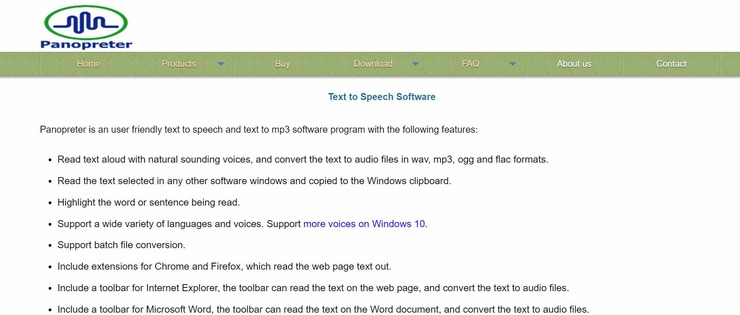
Panopreter is a fantastic text-to-speech converter that specifically caters to the needs of Windows users. The software converts any text you feed it to a range of audio file formats with natural sounding voices. As of this moment, the software supports a wide range of voices and languages.
Moreover, the software integrates seamlessly with browsers like Internet Explorer, Chrome, and Firefox. As such, you can expect this software to convert text on your web pages to audio files within minutes. Once the text has been converted into an audio file, you have the option to tweak the file’s bit and sample rate or adjust its volume, pitch, and speed.
Features:
- Browser Extensions for Chrome, Firefox, and Internet Explorer
- MS Word Tool Bar
- Batch File Conversion
- Keyboard shortcut keys
Verdict: With Panopreter, you get a smart text-to-speech converter that can convert text on your MS Word or browser web page to speech in audio formats like MP3, FLAC, etc. The software supports a diverse range of natural sounding voices and languages. Therefore, it earns a spot on this list.
Price: 20 days free trial available, $32.95 as a one-time fee for permanent license.
#19) ElevenLabs
Best for the highest quality AI Voices in the market.
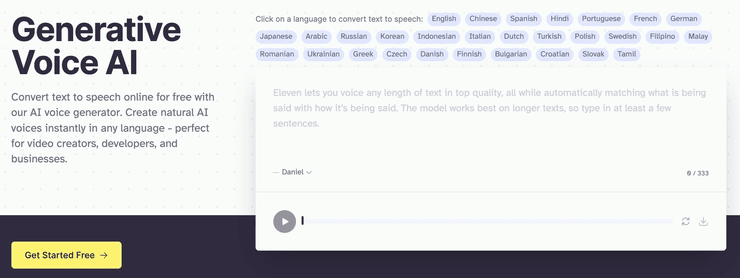
ElevenLabs has emerged as a top-tier AI Voice Generator, renowned for its realism and emotive voice capabilities. It leverages advanced AI to produce high-quality speech in 29 languages and 1200+ unique voices, making it a go-to choice for various digital voice needs.
Features:
- High-Definition Audio.
- Contextual Understanding
- 29 Languages
- Customizable Emotion
- Voice Cloning
Verdict: ElevenLabs excels in delivering realistic, high-quality AI voice generation. Its diverse features, from high-definition audio to emotional customization, make it ideal for various applications. The range of pricing plans offers flexibility for different user needs and budgets, solidifying its position as a leading choice in the AI voice generator market.
Pricing Plans: $0/forever, $1/month for voice cloning, to $330 for businesses.
#20) Vidnoz
Best for Generate voices in 140+ languages.
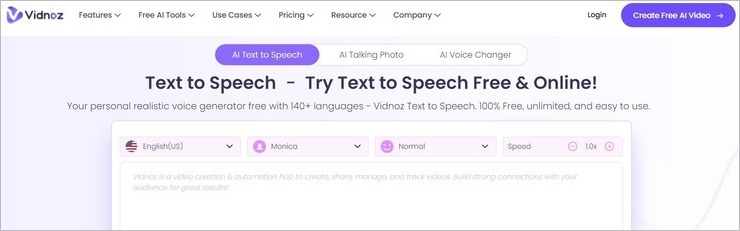
With Vidnoz, you get a free AI voice generator that can generate speech out of the text you feed it in over 140 different languages. You have the option to choose from a dozen or so natural-sounding male and female voices. You can also set a tone for the generated voice. You can choose to have the generated voice be cheerful, angry, sad, or normal based on your preference.
Using Vidnoz is also very simple. All you have to do is paste the text you wish to convert into speech. Choose your preferred language, tone, and speed. Hit the “preview” button to check how the generated voice sounds. If all is well, download the audio. You can now use this generated speech to voiceover your videos, for storytelling, or as marketing material.
Features:
- 140+ languages supported
- Varied tones to choose from
- Preview generated voice before downloading.
- Variety of realistic-sounding male and female voices to choose from
Verdict: If you are looking for a simple and free AI voice generator, you are not going to find one that is as good and user-friendly as Vidnoz. You can use the tool without limits to generate realistic-sounding voices in over 140 different languages. The software is ideal for creators, businesses, teachers, and casual users.
Price: Free to use.
#21) ClevGuard CleVoice
Best for AI-based voice changer.
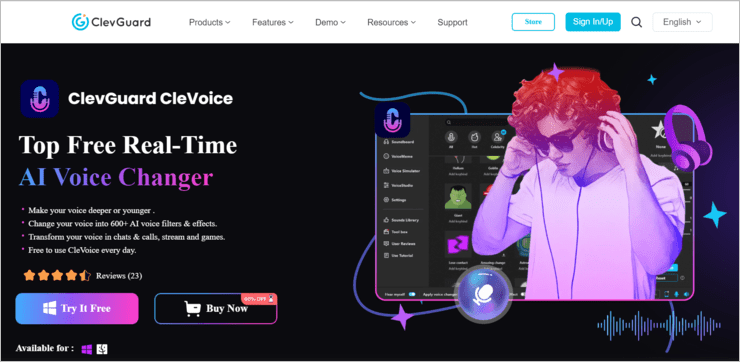
ClevGuard CleVoice is one of the finest AI-based voice changers out there today. It offers over 800 AI-based voice memos and effects that you can use to modify your voice. You can use the tool to record your voice and then edit it to sound like a celebrity, cartoon character, or any other form of natural-sounding male and female voice.
CleVoice also shines because of its customization capabilities. You can easily customize your recorded voice to no end, changing its pitch, tone, and speed with just a couple of clicks. You can further modify the recorded audio to remove any background noise or cracks plaguing your audio.
Features:
- 800 Voice memos and effects to choose from
- Adjust pitch, tone, and speed of your voice.
- Reduce or remove background noise.
- Record and edit your own voice.
Verdict: Easy to use, advanced, and quite affordable, ClevGuard’s CleVoice is undoubtedly one of the best AI-based voice generators and modifiers out there. CleVoice is particularly ideal if you are an online gamer or live streamer who’d like to mask your original voice.
Price: ClevGuard CleVoice offers the following plans:
- 1 Month plan: $9.99/month
- 1 Year plan: $2.49/month
- Lifetime plan: $49.99
You can also try the tool for free with limited capabilities.
Website: https://www.clevguard.com/text-to-speech/
#22) Dragon Home
Best for providing a human-like, engaging, and personalized user experience.
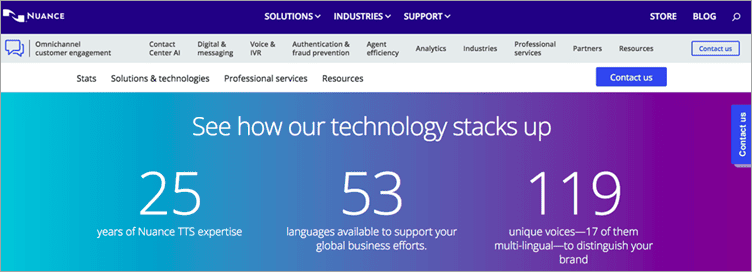
Nuance offers various solutions by using text-to-speech technology such as conversational IVR, vocalizer, vocalizer for embedded solutions, and Vocalizer Studio.
Vocalizer is an enterprise-level text-to-speech solution and is suitable for businesses of all sizes and complexities. Vocalizer Studio is a user-friendly set of tools for prototyping and optimizing speech output applications.
Features:
- Nuance Dragon supports 53 languages.
- There are 119 unique voices and 17 of them are multilingual which can be helpful for distinguishing your brand.
- Its embedded text-to-speech engine is for automotive, mobile, and other electronic applications.
- Conversational IVR makes the interactions sound natural.
Verdict: Nuance Text-to-Speech services are for enterprises as well as individuals. It makes use of neural network techniques that give an engaging and personalized user experience. This solution will create a unique voice experience for your brand and maintain a consistent caller experience across your IVR and mobile channels.
Price: The price of both the products Dragon Professional Individual and Dragon Legal Individual starts at $500. The price of Dragon Anywhere Mobile starts at $15 per month. A one-week free trial is available for the Dragon Anywhere Mobile product.
Website: https://dragon.nuance.com/
Frequently Asked Questions
Can AI generate voices?
Yes, AI or Artificial Intelligence, can in fact generate a wide variety of versatile voices that sound very natural. Many advanced tools today use real voice actors whose voice is captured and preserved using AI.
These voices are licensed to say whatever you intend them to say. All you have to do is feed the tool some text. The AI will process the text and deliver a natural-sounding voice with crisp audio quality.
What is the best Voice-Over generator?
In hindsight, there is no end to the list of great voice-over generators we have at our service today. The following, however, are some of the best tools delivering this experience to their users:
– Murf
– Play. ht
– Spik.ai
– Resemble.ai
– Lovo.ai
Is Lovo free?
If you are looking for a free AI Voice Generator, then you will be impressed with Lovo Studio’s AI-powered voice cloning tech. Although Lovo is a premium voice generating tool, it still offers a pretty useful free version to users. The free version, however, comes with certain limitations.
For instance, the free version only allows 3 downloads per month, 3-day access to premium voices, and can be employed for personal use only. If you don’t mind the restrictions, then Lovo’s free version will satisfy you.
What is a voice overlay?
Voice overlay, or as it is commonly called – Voice-Over, is a type of production technique often used in films and animated work.
It is a technique through which a pre-recorded voice that is not part of the narrative is employed in television, radio, films, and other mediums. It is a technique often exclusively reserved for the medium of entertainment, especially lending a voice to animated characters.
How can I make my voice sound better when recording?
You can make your voice sound better by pursuing any or a combination of the following strategies:
– Use the right mic and place it the right way as close to your mouth as possible.
– Use a good voice recorder.
– Record your voice in a room adequately sound-proofed.
– Drink water occasionally for a clear voice.
If you are using a good AI voice generator, you might need none of the following tips.
Conclusion
The days of computer voice generators only being used for entertainment are long behind us. As the technology evolved, so did the role of AI voice generators in the commercial sector. They are an integral part of the video games, films, and animated movies we enjoy today. These tools have a broad variety of real-world applications
The integration of AI and the advent of software technology have also made these tools accessible to everyone. All of the above tools are some of the best AI voice generators you’ll find in the market today. Whether it is a typical voice-over work, or turning written material into high-quality audiobooks, the above-listed AI voice generators will deliver in spades.
Also Read =>> Voice and Speech Recognition Software
As for our recommendation, we would like you to try Murf and Play.ht for their massive voice library and ability to rapidly produce studio-quality audio from text.
Research Process:
- We spent 12 hours researching and writing this article so you can have summarized and insightful information on which AI Voice Generator will best suit you.
- Total tools researched – 32
- Total tools shortlisted – 11
Was this helpful?
Recommended Reading
-
![10 + Top Dictation Software [2020]](data:image/svg+xml,%3Csvg%20xmlns='http://www.w3.org/2000/svg'%20viewBox='0%200%20240%20135'%3E%3C/svg%3E)
This tutorial compares the top Dictation Software with features and pricing. Select the best voice to text software for your requirements: Dictation software allows you to speak instead of typing. The application has a text-to-speech recognition feature and converts spoken words to text. The technology has come a long way,…
-
This tutorial explores and compares the best Discord Voice Changer software with pricing. Select a professional or free voice changer for Discord from this list: Nothing can match the popularity of Discord Voice Changers today. The idea of being able to distort your voice to the point of it becoming…
-

List and detailed comparison of the best free Voice and Speech Recognition Software for Mac and Windows in 2026: What is Voice recognition software? Voice recognition software is an application that makes use of speech recognition algorithms to identify the spoken languages and act accordingly. This software analyzes the sound and…
-
An extensive list of popular Text to Speech Software with features, pricing, and comparison. Select the best text-to-speech software from here: Text to speech is a specialized speech synthesis application that reads digital and written aloud. The application has several use cases and is used by everyone, right from professionals…
-
List of the Best Artificial Intelligence AI Software With Reviews And Comparison. What is AI Software? Artificial Intelligence (AI) Software is a computer program which mimics human behavior by learning various data patterns and insights. Top features of AI software include Machine Learning, Speech & Voice Recognition, Virtual Assistant etc.…
-
Read this Comprehensive Review and Comparison of Top AI Companies Across the World to Find out Who Made up to Our List of Top Five Recommended Artificial Intelligence Companies: AI is the technology that tries to simulate intelligent behavior in machines. AI is used to train the machines that will…
-
This Article Explains Applications of AI, What is Fuzzy Logic, Robotics & Future of Artificial Intelligence in Fields like Automobile, Healthcare, Finance, etc: In the previous part of this article, we have studied the definition and components of artificial intelligence in detail. Now in this tutorial, we will emphasize the…
-

Learn What is Artificial Intelligence (AI), Elements of Intelligence, and Sub-Fields of AI such as Machine Learning, Deep Learning, NLP, etc: The computer networking system has improved the human lifestyle by providing different types of gadgets and devices that reduce human physical and mental efforts to perform different tasks. Artificial…
![10 + Top Dictation Software [2020]](https://www.softwaretestinghelp.com/wp-content/qa/uploads/2020/09/10-Top-Dictation-Software-2020.png)