A noteworthy ChatGOT review, along with the top ChatGOT Alternatives. Compare the features, performance & pricing of each tool to pick your ultimate AI-driven Chat Assistant:
ChatGOT is perhaps one of the most sought-after platforms for people experimenting with different AI models. This SaaS platform serves as a central hub where you can find and interact with various AI learning models. As of right now, this platform is home to popular AI models like GPT-4, Claude 3 Opus, and so many others.
You can leverage the capabilities of these AI models to perform a variety of tasks that can range from simple research to generating photo-realistic images. That’s not all. You can also rely on ChatGOT to build yourself a custom AI assistant, one that can cater to your specific requirements.
Table of Contents:
ChatGOT AI Review With Top Replacements
ChatGOT to me was like a godsend. I don’t have to move between different AI models to get my job done anymore. I can communicate with them all in one place.
However, I’ve now come to realize that ChatGOT isn’t the only platform out there that offers this privilege. There is a wide range of AI conversational tools and platforms that you can use to interact with different AI models or create one of your own.
I’d like to highlight some excellent ChatGOT alternatives in this article.

How ChatGOT.io Works?
1. Visit the ChatGOT Website and click on “Start Now”.
2. Sign in and register to use the text box.
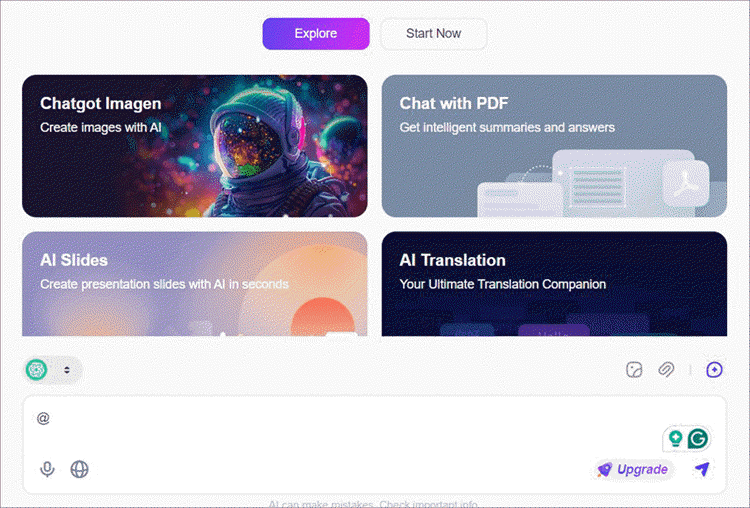
3. In the text box, type “@” followed by the name of the bot you wish to interact with.
4. Alternatively, you can select the bot from the menu on the left side of your screen.
5. Now type the question you want to ask the bot and hit enter.
The bot will respond to your question within seconds.
Who is this article for?
This article is for anyone who wants to enjoy the benefits that a platform like ChatGOT or many of its alternatives offer. As such, the following individuals will find this article immensely beneficial:
- Writers
- Researchers
- Marketers
- Artists
- Content Creators
- Educators
- Students

Expert Advice
List of the Best ChatGOT Alternatives
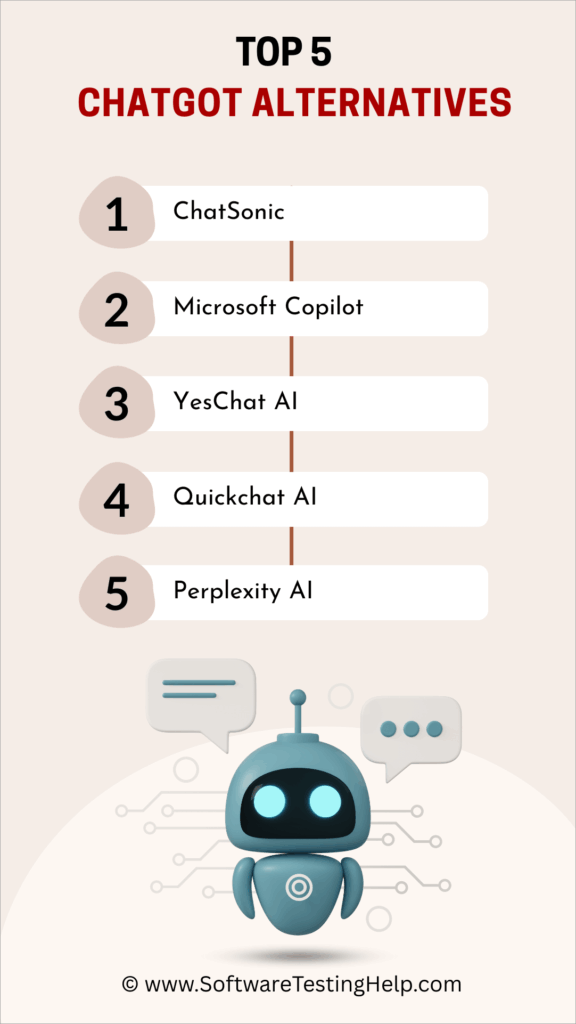
Here is a popular list of alternatives:
- ChatSonic
- Microsoft Copilot
- YesChat AI
- Quickchat AI
- Perplexity AI
- Jasper AI
- Copy AI
- ChatPDF
- InputAI
- YourGPT
- InsertChatGPT
- Chatplayground.ai
- Google Gemini
Comparing the Top ChatGOT AI Competitors
| Name | Best for | Features | Price | Rating |
|---|---|---|---|---|
| Chatsonic | Google search engine integration. | Image generation, template library, Plagiarism checker | Starts at $16/month |  |
| Microsoft Copilot | Multi-lingual support | Voice input, content generation, Microsoft 365 integrations | Starts at $20/month | |
| YesChat AI | Multiple AI models in one place | Image generation, Content generation, Music Generator | Starts at $10/month |  |
| Quickchat AI | AI Assistant builder | Custom translation, auto handoff, lead generation | Starts at $82/month | |
| Perplexity | Real-time web search | Web search, AI librarian, Source citation | Starts at $20/month | |
Detailed reviews:
#1) Chatsonic
Best for generating content using various forms of inputs and Google search engine integration.
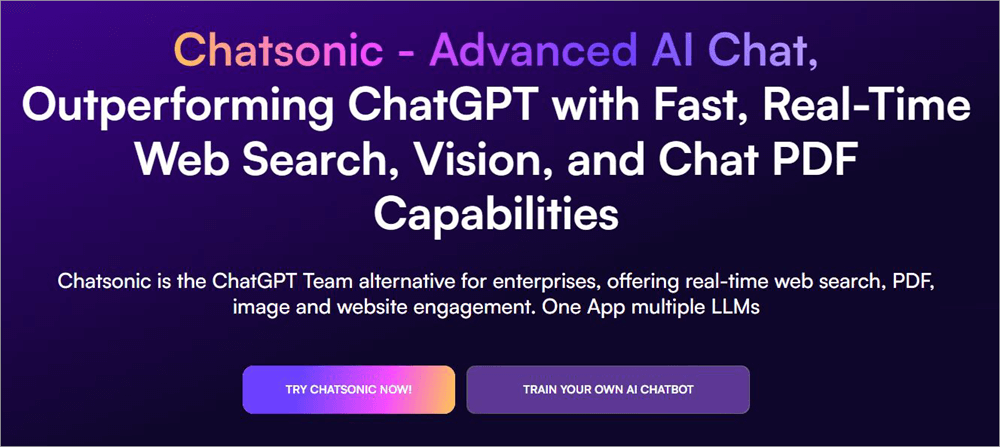
Kicking off this list is Chatsonic, a conversational AI language model built on the very popular ChatGPT model. If you’ve used ChatGPT, you’ll have no issues using or navigating through this as it functions similarly. You enter a text prompt, and Chatsonic’s AI generates content that aligns with the text prompt you added.
While Chatsonic shares many similarities with ChatGPT, it offers a wide range of features to ultimately offer a unique experience to its users. For starters, you may use various forms of input to communicate with Chatsonic’s AI. You can generate content by uploading documents, images, and audio files.
That said, for the best results, you’ll need a text prompt to accompany these inputs. You can also use some ready-made text-prompt samples to communicate with the AI as well. If you aren’t sure about the comprehensiveness of your text prompt, you can have Chatsonic’s AI polish it automatically with a single click.
Further Reading => ZeroGPT Review: Top AI Checker Tool for Blog Publishers
Chatsonic’s ability to generate content via text or other forms of input is free. However, if you wish to use some of its advanced features that involve image generation and Google integration, you’ll need to purchase one of its paid plans, which are affordable.
How Chatsonic Works?
- You first sign up and register to create your Chatsonic account through the Writesonic platform.
- Once created, navigate to the left-hand side of your dashboard and select “Chatsonic”.
- Now select “Start a new chat”.
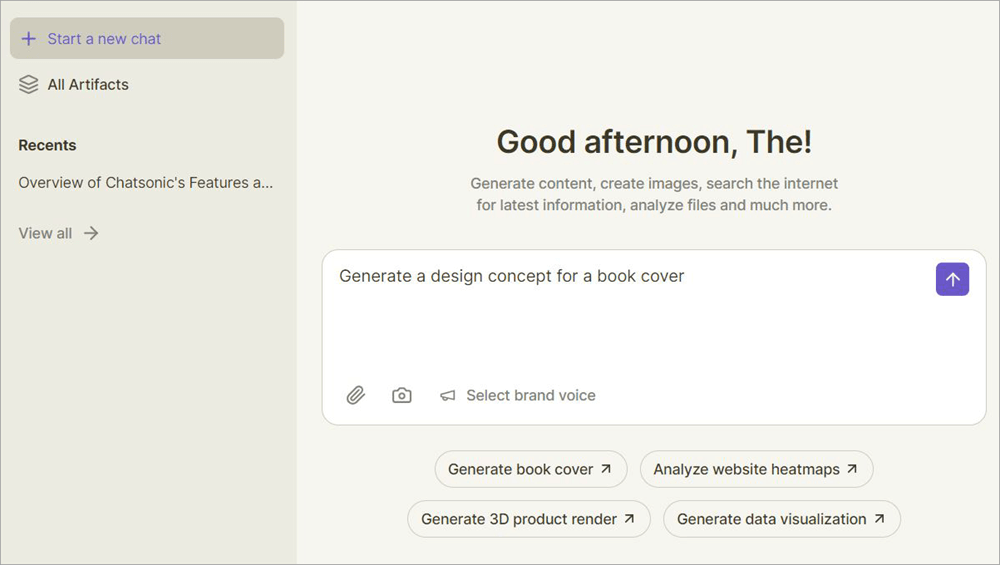
- At the center of Chatsonic’s interface, you’ll find the input box that allows you to communicate with its AI. Type in the text prompt to generate the content you desire. Choose from the sample prompt if you aren’t sure what to type.
- You can also capture screenshots or add a document or image.
- Once you’ve entered the input, hit the Enter button.
- Chatsonic’s AI will generate content within seconds of you hitting enter.
Features:
- Google Integration: Chatsonic seamlessly combines the power of ChatGPT and Google to offer you accurate, well-researched content. Although this feature can slow down Chatsonic’s processing time, the results are more often than not worth it. You can cause citations and sources.
- Image Generation: This is a feature you get with Chatsonic’s paid plan. It is offered through the Photosonic model. This feature lets you create images from scratch with the help of descriptive text prompts.
- Template Library: There are a ton of templates available with Chatsonic that you can use if you aren’t sure what to write. For instance, there’s a template you can use to generate SEO-optimized articles. There are templates to help you create social media content, emails, website copy, etc.
- Article Rewriter: This is another feature that’s exclusive to premium users. The AI is quite decent at rewriting articles. If you aren’t satisfied with a generated article or have an article that needs to be rewritten, you can use Chatsonic for brisk rewrites in a single click.
- Plagiarism Checker: Not only will Chatsonic generate content for you, but it will also check it for plagiarism. I don’t think there are many conversational AI tools out there that offer this privilege. You can even use the tool to create derivative content that might bypass the capabilities of AI-detection tools.
Why I Like It?
This tool works best as an AI content generator. You can use the tool to generate blogs, articles, and research material with text prompts, PDFs, or images as input. It is easy to use and brisk in its processing. The Google integration also ensures your generated content features accurate, up-to-date information.
Pros:
- Generate content with text, PDFs, documents, images, and audio.
- Get up-to-date results, thanks to Google integration.
- Simple and user-friendly UI.
- Quick at processing data and generating content.
Cons:
- The free version is very limited.
Verdict: There are a lot of things that make Chatsonic a great alternative to something like ChatGOT. It is user-friendly, mostly accurate with its results, and super-fast when generating content.
This is a great conversation AI content generator I would recommend for marketing, research, and other academic purposes. My only gripe is with its very restrictive free version. Everything else is spot on.
Price: Chatsonic is free to use in a limited capacity. Its plan will cost you $16/month. The standard version that’s best for small teams and marketers will cost you $79/month.
Website: https://writesonic.com/chat
#2) Copilot
Best for an AI that can chat in multiple languages.
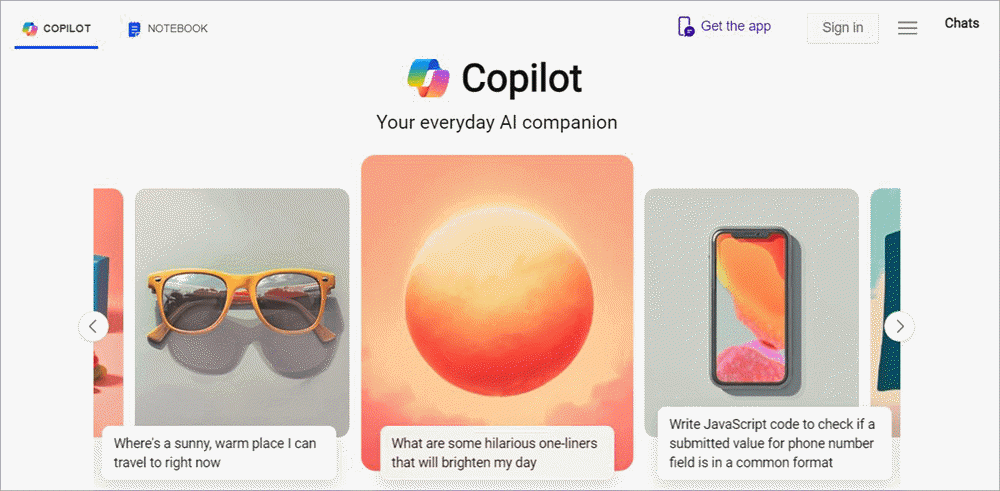
Microsoft’s Copilot is another simple-to-use conversational AI solution that’s trained on the GPT-4 model. Copilot is a very intelligent chatbot that blends the impressive capabilities of ChatGPT and Dall-E. You can have conversations with this chatbot that result in a productive outcome.
You can relay basic text prompts to generate detailed blogs or articles on a particular topic. You can rely on the chatbot to proofread your content, generate computer programming code, solve complex mathematical problems, compose poetry, and create images with a unique visual flair.
Further Reading => Top-Rated AI Chatbots of the Year
One of Copilot’s biggest strengths is the multilingual support. The software supports almost all languages actively spoken around the world. You can communicate with Copilot’s chatbot in English, Arabic, Japanese, Spanish, Hindi, etc. The multi-lingual support here also means that you can translate content with the help of Copilot’s AI.
As far as Copilot’s UI is concerned, it is simple and nothing to brag about. I like the fact that you are immediately thrown into the action as soon as you launch Copilot in your browser. You can also switch between dark and light modes.
How Copilot Works?
- Launch Copilot in your browser.
- In the “Ask me anything” box, enter your text prompt and hit enter.
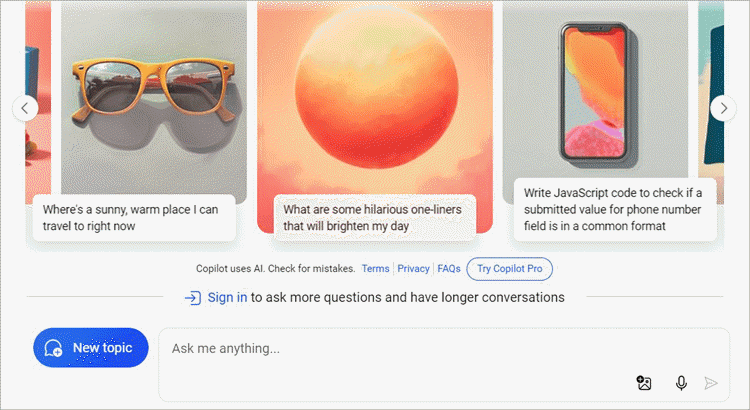
- Copilot will generate content that complies with your instructions.
Features:
- Content Generation: Copilot is first and foremost an AI content generator that’s trained on the GPT-4 model. You can use it to generate blogs and articles and even compose full-fledged poetry. All you need to do is feed the AI with descriptive text prompts.
- Voice and Image Input: While Copilot can generate content with text prompts alone, it supports input as visuals and audio as well. You can give voice commands to the AI in a bid to create content. You can also upload images and let the AI describe them.
- Integrations: The software is robust when it comes to integrations. Copilot integrates seamlessly with almost all Microsoft 365 solutions. This includes MS Excel, Outlook, PowerPoint, etc.
- Read Responses: Besides generating content, you can also have Copilot’s AI automatically read the generated response aloud. To enable this feature, you’ll need to go to the settings and check the “Automatic” box right next to the “Read Responses Aloud” option.
- Content Proofreading: You can rely on Copilot’s AI to proofread content as well. Enter the text you wish to proofread and instruct the AI to pinpoint mistakes in your content.
Why I Like It?
Two things in particular impressed me about Copilot. I like the mobile app that lets you communicate with the chatbot on the go. Plus, I like that the tool supports multiple languages.
Pros:
- The mobile app
- Multi-lingual support
- Customizable appearance
- Voice support
Cons:
- Some users have complained about a buggy experience.
Verdict: As far as AI conversational tools go, it doesn’t get as simple as Microsoft Copilot. This platform features a chatbot that’s intelligent enough to create detailed blogs, compose poetry, and even help developers with coding.
Price: Copilot is free to use. The pro plan can be purchased for $20 per month with a 1-month free trial.
Website: https://copilot.microsoft.com/
#3) YesChat AI
Best for conversing with over 20000+ GPT models.
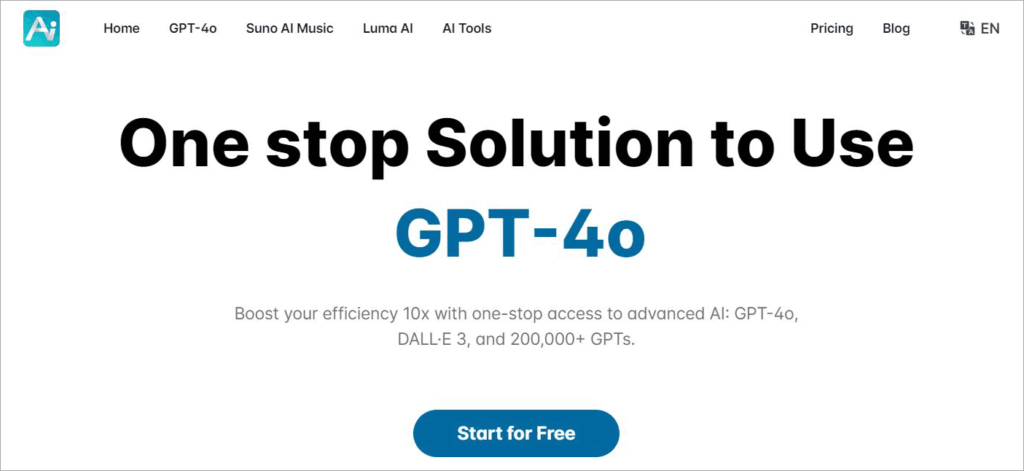
YesChat AI is a tad bit different from Copilot and Chatsonic before. This platform harbors thousands of different AI models that can perform a variety of functions in one place.
Simply put, YesChat AI serves as a single, all-in-one stop to use a variety of AI models for different reasons. If you want to generate content, you’ve got just the GPT-trained AI model here to help you with that.
You can chat with these models via different inputs. You can use images, documents, and even voice commands to let the AI know what kind of content you want. Besides content generation, you also have a GPT-trained AI model here that can help you with in-depth research on just about any topic.
Finding the AI model you want to use is also very simple. The platform features an intuitive search bar that will find you the perfect AI model based on your needs and requirements. Although not as extensive as Copilot, YesChat also offers multi-lingual support.
The AI models YesChat AI employs can interact with you in various languages. They can also help you translate between different languages.
How does YesChat AI Works?
- Launch YesChat AI in your browser.
- Search for the AI model you need.
- I chose the “Write for Me” bot to compose an article.
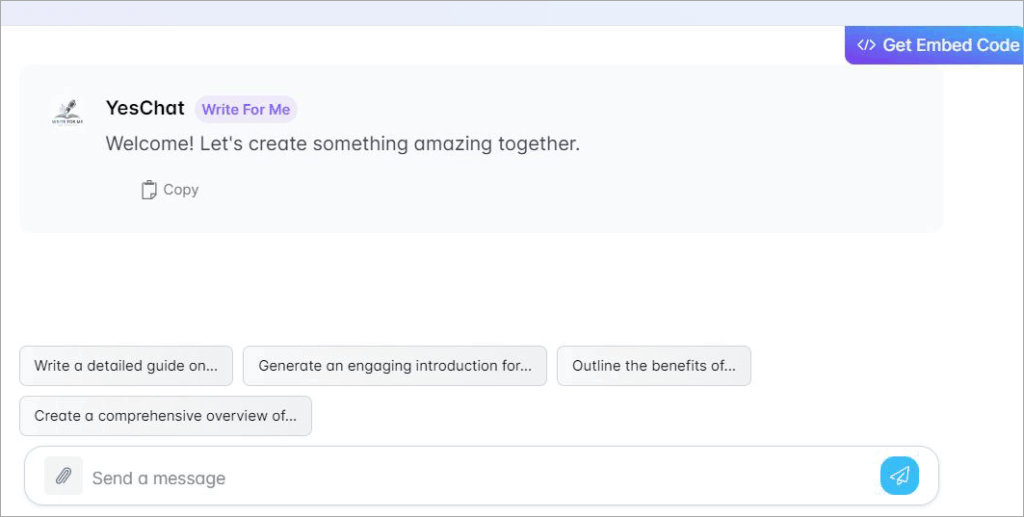
- Type in a text prompt. You can also add an image or document to accompany the text.
- Hit enter
- Your content will be generated within seconds.
Features:
- Content Generation: YesChat AI can help you generate a wide range of content. You can create blogs, summarize articles, and even compose stories with this tool. A simple text prompt or upload of a document will suffice.
- AI–Driven Research: The platform features an AI model whose sole purpose is to research. You can get in-depth insights on almost any topic with this tool. The research is mostly accurate, as you are provided with citations and source links.
- Suno AI Music: Suno AI Music is an excellent tool for composing music. All you have to do is describe what type of music you want via text. It can help you generate music in a wide range of genres.
- Image Generator: YesChat AI features an AI model that can accurately create an image from scratch based on your text prompt. You can use the tool to create AI avatars or complete portraits. You also get a bot that can generate photo-realistic images.
- Logo Creation: The platform includes an AI model that is specifically trained to create logos. Describe what type of logo you want, down to its color and design. The AI does a good job of creating logos from scratch that you can use commercially.
Why I Like It?
YesChat AI serves as an all-in-one solution for AI models like ChatGOT. You have over 200000 AI models to choose from. Plus, it supports AI conversations in multiple languages.
Also Read =>> Testing Multi-Lingual Websites
Pros:
- Over 200000 AI models
- Flexible pricing
- Multi-lingual support
- Supports all forms of input
Cons:
- Some AI models work better than others.
Verdict: Think of YesChat AI as a one-stop shop for all sorts of AI models. You’ll find over 200000 types of AI models here that have been trained on Claude 3, Suno, and GPT-4. From research and content creation to image generation, you can do a lot with YesChat AI.
Price: The platform is free to use in a limited capacity. Its paid plans are:
- Pro: $10/month
- Ultra: $20/month
- Unlimited: $50/month
Website: https://www.yeschat.ai/
#4) Quickchat AI
Best for AI Assistant Builder
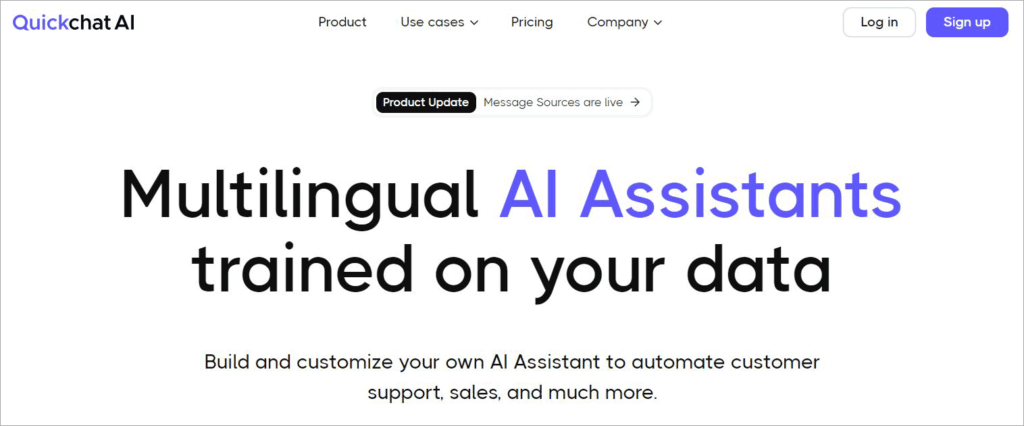
Quickchat AI lets you build your chatbot. You are provided with all the tools necessary to create an AI assistant that understands your business and interacts with you accordingly. This AI bot is highly customizable. You can adjust its voice and tone so it can reflect the nature of your brand.
You also get to choose from over 100 languages to train your AI assistant in. The AI assistant is also smart enough to detect the language being spoken and interact accordingly. You can also specify the type of translations you want the chatbot to use.
You can train the AI on your company’s documents and knowledge so it can respond to customer queries efficiently. The tool itself does a phenomenal job when creating reports. The AI can relay insightful reports that offer suggestions on how you can improve your business’s knowledge base.
Quickchat AI also features a user-friendly interface. So you’ll have no issue building the assistant. You can learn while you use it. In time, you won’t have any issues tweaking the assistant.
Features:
- The Assistant Builder: It is very easy to create and customize an AI bot using this tool. You can train the tool to reflect your brand’s voice. If customization isn’t what you want, you can opt for a ready-made AI assistant as well.
- Custom Translations: Quickchat allows you to train your AI assistant in over 100 languages. You can dictate specific translations. You can also exclude certain words from being translated.
- Automated Human Handoff: The AI assistant can serve as a bridge between you and your customers. It will automatically detect and transfer a conversation to a human agent when it deems fit.
- Lead Generation: This AI assistant can help you generate promising leads. You can collect and manage data that’s being sent to your AI assistant constantly by users.
- Custom AI Personality: You can tweak your AI assistant’s personality by a lot. Based on your adjustments, you can train the AI to resolve customer issues or proactively recommend products to them. You can use the tool for customer support and to drive sales.
Pros:
- Flexible pricing
- Fast and easy set-up
- Robust integrations with tools like HubSpot and Intercom
- Choose from 100 languages.
Cons:
- You’ll need to subscribe to its most expensive plan for better support.
Verdict: Quickchat AI is a tool I’d recommend if you want to optimize your customer support. It is easy to build an intelligent AI assistant with this platform that can interact with your customers and address their queries efficiently. The platform is feature-packed, and the AI assistant you build is highly customizable.
Price: Quickchat AI offers the following plans:
- Essential: $82/month
- Professional: $315/month
- Business: $565/month
- Custom plan available
All plans are billed annually. A 7-day free trial is also offered.
Website: https://www.quickchat.ai/
#5) Perplexity
Best for real-time web search.
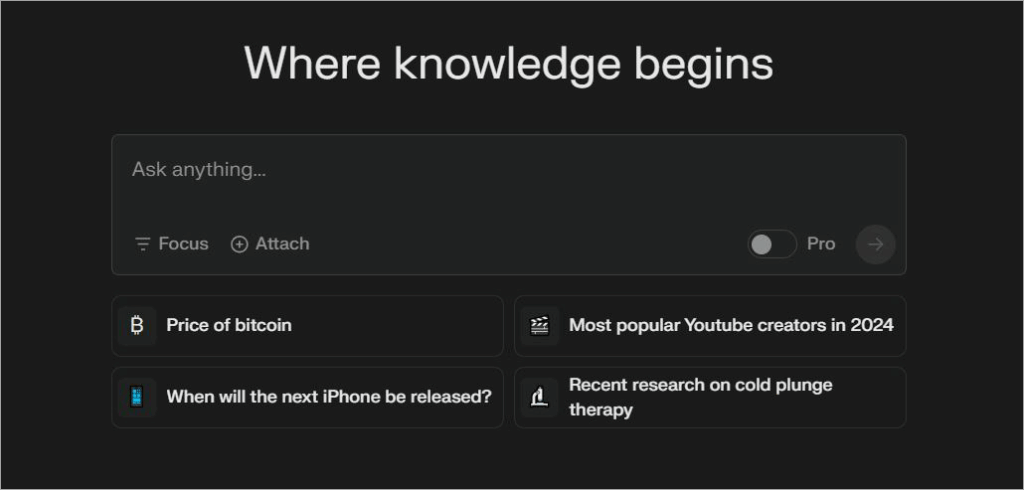
Perplexity is a different beast from ChatGOT. The tool does use GPT-4 and Claude-3 to respond to the queries it is fed, like many of the tools on this list are. What distinguishes it, however, is its ability to retrieve information in real-time from the internet. Think of the tool as an AI-driven search engine.
Unlike ChatGPT or other AI conversational tools, Perplexity not only responds to your text inputs with in-depth answers but also cites sources. The software uses natural language processing to assess your input, then scour the internet, and present you with well-summarized information.
You can also rest assured that the answers you get are accurate and up-to-date, as Perplexity only scans authoritative websites. The output provided is very human-like. Besides this, I also really like Perplexity’s UI. It is sleek in its aesthetic without being overly complex to use.
Features:
- Focus-Based Search: You can command Perplexity to only research a particular type of material to get you the information you need. You can set a focus for your sources when entering the text prompt. This way, you can let the AI know to only focus on a certain source when researching, like Web, Academic, etc.
- The Library: Perplexity features an AI-powered librarian you can interact with. This librarian will ask you to understand exactly what you are looking for. It will even ask follow-up questions.
- Real-Time Web Search: As I mentioned before, this software is essentially an AI-powered search engine. It will scan authoritative websites across the internet to help you retrieve accurate, up-to-date information.
- Source Citation: Most of the time, it is very hard to verify whether the answer given to you by an AI is accurate. Perplexity addresses this concern by citing its sources. This makes the tool excellent for research.
Why I Like It?
This is a tool I can trust for research, as the AI offers citations for the subject it covers in the generated content. I also like the AI librarian that goes above and beyond in the way it interacts with users. Plus, its UI is friendly and visually appealing.
Pros:
- Sleek UI
- Gives you citations
- Real-time information
- The interactive AI librarian
Cons:
- Sometimes the answers can be too in-depth instead of precise.
Verdict: Perplexity AI should be used as a search engine. I would recommend it to anyone who wants to conduct in-depth research, summarize content, or write articles. This AI is mostly accurate in its ability to retrieve information, thanks to its seamless connection to the worldwide web.
Price: The tool is free to use in a limited capacity. You’ll need to upgrade to its premium version, which costs $20 per month for more features.
Website: https://www.perplexity.ai/
#6) Jasper AI
Best for Marketing and Content Creation.
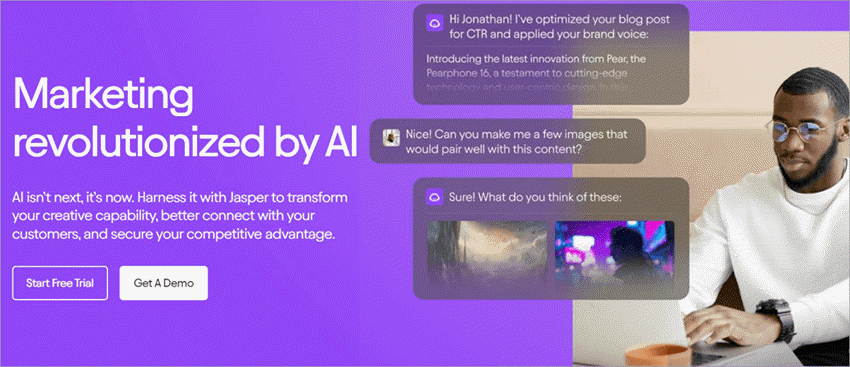
Jasper AI is yet another conversational model that can generate unique, well-researched content. It works in the same way that most AI conversational models trained on GPT-4 do. However, I found my conversations with this particular AI far less robotic and more human-sounding than the other tools I’ve used.
This is Japer AI’s biggest strength, in my opinion. This is also what makes the user experience very compelling. The AI source’s information from billions of data points across the internet to create content on the most niche and advanced subject matter.
The AI is very interactive. It will ask you to follow-up questions and ensure the entire conversation remains in context to the matter you are discussing.
Features:
- Brand Voice: Jasper AI can be trained to adopt your brand’s voice and tone in the message or content it generates. You can teach the AI about your product catalogs, style guide, and company facts. The AI will scan your entire website to get familiar with your brand’s voice.
- AI Image Suite: Jasper AI features one of the best AI-driven image editors I’ve used. You can rely on the AI to personalize your visuals at scale. Modifying the background of your image, upscaling its quality, or re-imagining it is very simple with this tool.
- Campaign Creation: Jasper AI is an excellent tool for marketers. You can rely on the AI to create end-to-end marketing campaigns from scratch. There is no limit to how many assets you can create for your campaigns with this AI.
- Analytical Dashboard: The AI offers you key actionable insights and analytics. You get crucial insights into your highest and lowest-performing content so you can make informed decisions. The analytics themselves are easy to understand.
- Prompts Library: To create content, you’ll need to feed Jasper AI with text prompts. If you are in a hurry, you can simply use a ready-made prompt from its library. There are over 500 prompts for you to choose from.
Why I Like It?
Any AI that supports multiple languages beyond English will immediately have my respect. Plus, this tool also offers a browser extension for Edge and Chrome, which makes the user experience even more seamless.
Pros:
- Generate content in over 30 languages
- The Chrome extension is great
- Over 50 AI templates for different use cases
- User-friendly
Cons:
- I would’ve liked a completely free version of the tool, even if it is limited in features.
Verdict: In essence, I believe Jasper AI is a better alternative to ChatGOT if you want an AI that’s flawless at creating content and marketing campaigns. From generating lengthy blogs to composing end-to-end marketing campaigns in your brand’s voice, Jasper AI can do it all effortlessly.
Price: Jasper AI offers the following plans:
- Creator: $49/month
- Pro: $69/month
- A custom business plan is also available.
A 7-day free trial is also offered.
Website: https://www.jasper.ai/
#7) Copy.AI
Best for sales and marketing.
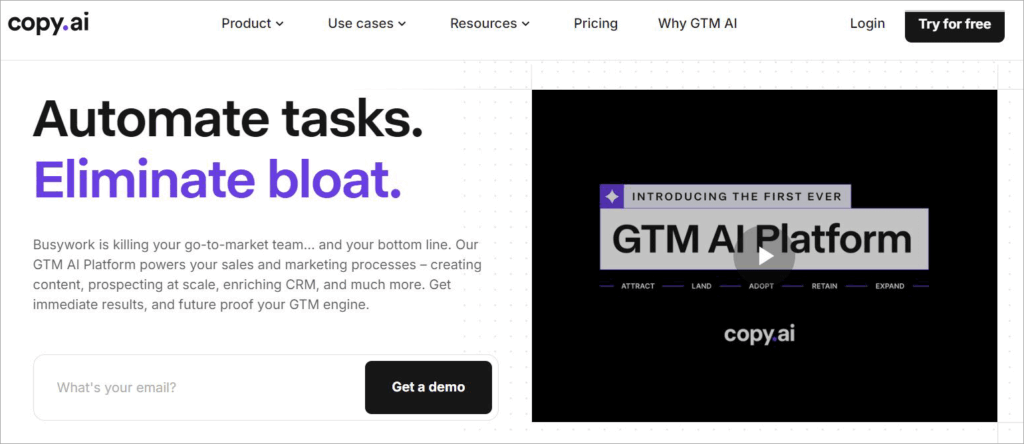
Copy.AI is a platform strictly designed to automate sales and marketing-related tasks. It features an AI model that’s trained to handle business-critical operations related to marketing and sales.
You can use the tools to create AI workflows to get your tasks done in an automated flow. You also have the option to choose from ready-made workflow templates.
From generating LinkedIn posts and Google Ad descriptions to rewriting content and performing SEO analysis, you can let the tool do it all by selecting any of the hundred or so workflow templates at your disposal. The workflows are also highly customizable, thus benefiting your user experience immensely.
Features:
- Sales and Marketing OS: The platform’s AI helps you automate several key marketing and sales tasks. You can create campaigns at scale. The AI also serves as your end-to-end solution to sales and can even help you close quotas.
- Brand Voice: When it comes to marketing campaigns, the material being created must reflect your brand’s unique identity. Copy.AI can be trained to adopt your brand’s unique voice and tone.
- Image Input: Besides using basic text prompts, the software also accepts visual inputs as images. You can upload an image and have the AI describe it for you thoroughly. The text description is quite precise.
- Internet Search: This AI pulls data from various sources across the internet. As such, you can expect up-to-date information on the latest topics. It can retrieve information from the web in real time.
- URL Scraping: This AI can also scrape websites across the internet. The AI then uses this scraped data to answer the questions you ask it. The answers are mostly accurate.
Also Read => Best Free Web Scraping Software & Tools
Pros:
- A good free plan
- Flexible pricing
- The pre-built AI workflow library
- No limits to the chat project with the affordable plan.
Cons:
- The support can be a bit slow.
Verdict: Sales and marketing teams with advanced requirements should consider Copy.AI; it’s a good content-generating platform. The tools stood out to me for their pre-built AI workflow library. Its free plan is also quite impressive.
Price: Copy.AI is free to use in a limited capacity. Its plans are:
- Starter: $49/month
- Advanced: $249/month
A tailored demo is also offered upon request.
Website: https://www.copy.ai/
#8) ChatPDF
Best for researching and summarizing lengthy PDFs.
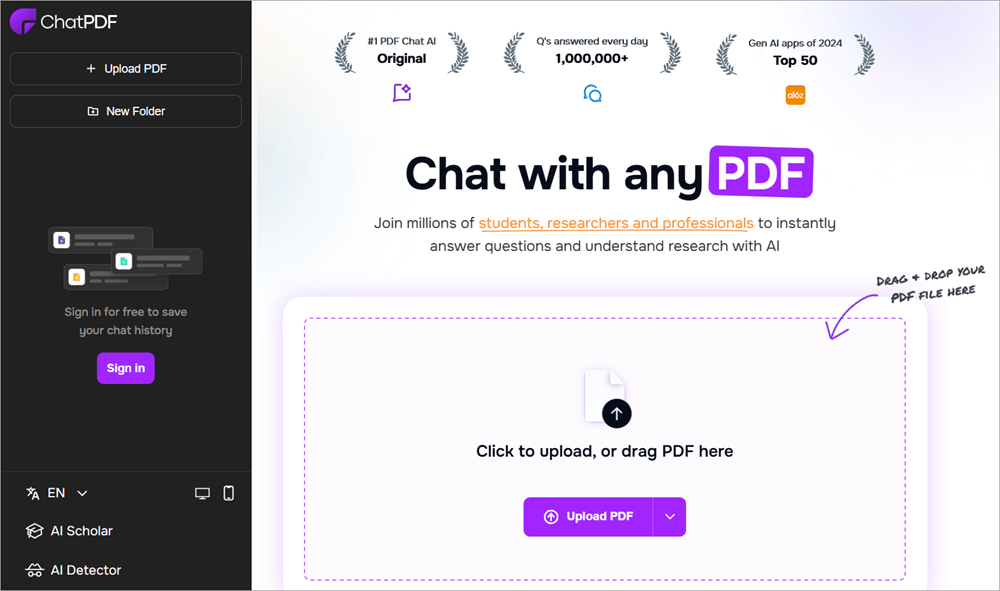
Think of ChatPDF as a ChatGPT alternative for PDFs. Instead of communicating with the AI model through text prompts, you initiate your conversation with ChatPDF by uploading a PDF document or a website URL that contains information that you want to summarize.
Once you’ve uploaded a PDF to ChatPDF, the AI will analyze it and then redirect you to its main interface.
Once there, you can ask it questions regarding the document, and ChatPDF will answer your questions with the utmost accuracy as it has been trained on that document in its entirety. You can ask any question related to the document, and ChatPDF will answer you in seconds. It is that simple.
Features:
- Content Summarization: ChatPDF deciphered and summarizes lengthy PDF documents. As such, the tool is excellent for students and researchers. It takes less than 10 seconds for ChatPDF’s AI to assess an uploaded document.
- Share Chat: You can share the conversations you have with ChatPDF. You can share the link to your chats via email with your colleagues and friends. You can also share the entire chat online on Facebook and Twitter.
- Cited Sources: When you ask questions to ChatPDF about the uploaded document, ChatPDF answers you while also citing sources. The answers will contain references that directly pinpoint you to their source in the original document.
- Multi-File Chat: You can create multiple folders to organize your files. You’ll be able to chat with multiple PDF AI assistants in a single conversation.
Pros:
- Free and simple to use
- Swift in summarizing information
- Accepts PDFs and Website URLs as input
- Supports multiple languages.
Cons:
- Very limited in its scope.
Verdict: ChatPDF has a very specific purpose to serve, one that it serves impeccably. It is a tool that students, researchers, and professional writers can use to break down lengthy documents and data sources. It is very simple to use and quite intelligent to summarize information from the PDFs it is fed.
Price: ChatPDF is free to use. Its paid plan starts at $5/month.
Website: https://www.chatpdf.com/
#9) Input AI
Best for creating custom bots.
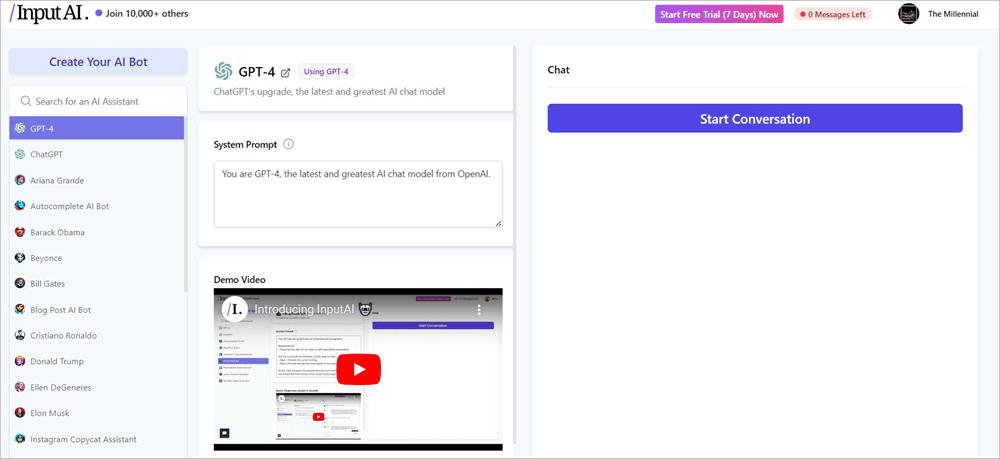
Like most AI conversational tools on this list, Input AI also offers you a learning model that’s been built on GPT-4. As such, you can expect seamless conversations with an AI that uses natural language processing to communicate with its audience. You also get direct access to ChatGPT itself if you subscribe to one of Input AI’s premium plans.
However, what truly convinced me to include Input AI on this list is the ability it grants you to create AI assistants. To create an AI assistant, you hit the “Create your AI bot” button, name the bot, and then train it by entering a system prompt.
Features:
- AI Bot Creation: Input AI is best known for this feature. You can use this software to create an AI assistant that serves a specific purpose. It can be trained to act and respond in a certain way based on the system prompt you enter.
- ChatGPT Access: Input AI is home to hundreds of AI learning models. This also includes Open AI’s very own ChatGPT. You can directly access ChatGPT from within Input AI’s interface to generate content or ask questions.
- AI Assistant Library: Input AI features several ready-made AI assistants. There are AI assistants here that you can rely on to create scripts for YouTube videos, create cold emails, etc. There are also AI models that have been trained to talk and think like celebrities.
- System Prompts: System Prompts give your AI bot context. They are instructions that tell the AI bot how to respond. You can customize the System Prompt as per your wishes to train your AI bot or the pre-made AI bots that are available in the library.
Pros:
- Flexible pricing
- Simple UI
- Over 20 AI assistants to choose from.
Cons:
- The celebrity AI models are too gimmicky and don’t serve a fruitful purpose.
Verdict: Input AI makes it to my list solely for its AI assistant library. There are over 20 AI bots here that you can communicate with to generate blogs, create social media posts, or write cold emails. You get to create your custom AI bots as well.
Price: The tool is free to use in a limited capacity. Its paid plans are:
- Lite: $9/month
- Pro: $19/month
A custom plan and a 7-day free trial are offered upon request.
Website: https://inputai.com/chat/gpt-4
#10) YourGPT
Best for a Chatbot for customer support.
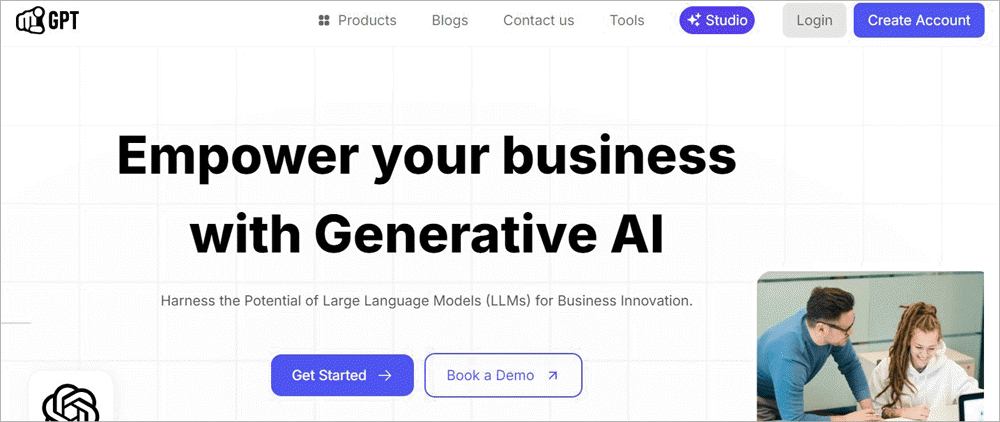
YourGPT allows you to create a custom chatbot that optimizes your organization’s customer support. Train this chatbot on your website and documents. As such, you can count on the chatbot to interact with your customers and address their queries proactively.
You can expand the chatbot’s capabilities through the intuitive functions feature. This feature empowers the chatbot to respond to customers in real time using external services. Your chatbot will perform various actions and respond to dynamic inquiries efficiently.
Features:
- Chatbot Studio: YourGPT arms you with all the tools you need to create and train your chatbot. You can build guided flows based on events or message intent. This allows the chatbot to be more dynamic in its responses.
- Voice Abilities: The chatbot you create will feature high-precision speech recognition abilities. This will help customers ask questions about the chatbot in voice messages. The chatbot will understand the customer in any accent and language.
- Lead Generation: Your chatbot constantly gathers data on each customer it interacts with. Your chatbot converts all visitors who interact with it into leads you can pursue.
- Multi-Channel Integration: The software facilitates robust integrations. You can easily integrate the chatbot into your existing channels. The chatbot can integrate seamlessly with WhatsApp, Telegram, Slack, Line, etc.
Pros:
- Integrations with popular channels.
- Over 100 languages are supported.
- Mobile app for Android and Apple devices.
Cons:
- No free plans
Verdict: YourGPT is a platform I’d recommend to companies that want an AI bot to handle their customer support. It is very simple to create and train a chatbot using this software. The chatbot can train on over 100 languages, and it also integrates well with almost all popular channels out there.
Price: YourGPT offers the following paid plans:
- Starter: $19/month
- Professional: $99/month
- Advanced: $399/month
A free demo is offered upon request.
Website: https://yourgpt.ai/
#11) InsertChat
Best for creating custom AI models
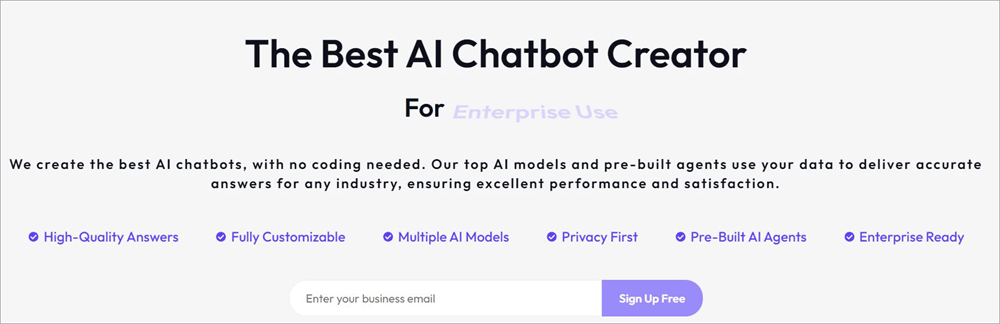
Like YourGPT, InsertChat is another platform that lets you create custom AI models without any coding knowledge required. You are essentially hand-guided by InsertChat from beginning to end to create an AI model that behaves the way you want it to. The platform also features pre-built AI agents that can answer all of your questions.
Features:
- UI Customizations: The software is highly customizable. You can customize the chatbot entirely to ensure it aligns with your brand’s identity.
- AI Training: Training and teaching AI is also very simple. No coding is required. You can have the chatbot tailored to perform specific actions.
- AI Models: The platform also features a plethora of AI agents. These pre-built AI agents can provide you with relevant and accurate responses.
- Source Citing: The answers provided to you with InsertChat are verifiable. Each response is backed with source references. As such, the response you get is credible.
- Lead Generation: You can also use the AI models offered by InsertChat to gather leads. The tool can optimize your sales funnel by capturing, qualifying, and then nurturing the lead.
Verdict: Similar to ChatGOT, InsertChat is home to a variety of AI models you can use to perform various tasks. However, I would recommend the tool for those who want to create AI models of their own. You can easily and extensively customize the AI models to your liking, and no coding is required.
Price: The platform is free to use. Its paid plans are:
- Basic: $49/month
- Standard: $99/month
- Agency: $399/month
- Business: $899/month
Website: https://insertchat.com/
#12) ChatPlayground
Best for multiple AI Models to choose from.
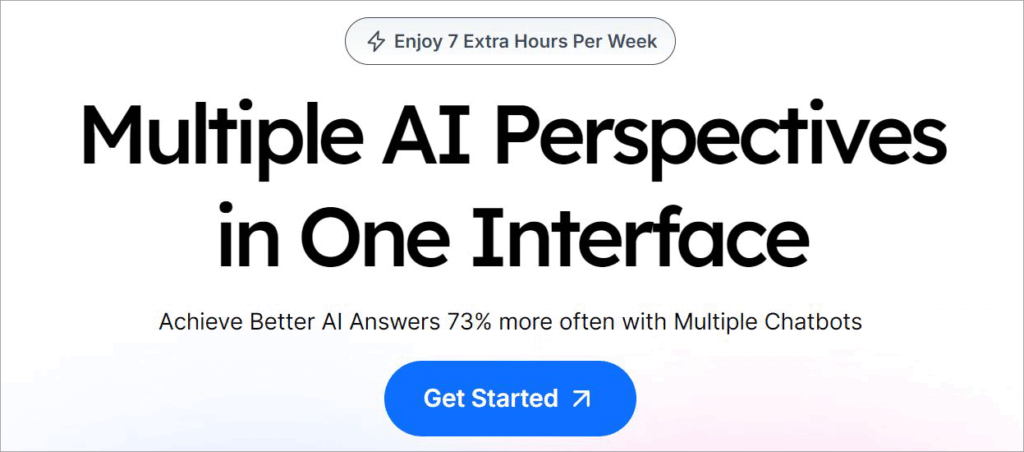
ChatPlayground is home to over 25 basic and advanced AI models. From ChatGPT-4 to Luma AI, there are a plethora of AI models to choose from. This also means you can use this platform for a wide range of purposes. There is an AI model here for content generation, as well as one that will help you create and edit videos.
Features:
- AI Model Creation: You are provided with all the tools to create your AI model. This model can be trained on your website and documents. You can customize it to respond as you prefer.
- Integrations: The AI models present in ChatPlayground can connect with almost all popular channels. This includes Wikipedia, Google Drive, Outlook, etc.
- Collaboration: The platform facilitates seamless collaboration between team members. Team members can share the AI models created here. The sharing does not compromise your privacy and security.
- Visual Input: ChatPlayground features AI models that accept more than text prompts. You can chat with the help of images, videos, and PDFs.
- Image Generator: You can rely on ChatPlayground’s AI models to create images from scratch. The AI is intelligent enough to understand your text prompts. It will generate an image that complies with your description.
Verdict: ChatPlayground is a central hub for various AI models, just like ChatGOT. You are going to find a variety of AI models here that are trained to serve a wide range of purposes. That said, this is also a platform that I’d recommend you use to create your own AI models.
Price: ChatPlayground offers the following plans:
- Individual: $19/month
- Standard: $39/month
- Pro: $97/month
- Team+: $237/month
A 7-day free trial is also offered upon request.
Website: https://www.chatplayground.ai/
#13) Google Gemini
Best for integration with Google Apps.
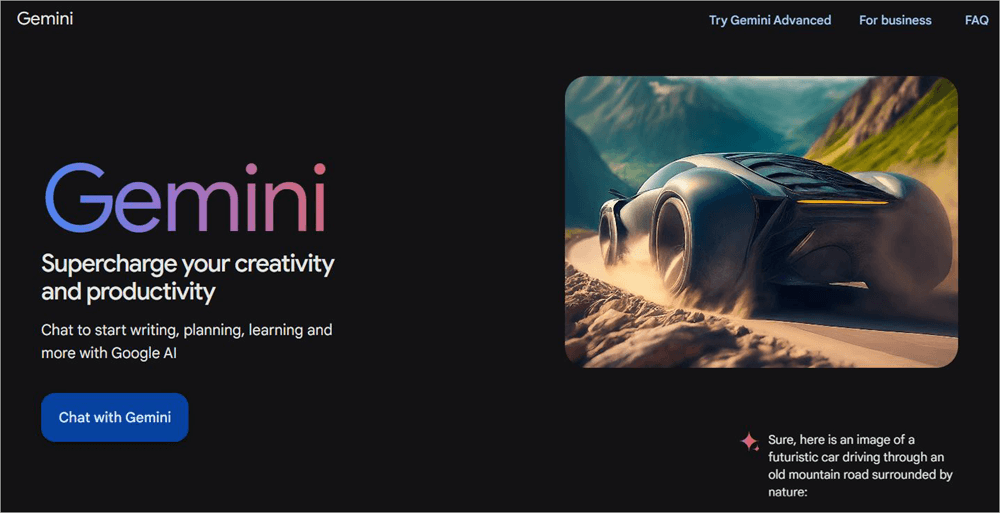
Gemini is a tool that Google created as a direct response to the popularity of OpenAI’s ChatGPT. So far, it has been a decent success. Gemini often accompanies any Google search you conduct lately.
The tool benefits from being connected to one of the most prominent search engines on the Internet. As such, you can expect nothing short of up-to-date and relevant responses from the AI.
Features:
- Content Generation: Google Gemini is excellent as a content generator. It can create articles and blogs. You can also use it to create artistic projects like scripts and poetry.
- Web search: Gemini extends Google’s search engine. It has a direct connection to the data that Google cruises through daily in response to its users. It can retrieve information in real time from almost all data points across the web.
- Coding: This is a feature locked behind a paywall. The AI can run and edit Python code if you subscribe to its advanced plan. This is a feature only reserved for professional developers.
- Integrations: Gemini works well with almost all Google apps on the web and mobile. It can converse in multiple languages. You can use it with Docs, Gmail, and other apps.
Verdict: Gemini is still in its infancy. However, it is still powerful enough because of its connection to Google. I would recommend it for simple content research and generation.
Price: It is free to use. The advanced version will cost you $19.99/month. The 1st month is free.
Website: https://gemini.google.com/
How I Chose the Alternatives to ChatGOT
I considered several parameters to curate a list that only included the very best when it came to AI conversational tools.
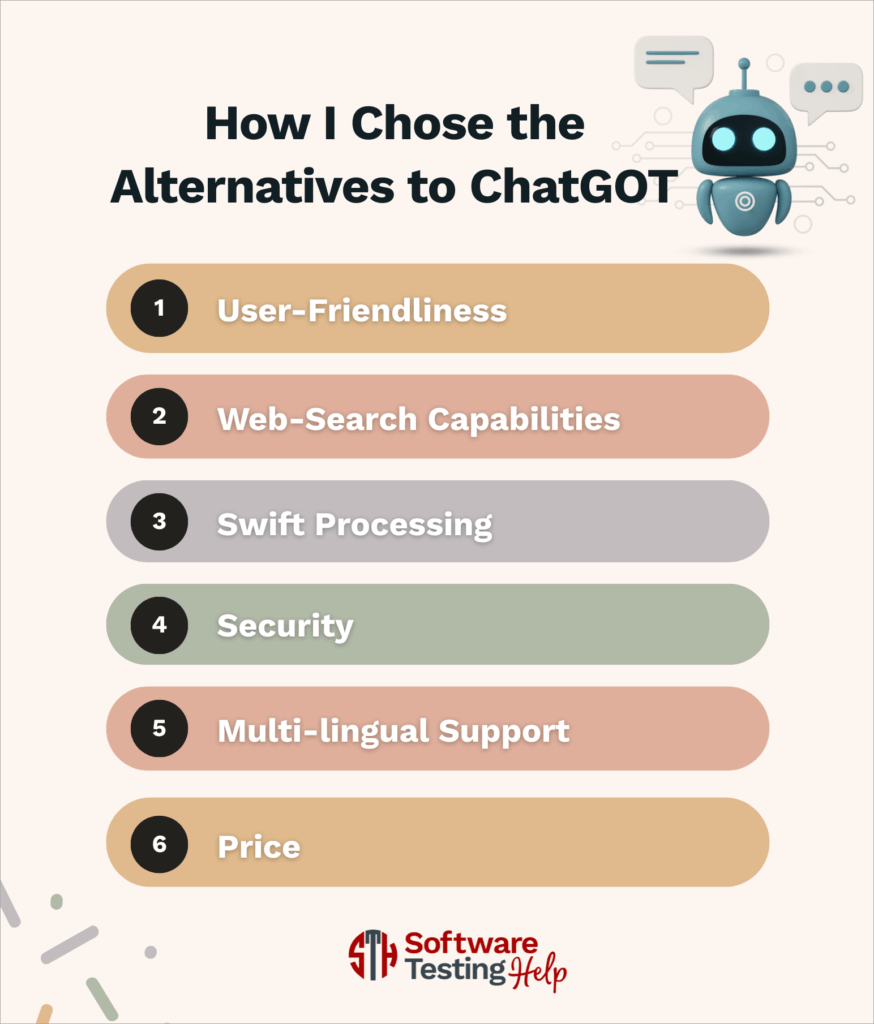
#1) User-Friendliness: An AI conversational tool has no business being complicated. I made sure the platforms mentioned on this list feature a user-friendly interface and are easy to use.
#2) Web-Search Capabilities: I chose tools that retrieve real-time information from multiple data points across the web. You’ll find tools here that integrate seamlessly with Google’s search engine.
#3) Swift Processing: The platforms I chose can process queries quickly and deliver results within seconds. It won’t take the AI model more than a single minute to respond to your questions.
#4) Security: You will probably share a lot of vital information with your AI assistant. So it was important for me to only choose tools or platforms that ensure enhanced privacy and adhere to stringent security protocols.
#5) Multi-lingual Support: The AI models here support multiple languages beyond English. This is important for businesses that have a global customer base. You shouldn’t have any problem communicating in a language other than English when interacting with any of the AI models mentioned on this list.
#6) Price: Most tools I’ve mentioned here can be used for free. The paid ones at least offer a free trial or demo. I made sure to only include tools that offer their services for a reasonable fee.
Frequently Asked Questions
1. What is ChatGOT?
ChatGOT is a platform that harbors multiple different AI assistants. You can use the platform to interact with multiple AI models like ChatGPT, Claude, etc., and leverage them to perform a variety of tasks.
You can use the platform to research, generate blogs, create images, edit videos, and more. You can also use the platform to create your AI model.
2. What AI models does ChatGOT support?
ChatGOT supports a wide range of AI models. Some of the more prominent ones are:
• ChatGPT
• Claude 3 Opus
• Midjourney
• Gemini, etc.
3. Can ChatGOT retrieve real-time information from the web?
Yes, ChatGOT can retrieve real-time information from the web. This is possible because of the tool’s connection to Google’s search engine. This allows the AI models within ChatGOT to access multiple data points across the web to acquire relevant and up-to-date information.
4. How do I know which AI assistant to use for my task?
That will depend on what task you want to perform. If you want to create photorealistic images, choose an AI model that offers this service. If you want to create blogs and articles, opt for an AI model can perform this task.
Ultimately, it depends on what you want. Let your requirements guide you through the vast library of AI models that populate the internet today.
5. Is ChatGOT suitable for business?
You’ll find the AI models in ChatGOT more than suitable to perform some key business-related tasks. You can create marketing campaigns and create detailed SEO-optimized blogs with the help of these AI models.
You can also create visuals to post on your social media accounts. You can also create chatbots that interact with your customers to support them at their best.
Conclusion
With platforms like ChatGOT becoming home to various AI models, we have officially entered the age of AI dominance. There are thousands of AI models today, each performing a different but vital task to make our lives easier.
Platforms like ChatGOT bring them to you in a single place. You no longer have to ricochet between multiple websites to work with different AIs.
That is the charm of ChatGOT and the 13 alternatives I’ve mentioned on this list. Some of these platforms also grant you the ability to create AI models from scratch without any coding knowledge required.
Whether you wish to create blogs, generate images, or even compose music, there is an AI conversational platform on this list that can assist you with them all.
As for my recommendation, I would suggest going with Chatsonic for its integration with Google, built-in fact checker, and simplicity.
Research Process:
- I spent 42 hours researching and writing this article so you can have summarized and insightful information on which ChatGOT alternative will serve you best.
- Total tools researched: 26
- Total ChatGOT Alternatives shortlisted: 13
Was this helpful?
Recommended Reading
-

Level up your programming game with the top-notch AI coding tools. Compare the prominent AI code generators to pick the right AI tool for coding to boost code quality: With the revolutionary change of artificial intelligence, the way software developers and engineers work has completely changed. Writing code, debugging, interacting…
-

Enhance your hiring process with the top AI Recruiting tools in the market. Use the right AI recruitment software to simplify and automate multiple hiring tasks quickly and smartly: Recruitment is the most challenging function an organization must tackle for its survival and growth. Ask any professional tasked with recruiting…
-
Visualize complex data in seconds with the most powerful AI data analyst - Julius AI. Deeply explore its ability to analyze and visualize huge data effectively into a simplified form from this Julius AI Review: For any business to thrive in this fast-paced AI world to build an executive-level dashboard…
-
Gain insights into the powerful visualization capabilities of the Top AI Data Visualization Tools. Pick the right AI tool for data visualization to handle complex queries & revolutionize data interaction: Lately, Data Analysis has been revolutionizing research powered by GPT-4 AI-driven tools. Data analysis and data visualization have become much…