Is your Snapchat being blocked often? Our step-by-step guide unveils the quick and safest ways to get your Snapchat unblocked instantly from any part of the world:
Can’t access your Snapchat? Afraid your account’s blocked and don’t know what to do? Well, fret not, you’ve come to the right place. This article explores why your account might be blocked and offers simple solutions to get Snapchat unblocked.
Snapchat may block your account for many reasons. Perhaps you are trying to access the app on a restricted network, or maybe you are living in a region with strict internet censorship.
Snapchat Unblocked: Expert Guide
Instead of sulking and giving up hope, know that there are things you can do to get your Snapchat unblocked.
Watch this video guide to learn how to unlock your locked Snapchat account permanently:
In this article, I’ll discuss the possible reasons your account was blocked and how to get Snapchat unblocked with ease.
So, without much further ado, let’s dive in.
Why is Snapchat Blocked
To get Snapchat web unblocked effectively, you’ll first need to understand why this happened in the first place.
Below are a few reasons that could get your Snapchat account blocked.
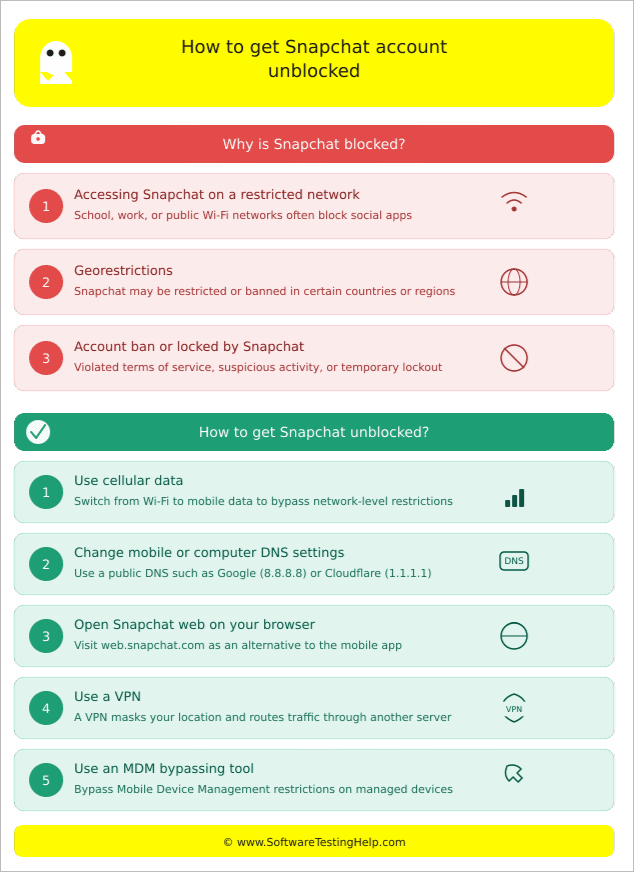
#1) Accessing Snapchat on a Restricted Network
Snapchat is a very addictive app. Of course, certain institutions, like a school or workspace, will restrict its use on their network. A school or office won’t want its students or employees spending hours exchanging snaps instead of actually doing what they are there for.
By restricting the app on their network, these institutions intend to eliminate a very effective source of distraction. This restriction also helps them save bandwidth, as apps like Snapchat demand significant network resources.
#2) Georestrictions
Anyone can use Snapchat freely, anytime, anywhere, if they are living in countries where freedom of individual expression is valued. Not everyone across the globe gets to enjoy this privilege.
There are countries with authoritarian regimes where Snapchat is banned. China, North Korea, and Iran are shining examples of such countries, where internet censorship is pervasive. If you are in one of these countries, you cannot access Snapchat.
#3) Account Ban or Locked by Snapchat
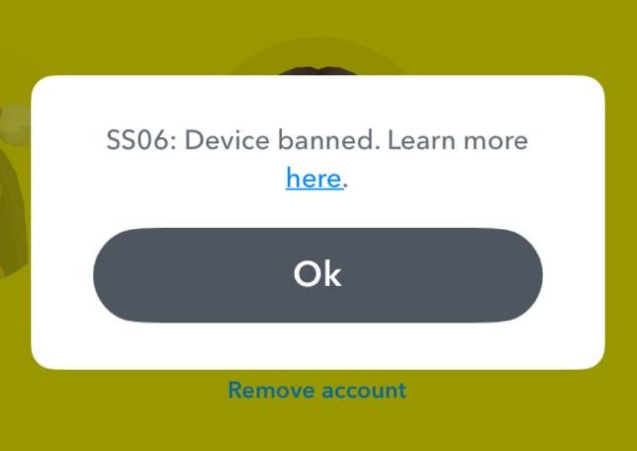
[Via Facebook]
If you see an SS18, SS07, or SS06 error message, it means Snapchat has banned your device for repeated violation of the platform’s community guidelines. Things get a little complicated if this has gotten your account blocked.
This issue requires its own dedicated sub-topic, which you’ll find later in the article, where I’ll shed light on the reasons for this happening and how you can resolve it.
How to Get Snapchat Unblocked
Now that you know what could have blocked your account, let’s look at the measures you can take to resolve this issue without hassle.
#1) Use Cellular Data
Wish to know how to get Snapchat unblocked on a school computer or an office system. This is inarguably the simplest solution to your problem.
Your school or office has restricted access to Snapchat on its network. So, all you have to do is simply switch to your cell phone’s data instead of using the restricted Wi-Fi network.
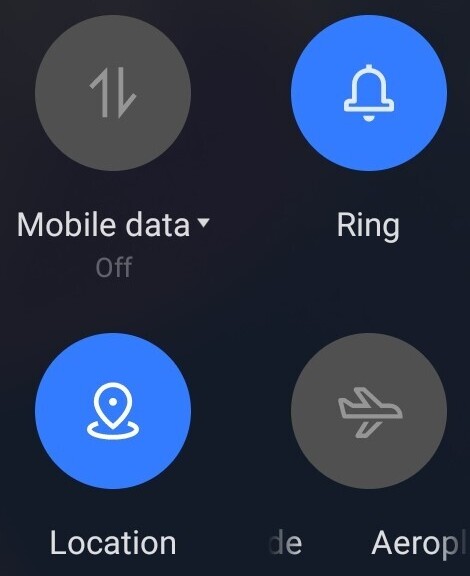
You’ll find the option to disable your Android or iPhone’s Wi-Fi and enable cellular data by swiping down and opening the Quick Panel. With the cellular internet enabled, try logging into Snapchat again.
#2) Change Mobile or Computer DNS Settings
Schools and offices can block Snapchat by intercepting DNS requests. You could bypass this restriction by simply switching to a public DNS.
On Smartphones
- Open Wi-Fi
- Tap on the info icon next to your connected Wi-Fi network
- Select IP Settings > Tap on Static
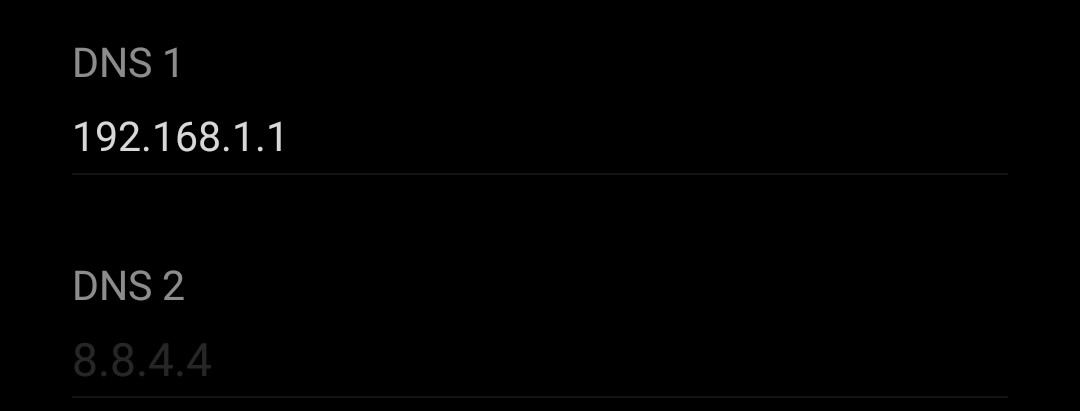
- Now scroll down to find the DNS fields.
On Computers
- Open Network Connections
- Right-click on the connected Wi-Fi network and select properties.
- Select IPv4 and select properties.
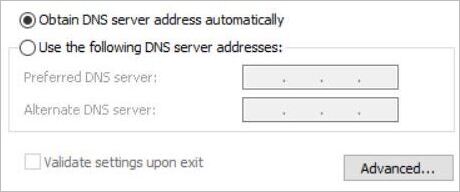
- Select the option “Use the following DNS server addresses”.
Now, simply enter the Google DNS (8.8.8.8, 8.8.4.4) or the Cloudflare DNS (1.1.1.1, 1.0.0.1). This should get your Snapchat login unblocked.
#3) Open Snapchat Web on Browser
Yes, Snapchat isn’t merely an app. It also has a decent web-based counterpart you can run on any browser. Even if the app is blocked, chances are that your school or workplace has not blocked the web version. It wouldn’t hurt you to try opening the Snapchat web on your system.
- Open any browser. Google Chrome and Safari are the best.
- Visit https://www.snapchat.com/
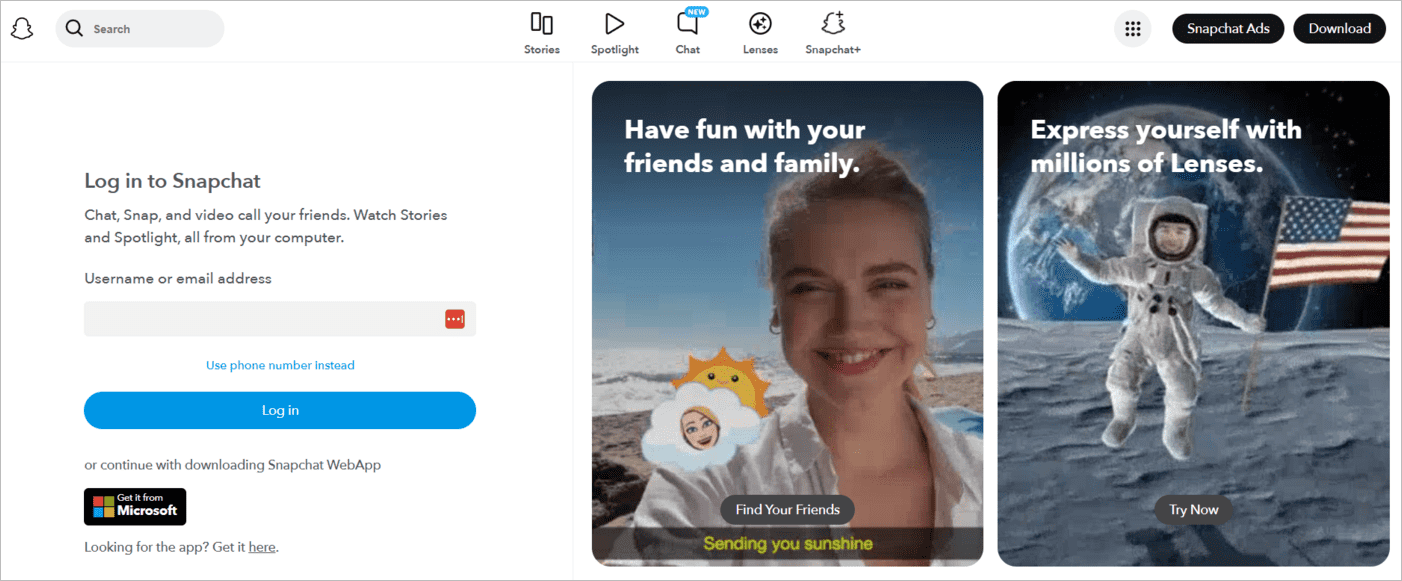
- Log in with your credentials.
#4) Use a VPN
VPNs are effective in unblocking Snapchat, especially if the cause of your issue is government-driven internet censorship. VPNs are extremely powerful in bypassing geo-restrictions, provided you are using a reliable subscription-based service.
My advice would be to use a reputable platform and stay away from free tools that keep user logs. Nord VPN and ExpressVPN are examples of tools that I would bet my life on.
These VPNs work in the same way.
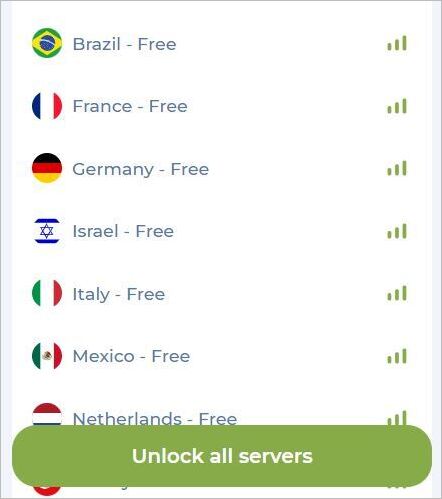
You pay for their subscription and have it installed on your phone or computer. Once installed, open the tool, choose your server, and hit the “Connect” to cloak your digital footprint.
Once the connection is established, try to open Snapchat.
#5) Use an MDM Bypassing Tool
If you are using an office or school-issued device, then it is highly likely that these devices have an MDM installed on them. These Mobile Device Managers can restrict certain apps from opening on the device.
You can bypass these MDM-driven restrictions by downloading third-party phone unblockers like TunesKit or Wondershare’s Dr Fone.
- First, download these tools on your system
- Open them and connect your phone via USB to the computer.
- You should see an option to “Remove MDM” on the tool’s interface.
- Select and hit “Start”.
Steps to Unblock a Locked or Banned Snapchat Account
Geo-based or network-based restrictions aren’t the only thing that could get Snapchat blocked. If you see an SS06, SS07, or SS18 error code, know that Snapchat has banned or locked your device for repeated violations of its community guidelines.
As to what those violations could be, allow me to explain.
#1) Violating Terms of Service
Snapchat has strict community guidelines and terms of service, and its users are expected to abide by them.
Violating community guidelines could entail anything from using abusive or hateful language, stalking somebody else’s account, using Snapchat for cyberbullying, or exchanging inappropriate media files. Users engaged in any such activity could see their accounts getting banned without warning.
#2) Signs of Suspicious Activity
Snapchat has measures in place to monitor any signs of suspicious activity.
Sending an unreasonable amount of friend requests in a short duration, logging in using a banned account, or multiple failed login attempts could all be deemed as suspicious activity, leading to your ban.
#3) Using Plugins and Third-Party Apps
Snapchat doesn’t react kindly to the use of plugins and third-party apps being used to alter its DNA. It has powerful detectors in place that can identify such tools and ban any account using them.
#4) Hacked Account
Snapchat will ban an account if it has a legitimate reason to believe it may have been hacked. A ban in this situation is usually undertaken to protect a user’s data and privacy.
Decoding Snapchat Bans
The ban on your account could either be temporary or permanent.
#1) Temporary Account Lock
If your account has been locked temporarily, I would suggest waiting for a period of 48 hours before you attempt a login again. We highly recommend uninstalling any plugin or third-party app you may have been using before your attempt.
#2) Permanent Account Ban
A permanent account ban is a serious matter. However, you still have the option to appeal the ban and get your account unlocked. You’ll see a pop-up notification for “Appeal Decision” appear on your screen every time you open Snapchat and try to log in.
Tap on this notification to submit the appeal. Know that you can only appeal once. If your appeal is denied, there will be no second chance.
If the pop-up notification to “Appeal Decision” does not appear on your app, it means your account is not eligible for an appeal.
Once an appeal is submitted, the entire process could take around 30 days. You’ll have to practice patience during this time.
Legal and Ethical Considerations of Snapchat
As you can see, unblocking Snapchat on a restricted network is simple. Does that mean you should do it? That is a separate matter where we’ll need to discuss the legal ramifications and ethical implications of doing so.
I don’t think you are in any way violating any ethical boundaries by bypassing network or geo-restrictions by getting the app or Snapchat for web unblocked. However, you could be violating some serious company or school policies, which could result in your suspension, firing, or even a fine.
Things are even more serious when you are bypassing geo-restrictions imposed by totalitarian regimes. News stories about people being sentenced to prison for simply accessing a banned app in countries like Iran are all over the internet for you to read.
I would also strongly advise against using Snapchat on a company or school-issued device. Bypassing MDM restrictions on this device could alert the authorities, who may respond with a punishment they deem fit for you.
Only unblock Snapchat if you feel it is necessary to do so.
Frequently Asked Questions
1. How to get Snapchat unblocked on a school Chromebook?
You can use any of the measures below to unblock Snapchat on your school Chromebook.
– Switch to the cell phone’s cellular data hotspot.
– Switch to a public DNS address.
– Use a proxy or VPN connection.
– Use a phone unlocker to bypass any MDM restrictions on the Chromebook.
2. Is an SS06 Snapchat ban permanent?
An SS06 error message indicates your device has been banned from accessing Snapchat. You could get this message for repeated violation of Snapchat’s community guidelines.
While reports suggest the ban is permanent in nature, there are users out there who have stated that the ban can be temporary, usually lasting for 6 months or a year.
3. How do I get my Snapchat account back?
That depends on whether the ban is temporary or permanent. If your ban is temporary, I would suggest waiting for 48 hours before attempting to log in again. If the ban is permanent, you’ll need to submit an appeal via the “Appeal Decision” pop-up notification on the app.
If this pop-up doesn’t appear on your phone, it means the ban cannot be lifted, and you’ll never get the account back. You’ll have to create a new account from a new device.
4. Does Snapchat warn you before banning an account?
Snapchat does warn its users if the violation is serious. For instance, if you’ve published content on the platform that violates community guidelines (e.g., sexual content, depiction of violent or terrorist activity, or child abuse), Snapchat will first remove that content.
The snapchatter will then receive a message from Snapchat, which informs them of the content removal and warns them that repeated violations could get their account banned.
Snapchat’s team records a “strike” against Snapchatters every time a warning is issued. Repeated strikes can get a Snapchat account permanently locked.
5. What countries do not allow Snapchat?
The following countries have banned Snapchat:
– China
– Cuba
– Iran
– Turkmenistan
– Russia
– South Sudan
– North Korea
Conclusion
There may be several reasons your Snapchat account was blocked. Fortunately, there are many steps you can take to resolve this issue. The first step is to identify the problem. Understand why it happened. Identifying the reasons will naturally lead you to the best solution.
I would also advise practising caution when trying to access Snapchat on a restricted network, especially if you are in a country with strict internet censorship. A couple of seconds on Snapchat isn’t worth the trouble it could land you in.
So, only access Snapchat if you must and are sure of your safety. Use cell phone data or switch to a public DNS if you are trying to access Snapchat on your school or office network. A reliable, subscription-based VPN would be your best option to bypass geo-restrictions.
Finally, wait for 48 hours if your Snapchat account is temporarily locked, or submit an appeal if the ban appears permanent.
Give the above tips a try yourself and check how well they work for you.
Research Process: The total time involved to complete and publish this article is approximately 52 hours. This content was created through a structured research approach to ensure accuracy and reliability.
For more Snapchat-related guides, you can explore our range of Snapchat tutorials below:
- How to Deactivate or Delete Your Snapchat Account Quickly
- How to Delete Stickers From Snapchat
- How to Know if Someone Blocked You on Snapchat
- Half Swipe on Snapchat: Tricks from Experts
- How to Recover and Restore Your Snapchat Streak Without Paying
- How To Download, Install, and Use Snapchat for Windows PC
- How to Send a Snap with the Cartoon Face Lens on Snapchat
- How to Turn ON Snapchat Dark Mode on iPhone and Android
Was this helpful?
Recommended Reading
-

This tutorial will quickly educate you on how to deactivate Snapchat and delete your account across various platforms and devices with step-by-step screenshots of Snapchat deactivation: Snapchat has been a very popular social media app since its launch in 2011. For over a decade, there has been a sanctum of…
-
Through this tutorial, get to know the best possible ways to address your query: How to Get Snapchat on Windows 10: Three former students developed Snapchat, a communication app at Stanford University. It is only used on mobile devices. But can you get Snapchat on a computer? Yes, there are…
-
In this guide, we shall provide you with legal working methods that can be used to track your child’s Snapchat activities through snipping into the Snapchat account. If you are a worried parent or trying to retrieve your lost data from Snapchat, it is important that you know how to…
-
Are you unable to see someone's Snapchat story? This step-by-step guide explains the proven ways to know if someone blocked you on Snapchat and ways to deal with it. Are you looking for ways to find out if someone has blocked you on Snapchat, or Not Sure why you can’t…