Streamline your sales pipelines & accelerate sales cycles with the top Deal Management Software. Pick the right Deal Management apps to close more deals, maximize revenue & boost your win rates:
The sales process is a very crucial part of businesses. It involves maintaining a good relationship with the customer, which eventually gives them remarkably good results.
Every business wants to maximize sales by turning its potential leads into paying customers.
Top-Rated Deal Management Platforms
This sales process commonly works in this way:
- Businesses look for promising leads.
- They do a quick analysis of that potential customer.
- They make the initial contact.
- Present (advertise) their product while highlighting its benefits.
- The precautions to be taken while handling the product are laid down.
- Then, there happens sales closure.
- Then the business follows up (with asking for feedback, more offers, etc.) and nurtures the relationship with the customer.
Businesses need a team or software to make the deal management process easy and more fruitful.
In this article, we have come up with a review of the top deal management apps that can immensely help businesses of all sizes in capturing leads and winning more deals.
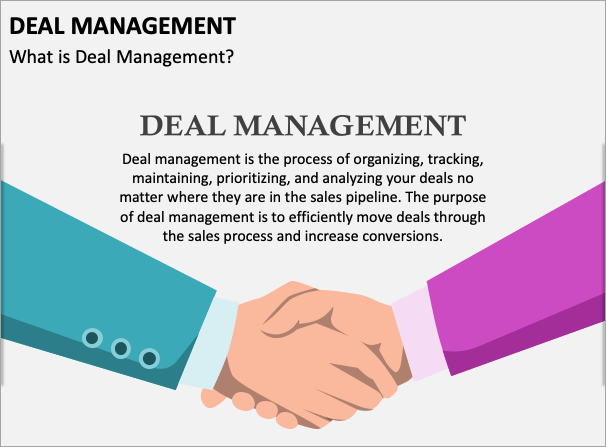
[Via Collidu]
What is Deal Management Software
Deal Management Software is used by businesses to manage sales pipelines. These software monitors organize and analyze the deal lifecycle. Plus, they integrate with your existing systems to capture leads, automate workflows, and much more.
How does deal management software help close more deals?
Watch this YouTube video explaining how Deal Management helps businesses close more deals.
A deal management software offers several features that help businesses in reducing sales steps and time, and establishing good relationships with their customers. They enable businesses to close more deals by delivering several benefits, such as:
- They allow businesses to customize an automated workflow for the sales pipeline, so that no important task remains undone. Plus, the automations make the sales process quick and effortless.
- They capture leads from different apps, organize them, and maintain a track of communication history and past activities.
- They give visualization tools that help businesses track the sales process and employee performance instantly
- They provide reporting and analysis tools that help businesses get real-time, actionable insights about the business performance, growth opportunities, and loopholes.
- Many deal management software programs offer Chatbot and Live Chat features, so that businesses can instantly address their customers’ concerns.
What features should I look for in deal management software?
One must look for the following features while choosing a Deal Management Software for their business:
- Tools for tracking the deal process.
- Integration with your apps, such as CRM and other tools used in your operations.
- Data security features.
- Reporting and analytics give businesses actionable insights and play an important role in helping businesses make strategic decisions
- AI-powered automation can make the whole process more efficient and smooth.
- Team collaboration features help with task assignment, tracking progress, and more.
Advanced features that can deliver huge benefits to businesses:
- AI & Machine Learning Capabilities: These features can help in automating workflows, lead scoring, data reporting, and insights, and much more.
- Predictive Analytics Features: These features enable businesses to see the outcome of a deal, so that they can take better, more strategic decisions.
- Mobile-first Design Considerations: Some applications don’t work as well on a mobile device as they do on a desktop. But if they offer a user-friendly, feature-rich product across all devices that automatically syncs data, it would be great.
- Customization and White-labeling Options: If the platform allows you to customize the dashboard as per your needs, it would be great.
Cost of Deal Management Tools
A deal management software’s cost ranges from $0 per month to as high as $550 per month, depending on the features offered.
Many of the top deal management software offers free versions that can be quite beneficial for startups and small businesses. But for advanced features, you will have to buy a paid plan.
Buyer’s Guide
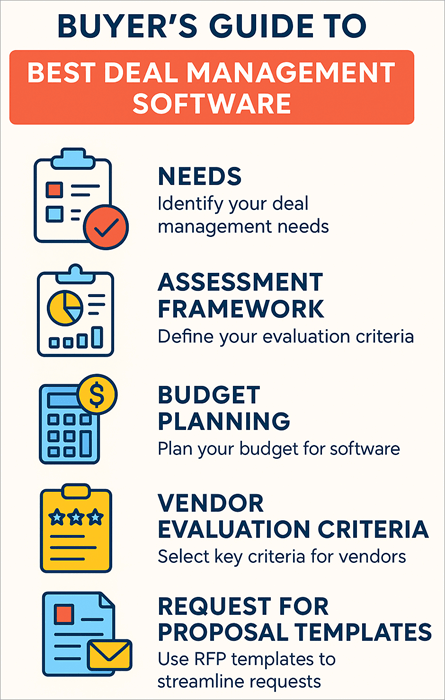
- Needs: First of all, clearly write down the specific needs of your business, for example, Workflow Automation, Lead Scoring, Marketing, Collaboration tools, etc.
- Assessment Framework: The buyers must assess the software based on the following criteria:
- Real-time pipeline visibility
- Workflow Automation
- Scalability
- Collaboration tools
- Integration with your existing systems
- Reporting and analytical revenue forecasting tools
- Security features.
- Budget Planning Guidelines: While you plan to get a deal management software, plan your budget this way:
- First of all, you must be clear about what features you actually need. Then, look for the software that fits your needs and can help you achieve your long-term business goals. Make sure you choose scalable software so that you don’t have to incur costs for migration in the future.
- Calculate the total costs of migration, integration, maintenance, and monthly subscription.
- Examine the software you choose for the value it delivers. You may be choosing a low-cost plan, but the higher plan may be giving a greater ROI. So plan wisely, according to your company’s budget.
- Vendor Evaluation Criteria: You can evaluate the vendors for choosing a deal management software for your business based on the following criteria:
- First, you must be very clear about your needs. Then check out which vendor is providing you with the features you are looking for.
- Once you have found some vendors that are offering the features you want, evaluate the total costs, value for money that each is offering.
- Look at the security and compliance features, integrations, and scalability of the platform.
- Many vendors offer a personalized demo of their product, which can be quite helpful in evaluating the usability of the platform for your business.
- Request for Proposal (RFP) Templates: The Request for Proposal (RFP) templates that you present to the vendor must contain clear information about the company’s goals and objectives (that you need to attain with the deal management software), technical requirements, budget, expectations, etc.
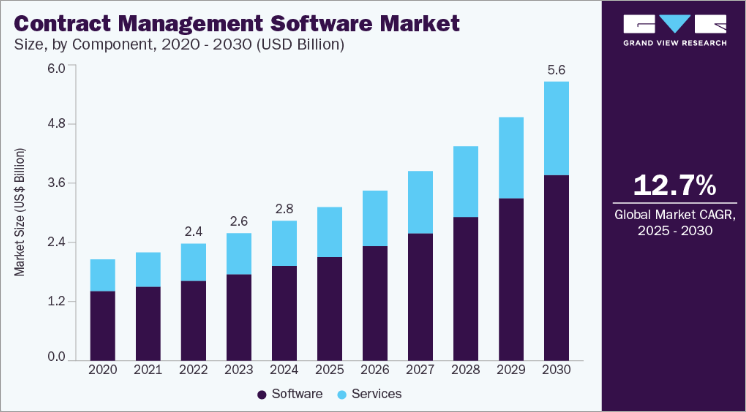
The report further states that the following factors are contributing to the expansion in this market:
- Digital transformation of business.
- This software helps businesses in reducing the time of the sales cycle and the chances of human error.
- They provide real-time visibility into the contract process.
- Provide useful tools like automations, templates, and more.
- Help businesses ensure compliance.
List of Best Deal Management Software
Consider this popular list:
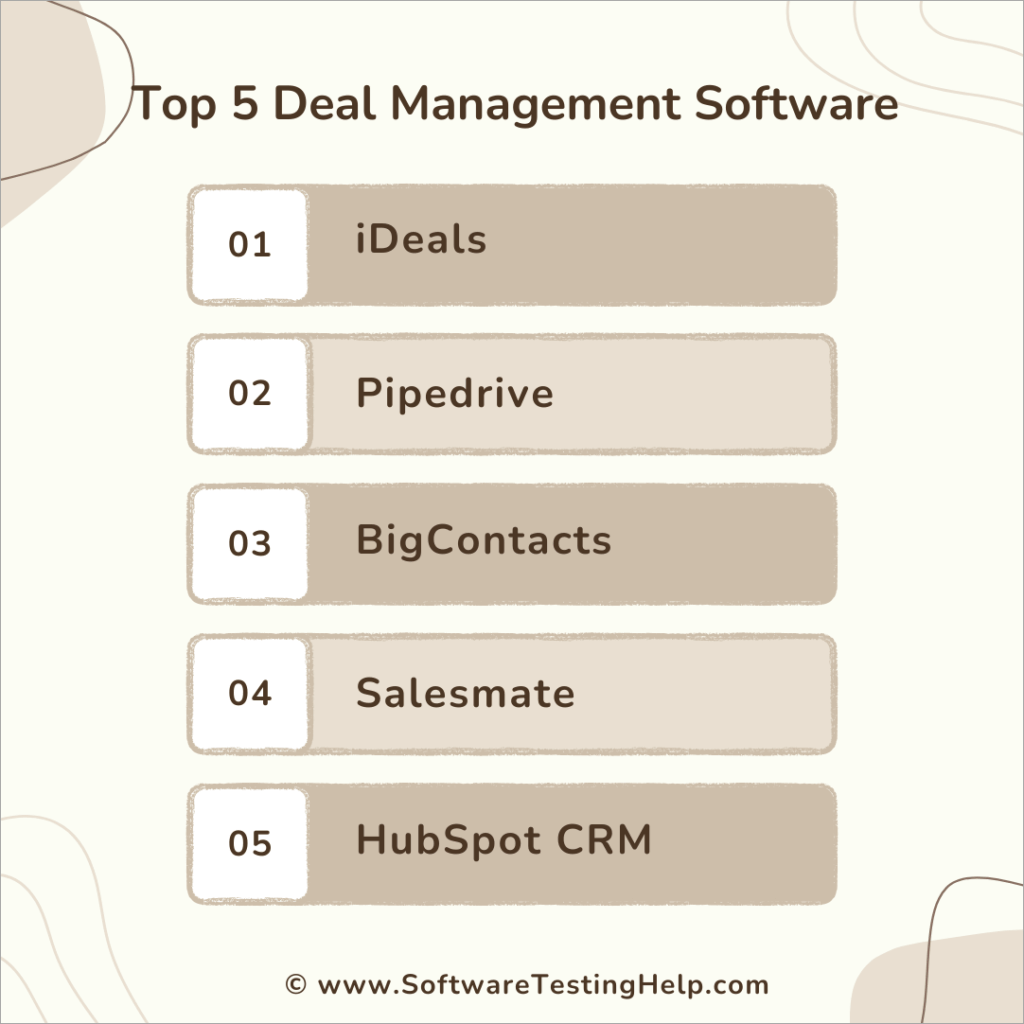
- iDeals
- Pipedrive
- BigContacts
- Salesmate
- HubSpot CRM
- Salesforce Sales Cloud
- Zoho CRM
- Dealpath
- Outreach
- Affinity
- Dealroom
- Copper
Comparing the Top AI-Powered Deal Management Tools
| Platform | Best for | Most Suitable for | Price | Top Benefits |
|---|---|---|---|---|
| iDeals | Simple, quick, secure and powerful deal management tools. | Businesses of all sizes | Contact them for a price quote. | • iDeals staging hub keeps you future-ready for deals • Seamless integration with your existing systems • Easy to use • Data security |
| Pipedrive | Being easy to use and having a rich feature set. | Small businesses | Contact them for a price quote. | • 500+ integrations • Leads Booster tool • 24/7 Live Chatbot • A rich feature set • Easy to use |
| BigContacts | Offering sales pipeline management, CRM and email marketing tools at quite affordable prices | Small to mid sized businesses | $19.99 per month per 1000 contacts (A free plan is also available). | • A free plan and a very affordable paid one • Data security features • Tools for automating the sales process • Gives good value for money |
| Salesmate | Being a unified CRM and sales pipeline software. | Businesses of all sizes | Starts at $23 per user per month. | • A number of native and Zapier-based integrations • Automated lead scoring tools • Live Chat & Chatbot feature • Automated personalized customer journey |
| HubSpot CRM | Its free version, which can be quite beneficial for startups and small businesses. | Small to mid sized businesses, Startups. | Contact them for pricing information. (A free plan is also available). | • Contact Management tools • Helps in identifying risks and growth opportunities • 1500+ integrations |
Detailed reviews:
#1) iDeals
Best for its simple, quick, secure, and powerful deal management tools.
iDeals offers AI-powered deal management tools for businesses of all sizes. Its intuitive data room makes the whole deal management process a breeze. From launching the data room to managing the project and getting actionable insights, iDeals has you covered.
The platform is perfect for businesses that want a multi-project management tool that is simple yet powerful and offers advanced data security features.
With iDeals, you get to manage your sales projects with 8 permission levels, robust project settings, reporting tools, and much more. You do not need to worry about security and compliance, as the platform ensures compliance with regulatory standards like GDPR, SOC2, and HIPAA.
iDeals has over 2 million clients from around the world, including LG, Deloitte, Pfizer, American Airlines, and KPMG. And it has received amazing customer reviews.
Features:
- AI Tools for Simplifying the Process: iDeals offers AI for detecting PII in documents, translating the documents for review (which makes global collaboration easy for businesses), searching documents for finding the right details quickly, and much more.
- iDeals Staging Hub: Users can organize, collaborate, and migrate documents before due diligence, so that their deal pipeline remains future-ready
- Project Settings: You get tools for configuring the data room as per your requirements by defining the project name, storage location, and settings. Plus, you can choose a color theme for the project, customize the background, and much more.
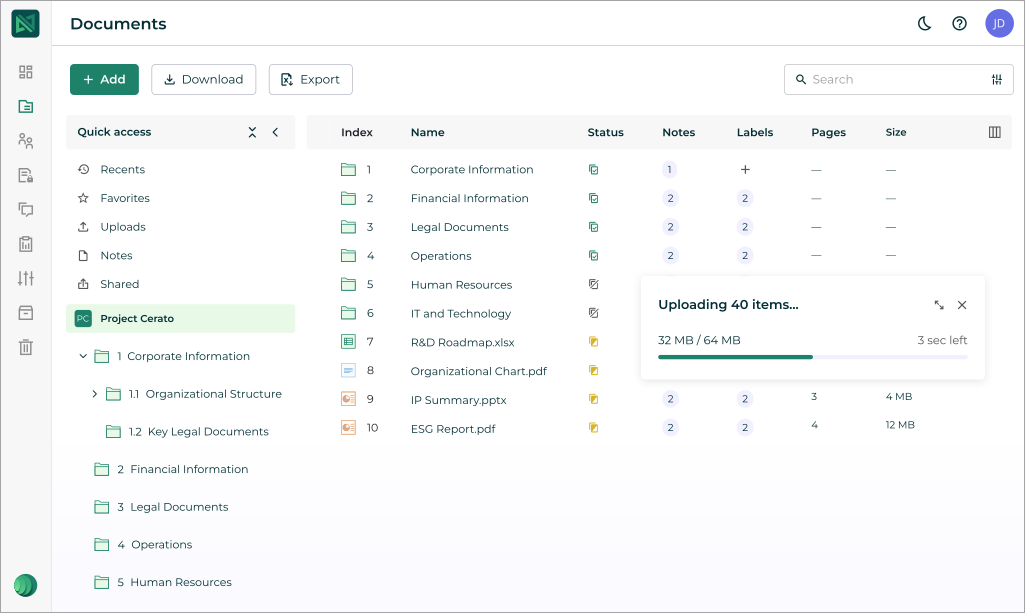
- Document Management: Offers tools for bulk uploading and transfer of documents, quick search, automated synchronization, and more.
- Reporting Tools: Provides actionable insights, gives you real-time visibility into the project activities, helps in maintaining an audit trail, and ensures compliance.
- Multi-project Management: Users get a centralized place for tracking many projects, identifying risks, controlling user access, and more.
Pros:
- Easy to use
- 24/7 support
- Offers seamless integration with your existing systems and workflows.
- Transparent pricing structure
- Advanced data security
- ISO 27001, AICPA SOC certified, HIPAA, and GDPR compliant platform.
- Allows users to apply watermarks to their documents, to prevent unauthorized copying
- Tools for creating custom terms quickly
- Two-factor authentication, login restrictions, role-based permissions and access controls, and much more.
- Allows users to track user engagement with each document, so that user interest can be tracked.
- Tools for tracking and controlling the Q&A process.
Cons:
- Some users find the user interface to be not-so-friendly when they use the advanced features.
Price: Contact them for a price quote.
Suggested Read => Features of the iDeals Virtual Data Room
#2) Pipedrive
Best for being easy to use and for having a rich feature set.
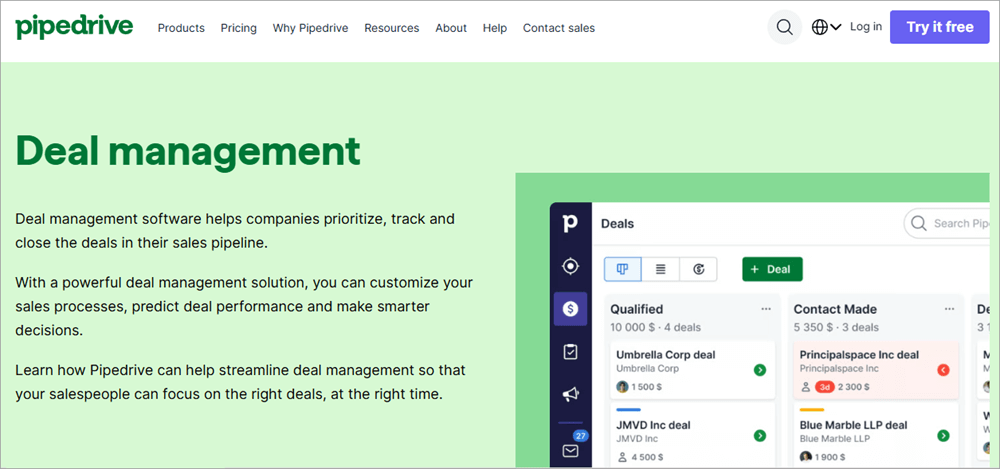
Pipedrive is one of the best deal management software programs out there. It helps businesses manage the full lifecycle of a deal- from prospecting and qualifying new leads to winning the deal and after-sales care.
Pipedrive is recommended because it offers a free trial for 14 days, 500+ integrations with apps like Asana, Microsoft Teams, Zoom, Slack, and Zapier; mobile apps for iPhone and Android users, an add-on Lead Booster tool that offers features like a 24/7 chatbot, Live Chat, sourcing leads from a big database, and more.
The platform claims to create over 100 million deals every year and has achieved many prestigious awards, including ‘Best Software as a Service (USA-SMB)’ award in 2022-23.
Pipedrive is powerful yet easy to use, and it has amazing customer reviews. I would highly recommend Pipedrive deal management software for small businesses.
Features:
- Workflow Automation: Offers automations for each step of the sales process, lets you set triggers and automated actions for specific events.
- Pipeline Visualization: Gives a clear view (with details) of the sales pipeline. You can monitor deal progress and value instantly.
- Reporting and Analytics: Provides sharable, actionable reports with pipeline metrics, and allows you to add custom fields to your reports to track specific variables, patterns, and bottlenecks.
- CRM Tools: Tracks lead data from different sources, directs leads to the right sales representatives, helps in managing sales pipelines, automates repetitive tasks, and much more.
- Forecast Deal Revenue: Pipedrive’s deal revenue forecasting feature helps businesses in decision-making, predicting cash flow, and more. The software lets users monitor the data about buyer interactions so that valuable revenue forecasts can be made and risks can be minimized.
Cons:
- No free plan
- Limited reporting capabilities as compared to its counterparts.
Price: Contact the sales team for pricing information.
Check our Pipedrive Software Review
#3) BigContacts
Best for offering sales pipeline management, CRM, and email marketing tools at quite affordable prices.
Another trusted, easily customizable deal management software for small businesses is BigContacts. It offers a Forever Free plan, and a quite affordable paid plan. The software is simple and offers tools for automating the sales process, growing leads, and much more.
It is basically CRM software, which works on a mobile phone, tablet, or desktop and offers powerful integration capabilities. Plus, their Sales Pipeline Management and security features are commendable.
I must say, the software offers good value for money.
Features:
- Sales Pipeline Management: Users can set customized sales stages, track the sales pipeline throughout its lifecycle, manage access to the sales pipeline, get downloadable reports for tracking sales performance, and more.
- Detailed Contact Profiles: Provides its users with comprehensive data of contacts, including notes, calls, meetings, tasks, emails, and more. You can even add custom fields to each contact.
- Email Marketing: Their email marketing tools include automated email drips that work according to contact behavior or stage in the sales cycle, performance tracking tools, and much more.
- Task Management: Users can create to-do lists with due dates and priority levels, assign tasks to their team through the calendar, set custom alerts, collaborate with the team, schedule meetings, and more.
- Workflow Automation: BigContacts offers tools for creating custom workflows, automating client follow-ups, setting up automated alerts, and more.
- Reporting and Analytics: The software offers pre-built templates for generating reports. Users can even choose to create shareable, customized reports from scratch.
- Data Security: BigContacts is a GDPR compliant platform that offers two-factor authentication, user/role-based permissions, and more security features.
Cons:
- Limited integration capabilities
- Lacks lead scoring tools
Price: BigContacts offers the following price plans:
- Free Plan: Forever free for up to 100 contacts
- Business Plan: $19.99 per month per 1000 contacts.
Website: https://www.bigcontacts.com/
#4) Salesmate
Best for being a unified CRM and sales pipeline software.
Salesmate is a user-friendly, AI-powered deal management tool provider. It offers a Live Chat & Chatbot feature that captures leads while you are busy with other work. It also automates pre-designed, personalized customer journeys, allows users to collaborate with their team, schedule meetings, connect with apps they use, and much more.
It is an award-winning platform and has over 8,500 global clients, including Sony Music, Diamonds Direct, and more. Their flexible pricing structure makes the platform suitable for businesses of all sizes.
Features:
- Pipeline Visibility: Gives deep visibility into the sales pipelines, so that you can spot the loopholes in the pipeline. Plus, their lead scoring tools identify hot leads, so that you don’t miss potential clients.
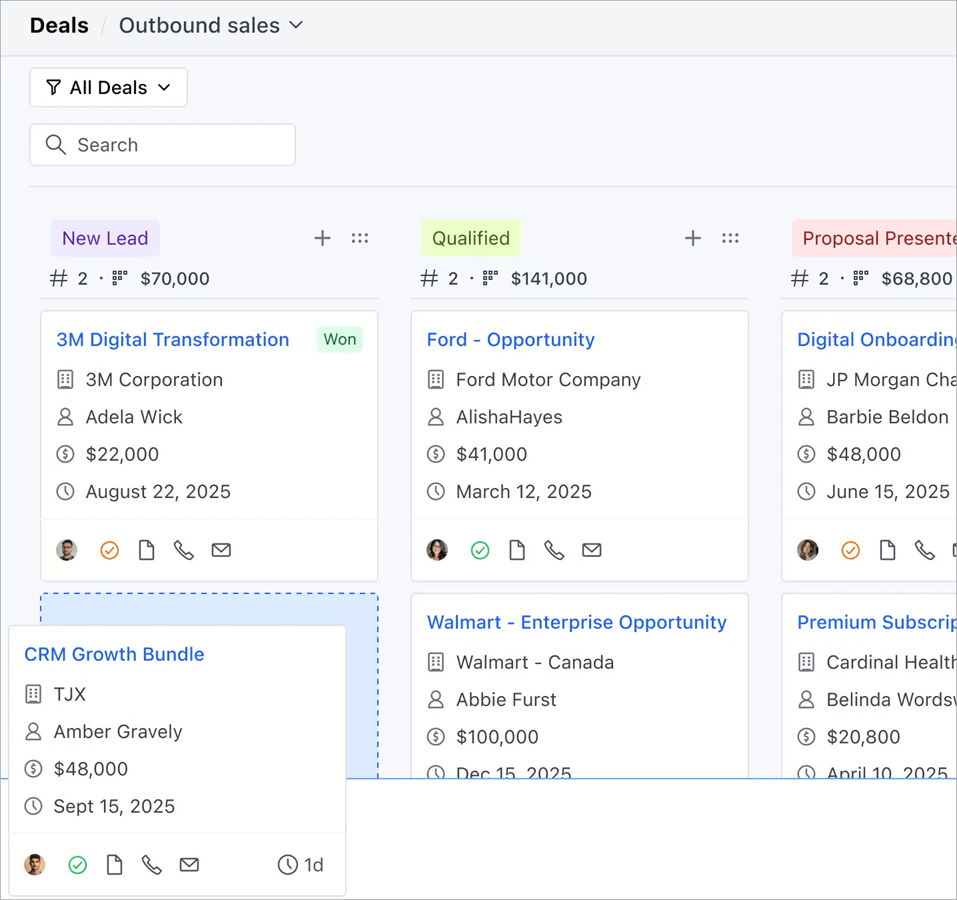
- Multiple Pipelines Management: Salesmate offers tools for customizing deal stages, adding new deals with its drag-and-drop tools, estimating the total value of each stage and pipeline, and much more.
- Communication Capabilities: Salesmate allows its users to communicate with prospects through email, calls, text, or even video from inside the app.
- Reporting and Analytics: Salesmate offers tools for creating custom reports and custom dashboards. Their reporting and sales forecasting features help businesses estimate the value of their sales pipeline and make better business decisions.
- Automations: Users get tools for automated lead scoring, behavior-based campaigns, A/B test campaigns, and more.
- Integrations: Offers a number of native as well as Zapier-based integrations.
Cons:
- There is a bit steep learning curve.
Price: Salesmate has the following pricing structure (when billed annually):
- Basic: $23 per user per month
- Pro: $39 per user per month
- Business: $63 per user per month
- Enterprise: Custom pricing
Website: https://www.salesmate.io/
#5) HubSpot CRM
Best for its free version, which can be quite beneficial for startups and small businesses.
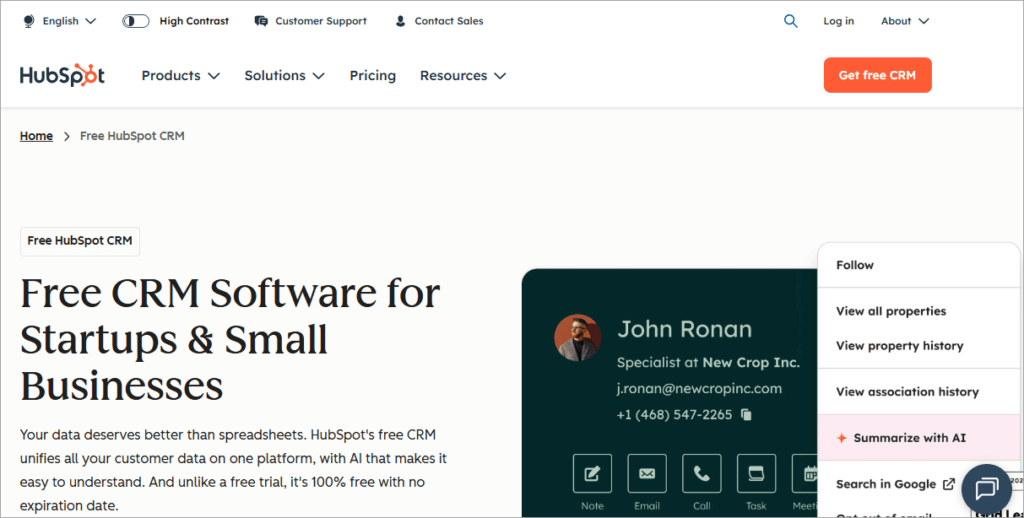
HubSpot CRM is a deal management, marketing, and CRM software that is trusted by over 250K customers from around the globe.
It offers a flexible pricing structure, which makes the platform suitable for businesses of all sizes. Plus, you get a free plan and pricing discounts on the paid ones when you are a new customer. The platform even lets you import your business data from other CRM tools.
HubSpot CRM connects with over 1,500 apps, including Jira, Adobe Express, Microsoft Teams, LinkedIn, and more.
Features:
- Contact Management: Tools for keeping contact records, their communication history, sales activities, and more, in one place.
- Deals management: Gives real-time pipeline visibility, offers predictive deal scoring tools for identifying risks and growth opportunities, lets you track your team’s performance, and much more.
- Pipeline Management: This includes visibility into the sales pipelines, task assignment, predictive analysis, and more.
- Reporting tools: Provides its users with a centralized place for all of their marketing, sales, and service data. Users can also create customized reporting dashboards, as per their requirements.
- Task management: Offers tools for monitoring all of your business tasks and activities, so as to maintain customer relationships.
Cons:
- Many of their users find the price plans costly.
Price: HubSpot CRM offers 4 plans, namely:
- Free
- Starter
- Professional
- Enterprise
The Free plan costs $0 per month. The prices of all other plans vary depending on your requirements.
Website: https://www.hubspot.com/products/crm
#6) Salesforce Sales Cloud
Best for providing actionable deal insights and guidance on every step of the sales process.
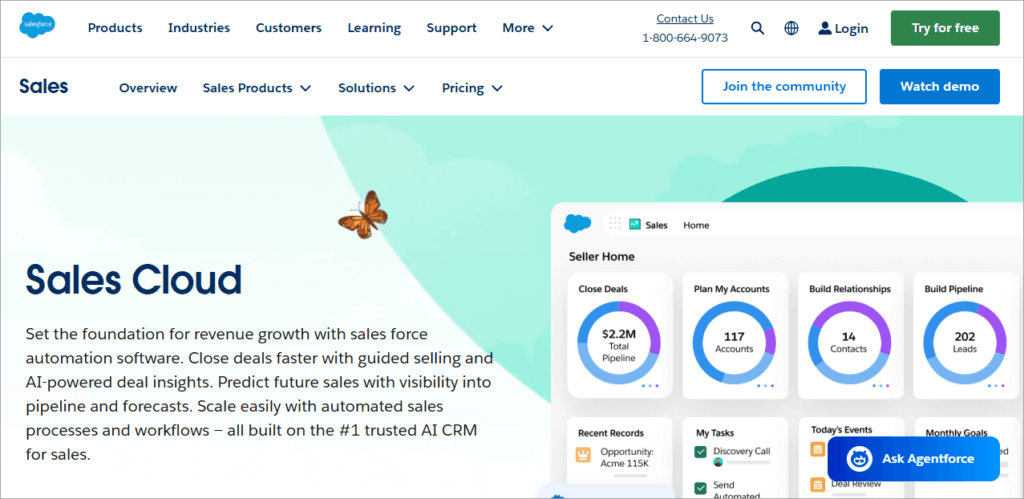
This cloud-based deal management platform offers powerful AI and automations that are beneficial for managing leads, tracking customers, and forecasting sales for enhancing business performance.
Salesforce Sales Cloud is a highly scalable platform that helps businesses grow by providing them with real-time, actionable insights.
Watch this YouTube video showing an overview of Salesforce Sales Cloud.
Features:
- Customer Relationship Management: With Salesforce Sales Cloud, you get AI-powered tools for prioritizing the best leads, guidance for moving deals faster, automations for capturing emails, events, and other relevant activity data, and much more.
- Pipeline Management and Visibility tools: The application offers tools for maintaining and managing the sales pipeline. Users can track changes, get AI-based deal insights, and get real-time, accurate predictions for driving growth.
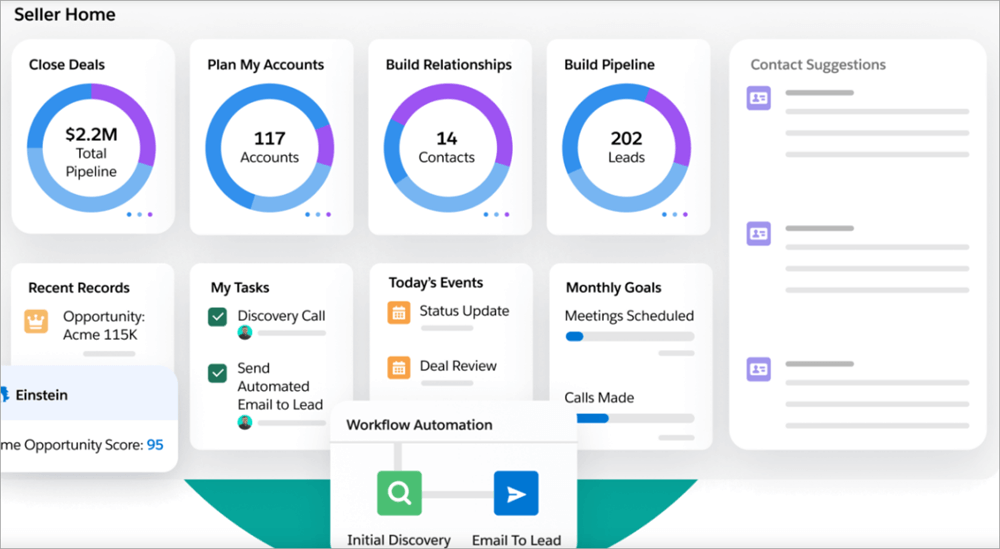
- Automated Sales Processes: Users get tools to automate the sales processes using their easy-to-use drag-and-drop tools. Their workflow automation tools help in closing deals faster with their template quotes and other useful tools.
- Team Collaboration: Users can collaborate with their team using the mobile app or browser extension.
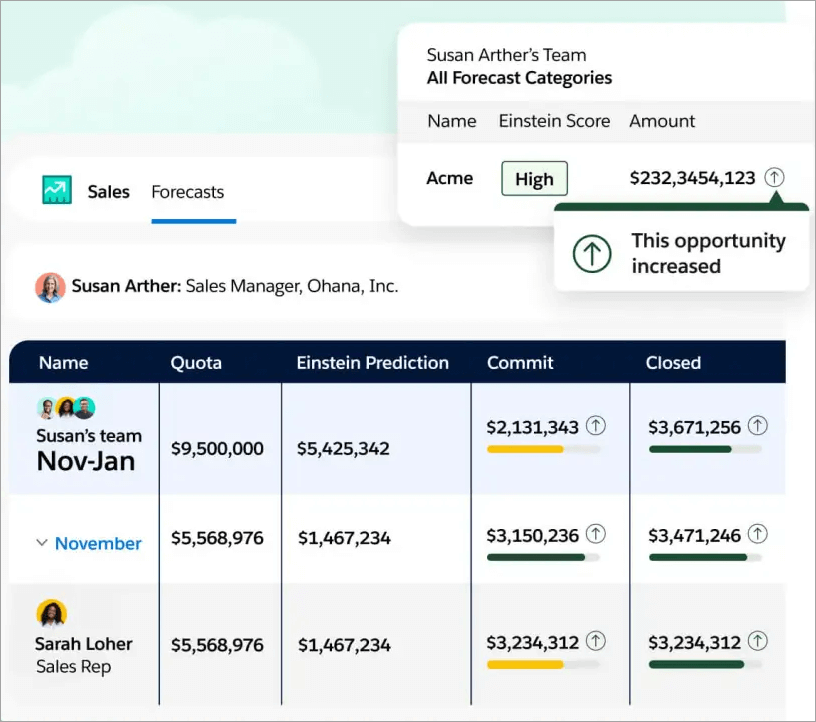
- Forecast Management: Their forecasting tools help businesses get actionable insights and predict growth opportunities.
Cons:
- Complex integration process.
- Some users have faced issues with its customer support.
Price: Salesforce Sales Cloud offers a free trial for 30 days.
Their price plans are as follows:
- Starter Suite: $25 per user per month
- Pro Suite: $100 per user per month
- Enterprise: $175 per user per month
- Unlimited: $350 per user per month
- Agentforce 1 Sales: $550 per user per month
Website: https://www.salesforce.com/sales/cloud/
#7) Zoho CRM
Best for robust deal management and CRM features at affordable prices.
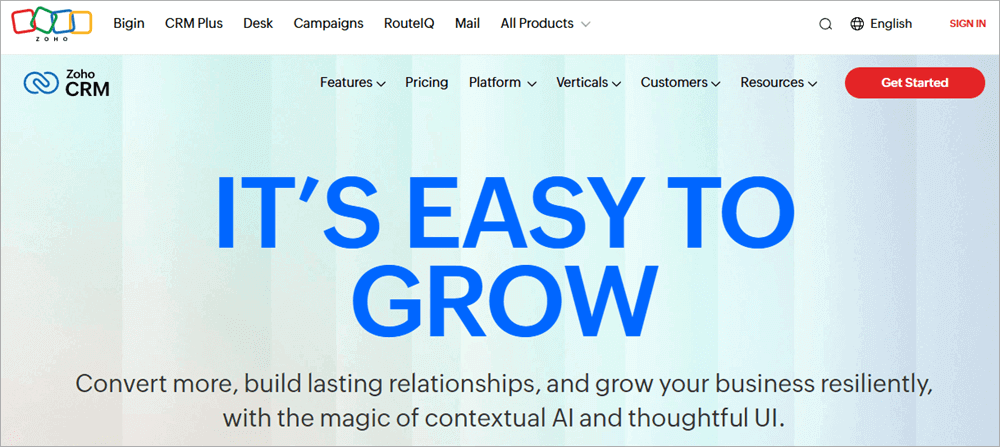
Zoho CRM is a popular and trusted application with over 300,000 customers from all over the world. A good number of Fortune 500 companies are their clients.
The platform claims to increase productivity by about 27% and save licensing fees by up to 71%. The software is suitable for businesses of all sizes and types. You can schedule a personalized demo of the software by contacting the sales team at sales@zohocorp.com
Zoho CRM offers its migration system – Zwitch, which helps businesses migrate from other CRM solutions and import all their sales data into Zoho CRM by following simple steps.
Zoho CRM offers seamless integration with over 1,000 apps, including Twilio, Zapier, PayPal, Mailchimp, Slack, Microsoft 366, and more.
Other plus points about the platform are:
- It can be accessed through mobile.
- It offers 24/7 support
- A free version, affordable prices, and a free trial for the paid plans.
- Advanced data security.
- Intuitive UX
- Faster implementation
Features:
- Sales Assistant: Zoho CRM offers its sales assistant – Zia, which helps businesses by completing tasks, predicting outcomes, providing product recommendations, and much more.
- Customer Relationship Management: Zoho CRM helps businesses provide their customers with personalized brand experiences at each step of their journey. Users can connect with their customers via email, phone calls, chat, Facebook, Twitter, and more.
- Pipeline Management: Businesses can track deal progress and growth opportunities, customize sales/marketing/service pipelines, and more.
- Full Sales Cycle Management: Zoho CRM offers some highly beneficial tools like lead generation, lead capturing, conversion, retention, and more.
- Security Features: It is an ISO 27001, ISO 27017, ISO 27018, ISO 27701 certified, AICPA SOC, GDPR, HIPAA compliant platform. Thus, you can rest assured about the security of your business data.
Cons:
- Some users can face a steep learning curve at the beginning, due to the large number of features that it offers.
Price: Zoho CRM offers the following price plans:
- Free: $0 per month for up to 3 users
- Standard: $20 per month
- Professional: $35 per month
- Enterprise: $50 per month
- Ultimate: $65 per month
Website: https://www.zoho.com/crm/
#8) Dealpath
Best for being a deal management software purpose-built for the real estate industry.
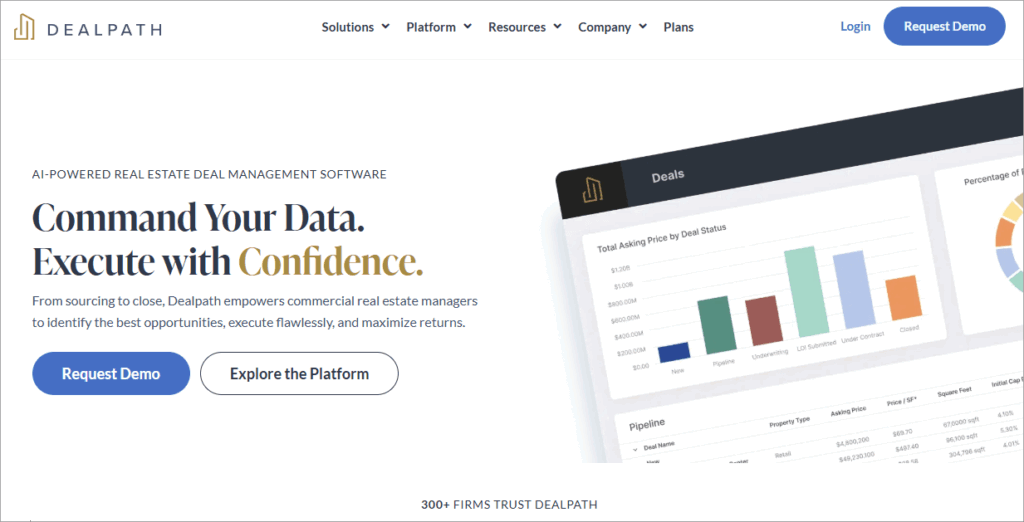
Dealpath is an AI-powered, real estate deal management software. It is trusted by over 300 firms, including New York Life Insurance, Blackstone, Starwood Property Trust, CBRE Investment Management, and more.
In a survey, it was found that:
- Dealpath has helped real estate businesses increase the number of deals screened by about 2 times.
- With Dealpath, the number of errors that occur in underwriting, diligence, and deal execution decreases by 30%.
Dealpath integrates with a number of platforms, including Compstak, ESRI, MRI Software, Cherre, Microsoft Office, Dropbox, Microsoft Azure, and more.
Features:
- Deals Management: The software offers tools for collaboration, automating repeated workflows for effortless deal execution, tracking critical dates, and much more.
- Capture New Data: Dealpath offers AI-powered tools for capturing data from the broker listings
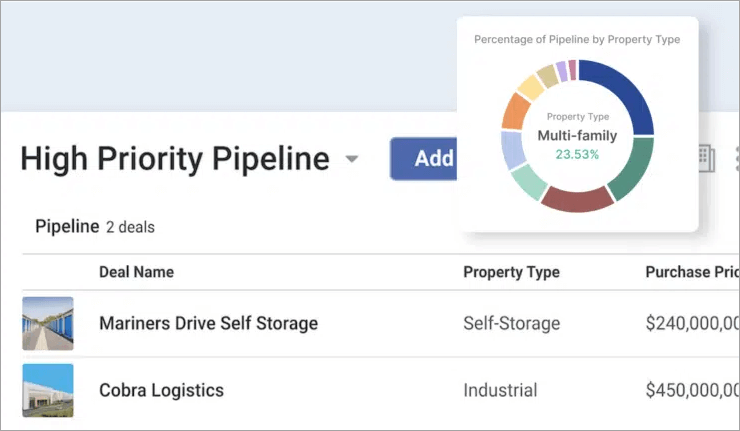
- Pipeline Visualization: You can instantly view the real-time progress of each deal
- Custom Reports: You can get customized reports and insights into your pipeline, portfolio, and metrics.
- Security Features: It is a SOC 2 Type 2 certified platform, which means your data stays secure with it.
Cons:
- Reporting capabilities can be improved.
Price: Dealpath offers 2 price plans, namely:
- Professional (for teams of 5-10)
- Enterprise (for teams of 10+ users)
Contact Dealpath for pricing information.
Website: https://www.dealpath.com/
#9) Outreach
Best for their forecasting features and AI Conversation Intelligence tool.
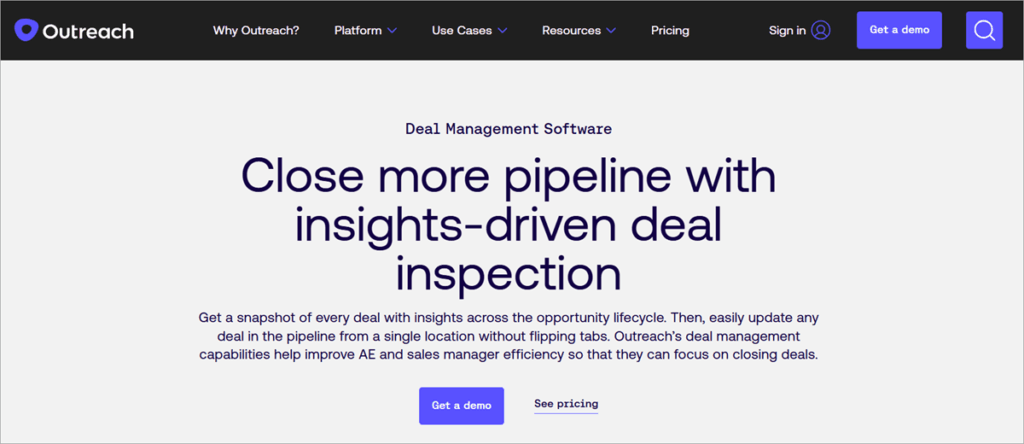
Outreach is an AI-powered deals management or sales execution tool provider.
Its main plus points, which make it stand apart, are:
- The platform’s ability to be customized as per the users’ needs.
- Seamless integration with your existing tech stack.
- Highly useful AI-powered communication intelligence tool.
It provides standard data security features, including encryption, access controls, and security audits.
The platform claims that sales teams that use Outreach increase the chances of winning deals by about 26%, and businesses that take advantage of Outreach AI and Kaia reduce the sales cycle by 19%.
Features:
- Sales Engagement: Outreach offers tools for A/B testing, buyer sentiment analysis, scheduling calls and meetings with customers, and much more.
- Deal Management: Provides a single view of all the deals with information about ARR, close date, health score, etc. Plus, you can view all activities related to the deal- like calls, emails, and meetings.
- Deal Insights: With Outreach’s actionable insights, users identify winnable deals and at-risk deals.
- Pipeline Management: Provides dashboards for monitoring the team’s performance, provides data about changes/trends in the pipeline that occurred during the previous time, and much more.
- Forecasting: Outreach offers frequent, nearly accurate forecasts that help businesses win deals. You can export the forecasts for offline use and view previous forecasts.
- Conversation Intelligence: Outreach has Kaia- AI Conversation Intelligence, which records and transcripts your meetings, provides content cards in live meetings, so that reps can speak with confidence.
Cons:
- Users have reported high costs as the main issue with the platform.
- The user interface is not very user-friendly.
Price: Outreach offers different price plans for different capabilities, namely-
- Engage
- Call (Voice package)
- Meet
- Deal
- Forecast
- Amplify
You can request pricing as per your requirements.
Website: https://www.outreach.io/platform/deal-management
#10) Affinity
Best for relationship intelligence, purpose-built automations, and deal insights.
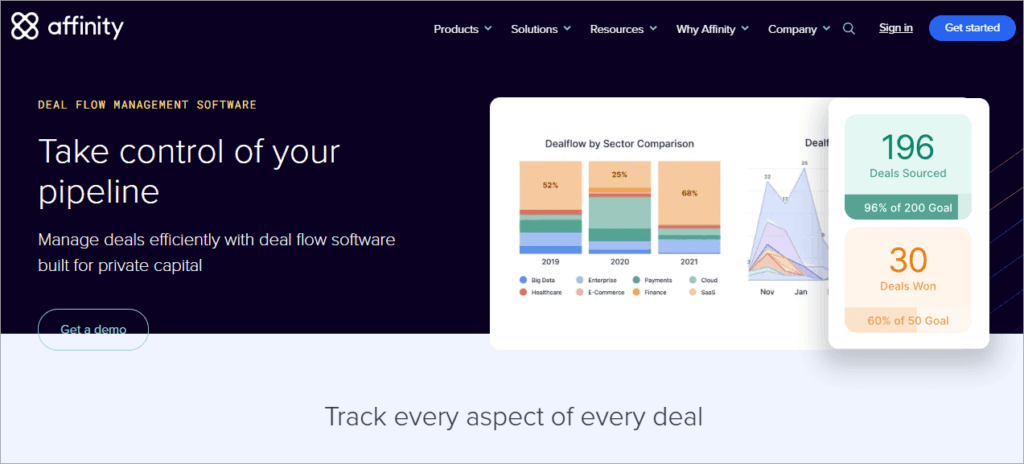
Affinity is a trusted software for Investment Banking deal management. It helps users win mandates by strengthening client relationships.
Affinity provides businesses with insights about pipeline performance and helps them identify growth opportunities as well as bottlenecks. It offers seamless integration with most of the popular applications.
Watch this YouTube video to learn more about Affinity:
Features:
- Deal Management: Affinity offers a centralized place for communications and pipelines, and provides visibility into deal progress and next steps.
- Data Privacy and Permissions: With Affinity, you get several security tools like team-based or permission-based access controls and end-to-end encryption.
- Strengthen Client Relationships: Affinity provides Relationship Intelligence tools that include finding connections, managing networks, and providing insights into relationship status, so that businesses can get to know where they need to give more attention to grab maximum opportunities.
- Reporting and Analytics: Affinity provides its users with useful insights into the mandate process, team activity levels, pipeline performance, and more. With Affinity, users will always know where the deals are coming from and why they won.
Cons:
- Costly user plans
- No free plan
- Reporting and analytics capabilities are limited.
Price: Affinity offers the following price plans:
- Essential: $2,000 per user per year
- Scale: $2,300 per user per year
- Advanced: $2,700 per user per year
- Enterprise: Custom pricing
Website: https://www.affinity.co/product/deal-flow-management-software
#11) Dealroom
Best for tools for discovering promising companies.
Dealroom is one of the best deal management software out there, and is basically used for identifying potential clients to work with. They provide a comprehensive database of over 2 million companies from around the world, so businesses can do an in-depth analysis to find potential deals.
Dealroom is trusted by some of the biggest brands of the world, including Deloitte, AWS, EQT Ventures, McKinsey & Company, and more. They deliver their services to VC & PE, Corporates, Governments, Universities, and more.
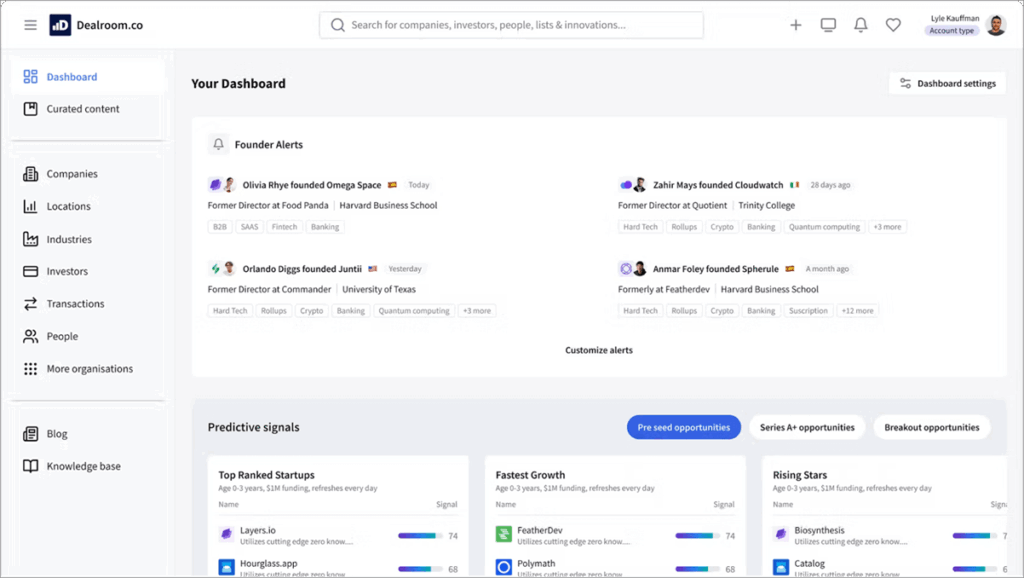
Features:
- Identify Promising Companies: Dealroom offers a smart search module for discovering potential clients and finding similar deals. Their data visualization tools can also be used for understanding the market.
- Enhancement Request: This is a premium feature that allows businesses to ask for data reviews for specific companies. And then the Data Quality Team at Dealroom undergoes its study and provides businesses with data quality assurance within 48 hours.
- Dealroom Chrome Extension: This tool provides users with instant insights about company data, like funding, valuation, and investors.
- Impact Tags (Sustainable Development Goals): Affinity examines startups for their adherence to one or more of the UN Sustainable Development Goals, and classifies them accordingly.
Cons:
- Lacks some useful integrations, like Outlook.
Price: Dealroom offers the following price plans:
- Starter: €12,000 per year
- Team: €20,000 per year
- Corporate: €40,000 per year
Website: https://dealroom.co/
#12) Copper
Best for delivering good value for money.
Copper is a quite affordable deals management tool. It has over 30,000 customers and has amazing reviews. It offers smooth integration with Gmail, Google Calendar, Mailchimp, Zapier, RingCentral, QuickBooks, Dropbox, and many other applications.
Copper offers mobile apps for iOS and Android users. Their users state that Copper offers a quick setup process and amazing integration capabilities. Plus, it helps them exceed client expectations.
Features:
- Organize Contacts: Copper organized all of your emails, calls, files, and notes in a centralized place, so that you can view all of your client relationships in one place.
- Pipeline Management: With Copper, you get tools for personalizing sales processes with customized fields, helping in identifying the best opportunities, automating alerts when a deal moves to the next stage, and more. Copper even offers pipeline templates that help you get started quickly.
- Workflow Automations: The platform offers automations for follow-ups and tasks
- Visibility: Copper offers AI-powered insights so that you can spot deals that need your attention.
- Collaboration: With Copper, you can collaborate with your teams, project managers, contractors, etc.
Cons:
- Their mobile application has limited features.
- Reporting tools can be improved.
Price: Copper offers a free trial for 14 days. Their price plans are as follows:
- Starter: $9 per seat per month, billed annually.
- Basic: $23 per seat per month, billed annually.
- Professional: $59 per seat per month, billed annually.
- Business: $99 per seat per month, billed annually.
Website: https://www.copper.com/
Frequently Asked Questions
1. Is Zoho better than Salesforce?
If you are looking for a deal management or CRM software, then both Zoho and Salesforce are quite popular, user-friendly, and recommended tools available in the industry.
Zoho offers a good set of CRM features, a free version, and a sales assistant named Zia, which helps businesses with completing tasks, predicting outcomes, providing product recommendations, and much more.
And if we look at Salesforce, it is a highly scalable platform, and its plus points are actionable deal insights, guidance on every step of the sales process, and advanced automations for the sales process and Customer Relationship Management.
2. What is meant by lead management?
Lead management refers to the process of finding potential clients (or leads) for your business, contacting them, presenting your products to them, and maintaining a good relationship even after a deal is closed.
3. What is Relationship Intelligence?
Many of the CRM tools offer a relationship intelligence feature that uses AI to benefit businesses in many ways, like:
• They automatically capture lead data from your emails, meetings, etc.
• They collect data about your business’s collective network, so that you can get to know the strength of those connections
• Analyzes frequency of contact and customer sentiment through their behavior, to score relationships
• Gives insights into the most influential contacts.
4. What is a Deal Management System?
A deal management system is basically an application that offers businesses tools for digitizing their deal management process, which involves:
• Finding and capturing hot leads
• Making the first contact
• Presenting your product while explaining how it can benefit them
• Describing how to handle the product
• Sale execution
• After-sales care/relationship management.
The deal management software connects with your existing systems and offers automations for streamlining the whole sales process, thus making the process easier and quicker.
5. How long does implementation typically take?
The implementation process of a deal management software may take 1 month to 18 months, depending upon several factors, like:
• Need for customization in the software
• Complexity of the software
• Volume and complexity of the data to be migrated
• Integration with the existing systems.
6. What’s the difference between CRM and Deal Management Software?
A deal management software helps businesses in managing sales deals. This includes the process from lead generation to sale execution and after-sales care.
CRM software offers features suitable for a broader range of use cases.
For example, it manages the whole customer journey, which includes marketing campaigns, customer data management, workflow automation, automated interactions with the customers, and much more. Thus, we can say that a deal management software is a subset of CRM software.
7. How do I migrate from spreadsheets to Deal Management Software?
Most of the deal management software has a migration process for moving your company data from your old systems into the new software.
You will most probably need to standardize your spreadsheet data in a way to matches the software’s requirements, then save it as a CSV file to be imported into the new deals management software.
Then, migration testing is done to identify issues. After that, the team is given training for the successful adoption of their new software.
8. What integrations are most important for Deal Management?
The most important integrations for deal management are CRM, marketing, lead scoring (if this feature does not come with your deal management software), accounting tools, ERP software, and e-signature tools.
Conclusion
I must say that deal management software can prove to be the most profitable investment done by businesses, because of the way it helps them in maximizing sales.
Go through these tips while choosing a Deal Management Software:
- If you are looking for a Deal management software for a small business, you can choose from BigContacts, iDeals, Pipedrive, HubSpot CRM, Salesforce Sales Cloud, Zoho CRM, Dealpath, Outreach, and Copper.
- BigContacts, HubSpot CRM, and Zoho CRM are offering quite useful free plans.
- Dealpath is purpose-built for the real estate industry.
- For Investment Banking deal management, you can go with Affinity.
Research Process:
- Time taken to research this article: We spent 18 hours researching and writing this article, so you can get a useful summarized list of Deal Management Software with a comparison of the top 5 of them for your quick review.
- Total software researched online: 31
- Top tools shortlisted for review: 12
Was this helpful?
Recommended Reading
-

This is a comprehensive review and comparison of the top Sales CRM Software and includes the top features offered by the best Sales CRM tools: A business cannot exist without doing enough sales. Apart from producing good quality products, a business owner also needs to focus on adopting various techniques…
-
Deeply explore the best CRM Software Tools with features & pricing. Select the right CRM tool to maintain better customer relationships for a successful business: Customer Relation Management (CRM) can be defined as an organized approach to develop, manage, and maintaining a profitable relationship with customers. CRM is all about…
-
Read this Article with an In-depth Review of the top CRMs HubSpot Vs Salesforce & Detailed Feature-wise Comparison to Select the Best Option: Salesforce offers enterprise-level CRM capabilities and has many competitors from the technology giants like SAP, Adobe, Microsoft, and Oracle. Salesforce is not the only CRM in the…
-
This Salesforce CRM Tutorial Explains What is Salesforce Customer Relationship Management Software, its Architecture, Functionalities, Pricing, etc: Customer’s expectation, to have an application that is tailored specially to fit the requirement, has been growing a lot lately. To stand out and reach customers and businesses, Salesforce CRM has been working…