


Steps to check the call history of any mobile number online easily and the top 7 apps to check and retrieve mobile call history free.
A lot of people look for ways to check a call history online, either because they wish to restore lost call history data, view previous call history records, or obtain call history from a telecom service provider.
In this tutorial, we will teach you the right methods to carry out call history checks on Android phones, iPhones, Airtel, Jio, Verizon, AT&T, and cloud backups. You will also find privacy guidelines and scam cautions that must be taken into account when checking call history via the web.

How to Check Call History Online free of cost?
The process of checking one’s call history can be done via your mobile phone app or the company’s website, as well as via your telecommunications company’s web page, where you manage your account information.
Complete Guide to Check the Call History Online
To check call history online, the most reliable method is through your mobile carrier’s official portal, where you can obtain all your call history.
There are also third-party mobile tracking apps, such as mSpy or FlexiSPY, which offer complete call history tracking, but they should only be used with consent. Other websites that promise to provide call logs may pose security risks, so take due precautions before adopting their services.
[Via University of Utah]
In addition to the above details, in the following section, I will be highlighting some of the most effective methods from third-party apps to VoIP and CRM systems to check call details of any number.
So, without much further ado, let’s dive in.
Why Check Call History of Mobile Number
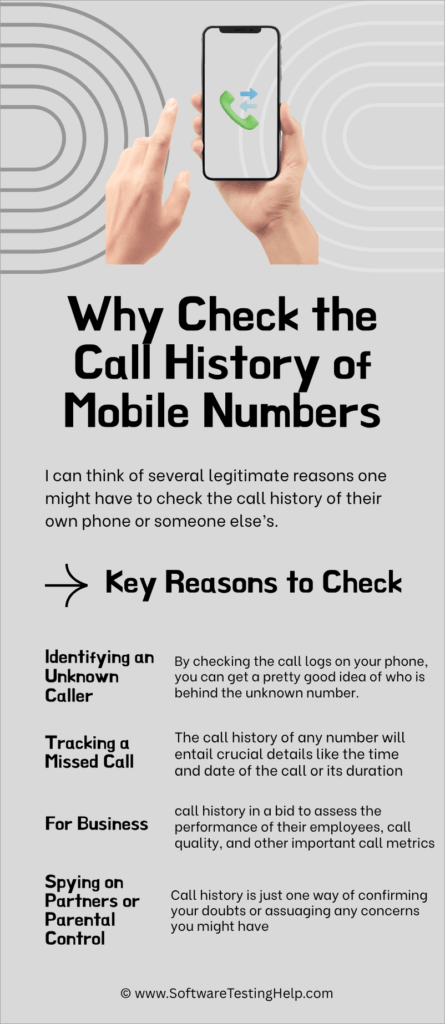
I can think of several legitimate reasons one might have to check the call history of their own phone or someone else’s.
#1) Identifying an Unknown Caller: Let’s say you’ve been getting calls repeatedly from an unknown number. You would want to know who the person is behind that number before you call back, just to be safe. By checking the call logs on your phone, you can get a pretty good idea of who is behind the unknown number.
#2) Tracking a Missed Call: The call history of any number will entail crucial details like the time and date of the call or its duration. Going back and checking your call logs can help you keep track of missed calls, ensuring you respond to a call you might have missed by mistake.
#3) For Business: Most corporations engage in business deals through phone calls. As such, call history or records can serve as an important performance assessment tool that helps employers or business owners. They can refer to the call history to assess the performance of their employees, call quality, and other important call metrics.
#4) Spying on Partners or Parental Control: If you’ve grown suspicious lately of your child or partner’s activity on their phone, perhaps you can’t beat the urge to know who they’ve been communicating with. Call history is just one way of confirming your doubts or assuaging any concerns you might have.
Call history is undeniably a great reference point for parents who want to ensure their children aren’t talking to shady strangers on their phones.
How to Check Call Log or History of Any Number on iPhone
1. Find and open the Phone app on your iPhone.
2. Tap on the “Recent” menu.
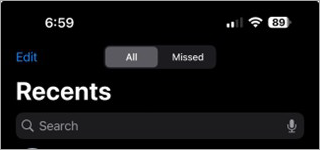
3. Choose from “Missed” and “All” to filter the call log.
4. Tap on “i”, which will be displayed beside a phone number to reveal more details about the call.
Refer to this video to understand how to see call history on iPhone:
How to Check Call Log or History of Any Number on Android
1. Find and open the “Dialer” app on Android.
2. Click on the “Recent” tab to reveal all the calls you’ve made and received.

3. Scroll to find the number you wish to check the call details of.
4. Tap on the “i” beside the number to reveal more information, like when the call occurred, how frequently, and how long a call lasted.
Checking call logs on a phone is easier when you are doing it on your device. However, it wouldn’t be wise to employ this method if you wish to check the call logs of a number on your partner’s or child’s device.
The better option would be to use a third-party app. Fortunately, you have a plethora of options at your disposal in this department.
How to Check Call Details Through Telecom Providers Free
To get precise information about your calls online, you can make use of the telecom provider’s own application or portal service. This is because telecom providers have information regarding your calls, including both inbound and outbound, and months of call history.
You can make use of the following telecom providers to check your call details online for free:
1. Reliance Jio (India)
- Open the MyJio App on your mobile.
- Tap the hamburger menu (three horizontal lines) $\rightarrow$
- Select Usage Alerts $\rightarrow$ Tap on Calls.
- For a downloadable copy, tap on the bottom part and select Detailed Statement, where you have options to email, download, or view call history for the past 180 days.
2. Bharti Airtel (India)
- Launch the Airtel Thanks App.
- Tap your Profile icon $\rightarrow$ Navigate to Bills and Plan $\rightarrow$
- Select Transaction History or Past Bills.
- SMS Shortcut for Prepaid: Send an SMS to 121 in the following text format: EPREBILL <Month name> <your email address>.
3. US Tier 1 Carriers (Verizon, AT&T, T-Mobile)
The following steps will help you to access your call logs and usage history:
- Web Portal Approach: Log in to your profile on the carrier’s official desktop portal, like My Verizon, myAT&T, or My T-Mobile.
- Navigate to “Billing/Usage” $\rightarrow$ Click on “View Bill Details” or “Usage Details”$\rightarrow$ Then click on “Call Logs/History”.
- Here you can select certain billing cycles to filter and generate clean .csv or .pdf file spreadsheets.
Can You Check Someone Else’s Call History Online?
Many individuals look for ways to check a call history online for any number; however, call logs are considered confidential information and can only be viewed by those with access rights.
1. Legal Restrictions: The act of accessing the call history of someone else without prior permission can violate laws governing privacy and data security in almost all nations around the globe. Internet websites that claim to offer free access to the call history of any mobile number cannot be trusted at all.
2. Telecom Privacy Rules: Call history is maintained by the telecom service providers for the purposes of billing and other needs. But it comes under very stringent privacy guidelines, and the information can be viewed only by the account holder who is duly authorized.
3. Consent Requirements: The proper method to check another individual’s phone call logs is through proper authorization or consent.
This means that the administrator in a business account will have access to the phone call records on those phones registered under his/her name. The other individual whose device the parent/legal guardian manages will also have the log access allowed to him/her.
Best 7 Apps to Check and Manage Call History (Free+Paid)

#1) AirDroid Parental Control

AirDroid Parental Control is a tool tailor-made for parents who’d like to track their child’s smartphone activity round-the-clock. Once the tool is installed on a child’s device, parents can monitor everything transpiring on their device remotely. The tool comes packed with some interesting features.
My favorite is the screen mirroring capability, which lets you monitor your child’s screen in real-time. This way, you immediately know what your child is up to on his or her phone. You can use it to get detailed logs of calls and SMSs as well. You can also immediately block certain numbers, thus protecting your child from any caller you may suspect.
Features:
- Screen Mirroring: View a child’s smartphone screen remotely in real-time.
- Call and SMS Monitoring: Keep track of all incoming and outgoing calls and messages.
- Social Content Detection: Monitors keywords on social media channels, thus helping you keep children away from unsavory content on those platforms.
- Web Safe Search: Monitor browsing activity and block certain websites.
Pros and Cons:
| Pros | Cons |
| Live screen mirroring | The cheap monthly plan can only bind 2 devices. |
| Ability to put numbers and websites on a blocklist | |
| Flexible pricing | |
| GDPR Compliance |
Price: AirDroid Parental Control offers the following subscription plans:
- Monthly: $9.99/month
- Quarterly: Billed at $19.99
- Yearly: Billed at $59.99
Website: https://www.airdroid.com/pricing/airdroid-parental-control-b/
#2) CallHippo

This is a solution I’d recommend corporations use to manage and monitor their business calls. It serves as a dedicated business phone system that can help businesses handle thousands of incoming and outgoing calls.
Once you have a CallHippo account, retrieving call details or history is quite simple. All you have to do is log in, click on the “Call Logs’ tab, and then browse through the call list. To view call details, just click on a specific call, and you’ll be presented with key details like the time and date of the call and duration.
You can record calls via this solution as well. As such, you’ll find recordings (if any) in the call history too.
Features:
- Business Phone System: Consolidates communications across various mediums in a single dashboard.
- AI Phone Agent: Let an AI handle all incoming and outgoing calls round-the-clock.
- Parallel Dialer: Connect agents directly to a live call with a few easy steps.
- Shared Inbox: With chats, emails, and SMSs in one place, expect seamless team collaboration
Pros and Cons:
| Pros | Cons |
| Team collaboration | Better for businesses than casual use. |
| AI-driven | |
| Advanced Analytics | |
| Free demo and trial offered |
Price: CallHippo offers a free trial and demo for those who request these privileges. Its subscription plans are:
- Starter: $18/user/month
- Professional: $30/user/month
- Ultimate: $42/user/month
- Call for a custom enterprise plan.
Website: https://callhippo.com/
#3) mSpy
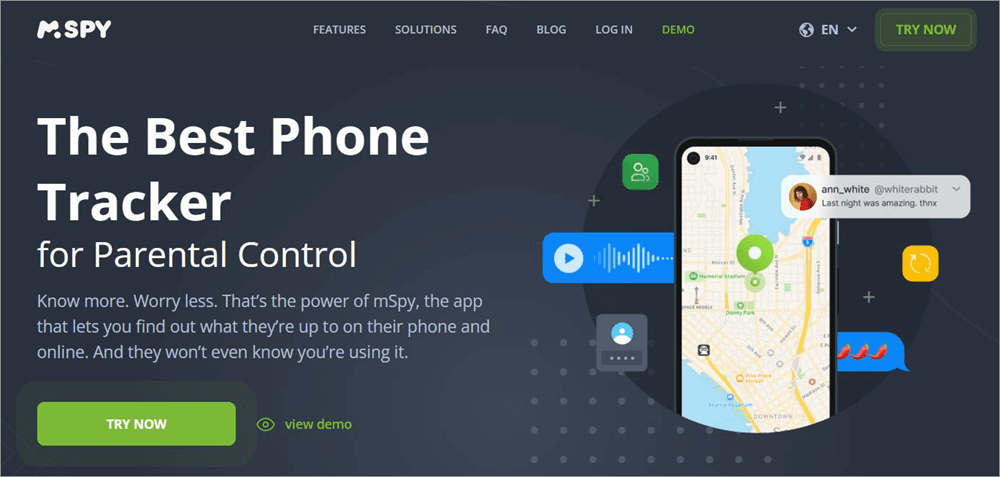
As the name suggests, this is a phone spying app that’ll grant you remote access to somebody else’s device. Once you have that access, you’ll know everything that’s going on in the target device. You’ll be privy to all outgoing and incoming calls and SMSs.
You can count on the tool for detailed logs, which include the time, date, and duration of calls and the identity of the caller. Besides call monitoring, you can also use the app to track the real-time location of your target phone. The tool is very subtle in its spying endeavors. It will help you remotely monitor a device without being detected.
Features:
- Call Recorder: Record and listen to phone calls live with crystal clear audio.
- Keylogger: All keywords typed on the target device are registered.
- Live Screen Streaming: View what’s happening on the target device’s screen in real-time
- Photo and Video Viewer: View media files stored in the target device.
Pros and Cons:
| Pros | Cons |
| Multi-lingual support | The installation initially can get a bit tedious |
| Real-time device monitoring | |
| Screen mirroring | |
| Free demo and trial offered |
Price: mSpy offers the following subscription plans:
- 1 Month: $48.99
- 3 Months: $28/month
- 12 Months: $11.67/month
A free demo and trial are also offered upon request.
#4) Flexispy
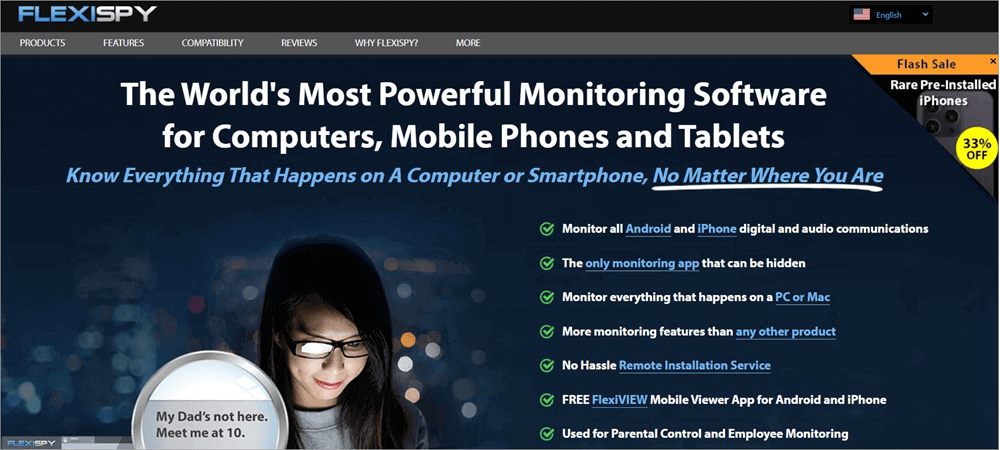
Flexispy is another software that works in the same way as mSpy does. Like mSpy, you can use Flexispy to access and monitor an iOS or Android device remotely. Once installed in your target device, you’ll be privy to all digital and audio communications happening on that phone. This, of course, includes everything related to calls.
This tool allows you to perform call history checks online and record phone calls. In addition to call monitoring, the tool has a wide range of other capabilities. These include everything from monitoring installed applications and tracking GPS location to recording the audio surrounding a device.
Features:
- Record Calls: You can use the tool to record normal and VoIP calls.
- Social Media Monitoring: The app can monitor communications across social media channels.
- Track Location: The tool facilitates real-time live GPS location tracking.
- Environment Recording: Besides recording what’s happening on a device, you can use the device to record the surrounding environment as well.
Pros and Cons:
| Pros | Cons |
| Advanced features | The installation initially can be challenging. |
| Real-time device monitoring | |
| Instant updates | |
| Exceptional stealth mode |
Price: Flexispy offers the following subscription plans:
- Lite: $49.95
- Premium: $79
- Extreme: $119
Website: https://www.flexispy.com/
#5) Highster Mobile
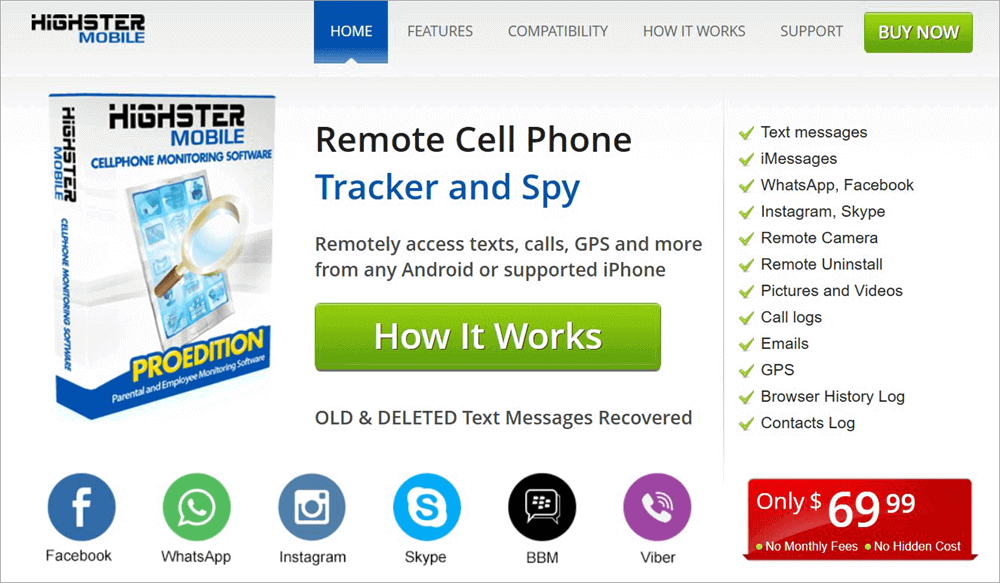
Highster is a powerful cell phone monitoring tool, and the many features it comes loaded with prove that. You can use it to remotely monitor any device, be it an Android or iOS smartphone, from anywhere in the world.
A highlight of this tool is its installation process, which is quite advanced and simple. You can install the software through over-the-air links or by transferring the app from a computer to the target device via a USB cable or Bluetooth connection.
As far as call-history tracking goes, you get detailed logs containing all the information you need. The tool is also great for remote social media tracking.
Features:
- Social Media Monitoring: Helps you remotely track activity across multiple social media channels.
- Stealth Camera: Helps you remotely access the target device’s camera
- Photo logs: Monitor and view all photos taken from the phone.
- Device Diagnostics: Remotely monitor the health and performance of a device.
Pros and Cons:
| Pros | Cons |
| Recover deleted texts | No flexibility in pricing |
| Fetch all GPS logs | |
| Convenient installation | |
| Real-time monitoring |
Price: Highster Mobile can be purchased for a one-time fee of $69.99.
Website: https://www.highstermobiles.com/
#6) uMobix
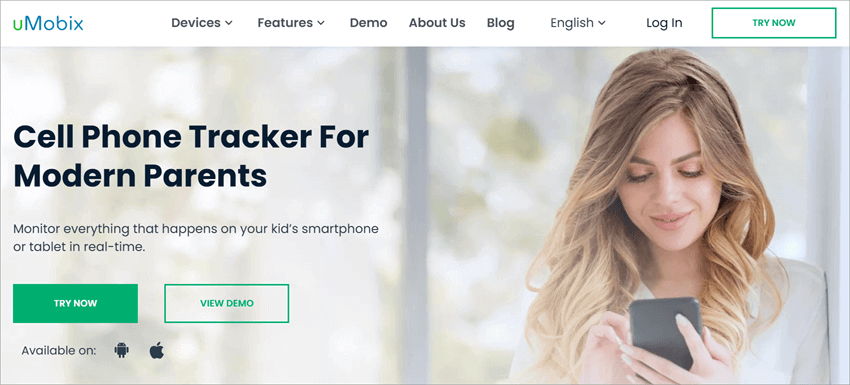
uMobix has been a major player in the phone spy app industry since 2020. It has made quite a name for itself since then, catering to millions of users across over 100 countries within 5 years. This is no small feat. uMobix deserves its success, as the tool it offers works with spectacular finesse.
Besides helping you get detailed call logs, it can help you track everything that’s happening on a smartphone. The tool is advertised as a parental control app. However, it can be used by businesses to track their employees and by spouses to track their cheating partners as well.
Features:
- Call and SMS Monitoring: Monitor all incoming and outgoing messages and calls.
- GPS Tracking: Track the location of a device in real-time on a virtual map.
- Keylogger: It can register all keywords typed on the target device.
- Social Media Tracking: It can monitor communications across all social media platforms like Facebook and Instagram.
Pros and Cons:
| Pros | Cons |
| Free demo and trial | Initial installation can get tedious. |
| Flexible pricing | |
| Real-time monitoring |
Price: uMobix offers a free trial and demo. Its priced plans are as follows:
- 1 Month: $49.99
- 3 Months: $29.99/month
- 12 Months: $12.49/month
#7) Call History Of Any Number

Judging from the name itself, it is quite obvious what this app does. This is a solution dedicated to a sole purpose: call history check online. It will help you unearth call details of any number and do so very comprehensively.
Not only will you get timestamps associated with the call, but you will also get information like where the call came from. This makes the tool very useful if you want to know the identity of an unknown caller who has been calling you repeatedly. The only downside of this tool is its exclusivity to the Android device.
Features:
- Location Search: Track a phone number’s location and save it.
- Contact Backup: Can help you back up your contact list.
- SMS Backup: Can be used to back up your SMSs as well.
- Call Log Management: Manage logs of all your incoming and ongoing calls.
Pros and Cons:
| Pros | Cons |
| Sleek interface | Only for Android |
| Easy installation | A few ads |
| Location tracking |
Price: Free to use
Website: https://play.google.com/store/apps/details?id=com.soultouch.call_history_any_number&hl=en_US
Beware of Fake Call History Checker Websites
Many websites claim to allow checking call history online for free for any number. However, most of these sites have false claims.
The telecommunication companies do not give out the call log of any number, and there is rarely the possibility of hacking into the call history of someone else on these sites. It is essential to be aware of the risks that come from using such services.
Common Scams: Many websites promise the user free call details, but first, they ask the user to fill out various surveys or download specific software. Such web services usually cannot give out any call history at all, only advertise their services.
Fake APK Downloads: There are many history lookup websites that lure people into downloading APK files that claim to show their call history. There is a chance that such applications have malware, spyware, or unwanted programs that could pose a risk to the user’s mobile phone.
Subscription Traps: There are websites that offer users free call history searches but require financial information while signing up. People can fall for the trap of becoming part of a subscription without knowing about it.
Privacy Risks: Giving out personal data such as your mobile phone number, email address, login details, among others, to sites whose validity is unknown may subject you to various forms of privacy invasion and threats to your security. Your personal information may be exposed to other parties or be used by marketers to target their advertisements towards you in the case of a security breach.
Steps to Check Call History on VOIP, Landline and CRM
Not everyone uses phones to make or receive calls. Based on the platform or device you are using, the way to get call history will differ. If you are using a VoIP service, CRM system, or a landline phone, here’s how you can get call details:
#1) Getting Call Details on VoIP Services
- With VoIP services, you can essentially make or receive calls over the Internet. Zoom is a prominent example of VoIP services one can use to make calls over the internet. If you are using such services, simply follow the steps below to get call details:
- Open the app.
- Find and click on the “Calls” section.
- You’ll find details of all calls made on the service there.
#2) Getting Call Details on Landline
Regardless of how modern and advanced our world has gotten, landline systems are still around. Although landline phones in the past didn’t offer you this feature, modern landline systems do come with built-in call-history features.
- On your phone, find the button clearly labeled “call history”.
- Press it to access the call history.
- This will result in the call history menu being displayed. You can now see all recent calls.
#3) Get Call History via CRM
CRM is what businesses use to manage calls. It is quite simple to retrieve call details via such a system. All you have to do is:
- Sign in to your CRM solution.
- Find the “Call History” option and click on it.
- Click on a particular call to reveal information like duration and timestamps.
Accessing the Call Details of any Number from Verizon and AT&T
Not many know this, but your network provider can help you get the call history of any number. Network providers like Verizon and AT&T offer their users the privilege to access their call history online for free.
Here’s what you must do:
#1) For Verizon Users

- Visit the official Verizon website. Alternatively, you can use the app.
- Navigate to the “Usage” section.
- Find and select the number you wish to check.
- Clicking on that number will reveal key call details like date, time, and duration.
- You can download the call history as well.
#2) For AT&T Users
- Visit the official AT&T Website and log in to your account.
- Tap the “My Plans” => Phone => Voice Features
- Click on “Call Logs.”
- Review the call history. Alternatively, you can download the list as well.
If you want to check the call history of mobile numbers online for free, this is the best way to do it.
FAQs on Call History Check
1. Is it possible to check call history of any mobile number?
Well, the answer will depend on how you are accessing the call history. Legally, you cannot get the call history of somebody else’s phone number without their consent.
It is still possible to get the call history of any number through the options I’ve discussed. To stay on the safer side, stick to getting the call history of your number or that of your child.
2. How can I get full details of a mobile number?
You can do so by using a reverse phone lookup tool, social media platforms, a network provider, or by using a third-party phone spying app.
3. Can I get a 1-year-old call history?
You can, but not through your cell phone’s built-in logs. Most phones only have a limited storage capacity. You can’t expect them to maintain a year-old call history. It is still possible to retrieve them by reaching out to your network provider.
4. Which app shows call history?
There are multiple apps out there where you can check call history of any mobile number. The best ones, in my humble opinion, are as follows:
• AirDroid Parental Control
• CallHippo
• mSpy
• Flexispy
• Highster Mobile.
5. Can you track deleted call history?
Tracking deleted call history is tricky without the right third-party app. You’ll have to download and install a reliable data recovery or backup tool to retrieve details, call logs, or history.
Conclusion
There you have it, an extensive and comprehensive guide on how you check the call history of any mobile number in the year of our Lord 2026. If you want to see the call history of your personal number, just refer to the logs via your iOS or Android phone. You could also retrieve detailed logs via your network provider.
If your goal is to check the call history of somebody else’s number, your best bet would be to invest in a third-party app. Apps like AirDroid Parental Control, CallHippo, and mSpy are all phenomenal solutions that do a lot more than retrieve call history.
I would advise using these apps only for legal reasons. Businesses can use them to monitor the calls of their employees, and parents can use them to keep their children safe. If you are planning to use it for other reasons, do so with the consent of the person whose call history you wish to retrieve.
Research process:
- To put this guide together, we looked at how mobile call records are officially accessed, reviewed privacy rules around call history, and tested commonly used tools to understand what actually works.
- We also compared features and safety aspects across different options and made sure everything shared here reflects current, authorized ways of checking call history online.
- Total Time Taken to research, review apps and publish this guide: 50 Hours (Approx)
For more call history-related guides, you can explore our range of tutorials below:
- mSpy Cell Phone Tracker Software Hands-on 2026 Review
- Is uMobix Cell phone Tracker Legit?
- [Quick Ways] Find Out Who Called Me From This Phone Number
- Top 11 Phone Call Recorder App In 2026 [Android And iPhone]
- Best phone Spying apps for Android and iPhone 2026
Was this helpful?
Recommended Reading
-

Read this review to compare and select among the List of Platforms That Can Help You Find Out: Who Called Me From This Phone Number: After all, it could be an annoying telemarketer trying to sell you a new product or a prankster who wishes to have some fun at…
-

Looking for a solution to block unwanted and fraudulent calls? Review this list of the best Spam Call Blocker for Android to block spam calls: Spam call is defined as an unwanted call or communication that occurs without any prior request and sometimes poses a threat to the person to…
-
Explore our list and comparison of the most popular Call Recorder Apps for Android and iPhone to select the best Phone Call Recording app: A call recording app is basically a mobile application that allows its users to record their outgoing and incoming calls. There are several valid reasons one…
-
Do you have phone calls going directly to voicemail on your Android or iPhone device? Learn about the causes of this issue and fix it with these 10 solutions. The issue of direct phone call voicemail can be due to problems with the network or incorrect call settings, among other…


