


Compare the top Parental Control Apps to discover the Best Parental Control apps for iPhone and Android most suited for your children:
The rapid advancement of technology poses a risk to children. Various studies have shown negative physical and mental effects of smartphone usage at earlier ages. Parental control apps allow you to monitor your child’s activities on the phone or other smart devices.
You can limit content and even schedule time your child can use the phone. In this tutorial, we have reviewed the best parental control apps for iPhone and Android devices.
Table of Contents:
- Parental Control Apps
- List of Best Parental Control Apps
- Comparing Top Parental Control Apps
- #1) mSpy
- #2) SpyX
- #3) Qustodio
- #4) SpyBubble
- #5) Cocospy.org
- #6) Norton Family
- #7) McAfee
- #8) uMobix
- #9) MobileSpy.at
- #10) Bark
- #11) FamilyTime
- #12) Net Nanny
- #13) ScreenTime
- #14) Mobicip
- #15) OpenDNS FamilyShield
- #16) KidLogger
- #17) Kaspersky Safe Kids
- #18) OurPact
- #19) Moment
- #20) FamiSafe
- #21) ClevGuard Kids Guard Pro
- FAQs About Parental Control Application
- Conclusion
Parental Control Apps

The below chart shows Parental Control market size in millions [2019-2028]

Our TOP Recommendations:
 |  |  |
 | | |
| mSpy | Cocospy | uMobix |
| • Keylogger • Screen Recorder • Geolocation Tracking | • Social App Spy • Geo-Fence • Stealth Mode | • Social App Spy • Geolocation Tracking • Call Log Tracking |
| Price: $48.99/month Trial version: Available | Price: $9.99/Month Trial version: NA | Price: $48.99/month Trial version: Available |
| Visit Site >> | Visit Site >> | Visit Site >> |
List of Best Parental Control Apps
Here is a list of popular and best parental control applications to monitor your child’s activities:
- mSpy
- SpyX
- Qustodio
- SpyBubble
- Cocospy.org
- Norton Family
- McAfee
- uMobix
- MobileSpy.at
- Bark
- FamilyTime
- Net Nanny
- ScreenTime
- Mobicip
- OpenDNS FamilyShield
- KidLogger
- Kaspersky Safe Kids
- OurPact
- Moment
- FamiSafe
- ClevGuard Kids Guard Pro
Comparing Top Parental Control Apps
| App Name | Best For | Pricing | Ratings ***** |
|---|---|---|---|
| mSpy | Keylogging and Screen recording. | 1 month – $48.99/month, 3 months – $27.99/month, 12 months – $11.66/month. | |
| SpyX | Application blocking and browser monitoring | 1 Month: $49.98, 3 Months: $28.32/month, 12 Months: $11.66/month |  |
| Qustodio | Supervise and manage your child’s macOS, Windows, iOS, Android, Kindle, and Chromebook devices. | $4.58 to $11.50 per month | |
| SpyBubble | Monitoring phone activity 24/7. | 1 month – $49.99, 3 months – $29.99/month, and 12 months – $12.49/month. | |
| Cocospy.org | Tracking, Parental Control and Remote Surveillance. | Android: Premium – 9.99/month, Basic – 39.99/month, Family – 69.99 (when purchased annually) iOS: Premium – 10.83/month, Basic – 99.99/month, Family – 399.99 (when purchased annually) | |
| Norton Family | Monitoring child’s activities on Windows, Android, iOS, and macOS devices. | $4.17/month | |
| McAfee | Monitor child’s device computer and mobile activity | Premium: $69.99/year, Advanced : $119.99/year, Ultimate: $249.99/year | |
| uMobix | Monitoring Social Media, Call Logs, SMSs and Location Tracking. | 1 month – $48.99/month, 3 months – $27.99/month, 12 months – $11.66/month. | |
| Mobilespy.at | Secure Live Access to Device’s Camera. | $19 per month for a single month plan, $16 per month for a 3-month plan, $13/month for an annual plan. | |
| Bark | Monitoring social media, apps, text, and email on kids’ iPhone, Android, and Amazon devices. | Bark Jr: $5 per month Bark Premium: $14 per month | |
| FamilyTime | Managing app, website, email, and texts on child’s iOS and Android devices. | $1.15 to $2.25 per month per device | |
| Net Nanny | Social media monitoring and control of child’s activities on macOS, iOS, Android, Windows, Kindle, and Chromebook devices. | $4.17 to $10.83 per month | |
| ClevGuard Kids Guard Pro | Remote cell phone monitoring and control capabilities. | 1 Month Plan: $49.99, 3 Month Plan: $25.33/month, 1-Year Plan: $11.67/month | |
Review of the apps:
#1) mSpy
Best for Keylogging and Screen recording.

mSpy is a popular and highly revered cell phone spy app that is ideal for parents who want to track their child’s cell phone activity. It will take you less than 5 minutes to get this software installed and running. It will help you track a phone’s location, monitor calls, SMS, social media activity, and more, information that you can view on your subscribed mSpy dashboard from any desktop browser.
mSpy updates on the information it is relaying every 5 minutes. As such, parents get informed in real-time of everything transpiring on their child’s phone. mSpy employs bank-grade encryption. You can rest assured that the information being transmitted by the app is for your eyes only. The app works great as a remote screen recorder and keylogger as well.
Features:
- GPS Tracker
- SMS Tracking
- Call Logs Monitoring
- Keylogger
- Screen Recorder
Verdict: With the ability to monitor every keystroke and tap being registered on the target device, it is hard to miss out on any activity happening on your child’s phone with mSpy by your side. It is easy to use, features a comprehensive monitoring dashboard, and works in absolute secrecy. This is one app we recommend to all parents.
Price:
1 month – $48.99/month, 3 months – $27.99/month, 12 months – $11.66/month.
7-day free trial
#2) SpyX
Best for application blocking and browser monitoring.
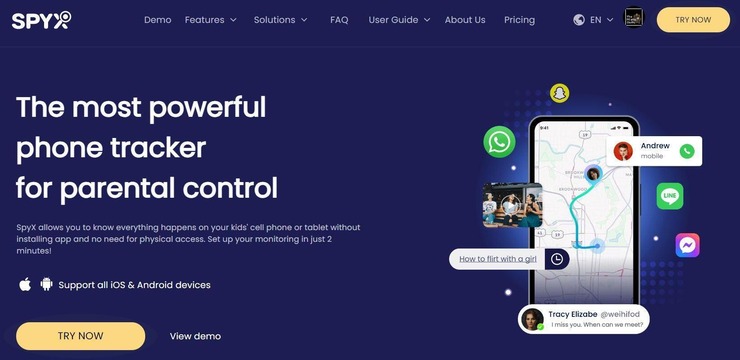
With SpyX, you get a tool that’ll let you spy on your child’s cell-phone activity remotely in complete anonymity. This app will let you track all the calls and messages your child receives or has sent from his phone. The detailed logs of these conversations along with timestamps, name of contact, etc. is presented to you via your immaculate SpyX dashboard.
Spy also helps you keep an eye on your child’s social media activity. The tool can easily monitor activity on platforms like Instagram, Facebook, WhatsApp, Snapchat, etc. Besides this, the app also helps you monitor the cell-phone’s browser activity. Plus, you’ll be able to block certain apps from being activated on the cell phone via SpyX.
Features:
- Block Apps
- Browser Monitoring
- Keylogger
- Call Logs Tracking
- SMS Tracking
Verdict: Studded with invaluable features that let you spy on almost everything transpiring on your child’s phone, SpyX serves as a great app for parents. The app works fine when spying on Android and iOS devices. The remote-monitoring dashboard is a clear highlight and its price is quite reasonable.
Price: SpyX offers the following subscription plans
- 1 Month: $49.98
- 3 Months: $28.32/month
- 12 Months: $11.66/month
#3) Qustodio
Best for supervising and managing your child’s macOS, Windows, iOS, Android, Kindle, and Chromebook devices.

Qustodio is the best parental control app you can use on desktop and mobile devices. The app allows you to view and manage access to apps and webs on your child’s devices. It also supports extended activity reporting, allowing you to monitor your child’s screen activity in detail.
Features:
- SMS/Call tracking
- Child locator
- App blocking and time limits
- YouTube/Facebook monitoring
- Panic Button
Verdict: Qustodio offers affordable price packages for monitoring your child’s activities on phone and desktop PC devices. Experts at PCMAG and Softpedia recommended the parental control app. It has also been featured in The NY Times, CBS News, Wired, and several other news media outlets.
Price:
- Small Plan: $4.58 per month
- Medium Plan: $8.08 per month
- Large Plan: $11.50 per month
- Free Trial: Yes | 3-day

#4) SpyBubble
Best for Monitoring phone activity 24/7.
SpyBubble grants you a portal into your child’s phone. Once installed, the software will let you monitor everything transpiring on your child’s iOS or Android phone like the calls and messages they receive, the websites they visit, and the stuff they do on social media platforms like Facebook and Snapchat. You’ll also be able to track your child’s location on a live map via the GPS on their devices.
Features:
- Social App tracking
- Call log tracking
- Monitoring SMSs
- Keylogger for Android
- GPS Tracking
Verdict: Easy to install and discreet in its functioning, SpyBubble can help parents keep an eye on their child from a distance via their cell phones. It keeps you updated in real-time about almost everything transpiring on a child’s phone 24/7.
Price: 1 month plan costs $49.99, a 3 months plan costs $29.99/month, and the 12 months plan costs $12.49/month.
#5) Cocospy.org
Best for Tracking, Parental Control, and Remote Surveillance.

Cocospy makes it to the top of our list because of how simple it is in both its usability and functionality. In just three measly steps, this software will be relaying all the information regarding your child’s cell phone activity from almost all types of smartphones. Cocospy features a remarkable stealth mode.
As such, the app runs discreetly in the background of the phone you’ve installed it in. Once installed, you will be able to track all incoming and outgoing calls, all sent and received text messages, social media activity, and online browser activity in real-time from your logged-in web-based Cocospy dashboard.
Features
- Social Media Spying
- GPS Location Tracking
- Geo-fence
- Track SMS and Call logs
- Stealth mode
Verdict: Cocospy earns the top spot on our list because of its user-friendly interface and feature-rich nature. Parents will be able to spy on everything from Whatsapp to all the websites their child has been visiting online with additional details like timestamps and visit frequency. This and many other capabilities make Cocospy one of the best parental control apps we have today.
Price:
- Android: Premium – 9.99/month, Basic – 39.99/month, Family – 69.99 (when purchased annually)
- iOS: Premium – 10.83/month, Basic – 99.99/month, Family – 399.99 (when purchased annually)
- No free trial but a Free demo is available.
Check our Detailed uMobix Review Here
#6) Norton Family
Best for monitoring child’s activities on Windows, Android, iOS, and macOS devices.

Norton Family is a great tool for not just monitoring but also supervising your child’s use of Windows and mobile devices. You can supervise kids’ activities and instantly lock the device if they try to access harmful content.
Features:
- Mobile devices monitoring
- App usage supervision
- Instant lock
- Alert and location report
- Manage remote learning
Verdict: Norton Family offers a great value for money package. It contains a lot of parental control features at an affordable price.
Price:
- $4.17 per month
#7) McAfee
Best for Monitor child’s device computer and mobile activity.
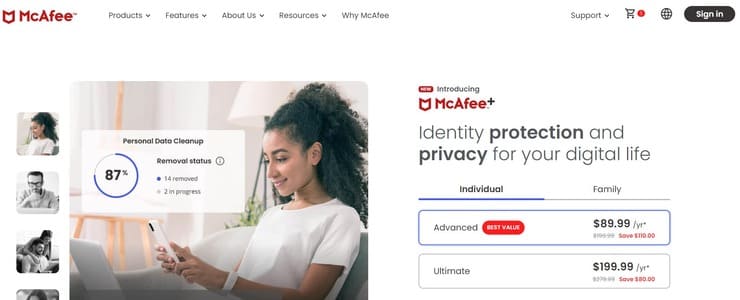
Parental control is perhaps one of the most sought after features that McAfee offers. The software offers parents a ton of tools that can help them monitor their child’s device usage, set limits, and track their whereabouts.
You can use McAfee to block inappropriate content online, thus limiting what your kids find on the internet. You can also use the solution to manage screen time. You can also set location based alerts with the help of which you can track your child’s movement in real-time on a map.
Features:
- Block certain website online
- Location based alerts
- Manage Screen time
- Identity Protection
Verdict: From monitoring usage to tracking your child on a map, McAfee offers advanced monitoring and parental control tools alongside its online protection plans so parents can keep tabs on their child’s device usage 24/7.
Price: There are types of subscription plans. They are as follows:
- Premium: $69.99/year
- Advanced : $119.99/year
- ultimate: $249.99/year
#8) uMobix
Best for Monitoring Social Media, Call Logs, SMSs, and Location.
uMobix is a feature-rich parental control application that allows parents to leave no stone unturned if they wish to spy on their child’s smartphone. With this app, parents can view all incoming and outgoing calls with timestamps and call duration info attached. Parents can also pull all photos and videos from the target device remotely and save them locally on their computers.
It is also very simple to track down the target device’s location in real-time, thanks to uMobix’s geo-locating feature. However, where uMobix truly shines is in its ability to monitor social media applications. From Facebook and Twitter to Instagram and Viber, uMobix will allow you to monitor over 30 social apps without a hassle.
Features:
- Social Media Spying
- GPS Location Tracking
- Call log monitoring
- Keylogger
- Download media files remotely
Verdict: When it comes to parental control applications, uMobix is often counted among the very best, and rightfully so. From monitoring call logs to tracking GPS location in real-time, uMobix can do it all. Plus, you can keep an eye on any social media application with uMobix by your side.
Price:
1 month – $48.99/month, 3 months – $27.99/month, 12 months – $11.66/month.
7-day free trial
#9) MobileSpy.at
Best for Secure Live Access to Devices Camera.
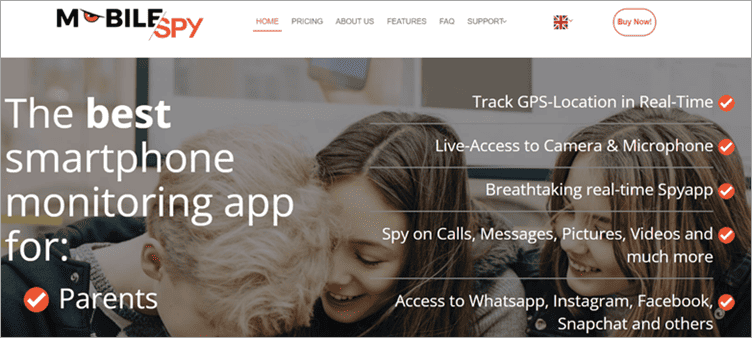
MobileSpy’s jam-packed feature list already makes it a great spy app. It is, however, the ability it grants users to also remotely access a phone’s microphone and camera that truly puts it in a league of its own. This makes it easier for parents to quickly snap a photo from the target device to gauge their child’s surroundings.
Aside from this, MobileSpy also works great as a keylogger by tracking keywords registered on the phone. It is also fantastic at locating a device with real-time GPS location tracking. The app operates with 100% invisibility. It also doesn’t strain the battery of the targeted device. So there is no way for the target device’s user to know that they are being spied upon.
Features:
- Smartphone Live Monitor
- App Blocker
- Access all Social Media Applications
- SIM Tracker
- Geo-fencing
Verdict: MobileSpy.at is one of those rare applications that allows you to track not only what’s happening on a cell phone but also in its surroundings. It is also affordable and easy to use. As such, MobileSpy has our highest recommendation.
Price:
$19 per month for a single-month plan, $16 per month for a 3-month plan, $13/month for an annual plan.
Free Trial available.
#10) Bark
Best for monitoring social media, apps, text, and email on kids’ iPhone, Android, and Amazon devices.

Bark is one of the best-rated screen monitoring tools for parents. You can use the parental control app to monitor social media activities, emails, and text messages on your kid’s phone.
Further Reading => How to Turn Off SOS Feature on iPhone
Features:
- Compatible with Android, iPhone, and Amazon mobile devices.
- Monitor 30+ popular social and web apps.
- View text messages and emails.
- Screen time management.
- Website filtering.
Verdict: Bark covers dozens of social media apps on mobile devices. You can get instant alerts and suggestions from child experts about addressing potential phone and online content usage issues.
Price:
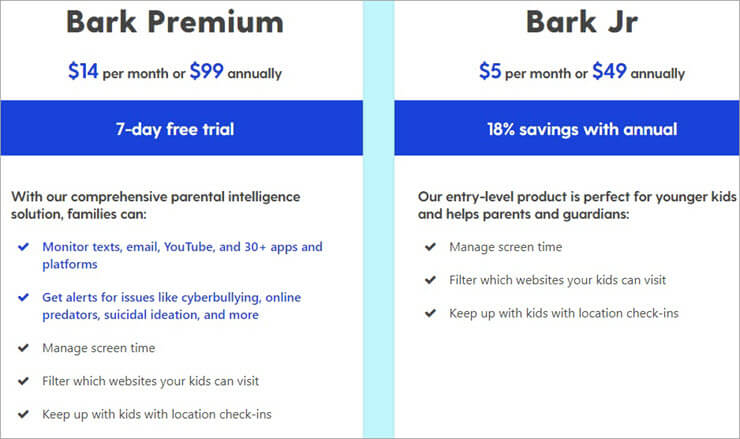
- Bark Jr: $5 per month
- Bark Premium: $14 per month
- Free Trial: Yes | 7-day
Website: https://www.bark.us/
Suggested Reading => Top Trending Cheating Apps to Look For
#11) FamilyTime
Best for managing app, websites, emails, and texts on child’s iOS and Android devices.

FamilyTime is one of the best parental control apps for mobile devices. The app is easy-to-use to manage multiple devices from a mobile app or web portal. It supports internet filtering, contact and call logs, SMS, and app usage monitoring.
Features:
- Runs on Android and iOS devices.
- Internet filter and app blocker.
- Limit screen time.
- SOS/panic button.
- Geofencing and location history.
Verdict: FamilyTime is an affordable parental control app for monitoring a child’s activities on mobile devices. It has an easy-to-understand user interface that allows you to quickly set up and monitor multiple devices.
Price:
- MyFamily: $2.25 per month per device
- MyFamily2: $1.46 per month per device
- MyFamily3: $1.25 per month per device
- MyFamily5: $1.15 per month per device
- Trial: Yes | 3-day

Website: https://familytime.io/
#12) Net Nanny
Best for social media monitoring and control of child’s activities on macOS, iOS, Android, Windows, Kindle, and Chromebook devices.

Net Nanny is another parental app that you can use to monitor your kids’ activities on desktop and mobile devices. The app features content filtering, app blocking, and screen timeout. It also provides instant alerts when your child access harmful online content.
Features:
- Content filtering
- Manage screen time
- Monitor digital footprint
- Real-time alert of drug-related, pornographic, weapons, and suicide content
- App blocking
Verdict: Net Nanny is one of the best parental apps that experts have recommended at Tom’s Guide. The app is one of the most accurate in blocking the net and phone activities of children.
Price:
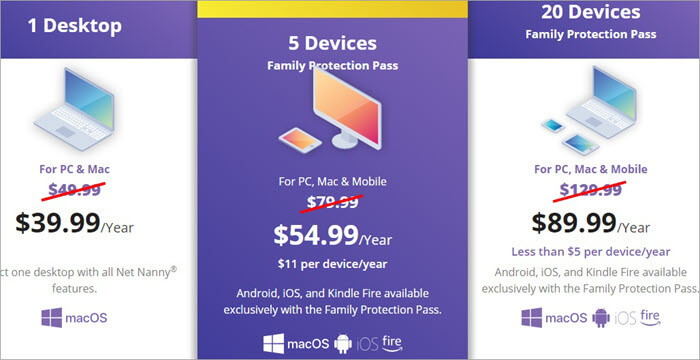
- 1 device: $4.17 per month
- 5 devices: $6.66 per month
- 20 devices: $10.83 per month
- Free Trial: Yes | 14-day
Website: https://www.netnanny.com/
#13) ScreenTime
Best for managing screen time and restricting app and web access to child’s Android devices.
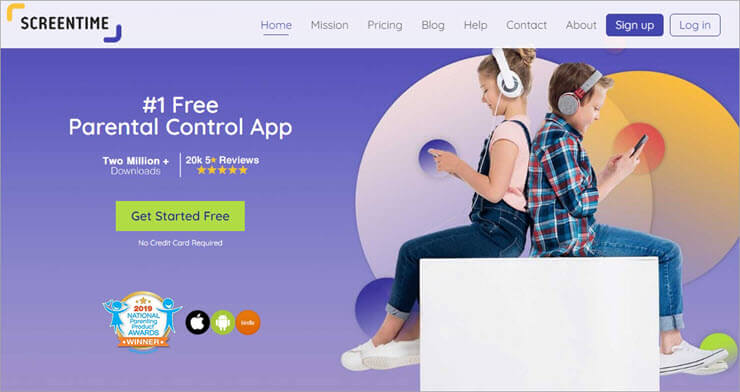
ScreenTime is the best free parental control app for Android devices. The app also supports limited activity monitoring on Apple and Kindle devices.
Features:
- Set time limits
- Pause child’s activity
- Reward with screen time for completing tasks
- App and web usage monitoring
- Geo tracking
Verdict: ScreenTime is the best free app for Android phone users. The app supports a lot of features to manage and limit screen time. But one shortcoming of the app is that it supports limited Android apps.
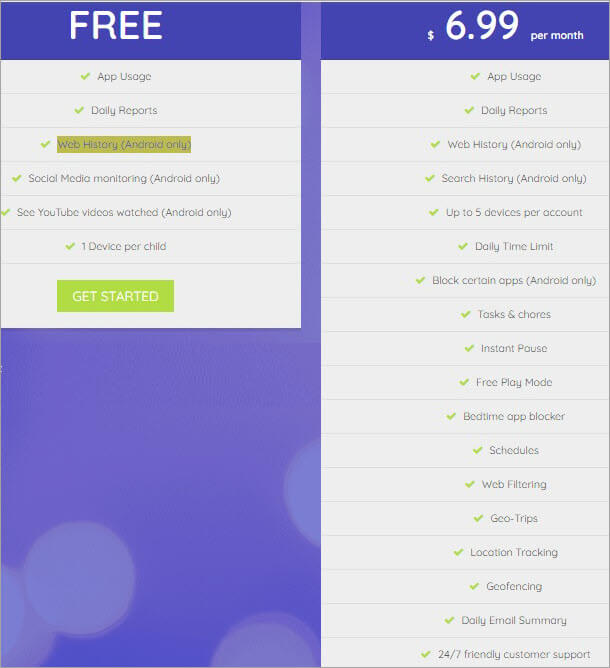
Price:
- Basic: Free
- Premium: $6.99 per month
- Trial: Yes | 14-day
#14) Mobicip
Best for monitoring your child’s activities on iOS, Android, Windows, macOS, Kindle, and Chromebook devices.
Mobicip is a great mobile and desktop parental control app. The app allows you to control access to almost all apps. You can also track the location of your kids using the geolocation feature. It allows you to limit the screen time of your kids.
Features:
- Monitor family devices
- Lock devices
- Schedule time
- Track location
- Data privacy monitoring
Verdict: Mobicip is an affordable parental control app with lots of features. It contains all the features that you will need to monitor and manage the desktop and mobile screen time of your kids.
Price:
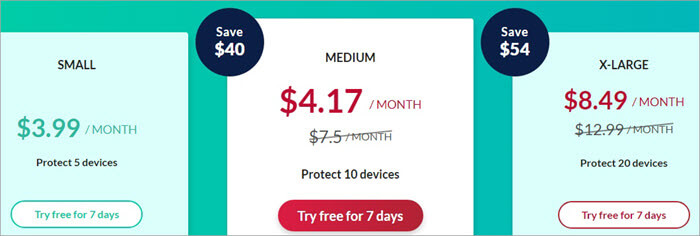
- Small: $3.99 per month
- Medium: $4.17 per month
- X-Large: $8.49 per month
- Free Trial: Yes | 7-day
#15) OpenDNS FamilyShield
Best for managing and protecting children’s online activity on laptops and mobile devices.
OpenDNS FamilyShield can work on almost any internet-connected device. You can download and use the app on game consoles, TVs, DVRs, tablets, smartphones, and desktop devices.
Features:
- Block adult websites
- Website filtering
- Usage stats
- Protect laptop
Verdict: OpenDNS FamilyShield is easy to set up and install. You can restrict and block access to adult and harmful online content. The premium version has built-in support to protect against harmful phishing and malware sites on desktop devices.
Price:
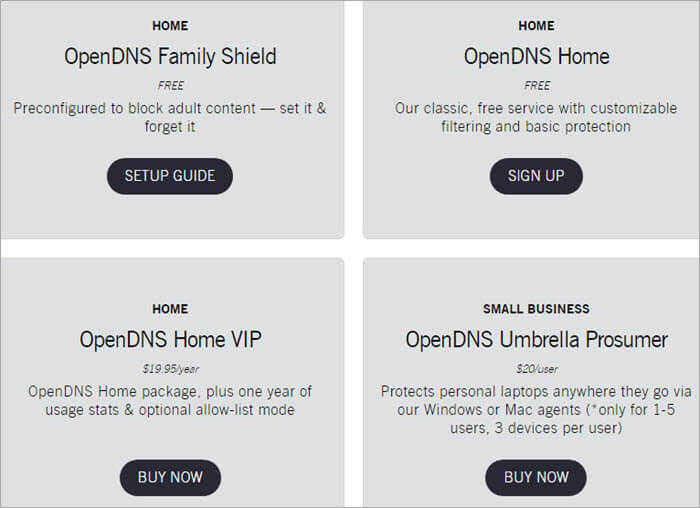
- Family Sheild: Free
- Home: Free
- Home VIP: $1.66 per month
- Umbrella Prosumer: $20 per user
#16) KidLogger
Best for monitoring kids’ activities online on Windows, Android, and macOS devices.
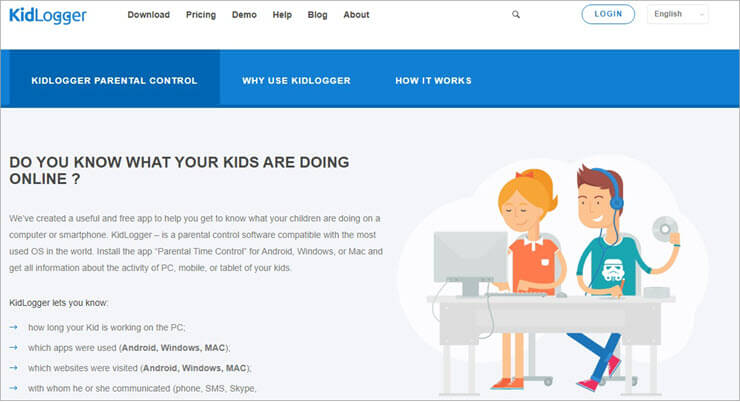
KidLogger can track your kids’ activities on Android, Mac, and Windows devices. The parental control app gives you full control over what your kids can access on desktop and mobile devices.
Features:
- App and website access monitoring
- Location history
- SMS, phone, and social media monitoring
- Data monitoring
- Keystroke record and screen capture
Verdict: KidLogger is another great app for monitoring your kid’s activities on desktop and mobile devices. But the app doesn’t let you restrict access to harmful or malicious apps and websites.
Price:
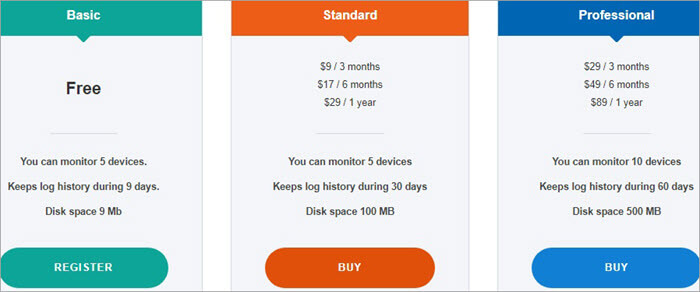
- Basic: Free
- Standard: $2.42 to $3 per month
- Professional: $7.42 to 9.67 per month
#17) Kaspersky Safe Kids
Best for blocking access to inappropriate content and set screen limits on Windows, macOS, Android, and iOS devices.

Kaspersky Safe Kids contains a lot of features to protect your kid’s online activities. The app allows you to block websites, set screen limits, and monitor the location of your child. You can customize the filters to manage and monitor the screen time of your kids.
Features:
- Block website access
- Set screen limit
- Monitor location
Verdict: Kaspersky Safe Kids is a great app with lots of useful parental control features. The free version contains features that are only available in paid apps. But you should subscribe to the premium version if you want total control over your child’s screen activities.
Price:
- Basic: Free
- Premium: $1.25 per month
#18) OurPact
Best for controlling child’s phone activities on Android and iOS devices.
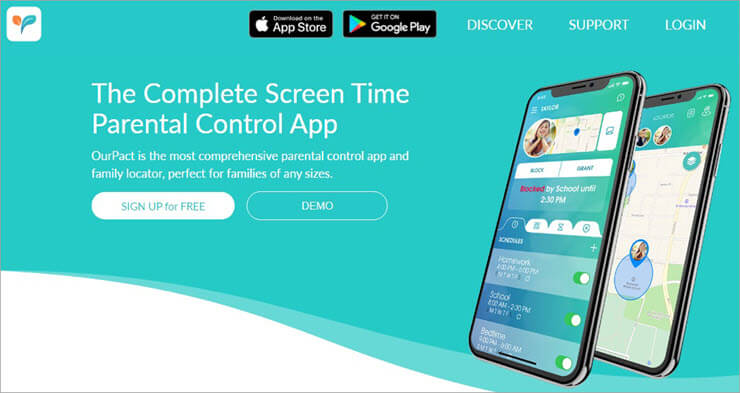
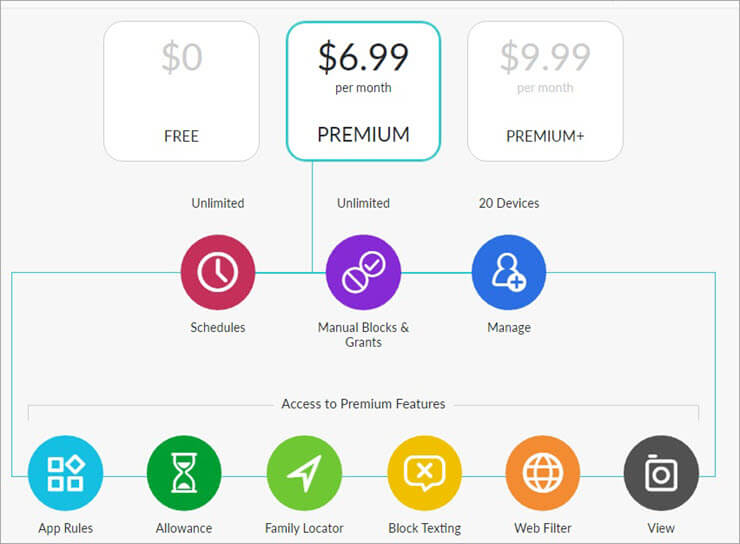
OurPact is yet another great parental control app that contains a lot of useful features. The app has block texting, web filter, and screen time-out features. It allows you to restrict or block access to apps. The family locator feature allows you to monitor your child’s location from your phone.
Features:
- Block texting
- Web filter
- Family locator
- App rules
- Screen time limit
Verdict: OurPact is a good app for monitoring and restricting your child’s activities on mobile devices. But the free version contains limited features that may not be sufficient for managing and monitoring your child’s mobile screen time.
Price:
- Free
- Premium: $6.99 per month
- Premium+: $9.99 per month
#19) Moment
Best for monitoring your child’s phone usage on iOS devices for free.

Moment allows you to monitor the phone usage activities of your child on iOS devices. The app that is available for free at the AppStore displays various statistics about phone usage. You can view total screen time and call frequency. You can join groups to know how to help your child limit phone screen time.
Features:
- Measure screen time.
- Join groups.
- Monitor call frequency.
- Daily phone coaching.
Verdict: Moment only allows you to monitor phone usage. You should use another app if you also want to control the activities of your kid on his or her smartphone.
Price: Free
#20) FamiSafe
Best for screen time control.
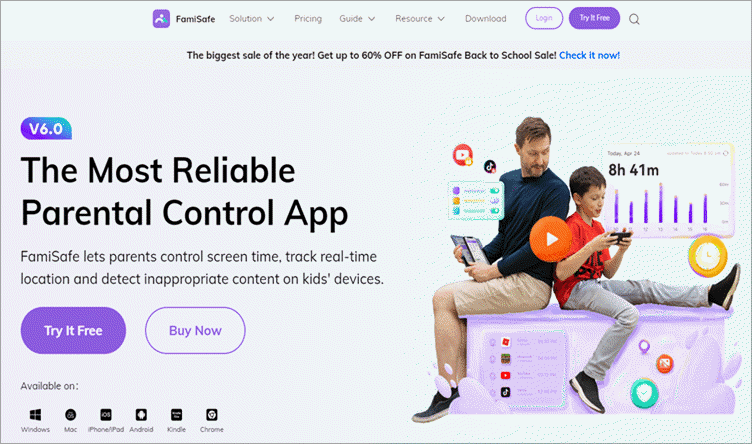
Compared to other recommended apps on the list, FamiSafe has a special focus on preventing kids from digital addiction. Its screen time control feature not only helps parents get the details of kid’s screen time remotely, but also set screen time restrictions or schedules around specific places like home or school.
For some entertaining Apps, if you don’t want your kid to use them at certain times (such as during class), you can also set restrictions for these Apps in FamiSafe.
In addition to screen time control, parents can also use FamiSafe to detect and delete harmful content (such as inappropriate pictures, videos, social posts, or web pages) from their kids’ phones in a timely manner. As FamiSafe also allows parents to keep track of Kids’ whereabouts, outside of the online world, it is a great solution to keep kids safe in real life.
Features:
- Screen time Activity Report.
- YouTube/Tiktok Usage Control.
- Explicit Content Detection for Messages, Social media apps, and Websites
- Real-time Location Tracking.
- Geo-fence
Verdict: FamiSafe is very comprehensive in screen time control and can help children develop good digital habits. If you are worried about your child’s phone-addiction, then FamiSafe will be your best choice.
Price:
- Monthly Plan: $10.99
- Quarterly Plan: $20.99
- Yearly Plan: $48.79
- Free trial: 3 Days
#21) ClevGuard Kids Guard Pro
Best for Remote cell phone monitoring and controlling capabilities.
With Kids Guard Pro, ClevGuard introduces a parental control app that is quite advanced. It does everything that you’d expect a traditional phone spying app to do. It can help you remotely monitor call logs, SMSs, photos, videos, browser history, and activity on social apps among many other things.
What sets it apart from so many of its contemporaries, however, are some of its impressive advanced features. For instance, you can use the app to remotely capture screenshots from the target device or take photos from it. You can also record the phone’s screen and even record the noise surrounding the phone.
Features:
- GPS and Wi-Fi Location Tracking
- Browser History Monitoring
- Record Phone Screen and Calls.
- Take screenshots remotely.
- Track Activity on Social Apps
Verdict: ClevGuard’s Kids Guard Pro is an exceptional parental control app that we’d recommend to parents. It can help you discreetly monitor your child’s cell phone activity while also remotely operating some aspects of the phone like taking photos or snapping a screenshot.
Price: ClevGuard Kids Guard Pro offers the following subscription plans:
- 1 Month Plan: $49.99
- 3 Month Plan: $25.33/month
- 1-Year Plan: $11.67/month
You can try the app for free in a limited capacity.
Website: https://www.clevguard.org/
FAQs About Parental Control Application
How can I monitor my child’s phone without them knowing?
Parental control apps let you view your child’s devices on the phone without them knowing. As the name suggests, you can use these apps to control your children’s activities on the phone.
Can I control my child’s phone from mine?
By using a parental control app, you can control your child’s phone using your phone or computer. For this, you can download the app on your device.
Can I temporarily turn off my child’s phone?
Parental control apps allow you to schedule the time your child cannot use the phone. For instance, you can schedule the phone to turn off when it is your child’s bedtime.
How do I restrict Internet access to my child?
Open the parental control app and find your child’s device. Click on web browsing and enter Internet addresses you think are not appropriate for your child. You can also limit your child to access only specific websites by clicking on Only allow these websites.
At what age should you a kid get a phone in 2022?
Parents should allow supervised use of the smartphone by age 13. Experts say that there is a high risk of overuse of technology among younger kids, leading to physical and mental health problems.
Conclusion
FamilyTree and Bark are recommended parental control apps for monitoring a child’s activities on iOS and Android devices. QuStodio is the best parental app for monitoring and managing access to apps and website content on mobile and desktop devices.
ScreenTime is the best free parental control app for Android devices. If you want to monitor your child’s activities on iPhone, you can use Moment that is available at AppStore for free.
Research Process:
- Time taken to research this article: It took us 9 hours to write and research the article on the best parental control apps so that you can select the best one to monitor the activities of your children on mobile and desktop devices.
- Total tools researched: 25
- Top tools shortlisted: 12
Was this helpful?
Recommended Reading
-

We did a comprehensive review of Best Phone Spying Apps with features, comparisons and pricing. Select the best Spy Phone App from the list below. Phone tracking spying applications have developed at a rapid pace, so it is not an easy task to make the right selection in the year…
-
This tutorial reviews the best WhatsApp Spy Apps for Android and iPhone to help understand how to spy on WhatsApp accounts and why you might need them: WhatsApp is one of the most popular messengers used for daily communication, particularly for personal conversations. It is a quick and free way…
-
Are you searching for the best Hidden Spy Apps for Android? Read this review of the top Undetectable Spyware apps for Android smartphones to select the best option: A spy app can monitor the smartphone activities of your child. The apps let you monitor smartphone activities to protect your child.…
-
Explore our list and comparison of the most popular Call Recorder Apps for Android and iPhone to select the best Phone Call Recording app: A call recording app is basically a mobile application that allows its users to record their outgoing and incoming calls. There are several valid reasons one…
-
Explore the top best Phone Tracker App Without Permission to track someone by cell phone number without them knowing: Cell phone tracking apps seem to be a logical answer to often raised questions like ‘How to track a phone without them knowing?’ Phone monitoring apps can help anyone snoop into…
-
Review and Comparison of the Top IP Address Tracker Tools Including Features and Pricing. Select the Best Free or Paid IP Tracker Based on Your Requirements: In this digital era, many B2B and B2C marketing teams and organizations use IP address tracking tools to gain additional insights into visitors as…
-
In this tutorial, review and explore the top free Cell Phone Tracker Apps with their pricing, features, and comparison in detail: A phone tracker app lets you monitor the location of a mobile device. You can use the app to recover your lost or stolen phone or tablet. The app…
-
Explore the list of popular Keyloggers for Android devices. Select the best Keylogger for Android that suits your requirements: Keylogging, short for keystroke logging, refers to the monitoring or recording of every keystroke registered on a keyboard without the knowledge of that device’s user. It is a prominent feature found…


