Read our in-depth Multilogin review to manage multiple social media accounts safely. Scale up your business growth today with this most powerful Social Media Marketing tool:
Managing a handful of social accounts is simple. One phone, one laptop, done. But the moment your agency takes on a client needing 10 TikTok accounts, 5 Instagram accounts, and 4 X accounts, with plans to grow from there, the math stops working.
The old workaround was a drawer full of burner phones and spare laptops, each tied to its own SIM and network. It’s expensive, slow to manage, and impossible to scale. Add a second client, and you’re buying another shelf of devices.
Multilogin Review: Ultimate Social Media Marketing Solution

Platforms will flag duplicates no matter what. What decides whether you keep your accounts is the environment each one runs in, and whether you can produce that environment dozens of times over without a hardware shelf behind you.
This is exactly the gap that tools like Multilogin were built to fill. In this article, we’ll look at how Multilogin, one of the leading multi-accounting platforms, lets you scale to any number of accounts without device overhead.
What is Multilogin?
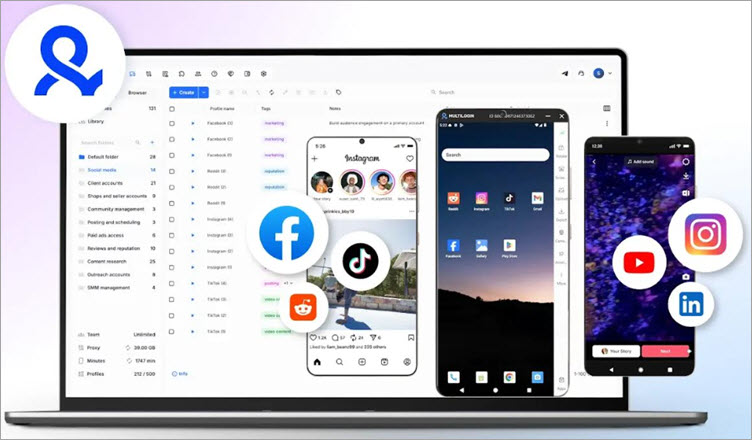
Multilogin is a platform tailor-made for social media managers who wish to manage multiple client accounts at scale, securely and efficiently. It’s bolstered by two powerful capabilities offered via a single unified dashboard.
First, it lets users offer real cloud-hosted Android devices to each client. Second, it lets you run a multi-account browser, thus enabling the streamlined management of multiple client profiles from a single workspace.
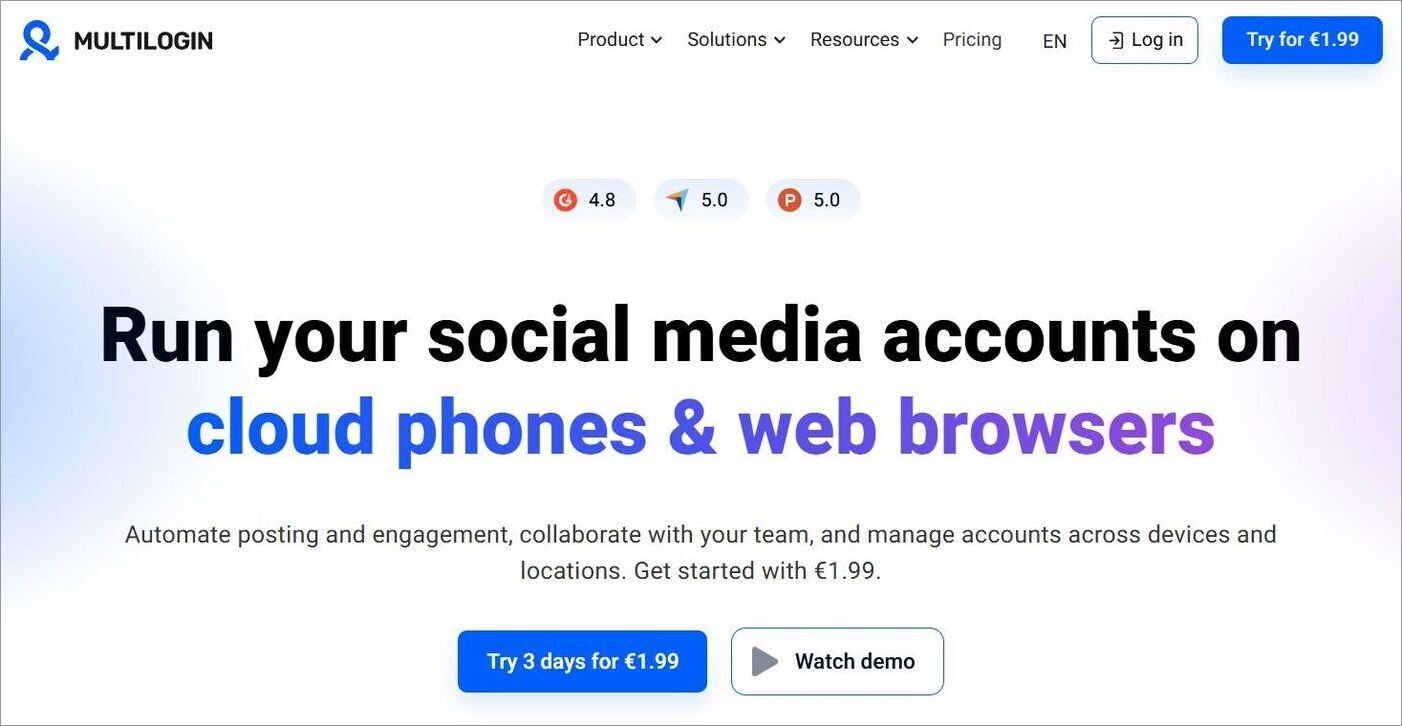
These dual capabilities make Multilogin an ideal platform for social media managers, freelancers, and agencies who wish to run social media profiles across mobile and desktop environments. It lets you juggle between multiple profiles without going through the tedium of constantly switching between different devices, subscriptions, and SMM tools.
Multilogin’s biggest USP is its combination of cloud phones and browser profiles. As such, it is also well-suited for agencies that manage hundreds of client accounts across mobile apps and browser-based workflows regularly.
Key Features of Multilogin
Now that you know what Multilogin is, let’s look at what it actually does.
#1) Cloud Phones for Generating Real Organic Signals to Platforms
Multicloud lets you provide each client with a dedicated cloud-hosted Android device. You can pick from around 30 phone brands and models. Handy if you’re running accounts on TikTok, Instagram, Facebook, or YouTube.
Each phone will feature:
- A unique mobile device fingerprint, so every account looks like it’s running on its own handset.
- Persistent logins, meaning no repeated sign-ins that draw suspicion.
- Authentic mobile signals that platforms like TikTok reward with wider reach, pushing your content to more people
Together, these signals make each profile look to platform algorithms like a separate, real mobile user.
#2) Multi-Account Browser
All social media platforms, be it Instagram or TikTok, use browser fingerprinting to identify their users. So, if you need to run additional workflows outside of mobile environments, you can use browser profiles with browser fingerprinting options.
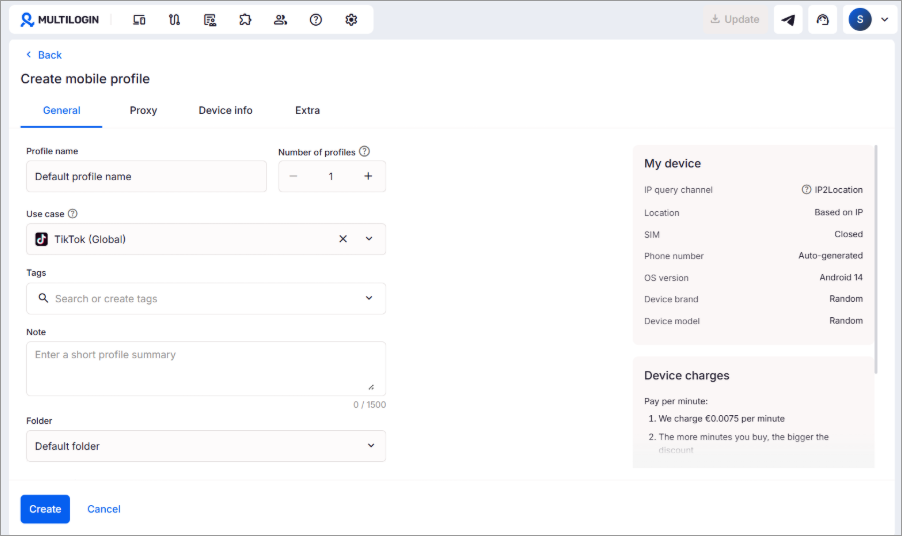
Let’s say an agency manages up to 10 client accounts. They can rely on Multilogin to assign an isolated browser profile with its own unique fingerprint to each of these accounts. This will make each account appear real and independent.
Multicloud replaces the actual browser fingerprint with a new one that imitates a real user. It uses over 55 fingerprint parameters to provide you with a browser profile that can avoid detection.
This, in combination with real cloud phones, creates full-spectrum account separation. The chances of these separate client accounts getting banned or flagged are also greatly reduced.
#3) Unified Workspace Across Web and Mobile
This is the feature that makes Multilogin a godsend for social media managers and agencies struggling to handle hundreds of client profiles. Multilogin eliminates the need to switch between tools and devices to run a client’s social media profiles.
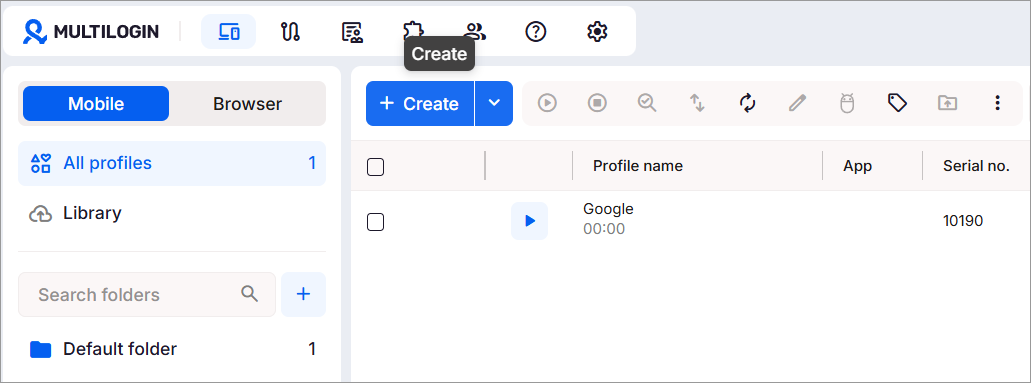
Instead, you can manage all of your accounts from a single, intuitive dashboard using Android cloud phones for mobile apps and browser profiles for a secure web-based workflow. You’ll be able to witness all active sessions in real-time through this dashboard. Tags, color coding, and notes make it easy to keep everything organized.
Further Reading => Leaf Browser: In-Depth Guide With Alternatives
#4) Built-in Proxy and Identity Management
Multilogin comes with built-in residential proxies for desktop profiles and mobile-grade proxies for cloud phones. These proxies are automatically assigned and perfectly matched to the account’s geolocation. You don’t need to buy proxies separately or configure VPNs manually.
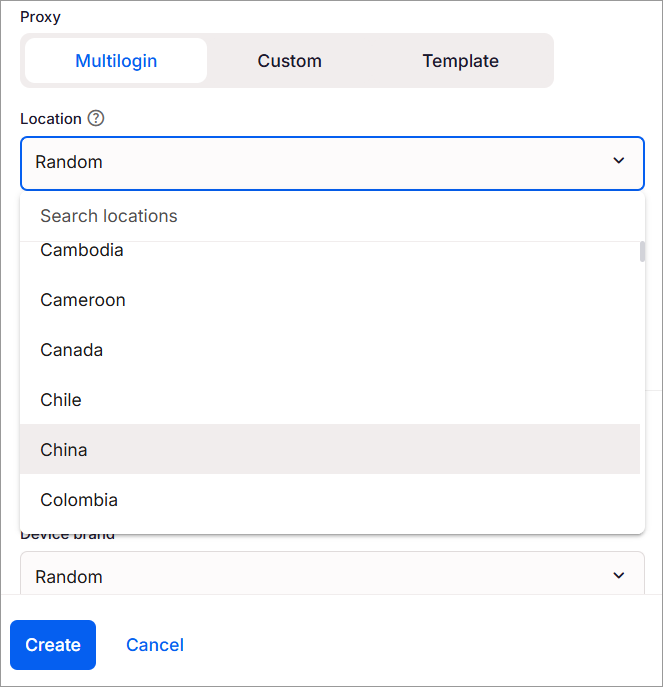
You can easily choose a country or region for each client. If your client is based in New York, their cloud phones will show a US IP address and a US mobile network. You can run accounts from anywhere, with over 150 countries to choose from.
#5) Automation
Multilogin is built for efficiency, and automation is a big reason why. Simple actions like posting or liking can run across all your accounts on their own, saving your team hours of repetitive clicking every week.
You can also drop in custom scripts to handle the routine engagement work that keeps profiles active, so no one has to sit there doing it manually.
#6) Scalability and Collaboration
As I said earlier, Multicloud is ideal for running multiple accounts at scale. Whether it is 2 or 300 profiles, there is no limit to how many accounts you can run via this platform if your agency chooses to scale its operations.
Regardless of how many cloud phones you launch or operations you run across accounts, you’ll have absolutely no issue keeping everything well-organized. Collaboration is also quite streamlined on the platform.
The platform offers a Business subscription plan, which affords you unlimited team seats. You can share and collaborate on accounts with your team members on one dashboard. You can also set granular permissions to determine who gets access to what.
Security and Privacy on the Platform
As Multilogin’s primary role is to streamline the management of multiple social media accounts across web and mobile environments, it entails juggling a lot of client data. Fortunately, the platform has stringent security measures in place to protect this data and client privacy.
All profiles are encrypted, and logins are secured via access control and 2-Factor Authentication. Based in Europe, the company is compliant with GDPR. Moreover, you can set granular permissions. This ensures only authorized personnel on your team have access to the accounts being managed.
Customer Support
Another highlight of Multilogin is its support. You can reach out to get support 24/7 via email or live chat powered by an AI assistant. The support is reliable and responsive, with wait times that don’t stretch or test your patience.
Alternatively, there are enough resources on the official site to help yourself. The site features thorough tutorials, a knowledge base, a glossary, API documentation, and FAQs for self-help.
Multilogin’s Pricing
Multilogin offers flexible annual subscription plans that cater to a diverse customer base. Its Pro plan, which starts at $7.08/month (billed annually at $85) and lets you manage up to 10 profiles, is a good fit for small teams and individual users.
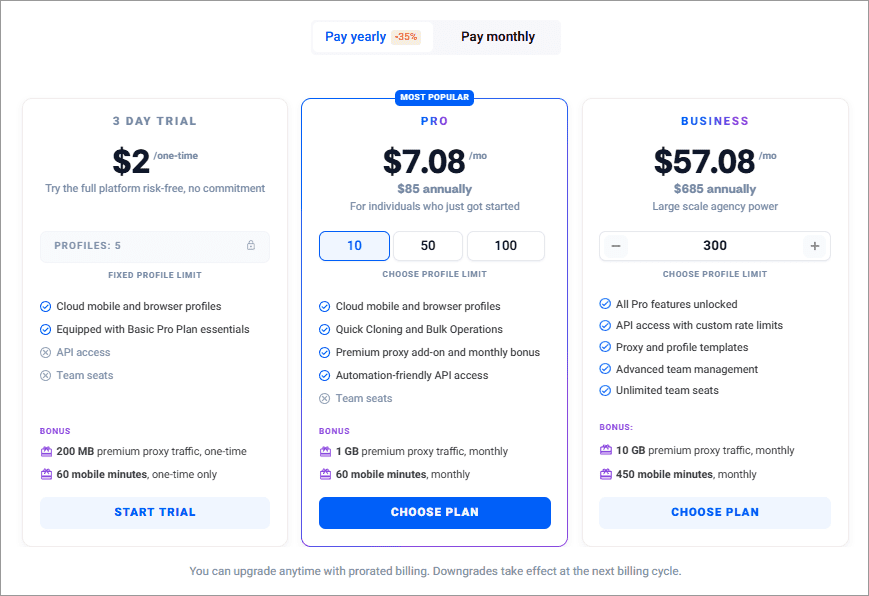
Larger agencies that need to manage 300 accounts or more will find the Business plan more suitable, at $57.08/month (billed annually at $685).
You don’t have to commit upfront to use the tool. I’d suggest taking it for a test drive first with the $2 three-day trial, which lets you run up to 5 cloud phone and browser profiles.
Overall, Multilogin’s annual pricing is reasonable and scales well with your needs, whether you’re an individual user or a larger agency.
How to Get Started With Multilogin
Here are some of the steps to get started with Multilogin:
1. First, sign up and register using a verified email address.
2. Choose your plan and make the payment.
3. Now, download the Multilogin app (Available for Windows, Linux, and Mac).
4. Launch the tool and navigate to your Dashboard.
5. From the dashboard, you can now create browser profiles, launch cloud phones, and assign proxies.
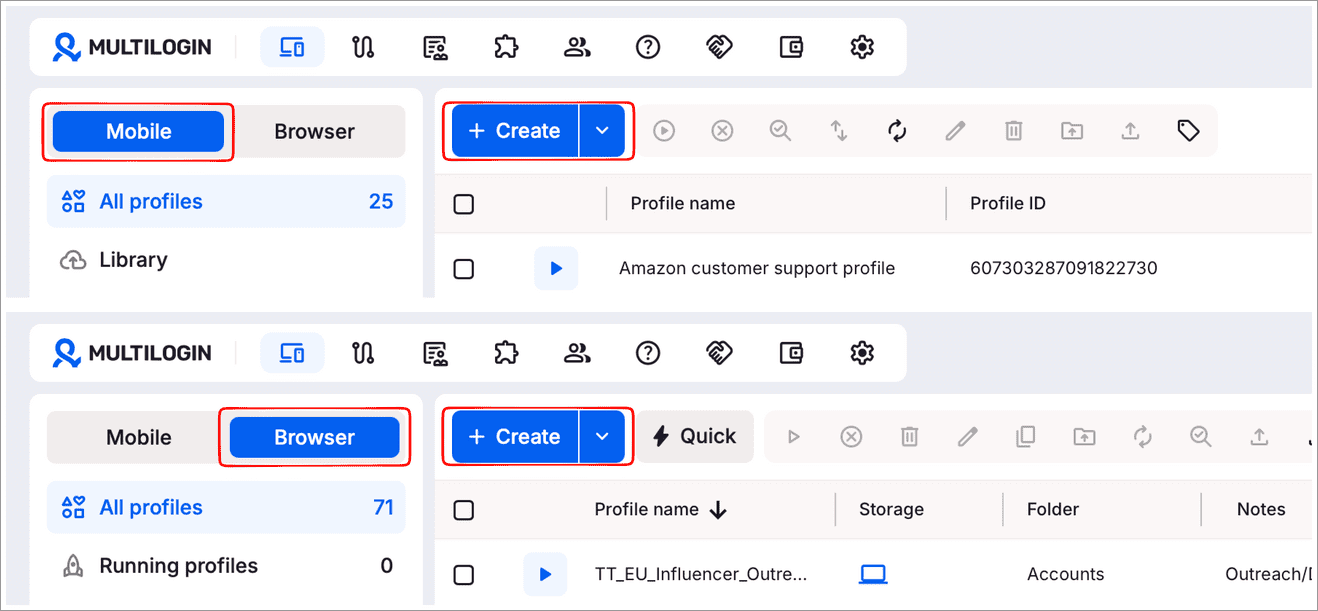
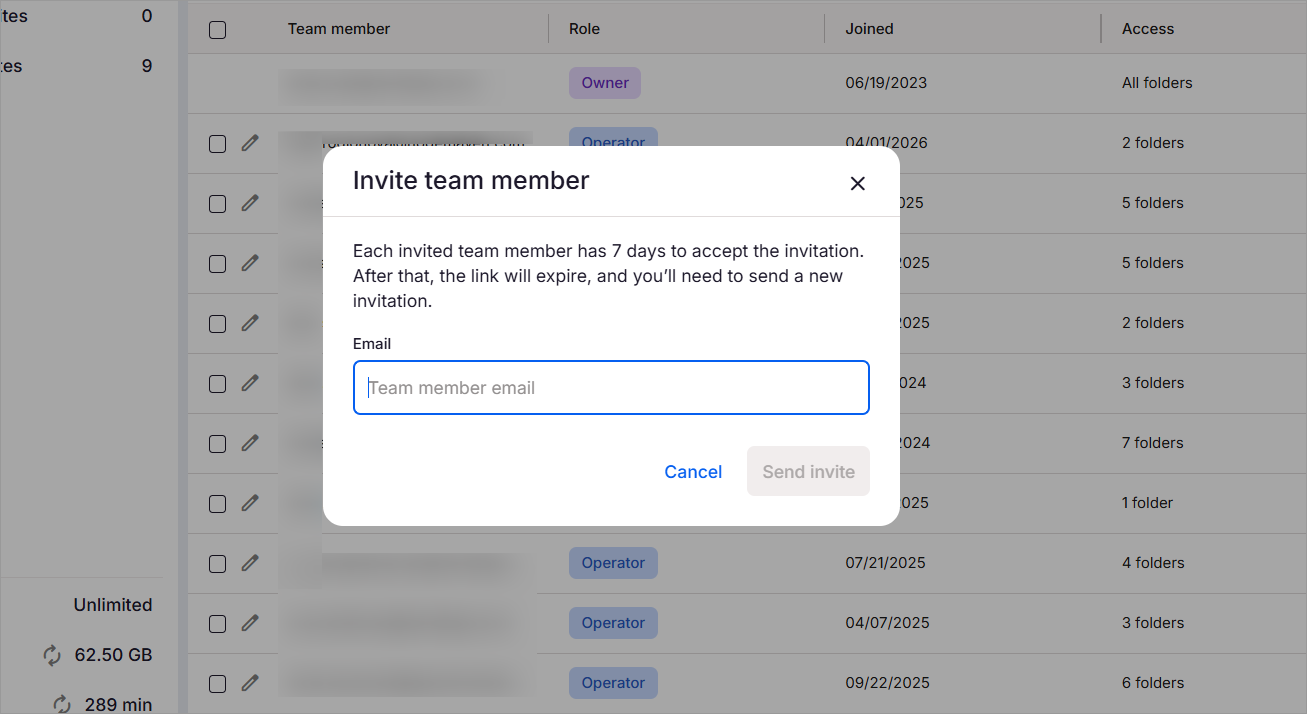
6. For collaboration, you can send an invite to team members via email, as well. Select Team > Invite > Enter email address and hit the “Send Invite” button.
7. Similarly, you can set up, manage, and switch between multiple browser and cloud phone profiles from a single dashboard.
Here is the video guide on how to manage TikTok accounts using Multilogin. The process is similar to any other mobile social media platform.
Pros And Cons
| Pros | Cons |
| Cloud phones | Requires a good internet connection |
| Unified dashboard for mobile and desktop browser profiles | Bigger setups need a bit of planning |
| Flexible subscription plans | |
| 24/7 support | |
| Built-in residential and mobile-grade proxies | |
| Automate multi-account management | |
| Support for real Android brands and devices |
Is Using Multilogin Ethical?
Multilogin is a compliance-ready platform designed for long-term, ethical account management. Multilogin is a very useful tool with powerful capabilities. As such, I would strongly advocate for using these tools ethically and responsibly.
Always adhere to local laws when using the platform. Also, comply with the terms of service and policies of platforms like Facebook, Instagram, X, TikTok, and others. We are strongly against using the platform for spam, impersonation, or fraud.
Multilogin serves its purpose best when it is employed to run and protect client accounts, organize workflows, and boost operational efficiency.
Frequently Asked Questions
1. What is Multilogin?
Multilogin is a platform that can help social media managers, freelancers, and agencies securely manage multiple client accounts across web and mobile environments.
It performs its functions by providing users with real cloud-based Android phones and isolated browser profiles with their own unique fingerprints, thus reducing the risk of account bans across platforms.
2. Is Multilogin legal?
Yes, Multilogin is legal to use, provided you honor the terms of service and policies of various social media platforms. Refrain from using the platform for spreading misinformation, impersonation, fraud, and spam.
3. How to download Multilogin?
You can download and install Multilogin’s agent on your Windows, Linux, and Mac systems.
Here’s how you do it:
1. Sign up and create your account
2. Choose a plan and make the payment.
3. Choose your operating system and select “Download”.
4. Once downloaded, open the download folder and run the installer file.
4. Is Multilogin a VPN?
No, Multilogin is neither a VPN nor a proxy. Instead, what you get is a platform that lets you create and manage multiple profiles or accounts across web and mobile environments via a single, unified workspace. That said, it does feature built-in residential and mobile-grade proxies to help you create unique profiles with isolated fingerprints.
Conclusion
If I had to cite one reason to recommend Multilogin, it would be operational peace of mind. Managing multiple social media accounts is challenging as it is, and I believe Multilogin does a fine enough job of alleviating some of that stress.
It gives every account its own unique device, both mobile and desktop, so platforms have no shared signals to tie them together. Agencies and social media managers can run dozens of profiles side by side without platforms linking them back to a single operator, which is what usually triggers bans and flags in the first place.
Multilogin is something I would recommend to agencies, freelancers, or anyone looking for a unified ecosystem for robust social media management.
You should experiment with the tool and make your own assessment.
Research Process: The total time involved to complete and publish this article is approximately 42 hours. This content was created through a structured research approach to ensure accuracy and reliability.
For more social media-related guides, you can explore our range of tutorials below:
- Top 11 Most Effective Social Media Marketing Tools
- Best Apps Like Wizz to Make New Friends
- Best Social Media Content Calendar Tools And Templates
- Best-Rated Social Media Analytics Tools for Marketers
- Top Free Social Media Scheduling Tools Compared
- The Top 10 Social Media Marketing Companies
Was this helpful?
Recommended Reading
-

Review and compare top Social Media Content Calendar Tools & Templates with features and pricing to select the best social media calendar per your requirements: Social media websites have become a digital home for several people. Billions of people all over the world have active profiles on at least one…
-
Comprehensive Review & Comparison of Top Social Media Management Tools. Select the Best Social Media Management Software as per your Requirements: Do you want to boost your brand awareness, or substantiate your brand power? Do you dream of heavy traffic on your website? Do you wish for a more loyal…
-

Explore the top tools to Automate Social Media Posts with their Pros & Cons. Pick the best Social Media Automation Tools of your choice for efficient time management: While social media is a regular habit for, well, almost all of us, not many know the power it wields. Social media…
-
List & Comparison of the Top Social Media Marketing Companies. Select the Best Agency for Branding Your Products & Increase Inbound Traffic And Visibility: Social media is an essential part of digital marketing for industries of all profiles, sizes, and businesses. This article provides a list of the Top Social…