


Are you looking for the best ITAM Software? Read this in-depth InvGate Asset Management review with key features and pricing for making an informed decision to fit your organization’s needs:
The analysis will delve into InvGate Asset Management, summarizing its features, cost considerations, and potential use scenarios that are expected to be prevalent in 2026.
We downloaded and tested InvGate Asset Management to see how it works and how it solves today’s IT Asset Management big challenges. This is what we found out.
Table of Contents:
InvGate Asset Management Hands-on Review
InvGate Asset Management is a software that allows organizations to manage their technology resources. It has positioned itself as a popular alternative to IT Asset Management (ITAM) platforms.
We downloaded their 30-day free version to understand why it is so widely used, what its strengths are, and what it offers that others don’t.
What is InvGate Asset Management?
InvGate Asset Management is IT Asset Management software that lets you identify, track, and manage technology resources (such as hardware, software, and any other IT resources) throughout their lifecycle.
Its no-code approach makes it easy to deploy and use. We were able to create a complete IT asset inventory and start monitoring usage right after downloading the trial.
Who is InvGate Asset Management Designed For?
To be honest, any organization can benefit from InvGate Asset Management. Results will come quicker for smaller businesses, while larger firms can enhance their processes in the long run.
Within organizations, IT teams will be the first to notice the benefits of the software. But they are not the only ones, as good IT Asset Management will have results for all stakeholders in an organization.
So, is it for you? Well, if you are looking for a tool that is simple and flexible to use, that can scale with your company’s growth, and that covers the needs of any IT Asset Management strategy, this is a great option.
Here, we’ve focused on the 10 features that are most useful to those looking for this type of software.
InvGate Asset Management Features
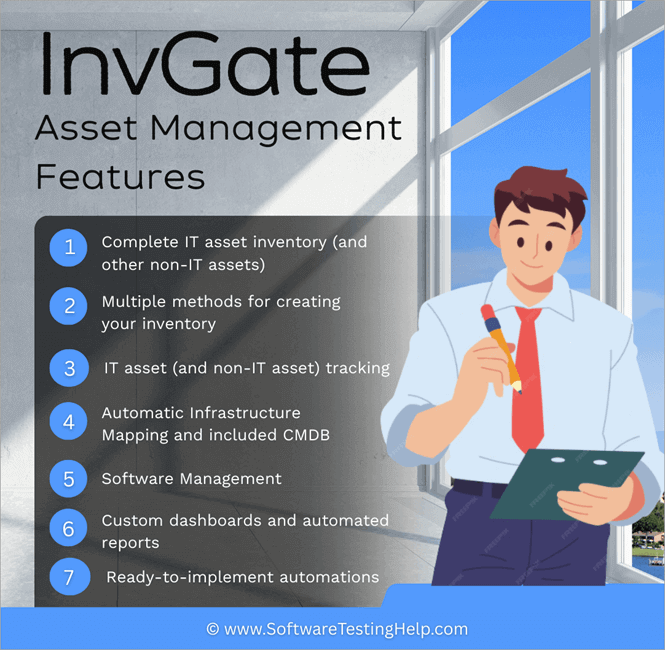
#1) Complete IT Asset Inventory (With Other Non-IT Assets)
InvGate Asset Management lets you create a complete IT asset inventory that includes everything from laptops and servers to software licenses and peripherals. You can add hardware, software, and any other IT resources that have value and importance to your organization.
You can also include non-technology assets (equipment, machinery, furniture, etc.) to gain a complete and centralized view of all assets.
#2) Multiple Methods For Creating Your Inventory
One of the main advantages of InvGate Asset Management is how easily you can create an inventory, thanks to its multiple population methods. We tested them one by one and achieved a very complete inventory in a very short time.
It has the following population methods:
- The Agent: The Agent is a small software program that is installed on computers, servers, and mobile devices and continuously reports to the platform. It is generally installed when this type of equipment enters the organization.
- Network Discovery: This feature tracks devices connected to your network and automatically adds them to your inventory (always allowing you to choose which ones to exclude).
- Cloud Discovery: The platform also brings in information about the resources that an organization manages in the cloud. In simple steps, you can add assets from Google Cloud Platform, Microsoft Azure, Amazon Web Services, and JAMF, among others.
- Manual Entry: You can also add assets manually. The best thing about this functionality is that you can do it one by one or in bulk by uploading a file directly to the platform (it allows you to download a template for greater ease).
#3) IT Asset (and Non-IT Asset) Tracking
InvGate Asset Management lets you closely monitor your assets, meaning the platform records not only the attributes of each asset but also any changes to them.
The information it collects for each asset depends on its type, but it’s truly comprehensive. It includes status, location, usage, acquisition cost, depreciation, warranties, and other details. A key feature is the ability to create custom fields. Therefore, the attributes associated with the asset are virtually limitless.
It has a system for creating and printing QR codes that are then affixed to each asset (whether IT or not). Scanning this code provides you with the information associated with that asset.
#4) Automatic Infrastructure Mapping & CMDB
Although not a dedicated infrastructure mapping tool, InvGate Asset Management includes a Configuration Management Database (CMDB).
It features automatic discovery of relationships between assets (in this context called Configuration Items) using AI, which simplifies the setup process.
#5) Software Management
InvGate Asset Management also lets you monitor software usage and control license installation and uninstallation. Authorization policies and deployment controls are the best ways to do this.
Authorization policies allow or restrict software, essential for controlling shadow IT. If you set predefined conditions, you can also create automatic rules that are triggered when the conditions are met. For example, if you have set a ban on a video game platform, the platform can automatically uninstall it as soon as it detects it.
#6) Custom Dashboards & Automated Reports
InvGate Asset Management offers pre-configured dashboards and allows you to create your own with a wide range of charts and graphs.
So, you can visualize important information about your assets, identify trends and anomalies, monitor compliance with internal and external regulations, and analyze the usage and costs of your technology.
#7) Ready-to-Implement Automations
A key strength of InvGate Asset Management is the number of automations it offers (and the ability to create new ones based on your organization’s needs).
The most obvious example is health rules.
Technicians can determine what constitutes a “healthy asset” based on a series of predefined criteria. If an asset doesn’t meet the criteria, it’s automatically flagged so the team can resolve the issue.
Top Benefits of InvGate Asset Management
In addition to the previous points, here are a few more characteristics that make this an ideal choice for IT asset management.
- No-code Tool: It’s very easy to use because no technical knowledge or coding skills are required to get the most out of it.
- Transparent and Scalable Pricing: There are no hidden fees or surprises in its pricing structure. What you buy is what you pay.
- Enterprise Experience: It’s clearly a specialist in IT Asset Management, but it also includes other features that complete and enhance the user experience.
- Scale with your Organization: While small and medium-sized businesses see the fastest benefits, the tool also scales easily thanks to its different plans.
- Multiple Deployment Options: You can choose an on-premises or cloud-based option, allowing you to meet all kinds of needs in terms of internal and external regulatory compliance.
- AI Integration: It features enhanced functionality thanks to AI, always from a user-centric perspective.
- Integrations: It connects natively to over 20 tools of all kinds. This includes IT Service Management software, Remote Management, Discovery tools, and more.
- Supports Every Step of the Way: It has a dedicated and responsive team that helped us with every question we had during the free trial.
- InvGate User Community: Although it’s recent, it’s very useful. In the community, users share questions, experiences, and help each other.
- Security & Compliance Requirements: InvGate recently renewed its SOC Type II certification, a seal that confirms it meets industry standards for data protection and operational security.
Pricing Structure & Plans to Choose From
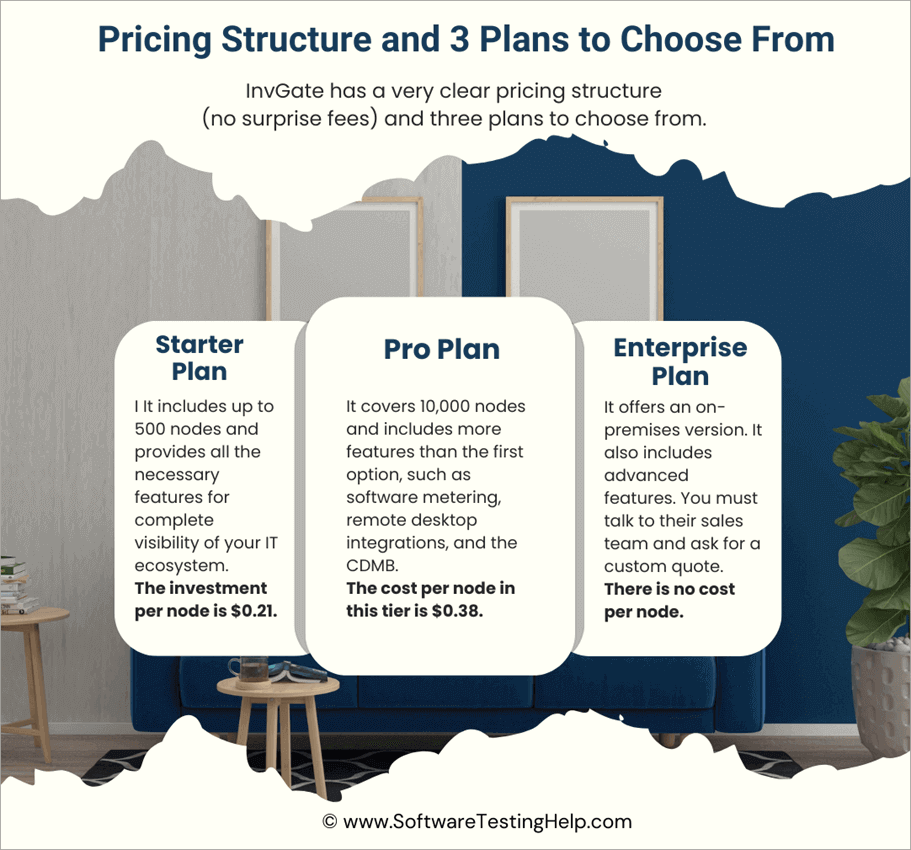
Let’s talk about costs and plans. InvGate has a very clear pricing structure (no surprise fees) and three plans to choose from. Costs are directly tied to the number of nodes your organization needs (a node is a single point or device that is part of a more extensive network or system).
If you are not sure about which plan to choose, it offers a 30-day free trial. You can actually convert it into a live instance once you upgrade to a plan.
It offers the following options:
- Starter Plan: This is the first option InvGate offers. It’s designed for small organizations that are beginning their ITAM journey. It includes up to 500 nodes and provides all the features for complete visibility of your IT ecosystem. The investment per node is $0.21.
- Pro Plan: This is the most popular option they offer. It covers 10,000 nodes and includes more features than the first option, such as software metering, remote desktop integrations, and the CDMB. The cost per node in this tier is $0.38.
- Enterprise Plan: This is the latest and most complete plan they offer. It’s designed for organizations with complex IT ecosystems. It offers an on-premises version. It also includes advanced features. There is no cost per node. You must talk to their sales team and ask for a custom quote.
Watch this quick InvGate Asset Management video demo:
Try InvGate Asset Management Yourself
You can try InvGate Asset Management yourself to see if it’s a good fit for your organization. Download their 30-day free trial and start creating your inventory from scratch. It will only take a couple of days until you reach a good starting point.
If you are not sure, you can always contact their sales team. They are more than happy to answer your questions and doubts. In a perfect situation, they could also assist with software deployment and provide guidance.
For more quick Asset Management-related guides, you can explore our range of tutorials below:
- Top IT Asset Management Software
- BEST Asset Discovery Tools (SELECTIVE ONLY)
- Best Fixed Asset Software (Updated List)
- Top ITSM Tools (IT Service Management Software)
Was this helpful?
Recommended Reading
-

List of the Best Paid as well as open source free Digital Asset Management Software Tools in 2026: Digital Asset Management is used to manage, organize, and retrieve digital media assets. Digital media assets mean organizing, creating, sharing photos, videos, content, files and animations across the globe in the cloud.…
-

Explore the top Fixed Asset Software with features and comparison to select among the best in the industry: An asset is something that you own which has some value in economic terms. An asset can be converted into cash when needed. Fixed assets are those that are owned for longer…
-
List and Comparison of the Top IT Asset Management Software: Keeping track of business assets is important for every organization. A record of assets is required for regulatory compliance purposes. Moreover, accurate records of physical and digital assets also help in efficient resource planning. Gone are the days when organizations…
-
Comprehensive List of the Top Asset Discovery Tools with Features and Comparison. Select the Best Asset Discovery Software For Your Company From This Review: Asset Discovery Tools work by analyzing the asset clusters. Based on this analysis, it can identify the relationship between their usage, network, and devices. IT Asset…


