Review and comparison of the Best Music Visualization Software with pricing and features to help you select the right music visualizer tool:
The music industry has grown by leaps and bounds in recent years. Recent advancements in technology have helped many artists realize their dreams of becoming popular musicians with little to no resources.
Thanks to the pervasive nature of platforms like Spotify or even YouTube, many independent musicians have managed to garner a fanfare that was only limited to singers and artists locked in with prestigious record labels. With the aid of a wide variety of music software, these indie artists have conveniently carved up a niche for themselves in a crowded industry.
One tool that can be credited for this change is the music visualizer. Music or audio visualizer can be defined as a tool that visually displays rhythm, loudness, tempo, and frequency of music via animated imagery. A great music visualizer will render imagery in sync with the playing audio.
Table of Contents:
Music Visualizer Software Solutions

The concept of visualizers isn’t a novel one. Its roots can be traced all the way back to the ’70s. The tools back in those days weren’t as advanced as they are today. Almost all of them lacked in two critical areas; first, they were not able to render imagery in real-time, and second, the correlation between the audio components and the displayed visuals was often quite off.
Fortunately, that is not the case with the visualizers we will recommend to you today. In this article, we will look at some of the best music visualization software being used today. We will take a deep dive into their features, pricing, and ultimately let you choose the one that suits you best.
Pro-Tips
- First and foremost, the visualization tool you choose must provide you with ample options when it comes to templates. They must be diverse and visually arresting. The system to select and implement these templates over your audio should also be very simple.
- Look for tools that allow you to preview a template before implementing it. A tool that also annotates and analyzes your audio is a huge plus.
- It must be compatible with the most relevant OS and work smoothly across multiple computer and mobile devices.
- Most free versions of these tools have templates that come with watermarks on them. So we advise you to opt for a paid plan that is reasonably priced and does not exceed your budget.

List of Best Music Visualization Software
Here is a list of the most popular audio visualizer tools:
- Renderforest Online Music Visualization Maker
- Magic Music Visuals
- Videobolt Music Visualizer
- SongRender
- VSDC Video Editor Free
- Adobe After Effects
- Resolume
- Trapp Music Visualizer
- VSXu
- Plane9
Comparison of Some of the Best Audio Visualizers
| Name | Best For | Operating System | Fees | Ratings |
|---|---|---|---|---|
| Renderforest | Custom Visualization Templates | Web-Based | Free plan available $6.99/month-Lite $7.99/month-Amateur $15.99–Pro |  |
| Magic Music Visuals | Composing Visuals for Live Musical Concerts | Windows and Mac | $44.95 for 1 computer $79.95 for 2 computers |  |
| Videobolt Music Visualizer | Music Creators on YouTube | Web-Based | Basic Plan-$5.99/month Plus-$16.99/month Unlimited-$24.99/month | |
| SongRender | Creating Visually Arresting Waveforms | Web-based | Free plan available EP-$15/month Album-$30/month | |
| VSDC Video Editor Free | Non-Linear Video Editing and vast variety of effect implementation | Windows and Mac | Free |  |
Let us review the above-listed Music Visualization Software Solutions below.
#1) Renderforest
Best for custom visualization templates.

Renderforest is a fine tool to use when creating visual content online. The software presents you with the option to choose from a multitude of visualization templates, more specifically between templates with text and templates with photo holders.
The creative process with Renderforest is extremely simple. You are required to add your name, the song’s title, background photo (if any) and proceed to select a template that best suits your music. Finally, you have to choose the color and upload the song you would like to play in the video.
The platform requires you to first register yourself before you partake in its various offerings. If you are opting for the free version, your final video will be limited to a brief duration of one minute and will have a watermark on it.
Features:
- Multiple visually arresting templates to choose from
- Free preview of your work
- Customize video with font, text, photos, and colors
- Modify aspect ratio
Verdict: As a visualizer, Renderforest is spectacular to use. It arms its users with tons of visually arresting templates and several advanced features that allow you to render imagery that compliments the chosen music well. You can try the free plan to test it out, but we highly recommend subscribing to any one of its paid plans for a much more realized experience.
Price: Free plan available, $6.99/month–lite, $7.99/month–Amateur, $15.99–Pro
Website: https://www.renderforest.com/music-visualisations
#2) Magic Music Visualizer
Best for composing visuals for Live Musical concerts.

Magic Music Visualizer is first and foremost, a music visualizer that is ideally designed for musical concerts, clubs, theaters, advertising, education, and a variety of other applications. Its intuitive and modular interface makes rendering music effects and animated visuals very simple.
The tool allows you to use a number of colorful and unique effects to create mesmerizing visuals from scratch. You can draw distinct geometric patterns that move according to your command, create 3D objects that move or rotate with beats, and manipulate videos in real-time using movie clips and live recordings.
The tool is compatible with all types of live audio, MIDI, and OSC sources. All compositions made in Magic can be presented in full screen or imported to platforms like YouTube and other video sharing sites.
Features:
- Create Geometric Patterns that move and pulsate on command
- Real-time video manipulation with movie clips and live recordings
- Create GLSL shaders
- GPU accelerated graphics matched seamlessly with the music
Verdict: Magic Music Visualizer is an intuitive and advanced visualizer that renders mesmerizing images for a number of musically charged occasions. Its ability to create perfect 3D objects, attractive GLSL shaders, and a variety of geometric patterns that move and pulsate to the ensuing beat, is a highlight of this magnificent audio visualizer.
Price: $44.95 for 1 computer, $79.95 for 2 computers.
Website: https://magicmusicvisuals.com/
Recommended Reading => List of the BEST Sound Equalizer for Windows 10
#3) Videobolt Music Visualizer
Best for music creators on YouTube.

Videobolt excels mostly because of its enormous gallery of visual templates that possess the ability to complement a wide variety of musical genres. These templates are designed by some of the best motion designers in the business.
Creating customized videos with the help of this visualizer is super easy. The tool arms its users with a drag-and-drop feature that makes editing extremely fun and simple. You can add the artist’s name, logo, and audio with just a few clicks. You are assisted in your efforts by some of the most advanced visualization controls in the market.
The tool also helps in creating visuals in full HD or 4k quality, the end result of which can be conveniently shared across social media platforms.
Features:
- Large gallery of visualizer templates
- Advanced customization tools to edit video
- Create animated music in full HD and 4K quality
- Share on all popular social media platforms straight from the desktop app
Verdict: With several compelling templates and a vast array of customization tools at your disposal, it is very easy to create visuals that perfectly compliment your composed music. It is best suited for independent creators who like to compose music and share them on YouTube or other video-sharing platforms online.
Price: Basic Plan – $5.99/month, Plus – $16.99/month, Unlimited – $24.99/month
Website: https://videobolt.net/music-visualizer
Suggested Reading => Most Popular Music Player for Windows 10
#4) SongRender
Best for creating visually arresting waveforms.
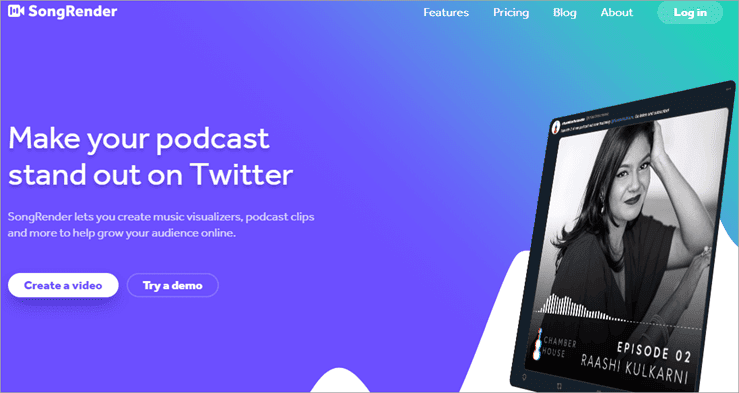
Creating videos that visualize your chosen or composed music is fairly simple with SongRender. However, its ability to create customized waveforms really distinguishes it from other tools on this list.
You can practically create unique music visualizations by simply modifying the style and shape of your waveforms in this tool. Apart from this, the software provides you with progress bar animations, graphics, and fonts that help you create uniquely compelling artwork.
It is very simple to add images, text, background, or audio to your music video in a bid to enhance its overall appeal. You can also preview your videos live as it is being edited.
Features:
- Drag and drop video editor
- Custom music visualizer
- Modify waveforms
- Export to popular social media platforms
Verdict: SongRender provides a full-service video editing tool that also works as a phenomenal music visualizer. Its user-friendly interface, a handful of customization tools, and ability to share fully rendered HD videos online, make it one of the best audio visualizers on the market.
Price: Free plan available, EP – $15/month, Album – $30/month
Website: https://songrender.com/
Recommended Reading => Explore the List of TOP Computer Speakers
#5) VSDC Video Editor Free
Best for non-linear video editing and a vast variety of effect implementations.

VSDC is first and foremost a decent video editor. It supports non-linear video editing and provides a number of advanced features to facilitate easy editing of videos in any format. However, its almost limitless library of visual and audio effects is why it has made it onto this list.
The number of effects you get to choose and implement in this tool is so high that they are divided into 5 key categories. Pertaining to their classification, they can be used for color correction, object transformation, object filters, enhanced FX, and transition effects.
It is very easy to add images, text, and audio to your project to create an end result you can be proud of.
Features:
- Tons of audio and visual effects
- Motion tracking
- Object masking
- Easy export of the final project
Verdict: Although a tad bit complex to use, VSDC can work for users who want a full-service video editor that can also act as a music visualizer. It comes with a vast gallery of visual and audio effects that demands creativity from its users in order to create compelling visuals. Plus! It’s absolutely free to use.
Price: Free
Website: http://www.videosoftdev.com/free-video-editor
Suggested Reading = >> BEST Free Video Editing Software
#6) Adobe After Effects
Best for custom animations and visual effects.
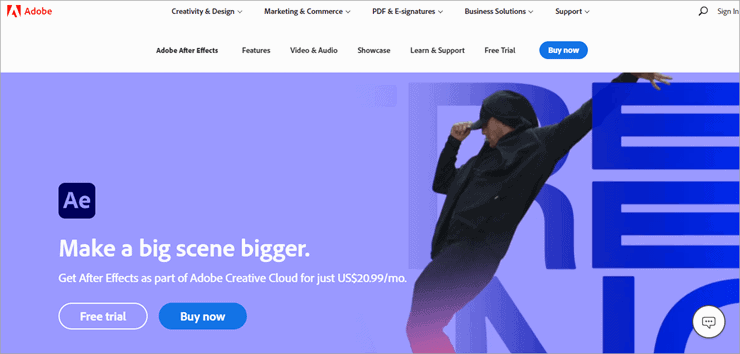
An integral part of Adobe’s Creative Cloud, After Effects is a phenomenal tool to satiate your creative goals. It empowers its users to create a number of unique cinematic effects, movie titles, intros, transitions, and of course, music visualizations.
It acts as a standard visual effects and motion graphics software that enables users to breathe life into their imagery. You can literally set anything in motion with the help of keyframes or use presets to start with your visual designs.
Anything you add to your video, whether it is a title, a 3D object, or an image After Effect can animate it in a multitude of exciting ways.
Features:
- Animate logo, character, titles, etc.
- Create 3D Objects and set them in motion
- Keyframing
- Hundreds of visual and audio effects, including VR
Verdict: Adobe Effects is an exciting tool that will more than satisfy admirers of great animation. It sets its users on the right path with hundreds of effects and a plethora of advanced features all working together to create visually arresting artwork that artists can be proud of.
Price: $20.99/month
Website: https://www.adobe.com/products/aftereffects.html
Also Read =>> BEST Free 2D And 3D Animation Software
#7) Resolume
Best for Live Audio Mixing and blending of Audio and Visual effects.

Resolume is software specifically designed to cater to VJ’s in their live performances. The VJ can easily forward or rewind the video, or scratch and adjust tempo to the beat without a hassle.
Its intuitiveness is only amplified by its sleek and user-friendly interface. The software also arms its users with a number of unique visual and audio effects. Both of these effects can be combined to create captivating audiovisual effects that resonate with the audience.
The tool is also smart enough to analyze audio in a bid to make clips and implemented effects pulsate and bounce to the beat.
Features:
- Live video mixing
- Tons of unique audio and visual effects at your disposal
- Audio analysis
- Intelligent user interface
Verdict: With its robust interface and plethora of audio/visual effects, Resolume is the ideal software for VJ’s often engaged with live concerts and similar events. It is extremely smart and can easily analyze the audio to produce visuals that match the beat.
Price: 299 Euros
Website: https://www.resolume.com/software
#8) Trapp
Best for a fully customizable music visualizer for Apple.

Now here is a music visualization app specifically designed to cater to Apple users. The tool is completely customizable from top to bottom, and can visualize any audio you feed it. You can use the music on your device or synchronize it with your Spotify list to visualize all of your favorite music.
You can add any background or grace your screen with any color your wish. Everything associated with your music, the bass effects, particles, and soundbars can all be modified in shape, size, and color. Apart from the above features, you can also record and share your own created audio.
Features:
- Apple-exclusive
- Visualize music from a device or Spotify
- Fully customizable
- Record and share
Verdict: Trapp is a great app to have on your iPhone to add some visual appeal to your music. It is completely customizable and easily visualizes audio from both your device and your online Spotify list. It is also absolutely free to use.
Price: Free
Website: https://apps.apple.com/us/app/trapp-music-visualizer/id1447118917
Further Reading => List of the TOP Music Production Software
#9) VSXu
Best for real-time audio visualization.

Created with the intention to bridge the gap between programmer and artist, VSXu is a powerful and incredibly intuitive tool. It is essentially a hardware-accelerated modular programming solution that serves the sole purpose of visualizing music and creating graphical effects in real-time.
The tool is built on a modular plug-in-inspired architecture, which empowers anyone who uses it to set their own presets. As such, it can be used to create real-time artwork, visual effects, and many other things of similar nature. The tool is open-source, which means it is free to download and use.
Further Reading => List of the BEST Podcast Software in the Market
Features:
- Open source and free to use
- Audio/Music visualizer
- Create visuals in real-time
- Establish presets
Verdict: We can confidently recommend VSXu because of its bare minimum features and open-source nature. At its core, the software is an audio/music visualizer that exists to serve the sole purpose of creating visuals in real-time.
Price: Free
Website: https://www.vsxu.com/
#10) Plane9
Best for 3D visualization.

Plane9 works primarily as a 3D Visualizer. It is filled to the brim with over 250 pre-defined visuals to choose from. These templates can either be used individually or combined to create unique effects that bring bland videos alive.
The tool is intuitively sound sensitive, reacting almost pro-actively to the music or audio it is listening to. It can be integrated with any form of the sound source, whether it is from your device or from platforms like Spotify or iTunes.
The visualizer also works spectacularly to create visuals for screensavers, HTC Vive Visualizer, and Oculus Rift VR. Suffice to say, it is a comprehensive little tool to visualize audio in no time.
Features:
- More than 250 visual templates
- 39 Transition effects
- Sound sensitive
- Compatible with multiple sound sources.
Verdict: If you seek a 3d visualizer that arms you with a limitless supply of visual effects and templates, then Plane9 should be high on your list of considerations. It can pick sound from any source, analyze it intuitively, and produce visuals that match the music beat-by-beat.
Price: Free
Website: https://www.plane9.com/
Other Music Visualization Tools
#11) Winamp
Best for a free media player with Audio Visualization.
Winamp has been around for as long as there have been media players. It is considered to be one of the finest video and audio playing tools out there. As for audio visualization, it may not allow users to manufacture their own visuals, but it does present mesmerizing artwork that reacts to match the beats of the music being played.
Price: Free
Website: https://www.winamp.com/
#12) Media Monkey
Best for end-to-end media management.
Many recognize media monkey as a full-service media manager that can perform several functions like play video/audio, record, convert and edit files, etc. However, most don’t know of its phenomenal visualization capabilities. The tool provides hundreds of visualization plug-ins that create a trance-like artwork to complement the beat it is reacting to.
Price: $24.94 for a license. Lifetime License at $45.95.
Website: https://www.mediamonkey.com/
#13) Morphyre
Best for 3D Music Visualization.
Morphyre is one of the oldest visualization tools available for both Mac and PC. It allows you to create beautiful 3D visuals that can act as screensavers for PC and artwork for your music. After 12 years in the industry, the tool is now free to use.
Price: Free
Website: https://www.morphyre.com/
Frequently Asked Questions
1. What exactly is audio visualization?
The art of converting sound into visually tangible imagery is commonly referred to as audio visualization. Several media players and software have been used to generate animated visuals from audio compositions since the ’70s.
2. How does visualization work?
The visualization system can be as simple as simulating an oscilloscope display or a rather complex one that depicts a variety of composite effects. Many media players come with built-in visualizers that emulate a song’s loudness and frequency spectrum.
3. What are the benefits of music visualizers?
A music visualizer can be used by music composers, VJ’s, or independent creators on YouTube to create artwork that compliments their music. It can help enhance a live performance experience, create a personal brand for artists, and help design cover art for albums.
Conclusion
Your music might be great and worthy of topping the charts, but this seldom happens because of how crowded the industry is. One way to make sure your music stands apart from the rest is by adding a visual element to it. That is exactly what music visualization software does. These tools can greatly enhance the quality of your music in both sight and sound.
All the above-mentioned tools are intuitive and graced with advanced features that make the audio visualization process easy, and most importantly, immensely exciting.
Suggested reading =>> Top Vocal Remover Apps
As for our recommendation, if you are looking for a tool that provides users with a limitless supply of visual templates, then go for Renderforest. If you are an independent music creator that is active on YouTube, then Videobolt will suit you best due to its ability to fully customize visuals affiliated with audio.
Research Process:
- We spent 11 hours researching and writing this article so you can have summarized and insightful information on what Music Visualization Software will best suit you.
- Total Music Visualization Software Researched – 23
- Total Music Visualization Software Shortlisted – 13
Was this helpful?
Recommended Reading
-

A comprehensive list and comparison of the popular Audio Recording Software to help you select the best free Recording Software: If you want to take notes quickly, voice recording is perhaps the most efficient way of making sure that you have what you need for future references. Thanks to smartphones,…
-
A comprehensive list of the top free Music Downloader sites. Explore this list and select the best MP3 Downloader to download MP3 music online from any site: The advent of the Internet and advancements in technology has made music more accessible than ever. Gone are the days when you had…
-
This hands-on tutorial explains 5 methods to fix the 'YouTube Audio Renderer Error. Please Restart Your Computer' error: Yes, indeed it would be annoying when sometimes you are trying to open a YouTube video and all you get is an Audio renderer error message displayed on the screen. Do not…
-
Review and Comparison of the Best Video Converter Software with Features and Pricing. Select the from this list of top paid and free online video converter tools to convert any videos quickly and easily: What is a Video Converter? Video conversion tools allow you to convert a video from one…
-
This Tutorial Reviews the Best Laptops for Video Editing With Features, Pricing & Comparison to Help You Select the Best Laptop per Your Need: Ever heard this parable, visualization is better than text. If so, then you understand the importance of video as content in today’s modern age of cutting-edge…
-
List of Top FREE Video Editing Software with Features and Comparison. Select the BEST Video Editing Software Based on Your Requirements: Video editing software can be used to create professional-quality videos. With this software tool, you can edit wedding movies, birthday party videos, travel clips, game videos, and much more.…
-
This tutorial reviews and compares the best YouTube Video Editor Software for editing YouTube videos easily: Nobody could have imagined the level of success YouTube would go on to enjoy as it grew in popularity over the years. Apart from being the most widely used content platform online; it is…
-
If you’re looking for a free tool to convert and download YouTube videos to MP3, you’re in the right place. Read a complete review and compare the best YouTube to MP3 converters and downloaders. The challenge is that there are countless options out there, and finding one that’s actually free,…