Learn how to use addROM FRP Bypass APK from this step-by-step guide. Explore its Installation process along with the Alternatives to addROM Bypass to safely bypass FRP locks on your Android:
Factory Reset Protection (FRP) is one of the most effective security systems found on Android devices. Additionally, FRP can be one of the biggest challenges faced by owners who, after conducting a factory reset, forget their Google account passwords. This is where addROM FRP Bypass comes in, allowing one to easily connect to their gadget by bypassing the verification process.
In this guide, I have covered an accurate description of what addROM is, as well as step-by-step instructions for downloading and installing the APK safely and using it for bypassing the FRP lock. In addition, it features information about relevant considerations, as well as other alternatives that could be more effective.
Table of Contents:
- Installation and Download Guide for addROM Bypass
- What is the FRP Feature on Android
- What is addROM Bypass
- How to Install the addROM FRP Bypass APK File
- How to Use addROM Bypass to Bypass the FRP Lock
- Factors to Consider Before Using addROM
- Benefits and Limitations of addROM
- Alternatives to addROM Bypass
- FAQs on addROM
- Conclusion
Installation and Download Guide for addROM Bypass
addROM Bypass is a small tool for Android devices that helps bypass the Google FRP lock if one does not have access to the device after a factory reset. It is important to ensure that the APK file downloaded is not altered by accessing it from unauthorized locations before downloading it.
addROM is compatible with a vast number of devices such as Samsung, Xiaomi, Vivo, Oppo, and other Android devices that support Android 6 through Android 13.
A step-by-step guide for downloading and installing is given below.
What is the FRP Feature on Android
Google has gone above and beyond to ensure the safety and privacy of its device users. The feature known as “Factory Reset Protection” is just another example of this. Almost all Android devices after 5.1 Lollipop have this feature enabled by default.
The purpose it serves is quite simple – to prevent any unauthorized access after a phone has undergone a factory reset.
[Via CyberArk]
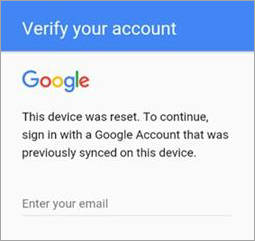
Let’s say you’ve factory reset your device for any reason. You’ll be able to completely access your phone after such a reset only after providing the correct Google account credentials. I am talking about the Google ID and password connected to your phone.
Suggested Read => Does a Factory Reset Delete Everything
Can FRP Be Disabled?
Yes, it is possible to disable FRP from your phone’s settings. Just do so before you hit the factory reset button. First, make sure all types of screen locks are disabled by going to the “Settings”.
Once that is done, go to “Accounts” and delete or remove all Google accounts associated with the phone. You can now proceed to factory reset your device through the “Settings” and not worry about being locked out because of the FRP lock.
If you’ve hit the reset button without removing the accounts and locks, FRP will kick in. From here on, the only way in is to verify your Google account credentials.
While FRP protects your phone from access by an unauthorized person, it could also lock you out of your own device if you’ve forgotten your Google credentials. When faced with such a frustrating situation, tools like addROM bypass can come to your rescue.
What is addROM Bypass

Google Factory Reset protection is an excellent security feature. However, the same thing that makes it such a worthwhile feature is also the same thing that makes it obnoxious to users, especially those who have a tough time remembering their account IDs and passwords. Thankfully, there is a solution to this situation, and you’ll find it with addROM Bypass.
You can count on this app to easily bypass FRP locks on your Android phones and tablets. It works well with almost all Android devices operating on OS 5.1 Lollipop and above. You can find the app on its official website
Also Read => Bypass FRP on Android devices with the GSMNeo FRP tool
Here’s How it Works
You’ve decided to use addROM Bypass because you’ve been locked out of your Android device. So obviously, you cannot download addROM Bypass on your locked device. You’ll need to use another Android phone to download and install the software.
Follow the process step-by-step to do so with ease.
How to Install the addROM FRP Bypass APK File
1. Make sure your locked phone has an activated SIM card in it. Boot it up until the verification screen appears.
2. Now switch to the working Android phone and proceed to install addROM Bypass on it.
3. Make sure you are downloading the software from the official site.
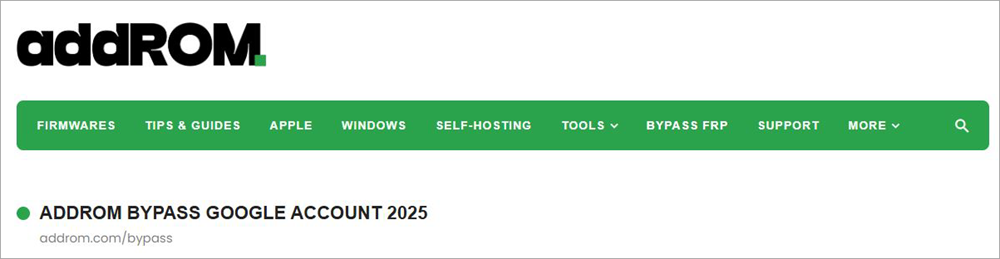
4. Scroll until you find the HushSMS.apk file. Download this file.
5. Once downloaded, go the My Files > Downloads > Install HushSMS.apk.
How to Use addROM Bypass to Bypass the FRP Lock
Now that you have the APK installed, let’s understand how you can use it to bypass the FRP lock:
1. With the HushSMS app installed, open it and tap on WAP PUSH SL.
2. Now, enter the phone number that’s connected to your locked Android device.
3. In the ensuing Messages box, type – www.youtube.com/@addROMcom.
4. Follow this up by tapping on the SEND WAP PUSH SL button.
5. This will result in the addROM YouTube channel opening up on your locked phone.
6. Now, click the “Menu” icon at the top right corner and select Terms & Privacy Policies. This will open up a browser page.
7. Search for addrom.com/bypass and then download Google Account Manager (GAM) APK.
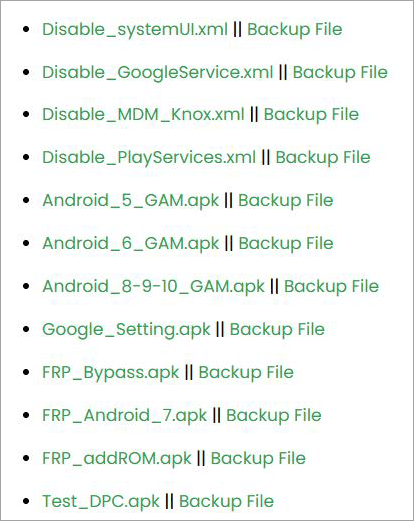
8. On the same site, you’ll find the FRP Bypass APK file; download it as well.
9. Install both files on your locked device.
10. Once installed, open FRP Bypass APK, navigate to Menu, and select Browser Sign-In.
11. Sign in with a Google account and reboot your device.
You have successfully bypassed the FRP lock on your phone.
Here is the video to bypass FRP Google on all Samsung Devices:
Recommended Reading => Reasons And Solutions for Slow Phone
Factors to Consider Before Using addROM
Before you decide to use addROM, it is important to understand a few things. First and foremost, this platform could have a lasting effect on the functioning of your device. It would do you good to consider a few things before deciding to use the app.
For starters, using addROM could render your device’s warranty void. This might hinder your attempt at getting manufacturer support in the future. Second, you are putting your data and privacy at risk by using tools like addROM bypass.
The tool also demands some technical proficiency from its users. It must be used appropriately, and any improper use could significantly affect your device’s integrity.
I would also suggest backing up your phone’s data before addROM bypass download. This will ensure your data isn’t compromised during the device unlocking process.
Does addROM Work?
The common consensus seems to be yes, addROM does work. However, I’ve also come across some complaints regarding the tool, especially concerning its tedious installation process and compatibility issues.
Suggested Read => How to Factory Reset Windows 10 on Your PC
To better understand just how effective addROM is, I suggest you go through some of its pros and cons, as I’ve curated them below for your reference:
Benefits and Limitations of addROM
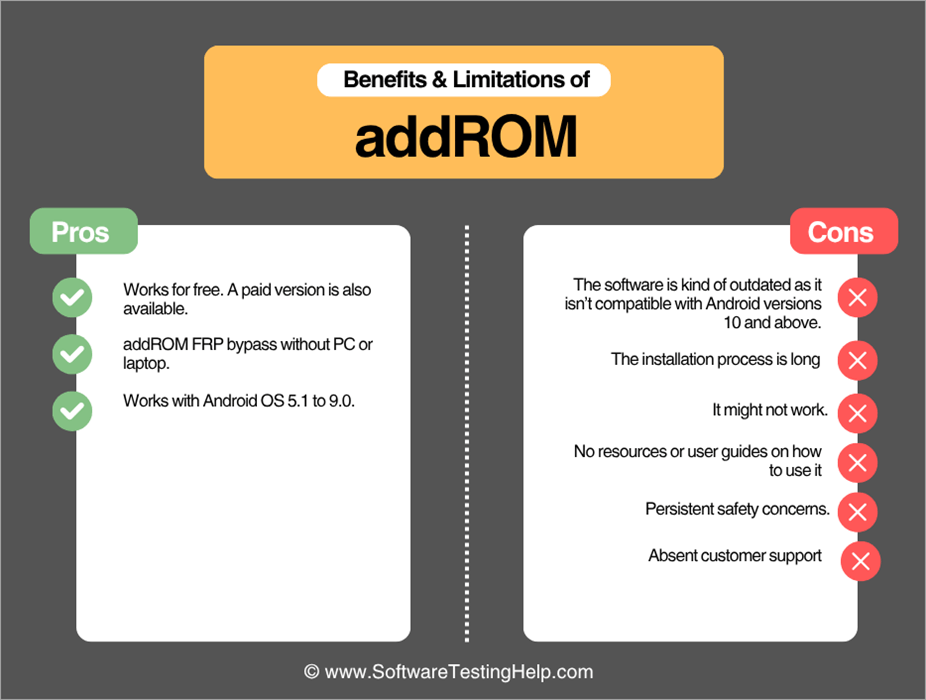
| Pros | Cons |
| Works for free. A paid version is also available. | The software is kind of outdated as it isn’t compatible with Android versions 10 and above. |
| addROM FRP bypass without PC or laptop. | The installation process is long |
| Works with Android OS 5.1 to 9.0. | It might not work. |
| No resources or user guides on how to use it | |
| Persistent safety concerns. | |
| Absent customer support |
Alternatives to addROM Bypass
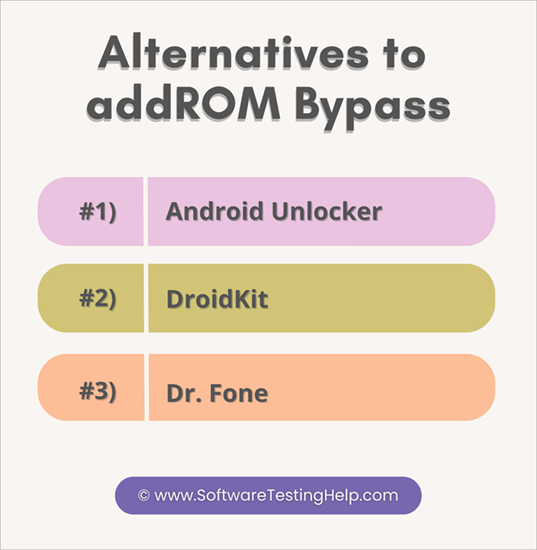
While addROM Bypass is a widely used tool to bypass FRP locks, it isn’t the most convenient solution to your problem. addROM is incompatible with most modern Android devices; it only supports these versions:
- Lollipop 5.0
- Marshmallow 6.0
- Nougat 7.0
- Oreo 8.0
- Pie 9.0
If you are using an Android device operating on an older OS, then well and good. However, addROM bypass is simply ineffective with Android devices 10.0 and above. The bypass process itself isn’t really simple.
Fortunately, there are alternatives out there that do make up for addROM bypass’s limitations. Some of the best are as follows:
#1) Android Unlocker
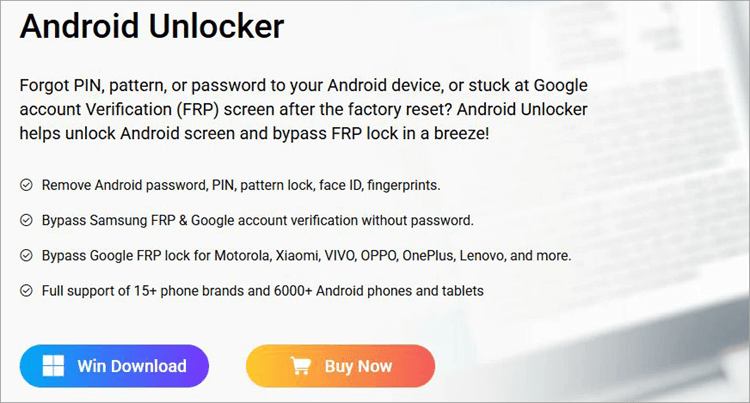
Think of Android Unlocker as a far more convenient alternative to addROM. The tool makes bypassing FRP locks look as easy as a walk in the park. Besides FRP locks, you can use the tool to bypass passwords, PINS, fingerprints, and face ID. The software also works well with all older and newer versions of the Android OS.
Further Reading => Best FRP Unlock Tools
Features:
- Remove all types of Android Lock.
- Works with 15 Android brands.
- Bypass FRP and Google account verification.
- Work with all new and old Android OS versions.
Price: Android Locker will cost you $39.90
Website: https://www.appgeeker.com/android-unlocker.html
#2) DroidKit
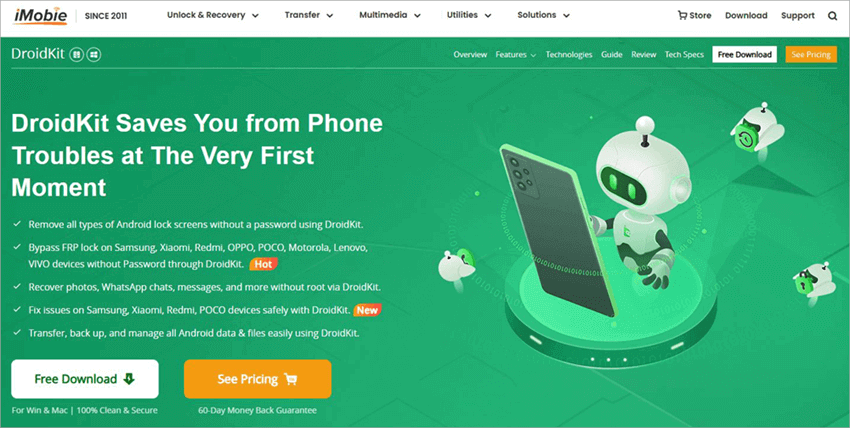
DroidKit is another tool that is as user-friendly as it is functionally robust. It ensures a clean and safe bypass of your phone’s FRP lock once launched. The platform works with almost all Android devices operating on OS versions 6.0 and above. You don’t need to be a technical aficionado to use this tool. The installation and bypass process is fast and simple.
Features:
- All types of Android lock screens bypassed.
- Bypass FRP locks.
- Recover images, docs, messages, etc.
- Back up and manage data.
Price: DroidKit FRP Bypass will cost you $39.99
Check our DroidKit Review Here
#3) Dr. Fone
Wondershare’s Dr. Fone serves as the perfect solution to a thousand problems that could affect your phone’s performance. You will have an easy time using this tool to bypass FRP locks or any other screen lock stopping you from accessing your device. This tool also works with the latest Android 15 version.
Features:
- Screen Unlock
- Data Recovery
- System Repair
- Data Eraser
Price: The basic tool will cost you $29.95, while the full toolkit will cost you $79.95.
Bypassing Samsung FRP Lock with Wondershare Dr. Fone Screen Unlock
FAQs on addROM
1. Is addROM safe to use?
Safety isn’t a major concern or cause of complaint among addROM users. The tool does seem safe to use, with no malware or virus complaints found during my research. However, it is important that you download the APK files from the official website only to stay safe.
2. Is addROM Bypass FRP legal to use?
Well, depends on the laws in your jurisdiction. Typically, Android or Google does not recommend using tools like addROM bypass to unlock or troubleshoot their devices. They should be used as a measure of last resort.
3. Can you use addROM without technical expertise?
Yes, you don’t need to be a tech wizard to use addROM Bypass. That said, its installation process can be a tad bit tedious, requiring multiple steps before you can finally bypass a locked device.
4. Is addROM compatible with all Android devices?
No, Android works with OS versions 5.0 Lollipop up to Pie 9.0. If you are using an Android device operating on OS versions 10.0 and above, you’ll have to look for alternatives.
5. What are the best alternatives to addROM bypass?
The following three tools do a better job at bypassing FRP locks than addROM bypass:
• Android Unlocker
• DroidKit
• Wondershare Dr. Fone.
Conclusion
As someone who occasionally forgets his own login credentials, I understand just how frustrating it can be to get locked out of your phone after a factory reset. That said, this isn’t a problem that a good bypass tool cannot fix. addROM FRP bypass has been a much raved-about solution for Android users who’ve had to bypass their device’s FRP locks.
The success rate of this device working is through the roof, provided you are using it to unlock older Android devices (Lollipop 5.0 to Pie 9.0). addROM FRP bypass isn’t something I can recommend if you’re using a new Android device.
You’ll have better luck with alternatives like DroidKit or Android Unlocker when unlocking an Android device operating on OS 10.0 and above.
Research process
Time taken to review and research this article: Approximately 45 hours were spent on comprehensive research, review, evaluation, verification, and final preparation to ensure accurate and reliable information.
Was this helpful?
Recommended Reading
-

Discover the versatile ways to safely Bypass FRP on Android devices with the GSMNeo FRP tool. Explore its efficient features & functionalities along with a list of GSM NEO Alternatives: GSMNeo is a free tool for bypassing Google FRP (Factory Reset Protection) on Android devices without using a P.C. Factory…
-
This tutorial reviews and compares the best iCloud Bypass Tools to help you with the iCloud/iPhone activation lock removal/bypass process: Apple iCloud is an online cloud storage service built into every Apple device. You can log into the online account by entering your user ID and password. If you happen…
-

Are you stuck on the Windows 10 login screen? Isn't your password working? Stop worrying and read through the steps on how to bypass Windows 10 login screen without a password: Role-based access control is essential for securing data-sensitive cloud-based or client-server web-based applications that validate registered users with a…
-
In this tutorial, you will understand the methods of Bypassing Samsung FRP Lock with Wondershare Dr. Fone Screen Unlock: Initially introduced to the Android 5.1 version, Factory Reset Protection (FRP) is an in-built security feature designed to prevent users from using devices after a factory data reset. This security feature…