In search of the best Instagram Reel to MP3 Converter? You can get details about our reviewed converters, methods of conversion, safety precautions, and legality.
It may seem easy to choose an Instagram Reel to MP3 Converter that suits your requirements but there are many websites that will mislead you with ads and low-quality audio.
We have reviewed the most popular Instagram to MP3 converters in order to find the best ones, taking into account such factors as conversion speed, audio quality, safety, compatibility, and user-friendliness.
Here you will get acquainted with the process of converting Instagram Reels to MP3 on Android, iPhone, Windows, and Mac, as well as legal aspects.
How do you convert an Instagram Reel to MP3?
The fastest way to convert your Instagram Reel to MP3 would be by using an extraction tool available on the internet such as ReelSave:
- Step 1: Open Instagram Reel and click on the Share icon (paper airplane) to Copy Link.
- Step 2: Open the online conversion site, such as ReelSave, and paste the link into the converter.
- Step 3: Click on Convert, select MP3 as the output format, and Download.
Instagram Reel To MP3 Download: Best Hand-Picked Converters 2026
The music attached to Instagram Reels is very important. It makes the reel more impactful. If music is not good, it can even make your videos with breathtaking visuals look dull. And if the music is good, even an ordinary image can get many views and likes.
As an example, check out this reel.
Users often create Instagram Reels to trending music. Like, have a look at these reels; you will find hundreds of reels created with these music files.
- https://www.instagram.com/reel/DTYDNctj966/?igsh=MXU0Y2xzdDF5dnR4Yw==
- https://www.instagram.com/p/CSWyhhzi8Hn/?igsh=Z25wNDJqbWluNW8w
- https://www.instagram.com/reel/DMdJHUEzjM8/?igsh=MXV2cDB5d2QwNGV6dQ==
- https://www.instagram.com/p/CJ3BRPKBnl4/?igsh=MXJoMnNxMXI1bXBzMw==
Look how she’s just made a reel for the Insta reel creators, providing links to the trending music.
Instagram users may want to download reel sounds for their quality, to listen to the music offline, to create a reel with the same audio, or for any other reason. Converting an Instagram Reel to MP3 can be done using several applications. We will discuss them in this article.
Why Convert Instagram Reels to MP3?
Now that you have watched some reels with captivating music, you know the difference it creates in the overall impact of a reel.
When an Instagram creator, or even a non-creator, comes across a reel with trending music, he wishes to create such a reel with the same music. I bet it must have happened to you! Trust me, all of us have been there. Like, have a look at this reel.
I must say, after watching this reel, I felt a sudden urge to pack my bags, go on a vacation to the Maldives, and make a reel with this music!
So this is the reason people look for ways to convert an Instagram reel into audio so that they can also get ‘viral’.
Key Takeaways
1. Since Instagram does not have a feature to download a reel as a video or audio, it becomes difficult to do so. Some Instagram reels do have an option to download them; others don’t. And even when you download an Instagram reel directly from Instagram, the name of the account from which it’s downloaded will appear on it.
You will find other methods to download the reel without the account’s name in this article.
2. Users look for apps that can instantly download a reel or its audio
3. There are several apps with different sets of features for this purpose. We will discuss different types of apps used for this purpose in our article.
4. Some apps allow instant download, some provide additional features like noise cancellation, batch conversion, etc., and some have ads, and some don’t. Some applications offer an online Instagram reel to MP3 converter, while you can use some after signing up or downloading the app. You can choose any method based on your requirements.
Is It Legal to Convert Instagram Reels to MP3?
Since the reel you are trying to download is someone else’s creation, it may be copyrighted. And downloading a video or its audio with copyrighted content can lead users into trouble.
Many times, the audio from your Instagram reel may get muted, or the reel may get automatically removed, because you used a licensed or copyrighted audio file. This can create a bad influence on your Instagram page. If you repeatedly violate copyright laws, your account may also be suspended.
Even if the content you download does not have copyright, it does not look ethical to copy someone else’s content, right? So it’s better to create original content and use the music available in the Instagram library, or use the original audio of your video. Users can even use audio editing tools like Veed.io and Descript to insert special effects into their music files.
Some Instagram reels do have an option to be downloaded. This means they must be using music from the royalty-free music available in the Instagram library. So, extracting music from those reels won’t get you into trouble.
Plus, downloading the music for personal use would most probably not create any trouble. But using a licensed track for commercial use can lead you into trouble. Many times, the accounts of influencers with thousands of followers get suspended just because they used licensed music in their reels.
Royalty-free music & licensed tracks on Instagram: Instagram has a library of thousands of royalty-free music tracks that individuals and professional reel creators can use without having to worry about being muted or suspended on Instagram.
But if you extract the music from an Instagram reel through other music extraction methods and do that for commercial purposes, then you can land in trouble.
How to Convert Instagram Reels to MP3 on iPhone
Steps to convert Instagram reels to MP3 on Mac, Android, or PC:
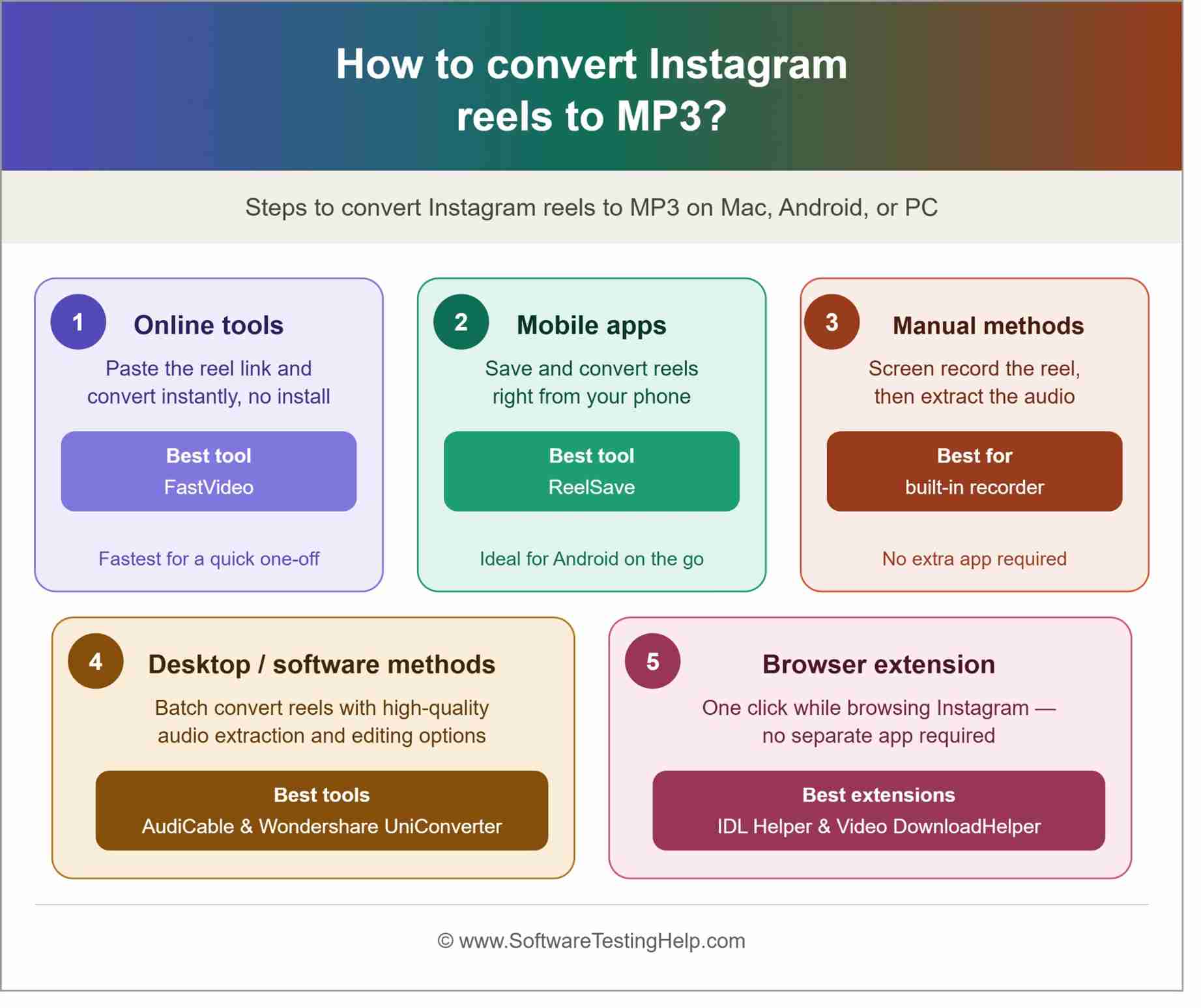
1. Online Tools: There are several websites, like ReelSave and FastVideo, that provide Instagram reel to MP3 converters online so that users can instantly extract the music from an Instagram reel without having to sign up, download an app, or buy a subscription.
2. Mobile Apps: If you want to know which mobile app to use to convert Instagram reels to MP3, then let me tell you, AudiCable is quite easy to use, safe, and a trusted app for this purpose.
3. Manual Methods: If you like the music of an Instagram reel, you can save it by tapping on the Bookmark icon and then use the music when you want by converting the Instagram reel to MP3, using either the online tools or a mobile app discussed above.
Please note that there is no other method to get the audio of an Instagram reel than using an application built for extracting the audio from an Instagram reel. One handy method is this: you can just play the reel on one device, while holding another device near it, to record the sound. But you may not get good-quality audio through this method.
4. Desktop/Software Methods: If you are using a desktop, then you can either use an online app like ReelSave or FastVideo, or download an app like Wondershare UniConverter or AudiCable to download reel sound.
5. Browser extension built for converting Instagram reels to MP3: Several Chrome extensions allow you to download an Instagram reel or extract its audio.
Some of them are:
- IDL Helper: This extension adds a download button to Instagram reels, thus allowing users to save any reel or its audio.
- Video DownloadHelper: This extension works on Chrome and Firefox. It can also save audio from any reel on Instagram.
Best Instagram Reel to MP3 Converters (Tested & Reviewed 2026)
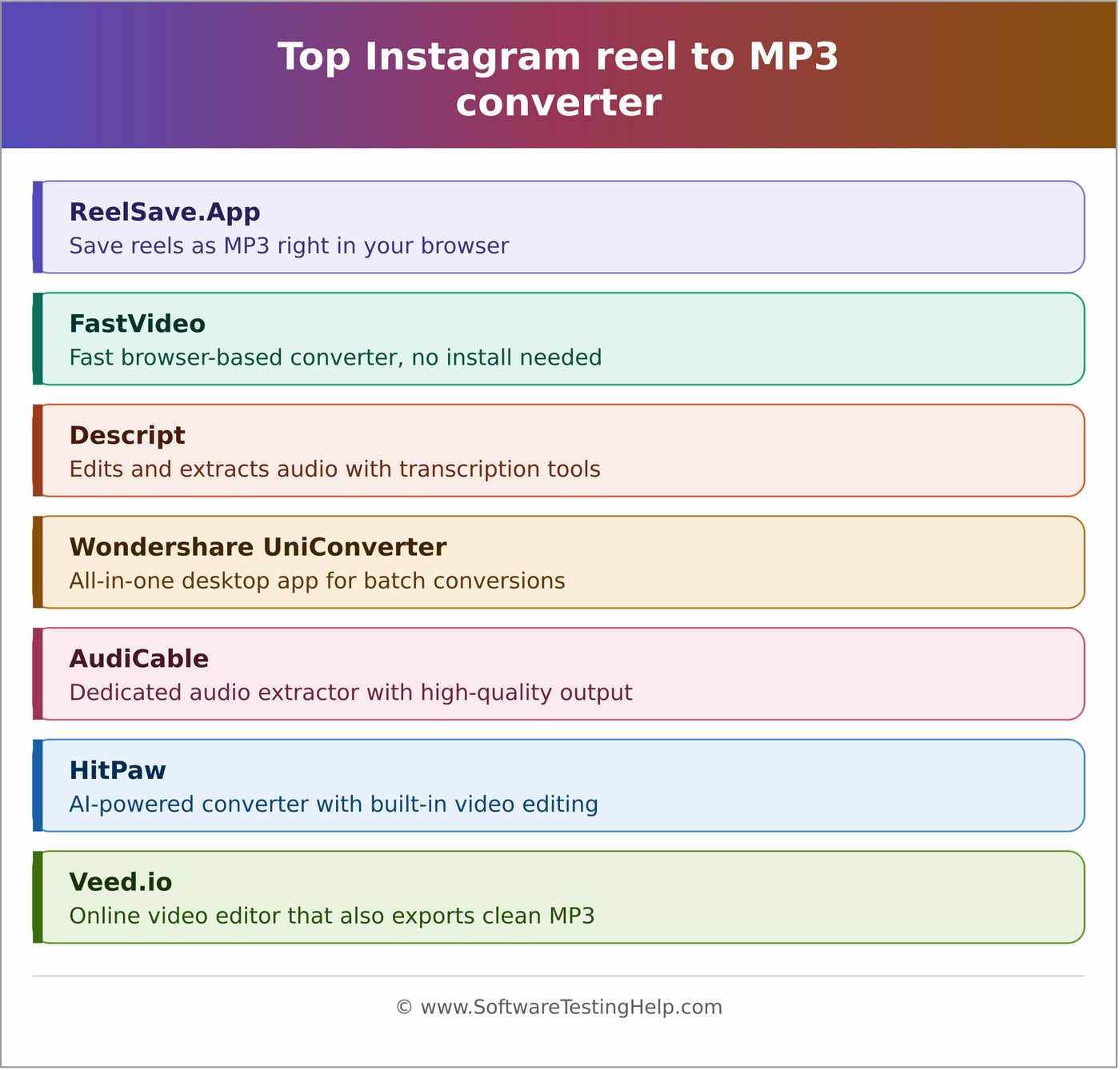
Reviews of the best platforms available for converting Instagram Reels to MP3:
- ReelSave.App
- FastVideo
- Descript
- Wondershare UniConverter
- AudiCable
- HitPaw
- Veed.io
Comparing the Top Platforms to Convert Instagram Reels into MP3
| Platform | Best for | Most suitable for | Bitrate | Price |
|---|---|---|---|---|
| ReelSave.App | Quick, high quality results | Individuals as well as professionals | Downloads the audio in the highest possible bitrates available from the source. | Free |
| FastVideo | Quick, high quality results | Individuals as well as professionals | The audio is downloaded in the highest bitrates available from the source. | Free |
| Descript | Advanced audio and video editing features | Individuals, professional audio, video editors, reel creators, influencers | 32 kbps to 256 kbps | Free |
| Wondershare UniConverter | AI powered audio and video editing and enhancing tools. | Professional audio, video editors, reel creators, influencers | 32 kbps to 320 kbps | $4.17 per month (a free version is also available). |
| AudiCable | Batch music extraction from Instagram reels, Spotify, Apple Music, Amazon Music, Tidal, YouTube Music, Deezer, Pandora, SoundCloud, Qobuz, Beatport, Bandcamp, etc. | Professional audio, video editors, reel creators, influencers | 128 kbps to 320 kbps. | $49.95 per month. (A free version is also available with limited features.) |
Detailed Reviews:
#1) ReelSave.App
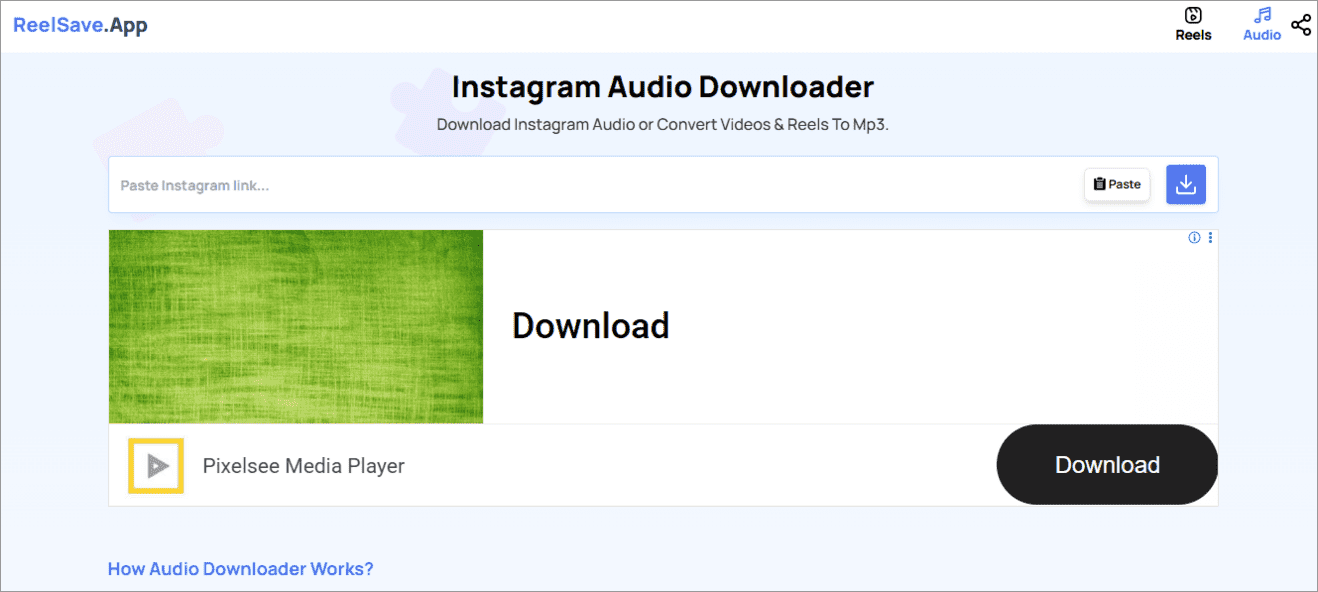
ReelSave.App is the easiest-to-use Instagram reel to MP3 converter online. The website allows users to download reels or extract the audio from any reel, just by pasting the copied URL of that particular reel.
This web application works by downloading the video first and then extracting the audio from it. Users get the audio in MP3 format.
So if you are wondering how to convert an Instagram reel to MP3 on Android, or any other device, ReelSave.App is the answer because it works on all devices through the web.
Key Features:
- You can download an MP3 from any reel on Instagram.
- Easy to use
- Reduces the file size of the MP3 audio downloaded from the reel.
- Does not reduce the quality of the audio
Pros: Quick results, minimal ads, easy to use, no fees, simple UX.
Cons: The website may get stuck at times.
How to convert an Instagram Reel to MP3 with ReelSave.App: Users need to follow these quick steps to convert an Instagram reel to MP3:
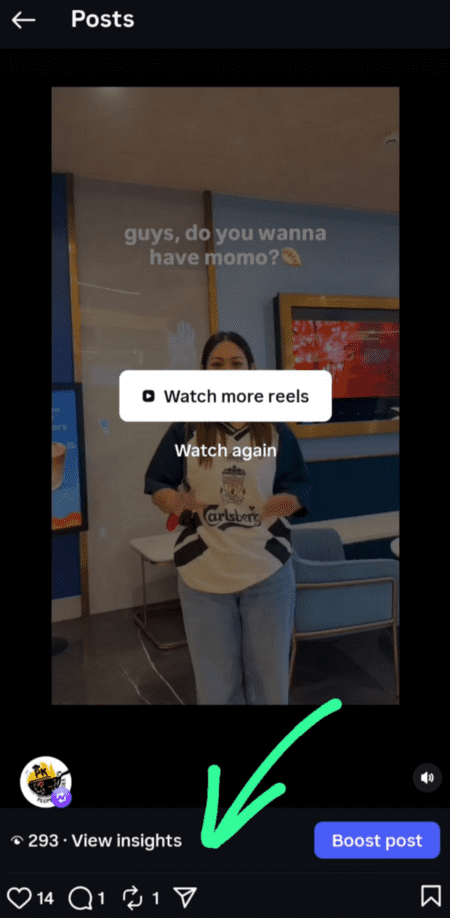
- While you are watching a reel, if you want to save its audio, tap on the Share icon located either in the lower right corner of your screen or below the reel.
- Now tap on the ‘Copy link’ icon.
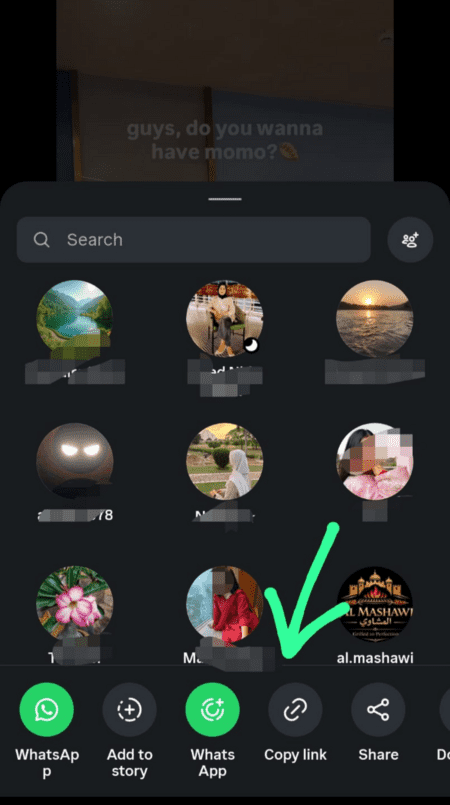
- You have copied the reel’s URL.
- Now open your phone’s (or desktop’s) browser and search for the ReelSave website.
- Once you open the website, paste the URL you copied into the provided box.
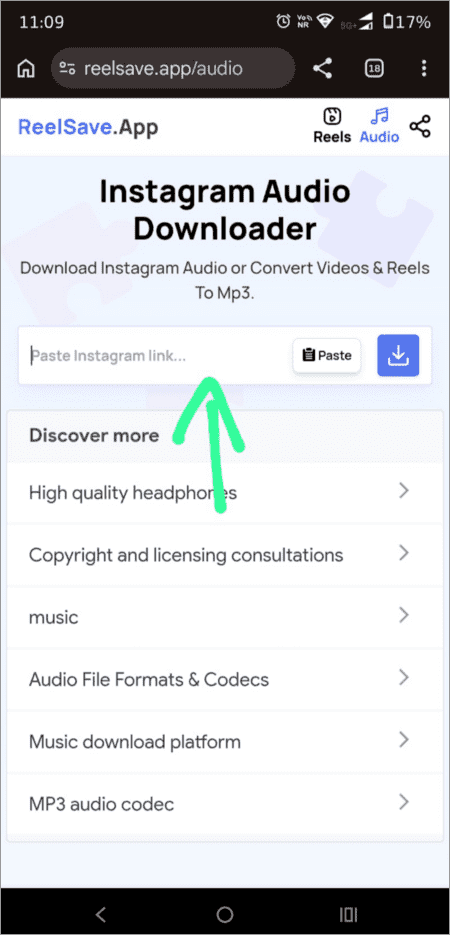
- Once you paste the URL, tap on the download icon located next to it.
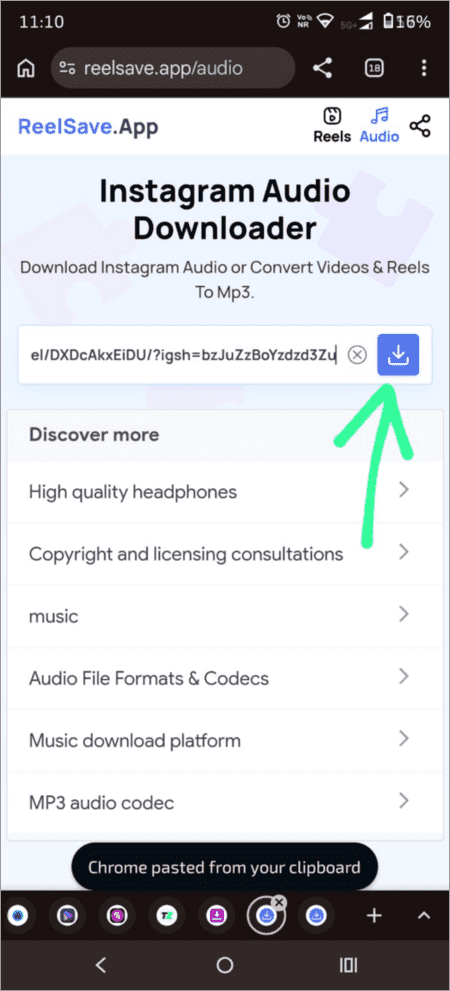
- The reel will then be downloaded. Now tap on Download Audio to get the reel’s music extracted from it.
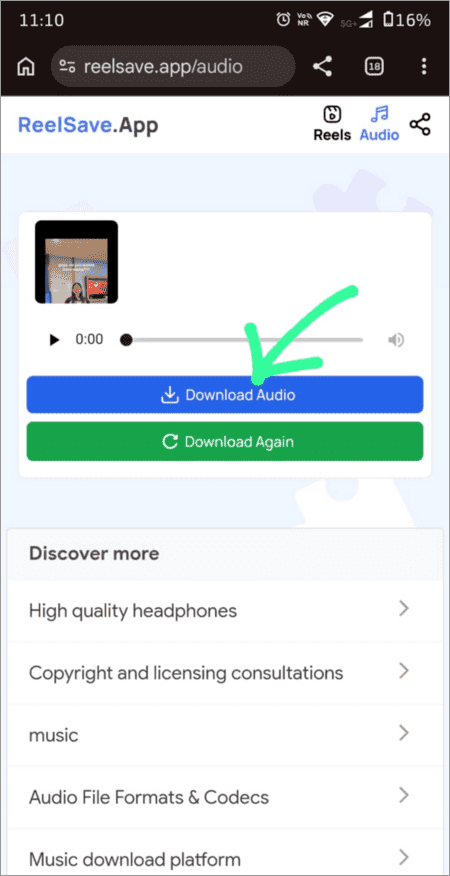
- The music file will then be saved on your device in MP3 format.
Website: https://reelsave.app/audio
#2) FastVideo
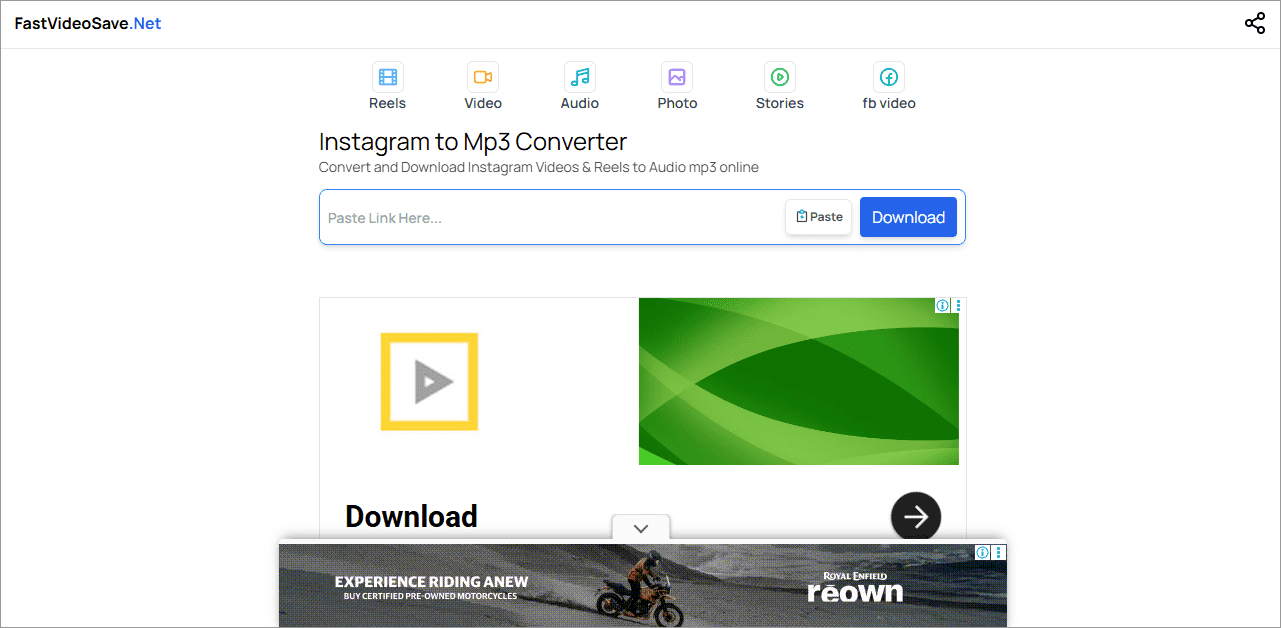
FastVideo is just like ReelSave.App. It is a web-based application that allows users to download audio from any reel. You don’t need to install the FastVideo app. The reel can be converted into an MP3 file online.
The platform has a simple UX design, where you will see the box to paste the link of your reel at the front, and the reel will instantly be downloaded using mobile data or WiFi.
Key Features:
- A simple UX design to easily download the audio of an Instagram reel.
- Gives instant results
- You can download a reel or its audio
- You do not need to install an app to get the reel/audio downloaded.
- Internet is required for the web application to work.
Pros: Easy-to-use platform, simple UX, free to use, minimal ads, no need to install an app.
Cons: The website will download the file, even if it is licensed. This can lead you into trouble.
How to convert an Instagram Reel to MP3 with FastVideo:
- Copy the link of the Instagram reel whose audio you want to save by following these steps:
- Tap on the Share icon
- Tap on the Copy icon
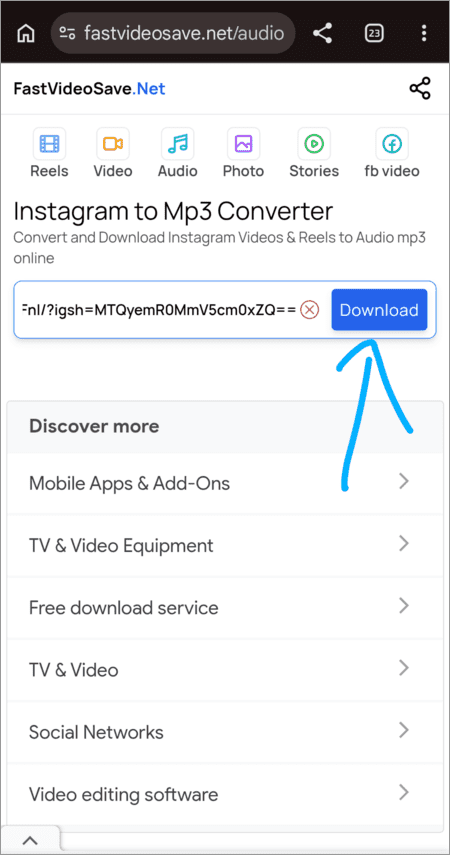
- Open the FastVideoSave.Net website through your browser.
- Paste the reel’s URL in the space provided
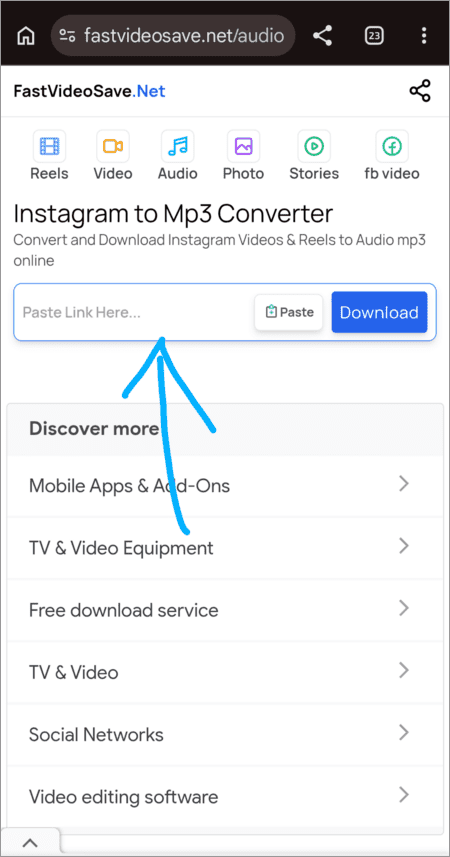
- Then tap on Download
- Tap on Download Audio, and the audio file will then be downloaded to your device.
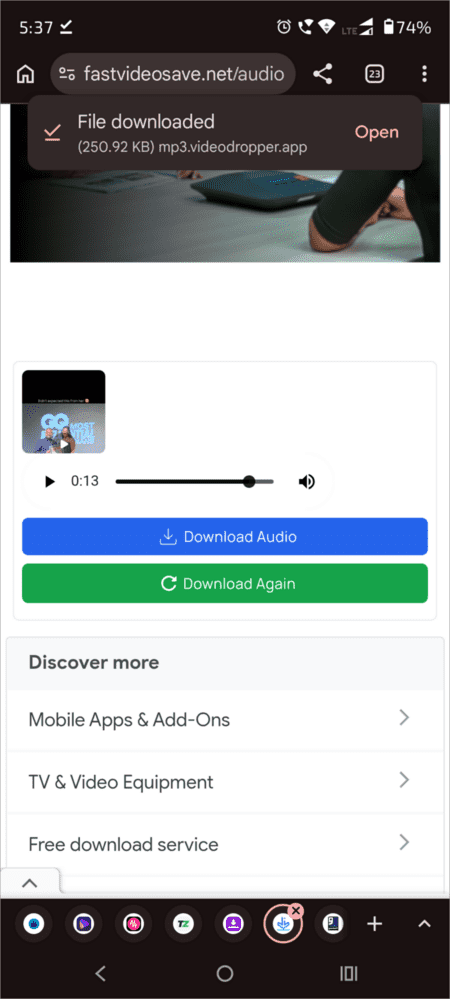
Website: https://fastvideosave.net/audio
#3) Descript
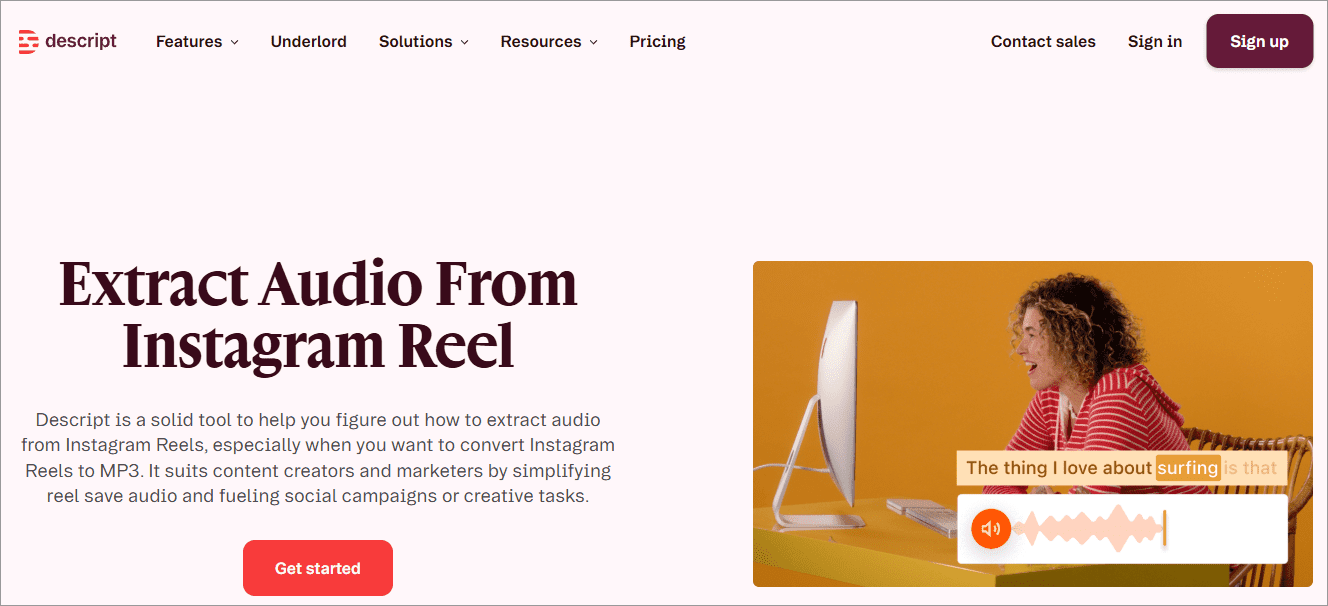
Another tool we would suggest, which is a trusted Instagram reel to MP3 downloader, is Descript. In addition to audio downloading, it offers tools like video editing, AI Video Generator, Screen and Video Capture, Text to Speech, and more. Descript is trusted by companies like Spotify, Microsoft, The New York Times, and many more.
Descript has a free version and 2 paid plans:
- Hobbyist: $16 per person per month
- Creator: $24 per person per month
Key Features:
- You can mute the audio of a video or extract the audio from a reel
- Works for Instagram Reels and Facebook Reels
- The audio-extracting feature is available in the free version
- Users can make use of their AI-driven tools for editing audio or video.
- Suitable for personal and professional use.
Pros: A good range of features, beautiful UX design, and easy to use.
Cons: Users would need to sign up to extract the audio.
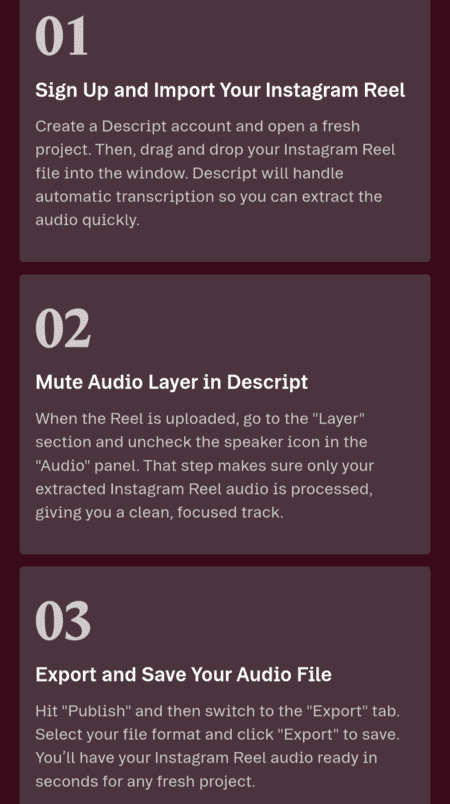
How to download Instagram reel audio MP3 with Descript:
These are the quick 3 steps to download the Instagram reel’s audio with Descript:
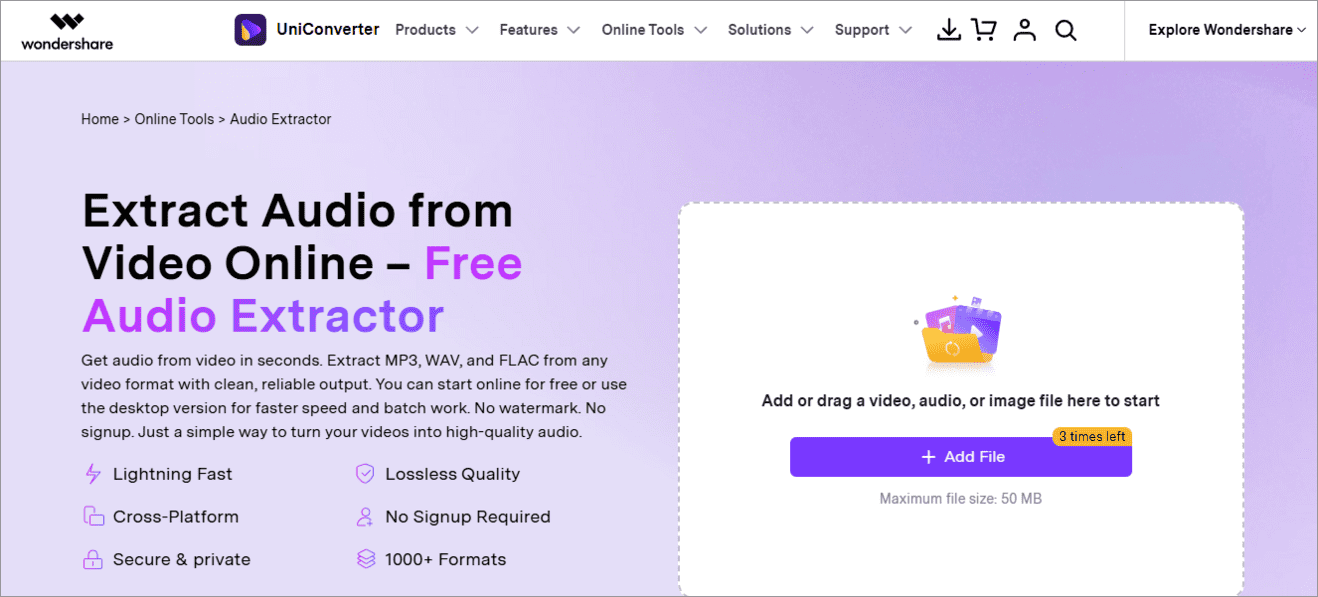
Wondershare UniConverter is a powerful platform for transforming and enhancing your videos, images, and audio to make them eye-catching, viral Instagram reels. It has 7 million+ users and amazing reviews.
Best part of Wondershare UniConverter: You can process your video/audio/image files in bulk! Many of their tools are available for use online, without having to download the app. For advanced features, you’ll have to get the app. Their paid plan costs $4.17 per month.
Key Features:
- Creation tools like video editor, text-to-speech, subtitle translator, and more. Enhancement tools like Noise remover, Vocal Remover, and BG Remover, Conversion tools like video merger, and more.
- Their audio tools include an online audio converter, extract audio from video, AI vocal remover.
- Allows extracting audio from videos online.
- The maximum file size allowed for upload is 50 MB.
- Supports over 5000 file formats
- Users can get output in various formats, including MP3, WAV, FLAC, AAC, and more.
Pros: Lightning fast speed, single or batch extraction of audio, secure platform, no need to sign up, Lossless quality, supports various file formats, delivers extracted audio in the desired format.
Cons: The number of times you can extract audio from a video for free is limited.
How to convert an Instagram Reel to MP3 with Wondershare UniConverter:
Firstly, open the reel that you want to convert into an MP3 file. Download it from Instagram only.
- Go to the Wondershare UniConverter webpage
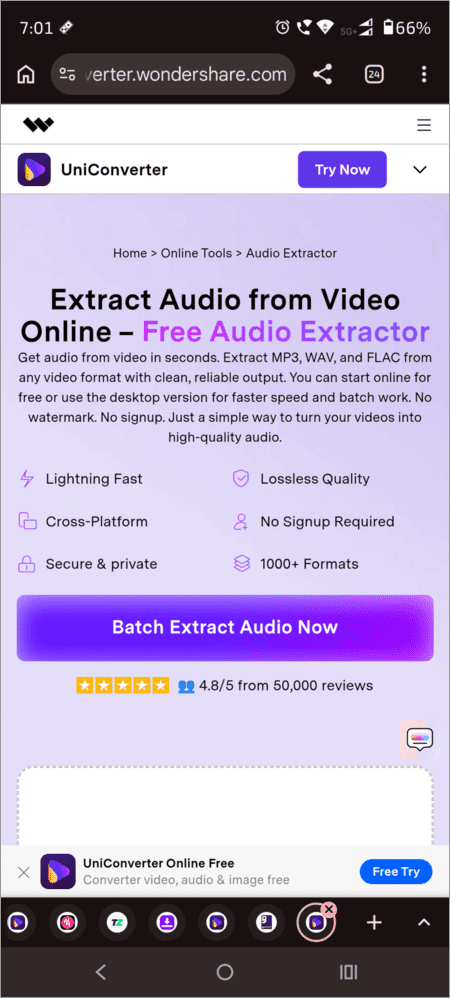
- Tap on Add File
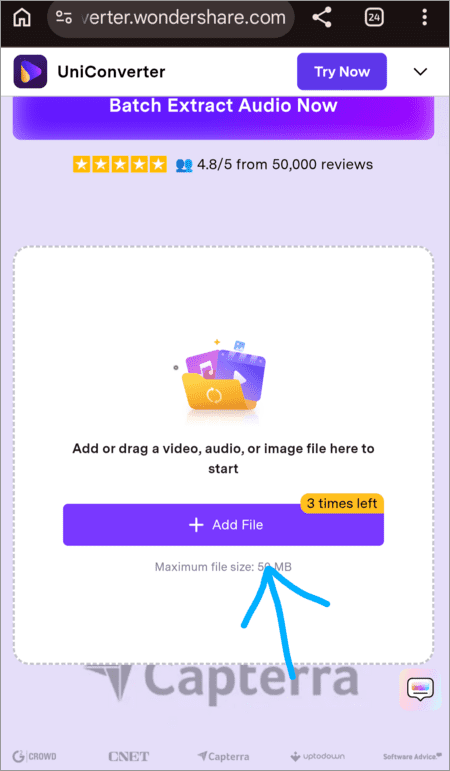
- Select the video from your device’s gallery.
- Choose the file format of the audio you want.
- Now tap on Convert (or tap on Replace File if you want to add another file instead of the added one).
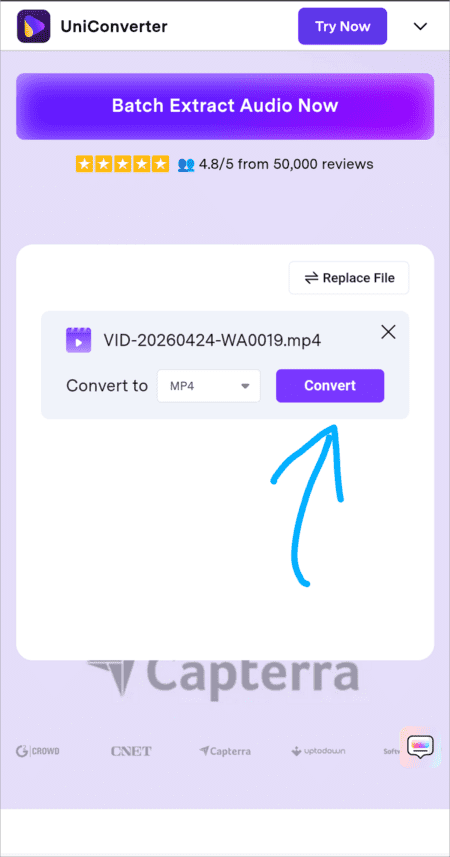
- Once the video has been converted into an MP4 (or any other format) file, you will see Success written below it. Now tap on Download.
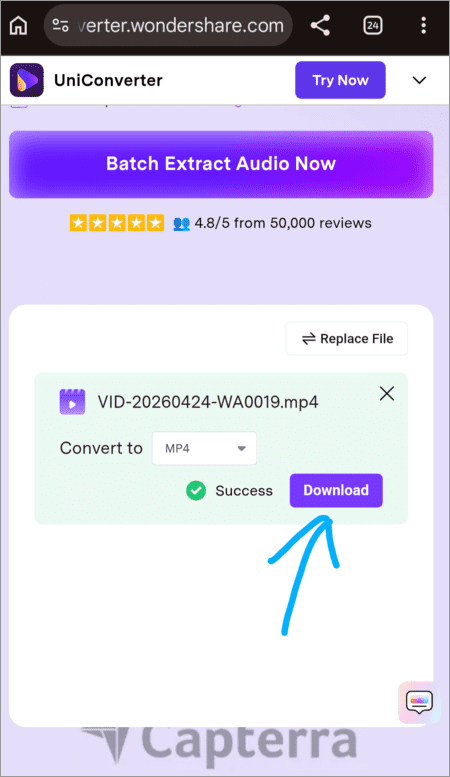
- Once the audio file is downloaded to your device, you will be notified.
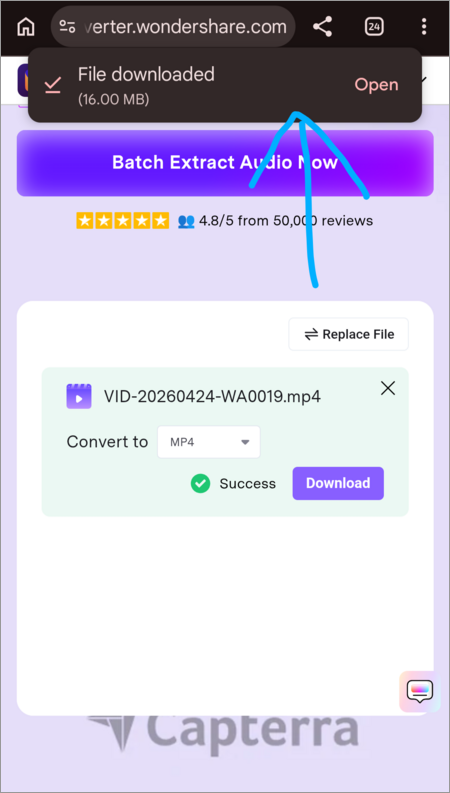
Website: https://videoconverter.wondershare.com/extract-audio-from-video.html
#5) AudiCable
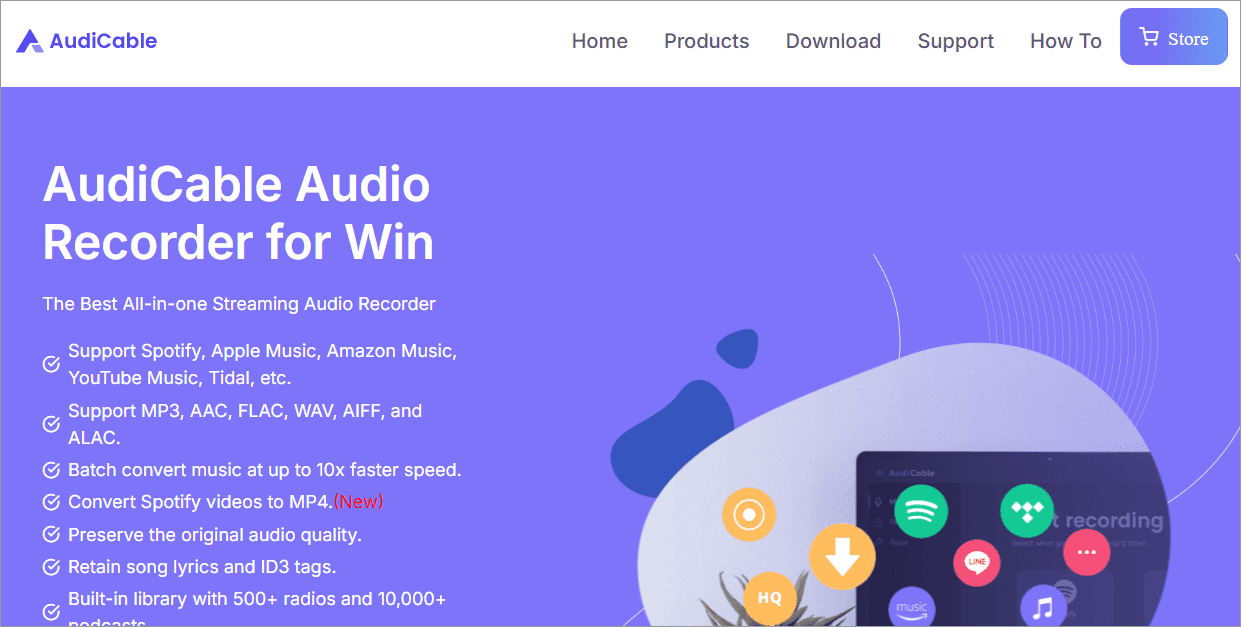
AudiCable, with a nice range of features, a money-back guarantee, and 95% satisfied customers, stands out as a preferred option for converting Instagram reels to MP3, recording songs and videos from Netflix, Prime Video, Disney+, etc., and much more. You can download AudiCable for your device from here.
Key Features:
- Let’s you choose the output quality
- Lossless audio extraction
- Supports MP3, AAC, FLAC, WAV, AIFF, and ALAC audio formats
- Batch conversion of files
- Free audio tools
Pros: Easy to use, intuitive interface, multi-language support, no ads, money-back guarantee.
Cons: You need to download the application for use.
How to convert an Instagram Reel to MP3 using AudiCable:
Watch this YouTube video showing step-by-step guidance on how to extract audio from videos on different platforms like YouTube, Spotify, Apple Music, Instagram, and more.
Website: https://www.audicable.com/download.html
#6) HitPaw
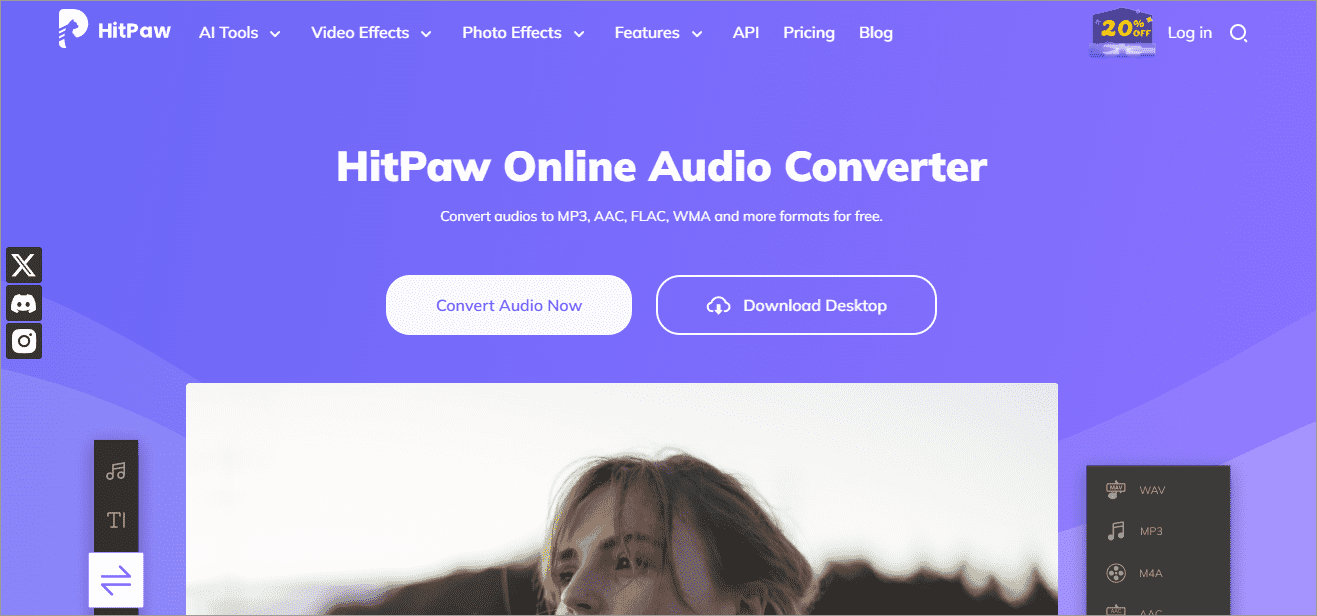
Another feature-loaded, ad-free, highly useful audio and video editing tool is HitPaw. It can either be used online or through the app. Users can convert their Instagram reels to MP3 through their web page for free in 3 simple steps. Their paid plans start at $2.99 per week. See what they are offering with their paid versions.
Key Features:
- Easy to use, clean interface with no ads
- Offers more useful features like an online image converter, an online video converter, video to GIF, audio editing, and more.
- Supports MP3, AAC, FLAC, WMA, and more audio formats
- Lets you convert files in batches as well
- Works on PC, Mac, and Online
Pros: Easy to use, no ads, no need to download the app, secure platform.
Cons: Users need to upload a video to extract the audio file. You can’t get the audio directly from the Reel’s URL.
How to convert an Instagram Reel to MP3 using HitPaw: Watch this YouTube video to learn how to extract audio from a video using HitPaw.
Website: https://online.hitpaw.com/
#7) Veed.io
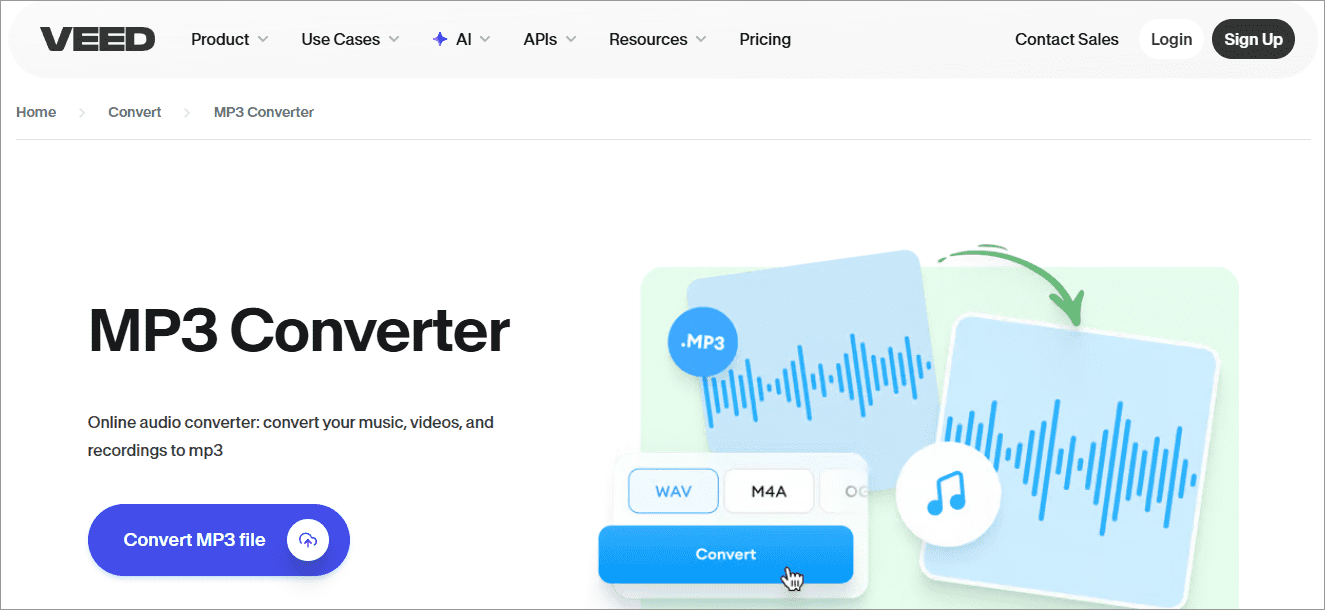
Veed.io is a popular audio and video editing platform used by Instagrammers and others in creating high-performing reels. Facebook, Visa, Pinterest, P&G, and Booking.com are some of their prestigious clients.
On Veed, users can convert their audio and videos online for free without having to sign up. Their paid plans offer advanced features like auto-subtitles, creating studio-quality videos, AI Image Generation, and more.
Their paid plans are as follows:
- Creator: $12 per month per editor
- Pro: $24 per month per editor
- Studio: $39 per month per editor
- Enterprise: Custom Pricing
Key Features:
- Online free video-to-audio conversion
- Offers various free online tools for editing videos and audio, like adding subtitles, adding text, cleaning the audio, and more.
- Ad-free, clean interface
- Useful, free features
Pros: Free, available online, no need to download the app, simple UX design, no ads, highly useful, advanced, and affordable paid plans.
Cons: Doesn’t offer tools for converting audio directly from an Instagram reel’s URL.
How to convert an Instagram Reel to MP3 using Veed.io: Veed.io allows users to extract audio from a video online by following these steps:
- Open Veed.io’s web page
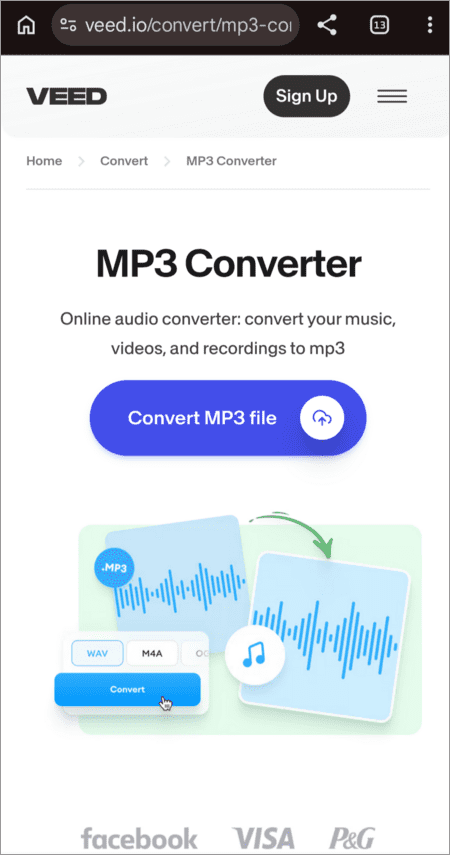
- Tap on Convert MP3 file
- Tap on Upload a file
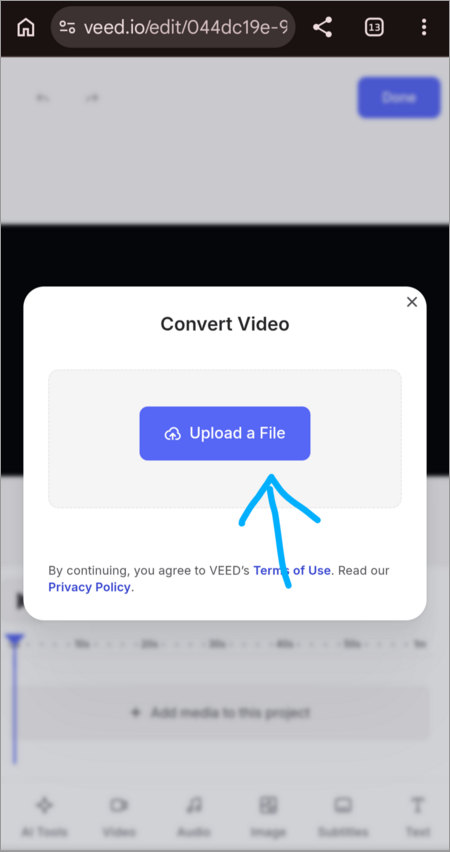
- Now select a file from your device’s Gallery.
- Choose a format for your audio file
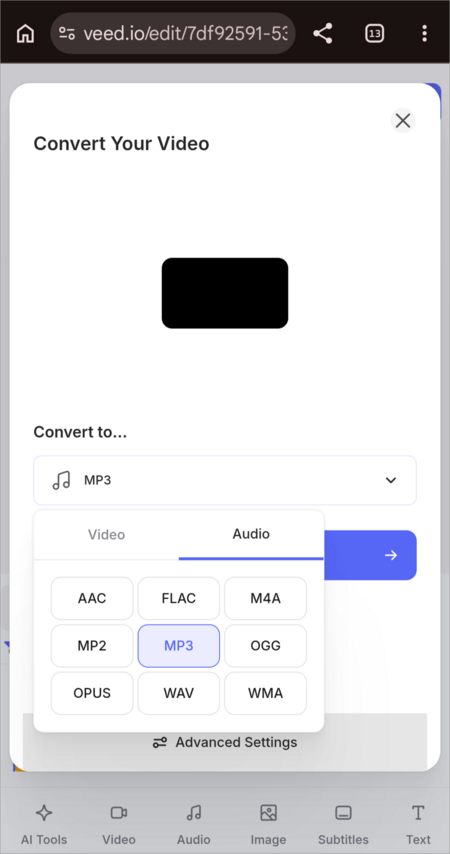
- Tap on Convert
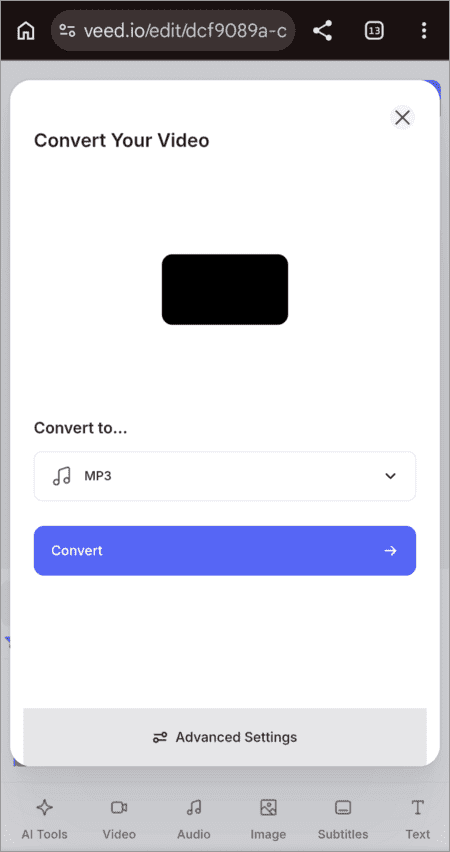
- When it’s converted, tap on the Download file, and you will get the audio extracted from your video.
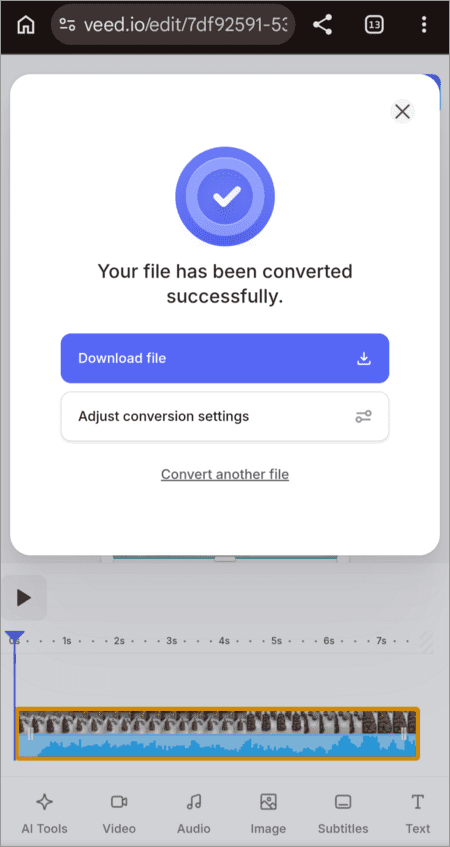
Website: https://www.veed.io/convert/mp3-converter
How We Tested These Instagram Reel to MP3 Converters?
Each of the available tools was tested based on the real Instagram Reels link. This testing was based on the following criteria:
- The accuracy of the conversion: whether the tool can convert audio from the Reels;
- Quality of the audio file: what is the MP3 bitrate?
- The speed of the conversion and download;
- Ease of use of the tool.
- Cross Platform Availability: Is it compatible with Windows, Mac, Android, iPhone and popular web browsers?
- Advertisement: Does the tool contain advertisements, pop-ups and redirections, or fake download links?
- Privacy & Security: Does it require registration or log-in? What does it do with your data? Is it HTTPS secured?
- Costs & Restrictions: Does it offer a free download, daily downloads limit or file size limit?
How to Choose the Best Instagram Reel to MP3 Converter
Selection of the Instagram Reel to MP3 converter may be done by taking into account the following factors:
- The files should be of good quality of MP3 audio.
- The converter must allow fast conversion without signups.
- The converters asking for login on Instagram and those having too many advertisements should be avoided.
- The converter must be platform-independent, i.e., Windows, Mac, Android, iPhone, or browser-based.
- The converters supporting additional formats like MP4 for videos should also be considered.
- Do not download the Reels without permission.
Are Instagram Reel to MP3 Converters Safe?
In most cases, reliable Instagram Reel to MP3 converters are relatively safe to use, but it all depends on the specific service you choose. Reliable converters will give you an opportunity to download audio without needing your Instagram login and any installation of additional software. Nevertheless, some free services can have misleading pop-ups and ads that pose a potential risk for you.
- Use Trusted Websites: You need to use popular converters that have good ratings and operate using HTTPS protocol. Stay away from sites that seem suspicious and often redirect you to other pages.
- Do Not Share Your Instagram Login Information: It is not necessary to enter your Instagram information to download audio from the Reels. It is better to use another site if it requests your Instagram account login.
- Be Careful About Ads and False “Download” Buttons: Many converters have advertising, and it is important not to click fake download buttons or pop-ups that will redirect you to malicious sites or unwanted software.
- Avoid Malware Risks: It is not supposed to install anything to convert the video to audio online. Do not continue the download process if it requires any installation.
- Respect Copyright and Privacy: It is not ethical to use the audio from the Reels that do not belong to you or are not your property.
Common Problems When Converting Instagram Reels to MP3
- Invalid or Private Reel URL: Most converters can convert public Reels posted on Instagram. If the Reel is private or the URL provided is not valid, then the conversion will be unsuccessful.
- Failure of Converter: Sometimes, some converters stop working after an Instagram update or when there is downtime of service. Try a different converter in this case.
- Low Sound Quality: Some free converters may compress sound to produce a low-quality MP3 file. One needs to ensure that they select a converter that produces sound in high quality.
- Too Many Ads and Fake Download Options: Sometimes, some websites come with too many ads and even false download options that would lead users to irrelevant pages.
Frequently Asked Questions
1. How long does a Reel to MP3 conversion take?
If you have a fast internet connection, you can convert an Instagram reel to MP3 within seconds. You just need to copy the reel’s link, open the website that is used as an Instagram reel to MP3 converter online, paste the reel’s link in the space provided, then tap on Download.
You will most probably be prompted to tap on Download Audio. Tap on it, and the MP3 file will be saved on your device.
2. How to extract audio from an Instagram reel?
To convert Instagram to MP3, you can either use an online app like ReelSave, FastVideo, Wondershare UniConverter, or Veed, or download an app like AudiCable, Descript, or Wondershare UniConverter, which offers audio editing and video editing features along with audio extraction.
3. What’s the fastest video converter?
In order to get quick results, you must use the application with the simplest UI, which allows you to convert the video into audio either by entering the URL of the video or by using the drag-and-drop tools for uploading the video. Veed, HitPaw, and Wondershare UniConverter are the best for this purpose.
4. Can we save Instagram Reels in the Gallery with audio?
Yes. It’s quite easy. While you are watching the reel, tap on the share icon ⌲, and then tap on the Download icon ⬇️.
The Download icon does not appear on all videos. If it’s not available, then Copy the reel’s URL, open ReelSave’s website, paste the link of the reel you copied, and tap on Download. The Instagram reel will then be downloaded in good quality.
5. Is downloading reels from Instagram legal?
If the reel has the download option on Instagram itself, then of course, it’s legal to download it, but it can be termed as unethical to use someone else’s content on your page. If there’s no download option, then there can be some copyright issues with the music in the reel.
6. Can I save and export a reel from Instagram?
Yes. Saving and exporting reels is quite easy. You can just tap on the Bookmark icon located below (or on the right) of the reel:
This saves the reel to your collections. You can access it anytime by tapping on your Instagram profile picture (which opens your profile page), then tapping on the 3-line Menu icon, then selecting the option – Saved.
And if you want to share a reel, then tap on the Share icon, choose the account (or another app through which you want to share it), and tap on Send.
7. Can I download audio from private Instagram accounts?
If you are a Follower of that specific private Instagram account, and there is an option to download the reel, then yes, it’s legal to extract audio from that specific reel.
8. Does it work for Instagram Stories?
Instagram does not have a built-in feature for downloading someone’s story. But there are other methods of downloading them, for example, Online applications like Toolzu can be used to download Instagram Stories. You will need to copy the link of the specific Story you want to download and then paste the link into Toolzu. The Story will be downloaded.
To save your own story, go to the Story, tap on the 3-dot menu icon located in the upper right corner of your screen, and then tap on Save.
9. What is the best bitrate for Instagram MP3?
In order to get the best sound effects on your Instagram reels, your MP3 file must be between 8 to 12 Mbps for H.264 videos and 25 to 50 Mbps for H.265 (HEVC) videos.
10. Why is my downloaded audio muted?
If you uploaded a reel on Instagram with audio that you downloaded from another reel, and the audio in your reel gets muted, it would be because
• You downloaded a licenced music track and did not use one of the royalty-free music tracks available in the Instagram library.
• Violating Instagram’s privacy laws and using licensed tracks can mute your audio, and frequent violations of laws can even suspend your Instagram account.
How to Save Instagram Audio Without Converting to MP3
Users can save any audio file available in the Instagram library to be used later.
This can be done by following these steps:
- Open Instagram
- Tap on the + icon located in the upper left corner of your screen
- Now tap on Reel from various options like Post, Story, Reel, and Live, located at the bottom of your screen.
- Now choose a video/image from your phone’s gallery
- Tap on Audio to add music to this file.
- This will open the Instagram music library.
- From here, you can listen to thousands of available royalty-free tracks and can save them just by tapping on the Save icon located next to each track’s name.
Now, when you want to use the saved audio, just open Instagram, tap on the + icon to upload a reel, then choose the Audio option, and tap on Saved. This will show you the list of saved tracks. You can tap on anyone to use in your reel now.
Conclusion
People all over the world are crazy for Instagram, and undoubtedly, the platform is full of breathtaking reels with captivating music. Since there is no direct feature to download the audio of an Instagram reel, people are often spotted searching ‘How to convert an Instagram reel to MP3 on PC/Android/Mac’. They don’t even care if getting the audio of the reel is legal or not.
Many accounts are suspended for repeatedly using copyrighted music in their reels. So it’s always best to use the thousands of royalty-free music files available on Instagram instead of downloading music from others’ reels, especially if you are an influencer with a good number of followers.
Research Process: The total time involved to complete and publish this article is approximately 43 hours. To ensure accuracy and reliability, this content was developed using a methodical research strategy.
For more-related guides, you can explore our range of tutorials below:
- 15+ Best Video To MP4 Converters (Updated List)
- Wondershare Video Converter
- The Top 10 Free Video Converter Software [SAFE & FAST]
- Top 10 DVD To MP4 Converters [Updated List]
- Wondershare UniConverter Free Online Video Converter Review
Was this helpful?
Recommended Reading
-

Explore the top effective methods and learn How to Post on Instagram From Your PC through this tutorial: Sometimes, it can be annoying to look for your phone to make an Instagram post when you have your PC at hand. Also, it can be a tiring and irritating process to…
-
Review and comparison of the the top Instagram Story Viewers with features and pricing to help you select the best Instagram Viewer: Launched exactly a decade ago, Instagram quickly became a new favorite online hangout spot for people across the globe. The online photo and video sharing platform has only…
-
Be it Reels, Videos, Instagram Stories, or If You Want to Go Live, here you will get to know about the Best Time to Post on Instagram for More Likes: It's no secret that you need to create and populate your Instagram feed with intriguing content to gain more followers…
-

Do you get tempted to share impressive content of your friend's Instagram story on your profile? Read this quick guide to explore how to Repost a Story on Instagram in simple steps: Becoming popular on Instagram isn’t child’s play. You need to be diligent and consistently create content daily. This…