


Discover the most powerful APIs for Learning Management Systems from this guide. Gain expert insights and knowledge on various implementation strategies to enhance your EdTech development skills:
Learning Management Systems, aka LMS, have forever revolutionized how educational and training programs are planned and delivered. They’ve compelled our educational institutions to go online to streamline their day-to-day functions and serve their stakeholders in the most efficient way possible.
That said, these tools aren’t perfect. They may serve a function very well, but then falter with serving another very crucial responsibility. Now, you could try investing in another LMS solution or enhancing the capabilities of your existing one.
APIs for LMS Integration: Hand-Picked List

This is where APIs for Learning Management Systems come into play. If you don’t know what APIs entail or how beneficial they can be, consider this article your crash course on the same.
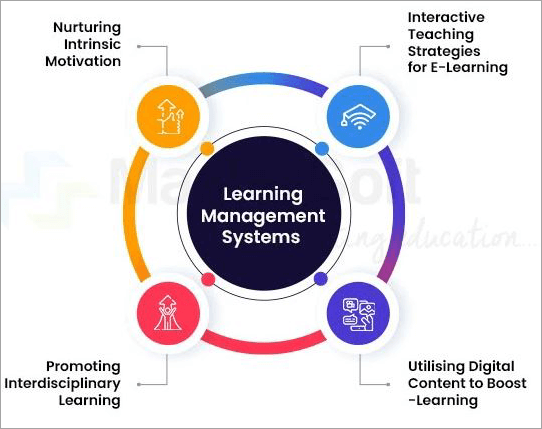
[Via IITMS]
I’ll be shedding light on what these APIs do and recommending some that I truly believe to be the absolute best today.
So, without much further ado, let’s dive in.
What are API Integrations for Learning Management Systems?
An API for any LMS tool will help it communicate and interact with external third-party applications, services, or systems. By integrating them into your existing LMS tool, you are essentially enhancing its capabilities.
For instance, integrating the Filestack API with your existing LMS tool will facilitate hassle-free file uploading within that tool.
How APIs Improve Learning Management Systems
You can count on these APIs to make up for the shortcomings of your existing Learning Management System. Some of the most common API integrations for LMS include the following:
#1) Grading Integration: Integrating an API that facilitates grading allows an LMS tool to import quizzes, tests, and assessments while also exploring performance and grading data.
#2) Content Management: These are APIs that can arm an LMS with content repositories. Once integrated, the LMS will be capable of creating and managing content like course material and resources.
#3) Communication Management: These APIs streamline communication within an existing LMS, making it easier for teachers and students to interact with each other in real-time through messaging and live chats.
#4) Analytics Integration: These APIs arm an LMS with reporting and analytical capabilities. Upon integration, users will have the privilege of getting actionable insights into a learner’s performance or engagement with a particular course.
#5) Virtual Classroom Integration: These integrations facilitate live video sessions in an LMS. You can basically host webinars, online meetings, and live classroom sessions with these APIs. These sessions can also be recorded.
How APIs are Being Used in LMS Tools
A typical LMS API can serve one or many integral functions. The following are multiple ways by which an API is used to improve an LMS tool’s functionality.
#1) Course Management: There are many LMS APIs out there whose sole purpose is to help in the creation and management of course materials. They feature powerful and comprehensive course-builders that can help even the most technically inept people create courses from scratch.
#2) Content Management: From uploading to converting several types of files, there are LMS APIs that help with the organization of different files, like images, videos, documents, etc.
#3) Grading: Some APIs come loaded with advanced grading and assessment features. These APIs can empower teachers and trainers with the ability to flawlessly create grade quizzes, tests, and assignments.
#4) Progress Tracking: Reporting and analytical capabilities are integral aspects of an LMS tool. With an API that facilitates this, it is easier to track the progress of a learner, get progress reports, and record data pertaining to course completion.
#5) Communication: There are LMS APIs that are known for their communication and collaboration-centric features. These APIs integrate an LMS with features like forums, live chat, messaging, and emails, thus making interaction simple and hassle-free.
#6) Security: A typical LMS tool needs to handle a lot of data. This data must be protected 24/7, and that’s where security-enhancing APIs come into play. These tools can tighten the security of your existing LMS systems, thus ensuring user privacy and making sure all sensitive data remains protected round-the-clock.
Things to Consider When Picking an LMS API
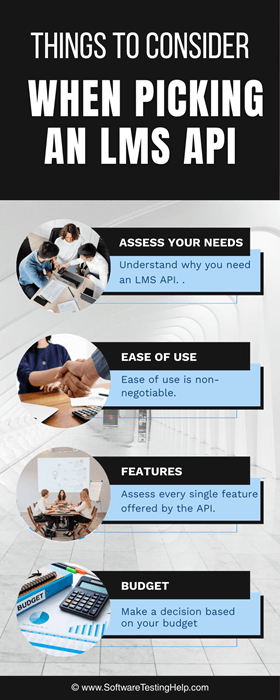
Here’s how you pick the right LMS API:
#1) Assess your needs: Understand why you need an LMS API. Is it for course creation, grading, or virtual classrooms? This will set you on the right path.
#2) Ease of use: Ease of use is non-negotiable. Teachers, students, and parents should have an easy time working with such a tool.
#3) Features: Assess every single feature offered by the API. Go for an LMS API that comes equipped with all the necessary features. The inclusion of AI tools is a huge bonus.
#4) Budget: I’ve included free and paid APIs on this list. Decide based on your budget. No need to go above and beyond your budgetary restrictions to invest in an API. Also, always prioritize value over cost.
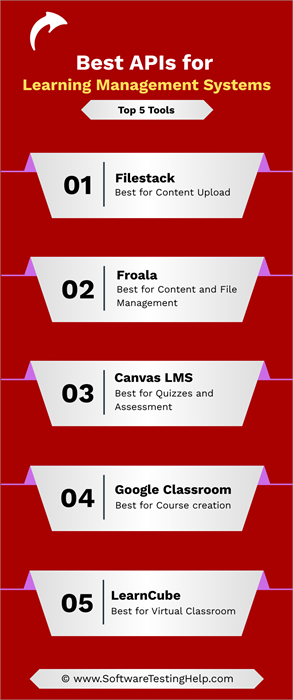
List of the Best APIs for Learning Management Systems
Here are some remarkable options to choose from:
- LearnWorlds
- Filestack
- Canvas LMS
- Google Classroom
- LearnCube
- BrainCert
- EducateMe
- Path LMS
- Moodle
- Blackboard API
- MeritHUB
- Froala
Comparing the Top LMS API Integration Solutions
| Name | Best Feature | Target Audience | Pricing |
|---|---|---|---|
| LearnWorlds | Personalized learning experience | Developers, Businesses, and Online trainers. | Starts at $254.15/month |
| Filestack | Content Upload | EdTech and other companies of all sizes | Starts at $69/month |
| Canvas LMS | Quizzes and Assessment | K-12 and higher educational institutions, Government, and business agencies | Contact for a quote |
| Google Classroom | Course creation | Educators and institutions of all sizes | Free |
| LearnCube | Virtual Classroom | Tutors, teachers, and trainers, especially those who want to teach language | Starts at $19/month |
| BrainCert | Virtual Classroom | Individual trainers and educational institutions. | Starts at $99/month |
| EducateMe | Course creation | Corporations of all sizes | Starting at $150 per month |
| Path LMS | Reporting and Analytics | Educational, e-commerce, legal, medical, and clinical organizations | Contact for a quote |
| Moodle | Course Assessment | Teachers, trainers, and educational institutions | Free to use |
| Blackboard | Communication and Collaboration | Educators, Students, Educational Institutions | Contact for a quote |
| MeritHUB | Virtual Classroom and Online Whiteboard. | Educational institutions of all sizes | Contact for a quote |
| Froala | Developers who need a full-featured, extensible editor without unpredictable costs. | Developers | Starts at $719/year |
Top APIs for Learning Management Systems
#1) LearnWorlds
Best for Personalized learning experience.
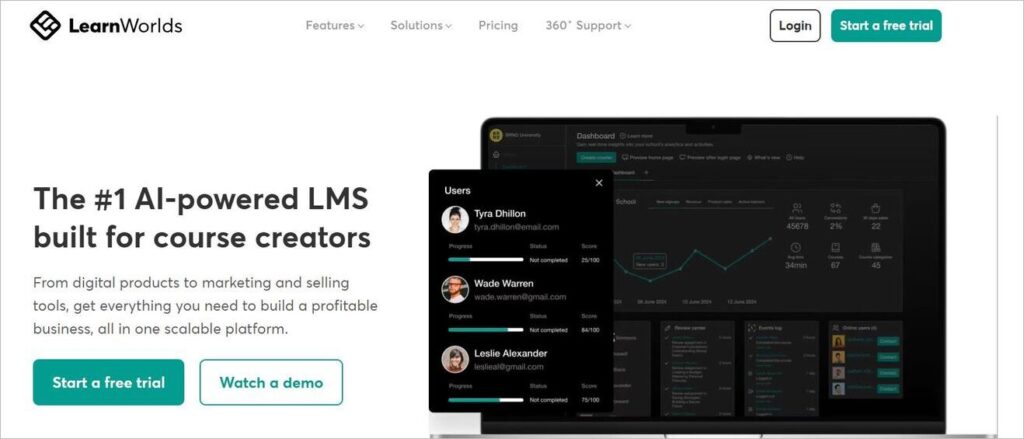
LearnWorlds promises to offer the most extended API and Webhooks to have ever been offered by an eLearning platform. The public API offered by LearnWorlds makes it easier for the eLearning platform to connect with thousands of third-party tools and services.
The API is constantly evolving with new calls being added for all the features and capabilities being introduced in the main software. You can count on this public API to take advantage of a wide range of data and functionalities across multiple key points of interest.
This includes course and content management, certificates and grading, data analytics, reporting, user management, etc.
Features:
- Extended Abilities: The API can further extend the capabilities of any eLearnign tool within your existing tech stack.
- Automation: The API does a good job of boosting efficiency by automating tasks and workflows.
- Personalization: The public API can be leveraged to further enrich and personalize the online learning experience.
Custom Integrations: Build custom integrations with several third-party CRM, marketing, sales, and collaboration tools.
| Pros | Cons |
| Enables deep customization and automation | Restricted to the more expensive plan. |
| Seamless management of courses, payments, subscriptions, etc | |
| Data and analytics management | |
| Considerably improved user experience |
Who Can Use the Tool?
LearnWorlds’ public API is perfect for developers, online trainers and educators, and businesses who wish to expand the capabilities of their existing eLearning platform.
Price: API available with the Learning Center plan, which costs $254.15 per month.
#2) Filestack
Best for content uploads.
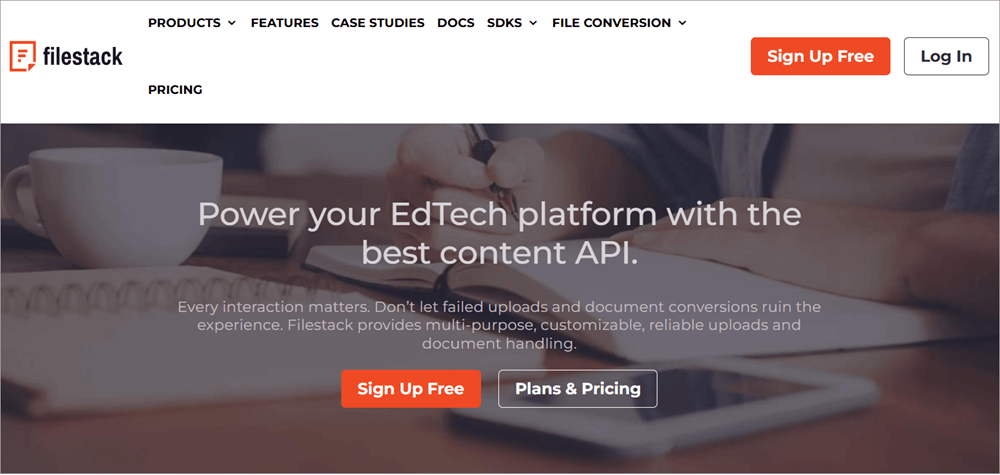
Filestack is an API that’ll help you upload any type of file to your EdTech system in a quick and streamlined fashion. It is easy to use and facilitates seamless integration.
You can source content from just about anywhere. Thanks to the API’s Content Ingestion Network, uploading via Filestack is considerably more reliable and secure.
Besides uploading files, EdTech businesses can also rely on this solution to transform or optimize their video and image files before they can be uploaded to an LMS app.
Another thing that gives this API an edge is its reliance on AI. You can count on this AI to automatically assess, resize, and optimize images, thus simplifying image uploads.
Features:
- Efficient Uploads: You can rely on this API to upload larger files in smaller chunks that are relatively easier to manage.
- Optimized Content Delivery: Filestack is partnered with Fastly CDN, which is considered one of the fastest content delivery networks.
- Intelligent Image Assessment: All uploaded images are assessed to ensure they are safe for work and do not contain any copyrighted material.
- OCR: Thanks to OCR capabilities, it is possible to extract text from uploaded image files.
- Video and Audio processing: This solution features comprehensive video and audio editing abilities. You can edit a video, remove audio, and even add subtitles.
| Pros | Cons |
| Drag-and-drop interface | Some users may find the tool expensive. |
| AI-powered automation | |
| Document, audio, and video conversion | |
| Live demo |
Who can use the tool?
Filestack is an ideal solution for EdTech companies that seek a permanent and effective solution to the problem of upload failure. E-commerce and crowdsourcing companies can also benefit from this powerful API.
Pricing:
| Start | Grow | Scale |
| $69/month | $199/month | $379/month |
#3) Canvas LMS
Best for quizzes and assessments.

Canvas LMS is an API I would recommend to educational institutions that wish to enhance their online learning and course management activities. The tool comes equipped with features that can help streamline teaching and learning in a virtual classroom. These features are highly customizable.
Further Reading => TOP School Management Software to Look for
As such, institutions can easily create managed teaching and learning spaces tailored to their branding and hierarchy. Add to that, Canvas LMS is also easy to use. You can have it integrated with thousands of applications, including many popular learning management systems.
Features:
- Grading: Canvas LMS makes it easier to grade students, annotate documents, or provide any type of feedback.
- User-Management: Managing users is also very simple with Canvas. You can enroll students in courses and update user information with ease.
- Content Management: From video files to course material, this API helps you upload and manage a variety of content without hassle.
- Built-In Reporting: Get complete visibility into course activity and the progress students are making in real-time with comprehensive reports.
| Pros | Cons |
| Mobile app for parents, teachers, and students | Some users have reported issues with audio recording |
| Customizable features | |
| Detailed user-guides | |
| Supports 33 languages |
Who Can Use This Tool?
This API is ideal for institutions that engage in K-12 and higher education. Business and government agencies can also use it for member training or employee development.
Pricing: Contact the Canvas LMS team for a quote.
Website: https://www.instructure.com/canvas
#4) Google Classroom
Best for course creation.
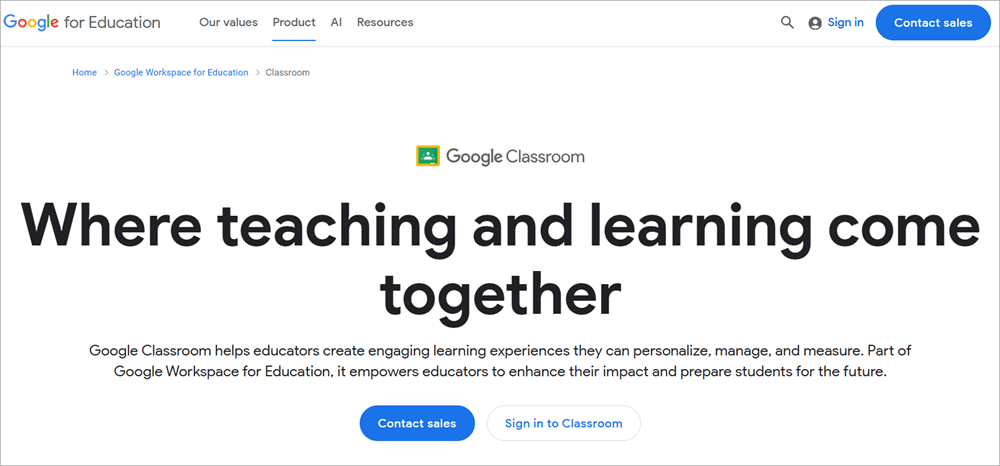
Google Classroom is an excellent software for educators who wish to create courses online with ease and efficiency. The platform has evolved considerably for the better with the involvement of Google’s own Gemini AI. This AI has now made it easier to plan lessons and personalize online learning spaces.
Thanks to Gemini, tasks can now be completed at a much faster pace as well. Thanks to the customization it offers, educators can rely on this tool to make lessons more accessible to students. This solution also facilitates real-time feedback, thus further helping educators better communicate with students online.
Features:
- Interactive Assignments: You are provided with the tools necessary to create interactive assignments that also provide students with real-time feedback and resources.
- Data-Driven Insights: Get data-driven insights on how students perform or interact with assignments. Use actionable insights to provide targeted support.
- Plagiarism Detection: The solution can produce unlimited originality reports to avoid any cases of plagiarism.
- Grading Workflows: Educators have the privilege of customizing grading periods to ensure they align with their institution’s grading system.
| Pros | Cons |
| Customizable | Some users may encounter a steep learning curve initially. |
| Integrates with over 100 EdTech apps | |
| Android and iOS apps available | |
| Built-in chat feature. |
Who Can Use It?
Google Classroom can prove immensely beneficial to educators who wish to create coursework or set up online learning sessions.
Price: Free to use
Website: https://edu.google.com/workspace-for-education/products/classroom/
#5) LearnCube
Best for virtual classroom.
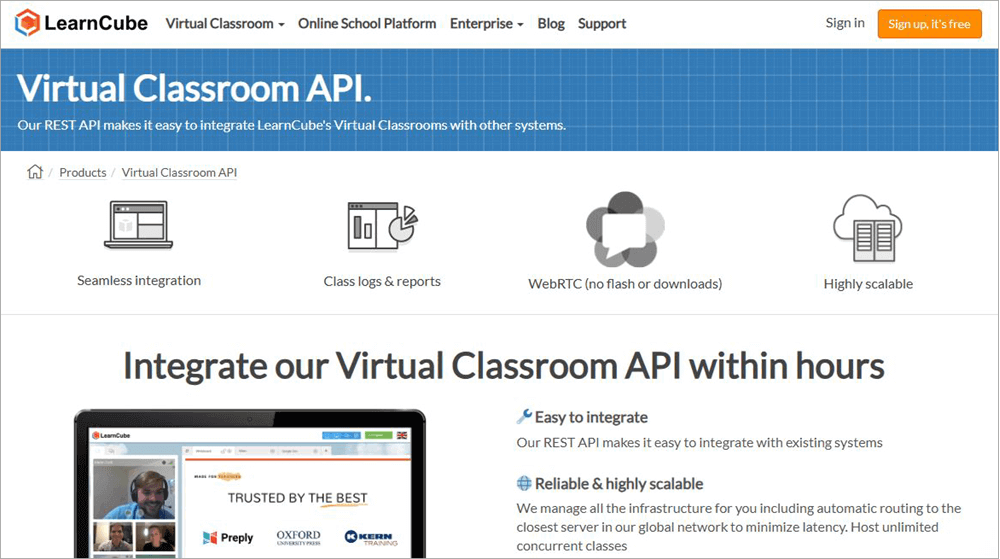
With LearnCube, you get a virtual classroom that is purpose-built for educators who wish to teach languages online. As of today, LearnCube has catered to over 50000 users from all around the world. It is quite popular with tutors. This is largely because of just how easy it is to use.
Thanks to the REST API, it is remarkably easy to integrate it with any existing learning management system. Boasting a reliable service, you can count on this platform to host unlimited concurrent classes with no issue. You also get easy-to-comprehend reports related to attendance and student performance.
Features:
- Online Whiteboard: You get an interactive online whiteboard that you can type, draw, and annotate content.
- Video Recording: Live sessions can be recorded and stored with ease through this platform
- Custom Branding: LearnCube offers you the option to white-label your classroom. Customize your virtual sessions with your brand’s logo, colors, etc.
- Content Upload: Access and upload multimedia content to LearnCube without hassle. The uploads are fast and simple.
| Pros | Cons |
| Quality audio/video delivered through a web browser | Initial set-up can be tedious, especially for larger institutions. |
| Highly scalable | |
| Seamless integration | |
| Excellent reporting |
Who Can Use It?
This API is perfect for teachers, trainers, and tutors, especially those engaged in teaching languages online.
Price: LearnCube offers a forever-free plan with limited capabilities. Its priced plans are as follows:
| Pro | Premium |
| From $19 | From $99 |
Contact the LearnCube team for a custom quote.
Website: https://www.learncube.com/virtual-classroom-api-integrate.html
#6) BrainCert
Best for virtual classroom

BrainCert is yet another virtual classroom API that I believe deserves a mention on this list. Like LearnCube, BrainCert also provides an API that facilitates straightforward integration with many LMS and CRM systems.
Once integrated, you can rely on BrainCert for more than simply conducting virtual classroom sessions. You are provided with a RESTful interface to many of BrainCert’s other critical capabilities, like scheduling sessions, recording video, and reporting on attendance.
Features:
- Concurrent Rooms: There is no upper limit to how many rooms you can host when conducting a live session via the virtual classroom.
- Collaboration Tools: Get the tools necessary for seamless collaboration while the virtual classroom is still in session.
- Custom Branding: Customize the look of your virtual classroom so it reflects your brand’s image with a custom logo and color.
- Attendance Report: Keep a track of all users attending the sessions. Know when someone is absent.
| Pros | Cons |
| Unlimited concurrent rooms | Some users may find this API a tad expensive. |
| Compatible with iOS and Android | |
| Flexible pricing | |
| Free CMS plugins |
Who is BrainCert for?
Like LearnCube, BrainCert also offers a virtual classroom API that can be used by individual trainers and educational institutions alike for learning and collaboration online.
Price:
| Starter | Advanced | Premium |
| $99/month | $169/month | $289/month |
Website: https://www.braincert.com/virtual-classroom-api
#7) EducateMe
Best for course creation.
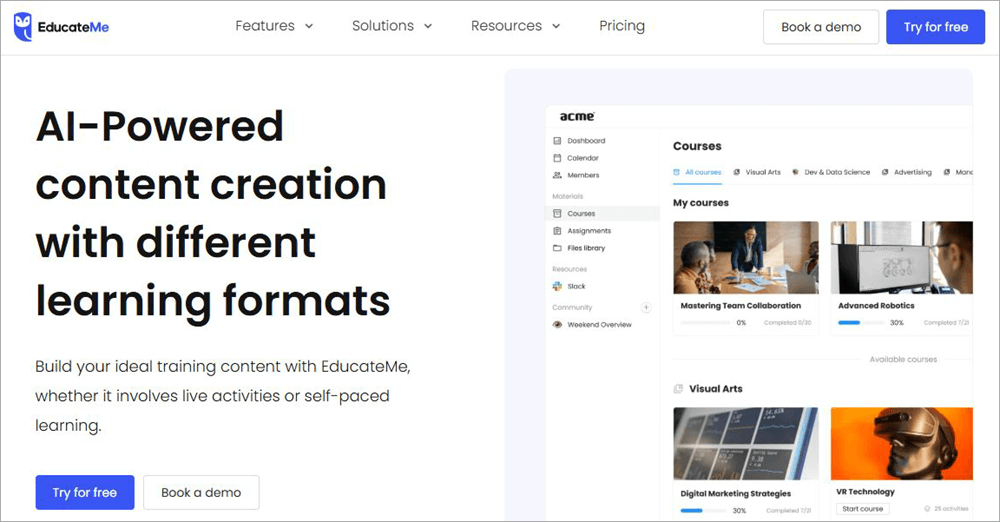
EducateMe entails a very innovative LMS solution that arms you with all the tools you need to create courses and training material. I also believe this tool is best used by corporations for corporate training. It is very easy to use with an interface that’s easy on the eyes and accessible to all users, regardless of their technical proficiency.
This means you can create courses without hassle using EducateMe. Branding is another area where EducateMe shines. Not only can you create courses, but also customize them to make and feel more like your brand. Automation is another one of EducateMe’s features that I like. Everything from reading to assignments can be automated with this LMS API.
Features:
- Interactive Lessons: Engages learners with real-time interactions and interactive quizzes, and polls.
- Actionable Insights: Get real-time reports on how effective a course is or how engaged your learners are.
- White Label LMS: Customize courses down to logo, theme, and color to ensure they align with your brand’s image.
- Program Builder: The solution’s course-creating capabilities are quite advanced. Build your courses with live sessions, quizzes, assignments, and more.
| Pros | Cons |
| User-friendly and advanced course editor | It is quite expensive. |
| AI-driven course creation | |
| Easy basic customization and branding | |
| Good email and chat support |
Who is EducateMe for?
EducateMe offers a 14-day free trial and a demo upon request. You can also reach out to the team for a custom quote.
Pricing:
| Advanced | Pro |
| Starting at $150 per month | Starting at $240 per month. |
EducateMe was tailor-made for corporations of all sizes that would like to streamline and simplify their employee training programs.
Website: https://www.educate-me.co/program-creation
#8) Path LMS
Best for internal reporting.

Path LMS will integrate seamlessly with your existing LMS app and significantly enhance its capabilities. Users often use it to enhance their existing system’s internal reporting abilities. The software itself is highly customizable. You can have it tailored to accommodate the needs and requirements of your institution or organization.
When it comes to reporting, Path LMS stands out for its real-time analytical dashboard. This dashboard can be personalized as you can adjust date ranges and apply filters with just a few clicks. You can also use Path LMS’ AI to visualize data.
Features:
- Course Creation: Thanks to a very interactive drag-and-drop interface, it is very easy to create and manage courses with this LMS tool.
- User-Management: The platform facilitates flexible user management, as you can assign admin roles, bulk upload data, and limit access to a particular content.
- Live Events: Path LMS can integrate with some of the most prominent virtual event platforms to create webinars.
- Learner Engagement: The platform ensures hassle-free engagement, as you can add comments, live chat, and add to a discussion.
| Pros | Cons |
| Robust integrations | Limited integrations when compared with other tools. |
| Multi-language support | |
| Excellent reporting | |
| Drag-and-drop interface |
Who Can Use Path LMS?
Path LMS can be used by educational, e-commerce, medical, legal, and clinical organizations of all sizes.
Price: Contact Path LMS’ team for a custom quote
Website: https://www.blueskyelearn.com/solutions/path-lms-features/reporting-analytics
#9) Moodle
Best for course assessment and management.
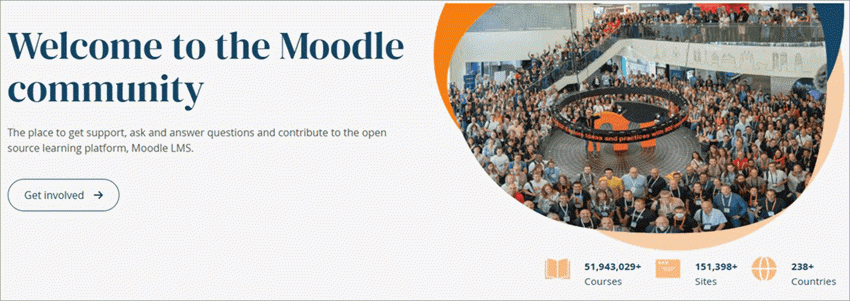
Moodle LMS is largely known for being one of the most customizable e-learning systems being actively used today. It has been around for a very long time and has evolved considerably in recent times by incorporating some advanced AI tools.
The software is perhaps best used for course creation and management. This is evidenced by its track record, as Moodle has been used worldwide to spearhead over 50,000,000 courses in 42 languages.
Also Read => How to create an Online Course
Features:
- Course Creation: It can be used by educators to create and manage courses online. Facilitates easy course material upload.
- Communication: The software facilitates hassle-free communication between teachers and students with forums, messaging, and live chat features.
- Customization: Like I mentioned, Moodle is known for its customization. Everything from its layout to the course’s look can be customized.
- Content Creation: Besides course creation, you can use Moodle to create a variety of educational content in the form of videos and quizzes.
| Pros | Cons |
| Free to use | Dated interface |
| Customization | |
| AI tools | |
| Open-Source |
Who Can Use It
Moodle can be used by teachers, trainers, and educational institutions to create course material and other types of educational content.
Price: Free to use
Website: https://docs.moodle.org/dev/Gradebook_API
#10) Blackboard API
Best for communication and collaboration.

Blackboard API is perhaps the most popular LMS tool on this list. It is recognized and used by educational institutions globally, with many raving about its capabilities. Taking its popularity into account, I had to make room for it on my list.
Like the best LMS API’s out there, Blackboard can also be used for the creation and delivery of online courses. Blackboard’s strength lies in the collaboration it facilitates. As such, students and teachers can rely on this solution to interact and stay connected.
Features:
- Grading: Blackboard has a feature called gradebook, which helps instructors record and calculate grades.
- Online Assessment: From quizzes to tests, Blackboard can help educators easily create and then administer assessments online.
- Collaboration: Blackboard’s collaborative capabilities are impressive, as you can rely on it to share presentations, videos, notes, and other types of educational material.
- Generative AI: Blackboard now features generative AI capabilities, thus making it easier to build courses through it.
| Pros | Cons |
| Customizable interface | Some people may find the tool complex. |
| Seamless integrations | |
| Generative AI | |
| Actionable insights |
Who Can Use It?
Blackboard API integrates seamlessly with a plethora of LMS tools and can be used by educators, students, and educational institutions of all sizes.
Price: Contact the sales team for a quote
Website: https://www.anthology.com/products/teaching-and-learning/learning-effectiveness/blackboard
#11) MeritHUB
Best for virtual classrooms and online whiteboard.

With MeritHUB, you get a platform that works well as a virtual classroom and whiteboard API. Once you have the API set up, you can use MeritHUB to schedule live classes directly from your website or LMS tool.
You can also rely on it to create websites and marketplaces focused on tutoring. You can further enhance its capabilities by adding an external teaching module like WordPress or Moodle.
Further Reading => Best Whiteboard Animation Software
Features:
- Add Module: Easily add teaching modules to existing CRM or LMS, like Moodle or WordPress.
- Whiteboard: The online whiteboard turns virtual classrooms more interactive with the ability to type and draw.
- Audio/Video Communication: Get an uninterrupted feed and audio connection when communicating via MeritHUB.
- Session Recording: Have all your live sessions recorded and stored for access later on.
| Pros | Cons |
| Fully featured | Confusing pricing structure |
| Highly scalable | |
| Secure Oauth2 Authentication |
Who Can Use It?
The platform is great for educational institutions of all types and sizes. This includes universities, schools, colleges, and individual trainers.
Price: Contact MeritHUB’s team for a quote.
Website: https://merithub.com/api
#12) Froala
Best for developers who need a full-featured, extensible editor without unpredictable costs.
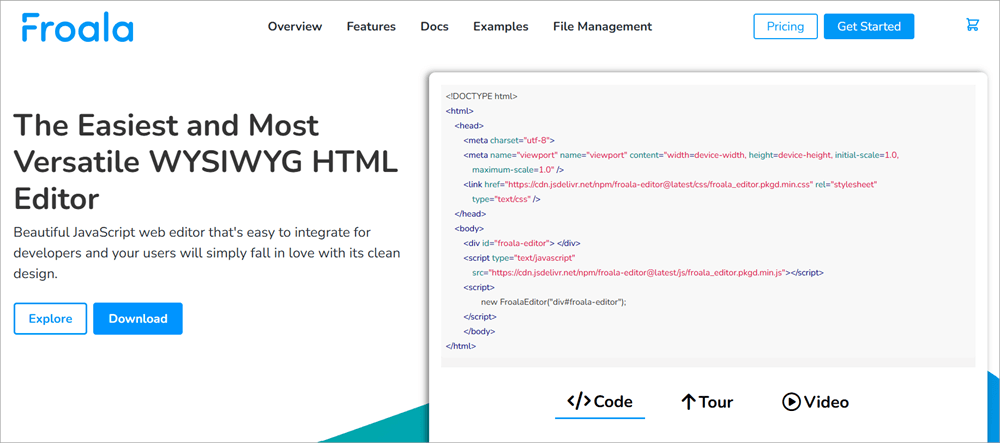
Froala is a WYSIWYG editor built for development teams that need to ship a product rather than get sidetracked building a content editor. For LMS and EdTech platforms, it provides a fixed-cost solution that drops directly into existing applications. Its powerful API and event-based architecture mean you’re not fighting the tool but extending it.
Its architecture is designed to handle the specific needs of educational platforms, and the editor natively supports complex content like mathematical formulas and scientific symbols.
While it includes robust file management, its primary value is its predictability and deep customization. The pricing model is a single fee that covers unlimited users and editor loads, eliminating surprise bills from usage spikes.
Features:
- Developer-Focused API: The editor is highly extensible. Use its clean API, customizable plugins, events, and methods to control its behavior and integrate it tightly with your application.
- Predictable Cost: One fee covers unlimited users and editor loads, making budgeting straightforward.
- Quick Implementation: Designed for fast integration into modern web frameworks like React, Angular, and Vue.
- Advanced Content Support For EdTech: Natively supports mathematical and scientific notations with native plugins.
| Pros | Cons |
| Fixed cost for unlimited users & loads | Self-hosted only |
| Highly customizable with powerful APIs, events, and methods | Chat support is not available |
| Built for complex EdTech use cases | |
| Perpetual licenses available |
Who is Froala for?
Froala is for development teams building EdTech solutions that require a reliable, feature-rich editor without the overhead of building one or managing unpredictable usage-based costs. It’s a strong choice for platforms where scientific notation and stable performance are critical.
Price: Froala’s paid plans are as follows:
| Annual Plans | Perpetual Plans |
| Starts at $719/year | Starts at $1889 as a one-time fee. |
A free trial with 30 days of technical support is also offered. You can also request a quote for a plan that’s customized to match your specific requirements.
Frequently Asked Questions
1. What is an LMS API?
An LMS API entails a set of protocols that facilitate seamless communication between a learning management system and other applications. These APIs can help enhance the flexibility and functionality of an existing LMS tool.
2. Does Canvas LMS have an API?
Yes, Canvas LMS features a REST API. This basically means easy integration done through external data modification via one’s scripts and programs. Although Canvas LMS API can be used for many reasons, it is best used for quizzes and assessments.
3. Is Google LMS Free?
Yes, Google Classroom is free to use and serves the interests of teachers and trainers who wish to create and organize online courses. If you seek more features, you’ll need to switch to Google Workspace, which costs $3 per student per year.
4. What are the best LMS APIs?
The answer to this question will vary from person to person. In my opinion, the following are the best LMS APIs:
1. Filestack for content upload
2. Canvas LMS for quizzes and assessments
3. Google Classroom for course creation
4. LearnCube and BrainCert for the virtual classroom.
You’ll find a review of each in this article.
5. How to pick a Good API for a Learning Management System?
I would suggest paying heed to the following tips to make an informed decision:
1. Understand your needs and requirements
2. Consider your budget
3. Check and assess the features of an API you like.
4. The integration should be seamless
5. It should be easy to use
6. The API should facilitate seamless integration.
Conclusion
Learning Management Systems are an integral aspect of how education is imparted in today’s day and age. No learning management system is perfect, but the right API can enhance its capabilities. From API that facilitate seamless content uploads to those that ensure hassle-free communication, I’ve listed them all on this list for your reference.
Go through them and pick one that you believe best serves you or your institution’s interest. If you are looking for an API that uploads failures, you will not find a better option than Filestack. If a virtual classroom is your priority, consider trying LearnCube or BrainCert.
If you need help with course creation, check out Google Classroom. I’ve covered almost all APIs that educators and institutions today need to do their job with the utmost efficiency.
Was this helpful?
Recommended Reading
-

Here, you will understand the features, pros, cons, pricing, and other necessary details about the top File Upload API Solutions to compare and select the best File Uploader of your choice: A file upload API or plugin is a utility or tool that can be integrated into your application to…
-
This Flask API Tutorial explains popular Flask extensions like Flask twitter Oembedder, Flask API, and Flask RESTful with examples: The Flask framework has quite an abundant number of extensions. These extensions are quite useful and are easy to be developed. We know that the Flask framework is very Pythonic and…
-
GitHub REST API - An Interface To Interact Programmatically With GitHub: In our earlier tutorials on GitHub, we explore the various aspects of usage from a developer perspective using the web interface. Today, most of the organizations have been looking at automation opportunities in almost every area and REST APIs…
-
Complete understanding of additional classes of JUnit API i.e. TestSuite class, TestCase class, and TestResult class with code examples: Many of us are not aware of the power that JUnit holds, and it is necessary to know about it as part of JUnit. We already know that TestNG comes with…


