Struggling with Discord Italics or Discord text formatting? Understand how to italicize in Discord on any platform or device with simple formatting tricks from this complete step-by-step guide:
Discord is a well-known gaming and social media platform where you can play games and communicate with others in real-time.
You can chat with your friends as well as discuss your favorite topics on its topic-based servers. It offers a range of supported features like content block, family centre, students’ hub, group chat, easy switch, and so much more.
Discord Italics: Complete Guide with Formatting Tips
In today’s world, people are very much concerned with presenting their text in an effective and appealing style. Likewise, in Discord, users want to present their text in a more appealing style.
It offers various text formatting options that one can use to enhance their writing style. Discord supports bold, italic, underlined, strikethrough, and crossed-out text, as well as combinations and other formatting options.
Check the video below to understand what Discord is and learn how to use it:
In this article, the reader will get to know various text formatting options that one can use to enhance the text’s appearance and to present their text in a more effective form.
You would get to know how to make bold text in Discord, how to italicize in Discord mobile, and so much more, followed by some FAQs, market trends, expert advice, and a conclusive summary of the article at the end.
Text Formatting in Discord
There are hidden text formatting options in Discord that one should know to fully utilize the platform.
By using it, you can present your thoughts in a more appealing and effective style. It includes bold, italics, underline, big heading, smaller heading, link text, code block text, emojis, quote indent, and so much more. It uses markdown language for the same.
Suggested Read => List of the Top Discord Emoji Maker
General Text Formatting Discord:
| Text Formatting Type | Syntax | |
|---|---|---|
| 1 | Italics | *Italics* |
| 2 | Bold | **Bold** |
| 3 | Underline | __Underline__ |
| 4 | Strikethrough | ~~Strikethrough~~ |
| 5 | Bold Italics | ***Bold Italics*** |
| 6 | Underline Italics | __*Underline Italics*__ |
| 7 | Underline bold | __**Underline bold**__ |
| 8 | Underline bold italics | __***Underline bold italics***__ |
| 9 | Highlight text | `Highlight text` |
| 10 | Highlights | \`Highlights\` |
| 11 | Block text | ```Block text``` |
How to Italicize in Discord
To italicize the text in Discord, you need to follow the steps listed below:
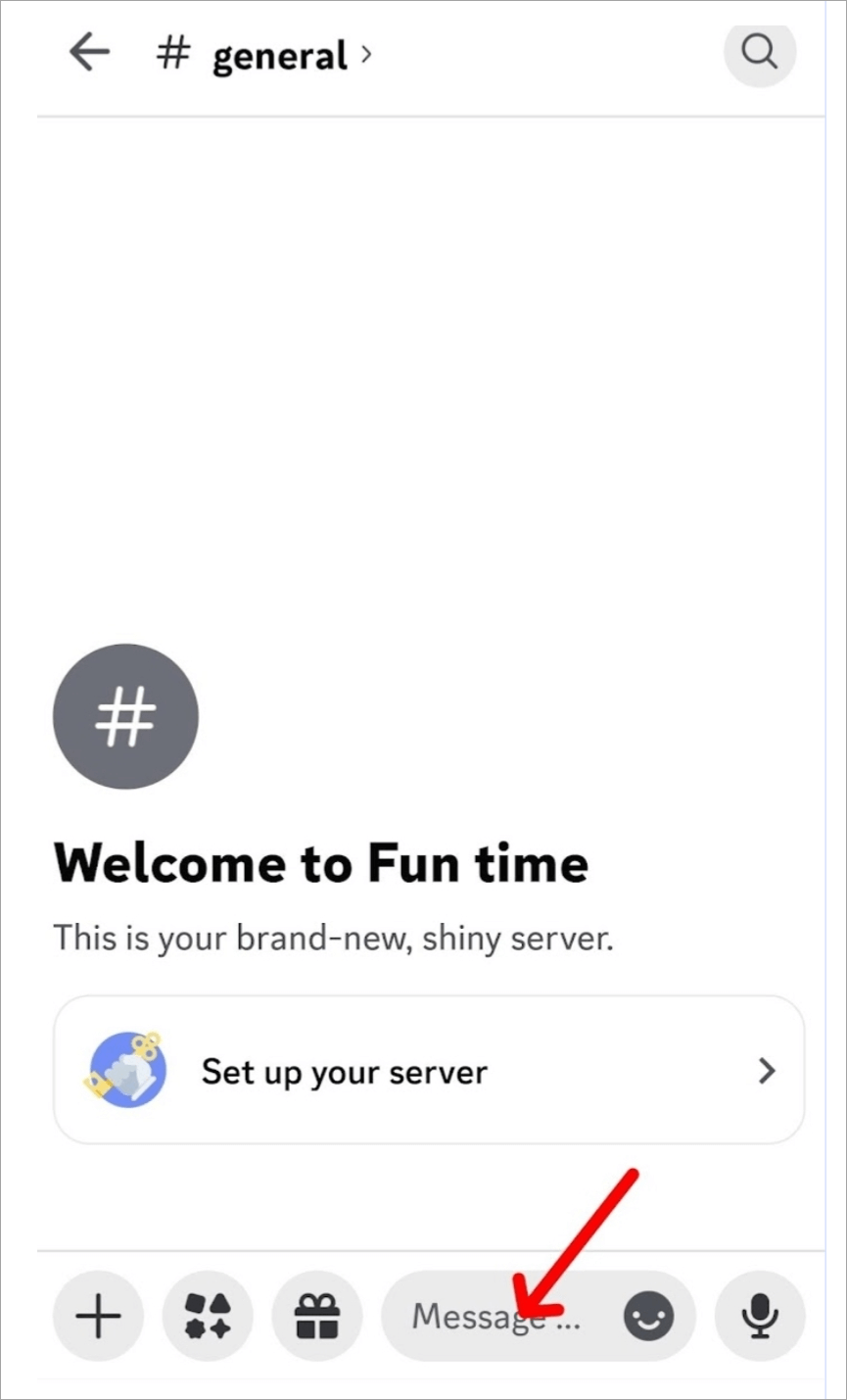
Step #1: Open the chat server on your Discord account on your phone and click on the message bar.
Step #2: Now type in the message that you want to send.
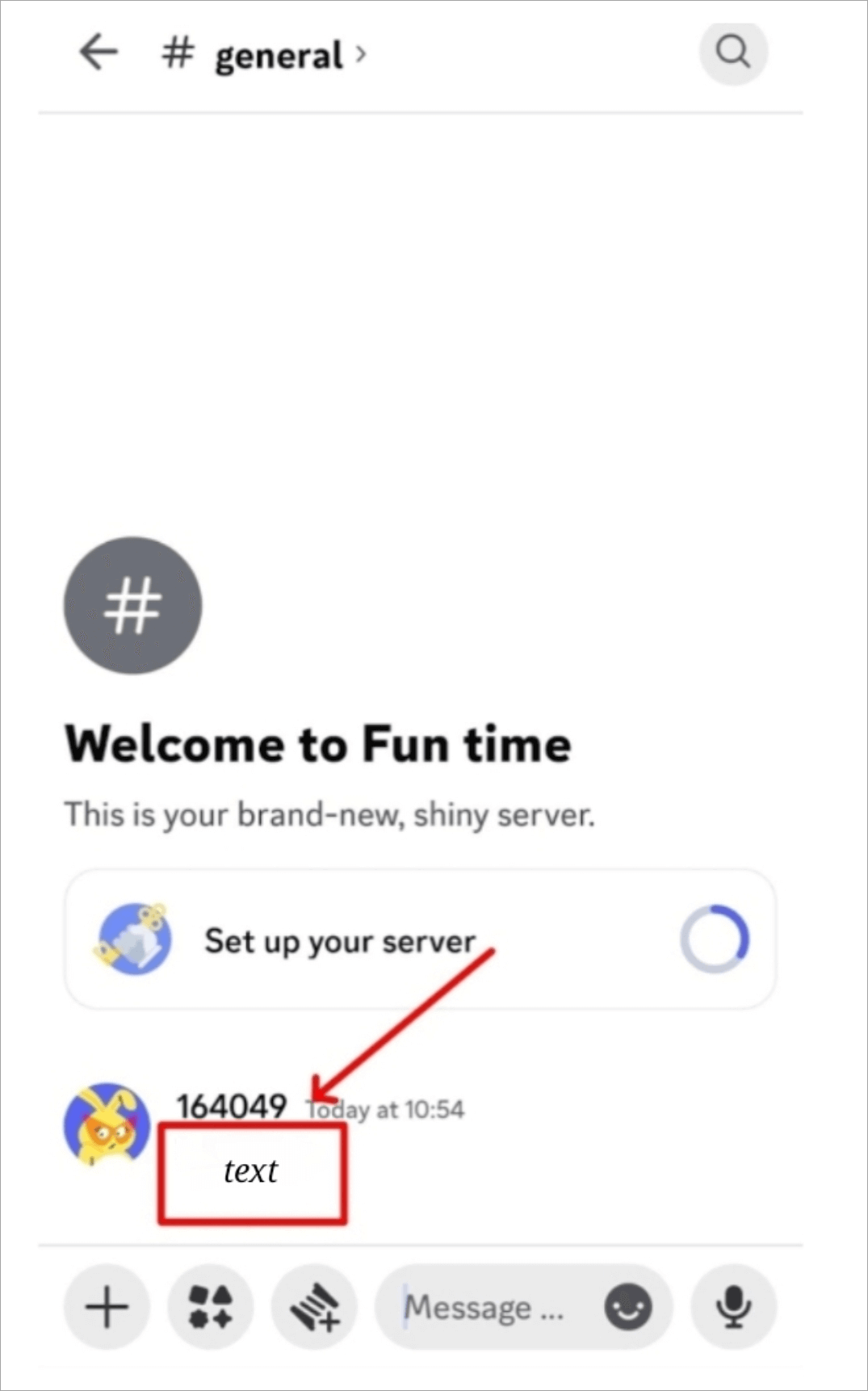
Step #3: Add an asterisk before and after the text, like *message*.
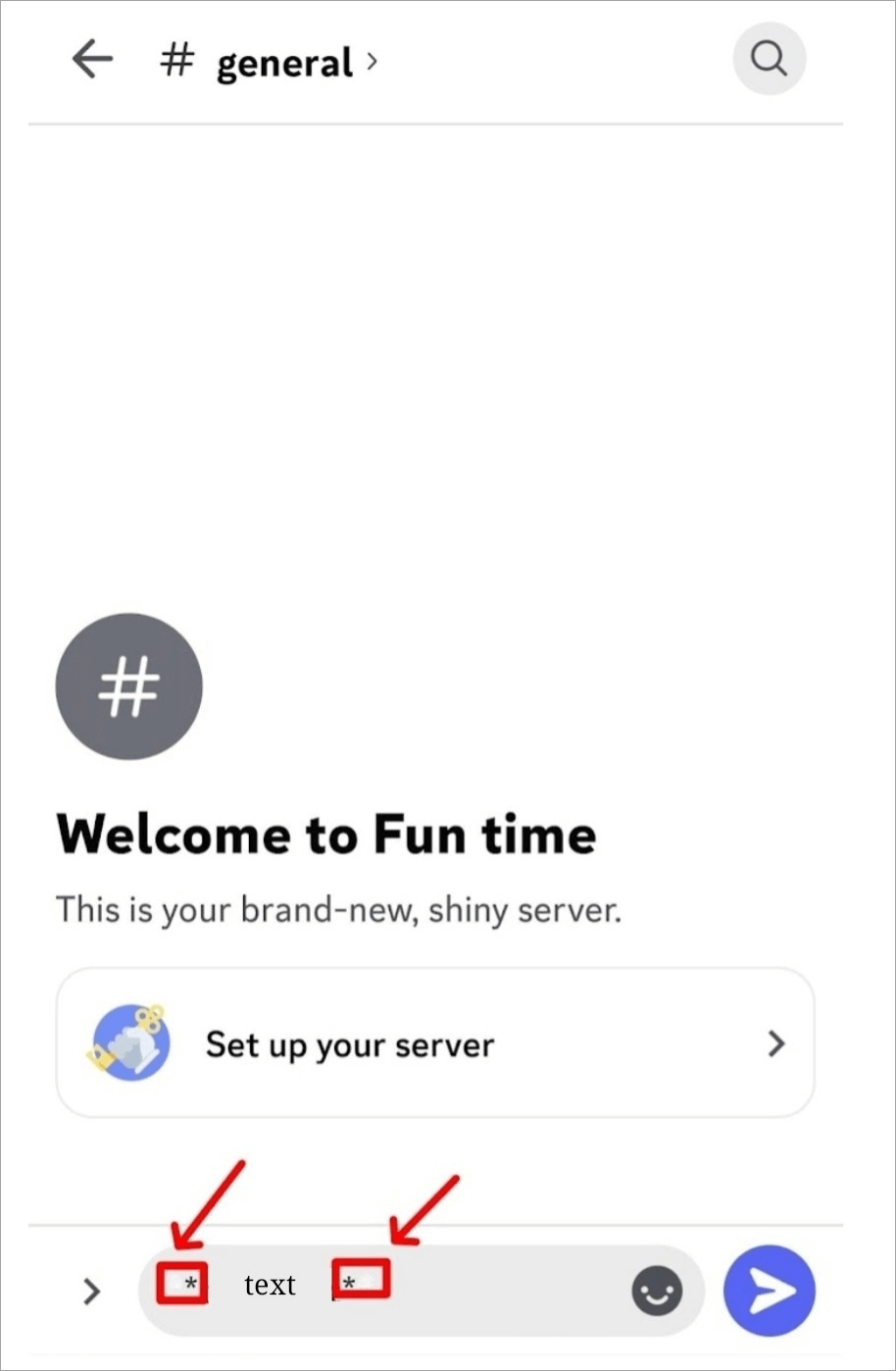
Step #4: Now press Enter, your text will appear in italics, and the asterisks will disappear.
Also Read=> Compare Best Discord Voice Changer
How to Bold Text in Discord
We can easily make the text bold by following the simple steps as given below:
Step #1: Open the chat server on your Discord account on your phone and click on the message bar.
Step #2: Write your message in the message bar.
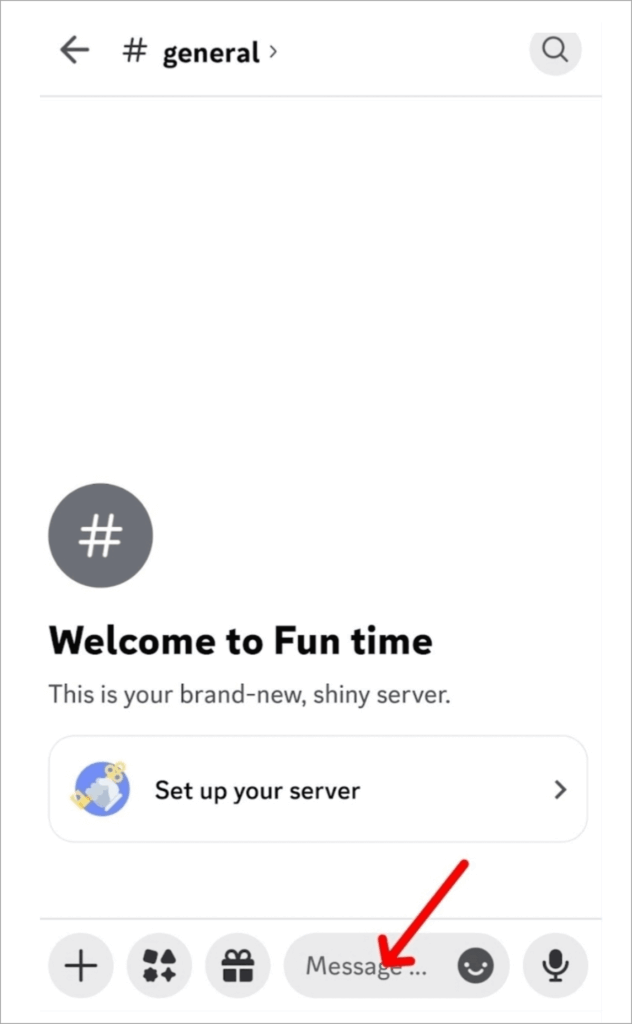
Step #3: Enclose the message with two asterisks on each side. Like – **message**.
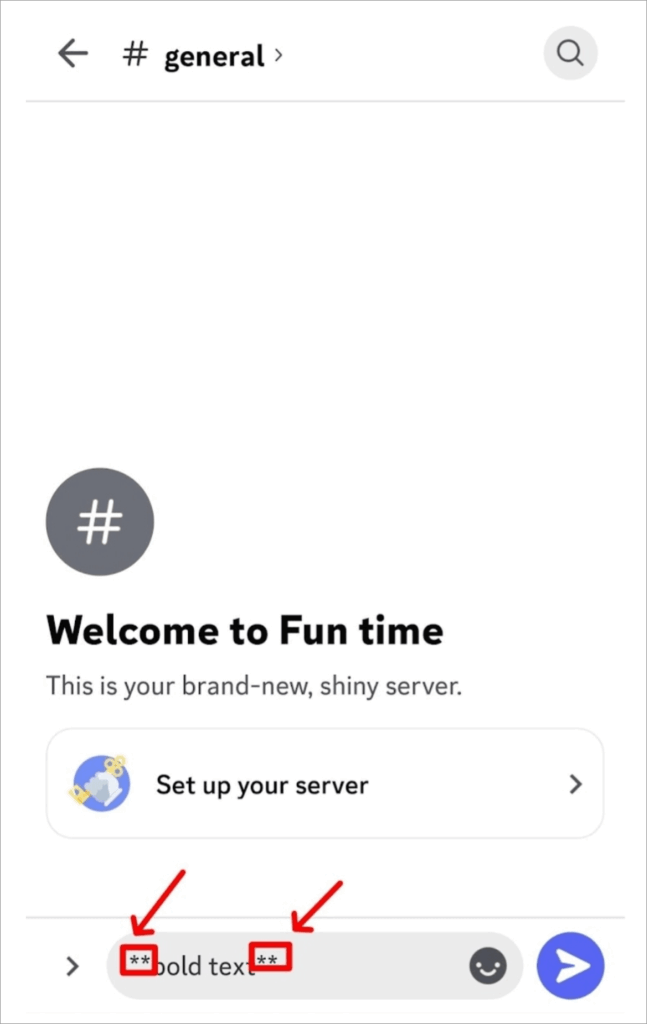
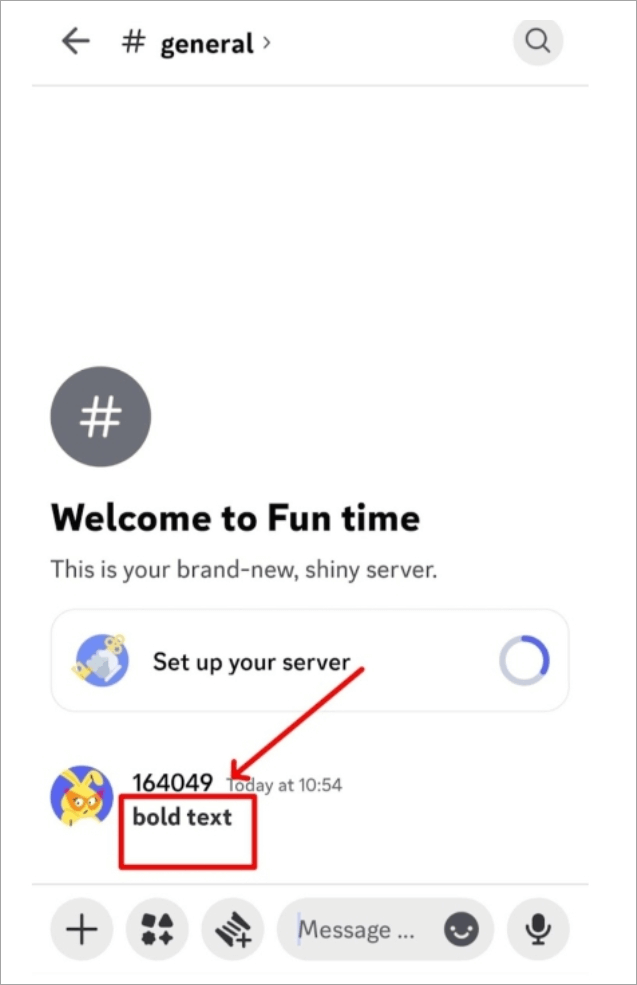
Step #4: Now press Enter. The text would appear bold on the screen, and your asterisks would disappear. This is a Discord bold text.
Other Discord Text Formatting
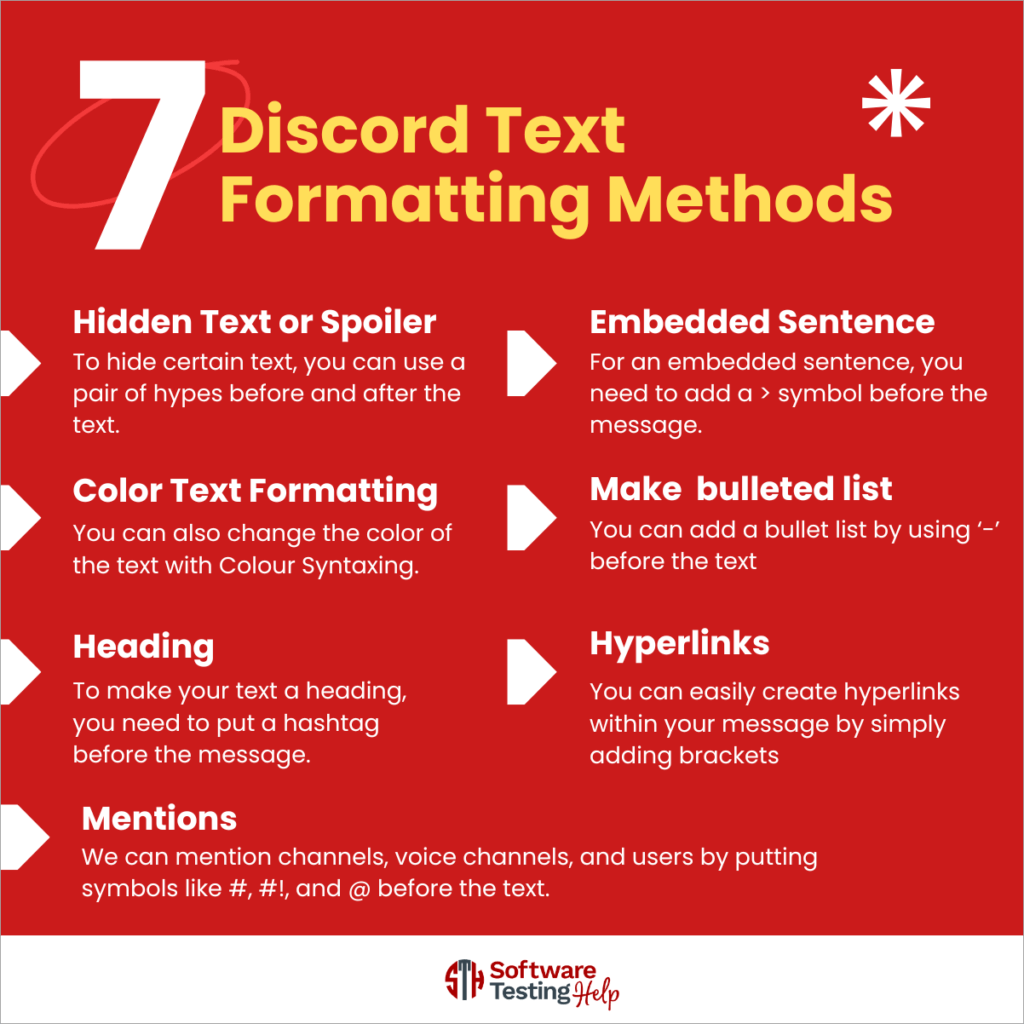
#1) Hidden Text or Spoiler (how to add spoiler text on Discord): To hide certain text, you can use a pair of hypes before and after the text. ||Text||.
#2) Embedded Sentence: For an embedded sentence, you need to add a greater-than symbol before the message. >Message
Suggested Reading => How to Fix the Discord Fatal JavaScript Error
#3) Color Text Formatting in Discord: You can also change the color of the text with Colour Syntaxing.
Here is a video for your reference:
For this, you have 7 syntax languages, namely: fix, diff, tex, css, elixir, and md. By using this, you can add colors like red, teal, orange, grey, green, etc.
- For green and red text, you need to use the diff syntax and add + and – signs, respectively, before the text and after the diff syntax.
- For orange text, you need to use the fix syntax before the text.
- For teal-colored text, you need to put three accents before yaml syntax and write your text, and type three accents after it. Like “`yaml text in teal“`
- For grey text, use the diff syntax and add three accutes before and after the text. “`diff text in grey“`
In this way, you can add different syntax languages along with some symbols to make the text look in different colors.
#4) How to make a bulleted list in Discord: You can add a bullet list by using ‘-’ before the text. Like -text
#5) Heading (How to make Discord Header Text) To make your text a heading, you need to put a hashtag before the message. #Message.
#6) Hyperlinks: You can easily create hyperlinks within your message by simply adding brackets before and after the text []and parentheses for the URL. ()
#7) Mentions: We can mention channels, voice channels, and users by putting symbols like #, #!, and @ before the text.
For channel mention, you need to put # before the channel name; for voice channels, you need to put #! before the voice channel name; and for user mention, put a @ before the username.
FAQ’s on Italicize in Discord
1. How to do fancy text on Discord?
We can make our text look bold, italic, and underlined by using two underscores and three asterisks before and after the text. __***text***__
2. How to italicize text?
We can easily italicize the text by placing an asterisk before and after the text.
3. How do I blur the text on Discord?
To make the text blur, you can add “||” before and after the text. “||”Text”||”
4. Is there a shortcut to italicize text?
Yes, you can press Ctrl+I to italicize the text simply from your keyboard.
5. How to bold text in Discord mobile?
To make the text bold on mobile, you need to follow the given steps:
1. Open the Discord account and chat server on your phone.
2. Type the message in the message bar.
3. Add two asterisks before and after the text. (**).
4. It would look like **message**.
5. Now press Enter.
6. Your text will appear bold, and the asterisks will disappear.
Conclusion
To enhance the texting experience, you need to make the text look appealing. There are various text formatting options hidden on Discord that you can use to make your text appealing.
It uses the Markdown language, which is based on the plain-text-formatting syntax and the use of simple symbols.
You can italicize the text by just adding an asterisk (*) before and after the text. Likewise, for bold italics, you can add three asterisks (***) before and after the text, and for underline bold italics, you can add two underscores and three asterisks (__***) before and after the text.
There is a list of text formatting options apart from bold, italics, and underline that you can use to make your text look more appealing and leave a long-lasting impression.
We explained everything in the article on how to do bold text in Discord, Discord italics, etc.
Was this helpful?
Recommended Reading
-

Discord won’t open on PC? Find out why Discord won’t open on your PC and resolve the issue in 10 simple step-by-step solutions quickly. If you are experiencing the issue of Discord won’t open on your PC, you are not alone. Many users have reported problems such as the application…
-

Learn the simplest way to make your text stand out in Discord chats. Discover the quick discord text formatting tricks to explore how to bold in Discord quickly and emphasize important messages: Discord is a gaming and communication application that acts as a social media platform where users can connect…
-
Read this review with features to compare and select the best Discord Emoji Maker to create unique emojis as your requirement: Text conversations can be boring and sometimes confusing without expressions. Emoticons, emojis, and Gifs are there to resolve that problem. Emojis add a lot of vibrancy and meaning to…
-
This tutorial explores and compares the best Discord Voice Changer software with pricing. Select a professional or free voice changer for Discord from this list: Nothing can match the popularity of Discord Voice Changers today. The idea of being able to distort your voice to the point of it becoming…