


This review compares the best online free and paid PDF Compressor tools to help you select the right tool to reduce the size of a PDF file:
You must be living under a rock if you don’t know what a PDF file is in the 21st century. The PDF has been around for days gone by, proving to be a very relevant and powerful file format to store your valuable files in. They are as popular and widely used today as they were years ago when people were just getting used to computers being the new normal.
PDFs are a universally compatible file format and can be used across multiple platforms with no issues. PDF’s ingenious factors also make it one of the most convenient file types for transmission across mobile and computer devices via email or other methods.
Table of Contents:
How to Reduce PDF File Size

With all its merits, users of PDF are often left scratching their heads for transferring PDF files that are simply too large. They are left with questions like ‘How to reduce the size of a PDF?” How can one bypass email size restrictions and other such issues to transfer a PDF file without hindrance?’
The solution lies in an array of online PDF compressors that reduce the PDF file size quickly to enable the easy transfer of files across multiple platforms. Large file sizes can consume a lot of your valuable time, as you will find the mere act of sending and receiving these files to be tedious and overwhelming.
A PDF compression tool can optimally reduce the size of PDF files without compromising its output quality for easy sharing between different parties online.
In this article, we will introduce you to six advanced online PDF compressors that will easily help you reduce your PDF file size.

Recommended reading =>> PDF Not Opening In Chrome Browser: Solved [8 Possible Fixes]
Recommended reading =>> How To Merge PDF Files (Windows & Mac)
List of Online PDF Compressors
The top online PDF Compression Tools are listed below:
- pdfFiller
- Ashampoo® PDF Pro 2
- LightPDF
- Adobe PDF Compressor
- PDF2GO
- Free PDF Convert
- PDF Compressor
- iLovePDF
- Small PDF
Comparison of the Best PDF Compression Tools
| Name | Best For | Free Trial | Ratings | Fees |
|---|---|---|---|---|
| pdfFiller | Full-featured PDF management | 30 days |  | Basic plan: $8 per month, Plus Plan: $12 per month, Premium Plan: $15 per month. Billed Annually. |
| Ashampoo® PDF Pro 2 | Creating, editing, and converting PDFs easily. | Available to download. | | $29.99 one-time payment. |
| LightPDF | High-Quality PDF Compression | Free web-based version | | Personal: $19.90 per month and $59.90 per year, Business: $79.95 per year and $129.90 per year. |
| Adobe PDF Compressor | Free reading, compression, conversion and sharing of PDF files | None |  | Free |
| PDF2Go | Editing, Conversion and Compression of PDF files | None | | Free |
| Free PDF Convert | Online Free Conversion and Compression of PDF Files | None |  | Free |
| PDF Compressor | Simple Batch PDF Compression across multiple platforms | None | | Free |
| iLovePDF | Full Featured PDF Processing Tool | None | | Free |
| Small PDF | All in One Easy PDF Compression | 14 Day Free Trial | | $28.5/month for 3 seats, $45/month for 5 seats, $90/month for 10 seats |
Here is a review of these PDF Compressor Software Tools:
#1) pdfFiller
Best for full-featured PDF management.

With pdfFiller you can edit, convert, and even e-sign your PDF files. However, not many who use it recognize how truly seamless its compressing capabilities are. pdfFiller can be used to easily reduce the size of a PDF with just a few clicks. This makes the platform ideal for people who wish to send large files online.
What makes pdfFiller even better, however, is the fact that this platform is completely cloud-based. This means that you don’t have to download unnecessary software to compress your PDF files.
Features:
- Convert PDF files
- PDF OCR
- Complete PDF document editing
- Split and merge PDF files
- e-Sign PDF document
Verdict: pdfFiller can easily give many PDF compressing tools out there a run for their money with its simple yet remarkable usability and functionality. This is a platform we have no qualms recommending because you get a lot more than a PDF compressor when you choose to use pdfFiller.
Price: Basic plan: $8 per month, Plus Plan: $12 per month, Premium Plan: $15 per month. All plans are billed annually. A 30-day free trial is also available.
#2) Ashampoo® PDF Pro 2
Best for creating, editing, and converting PDFs easily.

Ashampoo® PDF Pro 2 is a PDF editor with the functionalities to create, edit, convert, and merge PDFs. It has capabilities for creating a perfectly sized document so that it will be readable on any device.
The tool makes it easier to rearrange & delete or crop & rotate the PDF pages. It will also allow you to add pages from other PDF documents. It offers the functionality of encryption to protect the documents. The documents will be protected through 128-bit AES encryption.
Features:
- Creating and editing interactive forms.
- Comparing two PDFs side-by-side.
- Snapshot function
- Auto-repair feature
Verdict: Ashampoo® PDF Pro 2 is a PDF editor with all the required functionalities for creating, editing, merging, and protecting the PDF.
Price: Ashampoo® PDF Pro 2 is available for $29.99. It is a one-time payment and can be used for 3 systems for non-commercial use. You can download a free trial. For commercial use, you will require one license per installation.
#3) LightPDF
Best for high-quality PDF Compression.

LightPDF is an all-in-one PDF editor/converter that you can also use to compress a PDF file. In just three simple steps, you can compress a PDF file by up to 2 -5%. What’s interesting here to note is that despite the downsizing, the original PDF file’s compression quality is never lost. The compression speed is also quite impressive.
Compressing PDF can take somewhere from a minute to less than 10 seconds. Besides PDF compression, you can also use LightPDF to edit PDF files in a thousand ways, sign a PDF, annotate it, add a watermark to it, and convert a PDF file into multiple different output formats.
Features:
- PDF Conversion
- PDF Editor
- Sign PDF
- Annotate PDF Files
- PDF Reader
Verdict: LightPDF is easy to use while being sophisticated in its functionality. The software can compress your PDF file without compromising its original quality. Plus, the tool is also reasonably priced and free if you are using a web-based version.
Price: LightPDF offers 2 pricing plans. The personal plan will cost $19.90 per month and $59.90 per year. The business plan costs $79.95 per year and $129.90 per year.
#4) Adobe PDF Compressor
Best for free reading, compression, conversion, and sharing of PDF files.

Adobe is perhaps the most popular and widely used tool on this list. Almost everyone has an Adobe reader on their computers or mobile, allowing them to easily read and manage PDF files. However, you can also use Adobe’s online free tool to perform a variety of functions to manipulate your PDF file.
Adobe reduces your file size within seconds without breaking a sweat. You will get an option to directly compress your PDF file from the browser itself. It also provides you with a simple drag-and-drop feature to make the process all the easier to understand.
Compression on Adobe is very simple and can be done by any layman with no knowledge of using the software.
Steps to reduce the size of a PDF on Adobe:
#1) Click the Select a file button on the dashboard, you can also drag and drop your file here.
#2) After uploading the file, the file will automatically start compressing.

#3) Finally, you have to sign in to download the compressed file or share it online.

Features:
- PDF compression
- Drag and drop feature
- Convert files into PDF
- Easily share online
Verdict: PDF compression with Adobe is a piece of cake. The tool is free and the user interface is a treat to the eyes. If you want a quick solution to your PDF conversion woes, then we suggest you try Adobe’s PDF Conversion tool.
Price: Free PDF Compressor
Website: https://www.adobe.com/in/acrobat/online/compress-pdf.html
#5) PDF2Go
Best for editing, conversion, and compression of PDF files.

PDF2Go greets its visitors with a jarring user interface, bombarding with all its features and boasting about all the things it can do to your PDF. If you can tolerate the shoddy design, then this is a very competitive free PDF compressor. It allows you to upload PDF files from the computer, or drive, or drag and drop them onto the dashboard.
Steps to compress PDF to PDF2Go
#1) Upload the file you want to compress

#2) Select the method of compression
- Basic compression gives you a medium size with high quality.
- Strong compression gives you a small size and medium file quality.
- You also have the option to choose from a plethora of preset compression methods.

#3) Click Start when you are done uploading and selecting the method, your file will be saved in your desired folder.

You will also get the option to turn the images in your file to grayscale to further compress your files.
Apart from compression, PDF2Go is also great for several other features you can use to manage your PDF Files. You can convert your PDF files into a number of formats, including Docx and JPEG, and you also get to edit your PDF and rotate upside-down files from any device in your possession.
Features:
- Compress PDF
- Choose from multiple preset methods of compression
- Split and merge PDF
- Convert PDF
- Edit PDF
Verdict: PDF2Go is a great tool for several reasons, performing each of its many PDF manipulation features with panache. This tool is fast, intuitive, and best of all, absolutely free to use.
Price: Free PDF Compressor
Website: https://www.pdf2go.com/
#6) Free PDF Convert
Best for online free conversion and compression of PDF files.

This tool has been a prominent free PDF compressor for a very long time now. The online software is easy to use, super-fast in yielding the results you desire, and also free for use. The PDF files compressed in this tool seldom lose their original quality while compression. Perhaps the best part of this tool is the emphasis it puts on the safety and security of your data.
Free PDF conversion refrains from duplicating your files and goes so far as deleting any residue of your uploaded document. It encrypts all uploaded PDF documents with 256-bit encryption, making it impossible for anybody to break in and steal information held in the documents uploaded.
You can access this software from any device, all you need is a good Internet connection. Apart from free PDF compression, the tool also offers features like merging and splitting PDF files, PDF file conversion, and much more.
Steps to compress PDF to Free PDF Convert:
#1) Select the file you would like to compress.
#2) The uploaded file will automatically start compressing

#3) Download and save the successfully compressed file.
Features:
- PDF compression
- Compatible across multiple devices
- PDF converter
- Split and merge PDF files
Verdict: Free PDF Convert is very simple to use and gets the job done in no time. Unlike PDF2Go, it does not offer any option in controlling the compression quality of your video, but it still more than makes up for it by delivering good-quality compressed files.
Price: Free
Website: https://www.freepdfconvert.com/compress-pdf
#7) PDF Compressor
Best for a simple batch of PDF compression across multiple platforms.

PDF Compressor is as simple as a file compression tool can get. It doesn’t assault you with needless information, or other features (apart from PDF conversion) that you usually find complimenting a PDF compression tool. It provides users with a tool wherein they can upload their PDF files, compress it, and save them wherever they desire in the system.
Perhaps its salient appeal is the fact that it allows for batch uploading of PDF files. It can take up to 20 PDF files at a time.
Steps to compress a PDF File:
#1) Upload a PDF file from the system or simply drag and drop it on the dashboard.
#2) The PDF will automatically start compressing.
#3)Download compressed files. For multiple files, you can download them together via a zip archive.

Features:
- Free PDF Compression
- PDF Conversion
- Batch processing
- Comprehensive user interface
Verdict: PDF Compressor is a very simple compressor for those who want a quick solution to their large file size problem. It is very easy to use and also fast in its processing.
Price: Free
Website: https://pdfcompressor.com/
#8) iLovePDF
Best for full-feature PDF processing tool.

iLovePDF, as the name suggests, is a fully-featured PDF manipulation tool that takes care of editing your PDF file according to your wishes. If you want to merge or split your PDF file, iLovePDF is the tool for you. If you want to convert your PDF file, the tool is at your service.
The PDF compression software is a thing of practical magnificence, providing an easy-on-the-eye interface that compresses your file while giving you the power to determine the final quality of your file.
Steps to compress PDFs on iLovePDF:
#1) Upload PDF files from a drive or computer system. You can also drag and directly drop your file in the tool.

#2) Once uploaded select a compression method
- Less compression: Subtle compression, high quality.
- Recommended compression: Decent quality, good compression.
- High Compression: Heavy compression, lesser quality.

#3) Once processed download your file in your desired folder in the system.

Features:
- Free PDF Compression
- PDF Conversion
- Split and merge PDF files
- Organize PDF files
Verdict: If you want a tool that can do a lot more with your PDF than simple conversion, then this tool is for you. It has a beautiful interface and fantastic processing speed to give you the desired results.
Price: Free
Website: https://www.ilovepdf.com/compress_pdf
#9) Small PDF
Best for all-in-one easy PDF compression.

A small PDF is again a great full-featured PDF processing tool that offers its users more than just a good PDF compressor tool. The PDF compression tool is easy to use and extremely fast in its execution. It offers its users a 14-day free trial to try their intuitive PDF compression along with other functions. However, you have to pay a small amount to unlock its advanced features.
Features such as eSign, file conversion, desktop, and mobile app access, etc are all worthy features to have if you opt for Small PDF’s premium version.
Steps to compress PDF on Small PDF:
#1) Choose a file you want to compress from a desktop or Google Drive.
#2) Select the compression method to determine the final size and quality of your file.

#3) Download and save the file to the desired destination.
Features:
- PDF Compression
- PDF Conversion
- Split and merge PDF files
- Organize PDF files
- Browser extension
Verdict: We will recommend Small PDF to those users who don’t mind paying a small fee to get access to all of its features. The tool does have some great features that are only unique to it. It is fast, comprehensive, and delivers results without compromising on the video’s overall quality.
Price: 14-Day Free Trial, $28.5/month for 3 seats, $45/month for 5 seats, $90/month for 10 seats.
Website: https://smallpdf.com/compress-pdf
#10) EasePDF PDF Compressor
Best for online editing, splitting, conversion, and a simple batch compression of PDF files.
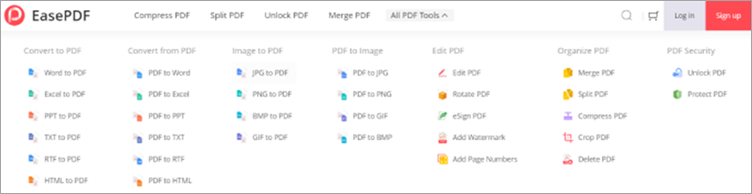
EasePDF has a very clear and concise interface for its truly rich functional menu and would let you know exactly how to operate quickly. All its designs are necessary and not redundant. It supports inter-conversion between PDF and multiple formats, PDF splitting, merging, and editing.
Batch compression features are also a boon for those who have to deal with a bulk of huge PDF files every day. Besides, what attracts most is that you can select the compression level that fits you most. The higher the number, the better the compression.
It’s remarkable that all your uploaded files are well protected and won’t be sent to other platforms as they have strong 256-bit SSL encryption.
Steps to reduce the size of PDFs on EasePDF:
#1) Click “Compress PDF” and add files that you want to compress. Or you can just drag and drop your files here.

#2) Once finish uploading, you can preview and check if you have put the correct files with the thumbnail. Then you can choose the compression level you prefer and start compression.

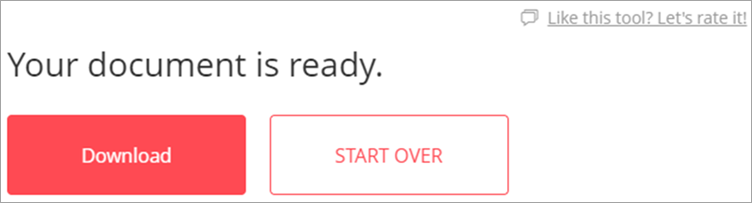
#3) When you finish compression, download and save it on the computer. If you want to adjust the compress level, just click “START OVER” and try again.
Features:
- Batch PDF compression
- Compress level adjustable
- Easy to drag and drop feature
- Inter-conversion between multiple formats.
- Security guarantee
- Supports editing, splitting, and merging PDF files.
Verdict: EasePDF is a comprehensive and powerful PDF processing tool, because almost any operation related to PDF can find a solution here. It will only pay you back more surprises. The clear and concise interface of this tool allows you to get started in a second. The batch compression feature is worth a try.
Price:
- Monthly subscription: $4.95/month
- Yearly subscription: $3.33/month (Billed as one payment of $39.95/year)
- You can also experience 2 free tasks every 24 hours.
#11) PDFSimpli
Best for PDF Compression, Editing, and Conversion.

PDFSimpli is an all-in-one PDF processing tool that is widely recognized for its simplicity. This is a completely web-based platform that can be used to compress a PDF file. Besides compression, you can count on this software to both edit and convert PDF files.
You get an intuitive, user-friendly editing interface to play with. You can use this interface to add text, remove watermarks, redact content, highlight text, add images, and do much more.
Features:
- PDF Compression
- User-friendly Interface
- Split and Merge PDF Files
- Add digital signature to a PDF file
Verdict: If PDF compression in a few quick, simple steps is what you seek, then PDFSimpli is a software tailor-made for you. Use the platform online without paying a dime or installing any additional software.
Price: Free
#12) HiPDF
Best for chatting with PDF & AI Read, edit, batch convert, batch compress, and protect PDFs easily.

AI-powered free online PDF solution developed by Wondershare, a well-known software company that produces a variety of multimedia and productivity tools. HiPDF provides a comprehensive set of tools for working with PDF documents directly from your web browser, without the need to install any additional software.
- Cost-Effective: Totally free for most of the features.
- Accessibility and Convenience: Allow users to access and edit PDF files from any device with internet access, be it a computer, tablet, or smartphone. This means that students and teachers can work on documents anywhere and anytime, whether they are at school, at home, or on the go.
- No Software Installation Required: Since the tools are web-based, there is no need to download or install any software.
- Features Tailored to Educational Needs: These tools often provide features that are especially useful in an educational setting, such as the ability to annotate texts, add comments, highlight important information, and even integrate with educational management systems or cloud storage services like Google Drive or Dropbox.
- Enhanced Organization: Manage multiple documents more efficiently. Features like merge, split, and convert allow for better organization of lecture notes, assignments, and study materials.
- Ease of Use: Designed to be user-friendly, allowing even those with minimal technical skills to edit and manage PDF documents effectively.
Features:
- AI translate: Translate PDF documents into more than 50+ languages with AI.
- AI detector: Revolutionize your content analysis with HiPDF AI Detector—your go-to solution for meticulous content checks and accurate detection of AI-generated text.
- Chat with PDF: Revolutionize the way you interact with PDFs: Talk to your papers, reports, and textbooks intelligently.
- PDF Conversion: HiPDF allows users to convert PDF files to and from various formats including Microsoft Word, Excel, PowerPoint, images, and more, ensuring that documents are easily editable and versatile.
- PDF Editing: Users can edit PDF text, images, and pages, adding a level of flexibility that PDFs typically do not offer. This includes adding, removing, or modifying elements within the document.
- Merging and Splitting: The tool provides options to merge multiple PDF files into a single document or split a single PDF into multiple documents, depending on the user’s needs.
- Compression: HiPDF can compress large PDF files into smaller sizes while attempting to preserve the original quality, making them easier to share and manage.
- Security Features: It offers security features like password protection and watermarking to protect the integrity and copyright of documents.
- OCR Functionality: Optical Character Recognition (OCR) technology is available to convert scanned PDF documents into editable text while retaining the layout.
- Annotations and Signatures: Users can annotate PDFs with comments, notes, highlights, and draw directly on the document. It also allows for adding e-signatures to PDFs, which is crucial for contracts and official documents.
Price: Personal: $4.99 per month and $31.99 per year.
Check our HiPDF Detailed Review
FAQs About PDF Compressors
Do PDF Compressing tools keep a copy of your PDF file with them?
Absolutely not, and you should stay away from tools that make copies of your PDF files without your knowledge. So choose tools that are reputed and have earned goodwill to their name. We will introduce you to some in this article.
What are the basic system requirements for such PDF compressing tools?
Most online PDF compressors do not ask for much from your system. A simple Chrome, Firefox, or Safari browser is enough to get your job done.
Can a PDF compressor tool also convert your file into an editable version of its former self?
That depends on the tool you are using. Most tools come with an added feature of PDF conversion, wherein PDF files can be converted into editable doc files for use.
Conclusion
We all need to compress files for a variety of reasons, whether it is to share files conveniently or make space in our own databases. The influx of data experienced today is a bit overwhelming and thus organizing it can become chaotic. Therefore, you need a great tool that can compress files to make sharing of files easier between your friends and colleagues.
Suggested reading =>> Best PDF to Word Converters
As for our recommendations, if you are looking for a fully-featured PDF compression tool that offers much more than just compression, then opt for iLovePDF or PDF2Go. For a quick temporary compression of the file, the Online Adobe PDF compressor will do just fine.
Recommended reading =>> Edit A PDF Document Online
Research Process:
- We spent 5 hours researching and writing this article so you can have summarized and insightful information on what PDF compressor tool will best suit you.
- Total tools researched-10
- Total tools shortlisted-6
Was this helpful?
Recommended Reading
-

List and comparison of the BEST PDF to Word Converter tools. Select an online, free, or commercial tool to convert PDF to Word document: Portable Document Format, commonly known as 0PDF, was invented with the intention of making the sharing of documents and files across multiple devices easier. The idea…
-
Read This Informative Review And Comparison of Top Online HTML Editor & Tester Tools To Select the Best HTML Editor For Your Requirements: The HTML Code Editor is an editor that helps in writing code. HTML files can be created using simple text editors like Notepad. But using HTML code…
-
Read this Comprehensive Review & Comparison of the Best Online Video Compressor With Features & Pricing to Select the Free MP4 Compressor: If you’ve been a professional video editor for a long time, then you know how a simple 1 MB video can end up consuming a lot of space…
-
This is a review & comparison of the Top Video Trimmer Tools. You can select any free or paid online Video Cutter that suits your requirements: Editing has long been considered a very fulfilling but ultimately overwhelming task. The advancements in technology came as much needed relief for professional editors…
-
This tutorial reviews the top YouTube to MP4 Converter Tools with comparison and pricing to help you convert YouTube Videos to MP4 online: YouTube to MP4 converter software allows you to download and convert YouTube videos online. Using the tool is ideal if you want to watch videos without glitches…


