Get Netflix unblocked instantly from any part of the world with our step-by-step guide. Discover the safest ways to bypass Netflix restrictions and resume normal streaming with troubleshooting tips from our experts:
Netflix and chill isn’t just a catchy slogan anymore. It has become a way of life for many across the globe.
There are days when one wants to do nothing more than just kick back on their sofa and watch something on Netflix. So, imagine just how frustrating it would be if your Netflix is blocked.
Unblock Netflix: Easy Guide From Experts

Netflix being blocked is a common issue that typically arises due to network restrictions. People connected to their work’s Wi-Fi network or those traveling abroad are most likely to encounter this problem.
[Via Slate]
If you are reading this article, you are here to learn how to unblock your Netflix account so you can resume streaming as usual.
Well, I’ve got a few tricks up my sleeve that can resolve this issue, and I am willing to share them with you here.
So, without much further ado, let’s dive into the tricks you can use to get Netflix unblocked.
Check the video below to learn how to get Netflix unblocked instantly:
Quick Answer – How to Unblock Netflix in School or Work
The best way to unblock Netflix from anywhere is to use a trusted VPN (Virtual Private Network). A VPN will hide your real IP address and send your connection through a server located in a country where Netflix is available, giving you instant access to the service within minutes.
To get started:
- Select a reputable VPN such as ExpressVPN, NordVPN or Surfshark.
- Download & install the app on your device.
- Connect to a server in the country you want to access.
- Then enjoy unhindered access to Netflix!
Some schools may also block VPNs, so if you’re trying to access Netflix at a school that uses “deep packet inspection” to block VPNs, choose a VPN that uses “obfuscation technologies”. When using a VPN always remember to be responsible and abide by the acceptable use policies set by your institution.
Why is Netflix Blocked? Understanding the Problem
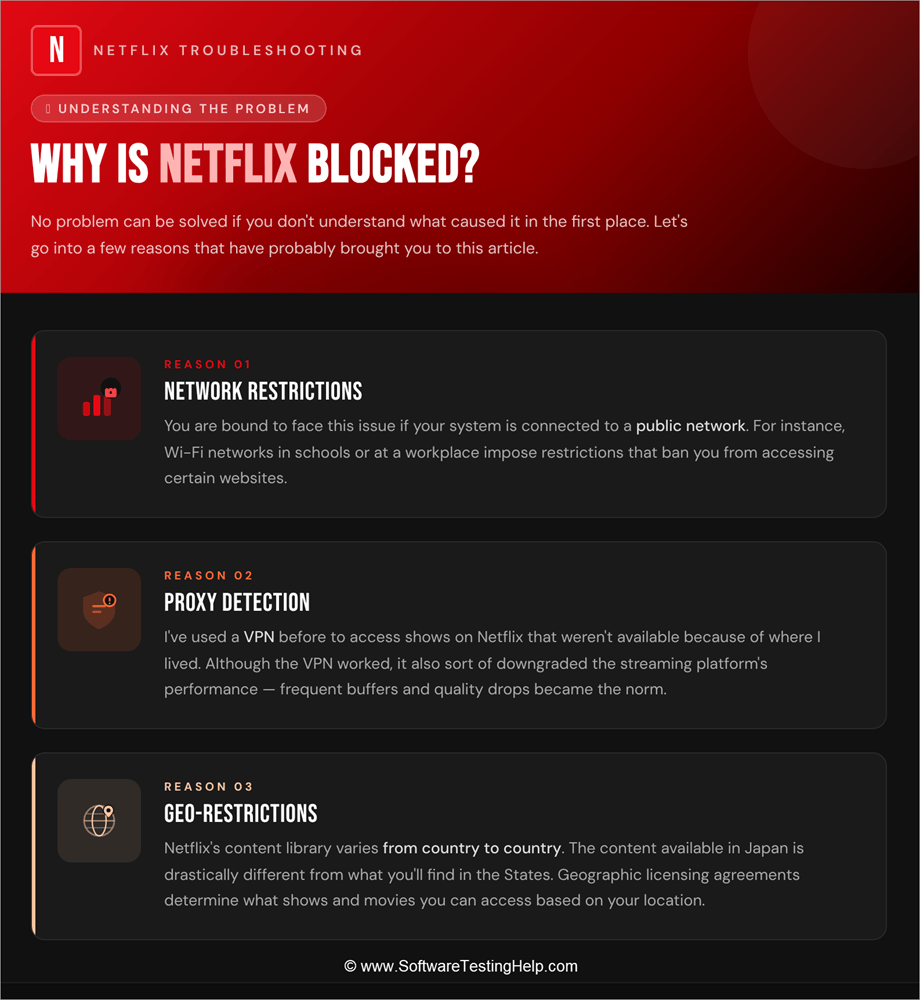
No problem can be solved if you don’t understand what caused it in the first place. Let’s go into a few reasons that have probably brought you to this article:
#1) Network Restrictions
You are bound to face this issue if your system is connected to a public network. For instance, Wi-Fi networks in schools or at a workplace impose restrictions that ban you from accessing certain websites.
These websites include the likes of entertainment-centric platforms like Netflix. Although I would recommend not accessing Netflix on a public network, it is still possible to get Netflix unblocked at school or work.
#2) Proxy Detection
I’ve used VPN before to access a few shows on Netflix that weren’t available to me because of where I lived. Although the VPN worked, it also sort of downgraded the streaming platform’s performance. I had to contend with frequent buffers and quality drops.
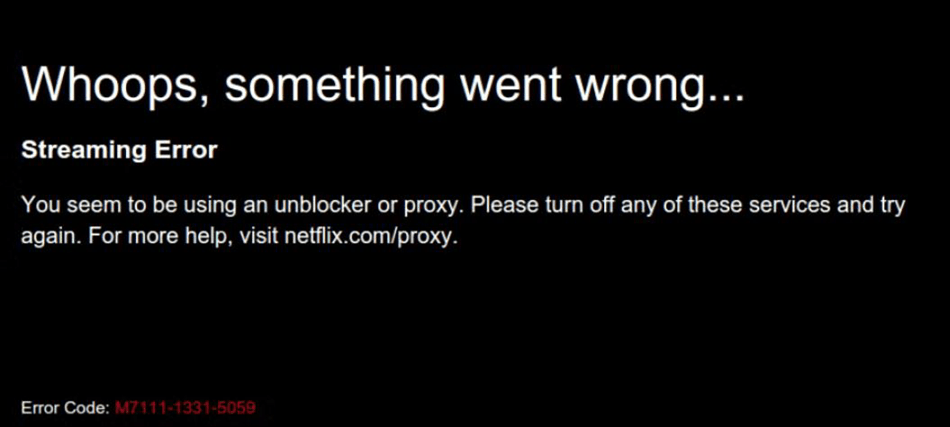
There is also a chance of Netflix blocking your access if a VPN or proxy connection is detected. You may encounter an error message that goes something like this – “You seem to be using a VPN or proxy.”
In such a scenario, to get Netflix unblocked, no VPN or proxy may be the route to take.
#3) Geo-Restrictions
Netflix’s content library varies from country to country. Netflix’s content library in Japan is drastically different from the content you’ll get in the States. So, maybe your American Netflix account gets blocked if you try to access it in Japan.
Now that you know why the platform gets blocked, let’s understand how to watch Netflix unblocked at School, Work, or anywhere else.
How to Get Netflix Unblocked for Free
I’ll now share a few tips and tricks on how to get Netflix unblocked for free.
#1) Mobile Hotspot
This is perhaps the easiest, quickest, and most convenient way of unblocking Netflix. If you find yourself in a restricted network, simply switch to your Mobile’s hotspot. Of course, this will only work if you have enough cellular data to spend on streaming.
Here’s how you switch on your Mobile’s hotspot.
1. On an Android phone, swipe down and tap on the hotspot option to activate it.
2. On an iPhone, go to Settings and select Personal Hotspot. Enable the “Allow Others to Join” option.
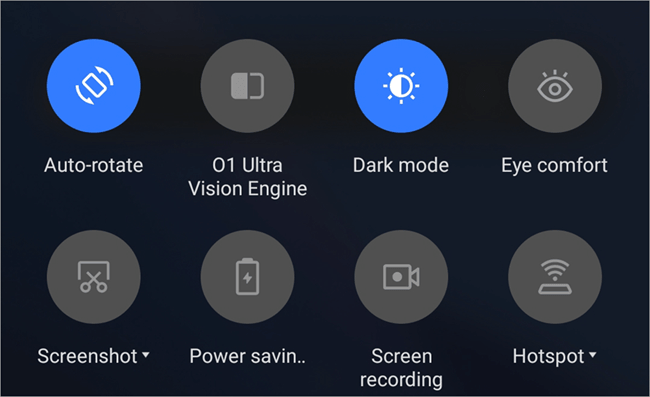
3. With the mobile hotspot activated, connect your laptop to it and start streaming.
#2) The Tor Browser
Switching to the Tor Browser is another very effective way to unblock Netflix. Tor is a browser known for ensuring privacy and anonymity to its users. This free-to-use, open-source browser anonymizes your internet traffic by routing it through volunteer-controlled servers around the world.
This makes Tor perfect to bypass all sorts of network restrictions to access all types of websites, Netflix included.
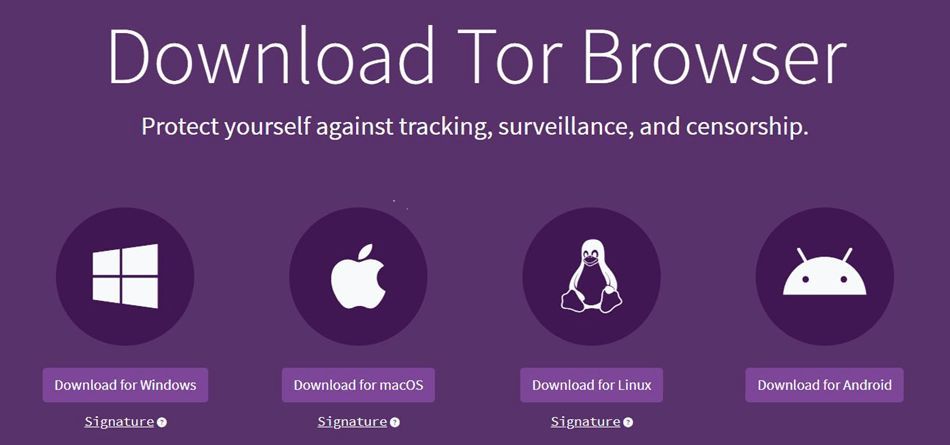
So, go to the official Tor website and download the browser on your Mac or Windows system. Install the browser and click on Connect. Finally, you can visit Netflix and start streaming.
In our testing, Tor proved immensely effective in getting Netflix unblocked on the School Chromebook. That said, Tor may not be the ideal solution for bypassing geo-restrictions imposed by authoritarian regimes.
#3) Setting Up DNS
Setting up or modifying your system’s DNS can be an effective way to bypass network restrictions, and it almost always works. This tactic is better than using a VPN, as Netflix has gotten better at detecting VPN connections.
First, you’ll need to get a DNS server address. You can get them through platforms like Smart DNS Proxy.
For our testing, I am using Smart DNS Proxy. You can choose any other provider.
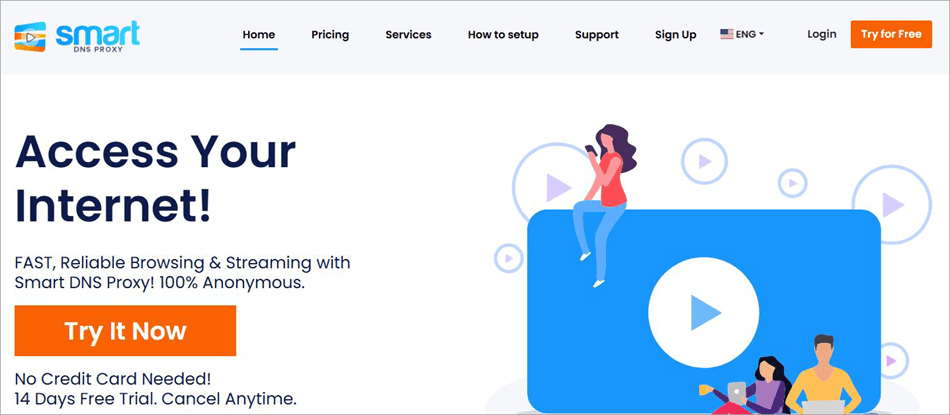
Simply register and log in to your Smart DNS Proxy account and choose a DNS Proxy server from the list presented to you. I would recommend copying two or more DNS addresses in case one doesn’t work.
With the addresses copied, all you have to do is the following:
On Windows:
1. Go to your search box and select “View Network Connections”.

2. Right-click on the Active network connection, Internet Protocol Version 6, and select “Properties” from the menu that pops up.
3. In the ensuing window, select “Use the following DNS addresses”.
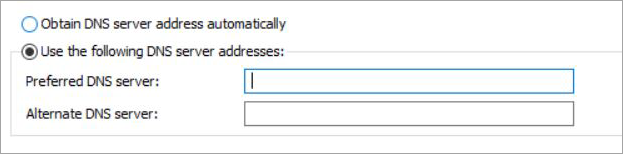
4. Enter the primary and secondary DNS addresses that were provided by your DNS provider.
5. Click on “OK” to save.
On Mac:
- Go to System Preferences > Network
- Select an active network connection
- Click on Advanced.
- Click on the DNS tab.
- Click on the (-) button to remove any existing DNS servers and click on the (+) button to add DNS servers.
- Now, enter the primary and secondary DNS servers you got from your DNS provider.
- Click OK to save.
Our testing of this method proved fruitful as modifying the DNS server let me bypass the network restrictions in place.
#4) Use a Proxy
A web proxy can route your internet traffic through an external server, thus proving effective in bypassing network restrictions. My research found that websites like ProxySite or Proxyium were great options to get a proxy server from.
1. Visit ProxySite.
2. Scroll until you come across a text box. Paste Netflix’s URL here and choose a server from the options presented to you.

3. Click on “Go”.
This will result in Netflix opening on your system via the proxy server you chose.
#5) Using a Reliable VPN (Not Free)
If you are using a VPN to bypass content restrictions on Netflix, I suggest you use premium tools like Nord or ExpressVPN. A free VPN just won’t work in 2026. Even if it does, expect abysmal streaming performance with occasional lags and buffers.


Nord’s plans start at $12.69/month, whereas ExpressVPN starts at $12.99/month. The plans become cheaper if you purchase an annual or bi-annual plan.
Using a VPN is simple.
1. Once you’ve purchased your plan, install the VPN on your laptop.
2. Select a server to connect.
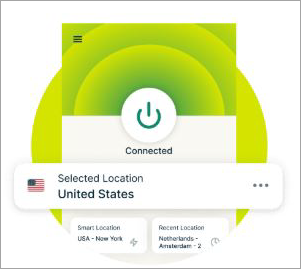
3. Once connected, open Netflix and start streaming.
Having discussed all of the above, let’s compare and see how they fare against each other.
#6) Download for Offline Viewing
Here’s another thing you can do to watch Netflix on your school or office premises. Simply download the video on Netflix and watch it later in your school or office without connecting to their Wi-Fi network.
You can download a video on Netflix by simply clicking on the download icon on a title’s main page. You can access this downloaded video later from the “My Netflix” section of your account for offline viewing.
Do note, though, that this is perhaps the least effective of all methods. In our research, I found that the download icon was missing from many titles. This could be because of licensing issues.
| Method | Difficulty | Cons |
| Mobile Hotspot | Easy | Only possible if you have unlimited cellular data |
| Tor | Easy | Need to download and install the browser on your system |
| DNS Server Modification | Moderate | The DNS Proxy address may not work. You might have to try different addresses. |
| Using Proxy Server | Easy | Risk to your data and online threats. |
| VPN | Easy | Only a premium VPN service may be effective. The VPN can cause performance issues. |
Is it Legal to Unblock Netflix?
Well, you aren’t going to face any legal persecution from Netflix for using a VPN or any other method discussed above. It is generally legal to unblock Netflix for personal consumption. However, you may find yourself in trouble with the institution (school or work) if you try to bypass the restrictions they’ve imposed on their public network.
This could range from a temporary suspension to firing at work or something as benign as a detention at School.
You could also find yourself in legal trouble for accessing Netflix in a region with an authoritarian regime in power. For instance, Iran is one country that has blocked access to Netflix. Using the above tactics to bypass geo-restrictions in the country can invite the ire of the Iranian government.
In general terms, it is legal to unblock Netflix. However, I’d like you to consider the above conditions. Although Netflix will not pursue any legal actions against you, your school, workplace, or government might.
Troubleshooting Common Netflix Error Codes
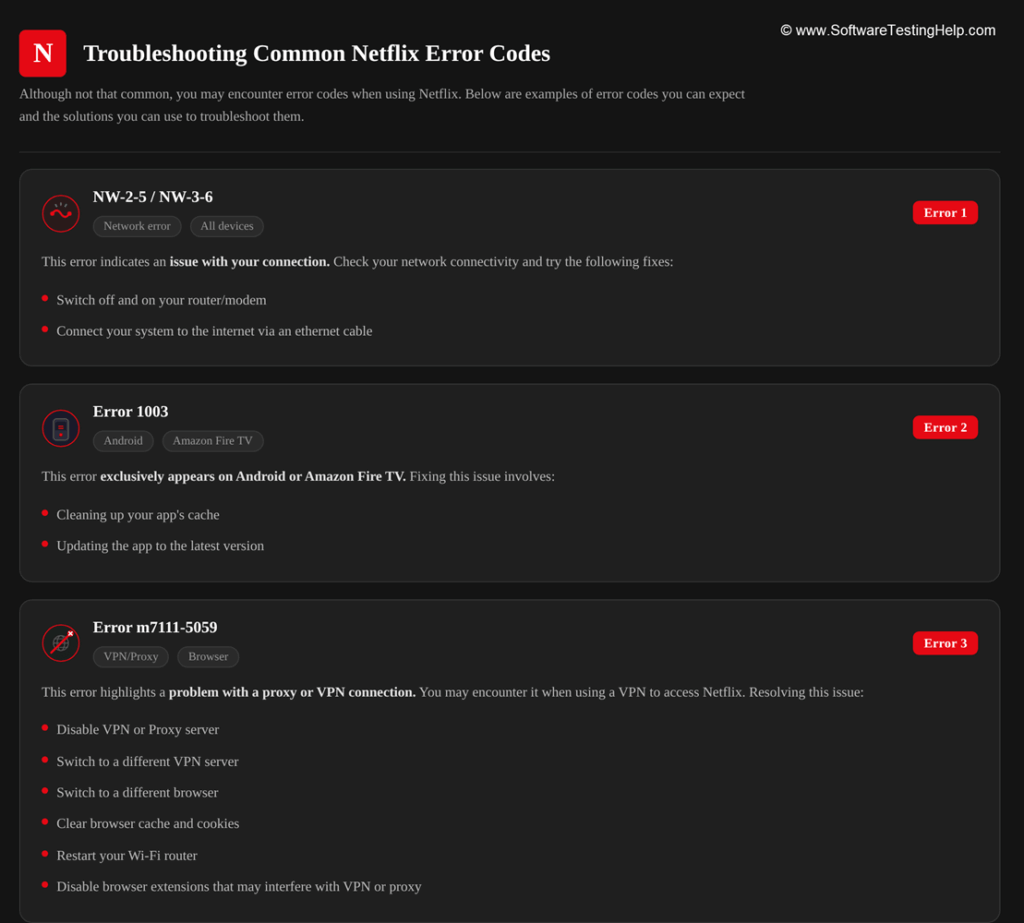
Although not that common, you may encounter error codes when using Netflix. Below are examples of error codes you can expect and the solutions you can use to troubleshoot them:
#1) NW – 2 – 5/NW -3-6
This error indicates an issue with your connection. If you see this error message, my advice would be to check your network connectivity. Switch off and on your router/modem. If that doesn’t work, try connecting your system to the internet via an Ethernet cable.
#2) Error 1003
This is an error that exclusively appears on Android or Amazon Fire TV. Fixing this issue would entail cleaning up your app’s cache or updating the app to the latest version.
#3) Error m7111-5059
Now this is an issue that highlights a problem with a proxy or VPN connection. So, you may encounter this issue when using a VPN to get Netflix unblocked.
Resolving this issue would entail the following:
- Disabling the VPN or Proxy server
- Switch to a different VPN server
- Switch to a different browser
- Clear browser cache and cookies
- Restart your Wi-Fi router
- Disable any browser extensions that may interfere with the VPN or proxy connection
Finally, I would recommend keeping your Netflix app up-to-date and only using reliable premium VPN services to avoid any issues or error messages such as the above.
Frequently Asked Questions
1. How do I unblock Netflix?
Getting Netflix unblocked is simple today. Use any of the below tricks to get the job done:
• Mobile Hotspot
• Use Proxy Server
• Set up a DNS server
• Use premium VPN
• Use the Tor browser.
I’ve discussed each of these tricks already in the article in detail.
2. Can Netflix detect if I am using a VPN?
Yes, Netflix can detect most VPN services in 2026, especially those that are free to use. You may see a message that says “you seem to be using a VPN or proxy”. This basically means that Netflix suspects a VPN connection and has blocked your access as a result.
3. Which VPN can trick Netflix?
Based on my personal experience and user reports online, the following VPN tools are quite effective in tricking Netflix:
• Nord
• SurfShark
• ExpressVPN
• ProtonVPN.
4. Will Netflix ban me if I use an unblocker, proxy, or VPN?
No, Netflix rarely takes a measure as extreme as banning someone from accessing its service simply for using a proxy or VPN. It will block your access until you’ve gotten rid of the VPN or proxy connection.
5. How many countries in Netflix?
As of 2026, the following countries have banned Netflix:
• Crimea
• China
• Iran
• Russia
• North Korea
• Syria
6. Why does Netflix keep blocking my VPN?
Netflix doesn’t respond kindly to users who use a VPN to access its services, as it has to honor strict geographic licensing agreements with several creators whose content it is hosting. That said, there is a way to trick Netflix into not blocking your VPN.
You could try using services like NordVPN that provide dedicated servers for streaming. Clean your browser regularly to get rid of cache and cookies.
This will keep your browser free from saved location information. You could also switch to a different server on your VPN to find an IP that has escaped Netflix’s radar.
7. How do I unblock Netflix on Android?
You can unblock Netflix on Android by following any of the methods below:
Switch to your Android phone’s hotspot instead of connecting to a public network.
Use a proxy or VPN server
Change the DNS address.
Download the Tor browser on your phone and access Netflix via it.
8. Can I access Netflix in China?
No, China is one of the countries that has banned the streaming platform. Any attempt to access it in the country will be met with an error message. However, you can use a VPN or proxy server to bypass these restrictions, as so many in mainland China have done before.
Conclusion
I understand the frustration of being met with a blocked Netflix, especially after an exhausting day at school or work. You’ll encounter this problem if attempting to access the platform on a public network belonging to your school or workplace.
Fortunately, there are ways around this issue, and I’ve discussed them in great detail above for your reference.
Hopefully, you’ll have Netflix unblocked by using any of the solutions I’ve shared. That said, I would never recommend connecting to a public network to access sites like Netflix, as there is always a high security risk involved. Stay vigilant and access Netflix via a public network connection only if you must.
Research Process: The total time involved to complete and publish this article is approximately 48 hours. This content was created through a structured research approach to ensure accuracy and reliability.
For more Netflix-related guides, you can explore our range of tutorials below:
- How to Change Netflix Region & Watch it from Any Country
- Netflix Student Discount and Other Alternatives
- How to Fix Netflix Error Code NW-2-5
- Why Does Netflix Keep Freezing: How to Fix
Was this helpful?
Recommended Reading
-

Read this review to compare and select the best YouTube Ad Blocker for Android, iOS, Windows, Mac, and various web browsers: YouTube is an amazing video streaming site where you will find endless good quality videos on almost any topic on earth. But Ads are its vice. You can take…
-
Learn how CroxyProxy web proxy is used to unblock YouTube and Instagram without a VPN. CroxyProxy is considered the most trustworthy free web proxy for individuals who are seeking an unrestricted internet experience but do not want to set up a Virtual Private Network (VPN). You can easily access CroxyProxy…
-
Want to block a website on Chrome? Refer to this step-by-step guide with screenshots and 6 easy methods to block websites on Chrome: You might have faced a situation where you need to block a website on Chrome, either while setting up computers for school or while setting up a…
-
Did Someone Block You on iMessage? Read our step-by-step guide to understand hidden signs to know if someone blocked you on iMessage. When your iMessage stops showing "Delivered" and changes its color, you might wonder—did they block you? Actually, while Apple will not give you any notification about being blocked,…