


This tutorial reviews and compares the top Free Photo Editing Software to help you select the best photo editor as per your requirements:
Thinking about uploading a new image for your social media account?
Quick image editing can do wonders for your new post. If you just want to post a new picture or just create graphic content, you’ll require decent photo editing software. What is better than having free photo editing software that can help you edit images quickly.
Photo Editing Software is specially built to help you create and alter images as per necessity. From cropping images to changing color, such imaging tools and software come to be very handy in nature. Such imaging tools come out to be very convenient for your quick editing requirements.
Table of Contents:
- Free Photo Editor For PC
- List of the Best Free Photo Editing Software
- Comparing Top Picture Editors
- #1) Picsart
- #2) Luminar Neo
- #3) AVCLabs PhotoMagic AI
- #4) ON1 Photo RAW
- #5) Fotor
- #6) DeepSwap
- #7) PHLEARN
- #8) Snappa
- #9) inPixio
- #10) Morgan Burks
- #11) Adobe Photoshop Express Editor
- #12) Canva
- #13) PixTeller
- #14) GIMP
- #15) Darktable
- #16) Photo Pos Pro
- #17) Paint.net
- #18) PhotoScape
- #19) Pixlr
- #20) BeFunky
- #21) Stencil
- #22) WorkinTool
- #23) BGREM
- #24) AdCreative.ai
- Frequently Asked Questions
- Conclusion
Free Photo Editor For PC

New Photo Editing Software is being developed every year. There are several free Picture Editing Software available today, and finding the best one out from them is always a daunting task at hand. You will have to go through multiple parameters and factors. We’ve gone through several software and tools matching our requirements for the best picture editor.
Market Trends: As per Business Wire, the market size for Photo Editing Software is highly growing, and it is expected to reach a new height. According to multiple stats and data, the market will have a high growth of 6% for the upcoming years. The global market for picture editor software is increasing, and with the development of social media, it will have an expected turnover of $274.02 mn.
This high rate of growth allows every professional to be a part of the market. Apart from just the requirements in the market, there is also high growth in investments as well.
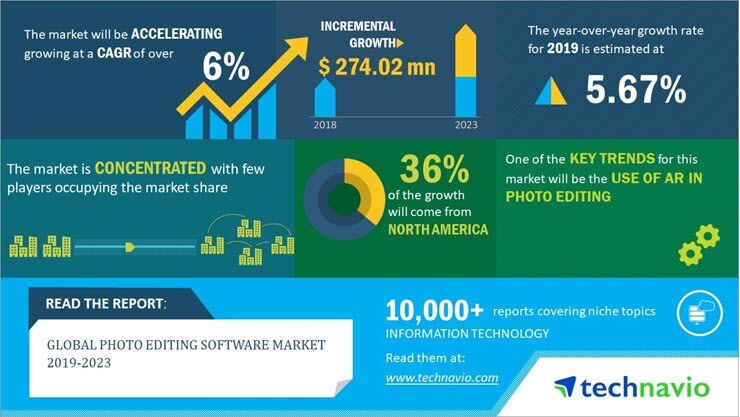
In the last few years, there has been rapid growth in North America which led to the growth of Photo Editing Software all over the market. According to multiple data and stats, there is a growth of 36% when it comes to increasing in North America. The introduction of AR in photo editing is expected to create a bigger growth in the market today.
Multiple photo editor free offers multiple solutions, so most of them are unique to each other. Each of them offers different features, which edits to be much easier. You can choose from the list of available Photo Editing Software and pick any one of them that suits your requirements.
Further Reading => How to Add Multiple Photos to Your Instagram Story
Since most of them are free, you could download most of the tools on separate devices. However, platform support should be a concern when choosing the right tool for your requirements. Do check for the specifications of the free photo editing software you would select.
List of the Best Free Photo Editing Software
Here is the list of popular free photo editors:
- Picsart
- Luminar Neo
- AVCLabs PhotoMagic AI
- ON1 Photo RAW
- Fotor
- DeepSwap
- PHLEARN
- Snappa
- inPixio
- Morgan Burks
- Adobe Photoshop Express Editor
- Canva
- PixTeller
- GIMP
- Darktable
- Photo Pos Pro
- net
- PhotoScape
- Pixlr
- BeFunky
- Stencil
- WorkinTool
- BGREM
- AdCreative.ai
Comparing Top Picture Editors
| Tool Name | Best For | Platform | Online Editor | Mobile Version |
|---|---|---|---|---|
| Picsart | Advanced AI-powered photo editing | Android, iOS, Web | Yes | Yes |
| Luminar Neo | AI-Powered Photo Editing | Windows, Mac, Cloud | Yes | Yes |
| AVCLabs PhotoMagic AI | Photo Quality Enhancer | Windows and Mac | No | No |
| ON1 Photo RAW | For beginners and professional editors | Windows and Above, macOS 13.1 and above. | No | No |
| Fotor | Online Editing | Linux, OS X, Microsoft Windows | Yes | Yes |
| DeepSwap | AI Photo Enhancer | Web-based | Yes | No |
| PHLEARN | Photoshop Tutorial Streaming | Web-Based | No | No |
| Snappa | Online photo editor | Web-Based | Yes | No |
| inPixio | Automatic Image Correction | Windows | No | No |
| Morgan Burks | Photoshop Education and Buying editing tools | Web | No | No |
| Adobe Photoshop Express Editor | Professional Editing | Windows, OS X, Linux | No | Yes |
| Canva | Quick Editing | Web-Based, Windows, Android, Mac, iOS | Yes | Yes |
| PixTeller | User-friendly interface and pre-made template collection | Windows, Mac | Yes | No |
| GIMP | Entry level Editing | Linux, OS X, Microsoft Windows | No | No |
| Darktable | Premium Features | FreeBSD, Linux, macOS, Solaris, Windows | No | No |
| Photo Pos Pro | Frames and Collages | Windows, OS X, Linux | No | Yes |
| Paint.net | Beginners | Windows 7 SP1 | No | No |
| AdCreative.ai | An AI that Creates Ad- Creative for Social Media and Display Advertising | Web-Based | Yes | No |
Let’s review the best photo editing software for PC listed above.
#1) Picsart
Best for advanced AI-powered photo editing.
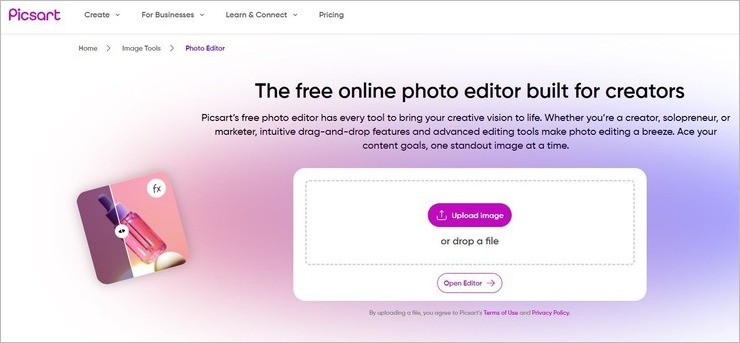
Picsart earns a spot on my list because of its basic and advanced photo editing features. The software stands out for offering a massive template library. You can rely on this library to create visuals from scratch for a variety of purposes. From banner images to posters, there is a template here to create any type of image you want.
Picsart perhaps best stands out for its AI editing capabilities. The tool comes with intuitive built-in AI features, which make photo editing a breeze. Performing other complex editing tasks, like background removal or applying filters to an image, is also easy and can be done with a single click via Picsart.
Features:
- Bulk Photo editing
- AI background remover and creator
- Collage maker
- Ready-made photo templates
- Image sharpener
Verdict: Picsart is a tool I’d recommend beginners use to perform both basic and advanced editing tasks to create stunning images. From removing background to upgrading an image’s resolution, Picsart can do it all in a matter of seconds. It is easy to use and features some amazing AI generative capabilities.
Price: Picsart is free to use for basic photo and video editing. Its priced plans are as follows:
Monthly
- Plus: $13/month
- Pro: $15/month
Yearly
- Plus: $5/month
- Pro: $7/month
A custom enterprise plan is also available upon contact with the sales team. You can use Picart’s premium plans free of charge for the first 7 days. Picart is currently offering a 5% discount on all plans. You can avail the offer with the following coupon code – PICSARTDESIGN5.
#2) Luminar Neo
Best for AI-Powered Photo Editing.

With Luminar Neo, you get easy-to-use software with advanced photo editing capabilities. This is a tool that enhances the quality of any picture you capture with the help of an intelligent AI. For instance, Luminar Neo can take your landscape photos and considerably improve it by adding beautiful rays of sunshine, eliminating optical glow, and making the sky appear more vibrant.
You get a wide range of instruments to edit your photos with. These include layers, masking, and making color and structural adjustments. The tool can be used on a macOS or Windows device. It is also available as a plug-in for Photoshop and Lightroom.
Further Reading => A Hands-on Review of Skylum Luminar Neo
Features:
- AI-Powered Image Enhancement
- Automatic Background Removal
- Non-Destructive Editing
- Lens Correction
- Crop and Resize photos
Verdict: Luminar Neo is a photo editing tool with some sophisticated capabilities, thanks to the AI powering it. Despite this, the tool is easy to use and features a user-friendly interface. It can perform both basic and advanced editing functions with spectacular ease.
Price:
- 1 Month: $14.95
- 12 Months: $9.92/month
- 24 Months: $7.46/month
#3) AVCLabs PhotoMagic AI
Best for Photo Quality Enhancer.
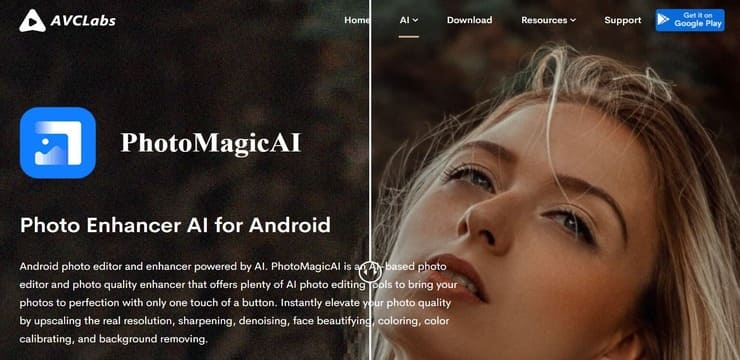
With PhotoMagic AI, you get an AI-based photo editor and quality enhancer that does its job on auto-pilot. The software leverages multiple engines to considerably enhance a photo’s quality automatically. No matter what kind of photograph you have, PhotoMagic AI will upscale the resolution effectively.
The software can naturally upscale the resolution of a photo by 400%, thanks to the use of deep learning-based super-resolution tech. The software is also quite effective at sharpening blurry images. The software’s especially great at enhancing facial quality on a photograph as well. It can remove blemishes, eliminate red eyes, and enhance facial image.
Features:
- Noise Reduction Engine
- Deep Learning based resolution enhancer
- Sharpen blurry images
- Image background remover
- Colorize black and white pictures
Verdict: From restoring old damaged photos to colorizing black and white photos, AVCLabs Photo Magic AI makes the otherwise difficult process of photo quality enhancing quick and easy.
Price: There are 3 subscription plans.
- 1 Month Plan: $19.95/month
- 1-Year Plan: $79.95/year
- Lifetime: $159.90
#4) ON1 Photo RAW
Best for Point, Click, and Edit.
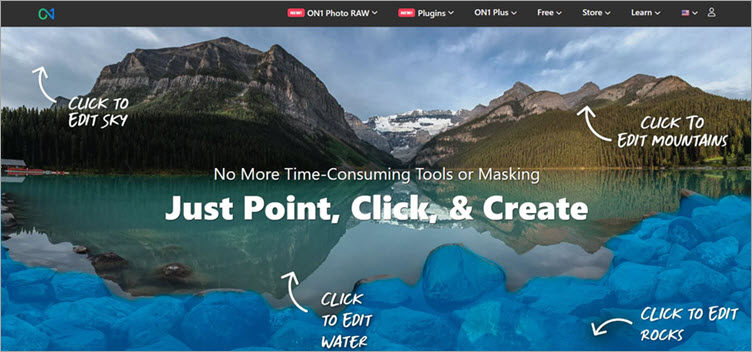
The latest version of ON1 Photo Raw editor is perhaps its most versatile offering yet. The editing interface is easy to use and comes jam-packed with features that make the whole process of cutting, merging, adding effects to an image, etc. look like a walk in the park. Perhaps the best aspect of ON1 is its point-and-click editing system.
If you want to edit only a specific element on your image, all you have to do is move the cursor to that area on your screen and click to start editing. Everything from accentuating a specific color in the frame to add dynamic contrast to certain aspects of your image can be done with just a single click.
Further Reading => Best Cutout Pro Alternatives to Look For
Features:
- AI-Powered Photo Editing
- Mask Photos Quickly
- Easy Photo Upscaling
- Hundreds of visual effects to add
- Tons of presets and filters to choose from
Verdict: While ON1 Photo Raw shines because of its point-and-click interface, there is still so much more it offers. It is easy to use and comes with a built-in AI engine that can even take an old damaged photo and restore its original aesthetic quality. It is one of the best photo editors available in the market today.
Price:
- ON1 Photo Raw: $79.99 one-time fee
- ON1 Everything: $89.99/year
- ON1 Everything Plus: $179.99/year
Website: https://www.on1.com/
#5) Fotor
Best for online editing.

Almost everyone knows how beneficial using Fotor is and how it could provide you with the best results. The Fotor includes both basic and advanced editing requirements that help you to get the best results.
Fotor also comes with an online editor option. This will allow you to get quick edit options even from your PC or from different devices. The image editing features from Fotor are fast and take very little time to work on it.
Features:
- Classic content
- Basic HDR tech
- Exclusive 100+ photo effects
Verdict: As per customer reviews, Fotor is one of the most popular applications for your editing needs. This application works on all platforms, and you can always look to get complete access to editing requirements. One of the most attractive things for any user is the option of having multiple photo frames. Every consumer could use the features for faster photo editing skills.
Price: It is available for free. Premium is available at $8.99/Month.
Website: https://www.fotor.com/
#6) DeepSwap
Best for AI Photo Enhancer.
DeepSwap makes it to my list for its advanced AI face-changing technology. This AI will take your image and edit the face depicted in it within seconds. You can touch up a face in the photo or enhance the overall quality of that image in no time. DeepSwap can be used to edit multiple faces in a photo at the same time.
You can also use DeepSwap to remove the background in a photo. The AI completely automates the process so you barely have to do anything. DeepSwap also does a great job at generating memes and GIFs.
Further Reading => Remaker AI Online Face Swap Tool
Features:
- AI Photo Enhancer
- AI Background Remover
- Meme and GIF Generator
- AI photo to anime converter
Verdict: With a plethora of professional-grade features and an advanced AI to boast, DeepSwap is a fun photo editor to use. It is easy to use, can help you restore an old photo, and does a phenomenal job of editing faces.
Price: DeepSwap can be used for free with limited features. Its monthly plan will cost you $9.99/month. Its yearly plan will cost you $49.99.
Website: https://www.deepswap.ai/
#7) PHLEARN
Best for Photoshop Tutorial Streaming.
PHLEARN isn’t a software. However, it has tons of video tutorials on the platform that teach you how to use tools like Photoshop to edit your photos. Last we checked, the platform has over 200 tutorials that you can stream for free.
PHLEARN also grants you the opportunity to learn photo editing alongside the tutorial with free samples, PSDs, and Photoshop actions. They have a growing library full of Lightroom presets, color-grading LUTs, and Photoshop brushes. You can download and use all of them to sharpen your photo editing skills.
Further Reading => Do you know How to Convert WebP to JPEG File Format
Features:
- Unlimited Access to Photoshop Elements
- Download Free Sample Images
- Stream over 200 tutorials for free
Verdict: While not software, PHLearn is a great platform for aspiring photo editors who want to get better at using tools like Photoshop for image editing. There are boatloads of tutorials for you to stream for free to learn some imperative tricks on how to get the best out of your editing tools like Photoshop.
Price:
- Free to stream tutorials
Website: https://phlearn.com/
#8) Snappa
Best for Online photo editors.

Snappa is your one-stop shop to edit images and create graphics that go well on all your social media posts. It comes with perhaps one of the best online image editors we’ve seen. You can use this editor to edit, crop, cut, add effects, or modify an image in multiple different ways… sometimes with just a single click.
You’ll get the perfect dimension of the graphic based on what type of social media graphic you need. There is a pre-set template for each social media channel for you to choose from. You also get access to thousands of pre-made templates alongside over 5000000 royalty-free images.
Features:
- One-click image background removal
- Add graphics, text, fonts in seconds
- Over a million royalty-free images
- Hundreds of templates to choose from
- Schedule and share posts instantly
Verdict: With Snappa, you get an online photo editor that makes photo editing look as easy as a walk in the park. Add effects, resize images in a click, and choose from thousands of pre-made templates, there is simply so much you can do with Snappa to create a graphic that you like.
Price:
- Free Forever Plan available
- Pro: $10 per month
- Team: $20/month
Website: https://snappa.com/
#9) inPixio
Best for automatic image correction.
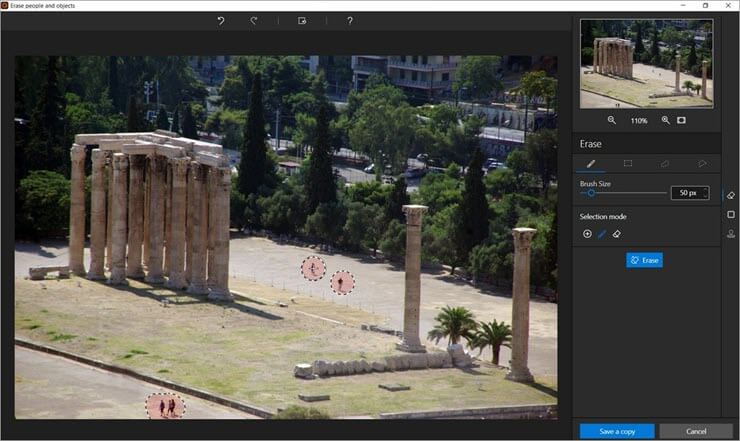
The inPixio is one of the best photo editing tools that will help you make quick edits like a pro! This tool allows you to remove unwanted objects and erase backgrounds in just a few steps. Apart from this, inPixio also offers automatic image correction. You can simply tap on this feature to make immediate changes to the image that you are editing.
Features:
- Adjusting image colors
- Publish photo templates
- Transparent backgrounds
Verdict: As per customer reviews, the inPixio application comes with easy-to-change background options. No such tools come with such precision and smooth background image controls. For every user, changing backgrounds with inPixio is just a piece of cake. It takes just a few seconds to clear out the background images in a jiffy.
You could change the backgrounds as well as alter the focus of the images.
Price: It is available for free. Premium is available at $49.99.
Website: https://www.inpixio.com/
#10) Morgan Burks
Best for Photoshop Education and Buying editing tools.
Morgan Burks isn’t a photo editing software. However, it is a platform you can use to enhance your Photoshop editing skills or buy new editing tools. You’ll find tons of video tutorials on this platform that teach you how to edit on Photoshop without breaking a sweat.
On the other hand, you get a plethora of editing tools you can use to enhance the quality of your photos. You get to choose between a sizeable collection of themes, templates, and overlays to assist you in your editing process.
Features:
- Video Tutorials on Photoshop
- Online Store of Photoshop Editing Tools
- Free Photoshop Training Series
- Blogs on Editing
Verdict: Morgan Burks is a platform that works well together with Photoshop. You won’t get a photo editing software but you will get the tools and lessons needed to get better at Photoshop.
Price: Free products and training are available. Editing tools start at $23.
Website: https://www.morganburks.com/
Further Reading => How to Remove Motion Photo on Android
#11) Adobe Photoshop Express Editor
Best for professional editing.

If you are looking for an online editing tool with almost every attribute, the Adobe Photoshop Express Editor is the best thing you can get. Even if it is a free editing tool, the Adobe Photoshop Express Editor offers almost every feature you would be looking forward to. From creative edits to horizontal and vertical perspective distortions, you could also use special crop presets for social media.
Features:
- Rotate and flip photos
- Adjust exposure
- Easy to edit
Verdict: As per customer reviews, the Adobe Photoshop Express Editor is the best editing tool available in the market today. Most users feel that the Adobe Photoshop Express Editor is a complete tool for professionals to use. From image editing to a bit of video editing, this tool can do every job for you. As a free editor, this tool seems to be the epitome of editing.
Price: It is available for free. Premium is available at $34.99.
Website: https://www.adobe.com/in/express/feature/image/editor
#12) Canva
Best for quick editing.

Canva is one of the most profound image editing applications and software available. The application also offers quick tilt and angle adjustments that help you get an amazing snapshot. The reason why most people like using Canva is because it has an instant drag-and-drop feature. So even if you want to add some text or any other type of filters on the go.
You can also crop your images for trim and even from trim controls with the tool.
Features:
- Add Stellar photo effects
- Add Text to any photo
- Add Stickers to Your Photos
Verdict: As per customer review, Canva is one of the best tools for quick editing and fast work done together. With better design and graphic posts, Canva offers minimal clicks and designs which help you in creating social media posts. Among professional editors and beginners, Canva is a great way of having better designs and performance.
Price: It is available for free. Premium is available at $119.99.
Website: https://www.canva.com/
#13) PixTeller
Best for User-friendly interface and pre-made template collection.
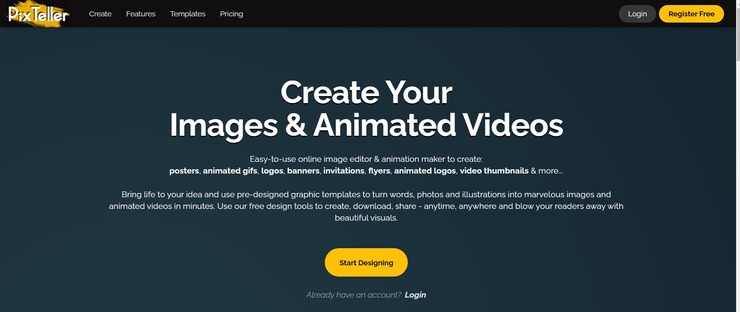
PixTeller is an all-in-one online image editor and animation maker that is both easy to use and exceptionally powerful. You get a ton of designing tools along with a user-friendly interface to create, share, and download designs anytime and anywhere.
Out of all the things that make PixTeller such a compelling image editor, it is the templates gallery that have really made it outshine its competitors. You get over 100,000 graphic image templates, which you can use to personalize your creation in virtually no time.
Features:
- 100000 Graphic Image Templates
- More than 5000 Animated Video templates
- Gradient Colors
- Animation editor timeline
Verdict: With PixTeller, you get an image editor and animation maker… all in a single, affordable online tool. You get a ton of templates, royalty-free images, and design tools to bring your creations to life. It is highly customizable and comes loaded with impressive features that make image editing both simple and fun.
Price:
- Free edition with limited features
- Pro Plan: $7/month
- Diamond Plan: $12/month
Website: https://pixteller.com/
#14) GIMP
Best for entry-level editing.

The GIMP comes with an extensible editing platform that allows you to get an amazing editing experience. The editing software also includes animation filters. Most users have found it to be beneficial for animation editing and other requirements. File handling is also easy with this platform, and it is much easier to use this tool. GIMP takes up very little space, and it is specifically developed for the GNU image.
Features:
- High-quality photo manipulation
- Original artwork creation
- Graphic design elements
Verdict: As per customer reviews, the GIMP comes along with a full set of painting tools. It has almost everything to look for when it comes to handy tools and editing requirements. The GIMP is a perfect choice for every professional editor, from brushes to pencils and several editing options.
Price: It is available for free.
Website: https://www.gimp.org/
Further Reading => Most Popular Instagram Photo Downloader Apps of the Year
#15) Darktable
Best for premium features.

The Darktable comes with multiple format support. You can edit pictures or even support a dynamic range of image formats. Filtering and sorting with Darktable is much easier, and it takes very little time to edit images. Zero-latency is one part that allows you to get an amazing experience. Darktable also introduces multiple tone image options that allow you to get an amazing experience while working.
Features:
- Professional color management
- Zero-latency, zoomable user interface
- Speaks your language
Verdict: As per customer review, Darktable is an amazing choice to make if you are looking for an editor that is fast to work with. This tool offers zero latency, which reduces time. Multiple users have found the Darktable tool to be an amazing option when it comes to tethered shooting. This tool has almost every professional feature required for usage.
Price: It is available for free.
Website: https://www.darktable.org/
Further Reading => Do You Know How to Make Blurry Pictures Clearer
#16) Photo Pos Pro
Best for frames and collages.

The Photo Pos Pro is one tool that you would love to use for immediate editing requirements. This tool is a great way of editing pictures and creating graphic content as required. With this, you could even get precision repairs and editing which makes sharpening and emphasizing much easier. Moreover, computer graphics and other editing requirements become much easier to complete with Photo Pos Pro.
Features:
- Tools for creating Computer Graphics
- Gradients, Patterns, and Textures
- Batch operations
Further Reading => How to Remove Background Image from iPhone
Verdict: The Photo Pos Pro comes with multiple options that allow you to get easy editing as per customer reviews. This tool also comes with the bath operation mode, making it much easier for the users to complete their work and edit in multiple picture types. Coming over to the gradients and textures, there are multiple formats to choose from.
Price: It is available for free. Premium is available at $49.90.
Website: https://www.photopos.com/
#17) Paint.net
Best for beginners.

[image source]
Everyone knows that the Paint.net platform for editing skills for beginners. The interface included with this tool is simplistic, and also it helps you to get decent performance. The rich image composition mechanism will help you get fast performance with every mouse click. This tool also includes performance improvements along with automatic bug fixes that reduce any type of latency.
Features:
- Simple, intuitive, and innovative user interface
- Active online community
- Automatically updated
Verdict: As per customer reviews, Paint.net comes with an amazing performance and setup available. For beginners, this platform allows you to get a decent editing option. Most of them believed that beginners would find the Paint.net platform quick for use as per consumers. Most people will also find it easier to use the fast image editor option with a simple interface.
Price: It is available for free. Premium is available at $8.99.
Website: https://www.getpaint.net/
#18) PhotoScape
Best for easy editing.

PhotoScape is one tool that would make you go gaga over it when it comes to easy and quick editing. This software is available on all platforms and allows you to get several features. The animated option, along with the color picker, allows you to get the true color and contour of the tool.
You can also take advantage of the splitter, which allows you to make easy posters. The screen capture mode is also efficient to use.
Features:
- Print portrait shots
- Batch edit multiple photos
- Convert RAW to JPG
Verdict: As per customer reviews, the PhotoScape software is an amazing tool to use for professional editing. Customers feel that the use of the batch editor tool in PhotoScape is much easier than others. Moreover, it comes with a combined feature as well. Most users liked the option to attach multiple photos vertically or horizontally to create a final copy.
Price: It is available for free. Premium is available at $39.99.
Website: http://www.photoscape.org/
Further Reading => List of the BEST Monitors for Photo Editing
#19) Pixlr
Best for image retouching.
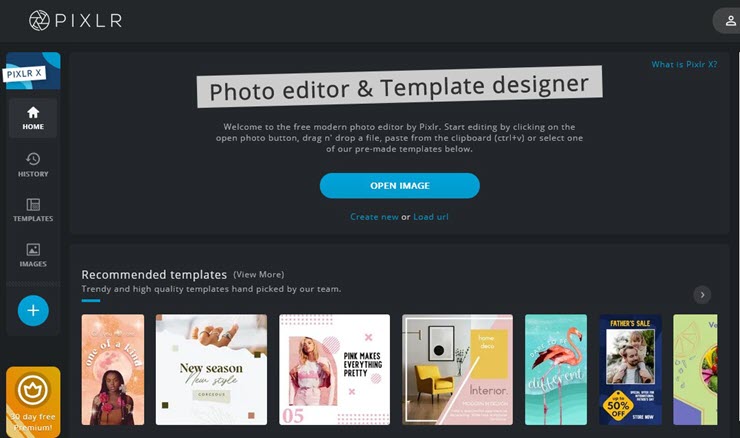
Pixlr is one of the most popular picture editing software available in the market today. The latest editions of Pixlr could provide you with a next-level experience of editing. From image conversion to multiple other editing options, Pixlr has a solution for everything.
For quick and fast works, this tool also comes with pre-made collage templates for faster editing. One of the reasons why professionals opt for Pixlr is because of the Instant AI-powered background removal feature.
Features:
- Color replace
- Object transform
- Image retouching
Verdict: As per customer reviews, the Pixlr is available to download for all mobile and PC versions. It even comes with an online editor that has helped users to gain an amazing result. Many people feel that the interface is excellent and easy to access as well. This is why doing multiple tasks with Pixlr is easy.
Price: It is available for free. Premium is available at $14.99/Month.
#20) BeFunky
Best for background remover.

BeFunky offers a lot when it comes to regular editing requirements. The Artificial Intelligence-powered background remover is one of a kind. This feature can easily detect any type of background and quickly remove it. If you want to retouch portraits with BeFunky, it is much easier to think about.
This software also helps you to make collages with just a single click. Moreover, the online editor version has a simple interface and usage.
Features:
- Transparent background
- Photo to cartoon
- Touch up tools
Verdict: As per customer reviews, the BeFunky tool is the right one when it comes to quick editing. BeFunky offers you multiple editing tools and templates to get your work done faster if you are looking for social media integrations. Many people opt for BeFunky because of simplistic editing requirements and graphic posting. Most people also think that photo collage making is just a few steps with BeFunky.
Price: It is available for free. Premium is available at $34.68.
#21) Stencil
Best for Over 5000 Google Fonts.
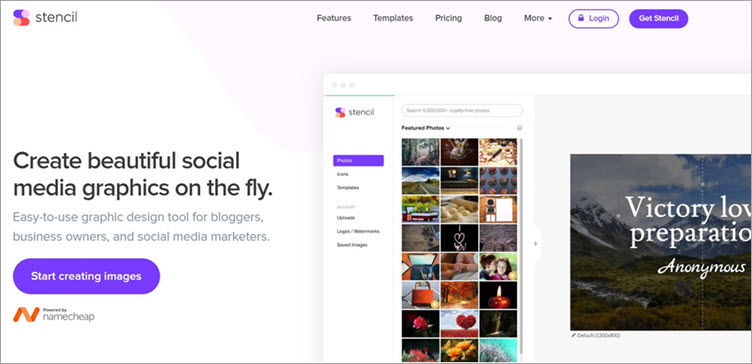
You want to create images and business graphics is a very short span of time, then Stencil was tailor-made for you. You get over 5,000,000 stock photos and more than 1400 templates to play with to create graphics that serve all purposes.
You also don’t really have to rely on the fonts that Stencil presents you with. You can upload your font to use in your graphics. The graphics you create using Stencil can also easily be shared online via Facebook, Instagram, Pinterest, and more such channels.
Features:
- More than 5 million royalty-free images
- 140+ Common pre-sets to choose from for image sizing
- Preview images before sharing
- Schedule image posts in advance
Verdict: Stencil arms you with over 5 million royalty-free images, more than 5000 Google fonts, and over a thousand or so templates to create social media graphics, business logos, YouTube thumbnails and much more.
Price:
- Free Forever
- Pro: $9/month
- Unlimited: $12/month
#22) WorkinTool
Best for Image editing and conversion.

With WorkinTool, you get a software that can instantly convert and edit any type of image without costing you a dime. The software comes with a ton of built-in editing features, which you can leverage to brush, deform, add text, frames, and filters to enhance the quality of your photos.
Furthermore, you can also remove, change, or modify the background color of your image. The software also facilitates manual matting. Similarly, you can also add or remove a watermark from your image with just a single click. Perhaps the best aspect of WorkinTool’s image converter is its in-built AI picture colorization technology. The software can take any black-and-white photo and colorize it with natural and consistent colors.
Features:
- One-click Image Background Remover
- AI-based B&W Photo colorization
- Watermark adder and remover
- Image cropper
- Image overlaying
Verdict: WorkinTool works just as great as most traditional photo editors out there. Despite being free to use, the software arms its users with a plethora of advanced editing features to edit and enhance the visual quality of their photos. The software is exceptional at restoring old photos. It is therefore one of the finest photo editing tools being used today.
Price:
- Monthly: $10.95
- Annual: $29.95
- Lifetime: $39.95
Now STH users can get 50% off. Use this Discoiunt Code: image-softwaretestinghelp
#23) BGREM
Best for: AI Image generator

BGREM is a tool whose AI-driven editing capabilities earn it a coveted spot on my list. The tool has exceptional video editing capabilities with auto-background removal and photo-to-video transferring abilities to boast. However, the tool can produce AI-generated images that impressed us.
All you have to do is specify your requirements, select a style and aspect ratio, the tool will produce an image that honors your specifications. You can use the tool’s AI to erase certain elements from an image and add a few elements of your own with ease. You can also rely on the tool for interior redesigning and converting photos into beautiful paintings.
Features:
- Photo into video transfer
- Background remover
- AI image generation
- Photo to painting converter
- Interior redesigning
Verdict: BGREM is a great tool for anyone who wishes to take the help of AI to perform certain photo editing tasks like adding filters to images, removing objects, etc. The tool stands out because of its ability to produce images from scratch. We would recommend this tool to anyone who wants to enhance the quality of their existing images.
Price: BGREM is free to use with limited capabilities. The Pro version will cost you $5/month and you’ll be rewarded 500 credits. The premium version will cost you $299/month.
#24) AdCreative.ai
Best for An AI that Creates Ad Creative for Social Media and Display Advertising.
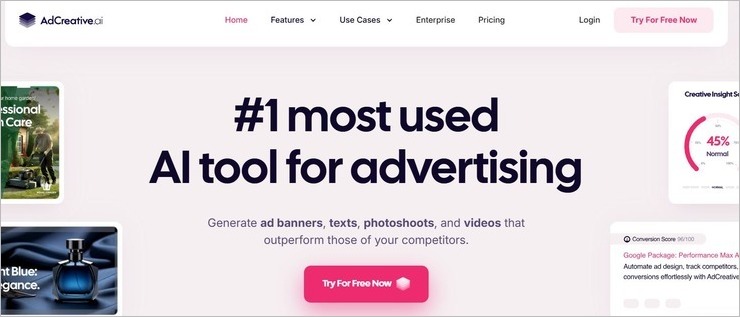
AdCreative.AI is not your typical photo editor. This software features an intelligent AI that can create optimized AdCreatives specifically designed to boost your conversion or click-through rates. You can completely rely on the software’s AI or use text prompts to generate optimized and visually stunning creatives tailored to be compatible with various social channels.
You also have a ton of templates and layouts that let you design a creative image for social channels like Instagram, Facebook, TikTok, etc. You are also provided with a massive library of stock images to aid you in designing ad creatives. There are over 100 million commercial-safe stock images from iStock at your disposal.
Features:
- Generate Conversion-Focused Ad-Creatives
- Generate Stock Images or rely on royalty-free stock images from iStock
- Customize the creative with an intuitive editing interface.
- Turn still images into videos.
- Get AI-driven insights on the performance of your Ads.
Verdict: AdCreative.AI is so good that we could see it become a real alternative to people with design and copywriting skills. It considerably streamlines and automates the task of creating advertisements for a diverse range of social channels and websites. Everyone from small businesses and marketing agencies will find something to adore in AdCreative.AI.
Price: AdCreative.AI is free to use. You get 10 free credits upon initial sign-up. Its premium subscriptions are as follows:
- Starter: $39/month
- Professional: $249/month
- Ultimate: $ 599/month
A custom enterprise plan is available.
Website: https://www.adcreative.ai/
Frequently Asked Questions
Is Photoshop worth buying?
Many professionals do consider using Photoshop because it is one of the best free image editors for getting your job done. Photoshop is worth all the features that you can get in professional photo editing software. Even if you are a professional or an amateur, this tool is designed for your professional use.
Is Lightroom Better than Photoshop?
It is true that there is not a massive difference when it comes to editing in Lightroom or Photoshop. The major difference lies in the interface of the two tools being used. Lightroom is much quicker and easier to use.
Also Read =>> Comprehensive guide on Adobe Lightroom
How much is Adobe Photoshop?
Adobe Photoshop Express Editor is an available option that allows you to get free photo editing requirements done. Obviously, it is available free of cost. But you can also get other alternatives in the name of photo editing tools. However, if you wish to get the premium services from Adobe Photoshop, you can purchase it for $34.99.
Recommended Reading =>> Best Alternatives to Photoshop
Does Windows 10 come with a photo editor?
Almost all basic OS comes with an image editing platform. However, Windows 10 does come up with a basic editor that allows you to make edits according to color, crop, and other activities
Conclusion
Having Photo Editing Software is one of the best ways of making a picture-perfect. Even if it is for your professional requirements or social media needs, the option of having free photo editor tools allows you to get a perfect image to post.
Today it is important to have Photo Editing Software for every home and device. For a quick edit, there are multiple tools available today.
Adobe Photoshop Express Editor is one of the best tools to have today. It offers every feature that any professional would like to have for their regular usage. The tool is available to download on any platform and allows you to get mobile photo editing software free.
Research Process:
- Time is taken to research this article: 29 Hours.
- Total tools researched: 25
- Top tools shortlisted: 11
Was this helpful?
Recommended Reading
-

Detailed Review & Comparison of The Top Photoshop Alternatives. Select The Best Alternative To Photoshop From This List Based on Your Requirements & Budget: Image editing, graphic designing, and digital arts are modern time skills to engage the audience with tempting artistic content. Many people love portrait and landscape designs,…
-
Review and comparison of popular Photo Viewer Software with features. Select the best, free Photo Viewer for Windows 10, Mac or Android: What are the qualities you look for in a Photo Viewer? Or to put it precisely, what features in an Image Viewer satisfy you the most? An image…
-
This tutorial explores the top Image Hosting Sites with features and other factors. Select a free or paid Photo Hosting Site for your requirements: Image Hosting Site is the service provided by the companies to upload the image on the server so that it can be displayed online. It will…
-

Best Screen Capture Software Tools that would enable you to make your workday much more productive: A few years ago, screenshots were not that much popular. It was only used to share the error message on the screen. But, nowadays screenshots are routinely and widely used in our day-to-day life.…
-
This tutorial explains different methods to take a screenshot on Windows 10 and other versions. Select a suitable method to screenshot on Windows: Screenshot means taking an image of the content on the screen. It could be a part of the screen or the entire screen, and some additional tools…
-
This tutorial explains the importance of Selenium Screenshot & how to use Ashot to take Screenshot in Selenium application with examples: Screenshots are basically used in bug analysis. They help in understanding whether the application works as per the user requirements or not. For every test case, the output received…
-
The 4K Stogram is an Instagram Photo, Video Viewer and Downloader for Windows, Mac, and Linux. Read this Comprehensive Hands-on 4K Stogram Review with Features and Installation Steps and learn how to use it: Wherever you choose to spend the holidays, the pictures you take always turn out to be…
-
Looking for a Professional Slideshow Software that will become a reliable asset for your business? Discover 7 expert programs that can help you take your trade up a step: Whether you want to turn your photography clients’ photos into engaging videos or you are looking to present your own works…


