Do you know how to see who blocked you on Instagram? Explore the proven tips & techniques in this simple guide to check out if someone blocked you on Instagram:
Let’s say you have a friend on Instagram, and you engage with them almost every day in some form or another.
You don’t miss a chance to like their posts, watch their stories, and occasionally drop them a message in the DM. This is essentially your daily routine on Instagram until you notice their absence.
How to See Who has Blocked You on Instagram
A few days go by, and no posts and no stories. You try to search for their presence on the platform to no avail. It’s as if this person just vanished from Instagram without a trace.
Now, this person deactivated their account. It is also very much a possibility that they’ve blocked you. The latter, if true, can be devastating, especially if you really liked that person.
Of course, we are just speculating at this point. If you have their number, you could muster the courage to ask them directly whether they’ve blocked you. However, there are better ways to confirm your doubts, ways that don’t involve an awkward conversation.
In this article, I would like to walk you through some tips and tricks that you can try to know for a fact if someone has blocked you on Instagram.
So, without much further ado, let’s learn how to see who blocked you on Instagram, regardless of whether you are using the app on an iOS or Android device.
Refer to the video below on how to see someone’s account who blocked you on Instagram:
How to Know if Someone Blocked You on Instagram
What Happens When Someone Blocks You on Instagram? Almost all social media channels, not just Instagram, have a built-in feature that allows users to block anyone they like. The ability to block someone has existed since the birth of social media years ago, and it is a feature that’s welcomed by the more civil side of the Internet.
Typically, when you block someone, you basically block them from viewing your profile or interacting with you on the concerned platform unless you lift this restriction. Once blocked, you’ll stop seeing any posts from them; they won’t show up even when you explicitly search for their profile page. You won’t be able to message them.
Why People Choose to Block Someone on Instagram
One could have multiple legitimate reasons to block someone on Instagram. Most of the time, the reasons are serious. I recently blocked someone because I didn’t like their online activity. I thought their posts were problematic and offensive. I didn’t want them showing up in my feed. Therefore, I thought it best to just block the person.
You could have other reasons. People usually block someone they don’t wish to interact with for a variety of reasons. Perhaps they were abusive to them online or sent them DMs constantly and didn’t respect their privacy or time.
Further Reading => Steps to Know if Someone Blocked You on Snapchat
How to See Who Blocked You on Instagram
There are many ways to know for sure whether someone has blocked you on Instagram. Each trick I am about to share with you here will help you find an answer while being as discreet as possible. This guide will serve both iOS and Android users of the Instagram app.
#1) Rely on Instagram’s Search Functionality
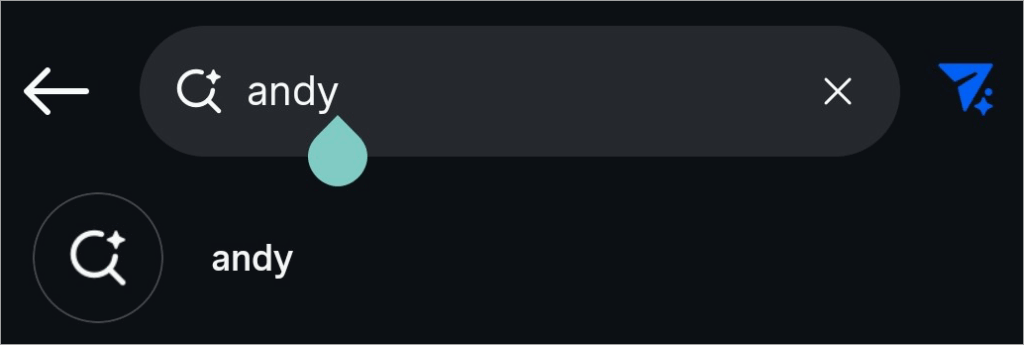
Let’s start with the most obvious and simplest of all the tricks you have at your disposal. You could start by doing a quick search of the person’s profile.
All you need to do is navigate to the “Search” bar on your phone and type the username of the person you suspect of blocking you. You need to get the username right for this to work.
If that person’s Insta profile is public, you’ll start seeing their posts almost immediately after you’ve typed in their username.
This means you’ve not been blocked. If that person’s Insta-profile is private, you’ll see a message that reads – “This Account is Private”. This also means that you’ve not been blocked.
If the profile doesn’t appear at all after you’ve searched for their username, it is more than likely that the account was either deactivated or you’ve been blocked.
#2) Coming Across the “Instagram User” Label
When searching for a person’s profile, you might stumble upon a blank page that simply says “Instagram User”. Everything from the profile’s image and follower count to its post-feed will be empty. The image below is a good example of such a page.
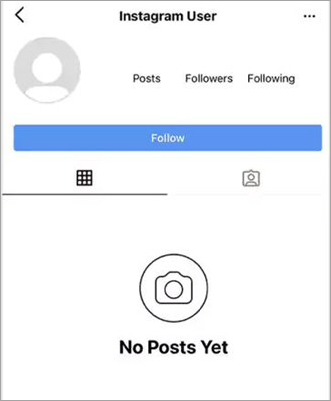
Now, there are three possibilities of why you are being greeted with this page instead of the original user profile you intended to find.
This “Instagram User” label may serve as an indicator that the person has either blocked you, deactivated their account, or deleted it entirely. Simply put, consider the label – Instagram User as meaning blocked, deactivated, or deleted account.
To know for sure whether you’ve been blocked, you’ll have to consider other measures, which I’ve discussed at great length in this guide.
#3) Assess Your Past Interactions With Them

Like the first trick on how to see who blocked you on Instagram, I believe this one is also a very effective method that you should give a try. This will work if you’ve interacted with this person of interest in some capacity on Instagram.
Even if you’ve been blocked, the messages you’ve shared with them and the posts you were tagged in will remain.
Further Reading => See Who Does Not Follow You Back on Instagram
So, go back to your profile and find such instances of past interactions. It could be a comment on your post, a DM, or a tag. Click on their profiles mentioned in those interactions. Doing so will redirect you to their profile page.
When there, if you can see their post count but no posts, then know that you’ve been blocked.
#4) Check Your Direct Messages
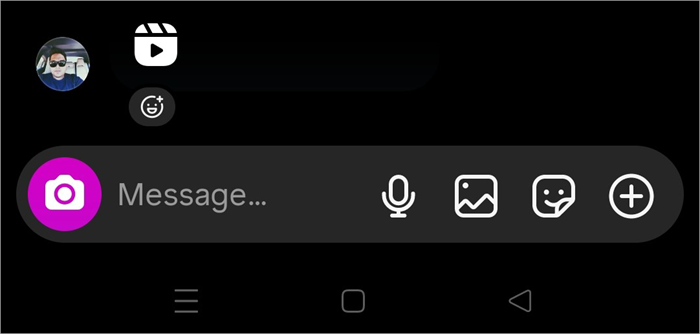
There is a very interesting thing that Instagram does when you’ve been blocked. As the goal is to erase any type of interaction you’ve had with the person that’s blocked, any messages you’ve shared with that person will be gone.
As such, if you have suspicions about someone on Instagram blocking you, immediately check your DMs with them.
If you see a blank page with all messages gone, know that you’ve been blocked. You could also try visiting group messages frequented by both you and that person. If they are active there but can’t be found anywhere else, they’ve blocked you.
You could try messaging them. However, if the messages fail to deliver, know that you’ve been blocked.
Must Read => Learn to Make Custom Instagram Highlight Covers
#5) Use Your Browser
So, you’ve tried everything on Instagram, but you still aren’t sure yet. You could log out of your Instagram and try searching for that person’s profile on your browser. For this to work, you’ll need to know that person’s username, which shouldn’t be hard.
Just open your Chrome or Windows browser and in the URL section, type – Instagram.com/username.
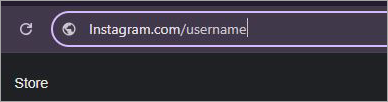
Make sure you are logged in to your Instagram on this browser. As soon as you enter this link in your browser, you’ll be taken directly to that username’s Instagram profile page. If you are greeted by the following message – “Sorry, this page isn’t available,” you’ve been blocked.
It is also possible that this account no longer exists or has been deactivated. To confirm this, I suggest switching your browser to Incognito mode and searching for their username again. If the same message appears, then you can be certain of being blocked by this person.
#6) Try to “Follow” them Again
I would suggest trying to “Follow” that person again, especially if you can see their profile. It is possible that the person unfollowed you unintentionally, and that’s why you’ve not been seeing their posts lately. So, try giving them a “Follow” request. Hit the “Follow” button right beside their profile picture.

However, if the “Follow” button does not respond even after repeatedly tapping it, this means you’ve been blocked.
#7) Viewing Story
Recommended Reading => Do You Know the BEST Time to Post on Instagram
When someone has blocked you, you will obviously not see any more posts or updates from them. This also means you won’t see any more “Story” posts from them. “Stories” serve as a good indicator of someone being active on Instagram.
If you used to view someone’s “Stories” frequently until that stopped being the case, chances are that you’ve been blocked.
Of course, it is also possible that the person has just posted no stories in a while. It is also possible that they’ve deactivated their account.
#8) Create another Instagram account
As far as methods on “how to see someone’s account who blocked you on Instagram” go, this one is really effective but tedious. It requires you to create another Instagram account, but it works like a charm. Once you have created another account, search for that person’s username.
If their profile with all of their posts shows up on your new account, they’ve blocked your other account.
#9) Seeking the Help of a Mutual Friend
This is another very effective method to know for certain whether you’ve been blocked or not. If you have a mutual friend on Instagram with the person you suspect of blocking you, simply request that they check on that person’s profile.
If your mutual friend can find that person’s profile on Instagram, see their posts, and interact with them, then you can be sure of being blocked. However, if your mutual friend can’t find the person, see their posts, or engage with them, account deactivation or deletion seems like a more plausible reason.
Suggested Reading => Best Free Instagram Scheduler To Schedule Instagram Posts
Check if an Account is Blocked, Deactivated, or Deleted
Limited visibility isn’t a sure-fire sign of you being blocked. You should also consider the likelihood of someone simply having deactivated or deleted their account. The difference between blocked and deactivated Instagram accounts in 2026 isn’t much.
So, I would suggest you refer to the following table to clear your doubts and confirm your assumptions:
| Parameters | Blocked | Deactivated | Deleted |
| Duration | Temporary | Temporary | Permanent |
| Visual Changes | You’ll see the “Instagram User” label | You’ll see the “Instagram User” label | You’ll see the “Instagram User” label |
| Decision Reversal | A block can be lifted manually | The account can be restored by logging back in | Not recoverable 90 days after deletion. |
| Data Retention | Blocked users lose all access | All data can be retained | Data is lost after 90 days |
| Mutual Friends | Profile visible to mutual friends | Profile not visible to mutual friends | Profile not visible to mutual friends. |
| Group Chat | Messages with the blocked account will be hidden from you | You will see past messages, but the profile will now be visible as “Instagram User”. | You will see past messages, but the profile will now be visible as “Instagram User”. |
Further Reading => How to Mute or Unmute People on Instagram
Recent Updates: Instagram’s Blocking & Privacy Features
Instagram has evolved considerably since its inception. It is constantly updating its features and interface. So, it should come as no surprise to anyone that Instagram has again introduced updates to its blocking and privacy features in 2026.
#1) Blocking Updates
If you were blocked by someone, there was still a chance for you to find their profile and interact with that person via another account. That might not be possible with the new update that Instagram rolled out recently.
According to the new update, Instagram will not offer its users the privilege of blocking not just one account but all accounts associated with a single user. Let’s say you want to block someone named “Adam” on Instagram.
When you go through the usual process of blocking someone, you’ll have the option to not just block one profile but multiple profiles that may belong to that individual.
#2) Privacy Updates
Blocking is considered an extreme measure. If you want to simply pause your interaction with someone, it would be best to rely on other tactics that Instagram has introduced lately to further bolster user privacy. For starters, you could always try to “Mute” or “Restrict” an account instead of blocking it.
These options only limit your interaction with the other account while making sure your ties with them aren’t severed. Instagram has also introduced the option to disable your “Activity Status”, which used to show followers when you were last active on the platform.
Suggested Reading => List of the TOP Private Instagram Viewers
Being Ignored or Blocked on Social Media: Ways to Overcome
I’ve been on Instagram since its launch. Over the years, I’ve blocked a lot of people and was even blocked by one particular individual that I was genuinely fond of.
I understand that being blocked by someone without any explanation can hurt. Instead of being upset, I would suggest taking a step back from social media and contemplating a bit.
Try to understand what you did wrong to have this person block you. Perhaps you said the wrong thing one time or didn’t respect their boundaries. Maybe they didn’t like a particular comment you left on one of their posts. Acknowledge your mistake and ensure you don’t repeat it with somebody else.
[Via Pexels]
It is also very likely that you didn’t do anything wrong, and the other person just doesn’t want you as their friend on the platform anymore.
If that is the case, know that there isn’t anything you can do about it. The best thing you can do in this scenario is take the high road and move on. Do not confront the person who blocked you.
Recommended Reading => How to Post on Instagram From Your PC – Beginner’s Guide
Instead, try to appreciate the relationships you still have in life. Try to nurture new friendships. Spend your time interacting with people outdoors rather than on the Internet.
Also, remember that having only two or three real friends that you feel comfortable around is way better than having hundreds of followers online. Those are the people you can ultimately count on.
Instagram is fun, but it isn’t a place known to appreciate authenticity. The connections you built there are seldom solid and almost always fickle. So, if someone does block you there, don’t take it to heart. It does not represent the real world.
Privacy Settings that Mimic Blocking
Besides blocking someone, Instagram also allows its users to “Mute” or “Restrict” a profile. First, let’s talk about “Muting”. When you “Mute” someone, all of their posts will become invisible to you. You’ll have the option of “Muting” someone’s posts, stories, or both. The “Muted” person can still message you, though.
Another thing you can do is “Restrict” a profile. A restricted account won’t know when you are only. They can comment on your post, but you won’t receive notifications for it. They also can’t tag or mention you.
Further Reading => How to Block Someone on TikTok
Restrict and Mute are privacy options that can be enabled the same way you block someone.
- Open the User profile you wish to block
- On their profile, select “Following”
- From the menu, select “Restrict” or “Mute”.
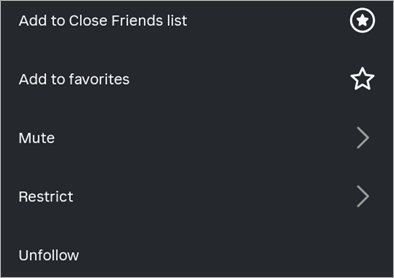
It is that simple.
Further Reading => How to Turn Off Vanish Mode on Instagram
Instagram Restrict vs. Block Differences
Restricting access to someone is at least a better alternative to just straight-up blocking an individual. When someone restricts you, as opposed to blocking you, they are limiting your interaction with them. Like “Block”, you won’t be notified when someone has restricted your access to their feed.
A restricted person will have the privilege of checking out your posts, commenting on them, and sending you messages. However, their comments won’t be visible to anyone outside you and them. Their messages will also go to a special message request folder.
Instagram Shadow Banning vs. Regular Blocking
There is a very clear difference between an account being blocked vs it being shadow-banned. For starters, a block is something initiated by a user who wishes to sever ties (permanently or temporarily) with another account user. A shadow-ban is initiated by Instagram itself.
By shadow-banning you, Instagram is basically limiting your account’s reach and visibility. So, if you don’t see someone’s posts or stories like you used to in the past, there is a good chance of that account being shadow-banned.
Suggested Read => List of The Top Social Media Marketing Tools
Instagram will opt to shadow-ban an account if it violates the platform’s community guidelines, engages in spammy behavior, is reported by other users for abusing copyright, or posts graphic or shocking content.
To remove a shadow ban, you’ll need to stop posting stuff that violates Instagram’s policies. Also, refrain from using banned hashtags or sending spam messages. With that taken care of, try reaching out to Instagram support to lift the shadow-ban.
FAQ’s on Who Blocked Me on Instagram
1. How to see who blocked me on Instagram?
There are many ways to see who blocked you on Instagram for sure. You could try:
• Searching for that person’s username
• Checking your past interactions with them.
• Try sending them a “Follow” request.
• Try to visit their profile page via your browser.
• If all of these attempts fail, know that you’ve been blocked.
2. Can we see who blocked me on Instagram?
As of today, Instagram doesn’t have a special feature that lets its users see who has blocked them on the platform. However, you could still try to find out the identity of the person who has blocked you, provided you suspect them of blocking you. You could try any of the methods I’ve discussed above to confirm your doubts.
3. How to tell if someone is looking at your Instagram?
Again, there isn’t a way to tell if someone is looking at or checking out your Instagram profile. However, Instagram does show you the usernames of people who have viewed your posted stories. It is also possible for you to get visitor stats with a business account. That said, you are not shown the identity of specific visitors.
4. How to block someone on Instagram?
Blocking someone on Instagram is fairly simple. All you have to do is the following:
• First, navigate to the profile page of the person you wish to block.
• Click or tap on the Three Dots you’ll see on the top-right corner of their profile page.
• From the drop-down menu, select “Block”
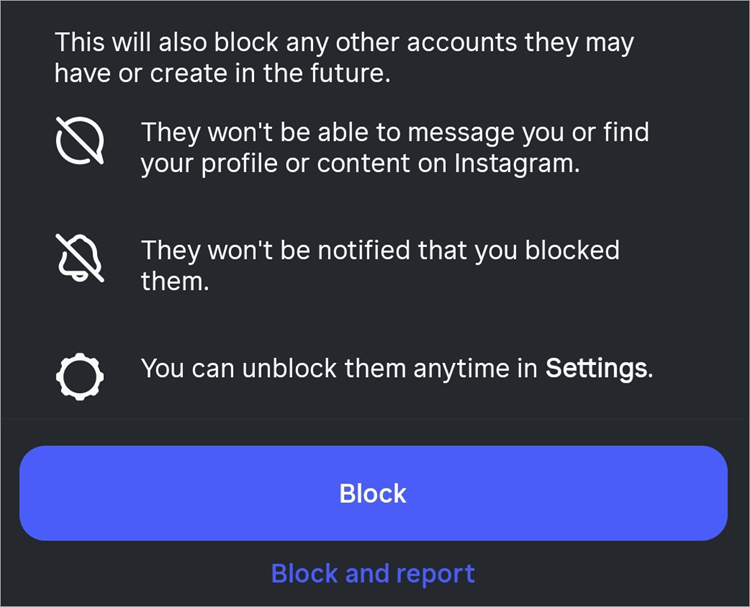
• Confirm your choice by hitting the “Block” button again.
It is that simple.
5. When you block someone on Instagram, what do they see?
Well, if the blocked person could see anything from you on Instagram, that would just defeat the entire purpose of blocking in the first place. Once blocked, you will not see posts from them anymore. You will also not be able to message them or view their profile when searched unless you decide to reverse the “block”.
6. Can blocked users still see your profile picture?
No, blocked users cannot see your profile picture. If they did, that would defeat the purpose of blocking someone in the first place. That said, they can use another account to see your profile picture or view all of your posts.
7. Can you see if someone blocked you without creating another account?
It is possible to find out if someone has blocked you without creating another account if you resort to the following indirect tactics.
How to know if someone blocked you on Instagram without an account:
• Search for the user profile
• Check for Story posts
• Ask a mutual friend to check up on the person’s profile
• Check DMs
• Try to message them.
8. How to unblock someone who blocked you (if they unblock first)?
Understand that blocking is a one-way action. You cannot unblock someone who has already blocked you. They’ll need to lift the block first, a decision that’s up to them. You could request them to unblock you if you have other ways to contact them. However, I would suggest against doing so and simply moving on from the person.
9. What does “Instagram User” mean?
Stumbling upon the “Instagram User” label instead of an active profile page could mean any of the following three things:
• This profile was deactivated, which is a temporary measure.
• This profile was deleted, which means it ceases to exist.
• This user has blocked you, which means this account and all of its activity are restricted to you.
Conclusion
There you have it, how to see who blocked you on Instagram. I’ve discussed multiple tips and tricks. Pick one or try them all, whatever makes you comfortable. Just know that it can be tricky to know whether someone has blocked you or simply deactivated their account. You could try asking the person directly.
I would suggest only doing so if you were close to them. If not, the best thing you can do is move on. People put a lot of stock in relationships over social media.
Maybe it is the traditionalist in me speaking, but I like to interact with people face-to-face instead of communicating with them through a virtual wall.
So, if you’ve been blocked, don’t be upset and know your value. Don’t measure it against the number of followers you have on Instagram. Instead, assess your worth based on the few friends that are always by your side, come hell or high water.
Was this helpful?
Recommended Reading
-

Explore the top effective methods and learn How to Post on Instagram From Your PC through this tutorial: Sometimes, it can be annoying to look for your phone to make an Instagram post when you have your PC at hand. Also, it can be a tiring and irritating process to…
-

Express the words in your heart with these Top captions for instagram for girls. Enhance and complement your photos with these unique Instagram Captions for Girls to reflect yourself perfectly: As far as social media is concerned, I doubt anyone would argue when I say that Instagram has never been…
-
Review of the best Private Instagram Viewer to View Account and profiles. A private Instagram account viewer tool will allow you to view private profiles on Instagram easily. The Instagram private profile viewer will be invaluable to parents as they make sure their children don’t indulge in dangerous activities to…
-
Be it Reels, Videos, Instagram Stories, or If You Want to Go Live, here you will get to know about the Best Time to Post on Instagram for More Likes: It's no secret that you need to create and populate your Instagram feed with intriguing content to gain more followers…