Looking for ways to retrieve deleted Instagram messages? Discover the simple and proven methods to recover deleted messages on Instagram and restore your lost DMs in minutes:
You must have probably thought more than once: Can one recover messages deleted on Instagram?
Well, most times, the app allows retrieval of deleted messages directly from your account, including DMs, photos, notes, videos, reels, or stories that go to the Recently Deleted folder. However, if you export the information on Instagram, the file will not include those messages that have been unsent.
Retrieve Deleted Instagram Messages: In-Depth Guide
You can try a few other methods to retrieve the data. This includes fetching information through an Instagram data download request, your phone’s notification history, or a phone backup, including a third-party Instagram message recovery app. You can also ask the other person in the conversation for a copy of the chats.
Let’s understand how to recover deleted messages on Instagram, what methods to follow, and much more in detail below.
Here is the video guide on how to recover deleted Instagram chats and messages on Android and iOS:
Does Instagram’s “Recently Deleted” Feature Work for Messages?
As for the “Recently Deleted” feature introduced by Instagram, the option works for Direct Messages or DMs. This option is also designed for stories, photos, videos, and IGTV videos. The retention period for these in the Recently Deleted folder is 30 days, whereas stories that are not archived get deleted after 24 hours.
When content is in the “Recently Deleted” folder, it does not remain visible to other Instagram users and remains subject to Instagram’s Terms of Use and Privacy Policy.
It is also important to understand that the complete deletion process may take up to 90 days. Copies of the content may remain in Meta’s backup storage, which is essentially used to recover data during technical issues, data-loss events, etc.
If you cannot recover deleted Instagram messages from the mentioned feature, you may opt for certain other options, such as requesting a copy of the Instagram information or asking the relevant person (the one you have had the chat with) to send a copy.
How to Recover Deleted Instagram Messages (Official Method)
Is there a way to recover deleted Instagram messages?
Well, yes. Instagram has an official method to retrieve deleted messages. However, you can always try requesting a copy of your Instagram information through the Accounts Center if the Recently deleted folder no longer contains the chat.
Recover Deleted Instagram Messages on Android
Here is how to retrieve deleted Instagram messages (DMs, notes, videos, photos, reels, stories) on Android:
1. On the bottom right, tap on your Profile picture and go to your profile.

2. On the top right, click on Menu and go to the Your Activity section.
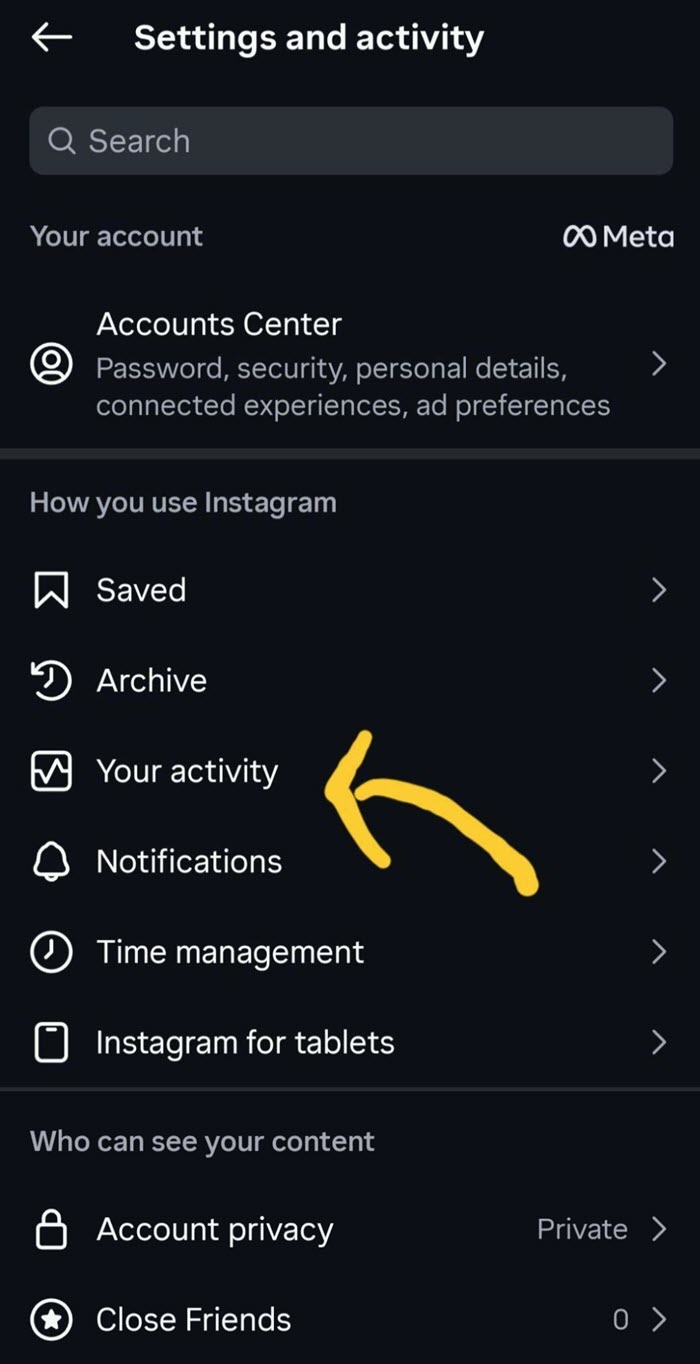
3. Here, you’ll find the Recently Deleted folder. However, you might not see this option if you have deleted nothing recently.
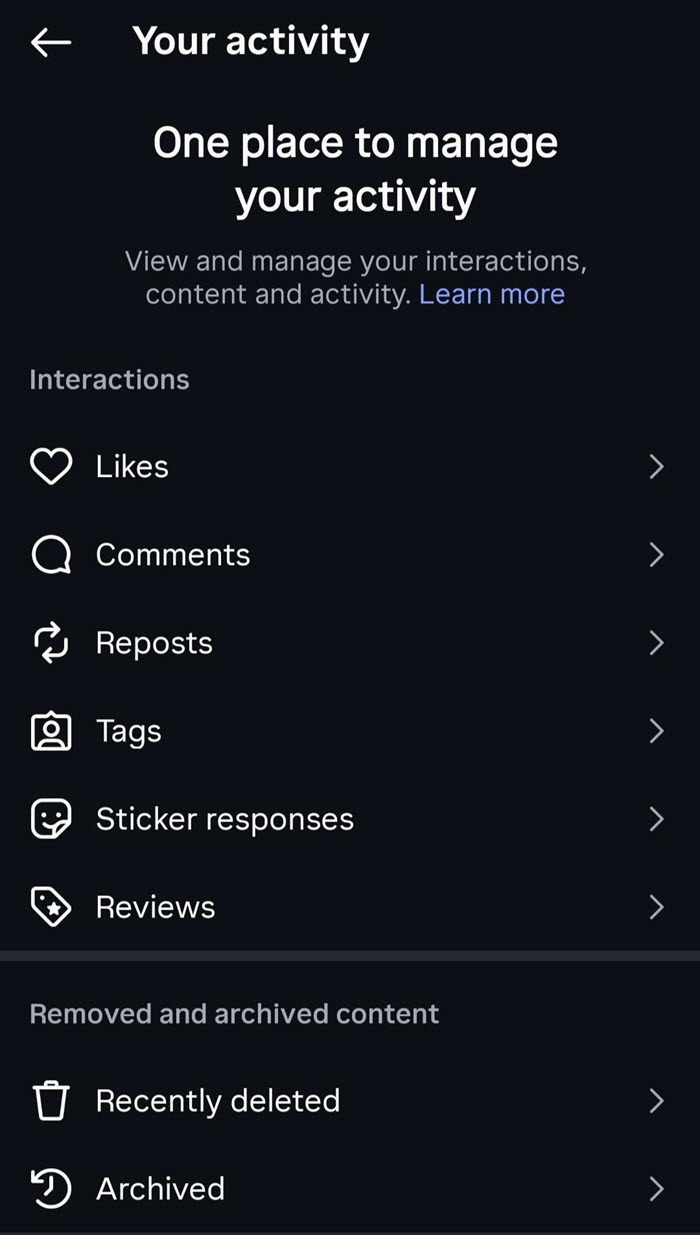
4. Now, tap on the type of content you’d want to restore: Posts, Reels and Videos, Stories.
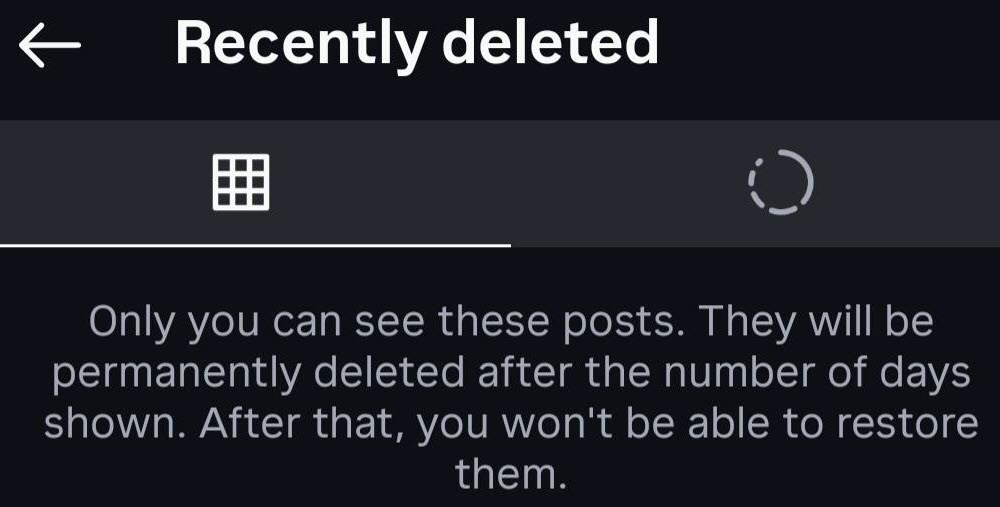
5. Finally, tap on the content you want back by clicking on the Restore option.
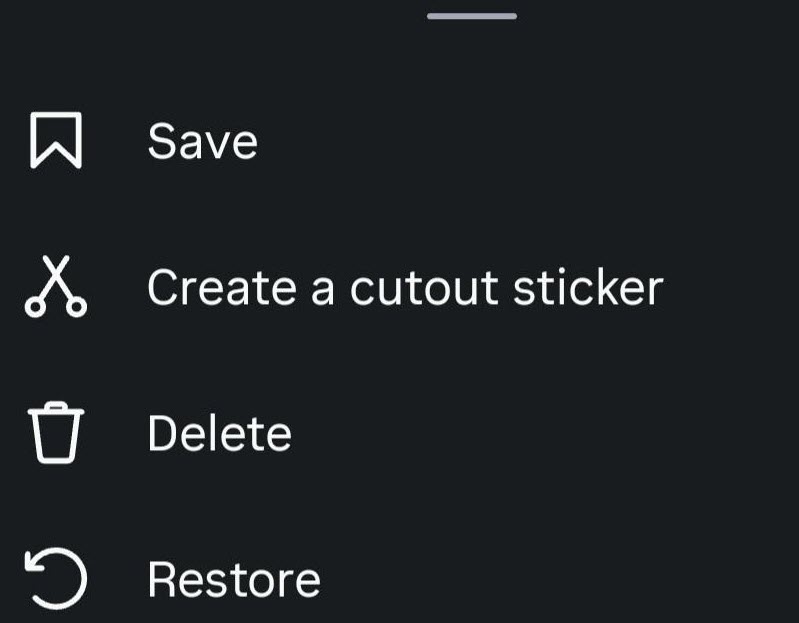
You must also be wondering how to recover deleted Instagram messages on iPhone?
To recover deleted Instagram messages on the iPhone, you need to follow the same steps as mentioned for Android above.
Other Ways to Get Deleted Instagram Messages Back
You can try to recover deleted Instagram messages through other ways. These methods may help you find a copy of your conversation, although none can guarantee complete retrieval.
Method 1: Request Instagram Data Download
One way you can retrieve your content is by requesting a data download. You need to go to your Profile > Menu > Your Activity or Accounts Center > Your Information and Permissions > Download Your Information > Create Export > All Available Information > select your preferred format, which can be HTML or JSON, and finally tap on Start Export.
Instagram may take up to 30 days to email the data. Maybe some of the information deleted by you may be saved temporarily for safety and security purposes, but may not be available when you access or download the information.
Method 2: Notification History (For Android)
If you use Android, notification history may help you get the text of an Instagram message that appeared in your notification before it got deleted.
For this, you need to go to Settings > Notifications > Notification history and check if the Instagram notification is listed. However, this can only work if the notification was enabled beforehand, but it might not recover the entire conversation.
Method 3: Restore From a Phone Backup or a Recovery Tool
Another way is to check your phone’s backup to see if any relevant data was saved before the messages were deleted, although this method does not guarantee that deleted messages will be restored.
You can also try using an Instagram message recovery tool online that might help with data restoration. However, be aware of these platforms, as Instagram does not officially endorse third-party recovery tools. Also, avoid those tools that seek personal information, including your passwords.
Method 4: Ask the Recipient
Even if you delete the message from your side, the other person may still have a copy of the chat. You can ask them to check their inbox, and if they still have your message, you can ask them to send screenshots or copy the information you need.
Why IG Message Recovery Isn’t Guaranteed?
Although you can recover deleted Instagram messages, recovery is not always guaranteed.
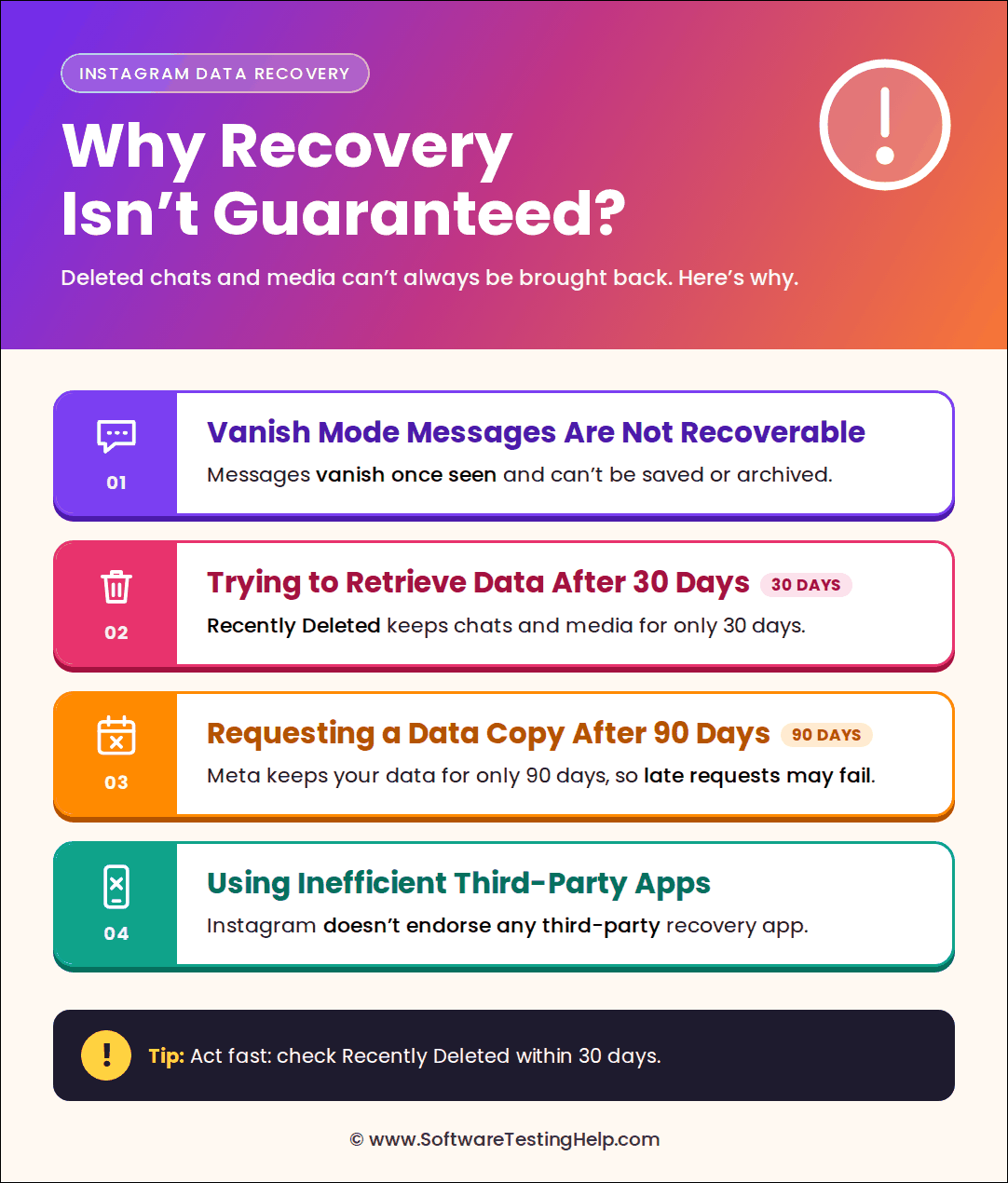
This is because of certain reasons:
#1) Vanish Mode Messages Are Not Recoverable
Instagram’s vanish mode is designed in a way that the message disappears after it gets viewed and the chat is closed. The app does not provide a way to copy, save, or forward disappearing messages, nor can these be archived, so recovery is not guaranteed.
#2) Trying to Retrieve Data After 30 Days
The recently deleted folder contains the messages and other media for 30 days. Once this retention period is over, you cannot restore the given chat or media content.
#3) Requesting a Copy of Instagram Data After 90 Days
If you request the Instagram data download from Meta after 90 days, you may not get the data since the retention period is only 90 days.
#4) Using Inefficient Third-party Apps
If you rely on a third-party app to recover the messages, maybe the data might not be recovered since Instagram does not endorse a third-party app for such purposes.
How to Avoid Losing Instagram Messages in the Future?
Here are some ways you can avoid losing Instagram messages in the future.
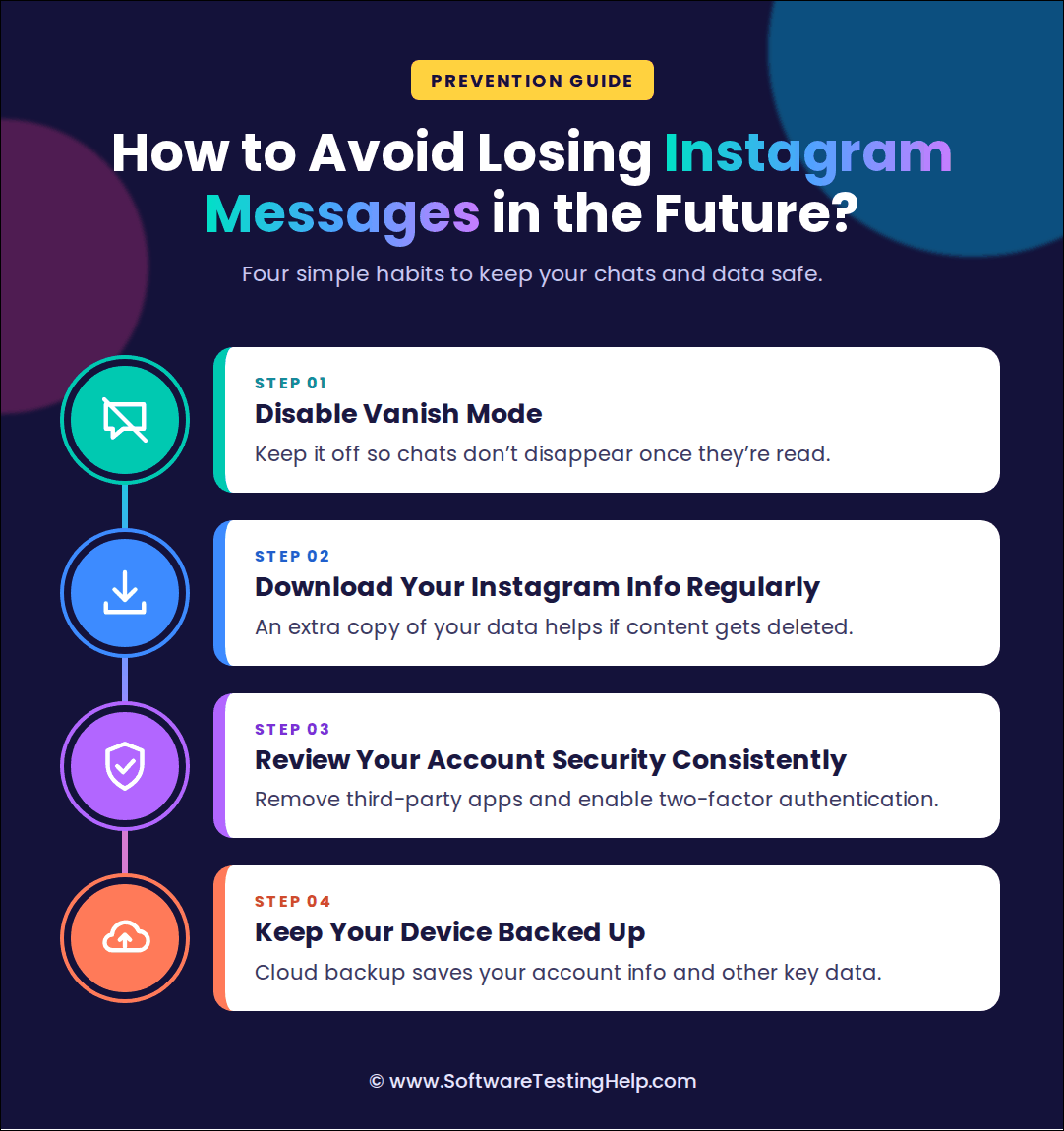
#1) Disable Vanish Mode
You can choose to disable Vanish Mode since it automatically makes the messages disappear once they are read or when you leave the chat. If you want to keep the conversations and messages intact, it is essential that you keep this feature off.
#2) Download Your Instagram Information Regularly
You should also download your Instagram information regularly, as it gives you an additional copy of your data which is essentially useful in case of deleted content.
#3) Consistent Review of Your Account Security
Sometimes unexpected changes can be linked to unauthorized access or third-party apps. Therefore, it is important that you keep your account secure to prevent someone else from accessing the data and tampering with it. You should disconnect third-party apps and enable two-factor authentication to secure your account.
#4) Keep Your Device Backed Up
It is always recommended to keep your device’s cloud backup enabled. Although it may not necessarily save your Instagram messages, as Meta primarily handles these messages, it can help save your account information and other essential data.
Frequently Asked Questions
1. Can I recover deleted Instagram messages?
Yes, Instagram allows users to find their deleted messages and other media content in the Recently Deleted folder. However, they can only restore the chat within 30 days of being deleted. Another way is to seek a copy of the Instagram data or ask the recipient to send a copy of the conversation.
2. Where are deleted messages stored?
Deleted messages get stored in the Recently Deleted folder and can be restored within 30 days of being deleted.
3. Can I recover deleted messages on Instagram from Android notification history?
Yes, you can but only if the notification history was enabled before the message got deleted. For this, you need to go to Settings > Notifications > Notification history and check if the Instagram notification is listed. However, it might not recover the entire conversation.
4. How can I request data download from Instagram on the desktop?
You can request a data download from Instagram by going to your Profile > More > Settings, that will take you to the Accounts Centre. Here, tap Your information and permissions > Download your information > Download or Transfer your information > Next > All available information > Download to device > Choose the file format and then tap Create files.
5. Do Instagram messages disappear when you block someone?
Blocking someone on Instagram does not automatically make your chats disappear. The chats will remain in your Direct inbox although you will not be able to message them. Even if you unblock them later, you will not receive the messages they sent during the block period.
If you are in a group chat with someone you have blocked, you will be asked whether you wish to remain in the group or leave. If you stay, both you and the blocked person can see each other’s messages.
Also, if your Facebook account is not connected to Instagram through the Accounts Center, blocking a person on Instagram will not prevent them from messaging or calling you on Facebook. This means you need to block them separately on Facebook to stop receiving the messages.
Conclusion
Instagram allows users to recover deleted messages from the Recently Deleted folder, but the window is limited. The content stored in the folder can be restored within 30 days before it is automatically deleted.
Once that time passes, you can either request a download of your data, check your phone’s notification history or phone backup, or ask the recipient to send a copy of your conversation.
In a nutshell, you can recover deleted Instagram messages, but recovery is not possible if the data is permanently deleted or is no longer with Instagram.
To avoid losing essential conversations in the future, ensure that you disable vanish mode, download your Instagram messages regularly, consistently review your account security, and keep the device backed up.
Research Process: The total time involved to complete and publish this article is approximately 37 hours. This content was created through a structured research approach to ensure accuracy and reliability.
For more-related guides, you can explore our range of tutorials below:
- How to See Who Blocked You on Instagram
- How to Mute or Unmute People on Instagram
- How to Turn Off Quiet Mode on Instagram
- Quick Ways to Fix Instagram Stories Not Showing
- How to Turn Off Active Status on Instagram
- How to See Who Does Not Follow You Back on Instagram
Was this helpful?
Recommended Reading
-

Explore the top effective methods and learn How to Post on Instagram From Your PC through this tutorial: Sometimes, it can be annoying to look for your phone to make an Instagram post when you have your PC at hand. Also, it can be a tiring and irritating process to…
-

Are you looking for the top Instagram video downloading app Regardless of whether you own an Android phone or an iPhone? In this guide, we have tested 15 Instagram video downloaders and the right app is going to come in handy for downloading your Instagram videos and Reels offline. The…
-

Express the words in your heart with these Top captions for instagram for girls. Enhance and complement your photos with these unique Instagram Captions for Girls to reflect yourself perfectly: As far as social media is concerned, I doubt anyone would argue when I say that Instagram has never been…
-
Review of the best Private Instagram Viewer to View Account and profiles. A private Instagram account viewer tool will allow you to view private profiles on Instagram easily. The Instagram private profile viewer will be invaluable to parents as they make sure their children don’t indulge in dangerous activities to…