


Quickly download your favorite Facebook reels video on your device in HD format. Pick the best Facebook Reels downloader to save and share your beloved reel with your friends:
Whenever I am on Facebook, coasting from one reel to another, I come across a short video that’s just too good to skip. I want to download it, save it on my system, and then perhaps share it with my friends online across various social channels beyond Facebook.
Unfortunately, it is impossible to download a reel, or any video for that matter, from Facebook. This used to bother me until I discovered tools that made this otherwise impossible task possible.
Download Reels From Facebook: A Simple Guide

If you are wondering how to download video reels from Facebook, pat yourself on the back as you’ve come to the right place.
In this article, I’ll be recommending 6 such tools that let you download Facebook reels effortlessly.
So, without much further ado, let’s dive in.
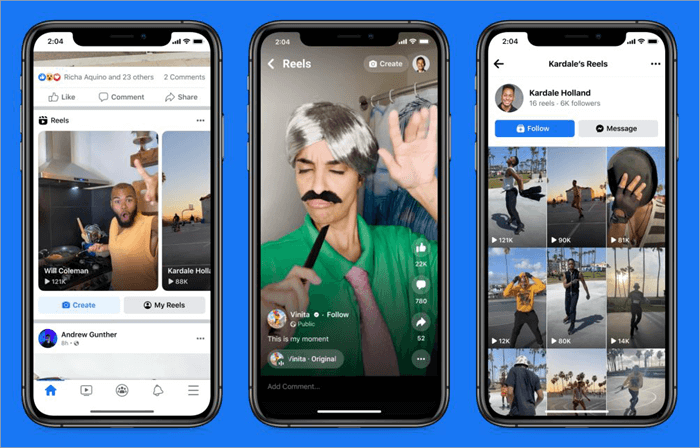
Working of a Facebook Reels Video Downloader
Think of such platforms as online media downloaders, but for Facebook. These tools are often web-based and adhere to a simple process that only requires users to follow a few steps.
You first find the video reel you wish to download, copy its link URL, and then paste it into the reel downloader’s web interface, typically in the designated text box.
Once the link is pasted, you hit the download button. This downloaded video is then saved on your system, and you can access it offline. Some Facebook Reels Downloaders let you pick the output format and resolution before hitting the download button. Others let you preview a video before downloading it.
How to Choose the Best Facebook Reels Downloader?
Whenever you venture out in search of any tool, it is important to keep certain key factors associated with that particular tool in mind. This is also the case with Facebook Reel Downloaders. As such, I would suggest keeping the following factors to make an informed decision.
1. User-Friendliness
An online media downloader has no business being complicated to use. It has to be user-friendly with a simple two- to three-step download process.
2. Download Speed
You want the software to be swift when downloading a Facebook Reel. Go for tools that can download a short reel within minutes.
3. Device Compatibility
Consider the device you are using. Whether it is a desktop or mobile, whether it is Android or iOS, you want the downloader to work smoothly with your system.
4. Picture Quality of Output
You want to choose a downloader that captures reels in the highest picture quality possible. I would recommend tools that support 4K picture quality. There are tools out there that let you select the resolution of your output.
5. Free Tool with More Benefits
It is not difficult to find a reels downloader that’s completely free to use. Just make sure it lets you download without limits. Some ads are fine, but avoid tools that have ads plastered all over their interface. Finally, choose a tool that lets you download a video without a watermark.
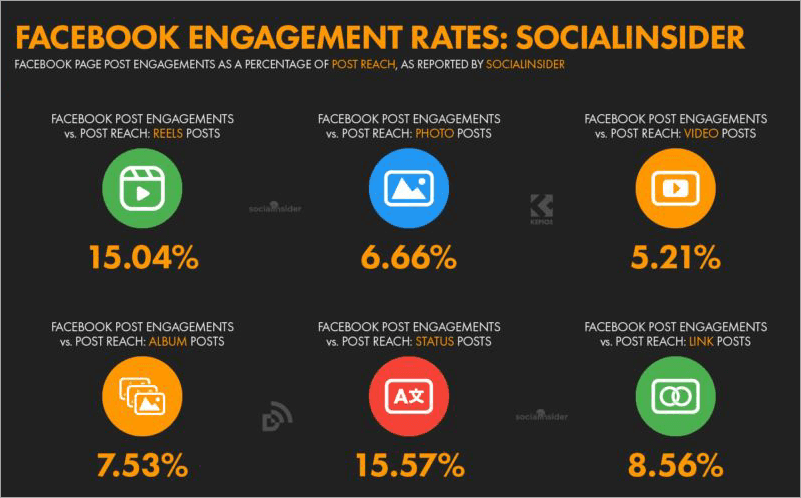
Expert Advice
Tools to Download Facebook Reels
- FDownloader.Net
- SnapSave
- Publer
- FDown
- AI Studios
- FSave.IO
Comparing the Top FB Reels Video Downloader
| Name | Best for | 4K Support | Language Support | Rating |
|---|---|---|---|---|
| FDownloader | Quick download and convert Facebook videos to audio. | Yes | 30 | 5/5 |
| SnapSave | Quick Downloads and previews. | Yes | 25 | 5/5 |
| Publer | Free features for social media management | Yes | English | 4.5/5 |
| FDOWN | Chrome extension | No | 6 | 4.5/5 |
| AI Studios | Built-in Video Editor | Yes | English | 4/5 |
| FSave | Facebook Reels Download, Private | Yes | 25 | 4/5 |
Detailed reviews of the best Facebook Reel Video Downloader:
#1) FDownloader.Net
Best for Quick reel download and converting Facebook videos to audio.
Further Reading => Steps to See Facebook Video Watch History
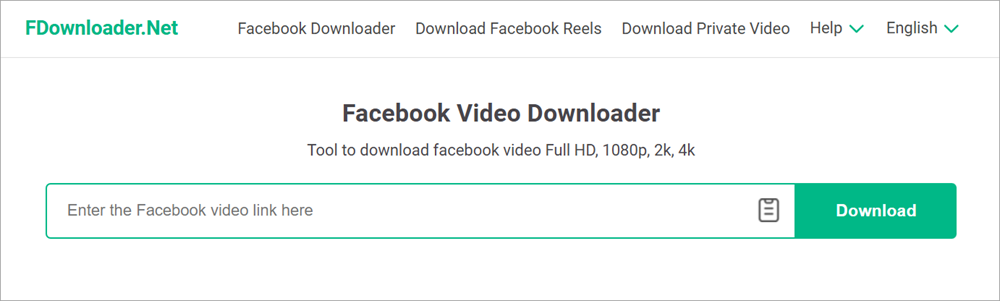
I believe FDownloader.Net is the perfect tool to kick off my list. This web-based downloader is free to use and lets you download Facebook videos and reels without any limits. You can download videos in SD, UHD, and even 4K. The platform is well-equipped to handle the download of videos with quality as high as 8K.
As the platform is free to use, you are bound to encounter ads. That said, these ads don’t hinder the user experience in any way. Downloading is quick and hassle-free, requiring fewer than 3 steps. FDownloader.Net supports all operating systems. As such, you should have no issue using it on your Mac, PC, Android, or iOS device.
How to Download Facebook Reels Using FDownloader.Net
- Paste the Fb Reels URL into the input box on FDownloader.Net’s home page.
- Select the output format and quality.
- Hit the “Download” or “Render” button.
Features:
- Downloads videos in SD, HD, UHD, 4K, and 8K Quality.
- Let’s you convert a Facebook video into MP3.
- Supports 30 languages.
- Compatible with iOS, Windows, Mac, and Android devices.
- Unlimited downloads for free.
Further Reading => Best YouTube to MP3 Converter & Downloader
Why Choose FDownloader.Net?
FDownloader is a user-friendly web-based platform that lets you download Facebook reels for free. It lets you download an unlimited number of videos in a couple of quick steps, in the best picture quality possible.
Price: Free
Website: https://fdownloader.net/en/facebook-reels-downloader
#2) SnapSave
Best for Quick Downloads and previews.
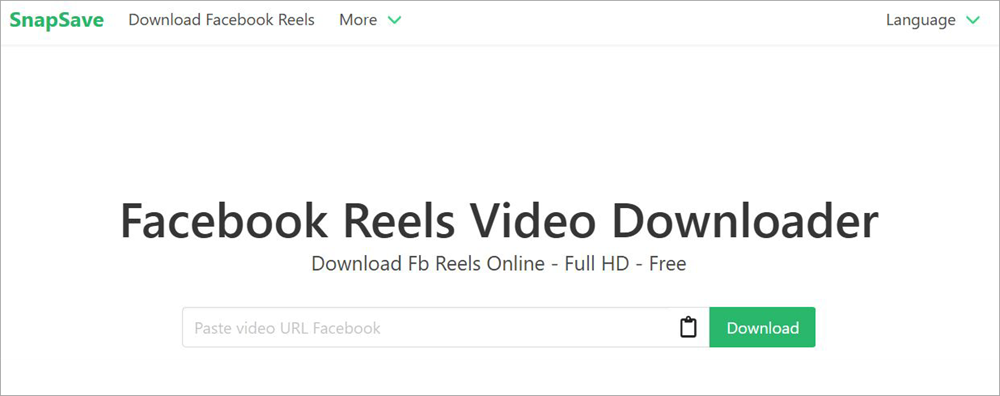
SnapSave is yet another Facebook Reel Downloader that lets you download videos from the popular social media channels for free. Like FDownloader.Net, SnapSave also requires fewer than a few steps to get a video downloaded from Facebook. You can expect to download videos in qualities as high as 4K.
You can download an unlimited number of videos. Unlike FDownloader, SnapSave does not convert a Facebook video into MP3. This might come as a bummer for folks who want to extract an audio file from a Facebook video. However, SnapSave more than makes up for the absence of this feature by offering the ability to preview a video before hitting the download button.
How Can I Download Reels from Facebook Using SnapSave
- Copy the URL Link of the Facebook video you wish to download.
- Paste it in the text box on SnapSave’s home page.
- Hit the Download button.
- Select the Server to start the download process.
Features:
- Download videos in various output formats.
- Supports download of vidoes in HD, 2K, and 4K Quality
- Supports 25 languages.
- Preview a video before deciding to download it.
- It can be used to download TikTok and Instagram videos as well.
Why Choose SnapSave?
SnapSave is effective and efficient when it comes to downloading videos from Facebook or other social media platforms. It only takes minutes for the platform to get a video downloaded. It is completely safe to use, works on almost all devices and browsers, and costs you nothing.
Price: Free
Website: https://snapsave.app/facebook-reels-download
#3) Publer
Best for Free features for social media management.
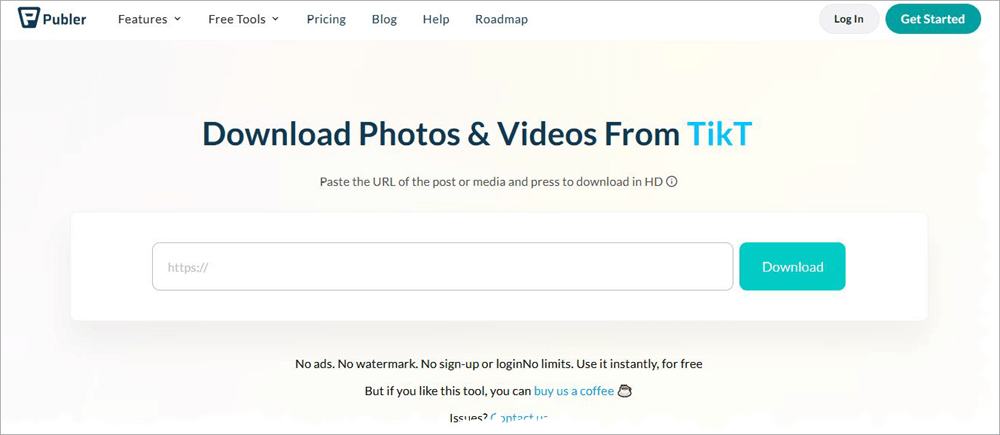
Publer is a tool renowned for its social media post scheduling and management capabilities. Not many know that the platform also offers a free media downloader that works in the same way as SnapSave and FDownloader.
Also Read => Top Social Media Scheduling Tools
This tool works with all browsers and operating systems. You’ll be able to download an unlimited number of videos in an instant. No need to sign up or log in with an account. The best part, there are no ads either. Furthermore, you can also use other free tools provided by Publer alongside the media downloader for a more fulfilling user experience.
How to Download Facebook Reels Using Publer?
- Copy the link to a video post you wish to download.
- Paste it into Publer’s text box.
- Hit the Download button.
- Wait for Publer to process your request and then hit the “Save to Your Device” button.
Features:
- Download videos from Facebook, Instagram, TikTok, YouTube, etc.
- Free to use without sign-up or login.
- Download videos without limits.
- Post the downloaded video directly to your socials from the platform itself.
- Works on Mobile, Desktop, and all browsers.
Why Choose Publer?
Like the previous two tools on this list, Publer lets you download Facebook reels without any limits for free. You don’t need to sign up or log in. The download process itself is swift. Plus, there are no ads to bother you despite the tool being free of charge.
Price: Free
Website: https://publer.com/tools/media-downloader
#4) FDOWN
Best for Chrome Extension.
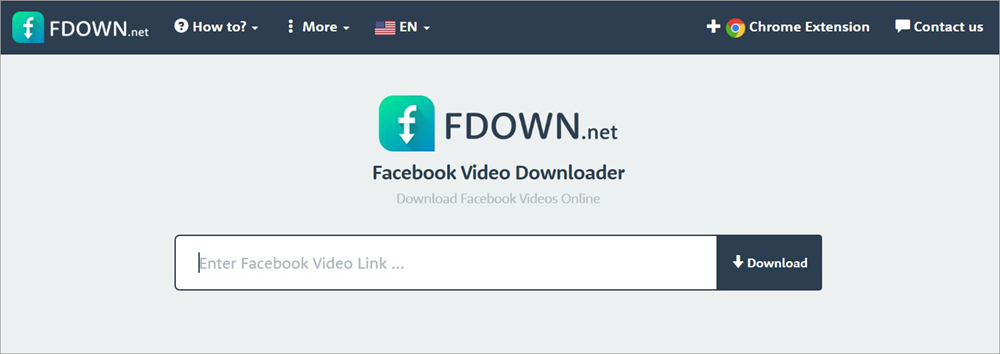
FDOWN does exactly what all the other tools on this list do. It downloads videos from Facebook quickly and efficiently. The reason it earns a spot on my list is because of its Chrome extension. This extension takes the hassle out of the usual process of downloading. With the extension on, you don’t need to copy-paste a video URL.
Instead, let the extension detect the link for you automatically. All you need to do is hit the download button. The result is top-notch. The video is downloaded in HD, and you’ll notice no drop in picture quality. You can rely on the platform to download videos from Twitter as well.
How to Download Reels from Facebook for Free using FDOWN
- Copy the video link.
- Paste it into FDOWN’s text box.
- Hit the Download button.
- Choose to download the video in normal or high quality.
Features:
- Works with all browsers, mobile, and desktop operating systems.
- Available in 6 languages.
- Automatic link detection through Chrome extension.
- Download video in normal or high quality
- Download a video without audio.
Why Choose FDOWN?
Like I said, FDOWN’s Chrome extension convinced me to include this tool on my list. That said, the software is easy to use with or without the extension. You can use it to download reels and other types of videos from Facebook in the highest picture quality possible. There are ads, but they don’t affect your experience.
Price: Free
Website: https://fdown.net/index.php
#5) AI Studios
Best for Built-in Video Editor.
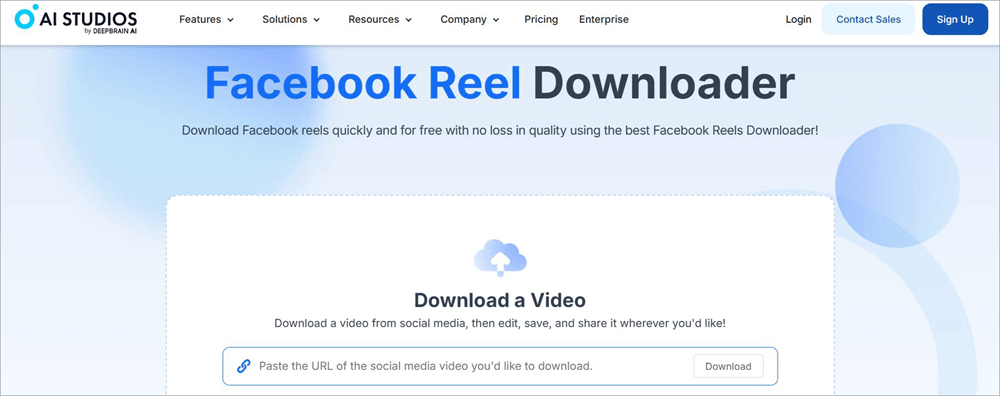
Now, here’s a tool that lets you do a lot more than Facebook reels video download. This is also the first tool on my list that isn’t exactly free. You can download and export up to 3 videos a month for free. To download an unlimited number of videos, you’ll need to purchase one of AI-Studios’ subscription plans.
The platform stands perhaps stands out even more on this list because of its built-in video editor. Once your video is downloaded, you can use the built-in editor to further enhance it. You can use this editor to repurpose a Facebook reel for platforms like TikTok, Instagram, and YouTube.
Features:
- Download videos from any browser.
- Works on all Mobile and Desktop OS.
- Built-in video editor to repurpose downloaded video.
- AI-based video generation and dubbing.
Why Choose AI Studios
AI Studios is free to use, but with some limitations. You’ll only be able to download 3 reels per month. Plus, it isn’t for you if you are looking for a Facebook Reels download without a watermark. That said, it was hard for me to ignore just how quick it was. Plus, it’s built-in video editor does an impressive job of further enhancing or repurposing a downloaded reel.
Price: AI Studios is free to use with some restrictions. Its subscription plans are as follows:
- Personal: $24/month
- Team: $55/month
A custom enterprise plan is also available.
Website: https://www.aistudios.com/video-downloader/facebook-reel-downloader
#6) FSave
Best for Facebook Reels Download, Private.
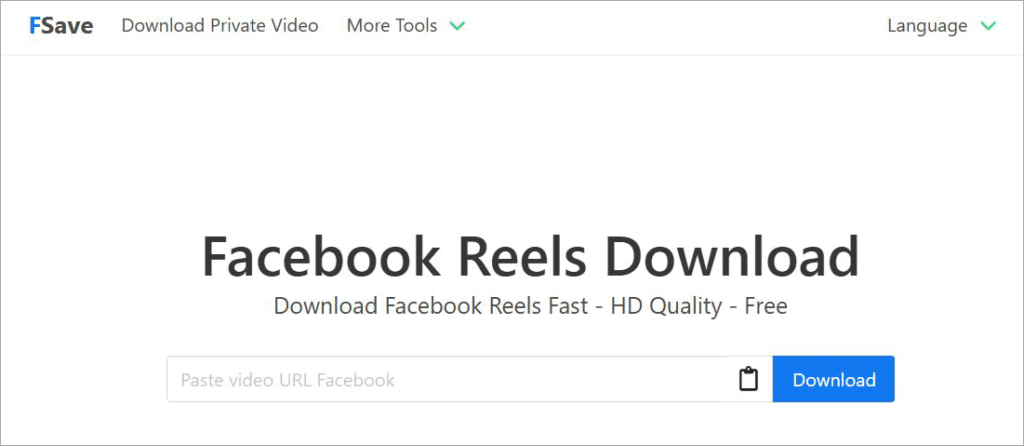
At first glance, FSave will remind you of SnapSave. It shares so much of its visual DNA with SnapSave. Thankfully, it is also as good at downloading Facebook reels as the latter. Simply copy-paste a link to FSave and hit the download button to get a video downloaded. You can download reels in any format and picture quality.
The resolution of videos can go as high as 4K. The downloads do not harm the original video’s quality in any shape or form. The original audio remains preserved and synced. Like the tools mentioned on this list, you don’t need to sign up or log in to use this tool. It is free and you can download reels without limits without charge.
Features:
- Download Facebook reels in multiple video formats.
- Supports video download in HD, UHD, and 4K.
- All devices, operating systems, and browsers are supported.
- Lets you download an unlimited number of videos.
Why Choose FSave?
FSave lets you download Facebook reels in the highest quality possible. It is free to use, doesn’t require sign-ups, or demand you install additional software. The download speed it offers is impressive. Plus, this online software works great on all devices and browsers.
Price: Free
Website: https://fsave.io/fb-reels-download
How to Save Facebook Reels Without Third-Party Apps or Websites
If, for whatever reason, you don’t want to rely on third-party apps or websites but still wish to download a reel, know that it is possible. They might not be as convenient or quick as using a Facebook Reel Downloader, but these methods are still something you can try as viable alternatives.
Method 1: Screen Recording
Almost all mobiles, desktops, and operating systems being widely used today feature built-in screen recording capabilities. You can use the screen recorder on your device of choice to simply record a Facebook Reel being played on the screen. Here’s how you do it:
- Open the Screen Recorder on your system and have it on standby.
- Find the Reel you wish to save on your system.
- Once found, hit the record button on your screen recorder and then play the Facebook Reel. This will result in the Reel being captured by your screen recorder in real-time.
- As the Facebook Reel concludes, stop recording.
Method 2: The Inspect Element Tool
This method is a bit technical and requires meddling with your webpage’s code. That said, no need to be intimidated by the process, as it is easier than it sounds. Simply follow the guide below to save Facebook Reels:
- On Facebook, find the Reel you wish to download
- Now, right-click on the video, select “Inspect”.
- The developer console showing you the page’s HTML code will now appear on your screen.
- Double-click on the Video’s URL and proceed to copy the entire link.
- Paste this copied URL into the address bar of a new tab in the browser.
- Hit “Enter”.
- Right-click on this video, select “Save Video As”.
The video will now be downloaded onto your system.
How to Download Facebook Reels on Mobile
Downloading reels on mobile is just as simple as downloading them on a computer if you are using the websites or tools recommended in this article. All you need to do is open any of the above-mentioned Facebook Reels Downloader on your mobile’s web browser and then follow the steps below:
- Open the Facebook app on your mobile
- Find the Reel you wish to download. Hit the Share button on it and tap on “Copy Link”.
- Paste this link in the Facebook Reels Downloader you’ve opened on your mobile browser.
- Tap “Download”.
The video will be saved on your mobile.
Frequently Asked Questions
1. What is the best app to download Facebook Reels?
The answer to this question will vary from person to person. If you ask me, I would recommend the following names:
• FDownloader
• SnapSave
• Publer
• FDOWN
• AI Studios
I’ve reviewed each of these tools in great detail to help you make the right decision.
2. What is the best way to download Facebook videos?
The best way to download Facebook Reels would be to use a Facebook Reel Downloader. These tools let you download any reel from the platform via its link alone. You copy-paste the link to these apps and hit the download button. Some even offer browser extensions that can automatically detect post links.
Further Reading => Best Social Media Automation Tools
3. Can you download Facebook Reels?
You cannot download Facebook Reels directly from Facebook, as the platform doesn’t offer this feature. Fortunately, you don’t need Facebook to access these features, as several third-party apps are available that let you download reels without hassle or any type of restriction. The best of this bunch are mentioned on my list.
4. Is downloading Facebook Reels legal?
Well, it depends on what you are using the Reel for. If you are simply going to repost it, then there is a chance of copyright violation. Using any reel for commercial purposes is forbidden, and it is something I do not condone. However, using snippets from reel to create your own videos is a different story.
Such a video is considered transformational content. It will be protected under fair-use laws. I would suggest downloading reels only if you wish to create a transformational video out of it or want it for personal use.
5. Is it safe to use Facebook Reels Downloaders?
It depends on the downloader you are using. The ones I’ve recommended in this article are free from any malware or virus. They also do not keep logs of their user activity or save the video you’ve just downloaded.
Some are completely free to use and don’t require you to sign up with your details. I can’t vouch for all downloaders on the internet. However, I can guarantee that the tools I’ve recommended are safe to use.
Conclusion
Although Facebook doesn’t let you download media files posted on it, that shouldn’t deter you from saving a video you like onto your system. That is where Facebook Reel Downloaders come into play. They let you download any reel on the platform in just a few quick steps.
The best among these downloaders lets you download without restrictions at impressive speeds. Those are the types of apps you’ll find on my list. These are all great tools. They are user-friendly, with most not charging you a dime.
As for my recommendation, I’d suggest going with SnapSave or FDownloader as they are both free to use and let you download unlimited reels in high picture quality.
Research Process
- I spent 6 hours researching and writing this article so you can have summarized and insightful information on which Facebook Reels Downloader will serve you best.
- Total tools researched:10
- Total downloaders shortlisted: 6
Was this helpful?
Recommended Reading
-

List and comparison of the top Facebook Video Downloader with features and pricing. Select the FB Video Downloader software from this list per your requirements: You have to be living under a rock to not know what Facebook is. It is after all a behemoth amongst social media platforms. From…
-
Here is the comparison of the most popular Online Video Downloader Apps for iPhone and iPad, and we selected the best for iPhone, iPad, and YouTube Video Downloader Apps. Finding a reliable video downloader for iPhone isn’t as straightforward as it seems. Unlike Android, Apple’s iOS ecosystem has strict policies…
-
Comprehensive Review & Comparison of Top Social Media Management Tools. Select the Best Social Media Management Software as per your Requirements: Do you want to boost your brand awareness, or substantiate your brand power? Do you dream of heavy traffic on your website? Do you wish for a more loyal…
-

Are you looking for the top Instagram video downloading app Regardless of whether you own an Android phone or an iPhone? In this guide, we have tested 15 Instagram video downloaders and the right app is going to come in handy for downloading your Instagram videos and Reels offline. The…


