


Explore the usage of AQL, REST API, and the general commands with the JFrog Artifactory client utility for querying artifacts. Get to observe the concept easily with practical examples:
In the previous article of the Artifactory additional series we looked at General Administration activities, so in this last part of this series, we will see how JFrog Artifactory supports Artifactory Query Language that can retrieve data related to the artifacts and builds stored within your Artifactory instance.
The syntax is very simple and you can write complex queries to specify search criteria, different options, filters, and output parameters. AQL takes the JSON formatted query as input and gives a processed JSON output. AQL can extract data from local repositories, remote repositories cache, and virtual repositories.
=> Check All JFrog Tutorials Here
AQL REST API and CLI in JFrog Artifactory

Artifactory also has a REST API which has minimal support to list artifacts in a repository and a CLI client utility to perform multiple operations in the repository like upload/download/search/display/ delete, etc.
In this article, we will look at the below topics:
- Artifactory Query Language (AQL)
- Usage Artifactory REST API
- Artifactory CLI
We can well use these as an automation tool in any CI/CD tool like Jenkins.
We will use the CURL command to run AQL queries and REST API and retrieve data from Artifactory SAAS.
Note: Please ensure to use your own SAAS URLS in the commands shown in this article.
Artifactory Query Language (AQL)
Let’s begin by running the AQL queries using the CURL command given in the below format. AQL query is built using Domains and Fields. E.g., For using the item domain as below, we can query on fields like name, repo, path, created, etc.

The above command takes a .aql file as input, which specifies the criteria to retrieve data.
#1) List Contents of Local Repository
Here’s the file that specifies how to display content from the local repository:
items.find({
  "repo":"vn-docker-local"
	})
.include("name", "repo", "path", "created")
.sort({"$desc": ["created"]})
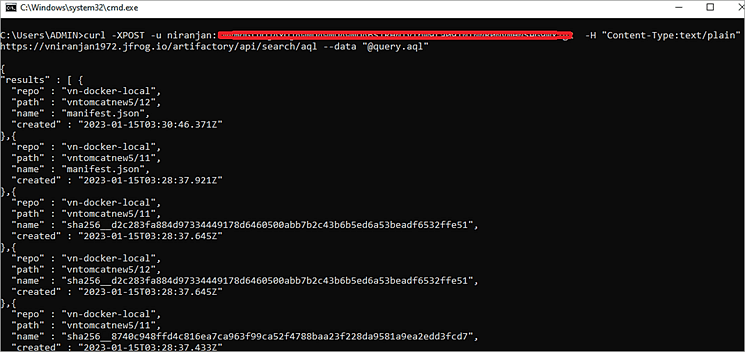
We can also use the below which will display the name, repo, path, and size of the top 10 largest artifacts:
.include("name","repo","path","size")
.sort({"$desc": ["size"]})
.limit(10)
Note: CURL command is the same for all the examples shown below. Only the AQL file content changes.
#2) List *.war Files Only From All the Repositories
Aql file
items.find({
  "name":{"$match": "*.war"}
	})
.include("name", "repo", "path", "created")
.sort({"$desc": ["created"]})
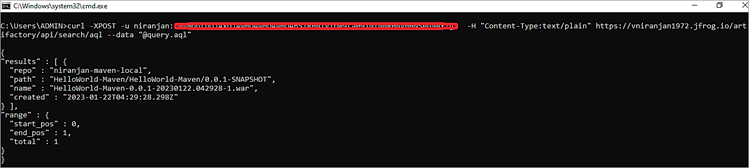
Example: Match and list artifacts in all repositories starting with ui in find
items.find({
  "repo":{"$match":”niranjan*"}"
})
Example: Match and list artifacts in all repositories starting with ui OR web
items.find({
  "$or":[{
    "repo":{"$match":"ui*"},
    "repo":{"$match":"web*"}"
               }]
                           })
Example: Match and list artifacts starting with a pattern
items.find({
"name":{"$match":"HelloWorld-Maven-*"}
        })
.include("name", "repo", "path", "created", "size", "type")
.sort({"$desc": ["created"]})
#3) List Items Modified Within Last 1 Week
Aql file
items.find({
  "modified":{"$last": "1w"}
	})
.include("name", "repo", "path", "modified")
.sort({"$desc": ["modified"]})
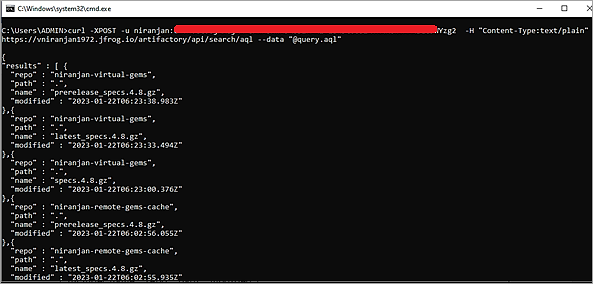
For 6 months, mention 6mo in the AQL file as below:
“modified” : {“$last”: “6mo”}
#4) List Items Created in the Last 5 Days
AQL file
items.find({
   "created": {"$last": "5d"}
	})
.include("name", "repo", "path", "created")
.sort({"$desc": ["created"]})
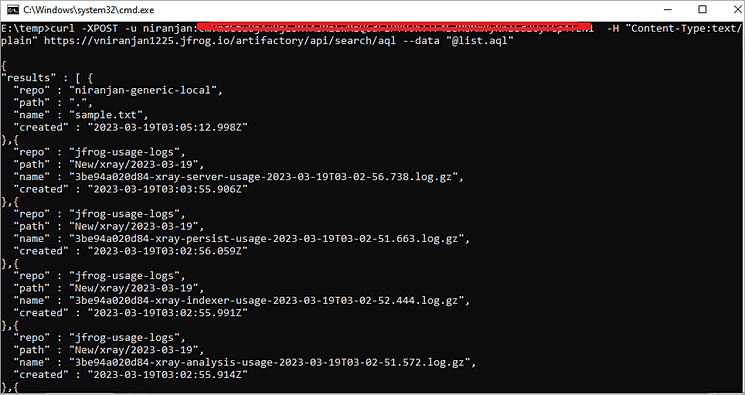
Search within a repo for items created in the last 5 days.
items.find({
  "repo":"niranjan-generic-local",
  "created": {"$last": "5d"}
	})
.include("name", "repo", "path", "created")
.sort({"$desc": ["created"]})
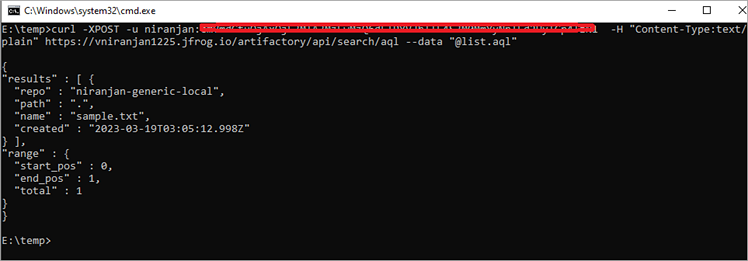
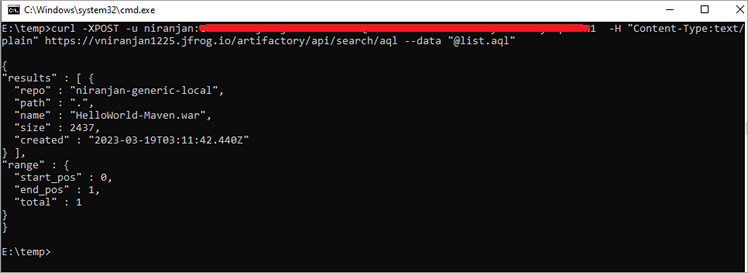
#5) List Items Created in the Last 5 Days and Greater Than 2KB
AQL file
items.find({
  "repo":"niranjan-generic-local",
  "created": {"$last": "5d"},
  "size": {"$gt": "2000"}
	})
.include("name", "repo", "path", "created", "size")
.sort({"$desc": ["created"]})
Here, the size shown is in Bytes.
#6) List Artifacts Based on Property Set
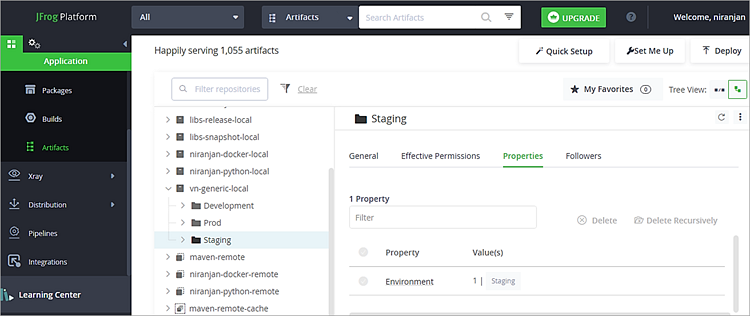
Teams generally add property sets to folders or artifacts to mention whether they are Development, Staging, or PROD artifacts. To get a list of all Development or Staging or PROD artifacts, here are the AQL files for the same.
Development Property

Staging Property
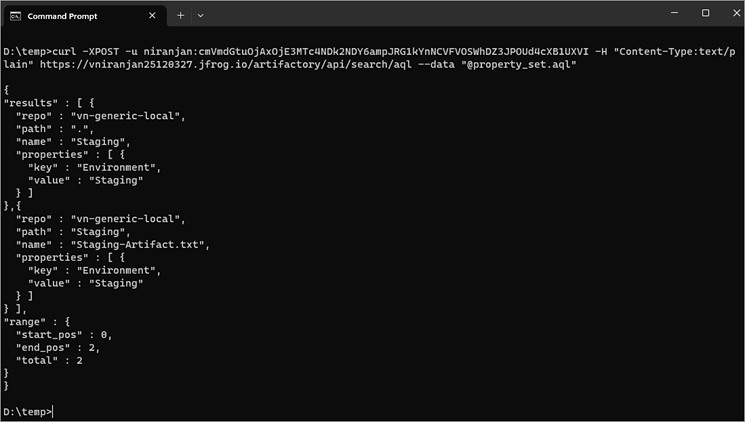
AQL file to list Development artifacts:
items.find ({“$or”:[{“type”:”file”}, {“type”:”folder”}], “$and”: [{“property.key”:{“$match”:”Environment”}},{“property.value”:{“$eq”:”Development”}}]})
.include(“repo”,”path”,”name”,”property.key”,”property.value”)

AQL file to list Staging artifacts:
items.find({"$or":[{"type":"file"}, {"type":"folder"}], "$and": [{"property.key":{"$match":"Environment"}},{"property.value":{"$eq":"Staging"}}]})
.include("repo","path","name","property.key","property.value")
#7) List Artifacts Not Downloaded
This example lists artifacts not downloaded of specific types (*.tar, *.zip, and *.rpm) and greater than some size e.g., in this example 1 byte.
100 MB would be 100000000.
items.find(
	{
		"type":"file",
		"created_by":"niranjan",
		"size":{"$gt":"1"},
		"stat.downloads":{"$eq":null},
		"@qa":"approved",
		"$or":[
			{"name":{"$match":"*.tar"}},
			{"name":{"$match":"*.zip"}},
			{"name":{"$match":"*.rpm"}}
		]
	}
)
.sort({"$desc":["size","name"]})
.limit(100)
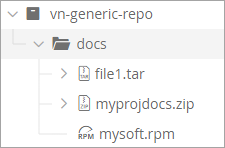
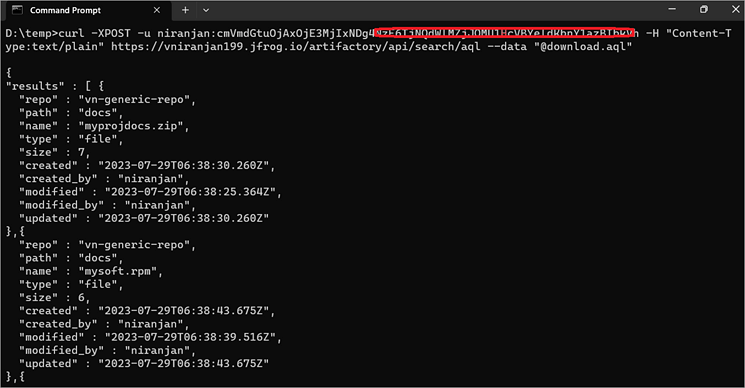
Let’s assume the ZIP file is downloaded and then run the CURL again. It will not list the file.

We can find more information on the AQL @ JFrog Help Center
JFrog Artifactory REST API
In this section, let’s look at the second aspect of REST API usage, which is mostly the preferred tool from an automation point of view. JFrog Artifactory REST API is used to get minimal details of the repository which can be invoked from the command line using the CURL command.
In this section, we will look at a few use cases on how to get the list of repositories by its type and package type. Additionally, here are a few examples of how to upload and download artifacts from the repository.
Example #1: List all repositories in Artifactory
curl -u niranjan:<Token> https://vniranjan1972.jfrog.io/artifactory/api/repositories

The command returns the key, type, URL, and package type of each repository listed
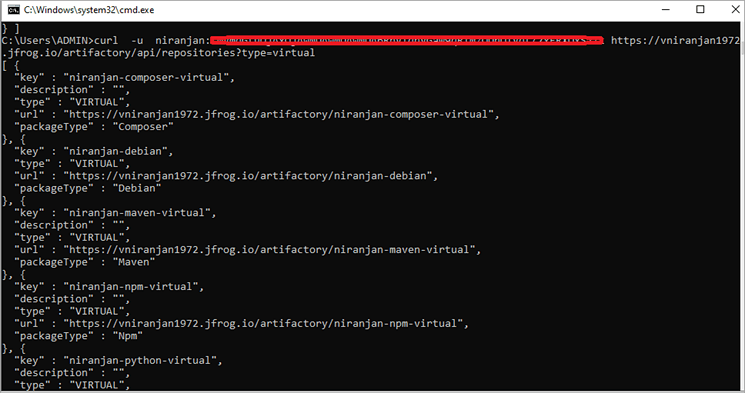
Example #2: List repository of a particular type
curl -u niranjan:<Token> https://vniranjan1972.jfrog.io/artifactory/api/repositories?type=<repoType>
Repotype can be local, remote, virtual, federated, or distribution
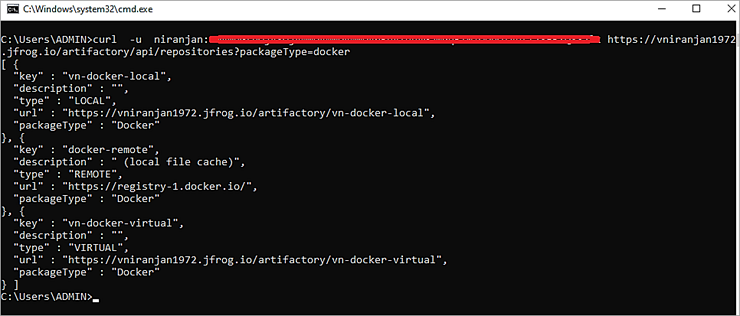
Example #3: List repositories of specific package type
curl -u niranjan:<Token> https://vniranjan1972.jfrog.io/artifactory/api/repositories?packageType=<packageType>
Package type can be maven, docker, rpm, nuget, npm, go, generic, etc
Example #4: Combine repotype and package type
curl -u niranjan:<Token> “https://vniranjan1972.jfrog.io/artifactory/api/repositories?type=<repoType>&packageType=<packageType>”

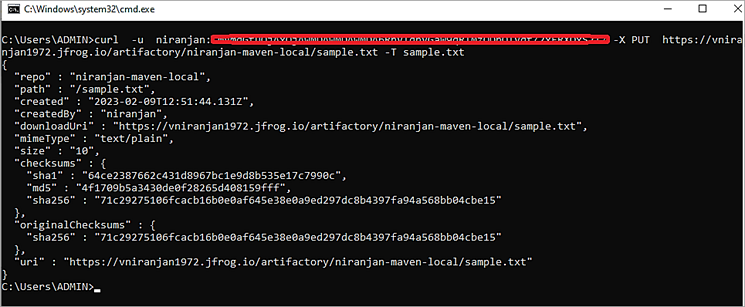
Example #5: Upload artifacts
curl -u niranjan:<Token> -X PUT https://vniranjan1972.jfrog.io/artifactory/niranjan-maven-local/sample.txt -T sample.txt
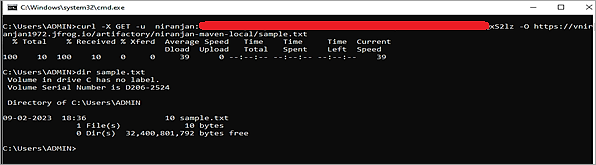
Example #6: Download artifacts
curl -u niranjan:<Token> -X GET -O https://vniranjan1972.jfrog.io/artifactory/niranjan-maven-local/sample.txt
Example #7: Search artifacts
curl -u niranjan:<Token> “https://vniranjan1972.jfrog.io/artifactory/api/search/artifact?name=sample.txt&repos=niranjan-maven-local”

To perform the next 2 examples, please ensure the “Enable Folder Download” option is enabled under Administration -> Artifactory -> General -> Settings. The platform admin can enable the same.
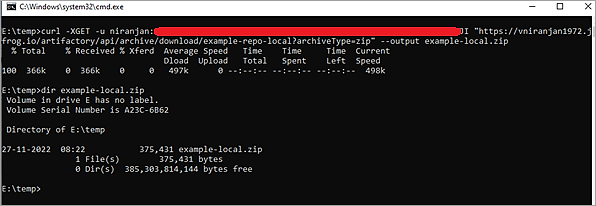
Example #8: Download entire repository contents
curl -XGET -u niranjan:<Identity_Token> “https://vniranjan1972.jfrog.io/artifactory/api/archive/download/example-repo-local?archiveType=zip” –output example-local.zip
Example #9: Download only a specific folder from the local repository
curl -XGET -u niranjan:<Identity Token> “https://vniranjan1972.jfrog.io/artifactory/api/archive/download/example-repo-local/doc?archiveType=zip” –output example-local2.zip

Archive Types supported : “tar/zip/tar.gz/tgz”
More on AQL can be found @ https://jfrog.com/help/r/jfrog-artifactory-documentation/artifactory-query-language
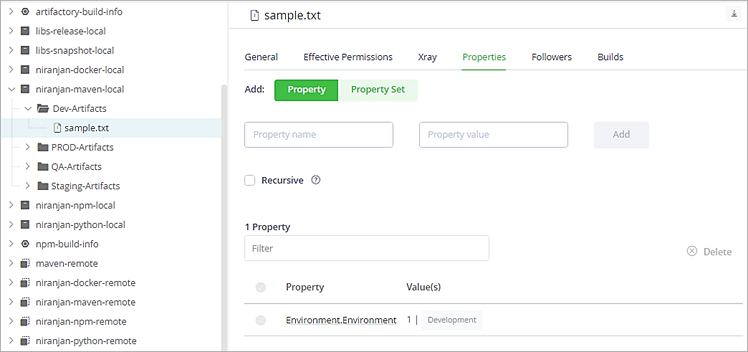
Example #10: Update the local repository with a single property set recursively
In this example, we will apply the below property set to the niranjan-maven-local repository.
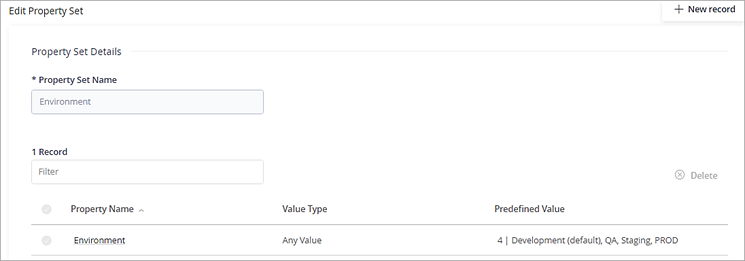
I will apply the appropriate property set to the folders in the local repository using REST API.

Command:
curl -u niranjan:Token -X PUT “https://vniranjan1227.jfrog.io/artifactory/api/storage/niranjan-maven-local/Dev-Artifacts?properties=Environment.Environment=Development&recursive=1

Example #11: Update the local repository with multiple property set recursively
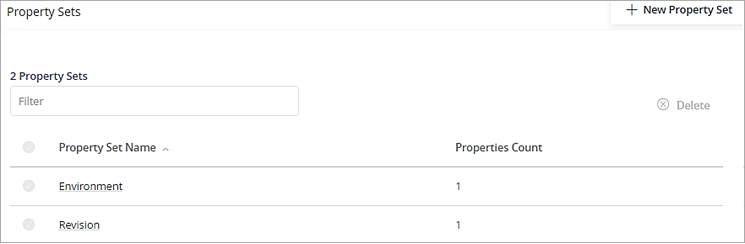
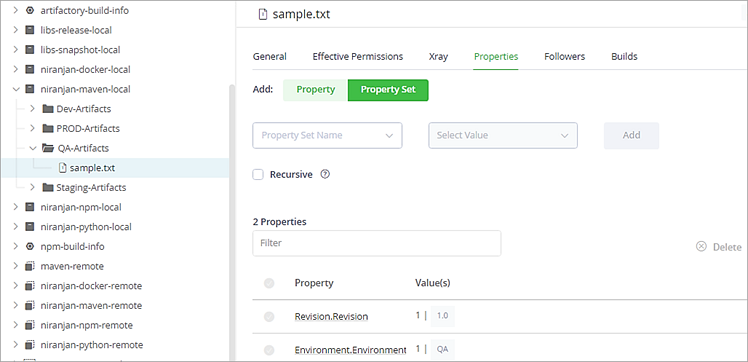
In this example, we will apply the below 2 property set to the niranjan-maven-local repository.
Command:
curl -u niranjan:cmVmdGtuOjAxOjE3MjA5MTc1MTk6NGRrWnljeWRRNWVxSUM4bHd5RWYyUm1sc2o2 -X PUT “https://vniranjan1227.jfrog.io/artifactory/api/storage/niranjan-maven-local/QA-Artifacts?properties=Environment.Environment=QA;Revision.Revision=1.0&recursive=1”

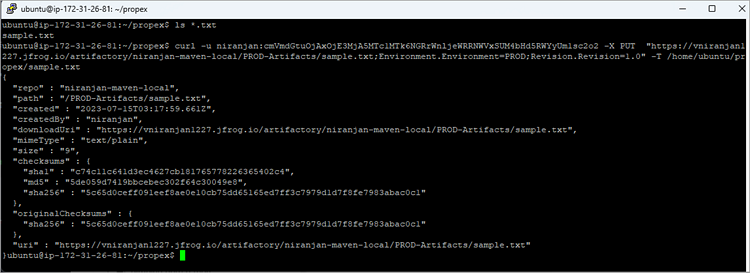
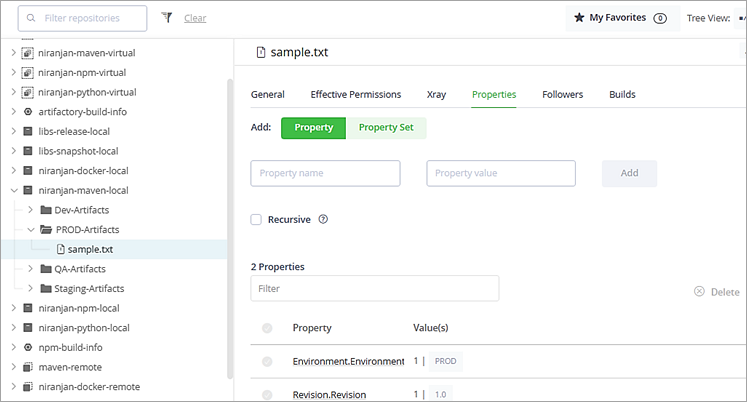
Example #12: Update a file in the local repository with the property set while uploading
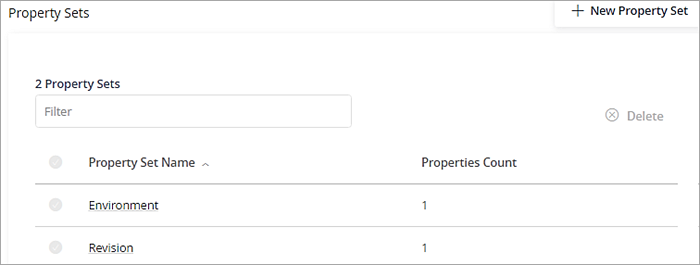
In this example, we will apply the below 2 property set to the file while uploading.
Command:
curl -u niranjan:Token -X PUT “https://vniranjan1227.jfrog.io/artifactory/niranjan-maven-local/PROD-Artifacts/sample.txt;Environment.Environment=PROD;Revision.Revision=1.0” -T /home/ubuntu/propex/sample.txt
JFrog Artifactory CLI
JFrog CLI is a client utility that has a simple interface to automate access to your Artifactory Instance. JFrog CLI helps to upload/download artifacts, integrate with various package managers like running mvn, npm, GO, Python, Gradle builds, manage docker images, etc, and also manage users/groups, repositories, and permission targets.
JFrog CLI can be installed in different ways. Refer to the page https://www.jfrog.com/confluence/display/CLI/JFrog+CLI#JFrogCLI-Downloadandinstallation for installation instructions on your machines.
In this section, we will look at various examples of how to access Artifactory. The CLI command is used with jf
General Commands
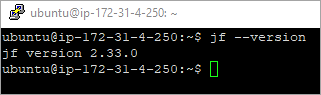
Example #1: Verify Artifactory server is accessible
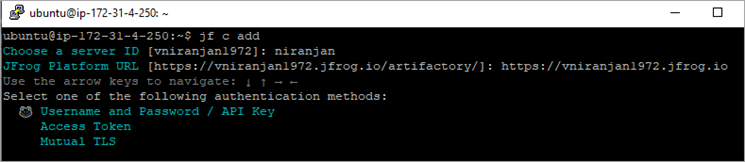
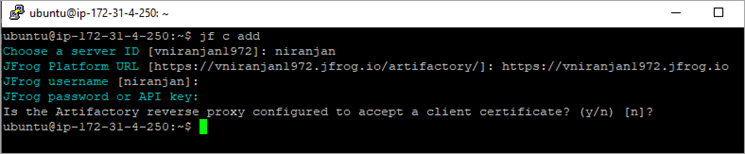
- Firstly, Configure the Server ID using the command ‘jf c add’
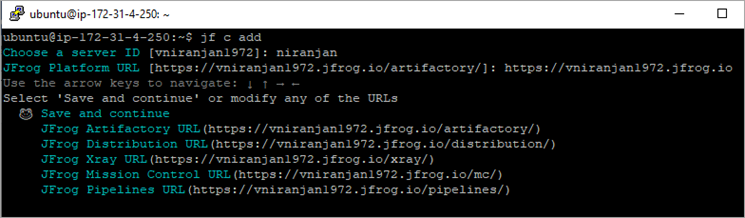
Click on Enter for Save and continue
Enter Username and Password (Token)
- Run the command ‘ jf rt ping –server-id=niranjan’
You can also ping using the SAAS URL using the below command:
- jf rt ping –url=https://vniranjan1972.jfrog.io/artifactory

Example #2: Upload files to Artifactory
You can upload files to the local repo of Artifactory by running the below command:
- jf rt u filename <local-repo>
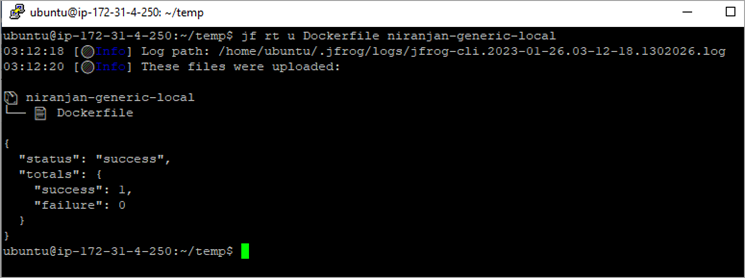
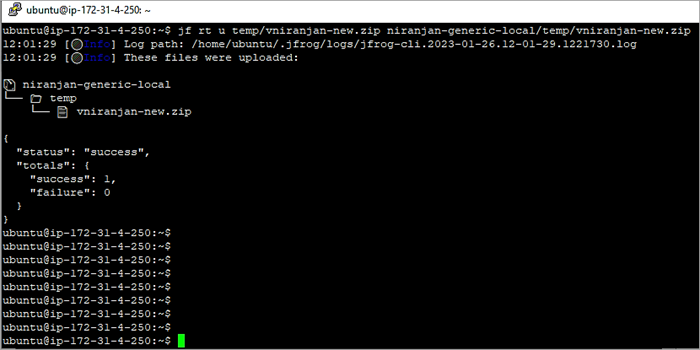
Upload the ZIP file to a folder in the local repository
- jf rt u temp/vniranjan-new.zip niranjan-generic-local/temp/vniranjan-new.zip
Upload all txt files under a folder to the local repository
- jf rt u folder/*.txt <local-repo>
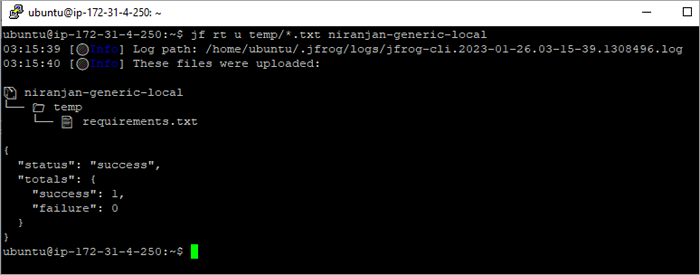
Upload all txt files under a folder to a folder in the local repository
- jf rt u folder/*.txt <local-repo>/<repo-folder>
Upload all files under a specific folder to the local repository
- jf rt u folder/ <local-repo>
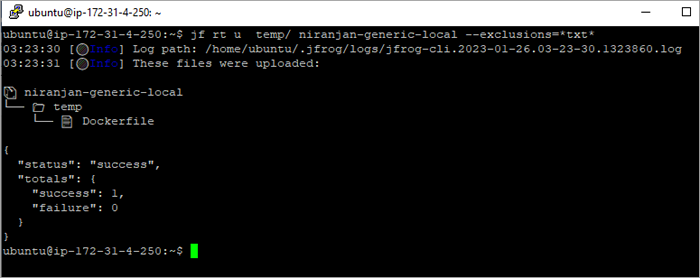
Exclude txt files and upload them to the local repository
- jf rt u folder/ <local-repo> –exclusions=*txt*
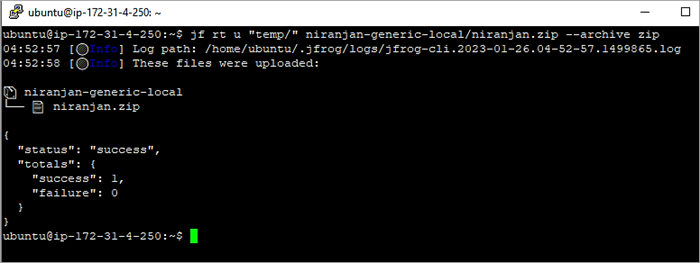
Archive files under a folder and upload them to local repository
- jf rt u “folder/” <local-repo>/filename.zip –-archive zip
e.g.
- jf rt u “temp/” niranjan-generic-local/niranjan.zip –archive zip
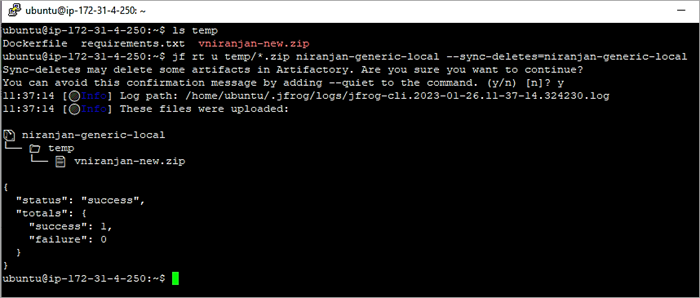
Upload the ZIP file to the local repository and delete all other files under this local repository except for the ones uploaded.
- jf rt u temp/*.zip niranjan-generic-local –sync-deletes=niranjan-generic-local
Example #3: Download files from Artifactory
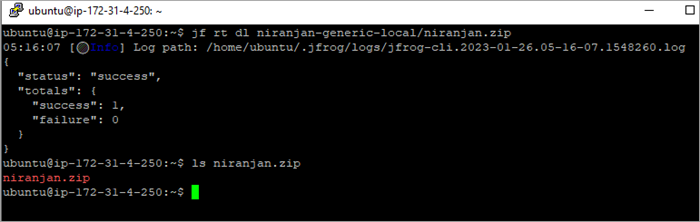
Download the ZIP file from the local repository
- jf rt dl niranjan-generic-local/niranjan.zip
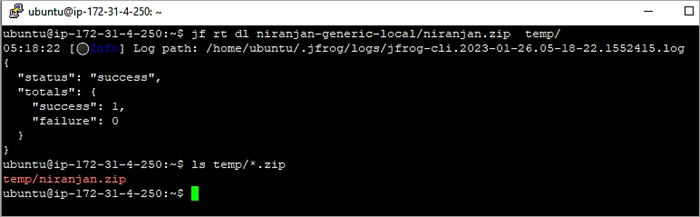
Download the ZIP file from the local repository to the temp folder
- jf rt dl niranjan-generic-local/niranjan.zip temp/
OR
- jf rt dl niranjan-generic-local/*.zip temp/
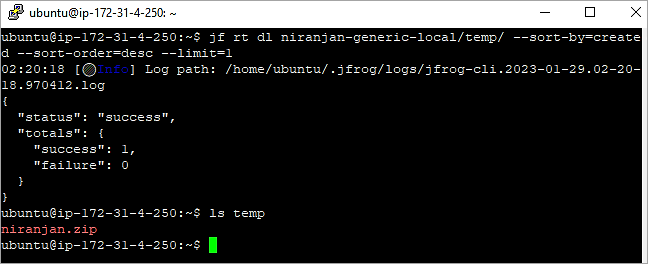
Download the latest file uploaded to the local repository
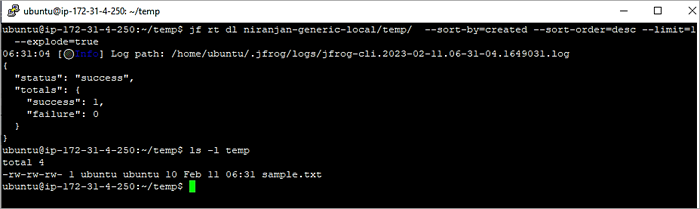
- jf rt dl niranjan-generic-local/temp/ –sort-by=created –sort-order=desc –limit=1
OR
- jf rt dl niranjan-generic-local/temp/*.zip –sort-by=created –sort-order=desc –limit=1
In this example, the zip file niranjan.zip was the latest file uploaded.
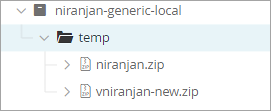
Adding –-flat=true will avoid getting the folder structure from the repository while downloading. The artifact will be downloaded to the current folder.
- jf rt dl niranjan-generic-local/temp/*.zip –sort-by=created –sort-order=desc –limit=1 –-flat=true
Download all files from the folder (Latest)
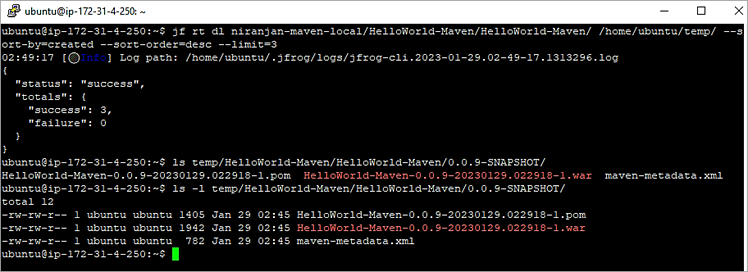
In this example, there are 3 files in the 0.0.9-SNAPSHOT folder which is the latest artifact uploaded. We need to download the 3 files.
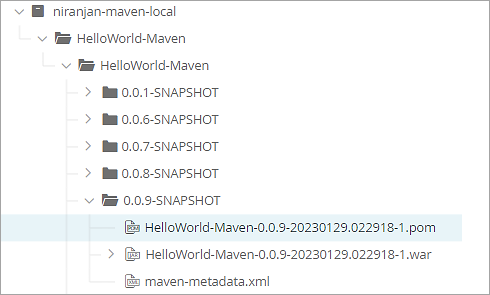
- jf rt dl niranjan-maven-local/HelloWorld-Maven/HelloWorld-Maven/ /home/ubuntu/temp/ –sort-by=created –sort-order=desc –limit=3
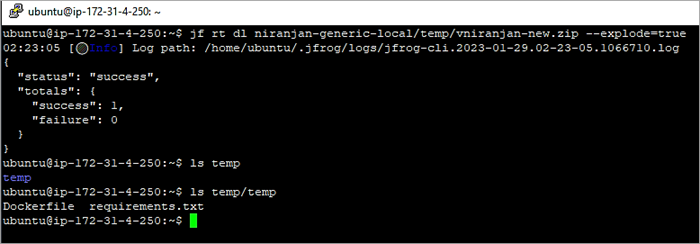
Download the ZIP file from the local repository and extract it
- jf rt dl niranjan-generic-local/temp/vniranjan-new.zip –explode=true
Supported Archive formats are ZIP, TAR (including tar.gz) and RAR.
Download the latest ZIP file from a repository and extract it. In the below sample.zip is the latest and contains a file called sample.txt.
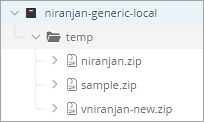
- jf rt dl niranjan-generic-local/temp/ –sort-by=created –sort-order=desc –limit=1 –flat=true –explode=true
- OR
- jf rt dl niranjan-generic-local/temp/ –sort-by=created –sort-order=desc –limit=1 –explode=true
Download the ZIP file with property of Version with value R2.0
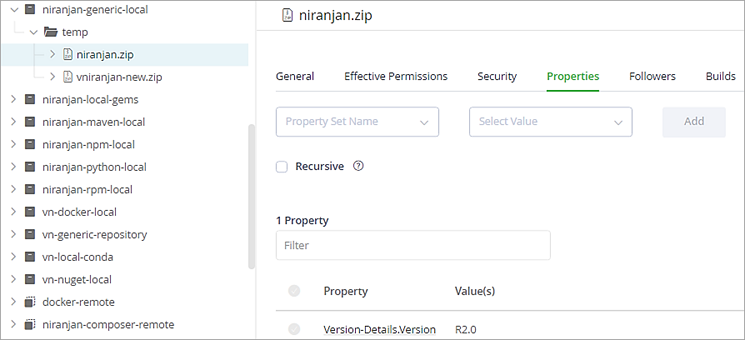
In the above example, only 1 file has the property Version set to R2.0. Only this file will be downloaded to the current folder using the below command.
- jf rt dl niranjan-generic-local/temp/*.zip . –props=Version-Details.Version=R2.0
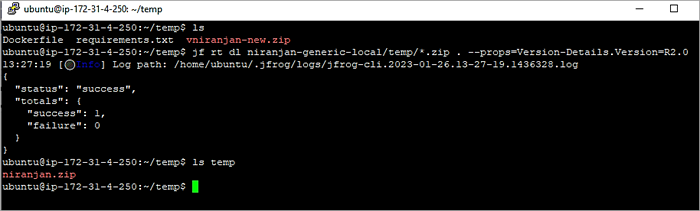
Download the ZIP file to a folder in the machine with Version R2.0
- jf rt dl niranjan-generic-local/temp/*.zip R2.0/ –props=Version-Details.Version=R2.0
Example #4: Copy files in Artifactory
Copy all artifacts from one local repository folder to a folder in another local repository
Further Reading => Integration of JFrog Xray with Atlassian Jira
Source Repository
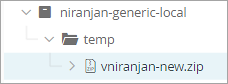
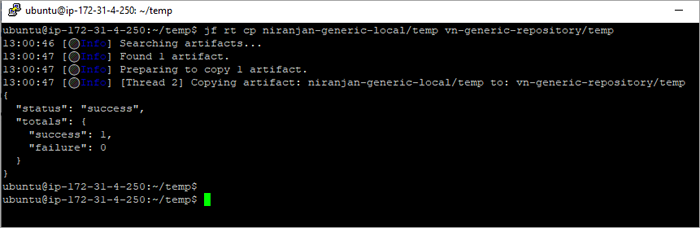
- jf rt cp niranjan-generic-local/temp vn-generic-repository/temp
Target Repository
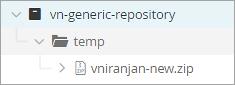
Copy only ZIP files from the Source repository to the Target repository
- jf rt cp niranjan-generic-local/temp/*.zip vn-generic-repository/temp
Example #5: Move files in Artifactory
Move all files from the source repository to the target repository.
Source Repository
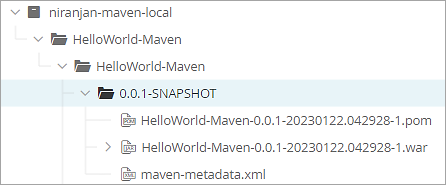
- jf rt mv niranjan-maven-local/HelloWorld-Maven/HelloWorld-Maven/0.0.1-SNAPSHOT/ vn-generic-repository/temp/
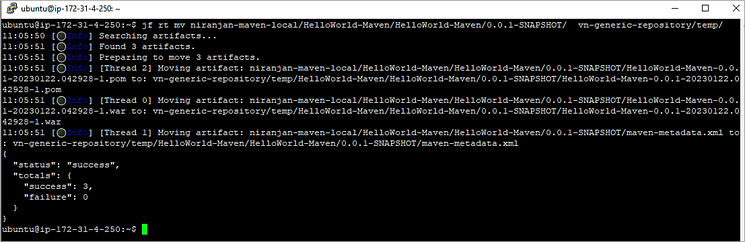
Target Repository
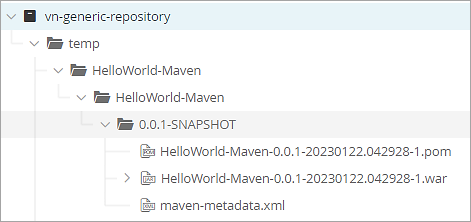
Other examples – Move *.war files and files with property version 2.0
- jf rt mv niranjan-maven-local/HelloWorld-Maven/HelloWorld-Maven/0.0.1-SNAPSHOT/*.war vn-generic-repository/temp/
- jf rt mv niranjan-maven-local/HelloWorld-Maven/HelloWorld-Maven/0.0.1-SNAPSHOT/*.war vn-generic-repository/temp/ –props=Version=2.0
Example #6: Delete files in Artifactory
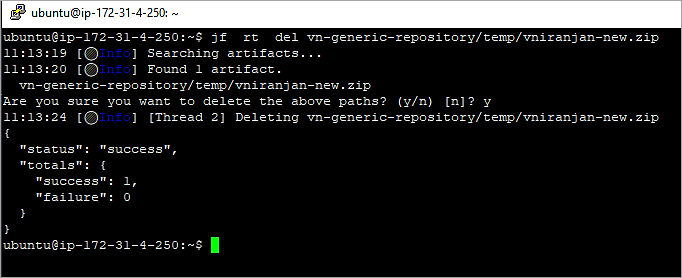
Delete the ZIP file in the local repository
- jf rt del vn-generic-repository/temp/vniranjan-new.zip
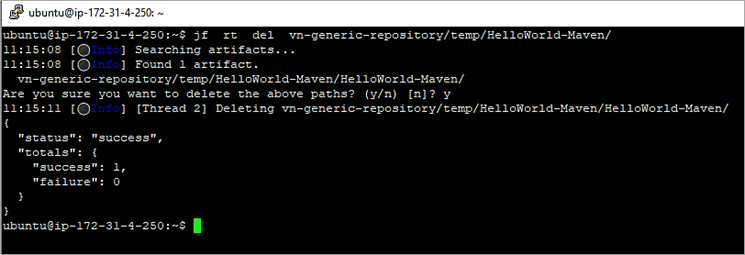
Delete all files in the folder
- jf rt del vn-generic-repository/temp/HelloWorld-Maven/
Example #7: Display files in Artifactory
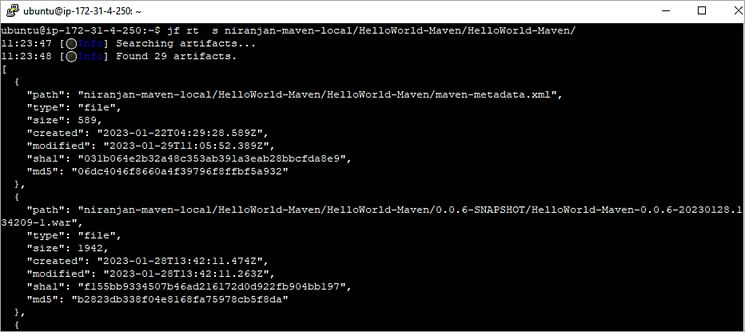
Search files in the repository
- jf rt s niranjan-maven-local/HelloWorld-Maven/HelloWorld-Maven/
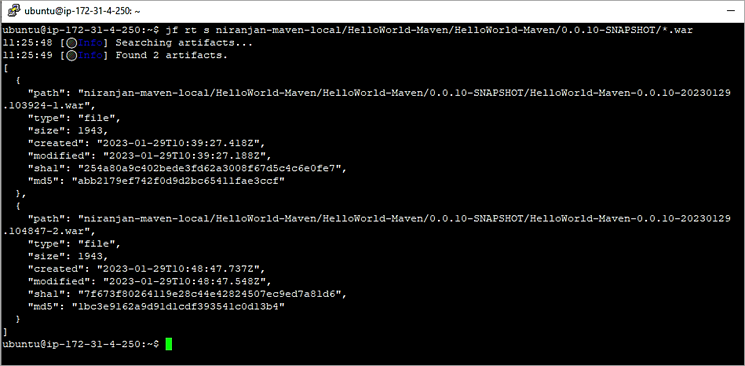
Display WAR files in a folder
- jf rt s niranjan-maven-local/HelloWorld-Maven/HelloWorld-Maven/0.0.10-SNAPSHOT/*.war
Example #8: API Search Queries using CURL
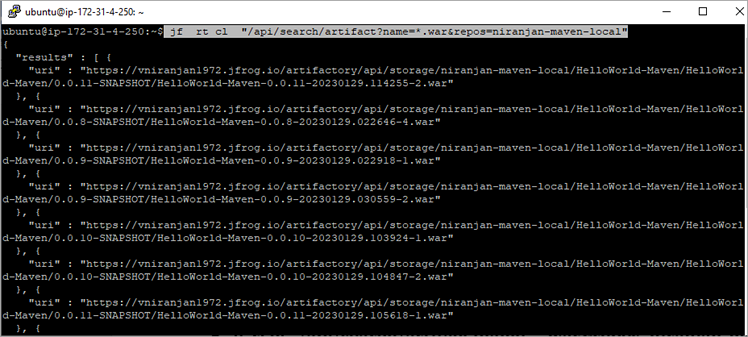
Search for *.war in the Maven local repository
- jf rt cl “/api/search/artifact?name=*.war&repos=niranjan-maven-local”
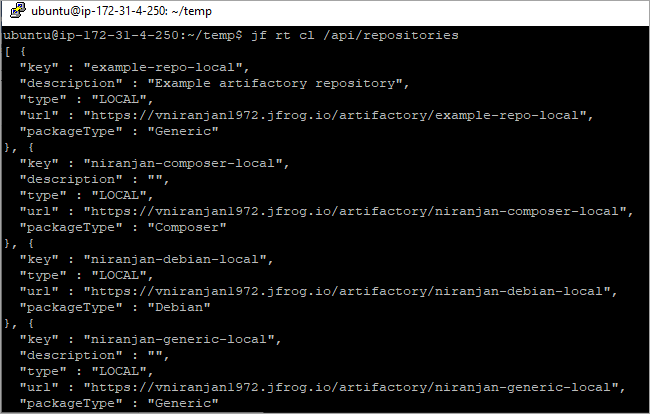
Example #9: List all repositories using CURL
- jf rt cl /api/repositories
Example #10: List all tags for the docker image
The local docker repository has the tags as shown. List the same using CLI

Format:
jf rt cl /api/docker/<local-or-virtual-repo-name>/v2/<image-name>/tags/list
E.g:
- jf rt cl /api/docker/vn-docker-virtual/v2/httpdexample/tags/list

Example #11: Create an access token for the user
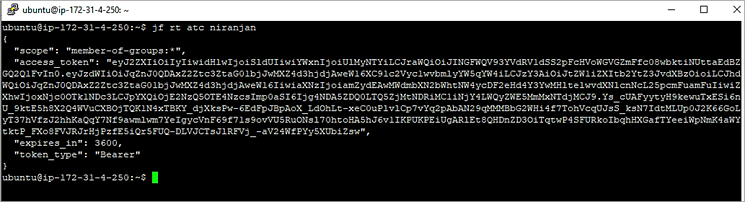
Create an access token for the user
- jf rt atc niranjan
Example #12: Example to find and delete all artifacts older than 6 months
The JFrog cli takes a ‘spec file’ to search for artifacts.
{
"files": [
  {
    "aql": {
      "items.find": {
        "repo": {"$eq":"vn-generic-repo"},
        "path": {"$match":"*"},
        "name": {"$match":"*"},
        "stat.downloads":{"$eq":null},
        "$or": [
          {
            "$and": [
              {
                "created": { "$before":"6mo" }
              }
            ]
          }
        ]
      }
    }
  }
]
}
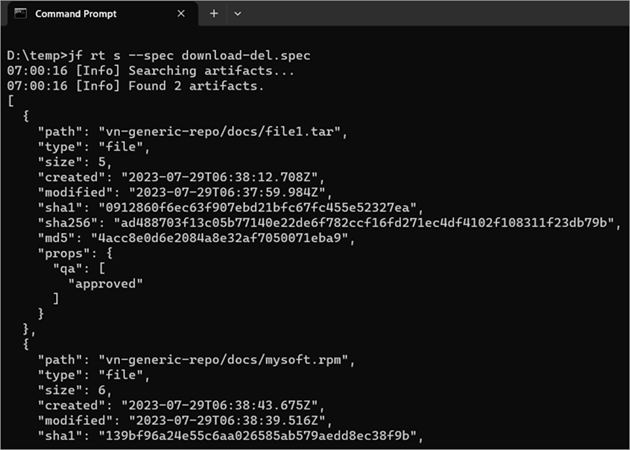
You can search for the packages available to delete by running the command
- jf rt s –spec download-del.spec
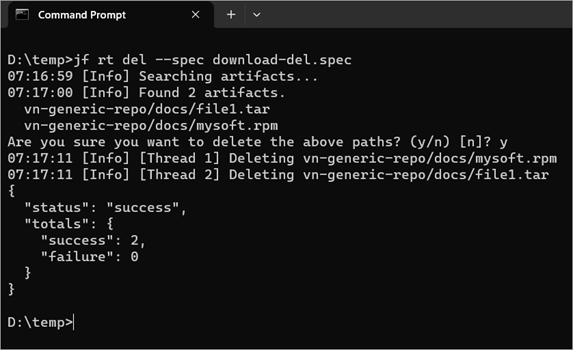
Run the delete command
- jf rt del –spec download-del.spec
Example #13: Delete artifacts in artifactory under a specified path based on how old they are

I would like to delete artifacts under the mydocs/docs folder
Here is the spec file for the same:
{
  "files": [
    {
      "aql": {
        "items.find": {
          "repo": "vn-generic-repo",
          "path": {"$match":"m*"},
          "name": {"$match":"d*"},
          "type": "folder",
          "$or": [
            {
              "$and": [
                {
                  "created": { "$last":"7d" }
                }
              ]
            }
          ]
        }
      }
    }
  ]
}
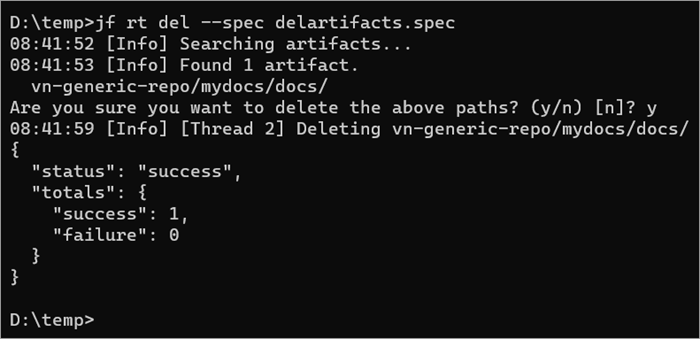
Search for the artifacts
- jf rt s –spec delartifacts.spec

Delete the artifacts
- jf rt del –spec delartifacts.spec
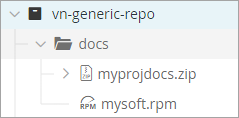
For a simple structure like the following:
The spec file would be
{
  "files": [
    {
      "aql": {
        "items.find": {
          "repo": "vn-generic-repo",
          "path": {"$match":"*"},
          "name": {"$match":"d*"},
          "type": "folder",
          "$or": [
            {
              "$and": [
                {
                  "created": { "$last":"7d" }
                }
              ]
            }
          ]
        }
      }
    }
  ]
}
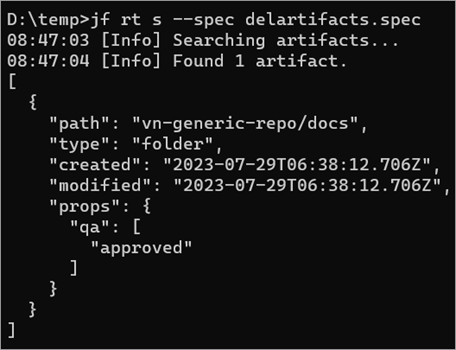
The search and delete commands would be as below. Any files uploaded on the same day as running the command would not be counted or listed.
- jf rt s –spec delartifacts.spec
- jf rt del –spec delartifacts.spec
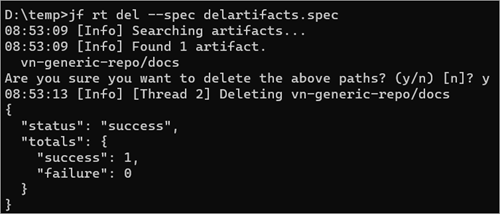
The docs folder is also deleted.

How to Get List of Inactive Users in Artifactory Using Python Script
As an Artifactory admin, we need to keep track of user’s authentication to the platform. So, we may need to remove idle users who have not used the platform. For this, we can use the PYTHON script as below which takes the JFROG URL and Login information of the admin and outputs the list of all users sorted and the time last logged in.
In this example, I am using 2 Python files.
settings.py – This file stores the JFROG_USER and JFROG_TOKEN values
inactiveuser.py – This file is the main script

settings.py file

inactiveuser.py file – The code is taken from the Artifactory site
import json
import requests
import settings
def get_users_login():
    res = {}
    # get a list of all users from Artifactory
    url = "https://vniranjan1227.jfrog.io/artifactory"
    r = requests.get(
        url + "/api/security/users",
        auth=(settings.JFROG_USER, settings.JFROG_TOKEN),
        headers={"content-type": "text/plain"},
    )
    # get each user's details
    for u in json.loads(r.text):
        d = requests.get(
            url + "/api/security/users/" + u["name"],
            auth=(settings.JFROG_USER, settings.JFROG_TOKEN),
            headers={"content-type": "text/plain"},
        )
        if "lastLoggedIn" in json.loads(d.text):
            res[u["name"]] = str(json.loads(d.text)["lastLoggedIn"])
    # sort the list based on 'lastLoggedIn' field
    sorted_res = {k: v for k, v in sorted(res.items(), key=lambda item: item[1])}
    with open("users_activity.json", "w") as out:
        json.dump(sorted_res, out)
get_users_login()
Run the Python script and the JSON file output will be generated.

Conclusion
Normally when organizations need information on the usage of JFrog Artifactory to be published in their custom dashboard, AQL, REST API, and CLI help in this case. Not only for this aspect but you can also use these in your CI/CD pipelines as a flexible way to configure and automate your pipelines.
In this article, we have seen how to use AQL, and REST API to query the artifacts and general commands for usage with JFrog Artifactory client utility with CLI.
I hope these articles on Artifactory have provided more insight for all DevOps enthusiasts to use JFrog Artifactory effectively.
PREV Tutorial | FIRST Tutorial
Was this helpful?
Recommended Reading
-

List of the best free online API Testing Tools for Testing REST and SOAP APIs and Web Services: Application Programming Interfaces (API) testing is a type of software testing where testing cannot be done at a front-end since there’s no GUI. API testing has mainly performed the testing on the…
-

GitHub REST API - An Interface To Interact Programmatically With GitHub: In our earlier tutorials on GitHub, we explore the various aspects of usage from a developer perspective using the web interface. Today, most of the organizations have been looking at automation opportunities in almost every area and REST APIs…
-
In This Tutorial, we will Learn About Different REST Response Codes, Types of REST Requests, and Some Best Practices to be Followed: In the previous tutorial, REST API Architecture And Constraints, we have learned about web services, REST Architecture, POSTMAN, etc. We may refer to the REST API first tutorial…
-
This Tutorial Explains REST API Testing with Cucumber Using BDD Approach. It Covers Software Installation, Project Setup, TestScript Execution, and Reports. In this article, we will see how to get started with REST API Testing in BDD style with the Cucumber framework. Before diving deep into the topic, let us…
-
This In-depth Tutorial Explains How to Get Started with REST API Testing With Spring RestTemplate And TestNG With Simple Examples: In this article, we will see how to get started with REST API Testing with RestTemplate and TestNG framework. Before exploring REST API Testing with RestTemplate and TestNG framework, let…
-
In This Tutorial, we will Learn About REST API, Web Services, Architecture of REST API, REST API Constraints and How to Test an API Using POSTMAN: Pre-Requisites: Basic knowledge of Web Services. Check here to get a clear understanding of Web Services. What Is REST API? API is simply an…
-
This Article Covers Jasmine Testing Framework & Its Constructs. Also, Learn About Jasmine-Jquery Package That Extends Jasmine to Test Jquery Applications: We learned all about Karma in our previous tutorial in this series. In this tutorial, we will learn how to use Jasmine to write tests for a JavaScript web…
-

This Tutorial Explains the MySQL UPDATE Statement Along with Query Syntax & Examples. You will Also Learn Different Variations of MySQL Update Table Command: As with any other database, we always have a need to update or modify or change existing data in the tables. In MySQL, we have the…


