Transform your testing strategy with the best AI Test Management Platforms. Compare features and pick the smartest tool to streamline QA workflows & boost testing efficiency:
We are living in the age of AI. It is being integrated into almost every existing software solution out there. So, its integration with software testing shouldn’t come as a surprise to anyone. QA teams and testers see AI in software testing as a welcome reprieve.
Leading AI Test Management Solutions: Ultimate Guide for QA Teams
It is undoubtedly a better option than the error-prone, time-consuming manual way of testing. A recent study suggests that AI in testing could help companies and testing teams lower costs by 37%, release updates faster, and reduce bugs by 29%.
In another survey of 625 software developers conducted by Rainforest QA, it was found that nearly 81% of them were already using AI tools in their testing workflows.

[via Innovecture]
It is simply efficient to embrace AI for software testing. Perhaps there has been a surge in the popularity of AI test management platforms lately. These tools promise quicker test execution, better accuracy, and significantly enhanced test coverage.
That said, there are way too many options at your disposal. Finding the right platform for you could be really challenging.
Fortunately, you don’t have to waste time deliberating on this matter as I’ve taken care of it for you with this article. In this article, I will recommend some of the best AI test management platforms you can bet your money on.
So, without much further ado, let’s dive in.
AI Test Automation Vs Traditional Testing
I don’t think there is an argument to be made when it comes to which option is better here. AI test automation is obviously the future, and the following pain points associated with traditional testing explain why.
1. Manual Testing Bottlenecks
The disadvantages of manual testing are crystal clear. Such testing is time-consuming, prone to error, and difficult to scale. These issues snowball into bigger problems later on, such as delayed identification of defects and slow feedback.
Unlike manual testing, it is simply faster to execute tests with AI. It is easier to scale, and the chances of error are little to none.
2. Test Debt Accumulation
Outdated tests or tests that go unresolved are a staple of traditional testing. Such tests can pile up over time, and this is what software developers call “Test Debt.”
Managing test debt can become challenging, and its existence can affect several other aspects of the software development process. Thanks to better speed and efficiency, AI in testing can help testers reduce test debt.
3. Brittle Test Suite Maintenance
In traditional testing, even the slightest change in UI or code could result in the test suite becoming “Brittle” or breaking down. It is a struggle for testers to maintain the integrity of such tests.
This is not the case with AI test management tools, thanks to their inherent self-healing capabilities. Such tools can adapt to UI or code changes and execute test scripts accordingly.
4. Cross-Browser or Platform Compatibility Issues
Ensuring an app is compatible across multiple platforms, devices, or browsers has always been a cumbersome endeavor in traditional testing. It is simply unfeasible to test an app or software with every single combination of a device or browser out there.
This is also where AI in testing has a clear edge over its traditional counterpart. AI enhances test coverage, executing a test across environments. As such, you don’t have to worry about your app’s compatibility issues.
5. CI/CD Integration
It is difficult to integrate traditional testing into a CI/CD pipeline because of its snail-paced speed. This isn’t an issue you’ll face with AI-powered test management platforms, as almost all of them facilitate seamless integration with CI/CD tools, thus ensuring relatively expedited releases and continuous feedback. If you are looking for the best CI tool, then read through our detailed review of the Top Continuous Integration Tools.
How to Pick the Best AI Test Management Platform
Investing your money in an AI test management platform is a substantial commitment. You must make an informed decision that suits your project’s requirements. Therefore, I would recommend considering the following things to pick the right platform from the options in front of you.
1. Know Your Project’s Requirements
I would suggest getting your priorities straight before you invest in AI test management software. Understand the scope, nature, and requirements of your projects. You want a platform that can fulfill these requirements with no issues.
The platforms I’ve mentioned here offer enhanced test coverage. Simply put, they can perform a diverse set of tests.
2. A User-Friendly UI
This goes without saying. The platform you choose should be easy to use. It should feature a user-friendly interface with a centralized dashboard. The interface should have a neat layout.
The platform should be easy to install and configure. The platforms I’ve mentioned on this list stand out for their no-code capabilities, making them ideal for technical and non-technical users.
3. Easy to Scale
Choose a platform that can scale easily as your project grows. It is better to opt for a platform that can handle large volumes of tests and data. Sometimes, a software or app has to be tested across multiple platforms and devices. A platform that was built-to-scale will have no issues supporting cross-device or cross-platform compatibility.
4. Hassle-Free Customization
Go with a platform that offers extensive customization opportunities. I’ve mentioned platforms on this list that with customizable test generation and reporting capabilities. You can tailor such platforms to fit your testing project’s specific requirements.
5. Powerful Integrations
I would suggest choosing a platform that integrates seamlessly with your existing technological stack and infrastructure. Platforms that integrate with bug tracking, collaboration, and CI/CD tools.
6. Price
Finally, go for a platform with plans that fit within your budget. All platforms on this list offer a flexible pricing structure to serve varying needs and different business types. Don’t go out looking for cheaper alternatives. You want a platform that offers good value for the money you’ll be spending on it.
A Guide to Select the Best AI Test Management Platform
To make sure you are making the right decision, I would suggest referring to a more structured guide that I’ve laid out below:
1. Team Size
Smaller teams with only 10 people should opt for low-cost, no-code or low-code tools that ensure convenient onboarding.
Teams with 10-100 testers should opt for tools that are built-to-scale, facilitate powerful CI/CD integrations, and offer moderate customization.
Big teams with over 100 testers should go for tools that can handle large volumes of tests, facilitate seamless collaboration, ensure compliance, and offer AI-driven analytics.
2. Required Technical Skills
The best AI testing tool for non-technical users or business testers would be a fully no-code platform. QA teams with some level of scripting knowledge should opt for a low-code alternative.
If your team features seasoned developers, DevOps specialists, automation experts, and QA professionals, then go for a code-based platform without hesitation.
3. Budget Tiers
The tool you choose should offer a plan that fits well within your budget.
Startups should opt for free tools or low-code platforms that, at the very least, offer fundamental UI or functional testing capabilities.
Mid-sized companies can opt for a more expensive monthly or annual plan. That said, the plan they choose should not be at the expense of powerful integration, in-depth reporting, and self-healing capabilities.
Large enterprises should opt for the best plan that facilitates all types of tests while also offering advanced analytics.
4. Testing Types
- Functional Testing: If your priority is functional testing, opt for a platform with self-healing capabilities and AI-powered test case generation.
- Visual Testing: You’ll need a platform with AI that can process visual input as videos and screenshots.
- API Testing: You’ll need a platform that can easily generate API-related test cases, analytically break down API responses, and integrate seamlessly with API documentation tools.
- E2E Testing: For streamlined end-to-end testing, you’ll need a platform that ensures enhanced test coverage across multiple environments, like database, UI, etc. I would recommend going for platforms that can flag flaky tests, detect flaws, suggest improvement tips, and feature self-healing capabilities.
Steps to Implement an AI Test Management Software
The guide below will help you deploy and get started with all the platforms mentioned on this list.
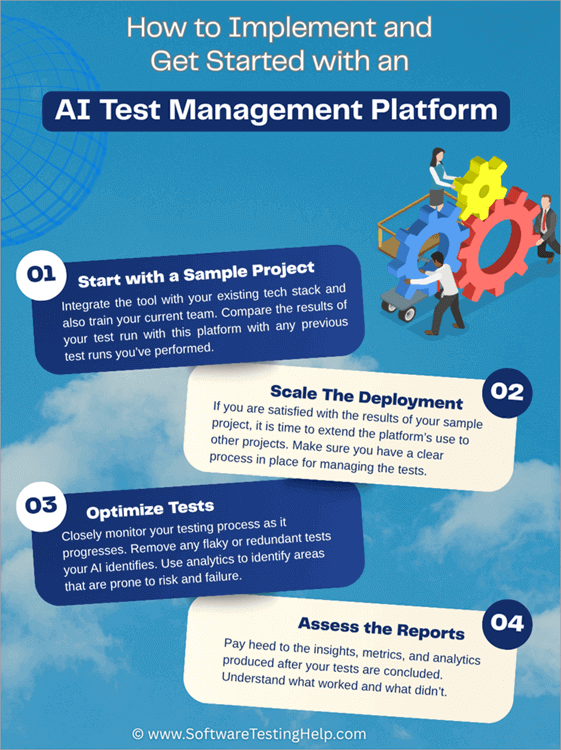
1. Start with a Sample Project
Instead of coming out of the bat swinging, I would suggest deploying the tool on a small, pilot project to test its efficiency. Assess how long it takes the tool to create a test, how quickly the tool responds to your commands, and how often it fails.
Integrate the tool with your existing tech stack and also train your current team. Compare the results of your test run on this platform with any previous test runs you’ve performed.
If you are switching to a different tool, refer to the AI testing tool migration guide of your current platform to import the data you’ll need.
2. Scale the Deployment
If you are satisfied with the results of your sample project, it is time to extend the platform’s use to other projects. Make sure you have a clear process in place for managing the tests. Activating the self-healing functionalities of the platform is crucial, and it’s also important to monitor closely the metrics and analytics that are generated during testing.
3. Optimize Tests
Closely monitor your testing process as it progresses. Remove any flaky or redundant tests your AI identifies. Use analytics to identify areas that are prone to risk and failure. Pay attention to them. Share the findings and reports with your team for proper feedback. Rely on the insights and analytics provided to keep refining your process.
4. Assess the Reports
Pay attention to the insights, metrics, and analytics after you conclude your tests. Understand what worked and what didn’t. Use this information to devise a testing strategy that benefits your next project.
List of the Best AI Test Management Tools
Here are some of the top AI Test Management Platforms available for managing AI tests.
- QA Sphere
- TestMu AI (Formerly LambdaTest)
- PractiTest
- Qase
- Testomat
- Aqua ALM
- TestRail
- ACCELQ
- Rainforest QA
- testRigor
- TestSigma
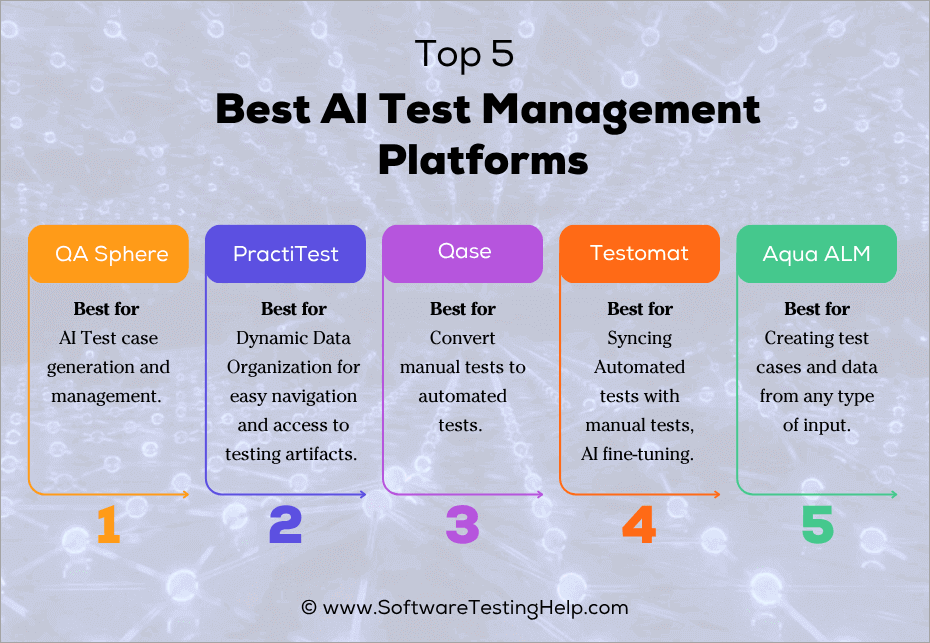
Comparing the Top Test Management Platforms
| Name | Best for | Price | Free Trial | Rating |
|---|---|---|---|---|
| QA Sphere | AI Test case generation and management. | Forever free plan available. Pricing starts at $12/user/month. | 30 days | 5/5 |
| TestMu AI (Formerly LambdaTest) | AI Agentic Ecosystem for Web and Mobile app testing | Depends on the AI agent, duration, and parallel sessions | Free trial available | 4.5/5 |
| PractiTest | Dynamic Data Organization for easy navigation and access to testing artifacts. | Starts at $49/user/month | 14 days | 4.5/5 |
| Qase | Convert manual tests to automated tests. | Free forever plan available. Pricing starts at $30/user/month. | 14 days | 4.5/5 |
| Testomat | Syncing Automated tests with manual tests, AI fine-tuning. | Free for up to 2 users. Pricing starts at $30/user/month | 14 days | 4.5/5 |
| Aqua ALM | Creating test cases and data from any type of input. | Free forever plan. Pricing starts at €12/month. | – | 4/5 |
Detailed Review:
#1) QA Sphere
Best for AI test case generation and management.
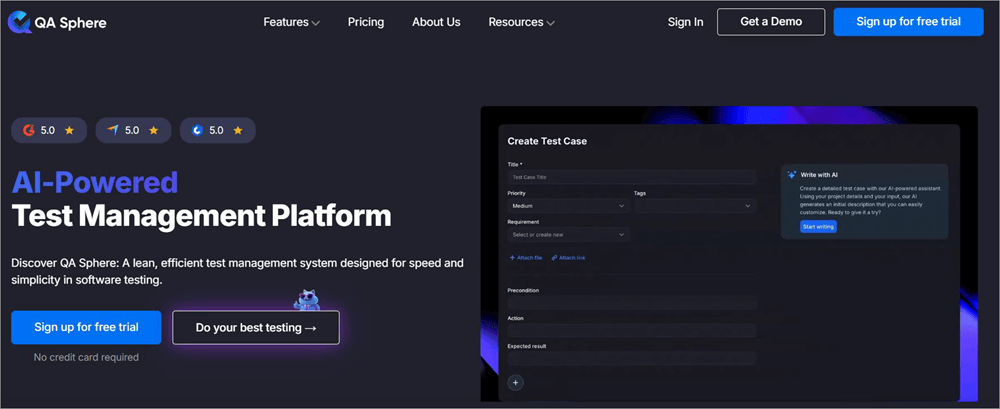
Kicking off this list is QA Sphere, a popular cloud-based AI test management platform that stands out for its user-friendly interface and advanced features. It is a platform that QA teams can rely on for accurate and efficient testing of their software throughout its entire lifecycle.
Of course, QA Sphere tops my list for its AI-based tools, which effectively automate and streamline several critical aspects of software testing. For instance, QA Sphere’s AI can create test cases at the behest of your team. Describe your requirements, and the AI will take care of the rest.
The AI does a good job of delivering ready-to-edit test cases. You can rely on this AI to generate test cases in bulk, covering a wide range of test scenarios. It can generate test cases from screenshots as well. Once created, you can review, revise, and refine the AI-generated output as you deem fit.
As I mentioned before, QA Sphere features an easy-to-navigate and use interface. The learning curve isn’t that steep.
QA Sphere also supports custom integrations with GitLab, Notion, and popular project management tools like monday.com, Trello, Asana, and Azure DevOps – offering flexible workflows without leaving your platform. Overall, I believe QA Sphere is perfect for businesses of all sizes.
Features:
- Test Case Management: QA Sphere simplifies test case management by letting users easily organize, tag, and prioritize them. Test cases can be organized into specific categories, thus making them easily accessible whenever necessary. The tool also ensures that the most critical tests are addressed first.
- Test Run Builder: QA Sphere offers flexibility when it comes to test runs. You choose from live updates, fixed structures, or locked versions for your test runs. You can customize test runs to make sure they’re tailored to any testing workflow.
- Flexible Issue Tracking: QA Sphere ensures seamless issue tracking, thanks to its integrations with tools like GitHub and Jira. This makes the jobs of QA teams considerably easier as they can track and manage issues directly from test cases.
- Advanced Reporting: QA Sphere is incredibly advanced in its testing capabilities. It employs multiple metrics to present a more holistic view of your project’s health. You are provided with in-depth reports and metrics essential to improving the testing process.
| Pros | Cons |
| An easy-to-use, intuitive UI | Nothing significant. |
| Integrations with various third-party tools. | |
| AI-based tools that can help you quickly create multiple test cases. | |
| Flexible pricing with a free plan is suitable for small start-ups. |
User Reviews: User reception of QA Sphere has been universally positive. It has consistently scored high praise from users in popular publications.
Currently, it enjoys a 4.8/5 rating on Capterra and a 5/5 rating on G2. Most users seem to cite its user-friendliness and speed in managing test cases as the reason they like the tool so much.
Price: QA Sphere offers a forever-free plan with limited capabilities. To use the platform with all of its features, you’ll need to subscribe to one of the following plans:
- Standard: $12/user/month
- Business: $24/user/month
A custom enterprise plan is also available. You can also opt for a 30-day free trial to test the platform without charge. No credit card required.
#2) TestMu AI (Formerly LambdaTest)
Best for AI Agentic Ecosystem for Web and Mobile app testing.
TestMu AI, formerly known as LambdaTest, is perhaps the best contender for the top spot on our list by a mile. This platform can be best described as the world’s first full-stack quality engineering platform. It basically offers end-to-end AI agents that can plan, author, execute, and analyse tests with ease.
From Test Planning to delivering test insights and reports, TestMu AI is a true all-in-one test management platform. It can help you build test plans within minutes by module and priority. The platform serves as a single source of truth for each test case created. Thanks to built-in AI native editing and full version history, organizing or reusing test cases is also easy.
AI-native by design, managing test cases is simply smarter and more efficient with this platform. From intent-based test authoring to maintaining a single, searchable repository for all automated and manual test cases, TestMu AI is the perfect test management tool for modern developers and quality engineering teams.
Features
- Test Planning: Structure and build tests within minutes by module and priority, thus arming teams with a clear plan even before testing begins.
- Test Case Management: Test cases can be organized by module, priority, and type. Thanks to built-in AI native editing and full version history, it is also super simple to reuse test cases.
- Test Execution: Run tests directly from your test management workspace across 10000+ real browsers, OS, and devices.
- Bug Reporting and Tracking: Get structured bug reports with screenshots and execution clips attached.
- Test Insights and Reports: Get AI-native visibility into each test case and scenario. You also get AI-generated reports that can be shared easily as a PDF, CSV, or shareable link.
| Pros | Cons |
| AI Native by design. | A steep learning curve. |
| Multi-Agent Intelligence. | Some users have reported the UI becoming sluggish, especially when handling large testing requirements. |
| Test at any scale. | Some users, like freelancers and startups, may find the pricing a bit expensive. |
| Author tests in plain English language without scripting or coding. | |
| A good free trial | |
| Intent-based test authoring | |
| One central test case repository. | |
| AI-generated reports. |
User Reviews: User reviews for TestMu AI online have been mostly positive. For instance, it has garnered a very respectable score of 4.6/5 on Capterra and 4.5/5 on Gartner. People largely have only good things to say about the platform’s user-friendliness, automation, and customer service.
Price: TestMu AI’s Test Manager starts at $59/month/seat. A free tier for Test Manager is also available without AI-native test case generation. A custom enterprise plan is also available.
The plans are as follows:
| Product | Price | Free Trial |
|---|---|---|
| Kane CLI | Starts at $19/month | Available |
| KaneAI | • KaneAI (Web): $249/month/ agent • KaneAI (Web and Mobile): $349/month/agent | Available |
| Test Manager | Starts at $59/month/seat | Available |
| Agent Testing | Quote-based | |
| Live Testing | • Virtual Live: $19/month • Real Device Plus Live: $49/month | Available |
| Browser Cloud | Price starts at $29/month, billed annually. | Available |
#3) PractiTest
Best for dynamic data organization for easy navigation and access to testing artifacts.
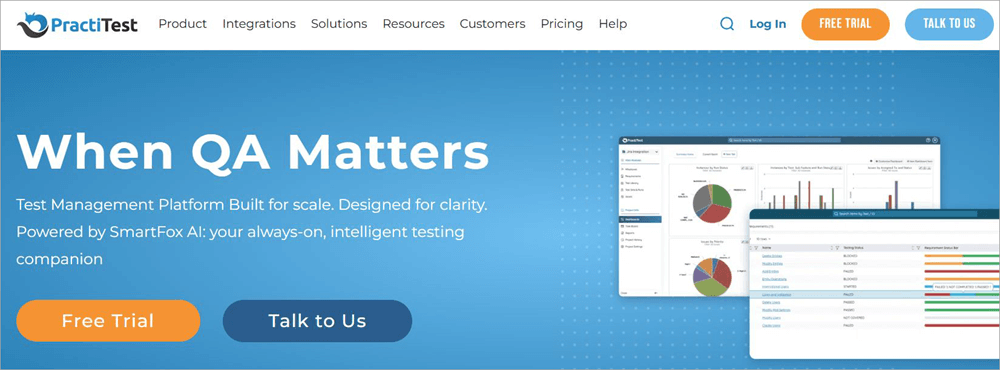
With PractiTest, you get yet another AI-powered test management platform that’s built to scale. You can attribute PractiTest’s exceptional test management capabilities to its AI, known as SmartFox.
SmartFox is built into PractiTest, and you can rely on it completely throughout the entirety of your software’s development lifecycle.
Like QA Sphere, PractiTest leverages SmartFox to generate clear test cases with steps. All you need to do is clearly describe your requirements. SmartFox is intelligent enough to understand your requests and deliver comprehensive results in minutes.
SmartFox also does a good job of preventing issues like duplicate tests, ensuring you have an immaculate test library.
Although SmartFox provides accurate suggestions, note that you are still in complete control. You can review and refine the output that PractiTest’s AI presents. All interactions with SmartFox are logged. This means that you are provided with a detailed audit trail to ensure your organization meets the essential compliance and governance requirements.
Features:
- AI-Driven Test Management: Let SmartFox AI create comprehensive test cases along with steps as per your requirements. The AI ensures that all issues, like duplicate test cases, are avoided. The AI also ensures that test runs with the most risk are prioritized.
- Automated and Manual Testing: You can run both manual and automated tests with the help of PractiTest. The platform features an internal automation framework, which lets users trigger automated tests from within the system.
- Centralized Dashboard: The centralized dashboard ensures QA teams have a holistic view of their entire operation. You can find detailed reports, time-progress graphs, and other metrics essential to optimizing the testing process on this dashboard.
- Dynamic Data Organization: Navigating your testing artifacts is simple with the PractiTest Dynamic Data Organization system. As such, locating testing artifacts is a breeze. Moreover, you can view as well as analyze this data in multiple dimensions to identify issues and assess risks.
| Pros | Cons |
| Built-To Scale | Some users have complained about the difficult learning curve. |
| Integrates seamlessly with several bug tracking and automation tools. | |
| A centralized dashboard that ensures end-to-end visibility | |
| Super fast test case creation via the SmartFox AI. |
User Reviews: With a 4.9/5 rating on Capterra and a 4.3 rating on G2, user reviews for PractiTest have been generally positive. As one user on G2 put it, PractiTest excels at streamlining a development team’s test management and reporting capabilities. I couldn’t agree more.
Price: PractiTest’s subscription starts at $49/user/month. You can also request a custom quote more suited to your specific requirements. A 14-day free trial is also up for grabs.
Check our PractiTest Review Here
#4) Qase
Best for converting manual tests to automated tests.
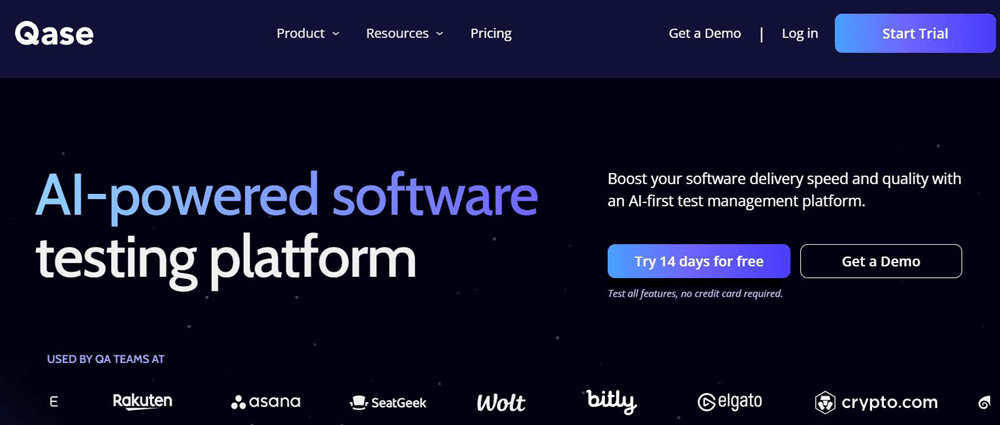
Qase’s AI makes a very straightforward promise. You are guaranteed an AI-assisted test automation process with better speed, quality, and efficiency. In my opinion, Qase delivers on those promises, and most of its users seem to agree. Qase’s AIDEN AI can convert any manual test case to an automated test case within minutes.
AIDEN is quite in-depth in its approach to analyzing manual test cases. You describe your requirements, and AIDEN will offer improvement tips that are essential for automating a test case. Like PractiTest and QA Sphere, you get complete control over the AI-generated output. You can review or implement any modifications you want.
Qase also does a good job of centralizing your test cases once generated with the help of AIDEN AI. Another area where Qase shines is in its dashboard. You are offered an analytics dashboard that can be customized as per your choice.
Features:
- Test Case Conversion: AIDEN AI is intelligent enough to convert any manual test case you feed it. It will identify which manual test cases are perfect for automation. It will even recommend tips and suggestions for a smoother automation process.
- Analytics Dashboard: Through its dashboard, Qase manages to centralize all of your test cases, reports, and workflows. The dashboard itself is customizable. You can use the predefined widgets to personalize the dashboard as per your requirements.
- Reusable Test Steps: Qase’s AI creates shared steps or a group of tests once. These test steps are reusable, and you can employ them across multiple test cases, thus saving your QA teams a lot of time and effort.
- Requirements Traceability: Qase can monitor and identify requirements that are out of sync with your project. You are presented with this information through the requirements traceability report, which also syncs well with Jira and GitHub.
| Pros | Cons |
| One-click manual to automated test conversion | Limited features and customization. |
| Integrates with more than 35 apps. | |
| 24/5 responsive support. | |
| A free forever plan ideal for small teams, |
User Reviews: Qase enjoys a 4.7/5 rating on G2 and 4.8/5 ON Capterra. Praise for the tool mostly comes from its ability to generate and convert test cases with impressive speed and efficiency. Its user-friendly interface has also helped it garner a warmer reception among its users.
Price: Qase offers the following plans:
- Free for up to 3 users with limited features
- Startup: $30/user/month
- Business: $36/user/month
- A custom enterprise plan is also available.
A 14-day free trial is also offered.
Website: https://qase.io/
#5) Testomat
Best for syncing automated tests with manual tests, AI fine-tuning.
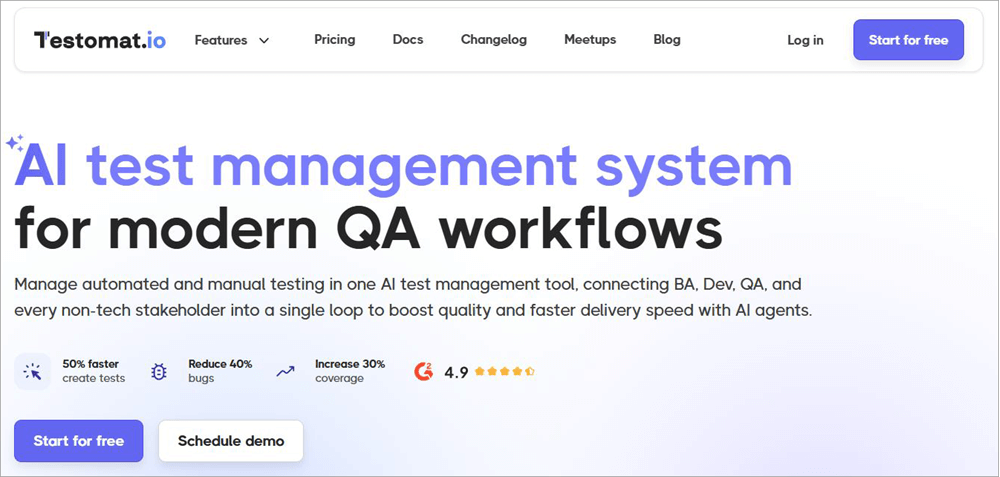
Testomat comes with AI-powered capabilities that modern development teams need. As is the case with the best AI-test management tools, you can count on Testomat to create test cases in no time. Testomat’s AI can create tests after analyzing GitHub issues, Jira user stories, old tests, and plain text.
Another thing I like about Testomat’s AI is its adaptive nature. It is constantly training itself on test cases and requirements to provide you with context-aware suggestions. Testomats’s AI-driven testing capabilities are further bolstered by its intuitive interface.
This interface ensures you have a user-friendly and collaborative environment that’s ideal for executing tests, assessing analytics, and tracing results.
Testomat also facilitates strong integrations with tools like Slack, Jira, GitLab, etc, thus further enhancing its capabilities. I have no qualms in recommending this platform to QA and engineering teams for both automated and manual testing of their software projects.
Features:
- AI Test Management: Testomat’s AI is great at generating new test cases from various inputs like plain text, Jira user stories, and GitHub issues. The AI self-learns and is constantly training itself on requirements and test cases to provide better suggestions.
- Flaky Test Detection: The platform leverages machine learning to analyze test run history and identify unstable tests. These tests are automatically flagged.
- Automated Test Synchronization: The platform lets you sync your manual tests with automated tests. You can do so by uploading the tests via a simple importer. All tests can then be tracked via the centralized dashboard
- Real-Time Reporting: The platform helps you address an issue before it is too late with real-time reporting. You are provided with screenshots, videos, and rich analytics for optimized testing.
| Pros | Cons |
| Easily identifies duplicate and unused tests. | Some users have complained about poor documentation |
| AI adapts to test cases over time. | |
| Comprehensive analytical dashboard | |
| Excellent customer support |
User Reviews: Testomat enjoys an impressive score of 4.8/5 on both Capterra and G2. Most users have only good things to say about its user-friendliness, native integrations, automation capabilities, and responsive customer support. That said, it could score even higher with better documentation on the official website.
Price: Testomat offers the following plans:
- Free for up to 2 users
- Professional: $30 per user per month
- Custom enterprise plan available
A 14-day free trial is offered.
Website: https://testomat.io/
#6) Aqua ALM
Best for creating test cases and data from any type of input.
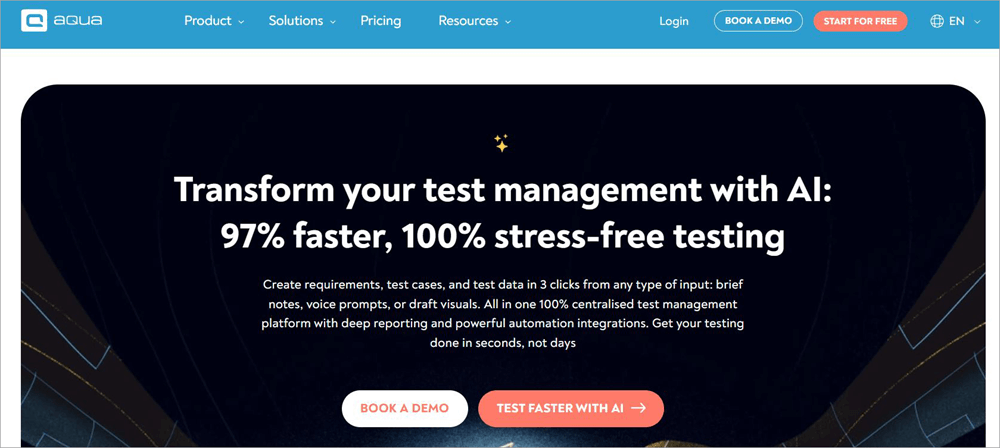
Like the AI test management tools we’ve already discussed on this list, Aqua ALM also features an AI that can quickly generate test cases with comprehensive steps.
Aqua ALM’s AI can generate test cases from voice prompts, draft visuals, and write brief descriptions. Those created tests can then be prioritized based on their risk and impact.
The AI is also intuitive enough to identify redundant tests or defects and help you remove them quickly for a smoother testing process. You can run both manual and automated tests via this platform. You are also provided with an in-depth audit trail, which can help with traceability and improvements down the line.
Collaboration on the platform is also a breeze. You are promised complete end-to-end visibility across all testing artifacts. All project changes, their authors, and timestamps will be communicated to you. You’ll also have detailed analytics to help you attain complete control over the testing process from beginning to end.
Features:
- Requirements Management: Aqua ALM’s AI can process your requirements, regardless of what format you use. Its AI can generate test cases from draft visuals, voice prompts, and brief notes.
- Bug Tracking: The software also features an advanced bug tracking tool. You can use it to record and track defects in a single click. You can have the defects linked to your test cases for easy traceability.
- Centralized Dashboard: Aqua ALM’s centralized dashboard makes it convenient to manage manual and automated tools. You can easily access actionable reports via this dashboard and get end-to-end visibility across your testing process.
- Project Management: Aqua ALM makes it easier to plan and coordinate various aspects of your testing project. Your project’s progress is recorded automatically, and the results are displayed in real-time.
| Pros | Cons |
| AI creates test cases from multiple types of inputs. | Its pricing structure can be confusing. |
| Create custom reports. | |
| Helps you manage and execute test cases in an audit-proof manner. | |
| A free plan with unlimited seats. |
User Reviews: Aqua has garnered immense praise in prominent publications online, with a 4.7/5 score on G2 to boast. Its users seem to unanimously agree on the elements that make it stand out.
The platform’s ease of use and strong integrations are often lauded. Moreover, almost all users have nothing but good things to say about the platform’s automation in test management.
Price: Aqua ALM is free to use with limited features. Its plans are as follows:
- Defect Management: €12/month
- Requirements Management: €12/month
- Test Management: €40/month
- Full License: €40/month
Website: https://aqua-cloud.io/
#7) TestRail
Best for AI-enhanced automation and compliance-ready insights.
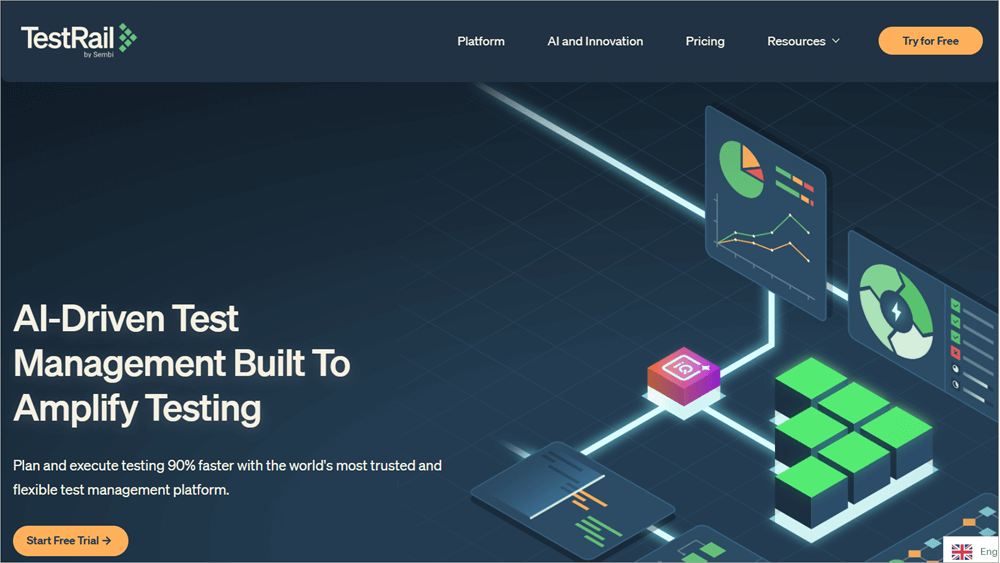
TestRail is another platform that can make the jobs of QA teams simpler. TestRail features an AI that feels like it was tailor-made for testers and QA teams. It can auto-generate tests from requirements and user stories.
It is also incredibly fast at generating test cases. It has an edge over some of the best testing platforms out there when it comes to speed and efficiency.
TestRail also facilitates powerful integrations with CI/CD tools, which proves useful in unifying manual and automated workflows. As with most AI testing platforms on this list, testers have complete control over their projects.
Organizing and tracking test runs is simple. You can also review and modify any suggestions TestRail’s AI offers.
Features:
- Centralized Test Management: All automated and manual tests can be organized, tracked, and managed through TestRail’s intuitive centralized dashboard. The generated test cases can also be reused across multiple test runs.
- Seamless Collaboration & Planning: Everything from managing a single test run to setting up a test case approval process is a breeze with TestRail. You can easily define the tests to run and assign them to a team member without hassle.
- End-to-End Tracking: Track the progress of your testing activities from beginning to end. You review the test steps, log results, and identify bugs by pushing defects to tools like Jira.
- Comprehensive Reporting: You are provided with analytical data as real-time reports, test metrics, and customizable charts. This will help you make data-driven decisions, which are essential to optimizing the testing process.
| Pros | Cons |
| Centralized management of test cases | A somewhat complicated reporting system |
| Seamless integration with tools like Jira and GitLab | Occasional server errors |
| An intuitive interface makes it easy to use | |
| Fast test case generation. |
Price: TestRail offers the following plans:
- Professional: $37/seat/month
- Enterprise: $74/seat/month
A 30-day free trial is also offered.
Website: https://www.testrail.com/
#8) ACCELQ
Best for self-healing automation.

ACCELQ does everything you’d expect a revered test management platform to do. The platform’s AI leverages input from user behavior, application flows, and data permutations to generate test cases. These test cases are generated within minutes, as speed is one of ACCELQ’s best qualities.
That said, ACCELQ stands out the most because of the AI-powered self-healing technology at the heart of its functionality. This means you have an AI that can adapt as the situation demands. It can automatically detect any changes in a software or app’s UI and modify the test scripts accordingly. QA teams and testers don’t have to lift a finger.
Features:
- Test Data Generation: ACCELQ’s AI uses realistic data as user behavior and application flows, to automatically generate test cases. This ensures comprehensive coverage through the testing process.
- Self-Healing: ACCELQ’s AI was designed to dynamically adapt to changes in an app or software. This reduced the need for manual maintenance and saved testers a lot of time and effort.
- QGPT Logic Builder: ACCELQ’s AI is smart enough to decipher complex business rules. It does so in plain, easy-to-comprehend English to generate automation logic that integrates seamlessly with APIs, front-end, back-end, and the middleware.
- Logic Insights: Best generating test cases, the AI also provides you with actionable insights derived from test logic. It suggests optimization and improvement tasks that can potentially boost the quality of your tests.
| Pros | Cons |
| Easy to scale | Initial set-up can be challenging, especially for large enterprises. |
| Excellent for cross-browser and cross-device testing | Some may find the price expensive. |
| Supports manual and automated testing | |
| AI-driven insights to improve test performance |
Price: ACCELQ offers separate plans for web, mobile, API, and manual testing. You’ll need to contact the ACCELQ team for a quote based on your requirements. All users are offered a free demo and trial of the platform.
Website: https://www.accelq.com/platform/autopilot/
#9) Rainforest QA
Best for user-friendly interface and a Self-Healing AI.
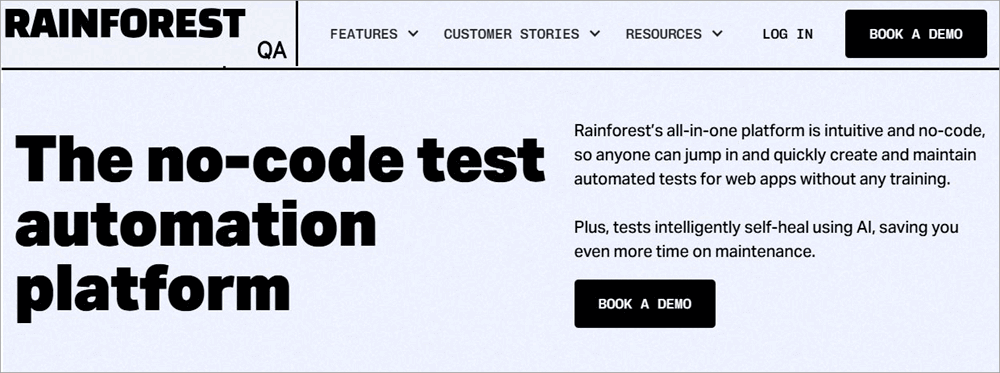
Rainforest QA is one of those platforms that was painstakingly developed, keeping user-friendliness in mind. I felt that from my very first experience using it. You get a no-code interface that makes using the platform easier for both technical and non-technical users.
Adding to its merits, you also get customizable automation tools that considerably help in simplifying complex testing processes. Its AI is highly reliable as well. You can count on Rainforest QA’s AI not only to create test cases but also to provide you with in-depth insights associated with the testing process.
Features:
- Smart Element Recognition: Rainforest QA’s AI is thorough when it comes to optimizing a testing process. Besides generating test cases, it can also identify and interact with page elements. This can help with styling an app’s interface.
- Self-Healing: You can rely on Rainforest QA’s AI to update test scripts based on UI changes. This can help reduce flaky tests and keep false positives at bay.
- Test Automation Suggestions: The AI is adept in its ability to offer test optimization and improvement tips. This can help QA teams fine-tune their approach to testing and avoid any redundant steps.
- Actionable Insights: QA teams and testers are also provided with comprehensive insights into the progress or failure of a test. These insights can fix an issue and ensure your testing process is on track.
| Pros | Cons |
| Easy to scale | More suitable for web app testing than the testing of mobile or desktop apps. |
| Quick at executing tests | Limited customization |
| User-friendly | |
| Users have access to human testers for manual testing |
Price: Rainforest QA adheres to a flexible pricing model. You’ll contact its team to request a quote based on your requirements. A free trial and a forever-free version of the tool are also offered.
Website: https://www.rainforestqa.com/
#10) testRigor
Best for super-fast test automation builders.
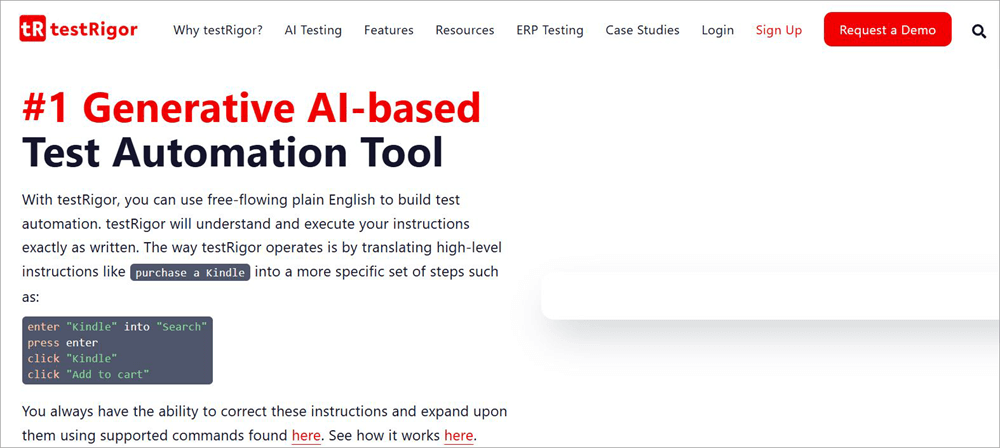
testRigor leverages the capabilities of advanced generative AI to help testers create test automation within seconds. This AI can process requests in plain English, which means anyone, irrespective of how advanced their coding or technical prowess is, can use the platform to test their software and app.
Like the best platforms on this list, testRigor will create tests based on documented test cases and user interactions. Integration is another area where testRigor shines. The platform facilitates powerful integrations with various tools like Jira, Slack, and CI/CD tools.
Although I feel like some aspects of its UI need improvement, it still appears to be a user-friendly platform.
Features:
- Test Generation: The AI uses user interactions with the app and documented test cases to generate tests. It can process test cases out of plain English.
- Email Testing: Testing emails is quite convenient via this platform. You are provided with renderings to check how emails function.
- Data-Driven Testing: You are provided with AI-driven insights to boost the reliability of tests. The testing is entirely data-driven with support from datasets.
- Web and Mobile Testing: For web testing, the platform can be used for cross-platform and cross-browser testing. For mobile, the platform is ideal for both native and hybrid-app testing.
| Pros | Cons |
| Ideal for web, mobile, and API testing | The UX needs improvement. |
| Fast test execution | More integrations would’ve been nice. |
| User-friendly, thanks to reliance on natural language processing. | |
| Data-driven insights |
Price: testRigor offers flexible plans. You’ll need to contact its team for a quote. A freemium version and a 14-day free trial are also offered.
Website: https://testrigor.com/
#11) TestSigma
Best for Salesforce and SAP Testing
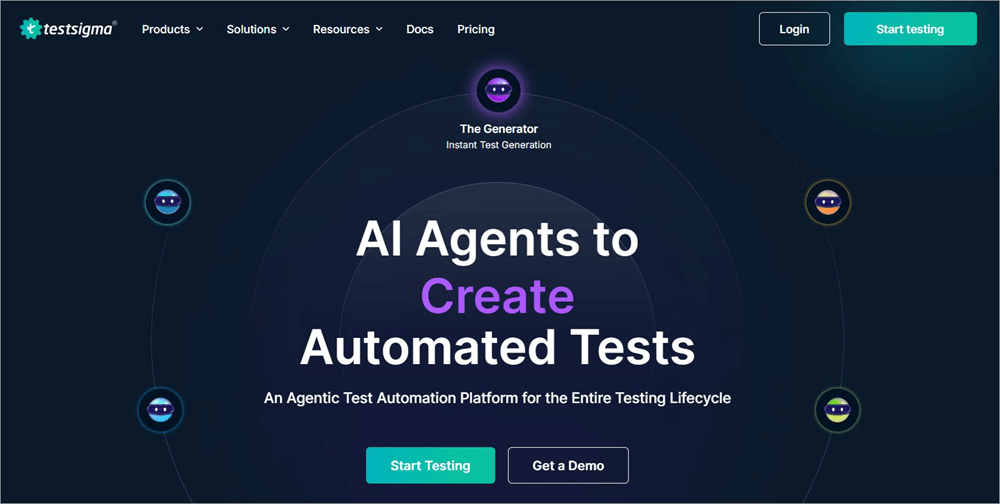
TestSigma is renowned among QA teams for its AI agents, which excel at generating and executing tests. TestSigma’s AI agents can be deployed to take care of your testing endeavors from beginning to end. You can count on them to plan, design, develop, and optimize tests without hassle.
You can count on the platform for end-to-end test management of mobile, desktop, API, and other apps like SAP and Salesforce. The platform also facilitates integrations with over 30 third-party applications, thereby further extending its capabilities. Whether it is speed or efficiency, TestSigma delivers when it comes to high-quality software testing.
Further Reading => How to Use AI Agents for Software Testing
Features:
- Test Execution: You can count on TestSigma’s AI agents to test across 3000 browsers, requirements, and user stories. Thanks to its self-adapting abilities, the AI can detect flaky tests during execution.
- Test Development: The AI agents develop tests using various inputs. This includes user stories, actions, and requirements.
- Smart Detection: No errors or risks can slip through this AI’s shared gaze. All sprints, releases, and app changes are automatically detected to mitigate risks.
- AI-Driven Insights: AI Agents deployed by TestSigma do a good job of identifying test failures and presenting you with actionable insights to fix them.
| Pros | Cons |
| Easy to use | Some users have reported slow performance |
| Effortless automation | Compatibility issues with browsers can affect integration with some third-party tools. |
| Excellent support | |
| Flexible pricing based on specific user requirements |
Pricing: TestSigma offers flexible subscription plans to accommodate your requirements. You can contact its team for a clear quote. A free demo is also offered upon request.
Website: https://testsigma.com/
Top Features of the AI Test Management Platform
What makes a software shine is its features, and that is also the case with AI test management platforms. In my opinion, the best AI test management platforms must have the following features. Only then are they worth every penny spent.
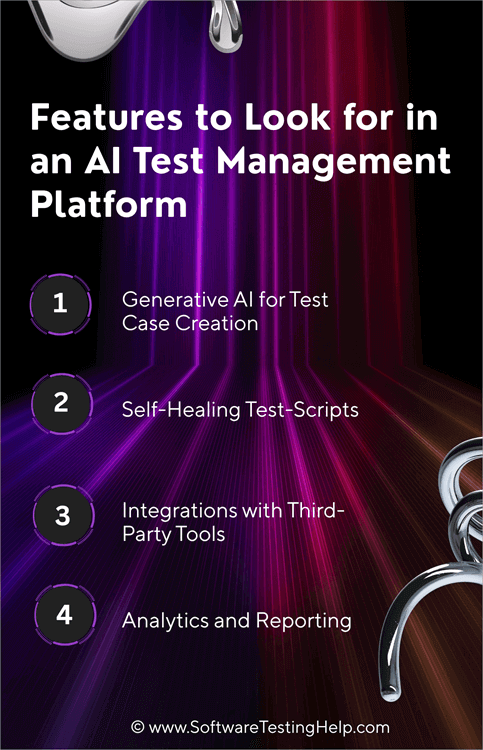
1. Generative AI for Test Case Creation
This is a fundamental feature that you’ll find in all AI test management platforms. It is just a matter of how good and fast a platform’s AI is at processing your requirements and delivering results. AI test management platforms considerably expedite an otherwise tedious software process by generating test cases in minutes.
All you have to do is provide the AI with a descriptive input of your requirements. Platforms listed in this article can all process inputs in the form of user stories, documentation, screenshots, videos, etc. They’ll process this input and generate test cases with steps and tips to optimize the testing process.
2. Self-Healing Test-Scripts
This is one of those features that has catapulted AI test management solutions to a level of popularity that’s unprecedented. AI-based testing platforms can automatically modify a test script as soon as a change in an app’s UI is noticed. These platforms leverage machine learning to identify what’s new with the interface.
Thanks to this feature, QA teams and testers don’t have to manually update a test script based on app UI changes. This means the actual test execution process can move forward smoothly without many speed bumps on the way. The tests are executed quickly and efficiently as a result.
3. Integrations with Third-Party Tools
Almost all modern AI testing solutions facilitate powerful integrations with several popular and prominent third-party apps. These platforms don’t have to function in isolation and will work well with your existing tech stack. These integrations also enhance a platform’s capabilities and benefits.
For instance, almost all platforms mentioned on this list integrate seamlessly with CI/CD tools. This means you should have no problem managing feedback in CD pipelines. Many tools also facilitate integration with tools like Slack, thus helping the QA and development teams work together and stay on the same page throughout the testing process.
4. Analytics and Reporting
Thanks to real-time analytics and reporting, development and testing teams have all the information necessary to make data-driven decisions at a moment’s notice. The platforms mentioned on this list offer actionable insights into an ongoing test through various metrics, visual graphs, and in-depth reporting.
This means users stay informed on a test’s progress. As such, when there are test failures, they can use the analytical data in front of them to reverse the error and make sure the project is on the right track immediately. These reports are also presented in a manner that’s easier to comprehend and share.
Key Terms Associated with AI Test Management Platforms
1. AI-Assisted Testing VS. Autonomous Testing
Although the above two terms may sound similar, there is a clear distinction between them, and it mostly has to do with the level of human intervention required. In AI-assisted testing, the AI relies on human input to create test cases, make suggestions, and analyze results.
On the other hand, autonomous testing relies on AI heavily to perform various test-related tasks, and there is very little to no human input involved.
2. No Code vs Low Code vs Code-Based Tools
Based on the level of coding required, a test management tool can be categorized into the following three categories.
i) No Code Tools
A no-code platform doesn’t demand any technical prowess or programming knowledge from its users. Codeless AI testing platforms are designed with ease of use in mind, making them accessible to both technical and non-technical users.
ii) Low-Code Tools
Such platforms demand some level of coding knowledge from their users. These tools are typically best suited for QA engineers and developers who have some experience in scripting.
iii) Code-Based Tools
Such platforms require extensive knowledge of coding and are best suited for seasoned developers and QA experts.
3. On-Premise vs Cloud-Based Tools
You’ll come across test management tools that are either cloud-based or deployed on-premise. On-Premise solutions are ideal for QA teams and testers who prefer extensive customization capabilities and greater control over their testing efforts.
On the other hand, cloud-based solutions are best suited for those looking for easy scalability, convenient remote access, and an affordable upfront fee.
4. Agile vs DevOps vs Traditional Teams
Agile Teams seek a tool that’ll help them release products faster and facilitate better collaboration. I would recommend self-healing test automation tools with plain English authoring to such teams.
DevOps teams need a platform that facilitates seamless CI/CD tool integrations and exceptional end-to-end automation. I would recommend an all-in-one test management platform that can create, execute, analyze, and manage tests
Traditional Teams still rely on manual test management. They could benefit from tools with AI-augmented capabilities.
Future Trends to Look out for
AI in software testing will keep evolving. You can expect the following trends to become a staple in AI-based software testing in the very near future:
1. Agentic AI Testing: Agentic AI Testing tools represent the next generation of software testing. This trend is already gaining traction and seems poised to replace AI-assisted tools to execute complex testing tasks with little to no human intervention. These agents are self-learning and constantly adapting to real-world conditions to ensure a more efficient testing process.
2. Autonomous Testing Agents: Similar to Agentic AI, these are testing agents that can essentially do the job of QA engineers. They consider risks when executing a test and modify their approach to testing based on several changes happening to an app or software.
3. Predictive Quality Forecasting: This is where AI excels. You can use AI in testing for predictive quality forecasting. They will consider several factors, such as the history of defects, gaps in test coverage, etc., and accurately predict where a defect may show up. Based on the level of risk, you can count on such AI to prioritize a test.
4. Synthetic Test Generation: This marks another impressive evolution for AI in software testing. We will see AI being used to create artificial data that replicates the properties of real data.
Such a type of test generation for testing apps and software, where accessing real data might not be possible because of its sensitive or confidential nature. This generated data can then be used to speed up the testing process and boost test coverage.
Frequently Asked Questions
1. What is an AI test management platform?
AI test management platforms are software solutions that leverage artificial intelligence to test web, mobile, and desktop applications, and API.
The primary role of these platforms is to expedite the software testing process, eliminate human errors, and get enhanced test coverage.
A typical AI test management platform will help QA teams and testers generate test cases automatically, give suggestions to improve tests, update test scripts, predict defects, and offer data-driven insights.
2. What is the role of AI in testing?
AI was introduced in software testing to eliminate the issues that plagued the more traditional, manual method of testing. It’s supposed to automate key tasks such as generating test cases and updating test scripts in a faster and accurate way.
Businesses today rely on AI in testing to improve the quality of software testing, attain comprehensive coverage, and ensure software reaches the market faster.
3. What are the things one should consider when switching to an AI test management platform?
As I mentioned before, putting money into an AI test management tool is a significant investment. So, I would suggest considering the following things to make a decision you won’t end up regretting.
• Make sure the platform you choose works well with your existing tech stack
• Make sure it can perform the types of tests your app requires.
• Make sure the platform offers comprehensive documentation and tutorials with excellent support.
• Go for platforms with a user-friendly, easy-to-navigate interface.
• Make sure the platform is affordable and fits well within your budget.
4. What is the best AI tool for testing?
In my opinion, I would say that the following are some of the finest AI tools for testing being actively used today:
• QA Sphere
• PractiTest
• Qase
• Testomat
• Aqua ALM
5. Can AI testing tools benefit Agile Teams?
Yes, I would even go so far as to say that Agile Teams should look no further than AI testing tools to manage their app or software testing endeavors. These platforms facilitate excellent collaboration between QA and development teams. AI test management for Agile teams is not only beneficial but also essential.
They also help with simpler and faster test execution. Besides the automation, these platforms also offer real-time analytics, which can help Agile Teams make better decisions.
Take a look at the video tutorial on AI-Powered Test Management Platforms from QA Sphere below:
Here is the video guide on the Future of QA: Testers vs. AI
Conclusion
The era of manual testing is coming to an end. It would be in your team’s and your business’s best interest to embrace AI in testing, or risk being left behind by your competitors. The platforms I’ve recommended on this list represent a future where test cases are generated in an instant, and any issues are rectified on the spot.
AI test management tools can boost the reliability of your software testing process and help you launch a flawless product to the market on time. As far as the platforms on this list are concerned, they are all easy to use, facilitate powerful integrations, and are competitively priced.
As for my personal recommendation, I would pick QA Sphere for its intuitive interface, super-fast AI, extensive customization, powerful integrations, and flexible pricing.
Research Process:
I spent 35 hours researching and writing this article so you can get summarized, insightful information on which AI Test Management tool will serve you best.
I pitted multiple tools against each other based on certain key features like test case generation, customizability, centralized dashboard, analytics, etc. This helped me come up with a shortlist that I have no qualms sharing with my readers.
- Total AI Test Management tools researched: 25
- Total tools shortlisted: 10
For more AI & Test Management Tutorials, you can explore the related tutorials below:
- Top AI Testing Tools for Your AI-Powered Testing
- The 20 Popular Test Management Tools
- Testiny Test Management Tool Hands-on Review
- Top-Rated AI Field Management Software Reviews
- FireFlink AI-Powered Scriptless Automation Testing Tool Review
Was this helpful?
Recommended Reading
-

We have provided an extensive PractiTest end-to-end test management tool hands-on review tutorial for the benefit of our readers. Software testing is an integral part of any company that has a product or service consumed by customers. This applies to organizations of any size - from startups to mid-size and…
-
This is a hands-on review of the qTest Test Management Tool by guest author Kaushal Amin, whose team is using this tool. See the author's details at the end of the article. I’ve been checking out the latest Test Management Tool to hit the market, qTest, developed by QASymphony. The…
-
This is a Test Management Tutorial for Software Testing. It includes Test Management Phases, Tools, and Test Management Vs Organizational Structure: Test Management is the process of managing all the test-related activities, documents, and other related work. Organizational Structures refer to a hierarchy of teams or employees working on particular…
-

Last year we did a TestLodge review and mentioned some pros and cons of this test management tool. STH readers also shared their thoughts and requested some new features. TestLodge owner Scott Sherwood took our suggestions seriously and improved this tool with a new range of awesome features. He contacted…