Review and comparison of the top Punctuation Checkers with pricing to select the best Semicolon and Comma Checker for online proofreading:
Punctuation is a bare necessity in today’s world, as almost every job requires writing, understanding, or reading of some type of text. A paper or document with lots of grammatical mistakes becomes difficult to read and understand.
If you are not proofreading your articles before posting them on your blog, you can even lower your reach as Google’s algorithm does not organically promote pages with bad punctuation or grammar.
Proofreading is tedious. Most of us do not even like to read our write-ups once we are done with them. No Worries! This listicle contains some of the most easy-to-use and famous online punctuation checker applications which will help you in proofreading your write-ups.
Punctuation Checker: Market Trends

First, let’s work out some basics.
How Do You Use Semicolon
“Like seriously, who even uses a semicolon?”, If you think this, you are missing out a lot!
Semicolons help you connect two independent clauses when a mark stronger than a comma is needed. The sentences connected through a semicolon are of equal rank.
Example: “The upperclassmen are permitted off-campus lunch; the underclassmen must remain on campus.”
You can also use a semicolon before writing a list of things that are separated by a comma.
Example: “The new store will have groceries on the lower level; luggage, housewares, and electronics on the ground floor; men’s and women’s clothing on the second floor; and books, music, and stationery on the third floor.”
There are some other ways to use a semicolon, but first, you must master these. Anyway, you can always use a punctuation checker for a quick semicolon check.
Expert Advice:
While choosing a punctuation checker platform, keep in mind:
- The platform is easy to use and not too complicated. You don’t want to take more stress.
- The free features are enough for general proofread. The spelling mistakes and silly mistakes shouldn’t be paid for.
- While proofreading a creative document or a creative write-up, make sure that the platform does not overwrite your voice as a writer (the placements of pauses, commas, semi-colons, etc.)
- If you need to sign-up for using a platform, make sure that you uncheck the “send weekly newsletters” and other such options if you don’t want to receive unnecessary mails.
Market Trends: According to tylervigen.com’s literature statistics, Jane Austen, in Sense and Sensibility, used 13.1 semicolons per 1000 words while J.K. Rowling, in Harry Potter and the Sorcerer’s Stone, used just 1.7. Also, Dickens in ‘A Tale of Two Cities’ used 95.8 commas per 1000 words while Meyer, in Twilight, used 68.3.


List of Best Punctuation Checkers
Here is the list of popular and even free punctuation checkers:
- ProWritingAid
- Grammarly
- Virtual Writing Tutor
- Ginger
- Grammar Lookup
- SEO Tools Centre
- After The Deadline
- PaperRater
- LanguageTool
- WhiteSmoke
- Writer
- Linguix
- Course Hero
Comparing the Top Comma Checkers
| Name of the Platform | Features | Pricing | Our Rating |
|---|---|---|---|
| ProWritingAid | Grammar Checker, Style Corrector, in-depth data analysis, etc. | $30/month, $120/year, $699 for lifetime. |  |
| Grammarly | Spell and punctuation check, Full-sentence re-writes, Tone detection, Citations, Style guides, Analytics dashboard, and Brand Tones. | Free forever, Premium: $12/month, Business: $15/member/month. | |
| Grammar Lookup | Spell check, punctuation check, comma check, semicolon check and Deep Lookup. | Free |  |
| Paper Rater | Spell check, punctuation check, comma check, semicolon check etc. | $11/month, $71/year | |
| Language Tool | Proofreading, Style correction, Tone correction, Customizable dictionary, punctuation checker, semicolon checker, comma checker, cloud storage. | $59/year |  |
| White Smoke | Spell and Grammar check, Punctuation check, translation services, writing templates, semicolon checker, comma checker. | $5/month, $6.66/month for Premium, $11.50/month for business accounts. | |
| Writer | Punctuation Check, semicolon check, comma check, spell and grammar check, style and tone check etc. | $11/month | |
| Linguix | AI-Based, browser extensions, content quality score, spell and grammar check, sentence re-writes, multi-lingual support and AI-powered paraphrasing. | Free to use, Pro: $30/month, Lifetime Plan: $108. |  |
| Course Hero | Grammatical check, spelling check, AI paraphrasing, create an outline | Its subscription starts at $9.95/month (billed annually). Free to use | |
Reviewing Some Semicolon Checker Platforms
#1) ProWritingAid
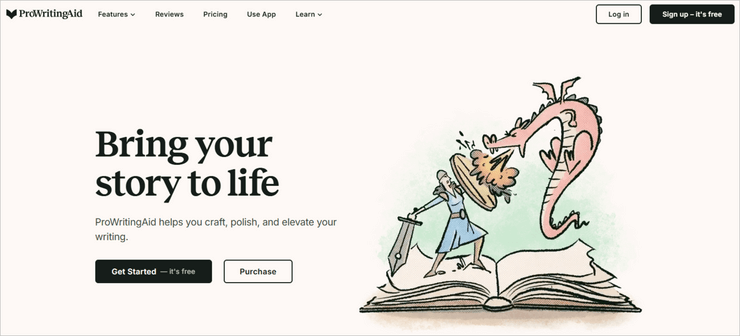
ProWritingAid is one of the most popular online applications as a punctuation checker and as a grammar checker.
After a quick sign-up, you can directly upload or paste your documents and then it works its wonders. ProWritingAid is also helpful with style and syntax correction. It also warns about repetitive words and the usage of passive speech.
All-in-all it gives you twenty in-depth writing reports with suggestions regarding cliches, alliterations, combos, plagiarism, semicolon checks, comma checks, etc.
ProWiritngAid can integrate with MS Word, Google Docs, OpenSuite, Final Draft, Scrivener, etc., it also identifies many cliches, which improves your writing. A special feature called ‘Echoes’ tells you where you have repeated sentences and phrases.
Features: Grammar checker, synonyms, style corrector, personal customization, in-depth data analysis, plagiarism analysis, diction, punctuation check, semicolon check, comma check.
Price: $30/month, $120/year, $699 for a lifetime.
#2) Grammarly

Grammarly is a free-to-use online writing assistant that can help you compose content that is free from spelling or grammatical errors. This AI-powered app automatically detects errors as you type and suggests actions to correct spelling mistakes and punctuation errors in real-time. The software also helps you correct the tone and style of your written sentences, thus helping you communicate more clearly.
Grammarly works well on both Windows and Mac devices. Plus, it also comes with a browser extension for Chrome, Firefox, Safari, and Edge. Grammarly can perform comprehensive proofreads without charging a dime. However, you can also benefit from extra privileges like an analytics dashboard, style guide, and plagiarism checker.>
Features: Spell and punctuation check, Full-sentence re-writes, Tone detection, Citations, Style guides, Analytics dashboard, and Brand Tones.
Price: Free forever, Premium: $12/month, Business: $15/member/month.
#3) Virtual Writing Tutor

Virtual Writing Tutor is a free online platform for both teachers and students alike. It is a punctuation checker application that provides easy access to various templates required for different write-ups.
While it provides all the necessary features like grammar check, plagiarism check, and so on, it also provides the students and the teachers with resourceful functions like an ‘Essay Outliner’ which gives an outline to your essay according to the voice one follows (whether it’s an opinion piece or argument and so on).
It also has a paraphrasing checker where it reviews the part you have paraphrased and whether it’s correct or not.
Features: Spell check, grammar check, plagiarism check, essay outliner, paraphrasing checker, comma checker, semicolon checker.
Pricing: Free.
#4) Ginger

Ginger is a good tool for a quick punctuation check, comma check, semicolon check, etc. Ginger provides detailed writing reports. It is easy to use and lets you paste your work directly on the home page.
The punctuation suggestions are fairly advanced, and there is also a lot of reading material on the website regarding different punctuation rules. The usual features include spell and grammar check, sentence-rephrasing suggestions, word count, sentence count, etc.
Ginger has its extensions on Chrome, Safari, and even Slack. It is good for non-native English speakers as well, as it lets you translate your text into 40 different languages. Users have detected problems with its desktop application.
Features: Useful dictionary, spell and grammar check, writing report, sentence-rephrasing suggestions, word count, sentence count, translation, punctuation check, comma check, semicolon check.
Pricing: $30/month, 90/year.
#5) Grammar Lookup

Grammar Lookup is very straightforward with minimum features. It is good for a quick punctuation check, semicolon check, or colon check (LOL). It is as simple as they come. The spelling and punctuation mistakes are underlined in blue and the phrasing errors or sentence improvements are underlined in red.
This platform charges no fee and has no features beyond what is mentioned below. It has a feature called ‘Deep Lookup’ which, when clicked, redirects you to Grammarly. It is funny, but then, ‘ whatever floats your boat ’, it isn’t charging anything.
Features: Spell check, punctuation check, comma check, semicolon check, and ‘Deep Lookup’ which redirects you to another site.
Pricing: Free
Website: https://www.grammarlookup.com/
#6) SEO Tools Centre

SEO Tools Centre is not just a punctuation checker, but a whole package of your website’s SEO requirements. Along with various SEO tools, it also provides features like sentence paraphrasing, rewriter, plagiarism checker, etc. The basic features like spell and grammar check, punctuation check, semicolon check, comma check, etc. are plentiful and can be accessed freely.
The spelling mistakes are highlighted in pink color, the possible typos and phrasing mistakes are highlighted in yellow, and the sentence improvements are highlighted in blue.
Features: Punctuation check, semicolon check, comma check, spell and grammar check, sentence rewriter and paraphraser, plagiarism check, and more.
Pricing: You have to contact the website for pricing.
#7) After The Deadline

After The Deadline lets you check your punctuation only if you download its software. After The Deadline is completely free software that is an advantage for someone just starting their career in blogging. After The Deadline provides grammar check, spell check, and all other features. It also has plug-ins for Chrome, Firefox, and even WordPress.
It is easy to use, and it can mark redundancy in your language. It can also suggest synonyms and improve your style. For commercial purposes, it offers free server software. Basic features also include semicolon check and comma check.
Features: Grammar check, spell check, redundancy check, a plug-in for Chrome, Firefox, and WordPress.
Pricing: Free.
#8) PaperRater

PaperRater is again a good punctuation checker. It has all the basic correction facilities like spell and grammar check, plagiarism check, style check, comma check, semicolon check, and so on.
It is famous due to its low prices of subscription. The platform is not made for hardcore stuff but can be used for regular write-ups. The process of submitting and getting your document is a bit lengthy and tedious. First of all, you have to go to another page to paste your write-up, then agree to the terms and conditions, and then it redirects you to another page where your report is ready.
Users have experienced that even after doing all this, proofreading is very basic as compared to other software.
Although you can choose the level of proofreading by selecting the level of ‘student grade’ while submitting a document, still, not everyone submits an essay or other academic documents. The online reading material, nowadays, should be understood by a 5th or 6th grader but be proofread by an expert. So, keep all these in mind.
Features: All basic editing resources. Also, every resource is automated even after the subscription. No expert help.
Price: $11/month or $71/year.
Website: https://www.paperrater.com/free_paper_grader
#9) Language Tool

Language Tool is another punctuation checker software. The specialty is that it lets you integrate its features in MS Word as well. The regular features are the same as other applications like Spell and Grammar check, style check, redundancy check, semicolon check, comma check, etc. With this, you can also double-click on a word to know its synonyms.
The Premium features include suggestions on style and tone, 60,000 words-per-text-field, and add-ons in Google Docs. Almost all the tools offered are designed to help with any kind of assignment: fiction or nonfiction. It also offers free Chrome extensions. Language Tool offers its proofreading software to business enterprises and companies for a decent price.
Features: Proofreading, style correction, tone correction, customizable dictionary, punctuation checker, semicolon checker, comma checker, and a personal cloud for saving documents.
Price: $59/year.
Website: https://languagetool.org/
#10) White Smoke

WhiteSmoke is not an online platform. To use its punctuation checker features you should download its desktop application or its extensions.
The special features of WhiteSmoke are that it offers several templates for research proposals, thank you messages, grant proposals, etc. WhiteSmoke also offers translation features for over 64 languages, which is good for people who want to convert their texts into English or are non-native English speakers.
Other regular features like spell and grammar check, punctuation check, semicolon check, and comma check are also provided. It is the cheapest of the paid punctuation checkers.
Features: Spell and grammar check, punctuation check, translation services, writing templates, semicolon checker, comma checker.
Pricing: $5/month, $6.66/month for Premium, $11.50/month for Business accounts.
Website: http://www.whitesmoke.com/punctuation-checker
#11) Writer

First of all, Writer looks cool, no doubt about that. The writer is easy to use and eye-friendly. Almost all issues are highlighted only in pink, which is good for the aesthetic, but it doesn’t differentiate between the issues. So, you can never be confident about what you did well, where you made silly mistakes, and what you need to work on.
The writer offers you an extension for Google Docs, Microsoft Word, and Google Chrome. The UI is more like Grammarly, so users comfortable with Grammarly can also try this. It awards you a free trial of 30 days. The good thing is that the free trial doesn’t require your credit card information.
Features: Punctuation check, semicolon check, comma check, spell and grammar check, style and tone check, etc.
Pricing: $11/month
Website: https://writer.com/punctuation-checker/
#12) Linguix

With Linguix, you get an AI-based writing tool that comes with browser extensions for Chrome, Edge, and Firefox. This is a platform all types of writers can use to write quality articles, blogs, and marketing material. The platform allows you to verify content for punctuation mistakes and other types of grammatical errors for free.
Not only that, the tool also arms you with underlined suggestions to fix your errors. You’ll be able to fix all grammatical and spelling errors detected with just a single click. The platform also assigns you a content quality score based on metrics like style, readability, and correctness. You can also count on Linquix for AI-driven sentence rewrites.
Features: AI-based, browser extensions, content quality score, spell and grammar check, sentence re-writes, multi-lingual support, and AI-powered paraphrasing.
Price: Pro Plan will cost $30/month whereas a lifetime plan will cost you $108. You can use the tool for free or also opt for the business plan by requesting a custom quote.
Website: https://linguix.com/punctuation-checker
#13) Course Hero
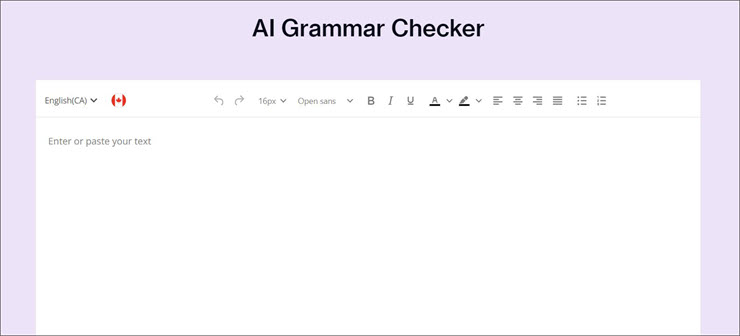
While Course Hero is known for being a platform that harbors study material, it is equally great at helping you proofread content. It is free to use and lets you check content for grammatical mistakes without putting any word limit restrictions. It can automatically detect and fix grammar errors. It can also detect spelling errors and suggest alternatives with the right word.
Course Hero also helps you maintain consistency throughout your produced content by helping you set a preferred English variant from 4 different options. You can also rely on Course Hero’s AI to completely paraphrase your content or produce an outline of it.
Features: Grammatical check, spelling check, AI paraphrasing, creating an outline, 24/7 expert tutor access.
Price: free to use. You can opt for the $9.95/month subscription (billed annually) to use the platform at its maximum potential.
Website: https://www.coursehero.com/
Frequently Asked Questions
How do you tell if a sentence is punctuated correctly?
You will probably be a good proofreader if you can make out if a sentence is punctuated correctly. The major thing is to see whether the sentence is complete and reads in the correct flow intended.
Can I get a free punctuation check?
Yes, this listicle contains many online and offline platforms that can do a punctuation check for free. Almost every proofreading platform offers a free punctuation and grammar check.
Will my text show up as plagiarized if I use an online punctuation checker?
Answer: No, as long as you have written your text in your wown ords, it won’t be called plagiarised. Also, the online punctuation checker platforms do not use your text elsewhere, so your text won’t get plagiarised.
Conclusion
In conclusion, many platforms can offer you a punctuation and sentence check. Every platform has its different features and values. Free software might not offer you expert help, while some are paid and still don’t offer expert help. Everything depends on the amount of time you want to spend on these platforms.
Platforms like Ginger can also be used offline from your desktop, while some online platforms also offer offline extensions to your Android or Apple IOS.
Be sure to choose what’s best for you.
Our Research Process:
- We have researched over 35 platforms to come up with this top ten list.
- The time taken to go through all these platforms was approx. 9 hours.
Hope it helps!
Was this helpful?
Recommended Reading
-

Here we review and compare the top online Grammar Checker and Sentence Checker Applications for comprehensive proofreading and speedy revision: An online grammar check is the fastest way to proofread your documents to save time and energy. Nowadays, there is no write-up that doesn’t go through a sentence checker application…
-
A Comprehensive List of Top Free Online Proofreading Tools with Features, Pricing, and Comparison. Select the Best Online Proofreader for Error-Free Writing: Imagine that you are writing a thesis for your degree and have toiled very hard to get it flowing well and drive your research to a powerful conclusion.…
-
Here we will go through various writing checker and free online apps that act as Best Essay Checker and Corrector for Online Proofreading: With software applications like MSOffice and LibreOffice already correcting your spelling mistakes, the only thing that was left includes grammar check, punctuation check, style check, tone check,…
-
Comprehensive Grammarly Review including Features, Pricing, and Comparison with Other Grammar Checking Tools. Includes Grammarly Premium Review as well: Proofreading is an age-old practice in the world of writing. As human beings are prone to error, it is obvious that their work will suffer from the same conundrum as well.…
-
Detailed Review & Comparison of the Top Grammarly Alternatives with Features & Pricing. Select the Best Alternative to Grammarly for Flawless Content: Grammarly is one of the most popular and widely used software tools for grammar checking, spell checking, and plagiarism checking. With Grammarly, your writing becomes flawless and simplified…
-
Here is a comprehensive review and comparison of the top Online Plagiarism Checker software with features to help you select the best Free Plagiarism Checker tool as per your requirements: Plagiarism is defined as copying the content and viewpoints of another without authorization. The term means presenting another's work without…
-
This In-Depth ProWritingAid Review includes Features, Pricing, and Comparison with Other Tools like Grammarly, Ginger & WhiteSmoke: You must have heard the phrase ‘Content is King’, quite frequently. While we cannot attest to the content being king, content, however, is imperative for the modern digital world to operate efficiently. This…
-
This Tutorial Explores the Best Writing Apps With Features, Cost, and Comparison To Help you choose the Creative Writing App per your Preference: Gone are the days when writing was merely a profession for journalists or novelists. Today, the Internet has opened doors to writers for both novices and experts…