


List of the Best Free Instagram Scheduler To Schedule Instagram Posts And Hashtag Suggestions:
What is Instagram Scheduler?
The Instagram Scheduler is an application that will allow you to schedule the posts and will automatically post the content. It will provide hashtag suggestions and analytics. These tools are used as an Instagram marketing tool.
This Instagram automation will provide smart scheduling that will suggest the optimal time to schedule the posting. This Instagram content planning solution will help you to keep your content fresh and stay consistent.


Benefits of Scheduled Instagram Posts
Scheduled Instagram posts will provide several benefits as stated below:
- With the help of an Instagram planner, you will save a lot of time. Instead of spending time on posting each day, you will be able to plan the Instagram auto-publishing of a handful of posts.
- These tools make it easier to publish.
- These Instagram marketing tools will let your photos have a similar filter, color palette, & captions and hence will help you to build consistency across your posts.
- With the help of Instagram automated publishing, you can post more frequently and thereby encourage engagement.
- It will help to find better captions.
- Scheduling Instagram posts will help you to create a balance with your posts. For Example, when you schedule, you will get to know if there are any similar type of photos back to back.
According to the research performed by Keap for small business marketing trends, 36% of the small businesses find social media marketing strategies useful. Businesses that don’t use these content marketing strategies may lose opportunities.
These marketing strategies are cost-saving and thus it is worth to invest time and effort into content marketing. This research states that content marketing will cost you 62% less than traditional marketing and will give 3 times more leads.
The image below depicts the social media platforms used by small businesses. It says that 24% of small businesses use Instagram for their marketing strategies.

Our TOP Recommendations:
 |  |  |
 | | |
| Circleboom | Semrush | Sked Social |
| • AI Content Generator • Auto posting • Best time to post | • Auto Posting • Performance Tracking • Analytical reporting | • Team Collaboration • Bulk Uploading • Photo editor |
| Price: $29.99/month Free Trial: 14 days | Price: $139.95 monthly Trial version: 7 days | Price: $25.00 monthly Trial version: 7 days |
| Visit Site >> | Visit Site >> | Visit Site >> |
List of the Best Free Instagram Schedulers
Enlisted below are the most popular Free Instagram Post Schedulers that are available in the market.
- Circleboom
- Semrush
- Sked Social
- Onlypult
- SocialBee
- Combin Scheduler
- Later
- Buffer
- Sendible
- ScheduGram
- ViralTag
- Iconosquare
- CoSchedule
- Planly
- Hootsuite
- eclincher
- Sprout Social
- Tailwind
- Inflact
Comparing Top Tools to Schedule Instagram Posts
| Best for | Platform | Features | Free Trial | Price | |
|---|---|---|---|---|---|
Circleboom | Small to large businesses | Web-based | AI post generator, hashtag generator, Auto poster | 14 Days | Pro: $29.99/month, Premium: $44.99, Business: $89.99/month, Enterprise: $249.99/month |
Semrush | Freelancers, startups, and small to large businesses. | Web-based | Analyze social performance, plan and schedule the posts across 5 social networks, etc. | Available for 7 days. | Pro: $139.95/month Guru: $249.95/month Business: $499.95/month. |
Sked Social | Small to large businesses. | Mac, PC, iOS, and Android. | Advanced Instagram Analytics, Social Media Calendar, Visual Instagram Planner, etc. | Available for 7 days. | Fundamentals: $25/month, Essentials: $75/month, Professional: $135/month, & Enterprise: $260/month. |
Onlypult | Small to large businesses & freelancers. | Web-based, iOS, & Android. | Image Editor, Video Editor, Analytics, Planner, Automatic post deletion, Working with several accounts at the same time, etc. | Available for 7 days. | Start: $10.50/month, SMML $17.50/month, Agency: $34.30/month, Pro: $55.30/month |
SocialBee | Freelancers, Small and Mid-sized Businesses, Digital Marketing agencies. | Web, Android, iOS | Bulk-Post Editor, Add tags and mentions, Grid View, Canva Integration. | 14 Days | Bootstrap Plan: $19/month Accelerate Plan: $39/month Pro: $79/month |
Later | Small to large businesses and individuals. | Accessible on Desktop or Mobile. Supports iOS and Android devices. Web-based. | Scheduling photos and videos Hashtag suggestions Instagram analytics, etc. | Forever free plan available for individuals. | Free, Plus: From $9/month, Premium: From $19/month, Starter: From $29/month, Brand: From $49/month, |
Buffer | Small to large businesses and Freelancers. | Windows & Mac | Scheduling Posts, In-depth social analytics, Advanced Reporting, Automation Rules, etc. | Free trial available for 7 days or 14 days, depending on the plan. | Publish: Starts at $15/month, Reply :Starts at $15/month, Analyze: $35/month. |
Tailwind | Freelancers, Small to Large Businesses | Web-Based | Hashtag Finder, Auto-Schedule posts, Content Discovery | Free-Forever Plan | Pro: $24.99/month, Advanced: $49.99/month, Max: $99.99/month |
Inflact | Freelancers, and Small and Medium Sized Businesses | Web-based | nstant Post Preview, Hashtag Generator, Schedule Posts to Publish in Bulk. | $3 For 7 day trial | Basic: $54/month, Advanced: $64/month, Pro:$84/month |
Let’s see the detailed review of each
#1) Circleboom
Best for small to large businesses.
Pricing: Circleboom offers 4 subscription plans. It cheapest plan will cost you $29.99/month. The Premium and Business plans will cost you $44.99 and $89.99/month respectively. The enterprise plan will cost you $249.99/month.
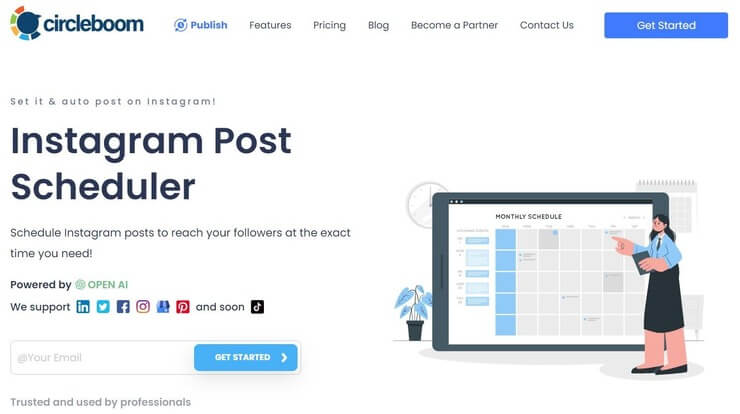
Circleboom is a software that’ll help you plan, design, and schedule your Instagram posts. You can schedule a batch of posts that’ll cover your Instagram activity for the whole week with this tool. Once you’ve set-up a post time, Circleboom will auto-post on Instagram at exactly the time you desired.
Circleboom truly stands out thanks to its AI-based post generator. You can rely on this tool’s intelligent AI to generate images, captions, emojis, and hashtags.
Features:
- Manage carousel posts for multiple accounts
- Auto Poster
- Instagram content calendar manager
- Hashtag generator
- REELS Scheduler
Verdict: With Circleboom, you get a whole lot more than a simple Instagram scheduler. You can use the tool to manage your entire marketing campaign on Instagram. From generating hashtags to managing carousel posts and creating professional posts, Circleboom can do it all.
#2) Semrush
Best for freelancers, startups, and small to large businesses.
Pricing: With Semrush, monthly subscriptions, as well as annual billing options, are available. It offers three pricing plans,
- Monthly plans new pricing: Pro plan $139.95 , Guru $249.95 , and Business $499.95
- Annual plans new pricing: Pro plan $1299.95, Guru $2499.95, and Business $4999.95
- A free trial is available for Pro and Guru Plans.

Semrush Social Media Tool will help you uncover your competitor’s social strategies. It provides functionalities to schedule and post to five social networks. It contains a built-in image editor, link shortener, & UTM builder. It can perform the benchmarking of your social performance and spot the best-performing content.
Features:
- Semrush Social Media Tool provides functionalities to automate posting, tracking, promotion, and analytics across major social channels.
- The tool has features to analyze your social performance.
- It will help you with planning and scheduling the posts across Facebook, Twitter, Instagram, Pinterest, and LinkedIn.
- It will let you save posts as drafts to use later.
Suggested Reading => Top Trending Social Media Scheduling Tools
Verdict: You can build the most effective social media strategy and analyze your social performance with Semrush Social Media Tool.
#3) Sked Social
Best for small to large businesses.
Pricing: Sked Social offers four pricing plans, Fundamentals ($25 per month), Essentials ($75 per month), Professional ($135 per month), and Enterprise ($260 per month).

Sked Social is the Instagram Scheduler that has functionalities for scheduling posts & stories, reposting, planning feeds, and analyzing results on autopilot.
You can schedule and auto-post Instagram stories easily. It doesn’t require any intervention for automatic posting of stories, images, or videos. The mobile app is available for iOS and Android devices.
Suggested reading =>> Best Instagram Story Viewers
Features:
- Sked Social has features to collaborate easily with team members.
- It supports various platforms like LinkedIn, Twitter, Facebook, and Instagram.
- It has a Drag & drop visual grid planner, bulk uploading facility, and powerful photo editor. It has a Hashtag manager.
- It provides robust reporting for Instagram.
Suggested reading =>> Best Photo Viewer Software
Verdict: Sked Social is a perfect solution for any team size to schedule and automatically post Instagram, Facebook, LinkedIn, and Twitter posts. It can provide historic Instagram insights for up to 2 years.
#4) Onlypult
Best for small to large businesses & freelancers.
Pricing: There are four pricing plans available with Onlypult, Start ($10.50 per month), SMM ($17.50 per month), Agency ($34.30 per month), and Pro ($55.30 per month). All these prices are for the annual billing option. The monthly payment option is also available. It can be tried for free for 7 days.

Onlypult is a social media management tool that can be used to post to social media, blogs, and messengers. It will help you to upload images and videos. It has features to support teamwork. You will be able to manage multiple accounts from one window at the same time. You will not have to switch users.
Features:
- Onlypult contains various features like a calendar, Hashtags, Analytics, Image & Video Editor, Planner, etc.
- It has features for scheduling posts and publishing them in real time.
- Delegation features will let you give your SMM manager access to publish without sharing a password.
- It will help you to analyze the best time to publish, the volume & growth of followers.
- You can analyze the most popular hashtags.
- It provides features to create multiple links and micro landing pages. This Builder will increase sales and manage your social media traffic.
Verdict: Onlypult is a platform that will let you work with various social media platforms like Facebook, Instagram, Twitter, YouTube, LinkedIn, etc. It provides various features and functionalities that will be more helpful to large teams like inviting colleagues to manage the account without granting access to the account.
#5) SocialBee
Best for Freelancers, Small and Mid-sized Businesses, and Digital Marketing agencies.
Price: Bootstrap Plan: $19/month, Accelerate Plan: $39/month, Pro: $79/month. 14 Day free trial is also available.

Perhaps the best aspect of SocialBee is its compatibility with almost all social media platforms out there and Instagram is no different. SocialBee can schedule, create, or reuse single-image posts, carousels, stories, or videos on Instagram. The software also arms you with a ton of tools that can be leveraged to incite engagement on the popular platform.
For instance, SocialBee allows you to create and schedule a comment, which would automatically be posted underneath your published content. You also get to add tags or mentions to your posts to maximize their reach. You also get to preview your Instagram Feed in real-time, thanks to SocialBee’s grid view feature.
Features:
- Schedule and Monitor Instagram Posts
- Automatic First Comment Posting
- Bulk Instagram Post Editor
- Grid View
- Built-In Media Editor
Verdict: SocialBee is a fantastic post-planning tool for Instagram that comes packed with features, which also includes a built-in design editor like Canva to help create all sorts of posts to boost your brand’s online presence on the popular media-sharing platform. This one is worth every penny you spend on it.
#6) Combin Scheduler
Best for Individuals and Small to Medium-sized Businesses.
Price: Free
Combin Scheduler is the platform for scheduling ahead and instant posting.
You will get fully automated publishing from the desktop. This content planning solution for Instagram will allow you to edit the image size. It supports Windows, Mac, and Ubuntu platforms. The users can also visually style their grid, thanks to the in-app mobile preview.
Features:
- Combin Scheduler has the features of image size editing, location & users tagging, hashtags & accounts mentioning, hashtags management, link in bio, and bulk stories uploading.
- The free plan is limited to one Instagram account management, 3 Instagram posts, and 15 stories per week.
- The free plan includes the features of location tagging, bulk image uploading, and link in bio.
- With the premium plans, you will get unlimited stories, posts, and unlimited users & location tagging.
Further Reading => Explore How to Find Likes on Instagram
Verdict: Combin Scheduler is an Instagram Marketing and Content Planning Solution that will help you to attract new Instagram followers. Auto-publish ANY content and is easy to plan and publish Instagram content due to its UI and drives traffic from Instagram bio.
#7) Later
Best for Individuals and Small to Large businesses.
Price: For Individuals, it is available for free forever. One other plan for individuals is Plus (Starts from $9 per month). It offers three plans for businesses i.e. Premium (Starts from $19 per month), Starter (Starts from $29 per month), and Brand (Starts from $49 per month).

Later is an Instagram Scheduler and Social Media Platform. It provides the platform for Scheduling, Instagram analytics, User-generated content, and Instagram stories. Later will allow the scheduling of photos as well as videos.
Features:
- Later provides functionalities for visual planning, scheduling, and analyzing posts for Instagram.
- The tool will let you preview your feed before posting.
- It can provide hashtag suggestions.
- You will get a visual content calendar.
Further reading =>> Social Media Content Calendar Tools
Verdict: Later can be used for Instagram, Facebook, Pinterest, and Twitter. It will provide Instagram analytics and Instagram hashtag analytics that will help you to know more about engagement rates, best times to post, etc.
Website: https://later.com/
#8) Buffer
Best for Freelancers and Small to Large businesses.
Price: Buffer offers a free trial for the product. The trial period differs according to the plan. Buffer has three plans under Publish label i.e. Pro ($15 per month), Premium ($65 per month), and Business ($99 per month). It offers Pro ($15 per month) and Business ($35 per month) plans to Reply. It has two more plans i.e. Pro ($35 per month) and Premium ($50 per month) with Analyze.
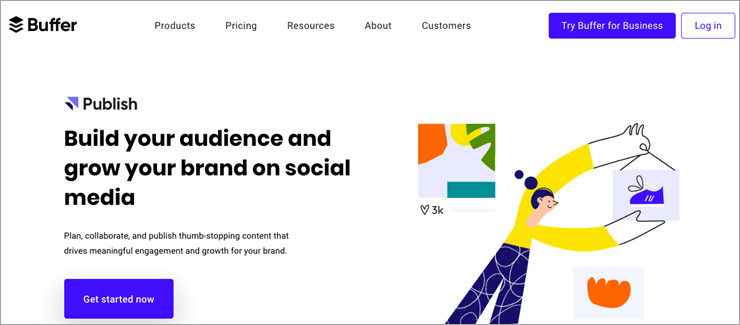
Buffer is the Social Media Management platform for scheduling posts, tags, automation rules, advanced reporting, in-depth social analytics, strategy recommendations, etc. It will let you create a preset publishing schedule for each social account. This platform will let you build your brand on your Instagram.
Features:
- Buffer provides the features and functionalities for crafting remarkable content such as drafting posts, coordinating with team members, and orchestrating social media marketing campaigns.
- You can plan posts in advance and get notifications to posts natively.
- It provides features for team collaboration. You will be able to work together with your team for drafting posts, approvals, staying in sync, and account management.
Verdict: Buffer is a platform for planning and publishing content on Instagram, Facebook, Twitter, Pinterest, and LinkedIn. It will help you to drive traffic and sales to your shop from your Instagram bio.
Website: https://buffer.com/
Recommended Reading => Know the BEST Time to Post on Instagram and Get More Likes
#9) Sendible
Best for Freelancers and Small to Large businesses.
Price: Sendible offers a free trial for 30 days for all the plans. It has four pricing plans i.e. Starter ($29 per month), Traction ($99 per month), Growth ($199 per month), and Large ($299 per month).
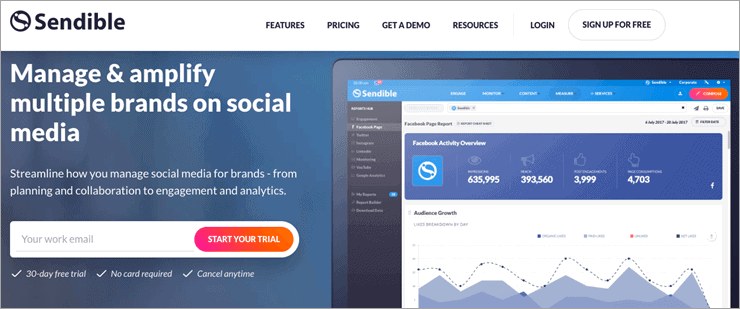
Sendible provides a social media management platform to manage and amplify brands on social media. For managing the brands, it provides functionalities for planning, collaboration, engagement, etc. It will allow you to schedule posts individually, in bulk, or queue.
Features:
- Sendible provides the features of custom reporting. It provides insights for the most engaging content, optimal posting times per network, web traffic, etc.
- The tool will allow you to send reports automatically to key stakeholders, team members, or clients on a daily, weekly, or monthly basis.
- You can organize your work by setting up individual dashboards for the clients.
- In a scheduled view, you will get to see all the posts saved as drafts or the posts that are pending approval.
- It provides the facility to preview the posts before publishing. These features will help you with personalizing text, finding the right text length, and making sure that your pictures are looking dazzling.
Verdict: You can optimize the images and oversee the posts in the calendar view from a single platform. Sendible is the platform with features of the dashboard, publishing, collaboration, and analytics.
Website: https://www.sendible.com/
Also Read => Do you know How to Post on Instagram From Your PC
#10) ScheduGram
Best for Small to Large Businesses.
Price: Sked Social offers a free trial for 7 days. Sked Social has five pricing plans i.e. Freelancer ($25 per month), Marketer ($75 per month), Agency ($135 per month), Enterprise ($260 per month), and Custom (Get a quote).

ScheduGram is now known as Sked Social. It has features and functionalities for visually planning and scheduling Instagram posts and stories. It has Instagram video auto-posting, Instagram story auto-posting, user & location tagging, image editor, board scheduling, etc.
Further Reading => List of the TOP Private Instagram Viewer
Features:
- Sked Social is the platform for automatically posting stories, carousels, images, videos, etc. on Instagram, Facebook, or Twitter.
- It provides features for bulk posts and story uploads.
- It has a social media calendar with the facility to drag and drop posts and drafts to plan accordingly.
- Sked Social provides the post-approval collaboration features that will help you with Instagram Marketing.
- You can create the workflow for content approval processes.
Verdict: Sked Social is the tool for Instagram Automated Publishing and has the features to be used as an Instagram marketing tool. You can schedule unlimited posts. You schedule your stories and the tool will automatically post them.
Website: https://skedsocial.com/
#11) ViralTag
Best for Small Businesses, Individuals, and Brands.
Price: ViralTag offers a free trial for 14 days. It has three pricing plans i.e. Individual ($24 per month), Small Business ($79 per month), and Brand (Starts at $249 per month). All these prices are for annual billing.

ViralTag is the Instagram Marketing tool for sharing visuals. You will be able to schedule posts at the optimal time. It can be used for all the major social networks such as Instagram, Pinterest, Facebook, Twitter, Tumblr, and LinkedIn. It will let you plan for an entire week or even the entire month.
Features:
- ViralTag provides the features of Team workflows, Google Analytics, UTM Tracking, and Social Analytics with 30 days to a one-year history.
- It can be directly connected to Google Drive and Dropbox for the bulk content.
- It will be easier to customize the message and image dimensions for every social network and create unique posts for each one.
- ViralTag provides various tools to curate and create visual content.
Verdict: ViralTag is an all-in-one platform for managing multiple social networks, scheduling unlimited posts, recycling content, collaborating with the team, and analyzing performance. It has the capacity to automatically recycle your content. It will allow you to upload, edit, and schedule posts in bulk.
Website: https://www.viraltag.com/
#12) Iconosquare
Best for Freelancers and Small to Large businesses.
Price: Iconosquare provides a free trial for 14 days. It offers three pricing plans i.e. Pro ($29 per month), Advanced ($59 per month), and Agency (Get a quote). All these prices are for annual billing. It also offers Monthly billing plans.
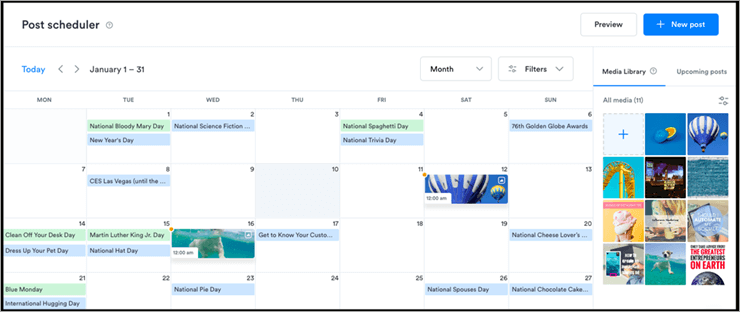
Iconosquare is the platform that will provide insights and management tools to help you grow your Instagram and Facebook presence. It is the platform for brands and agencies. With increased efficiency, you will be able to manage your social media presence from a single platform.
Features:
- Iconosquare will provide you with multi-profile management from a single dashboard. This feature will let you add multiple social profiles for various brands and companies.
- It will automatically publish your content.
- It has built-in features like the Best time to Post, Geo-location, User Tagging, etc.
- It has the features to ensure that the content reaches the right people at the right time.
- It provides XLS and PDF reports.
Verdict: This platform will help you maximize social media performance through intelligible analytics. It will let you customize the dashboard for the metrics that are important to you.
Website: https://pro.iconosquare.com/
#13) CoSchedule
Best for Small to Large Businesses.
Price: CoSchedule provides a free trial for 14 days. Marketing Suite plans start at $150 per month. Content Organizer starts at $60 per month. It also offers Editorial Calendar plans, Individual ($20 per month), and Startup ($50 per month). CoSchedule offers pricing plans for Work Organizers, Social Organizers, and Asset Organizers.
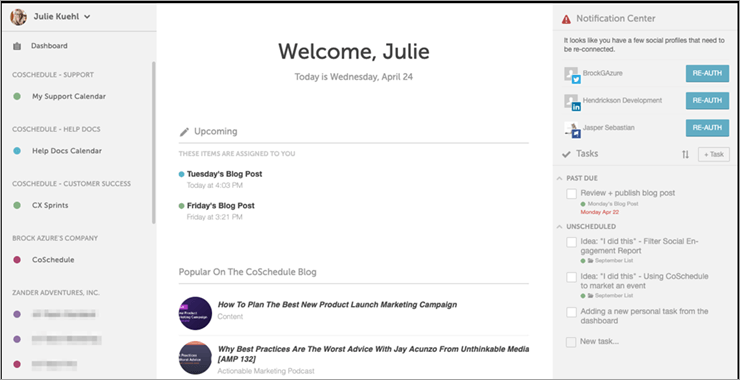
CoSchedule provides a set of agile marketing tools. Social Organizer is the social media management platform provided by CoSchedule to help you plan, schedule, publish, automate, engage, and measure all social activity. It will help to maximize the social reach.
Features:
- CoSchedule will automatically publish the posts at the highest traffic times.
- The tool provides the facility to save each schedule and apply the reusable template to populate your calendar.
- Best messages can be set on autopilot. You can auto-fill your social calendar with the best messages.
- It provides social media analytics to help you validate your social media strategy.
Verdict: CoSchedule will let you draft and schedule related messages for all your accounts. You will be able to update the entire publishing schedule easily using the drag-and-drop facility.
Website: https://coschedule.com/
#14) Planly
Best for small and large social media agencies, influencers, and entrepreneurs.
Price: You can use Planly for free forever. Planly has 3 paid plans: Starter ($15 per month) for content creators and small teams, Pro plan ($40 per month) for marketing teams, and Guru plan ($80 per month) for large teams who manage multiple social channels. Each plan comes with a 14-day free trial.
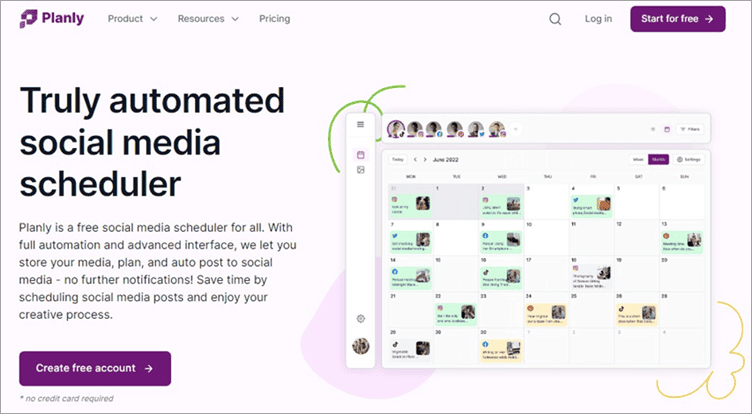
Planly is a social media scheduler tool with an advanced interface. Social media includes Instagram. With the plan, it is possible to schedule Instagram posts, carousel posts, reels, and first comments. At the same time, when you schedule Instagram posts with Planly, no notifications are sent to you.
Features:
- Smart post scheduling and in-depth Analytics across 8 social media platforms.
- Optimal timing for sharing posts.
- AI Content Assistant.
- Hashtag suggestions to enhance post visibility.
- A user-friendly add-to-bio tool for easy digital portfolio creation.
- Seamless integration with Unsplash, Dropbox, and Google Drive.
Verdict: Planly allows you to schedule posts on multiple social media platforms simultaneously in seconds. It is possible to schedule social media platform posts like Instagram, TikTok, Twitter, Facebook, Linkedin, and Pinterest and their special features with Planly.
#15) Hootsuite
Best for Freelancers and Small to Large businesses.
Price: Hootsuite offers four pricing plans i.e. Professional ($29 per month), Team ($129 per month), Business ($599 per month), and Enterprise (Get a quote). It offers a free trial of 30 days for professional and team plans.
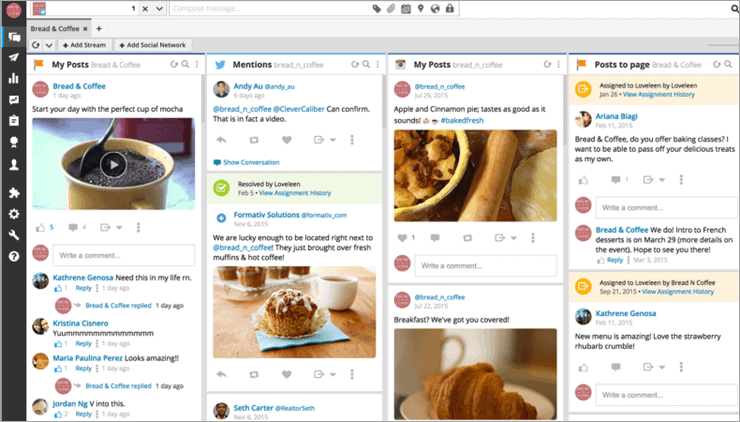
Hootsuite will help you to keep your social presence active 24*7 through the automatic scheduling of social media posts. It has functionalities for scheduling, content curation, social analytics, and monitoring.
Features:
- Bulk Scheduling facility provides the features of uploading, editing, and scheduling social media posts in CSV format.
- It provides an interactive, media-rich planner that will let you see your scheduled posts at a glance, streamline approvals, and collaborate with your team in real-time.
- For content curation, it provides features like creating search streams by hashtag or location and content library.
Verdict: Hootsuite will let you connect with over 35 popular social networks. It will allow you to export the reports in Excel, PowerPoint, PDF, and CSV formats.
#16) eclincher
Best for Agencies, Franchises, and Small & Mid-sized enterprises.
Pricing: eclincher comes with three plans. The pricing starts at $59/month for the basic plan, $119/month for the premier plan, and $219/month for the Agency plan.

eclincher arms you with all the tools you need to schedule and automate your posts on Instagram and get the most out of your campaign on the platform. eclincher stands out among its contemporaries, thanks to its visual calendar that facilitates simplified planning, creating, and scheduling of content, all in a single robust platform.
Features:
- Auto-Post with Smart Queues and RSS Feeds.
- Add and tag posts to the campaign to easily analyze end results.
- Upload and schedule content in bulk.
- Rearrange Instagram posts with Drag-and-Drop capabilities.
Verdict: If you seek a tool that allows you to stay on top of your launched Instagram marketing campaign with a comprehensive suite of tools to plan, engage and analyze posts, then you will find plenty to admire in eclincher.
#17) Sprout Social
Best for Freelancers and Small to Medium businesses.
Price: Sprout Social offers a free trial for 30 days. It has three pricing plans i.e. Standard ($99 per user per month), Professional ($149 per user per month), and Advanced ($249 per user per month).
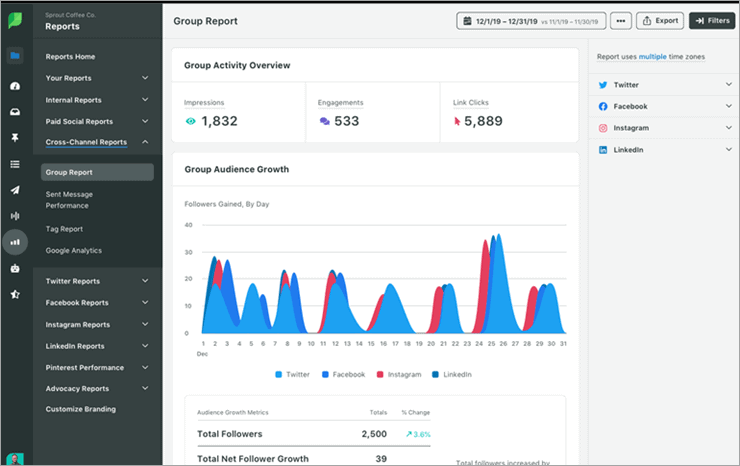
Sprout Social is a tool for publishing, scheduling, drafting, and queuing posts. You will be able to plan, organize, and deliver social content and campaigns with cross-network scheduling. It will help you with review management, and monitoring of profiles, keywords, and locations.
Further Reading => Most Popular LinkTree Alternatives to Look For
Features:
- Sprout Social provides paid social reporting for Instagram, Facebook, Twitter, and LinkedIn.
- It provides features like incoming and outgoing message content tagging, custom workflows for multiple approvers & steps, saved & suggested replies, digital assets, and content library, etc.
- It provides conversation management of tracking campaign performance, identifying, personalizing and responding to incoming messages quickly.
Verdict: Sprout Social suggests the optimal time for publishing the post which indeed will increase the content reach by 60%.
Website: https://sproutsocial.com/
#18) Tailwind
Best for Freelancers and Small to Large businesses.
Pricing: Tailwind provides a free trial for the product. For Instagram, Tailwind will cost you $9.99 per account per month.

With Tailwind, you will be able to plan your Instagram feed through 9 grid preview. It will allow you to schedule the weeks of Instagram posts. It can be used on a desktop, mobile app, or tablet.
Tailwind provides actionable insights to learn faster, dive deeper, and monitor trends. It has a drag-and-drop smart calendar that can schedule Instagram posts, stories, and videos automatically. You can choose the specific dates and times for posting.
Features:
- Smart schedule that will pick the time when your audience is most engaged.
- It has features for scheduling posts, analyzing trends, discovering content, monitoring comments, and tracking results.
- It has a Hashtag Finder that will recommend you the hashtags to be used in your posts.
- It will be easier to drop pre-saved lists of hashtags into posts.
Verdict: Tailwind is the all-in-one platform for smart and easy Instagram scheduling. It supports scheduling of photos as well as video.
Website: https://www.tailwindapp.com/
#19) Inflact
Best for Freelancers and Small and medium-sized businesses
Price: Inflact can be used for 7 days with $3 trial plan. Its premium plans are as follows:
- Basic: $54/month
- Advanced: $64/month
- Pro: $84/month
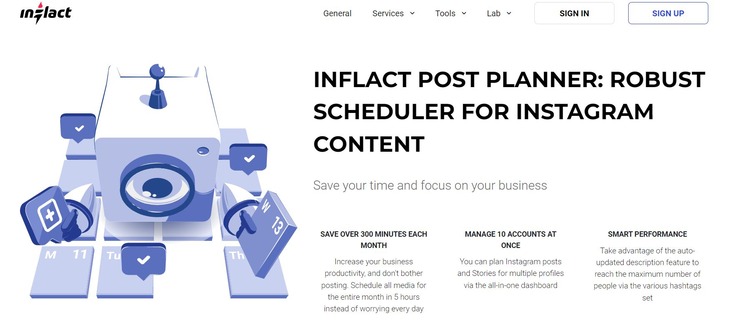
Inflact is an easy-to-use Instagram scheduler that you can use to schedule posts for an entire month in just a few hours. You get a centralized dashboard that can be leveraged to plan Instagram posts and story content for multiple accounts. Plus, you can also count on the platform to find trending hashtags relevant to your content to reach as many people on Instagram as possible.
Features:
- Instant Post Preview
- Hashtag Generator
- Schedule Posts to Publish in Bulk
- Manage up to 10 Instagram profiles with one platform
Verdict: Inflact is an Instagram marketing tool that allows you to curate and schedule content without any limits. It is a tool ideal for social media marketers who wish to tap into Instagram’s promising user base.
Conclusion
Making use of the Instagram Scheduler will save a lot of time and help you to become more consistent across posts. It will help you to maintain the balance with your posts.
The Combin Scheduler is our top recommendation.
The Later, Tailwind, Buffer, and Hootsuite are also best Instagram content planning solutions.
These content planning solutions for Instagram are available in the price range of $7 to $599 per month. Combin Scheduler and Later offers a free plan. Hootsuite has expensive pricing plans when compared to others whereas Combin Scheduler, Later, and Tailwind offer cost-effective plans.
Further reading =>> Top tools to download FB Videos
We hope this article will help you to find the right Instagram planner that fits your needs.
Our Review Process:
- Time Taken To Research This Tutorial: 23 Hours
- Total Tools Researched: 16
- Top Tools Shortlisted: 11
Was this helpful?
Recommended Reading
-

Are you a captivating Instagrammer seeking to know how to find likes on Instagram? Read this tutorial to know how to see likes along with their significance on an engagement-based platform: It is almost hard to explain the appeal of “Likes” on social media. I remember someone aptly describing it…
-
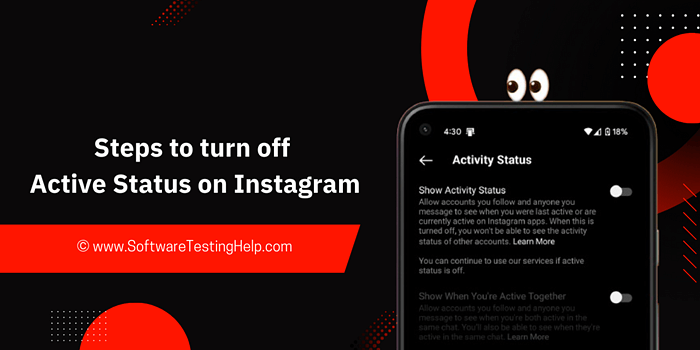
Discover the simple steps to disable active status on Instagram. Get educated on how to turn off Active Status on Instagram from this quick and easy guide: Most social media platforms today have a feature that shows when a user was last online or active on the platform. This new…
-

Be it Reels, Videos, Instagram Stories, or If You Want to Go Live, here you will get to know about the Best Time to Post on Instagram for More Likes: It's no secret that you need to create and populate your Instagram feed with intriguing content to gain more followers…
-
A quick compilation of the steps on how to mute someone on Instagram. Explore the multiple ways to unmute someone's Instagram story & also see what happens when you mute someone on Instagram: Instagram is a great platform to share pictures, showcase creativity, and stay connected with friends and family.…



Great article. I’m an aspiring blogger. Already stories, publications, live broadcasts do. But there is no result. I have no interaction with my subscribers. I’m thinking of buying organic subscribers, so that there will be some movement. Can you tell me where I can order such a service?