


Review, compare and select from the Best Spotify to MP3 music downloaders to download Spotify songs and music playlists:
Whether you are a fan of music or like listening to music occasionally, there is a good chance that you are familiar with Spotify. After all, it is undeniably the biggest audio streaming platform in the world, housing a limitless catalog of songs from a diverse range of genres and artists.
Today, the popular platform harbors over 155 million premium subscribers, with 345 million active users every month.
Table of Contents:
- Spotify to MP3 Converter
- List of the Best Spotify To MP3 Converter
- Comparing Best Spotify Playlist Downloader
- #1) YT Saver Spotify Music Converter
- #2) Allavsoft
- #3) Sidify Music Converter
- #4) NoteBurner Spotify Music Converter
- #5) Cinch Audio Solutions
- #6) AudFree
- #7) TunesKit Spotify Converter
- #8) SpotiKeep
- #9) AllToMP3
- #10) Audials
- #11) Leawo Music Recorder
- #12) PPTube Spotify Downloader
- #13) HitPaw Spotify Music Converter
- #14) DumpMedia
- #15) TunePat Spotify Converter
- #16) TuneFab Spotify Music Converter
- #17) MuConvert Spotify Music Converter
- #18) DRmare
- Other Spotify To MP3 Converters
- Frequently Asked Questions
- Conclusion
Spotify to MP3 Converter

It provides the users a convenient platform to search for ad listen to their favorite music. However, the app has some restrictions.
Although Spotify allows users to download music for offline playback, you can only do so on an authorized device or player. For instance, if you want to download Spotify songs to play them later on a local computer, you will fail.
It is also virtually impossible for Spotify users to burn their favorite songs to CDs as well. So the question arises- ‘Is it even possible for users to play Spotify tracks offline on a separate device like an MP3 player? The answer is a resounding yes! All you need is a reliable Spotify to MP3 converter that will successfully do the trick.
Further Reading => How to Find Your Spotify Wrapped
In this article, we will introduce you to the top tools to answer the question – ‘how to download Spotify songs?’ These are some of the best software being used today to download music from Spotify.
Pro Tips:
- It is imperative for the converter to be easy to install, easy to use, and have a user-friendly interface.
- These tools must guarantee good output audio quality of the downloaded Spotify music.
- Although the MP3 format will be compatible with most devices, it is wiser to go with a tool that offers conversion in multiple audio output formats.
- Choose a tool that exhibits faster conversion speed. It should be capable of downloading entire playlists from Spotify at an incredible speed.
- There is free and premium software out there that helps you download Spotify music. Go for freeware if you cannot afford to pay a premium fee. However, if you can afford a premium subscription, then we will advise you to go for it to enjoy some advanced features and faster conversion speed.

List of the Best Spotify To MP3 Converter
Following are some of the best Spotify to MP3 converters in the market today:
- YT Saver Spotify Music Converter
- Allavsoft
- Sidify Music Converter
- NoteBurner Spotify Music Converter
- Cinch Audio Solutions
- AudFree Spotify Music Converter
- TunesKit Spotify Converter
- SpotiKeep
- AllToMP3
- Audials
- Leawo Music Recorder
- PPTube Spotify Downloader
- HitPaw Spotify Music Converter
- DumpMedia
- TunePat Spotify Converter
- TuneFab Spotify Music Converter
- MuConvert Spotify Music Converter
- DRmare
Comparing Best Spotify Playlist Downloader
| Name | Best For | Fees | Ratings |
|---|---|---|---|
| YT Saver Spotify Music Converter | Excellent Spotify Music Converter can convert Spotify playlist to MP3 320kbps without losing any quality. | Free trial with 3 Songs download 1-month for $9.95 1-year for $25.95 Lifetime for $39.95 |  |
| Allavsoft | Batch Spotify Music Conversion | Free Trial with Limited Features, $19.99. |  |
| Sidify Music Converter | Fast and Easy Spotify to MP3 Conversion | Free version with limited features available, One Time license – $14.95. | |
| NoteBurner Spotify Music Converter | Fast Spotify Audio Conversion without Loss of Quality | Free Trial with Limited Features, $14.95 for a license. | |
| Cinch Audio Solutions | Spotify Streaming Recording | Free | |
| AudFree | Visually Arresting UI | Free Version Available, $14.95/month, $49.95/year, $99.95 for lifetime license. | |
| DRmare | Downloading Spotify Music Library for free | Monthly License: $14.95, Quarterly License: $29.95 for 3 months, Lifetime License: $79.95 |  |
Best Spotify Music Downloader review:
#1) YT Saver Spotify Music Converter
Best for excellent Spotify Music Converter can convert Spotify playlist to MP3 320kbps without losing any quality.
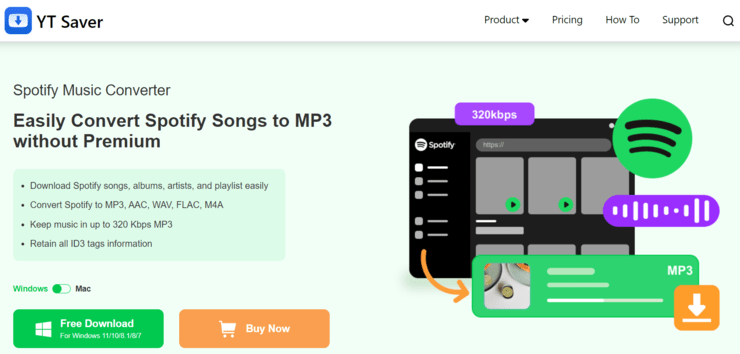
YT Saver Spotify Music Converter will be feasible to convert Spotify to MP3 and other audio formats, such as WAV, FLAC, OGG, and M4A. By converting songs from Spotify, you are able to preserve the ID3 tags and keep the original quality of the songs.
Moreover, YT Saver Spotify Music Converter has a built-in Spotify Web Player, so you can directly save Spotify music with or without login. Just find the URL of the desired music, and click download! Batch conversion offers an excellent experience to convert Spotify playlists to MP3 with one click.
Features:
- Convert Spotify songs, albums, artists, and playlists easily.
- Convert Spotify to MP3, AAC, WAV, and FLAC.
- Keeps all the original information in ID3 Tags.
- 10x faster conversion speed saves the download time.
Verdict: YT Saver Spotify Music Converter comes highly recommended since it is straightforward to use even for beginners and offers plenty of time-saving features including batch conversion, 10X faster conversion speed, and auto-detect music playlists. Additionally, it can actually make it easier for you to listen to Spotify music without any quality loss!
Price: YT Saver Spotify Music Converter provides a free version with 3 files download.
Unlock the unlimited files download with the plan:
- 1 Month for $9.95
- 1 Year for $$25.95
- Lifetime for $39.95
#2) Allavsoft
Best for batch Spotify music conversion

Allavsoft is a video/audio converter that allows you to convert Spotify to MP3 in two simple steps. You copy and paste the track you want to be converted, then simply click the download button to have the Spotify track be downloaded in MP3 format by default. You can also convert the track into other audio formats as well, such as AC3, WAV, WMA, and more.
Allavsoft also shines because of its batch download and conversion feature, with which you can download or convert multiple Spotify tracks in one go. You can also pause and resume your conversion process any time you like. Ultimately, this is an ideal software to download Spotify playlist.
Features:
- Batch conversion/download
- Preview files
- Supports multiple audio formats
- Breakpoint resume
Verdict: Allavsoft excels because of its simple two-step conversion process and the ability to download audio and video files from over 1000 content streaming sites online. Thanks to its batch conversion feature, this software is a great Spotify Playlist Downloader.
Price: Free trial is available with limited features. One month subscription costs $19.99 for 1-2 PCs.
#3) Sidify Music Converter
Best for fast and easy conversion.

Sidify is another software that follows the same formula applied by NoteBurner to help users convert their favorite Spotify tracks to MP3. You can convert your favorite track in three steps from Sidify at a speed that is five times faster than most traditional conversion tools.
After conversion, the software also allows you to keep track’s original ID3 tags as well as get the audio converted with no loss in quality.
To convert Spotify music in Sidify, simply select the music, podcast, or radio you want to convert from Spotify. You can alternatively opt to drag and drop the title in the software. Upon selecting, choose the output quality you desire and select the output format as MP3.
Finally, click on ‘Convert’. The software is also constantly updating itself to remain compatible with the latest changes in Spotify.
Features:
- Convert in multiple audio formats
- 5 times fast conversion speed
- Drag-and-drop mechanism
- Keep ID3 tags
Verdict: Sidify is an easy-to-use audio downloader/converter that is compatible with not only Spotify but other prominent audio streaming platforms like Amazon Music and iTunes. The software exhibits a conversion speed that is 5 times faster than traditional conversion tools and converts audio without losing its original audio quality.
Price: Free version with limited features is available. One Time license costs $14.95.
Website: https://www.sidify.com/
#4) NoteBurner Spotify Music Converter
Best for fast Spotify audio conversion without loss of quality.

NoteBurner is a user-friendly platform that allows you to not only convert Spotify tracks into MP3 files but also convert them into an array of popular audio output formats.
You can use this software to convert any podcast, radio, or song found on Spotify into a format you desire, which includes MP3, AAC, WAC, AIFF, and FLAC. You can enjoy the converted audio on any offline device of your choice.
The latest version of NoteBurner offers a conversion speed that is 5 times faster than its previous versions. The audio undergoes the conversion process without losing its original audio quality. For conversion, simply select the song or Spotify playlist you want to convert, select the output format and quality and click ‘Convert’.
Features:
- Faster audio conversion
- Convert in multiple audio output formats
- Drag-and-drop
- Burn music to CD
Verdict: NoteBurner allows you to convert Spotify tracks to MP3 or any other format you prefer at an incredible speed. There is zero loss of quality when audio undergoes conversion in this software. Its simple three-step conversion process with a convenient drag-and-drop option makes it a very user-friendly converter.
Price: Free trial is available with limited features, $14.95 for a license.
Website: https://www.noteburner.com/sp-music-converter-for-windows.html
Further Reading => Review of the BEST Apple Music to MP3 Converter
#5) Cinch Audio Solutions
Best for Spotify streaming recording.

Cinch is a useful audio recorder that can record audio from streaming Spotify music with a zero loss in audio quality. The recorded audio can then be modified to create a ringtone or play the recorded audio on other offline devices.
Cinch Solutions also detects ads running on a Spotify stream and filters it out automatically so you can enjoy ad-free recorded music. Perhaps its most compelling USP is its ability to convert Spotify music to MP3 in one click.
You Launch Cinch Solutions, record the Spotify Audio by clicking the giant yellow record button on its interface. It will save automatically the recorded video in MP3 format as it is set as the default output.
Features:
- One-click Spotify to MP3 conversion
- Spotify ad filter
- Make ringtone out of recorded audio
- Automatically capture Id3 TAGS
Verdict: Cinch Solutions is an audio recorder that seamlessly records music from an ongoing Spotify stream without any loss in quality. You don’t have to worry about MP3 conversion, as the software records Spotify tracks in MP3 format by default, thus helping users save time on conversion.
Price: Free
Website: https://www.cinchsolution.com/cinch-audio-recorder/
#6) AudFree
Best for visually arresting UI.

AudFree is a Spotify music downloader/converter with a distinct visual appeal. Apart from being good to look at, the software also harbors all the tools you will need to convert Spotify to MP3. The conversion process can be executed within 2 simple steps. You can also convert audio at an incredible speed without losing its original quality.
The software also allows you to adjust the quality of your converted Spotify music. You can also edit the ID3 tags, bit rate ratio, and sample rate as well. The software also hands you the tools needed to organize your music library according to album title and artist name.
Further Reading => Most Popular MP3 Players to Look For
Features:
- Super fast conversion speed
- Conversion into multiple audio formats without quality loss
- Edit and adjust the output quality
- Music library organizer
Verdict: AudFree is a full-fledged offline Spotify music downloader that allows you to quickly convert Spotify music to MP3 without loss in quality while also helping you adjust the output quality and other parameters. It also distinguishes itself from other tools on this list because of its attractive design.
Price: Free version is available. It costs $14.95/month, $49.95/year, $99.95 for a lifetime license.
Website: https://www.audfree.com/spotify-music-converter-win/
#7) TunesKit Spotify Converter
Best for easy Spotify music download and conversion.

TunesKit Spotify Converter allows you to capture Spotify tracks and convert them to MP3 in no time. It exhibits impressive conversion speed and gets the job done without loss in quality. The software also helps users organize their music library by artists or album title.
The conversion process requires you to either drag and drop a file or import a Spotify track into its interface. After importing the file, simply select the output format, adjust the quality, and hit the ‘Convert’ button to convert the Spotify track.
Features:
- Fast conversion
- No loss in quality
- Organize Music Library
- Adjust output quality and other parameters before conversion.
Verdict: TunesKit is a simple software that offers all the features you will need to conveniently capture and convert a Spotify track to MP3. You can start and be done with the conversion process in three simple steps, with the end result matching the original Spotify file in quality.
Price: Free version is available. It costs $14.95 for a premium plan.
#8) SpotiKeep
Best for Spotify Digital Rights Management (DRM) Removal.

SpotiKeep was designed keeping Spotify in mind and its many features testify to this characteristic. The software can download songs, podcasts, and entire playlists from Spotify. The software solves legality issues by easily removing DRM protection from all Spotify music when downloading a Spotify track.
Apart from this, the software exhibits incredible speed when converting videos, ensures the converted audio matches the original file regarding quality, and keeps the ID3 tags intact when downloading the Spotify track for offline use.
Features:
- Easy DRM Removal
- Convert audio in multiple formats
- User-friendly interface
- Lossless audio quality
Verdict: SpotiKeep works well as a complementary tool to Spotify with its many Spotify-centric features. From conversion to batch download, the tool does it all with utmost efficiency. It particularly excels because of its ability to easily remove DRM protection from any Spotify software.
Price: Costs $19.95 for a one-time license
#9) AllToMP3
Best for free Spotify to MP3 converter.

AllToMP3 is free-to-use software that performs the bare minimum functions required to convert Spotify music to MP3. You can convert a Spotify file to MP3 or download a Spotify track in two simple steps. Import the Spotify tracks you want to convert and select ‘Convert’ to execute the task.
The conversion speed is impressive and there is no loss of quality with the converted file. Apart from Spotify, the software is compatible with other platforms like YouTube and Sound Cloud as well.
Features:
- Clutter-Free UI
- Fast conversion speed
- Batch conversion
- Simple two-step conversion
Verdict: ALLToMP3 works because of its simple design, which facilitates an easy Spotify to the MP3 conversion process. Users who want other features specific to Spotify Offline download will be disappointed with the tool. However, if you are looking for a free tool that will help you convert a Spotify track to MP3, then ALLToMP3 will suffice.
Price: Free
#10) Audials
Best for lightning-fast Spotify to MP3 conversion.

Audials is a by-the-numbers Spotify Music Downloader/Converter that performs all the functions you expect from tools that specialize in audio conversion. It can capture and convert Spotify audio, podcast, and playlists in MP3 and other popular audio formats.
The software can easily download content from Spotify in Ultra HD quality. It exhibits a conversion speed that is 30 times faster than most traditional audio converters.
Features:
- Fast conversion speed
- Drag-and-drop mechanism
- Lossless audio quality
- Convert in multiple audio formats
Verdict: Audials offers a multitude of basic and advanced features to make the process of conversion more convenient for users. Apart from conversion, it helps you organize files, manage duplicate versions of files, and transfer music to offline devices. The software earns its place on this list because of its impeccable conversion speed.
Price: 39.90 USD
#11) Leawo Music Recorder
Best for recording Audio from Spotify.

Leawo is an intuitive audio/music recorder that allows you to record audio or music from multiple sources apart from Spotify. The tool can record original audio from a streaming Spotify track without losing its original quality. The recorded audio is saved automatically in MP3 format unless you choose another output format to save your recorded audio.
The software also helps users record audio with the task scheduler to preset the start and end time of recording. Leawo also automatically splits or filters songs upon preset time duration.
Features:
- Schedule start and end time of audio recording
- Split or Filter songs
- Manually edit recordings
- Customize downloaded playlists
Verdict: Leawo Music Recorder allows you to indulge in the high-quality recording of songs, podcasts, and playlists from Spotify. All you have to do is record the Spotify track and Leawo will save it in MP3 format by default. There are tons of other impressive features here as well that together add to a user’s experience.
Price: Free trial is available with limited features, $19.95 for a one-time license.
#12) PPTube Spotify Downloader
Best for easily batch converting and downloading Spotify music library at a high speed without losing quality.
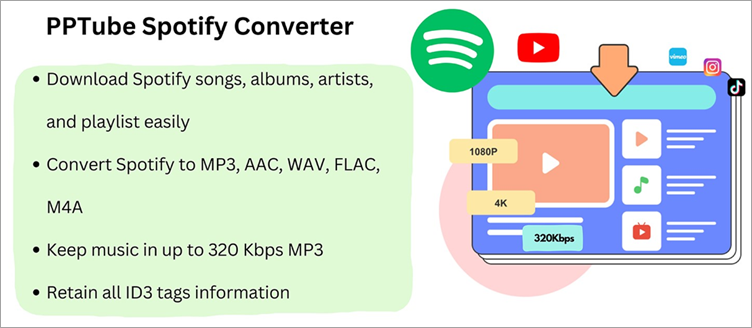
PPTube Spotify Music Downloader is a wonderful and powerful music converter and downloader to help you dive into a seamless listening experience. You can convert your favorite music tracks from Spotify in MP3 and other available formats at a ten times higher speed, which is relatively faster than other conversion tools.
Once downloaded, the PPTube Spotify Music Downloader lets you download your converted files in a few seconds. But the software isn’t only compatible with Spotify. Instead, it can download music tracks from other apps, too, like ReverbNation, SoundCloud, Deezer, Bandcamp, TIDAL, Apple Music, MixCloud, and more.
PPTube Spotify Music Downloader supports downloading videos and music from 10000+ sites like Facebook, YouTube, Spotify, Apple Music, Instagram, Dailymotion, SoundCloud, Vevo, Vimeo, TikTok, Niconico, Bilibili, etc., with one click, and its intuitive user interface requires no steep learning curve to handle the whole process.
Features:
- Download songs, playlists, albums, and more from Spotify.
- Converts Spotify music to over 20 output formats like WAV, MP3, AAC, FLAC, M4A, AIFF, etc., without losing quality.
- Preserves all ID3 tags and metadata info like title, album, artist, artwork, etc., for better management and retains 320kbps or Hi-Fi quality.
- Downloads Spotify songs in batches from different playlists at up to 10x speed.
- Downloaded music tracks play seamlessly on computers, smartphones, tablets, and more.
- Batch convert Spotify music with a blazing 10x faster speed.
- Clean user interface and stable performance for smooth conversion.
- Free upgrade and technical support.
Verdict: PPTube Spotify Music Downloader can download albums, playlists, songs, and more from Spotify with its built-in web browser. Besides converting bulk videos at 10x speed and lossless quality, it retains all ID3 tags and metadata info. The program unlocks unlimited conversion to allow a seamless Spotify music experience.
Price: PPTube Spotify Music Downloader offers a basic free plan to download 3 single videos/audio and one playlist and supports only MP3, MP4, and original formats.
You can unlock the full features through the pricing plans below:
- 1-month plan: $9.95 ($12.95 for Mac)
- 1-year plan: $19.95($25.95 for Mac)
- Lifetime Plan: $29.95($35.95 for Mac)
- Family Plan: $39.95($45.95 for Mac)
#13) HitPaw Spotify Music Converter
Best for converting Spotify playlist to MP3 with DRM removal.

HitPaw Video Converter is a magical Spotify Music to MP3 Converter, which allows users to convert Spotify to MP3 and other 300+ audio formats, including WAV, OGG, Flac, AAC, etc. The Spotify converter enables you to transcode audio while maintaining the audio’s original ID3 tags and without affecting quality.
Hardware Acceleration uses CPU and GPU to boost the converting speed, which will save a lot of time, especially when you batch converting Spotify playlist.
Features:
- Batch Spotify music conversion to MP3/WAV/M4A formats
- Download Spotify Music’s songs, albums, playlists, and podcasts.
- 100% lossless audio quality preservation upon conversion.
- Maintain all ID3 tag information and convert Spotify music with 120x faster conversion speed.
Verdict: HitPaw Video Converter comes highly recommended since it is simple to use even for inexperienced users and offers a variety of time-saving features including batch converting, 120x quicker conversion speed, and keeping all ID3 tag information. Additionally, it can actually make it easier for you to listen to Spotify music without any quality loss!
Price: HitPaw Video Converter has a free trial with limitations. You can unlock the full features via the pricing plans below:
- $19.95/Monthly Plan
- $39.95/Yearly Plan
- $79.95/Lifetime Plan
#14) DumpMedia
Best for ultrafast batch conversion with lossless quality and customizable output settings.
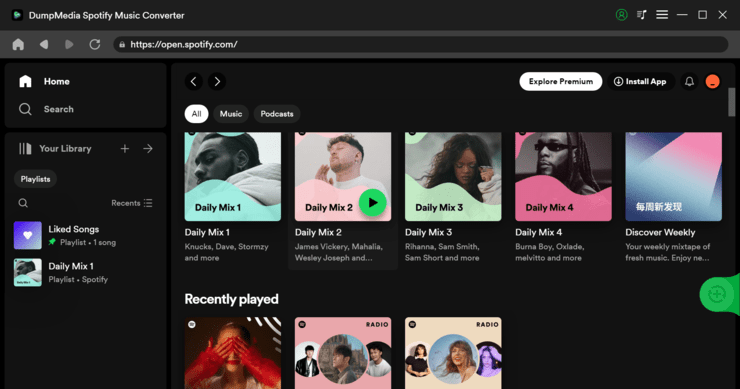
DumpMedia Spotify Music Converter is a powerful tool to batch-convert Spotify tracks, albums, and playlists to popular audio formats like MP3. It stands out with its ultrafast 35X conversion speed, allowing you to swiftly save your entire library to local with 100% original music quality regardless of its size.
Also noteworthy is its super user-friendly customizable output settings, which allow users to auto-archive output tracks by album, playlist or artist and preserve all ID3 tags and metadata, making building your unique offline music collection never easier than ever.
There are even more notable features: Built-in Spotify web player, drag and drop smart interface, playlist auto-detect function, multilingual support…
DumpMedia is now running a limited-time offer on DumpMedia Spotify Music Converter. Use code DS50DS and enjoy permanent 50% off for any license (monthly, yearly, or lifetime).
Features:
- Convert Spotify tracks to MP3, M4A, WAV, or FLAC for offline listening on any device
- Ultrafast 35X download speed
- 100% original output quality
- Customizable output configuration for easy offline music library management
- Smart drag and drop interface and playlist auto-detect function
- ID3 tags and metadata preserved
- High cost-performance ratio thanks to the ongoing 50% off sale
Verdict: DumpMedia Spotify Music Converter is highly recommended not only because of its superior conversion speed and user-friendly design, but also its high cost-performance compared to other Spotify converters. Get the 50% off deal before it expires!
Price: DumpMedia offers the following plans at a limited-time price:
- 1-Month License – $6.98 (Original $13.95)
- 1-Year License – $24.98 (Original $49.95)
- Lifetime License – $39.98 (Original $79.95)
#15) TunePat Spotify Converter
Best for Lossless Audio conversion.
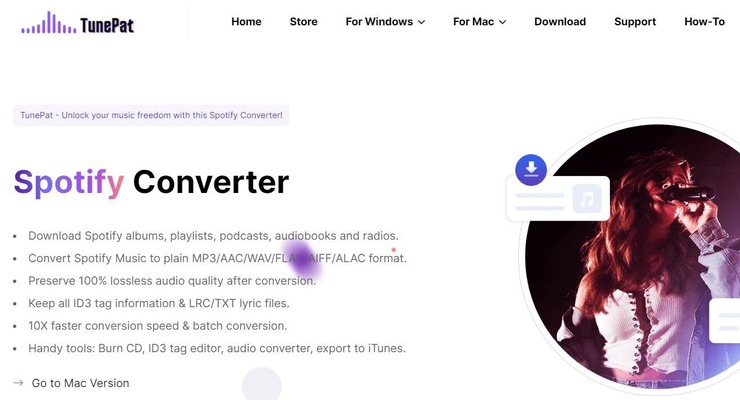
With TunePat Spotify Converter, you get a powerful Spotify audio converter that can not only convert a music file into MP3 but a wide range of output formats. You can use this software to convert a Spotify file into AAC, WAV, AIFF, FLAC and ALAC. The best facet of this software is its ability to convert an audio file without compromising its original quality.
Another area where TunePat Spotify Converter shines is its conversion speed. The software is hailed among users for being 10 times faster than your average audio file converter. Besides conversion, you can also use TunePat Spotify Converter to download entire albums, playlists, podcasts and audiobooks from your Spotify account. The software also filters ads out from these files before download.
Features:
- Convert files into multiple output format
- Preserve Spotify ID3 Tags.
- Smart Folder Archive
- Spotify Ad Blocker
- Multilingual Interface.
Verdict: TunePat Spotify Converter makes it to our list because of its superior conversion speed and lossless conversion capabilities. Easy to use, the software will help you convert any Spotify file into a high-quality MP3 in just a couple of quick steps.
Price: TunePat Spotify Converter offers the following plans:
- 3-Month License – $29.95/quarter
- 1-Year License – $44.95/year
- Lifetime License – $89.90
#16) TuneFab Spotify Music Converter
Best for converting Spotify MP3, M4A, FLAC, or WAV audio with nearly lossless quality.

TuneFab Spotify Music Converter is a versatile desktop program for Spotify Free and Premium users to convert Spotify music to the best quality. It can bypass the DRM from Spotify and convert songs from Spotify to MP3, M4A, FLAC, or WAV formats.
Therefore, you’re always able to access the newly-released Spotify audio, albums, and playlists on any device for personal enjoyment.
This program also enables you to customize the sample rate and bitrate to better match your listening habits. And you don’t need to worry about the conversion speed as its batch conversion feature supports converting at 5X faster speed than other products.
Apart from the features above, the most attractive one is that there is a built-in Spotify Web Player in this program, which means you don’t have to download the Spotify app and you’re guaranteed to acquire stable and efficient conversion performance on this tool.
Features:
- Able to convert Spotify to MP3, M4A, FLAC, or WAV without quality compromise.
- Supports converting Spotify playlists and albums in one go.
- Auto-detect Spotify playlist replacing the traditional copy-and-paste method.
- Can customize the output quality.
- Supports batch conversion with fast speed.
- Can preserve or edit ID3 tags and metadata info.
Verdict: TuneFab Spotify Music Converter is compelling because it keeps developing user-friendly features to be more inclusive to every beginner. Meanwhile, it makes no concessions to conversion quality to ensure the best enjoyment of Spotify songs.
Price: TuneFab Spotify Music Converter offers a free trial with some limitations.
You can unlock the full features via the pricing plans below:
- 1-month plan: $14.95
- 1-year plan: $49.95
- Lifetime plan: $79.95
#17) MuConvert Spotify Music Converter
Best for batch converting Spotify Music at a high speed without loss of quality.

MuConvert Spotify Music Converter is a wonderful music converter optimized for high-quality music conversion to download all Ogg Vorbis songs, playlists, and albums to MP3, M4A, FLAC, or WAV audio without quality loss.
Therefore, with MuConvert Music Converter, you can set your favorite Hop songs, relaxing Jazz music, to motivational Rock songs and epic classical music free from the platform for enjoying them offline across all devices.
Besides, this program is able to auto-detect music playlists and analyze multiple songs at once under the leading acceleration technology. Except for the acceleration technology, MuConvert Music Converter also supports the batch conversion feature to bring up-conversion efficiency and quicken the entire conversion process to save time for you.
Features:
- Convert Spotify album/playlist to MP3, M4A, FLAC, or WAV without loss in quality.
- Auto-detect Spotify playlist and analyze multiple songs at once.
- Customize the output quality.
- Batch conversion at fast speed.
- Preserve or edit ID3 tags and metadata info.
Verdict: MuConvert Spotify Music Converter is highly recommended as it is easy to use for every beginner and it provides multiple useful features to save time, such as batch conversion, 5X faster conversion speed, auto-detect music playlists, etc. What’s more, it can really help you to enjoy Spotify songs without any loss in quality!
Price: MuConvert Spotify Music Converter offers a free version with some limitations.
You can unlock the full features via the pricing plans below:
- 1-month plan: $14.95
- 1-year plan: $49.95
- Lifetime plan: $79.95
#18) DRmare
Best for Downloading Spotify Music Library for free.

DRmare is a platform that allows you to download playlists, podcasts, audiobooks, and songs from Spotify for free. Upon downloading, you get the option to convert the downloaded file to MP3, WAV, AAC, and FLAC. The downloaded music file can then be played on any other device of your choosing.
On Windows, you’ll be able to download entire playlist at 5 times the speed whereas in Mac you’ll be able to download it at 1 times the speed. The download or conversion doesn’t compromise with the audio file’s original quality. In addition to this, you can also use this software to make adjustments to the music file like adjust sample rate, bit rate, audio codec, etc.
Features:
- Lossless Quality File Download and Conversion.
- Easily Manage Spotify Music Library
- Convert file to MP3, FLAC, AAC, and WAV.
- Automatically classify downloaded Spotify music library based on Artist and Album name.
Verdict: DRmare presents you with the privilege of experiencing Spotify’s extensive library of music and podcasts offline without paying a dime. With just a single click, you’ll be able to download a single file or an entire playlist and convert it to a format of your desire.
Price: There are three pricing plans:
- Monthly License: $14.95
- Quarterly License: $29.95 for 3 months
- Lifetime License: $79.95
Website: https://www.drmare.com/music-converter/
Other Spotify To MP3 Converters
#19) Audacity
Best for open-source audio recording software.
Audacity is a cross-platform open-source software that allows you to easily capture audio from Spotify. The captured audio is saved automatically to your device in MP3 format. The software can also edit, combine, or import files.
You can also add effects to your recorded audio and visualize it with the help of Audacity. The software comes with tons of plug-ins that markedly enhance the user experience.
Price: Free
#20) Apowersoft
Best for free audio recording.
Apowersoft is yet another free tool that allows you to record audio from Spotify. The recorded audio can be saved in MP3 and several other audio formats. There is absolutely no loss in quality when recording audio with this software. The software also allows you to add ID3 tags to better organize your audio library.
Price: Free
Frequently Asked Questions
Can you download MP3 from Spotify?
The quick answer to this would be no. Although you can listen to music and even download music to listen to them offline later, Spotify still does not allow its users to extract MP3 files from their software. Even if you own a premium subscription, there isn’t any option within Spotify to download MP3 files.
Is converting Spotify to MP3 legal?
Spotify hosts an endless catalog of songs, for which it has the permission of the artists or studios who own exclusive licenses. Hence, Converting Spotify to MP3, or downloading these songs to play on another device, is illegal.
The only way to legally stream music offline via Spotify is by subscribing to its premium subscription, which may not be convenient for many.
Can you go to jail for illegal downloading?
There are dire consequences of downloading music offline. According to the Digital Millennium Copyright Act, the distribution of copyrighted material is punishable by law. Those found guilty could face a 5-year jail sentence or pay fines up to $150,000 in penalty.
It is important to note, that the consequences are directed more towards those who share the copyrighted material rather than those who simply download it.
How do I convert Spotify to MP3 for free?
To initiate the process of converting Spotify to MP3 for free, you first need a free Spotify Music Downloader. Some of these tools are listed in this article for your reference. Simply follow the guide presented by each of these tools to successfully undertake the conversion process. Try them out one by one to know which tool suits your needs the best.
What features should I look out for in a Spotify to MP3 Converter?
There are several options at your disposal for converting Spotify music to MP3. The best tools will not only act as converters but also allow you to convert or download audio files in bulk, rip CDs, record Spotify music, and more. The tool must possess excellent conversion speed, good audio output quality, and a user-friendly interface.
Conclusion
The popularity of Spotify is undeniable. It harbors one of the largest galleries of music out there, wherein music fans can easily find old and new songs they like.
However, Spotify doesn’t make it easy to listen to music offline, which can be inconvenient for most people. People want an option to play music in their car while traveling long distances or play it on other offline devices.
Fortunately, it is possible to play your Spotify track offline on a device you prefer if you have a good Spotify to MP3 converter. All the above tools offer a unique set of features that help you capture Spotify podcasts, audio, and playlists in MP3 format for your offline listening pleasure.
As for our recommendation, if you are looking for a fast Spotify to MP3 converter that is easy to use, then NoteBurner and Sidify will suffice. You can also try Cinch Solutions for its ability to record audio from Spotify without losing its original quality.
Research Process:
- We spent 12 hours researching and writing this article so you can have summarized and insightful information on which Spotify to MP3 Converters will best suit you.
- Total Converters researched – 25
- Total Converters shortlisted – 12
Was this helpful?
Recommended Reading
-

If you’re looking for a free tool to convert and download YouTube videos to MP3, you’re in the right place. Read a complete review and compare the best YouTube to MP3 converters and downloaders. The challenge is that there are countless options out there, and finding one that’s actually free,…
-
A comprehensive list of the top free Music Downloader sites. Explore this list and select the best MP3 Downloader to download MP3 music online from any site: The advent of the Internet and advancements in technology has made music more accessible than ever. Gone are the days when you had…
-
Here we have compiled and compared a list of the best free online YouTube to MP3 Converter and downloader tools to convert and download YouTube videos to MP3 format. Converting YouTube videos to MP3 remains a common requirement for users who want offline access to audio content such as podcasts,…
-
Review and comparison of the Best Music Visualization Software with pricing and features to help you select the right music visualizer tool: The music industry has grown by leaps and bounds in recent years. Recent advancements in technology have helped many artists realize their dreams of becoming popular musicians with…
-
A comprehensive list and comparison of the popular Audio Recording Software to help you select the best free Recording Software: If you want to take notes quickly, voice recording is perhaps the most efficient way of making sure that you have what you need for future references. Thanks to smartphones,…
-
Explore the best free Twitter To MP4 Converters with comparison to select the best tool to download Twitter videos in MP4 format: Similar to Facebook and Instagram, Twitter is an immensely popular social media platform. Many have used this platform around the globe to share their thoughts in only 280…
-
Learn about top MOV To MP4 Converters with pricing, comparison, and steps to convert .MOV to MP4 using the best converter online: MOV is undoubtedly one of the most popular media formats for Apple devices. It is a format that is exclusive to the Apple brand, so much so that…
-
This tutorial lists the top AVI to MP4 Converters. Learn how to Convert AVI to MP4 using free online tools in this step-by-step guide: Both AVI and MP4 are popular video formats, and there are several reasons one would want to convert AVI format to MP4. So a very common…


Hi, could you please test MusicFab Spotify Converter? It seems that MusicFab is a newly released program. I’m curious about how this tool works out.