


Automate SAP Forecasting and Replenishment with the right Workload Automation Software. Pick the best tool to reduce manual errors with real-time workflows and boost supply chain efficiency:
One of the biggest mistakes in inventory management is relying on unsupported assumptions that cause stock imbalances. This ultimately leads to either having too much stock or too little of it. Both problems are significant issues that can financially harm a company in many ways.
Overstocking obviously ties up cash, whereas understocking could mean disappointed customers and missed sales opportunities. This is where SAP F&R Software comes in.
Table of Contents:
- SAP F&R Workload Automation: Top Tools to Explore
- Overview of SAP Forecasting and Replenishment
- List of the Best SAP Forecasting and Replenishment Workload Automation Software
- Comparing the Top SAP F&R WLA Tools
- Steps to Implement SAP F&R Workload Automation Software
- How to Pick the Best SAP Forecasting and Replenishment Tool
- Frequently Asked Questions
- Conclusion
SAP F&R Workload Automation: Top Tools to Explore
A SAP Forecasting and Replenishment tool can help businesses forecast future demand and replenish just the right amount of stock accordingly.
Once deployed, however, this software must handle a plethora of rather complicated tasks, which can ultimately result in wasted time and money unless you have a powerful workload automation (WLA) tool backing it up.
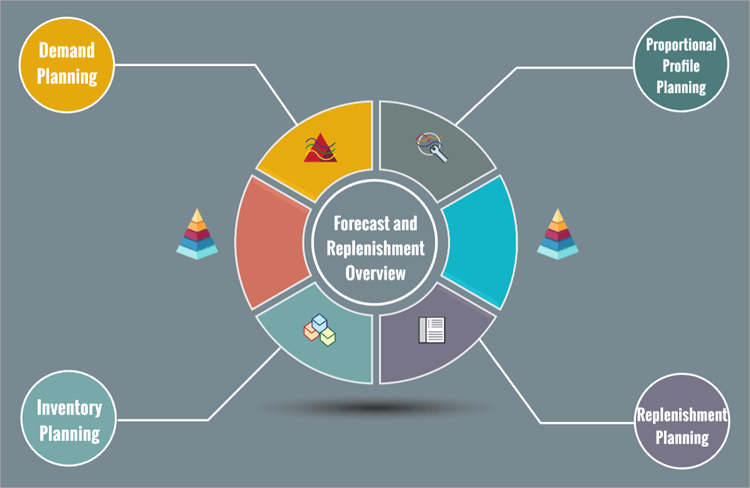
[Via Prezi]
This is what ultimately brings me to the crux of this article. My goal with this article is to recommend 7 of the best workload automation tools out there that can streamline forecasting and replenishment endeavors in SAP.
So, without much further ado, let’s dive in.
Overview of SAP Forecasting and Replenishment
Both Forecasting and Replenishment are processes integral to a healthy supply chain. Each of these processes plays an instrumental role in ensuring customers are provided with the products they need whenever they need them.
Forecasting basically entails predicting customer demand for a particular product in the near future. Businesses usually make these forecasts using customers’ past purchase behavior.
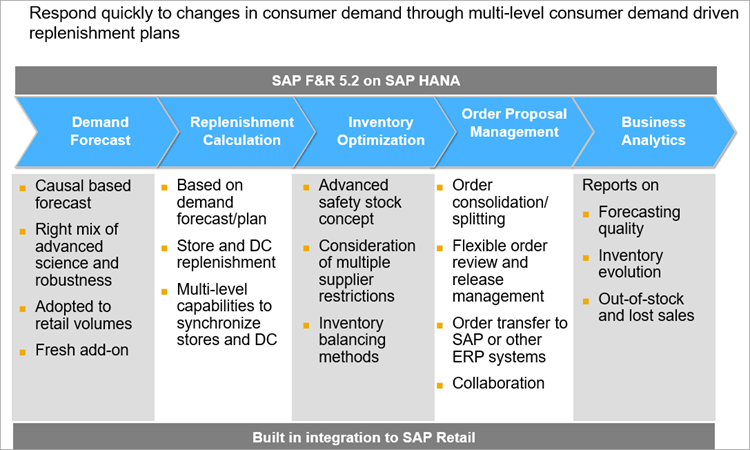
[Via SAP Community]
Replenishment entails making sure that warehouses have just about the right amount of stock to meet those demands.
You don’t want to have too much stock, which can lead to wastage. You also don’t want to have too little of it, which can lead to missed sales. Replenishment is a process that ensures you hit the sweet spot between both of those extremes.
A typical forecasting and replenishment process would involve:
- Regularly analyze historical data and market signals to forecast future demand.
- Monitoring inventory. Tracking current stock and understanding how fast they sell out.
- Using the forecast data to plan stock levels in warehouses. Simply put, deciding how much to stock to order and when to order it.
- Replenishing warehouses using forecast data by placing purchase orders for goods.
- Monitoring stock levels to check whether the predictions were correct and making adjustments for the future.
These tasks combined can bog down traditional supply chain operations. Tools like SAP F&R serve as a solution to this problem, as they can automate all the above actions. Once implemented, such software can cut surplus stock, reduce stockouts, eliminate manual work, and ensure there is transparency in the supply chain.
That said, SAP’s F&R software can only do so much to optimize a company’s retail logistics and improve its replenishment planning. Its true potential can only be realized with significant automation of processes like updates, reports, and data transfer. This boost in performance is what workload automation tools ultimately provide.
Impact of Manual F&R Tasks
I would advise against undertaking forecast and replenishment endeavors without automation, especially when you have competitors using AI and ML to gain an advantage in the market.
To understand just how much you stand to lose, let me highlight the most obvious demerits of manual F&R.
1. Tedious and Time-Consuming: Forecasting entails gathering and assessing a boatload of data on market trends or past purchasing behavior. Doing so manually is obviously going to devour a lot of your time. You’ll need to hire more people to ensure all the data is analyzed to ensure accurate predictions.
This means a delay in crucial decision-making. You’ll also lag when it comes to responding to sudden market shifts.
2. Human Error: Even if your team manages somehow, they miraculously analyze all the data in front of them promptly. The chance of human error here is high. Regardless of how skilled or qualified your team is, they are human, and humans are susceptible to errors. Mistakes like wrong data entry or missed order quantities can disrupt your entire supply chain.
3. Outdated Forecasting: Traditional forecasting and planning tasks rely heavily on historical data that is static at best. However, markets are volatile, and consumer behavior is unpredictable. Historical data can and will become irrelevant.
Accurate forecasting is only possible when you take modern market trends and consumer behavior into account. Outdated, irrelevant historical data will result in inaccurate predictions, which will ultimately lead to the problem of overstocking or understocking.
4. Problems with Scalability: It’s challenging to manage F&R processes manually as a business inevitably grows, and you have a much larger volume of stock to contend with. This will overwhelm your supply chain team, leading to your workforce experiencing burnout. This will only result in more disruptions, human error, and inefficiencies down the line.
5. Strained Supplier Relationship: Issues like rushed orders, constant order volume changes, and payment delays are common when businesses attempt to manually forecast and replenish their stocks. These issues can compound and ultimately result in businesses experiencing a strained relationship with their suppliers.
Benefits of F&R Workload Automation
The table below does a good job of demonstrating the positive impact automation can have on forecast and replenishment processes.
| Issues Caused by Manual F&R | How Automation Helps | Results |
| Incomplete and delayed processing of data | Data processing is sequenced and automated | • Improved Forecast Accuracy • Reduced Stockout Rate • Improved On-Shelf Availability |
| Error risk is significantly high | Autonomous execution of tasks and intuitive error handling | • Improved Order Fill Rate • Improved Replenishment Cycle Time • Better customer satisfaction |
| Limited visibility across your systems | Central view and end-to-end visibility across workflows | • Improved inventory turnover • Reduced Lost sales • Boosted Gross Margin ROI |
| Rigid scheduling | Event-driven automated scheduling | • Reduced lost sales • Reduced stockout rate • Reduced carrying costs • Reduced Markdown% • Reduced day of inventory. |
SAP Systems Used for F&R
Some of the important SAP systems that help in the efficient management and integration of business processes are listed below:
1. SAP F&R: This tool in the SAP suite is primarily used to streamline forecast and replenishment tasks. Today, retail and consumer goods companies largely use this platform. It helps businesses predict future demand for their products and automatically generates replenishment orders.
It is ideal for companies that wish to cut surplus stock or reduce stockouts in their warehouses and stores.
2. SAP IBP: Also known as SAP Integrated Business Planning is a platform that offers a centralized interface for inventory management, supply chain planning, and demand forecasting. It is perhaps the most advanced SAP tool out there today for forecast and replenishment. This is mainly because it incorporates machine learning and AI capabilities.
3. S/4HANA: SAP S/4HANA works best when used with other SAP Solutions like SAP IBP and SAP F&R. It can help with optimized inventory planning through automated replenishment. The tool is also known to employ advanced statistical analytics for accurate forecasting.
On its own, you can use S/4HANA for simple F&R purposes. Its integration with SAP IBP, however, can help you conduct advanced demand and supply planning.
List of the Best SAP Forecasting and Replenishment Workload Automation Software
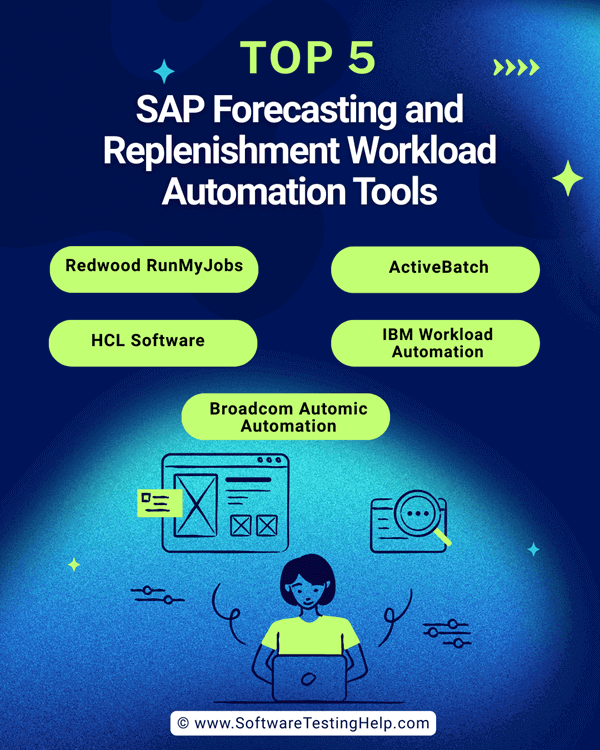
Here are the top SAP Forecasting & Replenishment tools for smarter supply chain planning:
- RunMyJobs by Redwood
- ActiveBatch
- HCL Software
- IBM Workload Automation
- Broadcom Automic Automation
- Honico by Stonebranch
- BMC Control-M
Comparing the Top SAP F&R WLA Tools
| Name | Best for | Top Features | Support | Rating |
|---|---|---|---|---|
| RunMyJobs by Redwood | End-to-end automation of F&R business processes across SAP and non-SAP systems | Pre-built connectors and templates to SAP solutions used in F&R, including S/4HANA, ECC, IBP, APO, CAR, BTP, BW and more | 24/7 live rep, chat, email/help desk, phone support, AI support assistant | 5/5 |
| ActiveBatch | User-friendliness and powerful integrations | Job steps library, drag-and-drop interface, event-driven triggers | Email/help desk, FAQs/Forum, Knowledge base, 24/7 Live rep, chat, phone support | 4.5/5 |
| HCL Workload Automation | End-to-end Process automation | Jobs management, SAP objects management, Process automation | Chat, Email Help Desk, FAQ, Knowledge Base | 4.5/5 |
| IBM Workload Scheduler | Self-Service Automation and Anomaly Detection | Self-Service automation, workload designer, workload management | Chat, FAQ/ Forum, Knowledge Base | 4.5/5 |
| Automic Automation (Broadcom) | Unified Workload Automation | Data orchestration, automated remediation, and advanced analytics | Chat, Phone Support, Knowledge Base, Help Desk, FAQ. | 4.5/5 |
Let’s take a look at the detailed review of the top-rated SAP F&R Workload Automation Software.
#1) RunMyJobs by Redwood
Best for end-to-end automation of F&R business processes across SAP and non-SAP systems
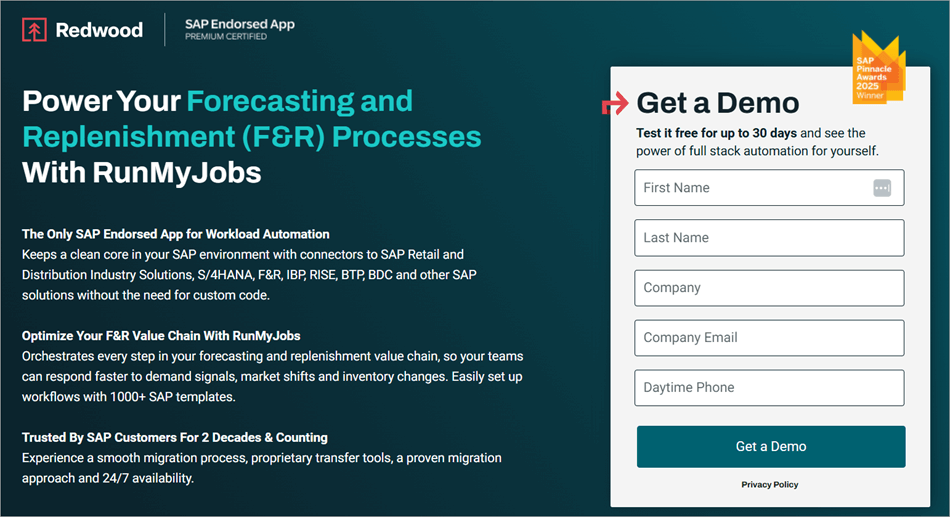
I’d absolutely recommend SAP F&R workload automation tools, with RunMyJobs by Redwood right at the top of my list. After all, it is a full-stack workload automation solution endorsed by SAP itself. It is also a WLA software with the most SAP certifications. It will monitor forecasts and replenishment planning across all SAP and non-SAP systems.
As the platform grants you complete visibility across SAP systems, you’ll find it easier to identify and mitigate inventory level risks before it is too late. RunMyJobs excels at optimizing F&R operations. For instance, it sources consistent data from your ERP systems. This data can help strengthen the accuracy of your demand forecasts.
It can also considerably improve your order fill rates by automating order proposals across SD, SAP MM, and procurement tools. The platform also uses AI and Machine learning to predict market changes.
Furthermore, its integration with SAP IBP can help you automate sales and operations planning, thus considerably improving your business’s ability to manage inventory. It facilitates deep integration with SAP and its products in ERP, BTP, BDC, etc.
In hindsight, RunMyJobs is a SAP-endorsed WLA tool I’d always recommend you try to streamline your forecasting, inventory, and fulfillment processes.
Features:
- Automation Fabrics for SAP F&R: Pre-built connectors and templates to SAP solutions used in F&R, including S/4HANA, ECC, IBP, APO, CAR, BTP, BW, and more.
- Event-driven Orchestration: Trigger F&R workflows based on seasonal demand signals, supplier updates, POS transactions, etc. Simply put, automations or tasks are triggered based on real-world conditions.
- Supply Chain Collaboration: Ensure your stakeholders are on the same page by automatically synchronizing replenishment plans and forecasts across all distribution centers, stores, and suppliers.
- Data Quality Triggers: Boost the quality of master data, inventory metrics, and unified demand forecasts by cleansing, validating, and reconciling them. This will in turn, help businesses make better replenishment decisions.
- Predictive Analytics: The platform uses predictive analytics, AI, and machine learning to make accurate predictions and prepare for sudden market shifts. The AI-powered alerts ensure businesses remain vigilant in the face of unexpected disruptions.
| Pros | Cons |
| Automated sequenced data processing | Nothing significant. |
| Out-of-the-box connectors for various business processes | |
| AI/ML predictive insights and error handling | |
| Single glass-of-pane visibility | |
| Agentless Architecture | |
| Deploy and build connectors without disruption | |
| AI Automation Co-Pilot |
User Reviews: RunMyJobs enjoys universal acclaim with users praising its user-friendly interface, job scheduling, and automation capabilities. Its score on publications like TrustRadius and Capterra currently stands at an impressive 9.5/10 and 4.8/5.
Price: Contact Redwood’s team and specify your requirements to get a transparent quote.
Check our Review of RunMyJobs by Redwood
#2) ActiveBatch
Best for user-friendliness and powerful integrations
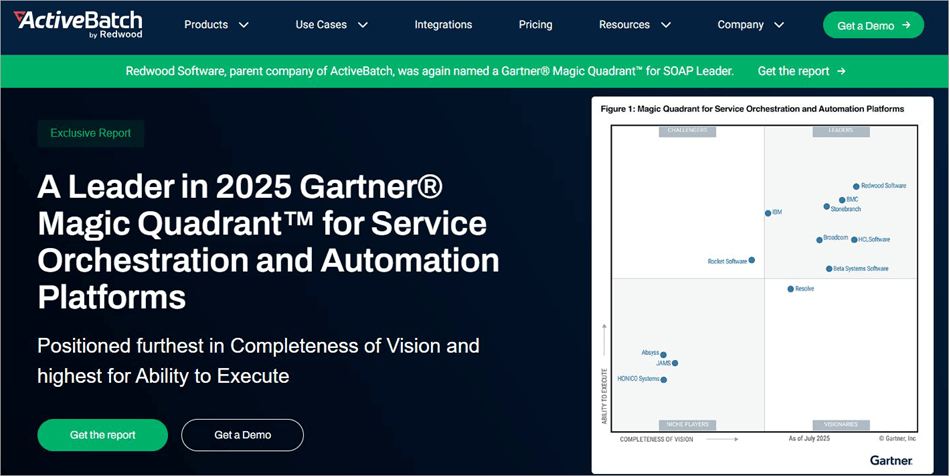
ActiveBatch is another workload automation platform by Redwood that deserves all the praise it has garnered over the years. Businesses can use it to automate critical business processes that usually revolve around SAP F&R.
Thanks to its drag-and-drop interface, the platform lets you easily build end-to-end workflows by combining SAP F&R processes with other databases and apps.
You can also expect accurate forecasting and replenishment due to ActiveBatch’s ability to extract, transform, and load data from various sources into SAP F&R. Like RunMyJobs, ActiveBatch also offers you single glass-of-pane visibility. This means you can monitor all processes associated with forecasting and replenishment.
You can also count on the software to proactively monitor F&R processes and automatically deploy remediation measures when it detects failure. Beyond this, ActiveBatch comes equipped with all the features that modern WLA tools must have. This includes event-driven triggers and custom calendars.
Another thing that really stands out about ActiveBatch is its ability to facilitate low-code or no-code integrations. Besides SAP solutions, ActiveBatch ensures seamless integration with a variety of other applications essential for optimized forecasting and replenishment.
Features:
- Job Steps Library: ActiveBatch offers a massive library with hundreds of pre-built job step templates. This means you can create job steps without scripting.
- Drag-and-Drop Interface: This makes ActiveBatch one of the best user-friendly WLAs out there. Developing workflows is easier, thanks to ActiveBatch’s low-code, drag-and-drop GUI.
- Event-Driven Triggers: As is the case with advanced WLA tools, ActiveBatch also triggers automation based on the occurrence of certain events. The tool is quite advanced when it comes to automation and scheduling.
- SLA Management: The tool ensures real-time SLA monitoring. You can count on the tool to automatically monitor and manage service level agreements. It will also help you avoid SLA failure.
| Pros | Cons |
| User-friendly low-code GUI | Some users have cited limited documentation as a minor source of their grievance with this platform. |
| Real-time SLA monitoring | |
| Self-Service portal | |
| Intelligent workload scalability |
User Reviews: Reviews for ActiveBatch have been positive among its users. It currently enjoys a score of 4.6/5 on Slashdot and 4.7/5 on Capterra. Users often rave about it being one of the easiest job schedulers to use. Users also appreciate the software for its flexibility and scalability.
Price: Contact ActiveBatch’s team to get a quote based on your requirements. A free demo is also offered upon request.
Check our Detailed Review of ActiveBatch
#3) HCL Software
Best for end-to-end process automation
HCL Software claims to be a powerhouse when it comes to job scheduling and workload management. After a stint with the platform myself, I couldn’t agree more.
The platform facilitates seamless integration with SAP environments like SAP S/4 HANA Cloud, SAP BW/4HANA, and RISE with SAP. This integration ensures considerably simplified cross-enterprise job orchestration for organizations.
HCL Workload Automation tool can be trusted to handle complex workflows associated with SAP F&R processes, thanks to its advanced monitoring and job scheduling capabilities. Features like escalation and automatic ticketing can help you automate and optimize SAP workflows with ease.
HCL’s automation also ensures significantly reduced process errors, thus enhancing reliability for SAP F&R processes. Another thing worth mentioning about HCL’s WLA tool is its ML-based dashboard. This ML-based dashboard can accurately predict the duration of a job, and you can also customize it with widgets.
I believe businesses looking for a scalable, cloud-native platform to automate their SAP F&R environments will be more than satisfied with what HCL offers.
Features:
- Job Creation: The platform provides you with embedded analytics, a customizable dashboard, and graphical views. These elements can help create and manage multiple jobs.
- ML-Based Predictive Scheduling: Powered by advanced machine-learning capabilities, the software can accurately predict job duration, cycles, and trends. The platform can also make data-driven decisions in real-time.
- Process Automation: With advanced features like escalation and throttling, automating SAP workflows is a breeze with HCL. This level of automation ensures that critical tasks are executed quickly.
- SAP Objects Management: HCL can manage jobs for a variety of SAP objects. This ensures users can easily link SAP workloads with other essential enterprise processes.
| Pros | Cons |
| Exceptional reporting capabilities | Some users find the UI less visually appealing. |
| Quite cost-effective. | |
| Customizable dashboard | |
| Supports containerized environments |
User Reviews: HCL Software is widely hailed among its users worldwide. It currently enjoys a very respectable score of 4.7/5 on Gartner and 4.4/5 on G2. Its praise is often attributed to the platform’s deployment, performance, and customizable dashboard.
Price: Contact HCL Software’s team for a clear quote. A free demo is offered upon request.
Website: https://www.hcl-software.com/workload-automation?referrer=www.hcl-software.com
#4) IBM Workload Automation
Best for Self-Service Automation and Anomaly Detection.
IBM is one of the most popular platforms on this list. Like the other WLA tools on this platform, IBM Workload Automation offers its users a single point of control to monitor, manage, and model their workloads.
The platform is also great at automating SAP workloads. You can use this tool to manage and monitor all of your SAP applications through a single pane of glass.
The software has evolved drastically since its inception and excels at its job today with integrated AI. The software is more than capable of detecting anomalies in scheduled jobs and workflows. You are provided with suggestions to resolve the issues detected by this software’s AI advisor.
The platform has also gotten better at orchestrating business and IT workloads. Adding to the tool’s intuitiveness is the addition of “What-If Analysis”. This feature lets you completely understand the implications of a decision even before it is made. As such, you can count on the tool for better forecasting and replenishment planning.
Features:
- Self-Service Automation: The platform lets you run or monitor business processes through your smartphone. The users themselves can submit routine business tasks using catalogs and services.
- Anomaly Detection: The software comes with an intuitive AI advisor. This AI performs historical data analysis to accurately detect anomalies in your schedule workloads and jobs.
- Workload Designer: Designing workflows is effortless with this platform. You are provided with a modeling UI, which can be used to design scheduling objects with graphical views and contextual help.
- Workload Management: The platform ensures centralized workload management, as you can monitor all processes from a single point of access. All unattended processes can be scheduled based on events or requests, thus eliminating the need for manual intervention.
| Pros | Cons |
| Customizable dashboard | Steep learning curve with respect to some of its features. |
| AI-based anomaly detection | |
| What-if analysis | |
| Extensive documentation for support |
User Reviews: IBM’s Workload Automation is recommended by most users for its reliability, ease of use, and intuitive AI. It has garnered a rating of 4.3/5 on G2 and 4/5 on PeerSpot.
Price: A 30-day free trial and a free demo are also offered upon request. Contact IBM for a custom quote.
Website: https://www.ibm.com/products/workload-automation
#5) Broadcom Automic Automation
Best for Unified Workload Automation.
There’s a lot to admire about Broadcom’s Automic Automation software. It can unify automation with a wide range of adapters that can source tasks from SAP and non-SAP environments. Its advanced capabilities can be harnessed to considerably refine SAP F&R operations with the utmost efficiency and safety.
The software stands out for taking a more object-oriented approach to automating both routine IT and business tasks. This allows users the flexibility to make adjustments as the tasks are still running. The platform facilitates integration with various third-party service catalogs. It also features its own service catalogs.
This enables users to effortlessly execute workloads, pass parameters, track the progress of requests, and trigger tasks. Analytics and reporting are also great with Automic Automation. You are provided with both trend analytics and actionable insights, which help with forecasting and identifying issues before it’s too late.
Features:
- Unified Automation: Users are granted standardized control over all automation processes across environments. This also helps with managed file transfer with encryption, compression, and automatic character conversion.
- Advanced Analytics: You can refer to the insights and data provided by this tool to forecast trends accurately and root out issues. These analytics can also track and manage service level agreements.
- Data Orchestration: The software ensures that the data gathered is made actionable for data scientists. The data can then be integrated with big data stores, third-party schedulers, and open source tools.
- Automated Remediation: You are provided with out-of-the-box remediation and diagnostic workflows to fix issues with applications and infrastructure. You can refer to the platform’s intelligent recommendation engine to choose the best course of action to resolve an issue.
| Pros | Cons |
| Good technical support | Managing workflow dependencies and escalation processes can be challenging. |
| Highly scalable | |
| Supports integration with a wide range of applications. | |
| Flexible workflow automation |
User Reviews: Reception for Automic Automation has been mostly positive, with a 9/10 score on Trust Radius and 4.2/5 on G2. Most users praise the tool for its easy-to-use interface, scalability, and API integrations.
Price: A free demo is offered upon request. Contact them for a clear quote.
Website: https://www.broadcom.com/products/software/automation/automic-automation
#6) Honico by Stonebranch
Best for centrally controlled hybrid systems of all SAP and non-SAP environments.
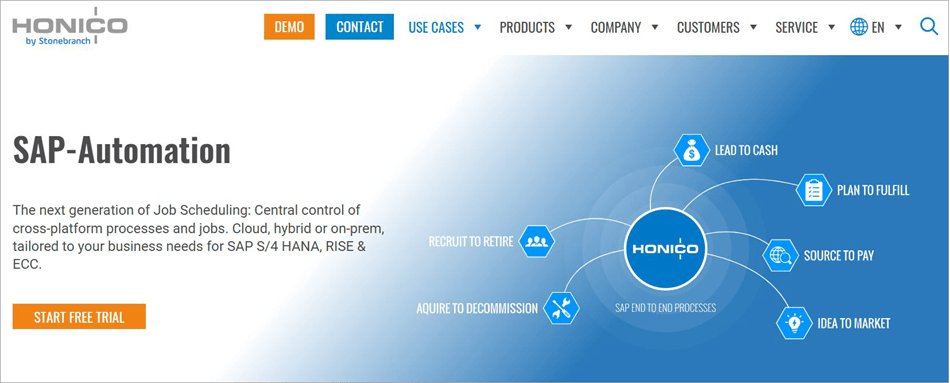
Right off the bat, it becomes abundantly clear that Honico was tailor-made for SAP systems. The platform is SAP S/4HANA certified and suitable for organizations that extensively rely on SAP for their forecasting and replenishment tasks. Users can rely on this tool to handle various elements associated with the SAP F&R pipeline.
This includes managing elements like data loads, order releases, and planning runs directly from within the SAP environment. As such, there is no need to rely on external schedulers and scripts when you have Honico by your side.
The platform is ideal for controlling hybrid environments, covering SAP and non-SAP systems, and grants you greater visibility within those systems.
Features:
- Streamlined Automation: The platform ensures automation directly within SAP ECC, S/4 HANA, and RISE with SAP. It can help you control both SAP and non-SAP processes.
- Job Scheduling: The platform can simplify even the most complex job scheduling tasks. It does so by facilitating central automation of critical business processes across hybrid IT landscapes.
- Graphical Modeling: Thanks to the platform’s graphical modeling system, users can create or design processes exactly according to their requirements.
- Continuous Monitoring: Get a bird’s eye view of your scheduled processes any time you desire. Besides this, you can modify your job plans via the monitoring dashboard.
| Pros | Cons |
| Seamless SAP ABAP integration | Extensive documentation would be helpful |
| Central control and monitoring | |
| Integrated file backup | |
| Fail/switchover functionality ensures greater reliability in the event of a malfunction |
Price: Contact Stonebranch’s team for a custom quote. A free demo is offered upon request.
Website: https://www.honico.com/en/sap-automation/
#7) BMC Control-M
Best for managing and monitoring SAP jobs.
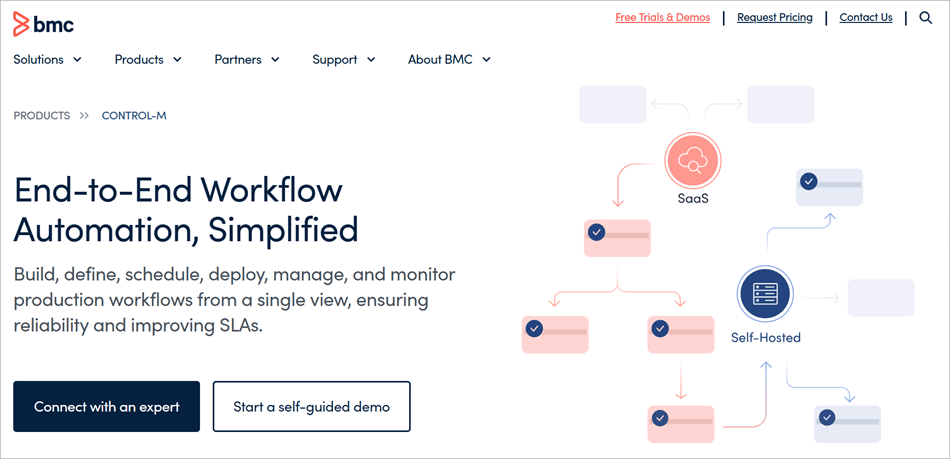
Control-M makes it to my list because of its versatility, specifically with regard to how it handles its relationship with SAP solutions. The software integrates seamlessly with SAP BTP, SAP ECC, SAP S/4HANA, SAP BW, and data archiving jobs. The platform features conversion tools, which can be used to easily import job definitions from SAP platforms.
You’ll have no problem orchestrating workflows or delivering timely SLAs for all SAP processes through this platform. You are also provided with the means to continuously keep an eye on SAP triggers and launch user-defined follow-ups accordingly. Overall, this is a great tool that lets you define, schedule, and manage SAP jobs without relying on custom scripts.
You may read our detailed review of the Top SAP Job Schedulers to explore and pick the right SAP job scheduler of your choice.
Features:
- Data Pipeline Orchestration: Get complete visibility over your data pipelines. Plus, you can create and monitor file transfers as an extension of your data pipeline.
- Workflow Orchestration: The platform lets you take a jobs-as-a-code approach to workflow orchestration. This includes integrating app workflows with CI/CD pipelines.
- AI Advisor: The platform features an AI advisor that can help you find workflow details. It can also help you identify key workflow aspects, such as user actions and failures. It can also help you meet audit requirements.
- Insights: The platform is comprehensive when it comes to reporting. You are provided with in-depth reports with intelligent analysis and telemetry. These reports can also help you ensure compliance with SLAs.
| Pros | Cons |
| Secure file transfer | Can be expensive |
| Highly flexible with regard to jobs management | |
| Streamlined job monitoring | |
| Seamless integrations |
Price: The platform offers a Starter plan, which starts at $2400/month. A custom enterprise plan is also offered. You can also request a free trial or demo.
Website: https://www.bmc.com/it-solutions/control-m.html
Steps to Implement SAP F&R Workload Automation Software
Depending on whom you ask, the implementation process will vary. In hindsight, there are a few fundamentals you must consider when implementing a tool meant to automate F&R processes in SAP.
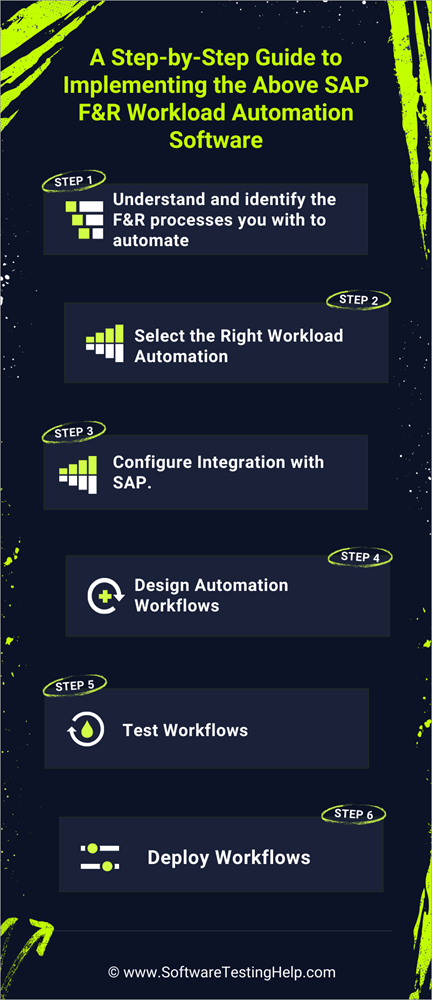
I believe the process below perfectly encapsulates an implementation process that will help you get the best results.
1. Understand & Identify the F&R Processes you want to Automate: First, identify all the F&R-related tasks that are integral to your supply chain’s day-to-day functioning. You’ll need to pick a tool that’s capable of automating these redundant processes. Understand how all of these tasks depend on each other to identify the best automation sequence.
2. Select the Right Workload Automation: Depending on your automation needs, select the right WLA tool. Of course, you’ll need a workload automation solution that facilitates seamless integration with SAP systems.
3. Configure Integration with SAP: With the right WLA solution at your disposal, it would be an appropriate time to configure its integration with your SAP environment. Make sure to clearly define the SAP transactions or jobs that your WLA tool must automate.
4. Design Automation Workflows: With the integration complete, proceed to creating workflows. The best WLA tools out there will present you with templates, a low-code workload designer, and other elements to create, manage, and schedule workflows. Clearly define the dependencies between jobs. Adjust variables and parameters for SAP jobs.
5. Test Workflows: Keep testing your automated workflows to make sure they are producing the anticipated results. Pay heed to the testing feedback and data-driven insights presented to you and refine the automated workflows accordingly for the best results.
6. Deploy Workflows: After a successful test, you are now ready to deploy the automated workflows to your SAP environment. Use the monitoring and reporting capabilities of your WLA tool to keep an eye on your automated workflows. This will help you identify problems within your automated F&R processes before it is too late.
How to Pick the Best SAP Forecasting and Replenishment Tool
In my search for the best SAP forecasting and replenishment WLA tools, I came across a plethora of options. However, only a few of these tools could meet my expectations. Purchasing a subscription to WLA tools can be costly.
I suggest considering the following factors to make a wise decision, so you won’t end up regretting it.
1. User-Friendliness: This is a no-brainer. A workload automation software must feature an easy-to-use, low-code, or no-code GUI. Go with a tool that’s known for its user-friendliness, especially when it comes to designing workflows or facilitating integrations.
2. Scalability: Any tool you pick must be capable of handling the requirements of a growing business. It is quite possible that your business grows, and so does your product lineup. You want a workload automation tool that can manage growing data volumes with ease.
3. Integrations: This article revolves around tools that can automate F&R processes in SAP. As such, you must look for software that facilitates seamless integration with both SAP as well as non-SAP systems. Besides SAP, look for workload automation tools that ensure powerful integrations with your existing tech stack.
4. Job Scheduling: Job scheduling is a key aspect of WLA tools. So, look for software that lets you easily create, manage, and monitor jobs. Go with tools that make it easier to schedule tasks and manage dependencies.
5. Intuitive Monitoring and Reporting: Look for tools that promise real-time monitoring capabilities while also providing users with actionable insights.
You’ll need a tool with an advanced reporting mechanism to make informed decisions, catch errors, and refine workflows to optimize F&R processes. Pick a tool that can ferret out errors accurately and alert users instantly when a possible issue is detected.
6. Support: All software vendors must offer reliable and responsive support to their users. This is true for WLA tools as well. Look for a tool that promises round-the-clock support through various mediums like phone, email, help-desk, and live chat. Also, the software must offer documentation and education resources to its users.
7. Price: Most WLA tools are flexible with their costs. You’ll be charged based on your project’s scope and requirements. Prepare a budget before you approach any vendor. Make sure the quoted cost fits well within your budget.
Frequently Asked Questions
1. What is F&R in SAP?
F&R in SAP refers to the execution of forecasting and replenishment processes within a SAP environment. Platforms like SAP F&R and SAP IBP are prominent examples of solutions being used today by businesses to optimize their inventory management and supply chain operations.
The goal of such tools is to help businesses accurately forecast demand for products and replenish their warehouses with just the right amount of stock… not too much or not too little.
2. What is a workload automation tool?
A workload automation software is a solution used to automate various business-critical background processes. The tool can be used to schedule and manage workflows across multiple applications, systems, and environments.
A WLA tool’s primary role is to automate redundant tasks to save time, expedite processes, and prevent human error.
3. How much does a workload automation tool cost?
Well, it will depend on the tool you go with, as the price varies from vendor to vendor. That said, most vendors charge a flexible fee based on the service or value requested by the customer.
You are provided with a clear quote once you’ve discussed your requirements with your chosen software’s sales team.
4. What is the purpose of SAP F&R software?
SAP F&R or SAP Forecasting and Replenishment software is one of the oldest SAP systems out there that can execute F&R processes. This software is primarily used by retail companies for the following benefits:
• Cutting surplus stock
• Reducing stockouts
• Automate replenishment planning
• Optimize internal logistics
• Improve transparency in the supply chain.
5. What are the best SAP Forecasting and Replenishment WLA tools today?
In my opinion, the following are some of the best SAP F&R workload automation tools you can get your hands on today to improve your forecasts and replenishment planning.
• RunMyJobs by Redwood
• ActiveBatch
• HCL Workload Automation
• IBM Workload Scheduler
• Automic Automation (Broadcom)
Conclusion
We are living in the age of AI and 5utomation. There is simply no room for businesses that still rely on bogged-down methods to execute their operations. This is true when it comes to managing supply chain operations and inventory management.
Companies that rely on workload automation tools to execute SAP F&R processes will be the ones to thrive in the year 2025 and beyond.
The right SAP F&R WLA tool will ensure your customer demand predictions are always accurate. It will also ensure your stock is replenished to just the right amount to avoid the frustrating issue of stockouts or surplus stocks.
As for my personal recommendation, I would suggest you go with Redwood RunMyJobs, as it is a platform endorsed by SAP itself. ActiveBatch is another platform you can pick for its ease of use and capacity for integrations. Both of these platforms are more than capable of optimizing your F&R processes across SAP and non-SAP systems.
Research Process:
- We spent 25 hours researching and writing this article so you can have summarized and insightful information on which SAP Forecasting and Replenishment Workload Automation Software will best suit you.
- Total tools researched: 15
- Total software shortlisted: 7
For more SAP-related guides, you can explore our range of SAP tutorials below:
- 10+ Best SAP Native Job Scheduler Alternatives (Compared)
- SAP HANA Training Guide For Beginners
- Top 11 SAP Automation & Testing Tools (Updated List)
- What is SAP Hybris (Complete Guide)
- Best SAP Testing Tools
- Tutorial On SAP Logon, SAP GUI, Navigation, SAP Tips & Tricks
Was this helpful?
Recommended Reading
-

List and Review of the Best SAP Automation Testing Tools: Being a QA tester of any software application/component means being a tester with some common basic skills of testing. Whether it's web testing, product testing or SAP testing. All the application's basic testing skills are the same, with the same…
-

Evaluate, Compare, and Choose from the list of the best SAP Automation tools based on their functionality, and usability. Pick the right SAP Process Automation tool of your choice from here: As far as ERP solutions are concerned, SAP stands out. Ever since SAP’s inception, it has played an instrumental…
-
Explore this list of the top SAP job scheduling software for streamlining workflows, with comparisons and detailed reviews to help you choose the right solution. A typical SAP job scheduling software is used to schedule several temporary and intermittent jobs that usually run unattended. Their primary function is to control…
-
This SAP HANA Tutorial Explains the Features, Benefits, and Applications of SAP HANA in detail. You Will Also Learn Why do we need it: Hi, Readers! In the world of SAP technologies, you must have often heard about SAP HANA. This article is going to elaborate upon SAP HANA, its…


