Are you unable to see someone’s Snapchat story? This step-by-step guide explains the proven ways to know if someone blocked you on Snapchat and ways to deal with it.
Are you looking for ways to find out if someone has blocked you on Snapchat, or Not Sure why you can’t find someone on Snapchat or view their stories anymore? With Snapchat’s privacy controls, it can be hard to tell whether you’ve been blocked, removed, or restricted.
In this comprehensive guide, I’ll explain how to find if someone has blocked you on Snapchat with clear signs, how the Snapchat block feature works, the differences between blocked, removed, and deleted accounts, and what to do next if someone blocks you, along with practical tips for handling the situations.
Table of Contents:
- Signs Someone Blocked you on Snapchat: Comprehensive Guide
- Blocked On Snapchat Indicators
- How the Snapchat Block Function Works
- How to Know if Someone Blocked You on Snapchat
- How to Confirm Snapchat Block
- Deletion vs. Removed vs. Blocked on Snapchat: Compared
- Privacy Settings on Snapchat Beyond Blocking
- How to Deal with Being Blocked on Social Media
- Frequently Asked Questions
- Conclusion
Signs Someone Blocked you on Snapchat: Comprehensive Guide
If you notice that one person has suddenly disappeared from your list on Snapchat with no stories, profiles, or any type of messaging history, then there is a probability that you have been blocked by that user.
However, this might not always be the case. The person might have deleted their account, changed their settings to private, or simply removed you from their list of friends.
This naturally raises the question: how do you know if someone blocked you on Snapchat or deleted their account? Snapchat doesn’t notify users when they’re blocked, which makes it difficult to be certain at first glance.
The good news, of course, is that there are several ways to know if you have indeed been blocked without having to directly confront the person.
In the following sections, I will walk you through those indicators and signs to help you understand what’s really happening behind the scenes.
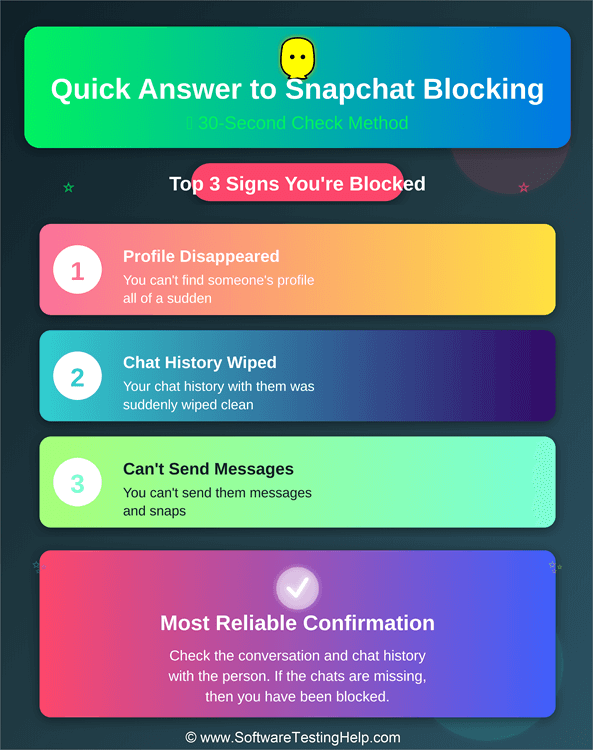
Blocked On Snapchat Indicators
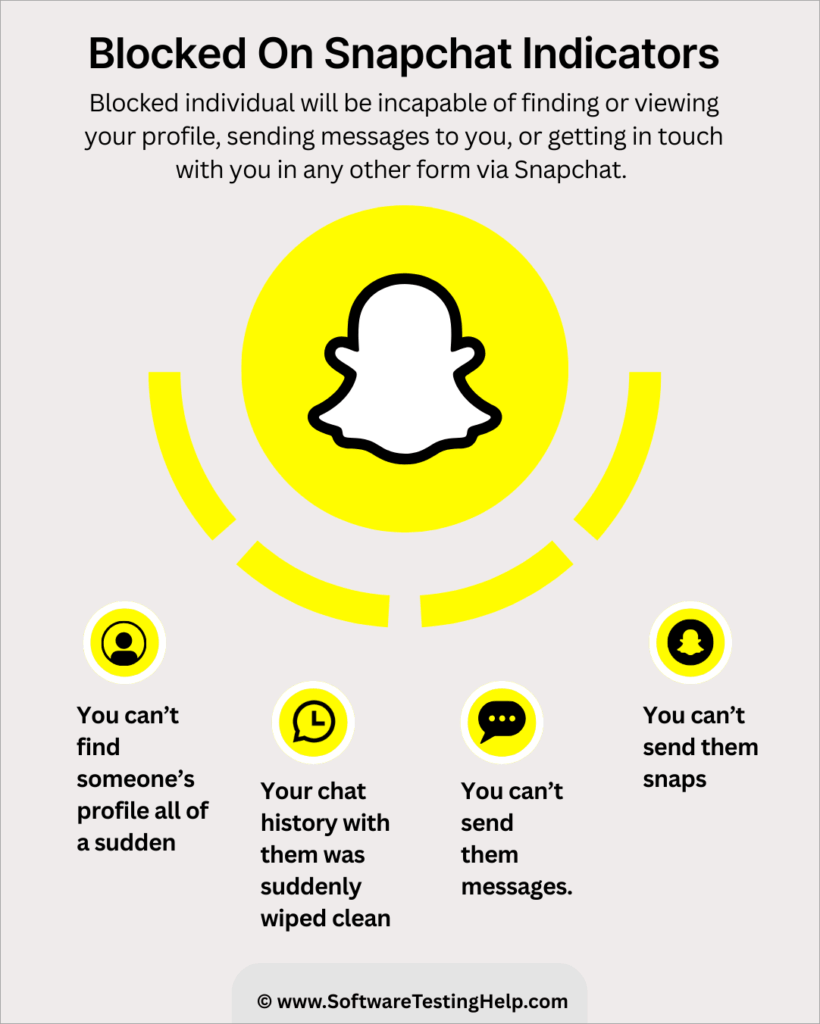
- You can’t find someone’s profile all of a sudden.
- Your chat history with them was suddenly wiped clean.
- You can’t send them messages. Snapchat messages not delivering could also indicate that you’ve been unfriended.
- You can’t send them snaps.
How the Snapchat Block Function Works
#1) First, launch Snapchat on your phone or computer.
#2) Log in and find the profile you wish to block from your contact list.
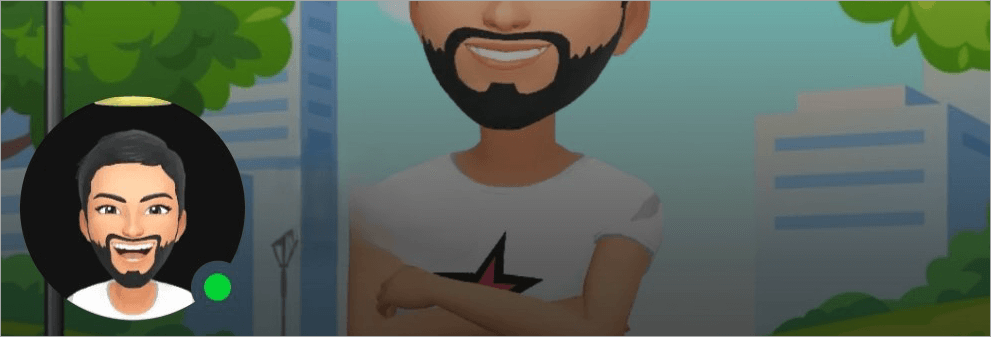
#3) Click on the profile to open it.
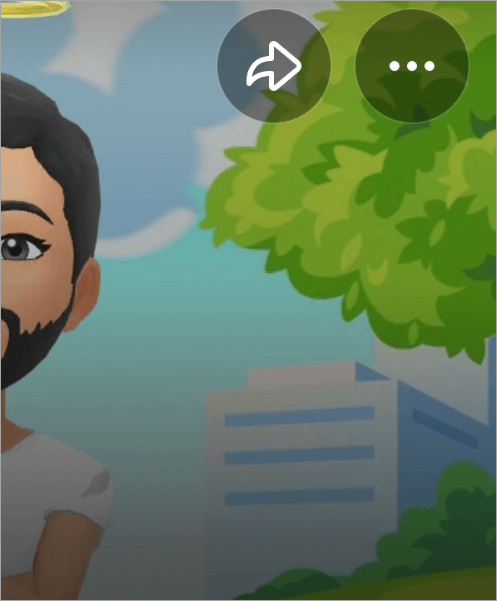
#4) Now, navigate to the “three dots” displayed in the top-right corner of your screen as shown below.
#5) This will result in a menu opening up, with the option to “Block” depicted at the very top, as shown below.
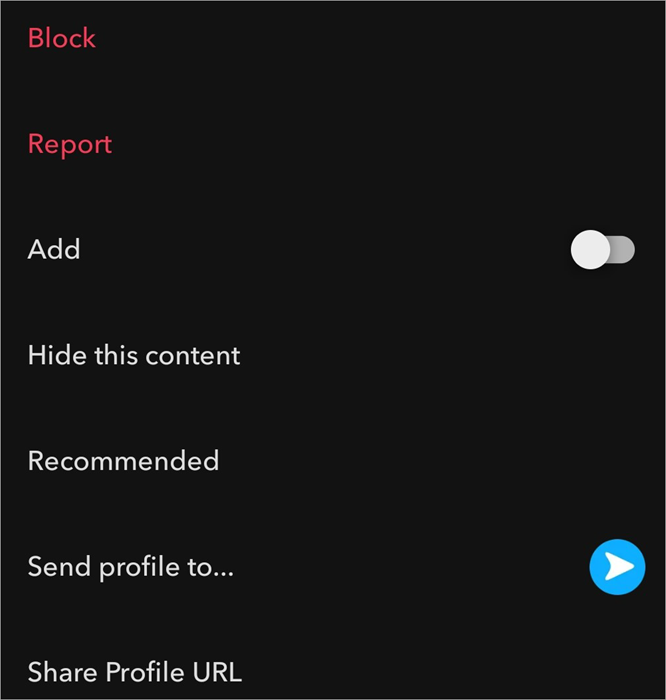
#6) Click on it and confirm.
If you are having trouble finding someone’s profile on Snapchat, they may have blocked you, although you cannot say for sure this is the case. However, you can try a few tricks to find out the truth.
How to Know if Someone Blocked You on Snapchat
Whether you are using Snapchat on your iOS/Android phone or on a desktop, the methods I am about to share with you below will work, regardless.
#1) Check Your Friend List
This is the very first thing I suggest you do in the event you can’t find someone’s profile. If that person hasn’t blocked you, you will find them in your contact list.
1. First, open Snapchat and tap on your profile icon.
2. On the ensuing page, scroll down to find the “My Friends” option as shown below. Click on it.
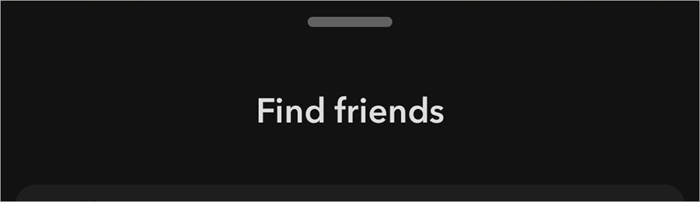
3. Now, in the designated search box, type your friend’s name or username.
If their name doesn’t appear, know that they have either blocked you or removed you from their friend list.
#2) Search By Username
After perusing your friend list, this is the logical next step in your journey to confirming any doubts you may have. Try to use Snapchat’s general search box to find your friend by their username on the platform.
Make sure you spell the username just right. If the profile doesn’t show up, this means that you’ve been blocked.
That said, it is also possible that this person has deactivated their account completely. It is also possible that this person has changed their username. As such, we still cannot be certain just yet.
#3) Check Your Conversation and Chat History
This is perhaps the best and most effective way to know for sure whether someone has blocked you. If you’ve been blocked, all the messages you’ve shared with that party should vanish without any warning.
How to tell if blocked on Snapchat via chat history:
1. Open Snapchat
2. Click on the tiny bubble icon you see on the bottom left of your screen, as shown below.

3. Scroll through the messages to find traces of past messages you’ve shared with the other party as in the image below.
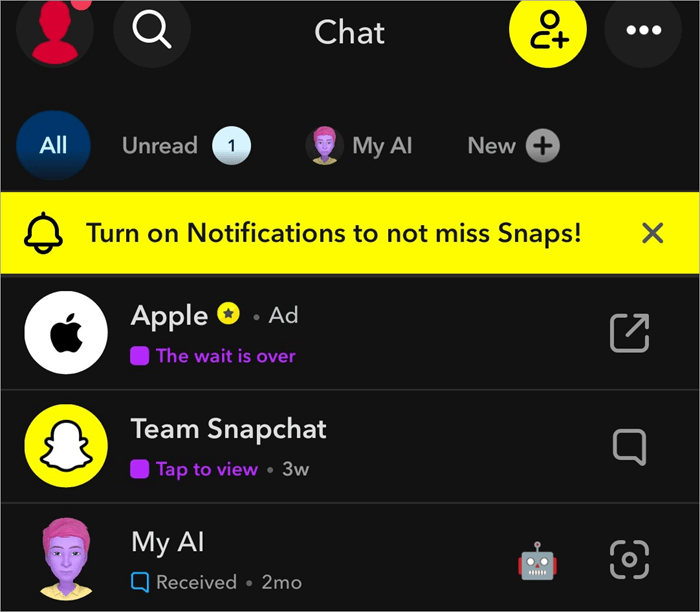
4. If those chats are missing, this should serve as a good enough indicator that you’ve been blocked.
Again, it is also possible that this person has deactivated their account.
Group Chat Behavior
If by any chance you and the other party are part of some group on Snapchat, check the chat history of their group as well. If you can find them in the group but have lost your entire direct chat history with them, know that you’ve been blocked.
#4) Try a Different Snapchat Account
One reason why it is so difficult to tell whether you’ve blocked or not is that account deactivation can also have the same result. So, you can mistake one for the other. This is why I believe this trick is the definitive way to know whether you’ve blocked. If you are blocked, it will be difficult for you to look up your contact’s profile with your account.
However, you can still try using another account, one that your contact has not blocked, to look them up on Snapchat. Be sure to be anonymous and discreet with your new account. If the other party finds out about the new account, they might have that account blocked as well.
Here’s how you can definitely confirm whether someone has blocked you via a new account.
- First, try to look up their profile through your original account. You might not get any results, indicating a chance of being blocked. Now, try to look that account up again, but with a different account. If you find it with the other account, know that they’ve blocked you for sure.
- There is a chance that you may find the profile with your alternative account, but still be unable to view their stories. This could be because they’ve limited story access to “Close Friends” only.
#5) Request a Mutual Friend
Like the trick I mentioned above, this one can also help you arrive at a definitive conclusion. For this to work, you’ll need to find someone on Snapchat who’s friends with you and the other party. A mutual friend, for that matter. If you are close to them, you could request them to look up the other party’s username through their account.
If the other party’s profile is visible to your friend but not you, take this as definitive proof that you’ve been blocked.
#6) Bitmoji Presence on Snap Map
Bitmoji is a unique aspect of Snapchat. Each user on Snapchat can have their own distinct Bitmoji, through which they can identify themselves on the platform. A bitmoji appears right next to the person’s name. If someone has blocked you on Snapchat, their Bitmoji will become invisible to you.
Furthermore, if they’ve shared their location with you through the Snap Map feature, you won’t see their Bitmoji on the Snap Map the next time you access that feature. Take this as a sign that you’ve been blocked.
#7) A Snapstreak Ending Unceremoniously
A Snapstreak is active between two people on Snapchat only if they manage to consistently exchange snaps with each other daily. If the other person blocks you, for whatever reason, you won’t be able to exchange snaps with them anymore. This will bring the Snapstreak with them to a screeching halt.
Normally, one is alerted that their Snapstreak is possibly coming to an end with an hourglass  . You should take this sudden appearance of an hourglass symbol as a warning from Snapchat that your streak is about to end. However, when someone blocks you, the flame emoji
  (signifying an ongoing streak) simply vanishes without any warning.
You should take this as a sign that you’ve been blocked by the person with whom you enjoyed an active Snapstreak.
How to Confirm Snapchat Block
This section unravels the distinction between Blocking, Unadded, and Account Deletion.
As you can tell by now, it’s tricky to confirm whether you’ve been blocked, as the reason could be something else. It can also be true that the person hasn’t blocked you. They may have changed their username. It is also likely that you are probably entering the wrong username or misspelling it.
Maybe your Snapchat is experiencing a temporary glitch, which can be resolved with a quick update or app reboot.
That said, account deactivation or being unadded could very well be the major reasons behind your struggle to find your contact on Snapchat.
Let me explain how Deactivation or being Un-Added works on Snapchat.
Account Deletion
Account deletion is a step one can take to erase oneself from Snapchat forever. By deleting your account, you render your account inactive, making it inaccessible to you and everyone else on the platform. Once deactivated, you’ll have about 30 days to restore your account. Once those 30 days are up, your account will be gone permanently.
Being Un-Added
This differs greatly from blocking or having an account deactivated. It is also the tamer of the aforementioned two practices. By unadding someone, you essentially remove them from your friend list.
The un-added person won’t receive any updates from you regarding your activity. However, they can still check out your profile. Any messages being sent by the un-added person will fail and be depicted as “pending” unless the other party accepts them.
Deletion vs. Removed vs. Blocked on Snapchat: Compared
| Indicator | Blocked | Removed | Account Deletion |
|---|---|---|---|
| Profile Visibility | No | Yes | No |
| Snap Score | No | Snap Score Won’t Update | No |
| Chat History | Erased | Remains | Erased |
| Sending Messages | Messages will fail | Messages will fail | Cannot send messages. |
| Sending Snaps | Cannot Send | Can Send | Cannot Send. |
Privacy Settings on Snapchat Beyond Blocking
We’ve discussed what could or could not be signs of being blocked. However, what if you can find someone’s profile, view their posts, but cannot see their stories? What if you can see stories, but your friend’s location is invisible to you?
Well, if that is the case, know that you’ve not been blocked. However, the person is employing other privacy features to restrict access to their content.
The image below depicts the Custom Privacy option in Snapchat:
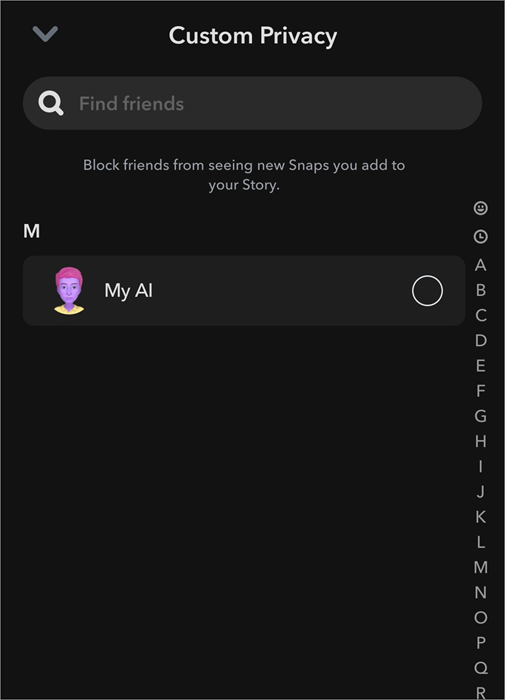
Restricted Story Mode
Snapchat’s privacy settings are highly customizable. Before posting a story, you can choose to hide your story from certain people in your friend list. This way, the story will only be shared by a limited number of people.
Other Restrictions
Snapchat users can set the “Contact Me” section in their settings to “Friends”. This will allow them to control who gets to interact with them or send snaps to them on the platform. There is also another feature called “Find Friends”, which determines who can find your profile and add you as their friend.
You can render your location invisible on Snapchat by disabling location on the “Snap Map”. You can also configure Snapchat to let other users on the platform know if you’ve been active on the platform lately.
How to Deal with Being Blocked on Social Media
Being blocked by someone you considered a friend on Snapchat may hit you like a ton of bricks. This can be particularly devastating for people who spend a lot of time on social media platforms cultivating relationships online. It is never a good idea to tie one’s worth to the follower count or friends they have on virtual platforms.
These relationships are often fickle and bound to crumble when put to the test. When blocked by someone, you can find yourself emotionally burned out. It is important to move on rather than ponder over the reason behind the sudden “block”.
Contemplate whether you did something wrong, perhaps crossed a boundary that the other party would not appreciate. It is important to be respectful of other people’s privacy online and not engage in questionable activities that could amount to cyberstalking.
It will be better for your self-respect and peace of mind to cherish the relationships you have rather than mourn the loss of a relationship you nurtured online. Make new friends. If the emotional toll of being rejected is too heavy to bear, seeking professional help is recommended.
Frequently Asked Questions
1. How to know if someone blocked you on Snapchat without adding them?
It is recommended that you be completely discreet when trying to find out whether someone has blocked you. As such, you should not attempt to add them with a different account. Instead, use the new account to first find out whether their profile is visible to you. If so, they’ve deliberately blocked you.
You could try seeking answers from them directly. My advice would be to let go and move on. Such conversations can be painfully awkward and cause you more mental distress.
2. When you block someone on Snapchat, what do they see?
The blocked person will not be notified of this. However, they might notice something amiss, as they’ll be unable to see your posts, stories, or find your profile. Plus, any messages they send to you will fail to deliver.
3. Why is my Snapchat score not updating?
This can happen for several reasons. The most obvious reason could be that you’ve not shared any snaps with the other person consistently.
It is also likely that you’ve been blocked or un-added by the other person, thus breaking the snap streak. It is also likely that this is a minor glitch. The glitch can be solved via a quick software update or reboot.
4. How do you know if someone deactivated their Snapchat?
If someone deactivates their Snapchat account, their presence will be removed from the platform. The most definitive way to know if an account is blocked is to create another account and search for that person’s profile.
You can also request a mutual friend to look up that profile. If that profile can’t be found by both of these methods, know that it no longer exists.
5. Why can’t I see someone’s Snapchat story?
Snapchat has a feature wherein you can control the visibility of your posted stories. By hitting the “custom” option before posting a story, you can block certain people in your friend list from checking out a story. If you can’t see a story from someone but can see their profile, this is likely to be the reason.
It is also possible that this person has blocked you or unadded you on Snapchat, thus preventing you from seeing their stories.
6. Can someone see if I’ve viewed their profile after being blocked?
No, it is not possible for someone who has blocked you to know whether you are trying to view their profile. As of today, there isn’t a feature on Snapchat that allows users to check who has seen their profile.
7. Do blocked messages get delivered if unblocked later?
No, any messages sent or received when blocked on Snapchat or any other social media platform will fail. Only new messages sent after being unblocked will be delivered.
8. Can you see someone’s story after they’ve blocked you?
Blocking is one of the most extreme measures to ensure your privacy on the platform. When blocked by someone, their entire profile becomes completely invisible to you. You won’t see the profile, posts, or stories of the person who has blocked you.
9. What happens to saved messages when blocked on Snapchat?
When blocked, you won’t be able to find the person who blocked you in the chats menu. As such, any messages you’ve shared with them in previous chats will also disappear.
Refer to the video below to understand if someone will know when you block them on Snapchat:
Conclusion
It is quite confusing to tell whether you’ve been blocked on Snapchat or not. As it is possible that you’ve either been un-added or that person’s profile no longer exists. The methods I’ve discussed above, like missing chat history, inability to find the user in search, or snaps stuck on “pending,” will hopefully help you arrive at a more definitive conclusion and put your mind at ease.
Still, since these indicators can also point to account deletion or deactivation, it’s important to look at the full picture before assuming you’ve been blocked.
That said, if a person has blocked you without warning or any explanation, it is best not to encourage your curiosity. You could try confronting them for a direct answer if you were close. If not, it is best to move on with your life and make new friends instead.
Research process
The total time involved to complete and publish this article is approx. 48 hours.
To ensure accuracy and reliability, this content was created through a structured research approach. We reviewed Snapchat’s official help documentation and community guidelines, analyzed real user experiences shared on forums and social platforms. The information was further validated by practical testing of Snapchat features to reflect real-world behavior and current platform functionality.
For more quick Snapchat-related guides, you can explore our range of Snapchat tutorials below:
- How to Deactivate or Delete Your Snapchat Account Quickly
- Ways to Download, Install, and Use Snapchat for Windows PC
- Learn how to Turn ON Snapchat Dark Mode on iPhone and Android
- How to Hack into Someone’s Snapchat
- Steps to Recover and Restore Your Snapchat Streak Without Paying
Was this helpful?
Recommended Reading
-

This tutorial will quickly educate you on how to deactivate Snapchat and delete your account across various platforms and devices with step-by-step screenshots of Snapchat deactivation: Snapchat has been a very popular social media app since its launch in 2011. For over a decade, there has been a sanctum of…
-
Through this tutorial, get to know the best possible ways to address your query: How to Get Snapchat on Windows 10: Three former students developed Snapchat, a communication app at Stanford University. It is only used on mobile devices. But can you get Snapchat on a computer? Yes, there are…
-
Read this review to compare and select the top app to hack into someone’s Snapchat step by step. Snapchat is one of the most popular apps, letting users share photos and videos that disappear shortly after posting. Snapchat is extremely popular among kids, and they spend significant time on the…
-
Is your Snap streak lost? Are you worried about Snapstreak recovery? Discover the legitimate ways to restore Snapchat streak for free without paying even a penny: Snapchat is probably my favorite social media platform, and snapstreak is a major reason. My friends and I have spent days, months, and years…