Find out who does not follow you back on Instagram with our step-by-step walkthrough. Effortlessly manage your Instagram followers list like a pro in minutes:
Instagram has evolved into a powerhouse over time, not just for sharing moments but for building personal brands and businesses.
With over 2 billion monthly users as of 2026, it’s a platform that combines reach, community, particularly among digital-literate young and old people, and visibility in one sleek app.
Table of Contents:
- Find Instagram Non-Followers: See Who is Not Following You Back
- Why Should You Know Who Isn’t Following You Back
- Instagram Data Export: Your Secure, Go-To Method
- How to Use AI Tools to Analyze Exported Data
- Best Tools to See Who Does Not Follow You Back on Instagram
- Comparing the Top Third-party Tools to See Unfollowers
- How to See Who Doesn’t Follow You Back on Instagram Manually
- How to Increase Follow-Backs on Instagram
- Ways to Get More Followers on Instagram
- Frequently Asked Questions
- Conclusion
Find Instagram Non-Followers: See Who is Not Following You Back
Individuals crave followership for connection, social validation, or creative influence, while businesses rely on wide follower bases to drive sales, brand awareness, and advertising ROI. But the big question is: Can you really grow that following?
The answer is yes – but it takes strategy. Consistent content, authentic engagement, optimized profiles, and smart use of tools and collaborations all play a part. You will probably implement a plan of following people, hoping as many as possible will follow back: some will, but for others, this will lag. This will slow growth in your overall follower numbers.
Therefore, even while chasing numbers, let’s tackle the first vital step: who isn’t following you back on Instagram – and how to find out safely and smartly.
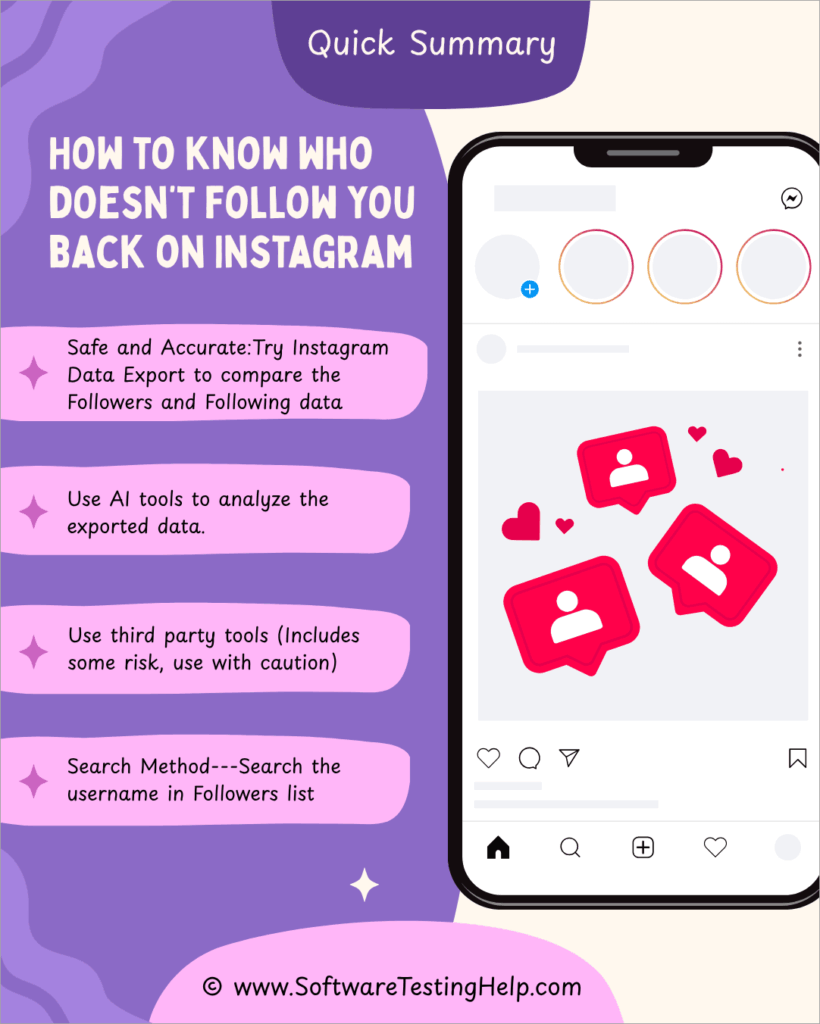
Quick Summary: How to know who doesn’t follow you back on Instagram
Why Should You Know Who Isn’t Following You Back
Whether you’re running a brand, a personal account, or a creator profile, your follower list isn’t just a number – it’s a reflection of your influence, trust, and reach. Knowing who doesn’t follow you back may seem like vanity at first glance, but for businesses and individuals alike, it carries strategic value.
The following are some of the top reasons to know why it is essential to understand who isn’t following you back.
For Businesses & Brands
- Optimize Marketing Spend & ROI: If you’re investing time or money in influencer collaborations, ads, or giveaways, you want engagement with people who care about your content, not ghost followers or people who don’t follow you back. Spotting non-followers helps you clean your list and improve return on engagement.
- Audience Quality Over Quantity: Vanity metrics like follower count mean little if only a small percentage actually interact with your brand. Removing or re-engaging non-followers helps you sharpen targeting and keep your analytics clean.
- Better Content Strategy: Tracking who unfollows or never follows back can signal whether your content resonates with your target audience. You’ll learn what to improve or change, from your posting schedule to your visual strategy. Feel free to read our guide to understand how to see who unfollowed you on Instagram.
- Build Real Community: Real followers engage, share, and eventually convert into customers. Tracking non-followers helps brands redirect efforts toward people who matter, not just inflated numbers.
For clarity, we’ve outlined the reasons separately for businesses and individuals, as shown below:
For Individual Creators & Personal Accounts
- Maintain Mutual Relationships: If you’re using Instagram to connect with peers, fans, or even just friends, knowing who doesn’t follow you back helps keep those connections mutual and intentional, not one-sided.
- Boost Engagement Rate: The engagement rate (likes + comments divided by followers) is a critical metric for creators and influencers. A bloated list full of non-followers can lower your rate. Keeping your list clean ensures more accurate engagement insights.
- Protect Your Content from Passive Lurkers: Accounts may follow or not follow you, who just watch without engaging. Identifying non-followers helps you understand who is actually part of your audience and who’s just scrolling past.
- Personal Boundaries & Digital Hygiene: Managing your follow list is digital self-care. If someone you follow doesn’t follow back (and doesn’t engage), it’s okay to unfollow or reevaluate that connection.
Further Reading => Steps to Get Someone Off Your Best Friend List on Snapchat
Quick Comparison of Methods to See Who Doesn’t Follow You Back on Instagram
| Method | Cost | Ease of Use | Speed | Free? |
|---|---|---|---|---|
| Instagram Data Export | Free | Moderate | Slow (wait for ZIP) | Yes, completely free |
| Manual Comparison | Free | Low (tedious) | Slow / Time-consuming | Yes, free |
| Web ZIP Upload Tools (e.g. Folozer) | Free | High (few clicks) | Quick after download | Yes, free to use |
| Third‑Party Apps (FollowMeter etc.) | Paid/subscription | High (easy UI) | Fast | Basic version often free; full features paid |
Instagram Data Export: Your Secure, Go-To Method
Rather than wrestling with guesswork, Instagram gives you the tools to see exactly who follows and doesn’t follow you back, so you can take the actions to improve your account.
The most important benefit of all for this method is that it is official, accurate, and keeps your credentials private. Instagram’s Data Export Tool is a feature that allows any user – individual or business – to request and download all the personal data that Instagram stores about their account.
This includes photos, comments, messages, and, importantly for this guide, your follower and following lists. From this list, you can see who followed or did not follow your account after you followed them.
The tool is handy for people who want to:
- See who they follow versus who follows them back, and hence can identify who is not following them back.
- Analyze engagement data without third-party apps and therefore make analyses cost-effective. This is important for limited non-expansive analyses.
- Ensure their content and personal data are backed up away from the online data servers maintained by Instagram.
How it Works:
- First, log in to your Instagram account if you have already created it. From here, navigate to Settings → Account Center → Your Information → Download Your Information. After this, access your data through the Meta Accounts Center (accountscenter.instagram.com). Navigate to Your Information and Permissions → Download or Transfer Information and request the data needed.
- Request data for “Followers and Following” over All Time, which is preferably done in JSON format, although the HTML format is still usable.
- After receiving the email telling that your data is ready for download, proceed to the download page to download, then unzip the file.
- Inside the downloaded file, locate your followers and following lists, typically in _followers.html/JSON and _following.html/JSON.
Further Reading => How to Fix When Instagram Keeps Logging You Out
Comparing the Lists:
- You may then simplify comparing the two lists by using tools like listdiff.com, CompareTwoLists, or a simple spreadsheet to identify accounts you follow that don’t follow you back.
- This method models privacy and trust since it is now Instagram-approved and completely under your control. Only that it may involve some manual steps.
How to Use Instagram Data Export on Mobile
Step #1: You will need to start by downloading and installing the Instagram app on an iOS or Android device. Then, from your home screen or other locations, such as from the device Settings, tap to open the app.
Step #2: Scroll and tap your profile icon at the bottom right.
Step #3: Tap the hamburger menu (☰) in the top-right corner.
Step #4: Choose Settings and Privacy.
Step #5: Tap Account Center → Your Information and Permissions → Download Your Information as shown below.
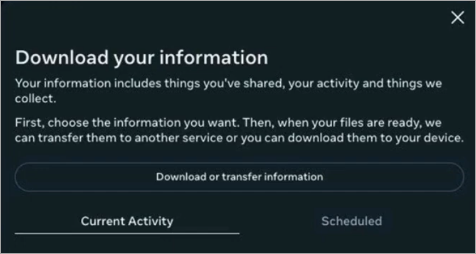
Step #6: From here, enter your email and choose Complete copy and preferred format (JSON recommended).
Tap Next and confirm your password.
You’ll get an email with a download link, usually within 15 minutes to a few hours.
How to Use It on Desktop (Web)
Step #1: You will need to have a working browser such as Opera, Mozilla, or Microsoft Edge. Open it and from the URL insertion field type in Instagram.com to open the web app and proceed to log in.
Step #2: Click your profile photo at the top right and navigate to Settings.
Step #3: Click Privacy and Security on the left menu.
Step #4: Scroll to Data Download and click Request Download.
Step #5: Enter your email and select JSON or HTML format.
Step #6: Confirm with your Instagram password and hit Request Download.
Instagram will email you a link to a ZIP file containing your data.
Who Can Use Instagram Data Export
Anyone can use this tool for as long as they have an Instagram account, and regardless of the motive of usage, whether you’re a casual user tracking unfollowers, a business analyzing customer engagement, a creator archiving content and contacts, or a privacy-conscious user checking what Instagram stores.
Benefits of Instagram Data Export:
There are multiple benefits why you should use this tool, and here are a few of them:
- Security: By using the tool, there is no need to give your password to third-party apps.
- Accuracy: The data is directly from Instagram’s servers.
- Ownership: You can back up your entire account content and use it later.
- Custom Use: Analyze the data any way you want – offline, privately, or with your own tools.
Challenges of Instagram Data Export:
- Time Delay: It can take hours to receive your file.
- Raw Format: Data comes in JSON or HTML, which may require basic tech skills to navigate.
- Manual Comparison: You’ll still need to compare follower and following lists manually or use safe upload tools.
- Limited Frequency: Instagram may limit how often you can request data.
How to Use AI Tools to Analyze Exported Data
The imported file from Instagram can be uploaded onto AI tools such as ChatGPT for analysis, which can be easy and fast. All you need is to direct the AI on what you need to do with the data, and for ChatGPT, the directing can be as easy as writing the description in an entry field, and it will do the job.
#1) Spreadsheet + AI Assistant
Step 1: Upload the exported lists into Excel or Google Sheets.
Step 2: Use an AI add-on (ChatGPT, Gemini, Copilot in Excel) to compare and highlight mismatches.
Step 3: Fast, and you don’t need coding skills.
#2) Python + AI Code Generator
Step 1: Export your data, then paste it into a Python script generated by ChatGPT.
Step 2: The script compares lists and outputs who doesn’t follow back.
Step 3: Flexible and reusable.
If the export fails, gets stuck, is delayed, or the download link doesn’t work. Here are your options:
- Try again later: Instagram often queues large exports. It may take hours or even days. Retry from Settings > Privacy & Security > Download Your Information.
- Request a smaller export: On Instagram’s export page, you can sometimes choose JSON instead of HTML (lighter and easier to parse). JSON exports are less likely to fail.
- Use desktop + stable internet: Exports are more reliable on a computer browser than in the app.
- Check email & spam folder: Instagram sends a download link via email; sometimes it’s filtered as spam.
- Use the “Access Data” option: Instead of full export, Instagram’s Access Your Information (in settings) lets you view followers/following directly. You can then copy/paste the lists into a spreadsheet or AI tool.
If you still can’t export, do:
- Manual method: Copy your followers & following lists (from your profile on desktop) into Excel or Google Sheets → then let AI compare them.
- Third-party tools: Some apps/websites can fetch unfollowers, but most are unsafe or against Instagram rules, so safer to avoid them.
#3) Third-Party Tools (with Caution)
Step #1: Some apps/websites claim to show unfollowers directly, but many are insecure or violate Instagram’s policies.
Step #2: Safer to stick with official data export + AI analysis.
Best Tools to See Who Does Not Follow You Back on Instagram
#1) FollowMeter
#2) Followers Tracker Pro
#3) Follow Cop
#4) InstaFollow
#5) Folozer
Comparing the Top Third-party Tools to See Unfollowers
| Tool / Method | Platform(s) | Cost | Ease of Use | Speed | Free? |
|---|---|---|---|---|---|
| FollowMeter | iOS & Android | Basic free; subscription $4.99/month or $17.99/6mo or $24.99/year) | Very easy | Very fast | Basic version free; full access paid |
| Followers Tracker Pro | iOS only | Likely subscription-based | Easy | Fast | Probably not fully free |
| Follow Cop | Android only | Likely subscription-based | Easy | Fast | Probably not fully free |
| InstaFollow | iOS & Android | Likely subscription-based | Easy | Fast | Probably not fully free |
| Folozer | Web (any device) | Free | Very Easy | Fast after ZIP | Yes — no login or cost. |
| Unfollow Radar / Nonfollowers.com / IG Unfollowers Tracker / Unfolks | Web (any device) | Free | Easy | Fast after ZIP | Yes — privacy-first tools |
#1) FollowMeter
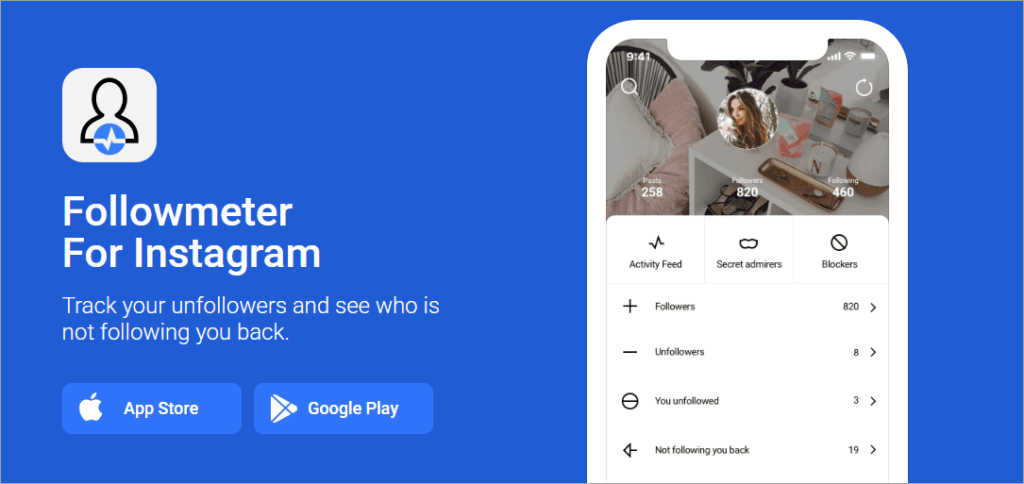
FollowMeter is a widely used Instagram analytics app that will help you track your account followers, unfollowers, ghost followers, secret admirers, and engagement metrics. That tells you how useful it can be for those who want to promote their Instagram accounts for fame or other motives, such as business. It also offers story viewers and activity monitoring dashboards.
Features:
- This app detects who unfollowed you or doesn’t follow you back.
- It reveals ghost followers, top likers, secret admirers, and account blockers. If you wish to know who blocked you, then please read our guide on how to see who blocked you on Instagram.
- The app offers deep engagement analysis with charts and growth tracking.
Platforms: iOS and Android
Steps to use: Visit the iOS and Android app stores. Search for FollowMeter app, install it and log in and view the non-follower list.
Pricing: User must be logged in. Offers a free tier, but many advanced features are accessible after premium subscriptions ($4.99/month, $17.99/6‑month, $23‑24.99/year).
Website: https://www.followmeter.com
#2) Followers Tracker Pro
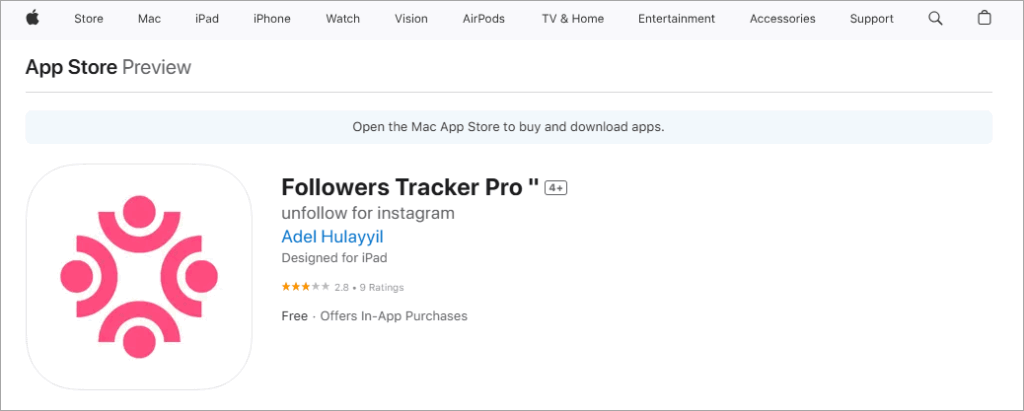
Followers Tracker Pro is a dedicated iOS application you can use to track your unfollowers and non-followers. It provides users with direct insights into their follower dynamics; therefore, it helps much in the account promotion journey.
Features:
- This app shows users who don’t follow you back.
- The app tracks follower changes over time.
- It offers a clean iOS-native interface.
Platforms: iOS only
Steps to use: On your iOS device, visit the iOS App Store, search for the term Followers Tracker Pro, and when it appears, tap on it to install, log in, and analyze follower data.
Pricing: The price range is between $5–$24/year.
Website: https://apps.apple.com/us/app/followers-tracker-pro/id6478805121
#3) Follow Cop
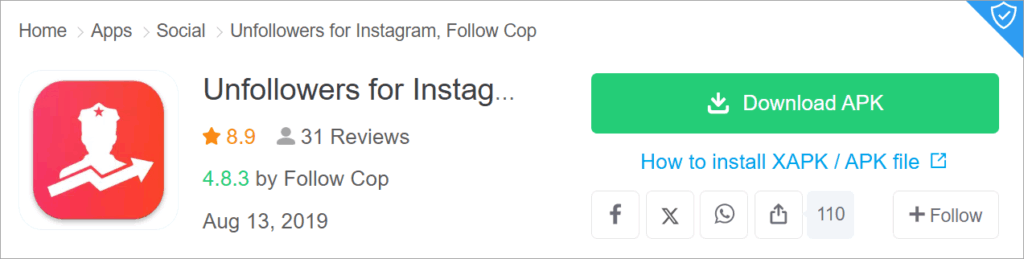
Follow Cop is a crucial Android app used for spotting/identifying unfollowers, blocking ghost followers, and managing your follow list.
Features:
- The app identifies users who recently unfollowed you or never followed back.
- It supports mass unfollows (limited in the free version).
- The app filters out fake or inactive accounts. Supports mass unfollows (limited in free version).
Platforms: Android only
Steps to use: First, open the app store on your Android or use apk from sources such as Apkpure.com, search for the app, tap to install, log in, and check follower analytics.
Pricing: Its free version contains ads, and the bulk unfollow feature may require a payment.
Website: https://apkpure.com/unfollowers-for-instagram-follow-cop/com.instagram.followcop
#4) InstaFollow
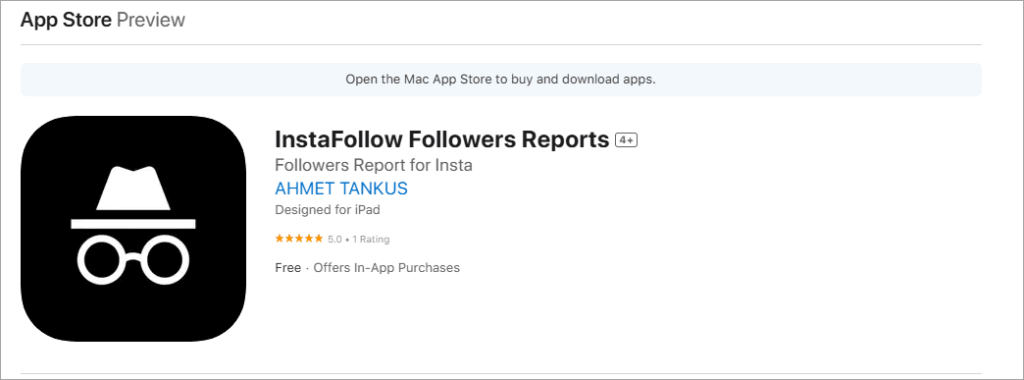
This is a cross-platform (iOS & Android) app to monitor followers, unfollowers, story viewers, and engagement; it includes detailed reporting. You can also take a look at our tutorial on the top Instagram Story Viewers to pick the right one.
Features:
- It lists new followers, defollowers, non-followers, and story viewers.
- It offers engagement analytics and follower reports.
Platforms: iOS & Android
Steps to use: Visit the Android or iOS app store, search and tap to install, log in, and see non-followers.
Pricing: Free with paid version.
Website: https://apps.apple.com/gb/app/instafollow-followers-reports/id6739487364
#5) Folozer
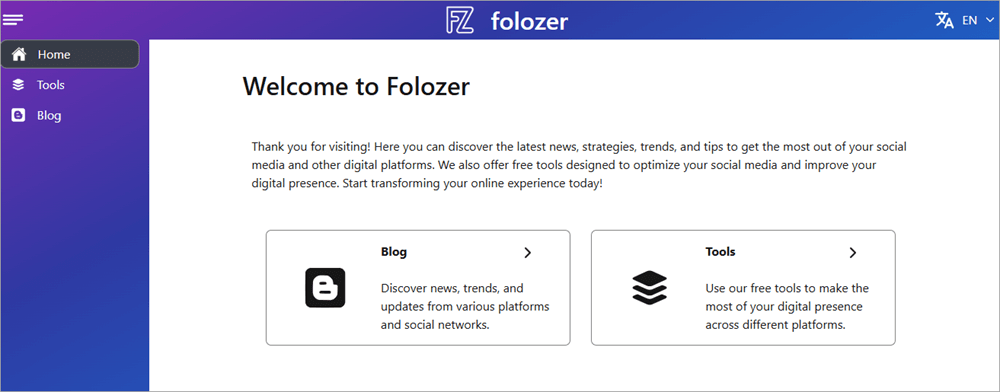
Folozer is a web-based tool that lets you analyze Instagram follower data without logging in, and therefore is considered one of the simplest tools to get this job done. You simply require uploading your Instagram data ZIP (followers/following) for instant results.
Features:
- It provides a secure, no-login interface.
- Fast detection of non-followers, missed follow requests, and more.
- Local browser processing protects privacy.
Platforms: It can be accessed from any device with a web browser.
Steps to use: Open Instagram and download ZIP file of your followers and the following list. Upload the ZIP file to https://folozer.com/en/tools/unfollowers to see which accounts aren’t following you back.
Pricing: The tool is completely free.
Website: www.folozer.com
#6) Browser-Based/ZIP Upload Tools (Password-Free, Safer Options): This method is a password-free and safer option.
The above 4 apps discussed can offer convenience, but Instagram’s restrictions may penalize their usage. So you can prefer Browser-Based or ZIP Upload Tools like Folozer, Unfollow Radar, Nonfollowers.com, IG Unfollowers Tracker, and Unfolks. Folozer works on the web on any device, and here are the steps on how to use it:
Steps: Download the Instagram data ZIP, drag-and-drop it into the site, then view who doesn’t follow back locally.
How to See Who Doesn’t Follow You Back on Instagram Manually
Step-by-Step Checklist
Here’s a step-by-step checklist for the manual method:
- Go to your Instagram profile.
- Tap “Following” to see the list of people you follow.
- Pick a profile and tap on it.
- Look under their bio for “Follows you”.
If you see it → they follow you back.
- If not → they don’t follow you back.
- Repeat for other accounts in your list.
Benefits
- 100% accurate since you’re checking directly in-app.
- Don’t risk your account by using third-party apps.
- Especially effective for small accounts, where the following list is short and easy to review manually.
“Follow Back” Button
This is another manual method to check if someone is following. Use Instagram’s search functionality –> Search the person –> If you see the Follow Back Button, this means the person is following you.
How to Increase Follow-Backs on Instagram
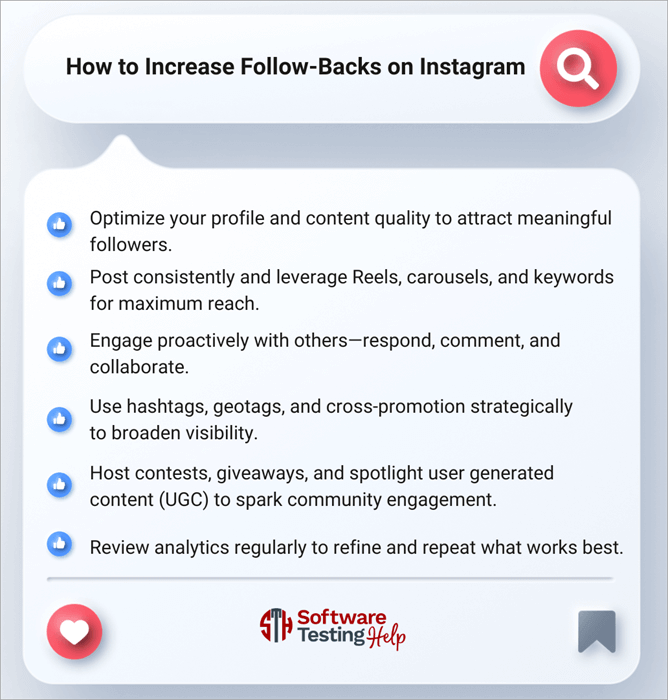
- Optimize your profile and content quality to attract meaningful followers:
An interesting and clear bio with relevant keywords and a high-quality profile image makes a strong first impression and raises the follow-back probability. Posting visually appealing, authentic content using natural lighting and consistent editing further encourages users to follow back. - Post consistently and leverage Reels, carousels, and keywords for maximum reach:
Maintaining a regular posting rhythm (e.g., three to five times weekly) signals Instagram’s algorithm about your reliability and boosts both visibility and follow-back rates. Use Reels to reach new audiences and carousels to deepen connection with your current followers, while well-structured captions with keywords enhance discoverability. Read our guide to know the best time to Post on Instagram. - Engage proactively with others – respond, comment, and collaborate: Thoughtful interaction like replying to comments, turning on Story polls, or running Q&A sessions builds rapport and often organically results in follow-backs. Tagging, shared Lives, and partnerships with influencers or complementary brands expose your account to new, relevant users, many of whom will follow you back.
- Use hashtags, geotags, and cross-promotion strategically to broaden visibility:
Mix niche and trending hashtags (ideally three to eight per post) for targeted discovery without oversaturation. Geotags also help local users find and follow you. Meanwhile, cross-promoting content on platforms like Twitter, LinkedIn, blogs, or newsletters attracts engaged, high-intent followers who are more likely to follow back. - Host contests, giveaways, and spotlight user-generated content (UGC) to spark community engagement: Contests and giveaways – with actions like tagging friends or liking and following – create excitement and visibility that often translate into follow-backs. Featuring UGC not only fosters community but also encourages followers to tag you and potentially follow in return for recognition.
- Review analytics regularly to refine and repeat what works best:
Instagram’s Insights and third-party analytics tools clarify which posts, times, and formats drive the most engagement and new followers, letting you optimize your approach over time. Tracking metrics like growth rate, engagement ratio, saves, and shares helps ensure your followers are not just numbers but genuinely engaged–increasing the chances they follow back.
Ways to Get More Followers on Instagram
Boosting follower count requires more than numbers – it’s about value, discovery, and genuine connections. Here are the ways to get more followers, along with the steps to make it happen.
Proven Strategies (and How to Use Them)
- Leverage Short-Form Video (Reels): Reels dominate reach. Use trending audio, hooks, captions – they’re algorithm favorites.
- Collaborate Strategically: Work with micro or nano-influencers (10K–100K followers) who share your niche. Host Lives, co-create Reels, or do mutual shoutouts. These partnerships bring engaged audiences with minimal cost.
- Optimize Discovery with SEO & Hashtags:
- Add keywords to your username/name so your profile surfaces in searches.
- Craft bios with relevant terms and CTAs.
- Use a balanced mix of popular and niche hashtags (3–8 per post).
- Post Consistently on an Optimal Schedule: Develop a reliable 3–5 times per week posting rhythm. Use Instagram Insights to identify when your followers are most active.
- Diversify Formats: Reels, Carousels, Stories: Reels extend reach; carousels deepen engagement, Stories fuel daily interaction. Together, they strengthen visibility and retention.
- Make Engagement a Two-Way Street: Reply genuinely to comments and DMs, use polls and Q&As, and reshare user-generated content. Meaningful interaction enhances loyalty and signals value to Instagram’s algorithm.
- Cross-Promote Across Platforms: Share your Instagram link in emails, websites, newsletters, or other social media bios to keep discovery channels open.
Frequently Asked Questions
1. How do I see who doesn’t follow me on Instagram?
On the Instagram website, use the data download option to request followers/following lists, then compare them using third-party tools like listdiff.com.
2. Is there an Instagram feature to show non-followers?
The Instagram app doesn’t label non-followers, but it will show you who follows; you must compare downloaded data manually or via third-party tools.
3. Which apps show who unfollowed me?
Popular options include FollowMeter (iOS & Android), Followers Tracker Pro (iOS), Follow Cop (Android), and InstaFollow (iOS & Android).
4. Can third-party apps get you banned on Instagram?
Yes. Instagram discourages unauthorized automation or mass account access. Using such apps carries the risk of temporary bans or lockouts.
5. What’s the safest way to check followers?
Safest: Use Instagram’s own data export and then analyze it offline or with privacy-minded tools – no login sharing required.
6. How to unfollow those who don’t follow you back on Instagram?
You can manually unfollow by checking your “Following” list, or compare your Followers vs. Following through Instagram’s data export.
Third-party apps exist, but they come with risks. If you want to unfollow people who don’t follow you back, the safest way is to do it manually by visiting your Following list and checking profiles one by one.
Instagram doesn’t provide a built-in “non-followers” filter, so many users rely on third-party apps. However, these apps often require login access and may put your account at risk of being restricted.
A safer alternative is to request your Instagram data (via Settings → Your information → Download your information), then compare your Followers and Following lists in a spreadsheet. It takes a little work, but it avoids security issues.
7. How do I filter accounts that don’t follow me back on Instagram?
Instagram doesn’t offer a direct filter, but you can cross-check Followers vs. Following manually or via exported account data. Unfortunately, Instagram doesn’t give you a button to see who doesn’t follow back.
You can do this in two main ways: manually, by looking at your Followers list and comparing it with your Following list; or more efficiently, by downloading your account data from Instagram.
Once you export this data, you can load it into Excel or Google Sheets and quickly see which usernames appear in one list but not the other. This method avoids third-party tools and keeps your account safe.
8. Does Instagram shadowban for unfollowing too fast?
Instagram doesn’t technically “shadowban” for this, but it may block or restrict your account if you unfollow too quickly. Instagram keeps a close eye on mass following and unfollowing behavior, since it often looks like spam or bot activity.
If you unfollow too many accounts in a short time, Instagram may temporarily restrict your account. This isn’t a permanent shadowban, but you might see an “Action Blocked” message preventing you from unfollowing, liking, or commenting for a few hours – or even a few days.
To avoid this, space out your unfollows gradually throughout the day.
9. What is the maximum unfollows per day on Instagram?
There’s no official number, but generally 50–100 per day for new accounts and up to 150–200 for older, established accounts is considered safe. Instagram doesn’t publish hard limits, but user experience shows that unfollowing too many people at once can get your account flagged.
If your account is fairly new (less than 3 months old), stick to 50–100 unfollows per day at most.
If you’ve had your account for a while and use it regularly, you can usually unfollow up to 150–200 accounts per day without problems. The key is to pace yourself and not unfollow everyone in one sitting.
10. What is a good follow-to-follower ratio?
A balanced ratio looks natural, but for credibility, it’s better to have more followers than people you follow. Your follow-to-follower ratio affects how others perceive your account. A personal account often looks natural if the numbers are similar, but if you’re a creator, influencer, or brand, it’s better to have significantly more followers than accounts you follow.
Here is a video on how to use Instagram Data Export on Mobile:
Conclusion
Instagram’s influence – for individuals, brands, or businesses – is unmatched. But growth isn’t accidental, or easy, or fast. It starts with understanding your network – knowing who follows back, who doesn’t, and why, then solving the follower pain points or delivering their interests.
To conclude, the safest approach to know who does not follow you back on Instagram is an Instagram data export, no third-party login required, and local comparison tools to pinpoint non-followers. Then, focus on authentic growth: make Reels, engage genuinely, optimize your profile, and collaborate strategically. Do it consistently, creatively, and with integrity.
At its heart, building followers isn’t about the numbers – it’s about the human connection behind them. Let that guide your strategy, and you’ll build a following that truly follows back.
For more quick Instagram-related guides, you can explore our range of Instagram tutorials below:
- How to Hide Followers in Instagram
- Ways to Mute or Unmute People on Instagram
- Steps to Turn Off Active Status on Instagram
- What is Quiet Mode on Instagram
- How to View Instagram Stories Without an Account
Was this helpful?
Recommended Reading
-

Explore the top effective methods and learn How to Post on Instagram From Your PC through this tutorial: Sometimes, it can be annoying to look for your phone to make an Instagram post when you have your PC at hand. Also, it can be a tiring and irritating process to…
-
Review of the best Private Instagram Viewer to View Account and profiles. A private Instagram account viewer tool will allow you to view private profiles on Instagram easily. The Instagram private profile viewer will be invaluable to parents as they make sure their children don’t indulge in dangerous activities to…
-
Review and comparison of the the top Instagram Story Viewers with features and pricing to help you select the best Instagram Viewer: Launched exactly a decade ago, Instagram quickly became a new favorite online hangout spot for people across the globe. The online photo and video sharing platform has only…
-
Be it Reels, Videos, Instagram Stories, or If You Want to Go Live, here you will get to know about the Best Time to Post on Instagram for More Likes: It's no secret that you need to create and populate your Instagram feed with intriguing content to gain more followers…