Are you struggling to download Vimeo videos to your device for offline viewing? Review of 10 Best Vimeo video downloaders to download Vimeo videos easily.
Downloading a video from Vimeo can be useful when you want to watch content offline, save educational videos, or access clips without an internet connection.
Vimeo does not allow you to download or save files directly to your device. To download videos quickly and efficiently, you will have to take the help of multiple third-party apps. Searching for the best Vimeo Video Downloader can be very time-consuming.
In this guide, we’ll explain how to download a video from Vimeo and review the 10 best Vimeo video downloaders based on ease of use, format support, and video quality.
Table of Contents:
- Complete List of Vimeo Video Downloader Tools
- List of the Best Vimeo Video Downloaders
- Comparison Table of Top Downloaders for Vimeo Videos
- #1) AceThinker Free Vimeo Downloader
- #2) SaveTheVideo
- #3) Vimego
- #4) YTD
- #5) FreeMake Video Downloader
- #6) MacX YouTube Downloader for Mac
- #7) iTube Studio for Mac
- #8) KeepVid
- #9) OnlineVideoConverter
- #10) 4K Video Downloader
- #11) All Video Downloader
- #12) Gihosoft
- #13) Small SEO Tools
- #14) aTube Catcher
- #15) ClipConverter
- Vimeo Video Downloader – Simple Downloader
- Vimeo Super Downloader
- Frequently Asked Questions
- Conclusion
Complete List of Vimeo Video Downloader Tools

Source: WiseGuyReports
Expert Advice:
- Choose the right download format: Look for tools that support multiple formats such as MP4, MOV, or 3GP, depending on your needs.
- Check platform availability: Prefer downloaders that work smoothly on browsers or offer dedicated apps for easy downloading and file management.
- Consider download quality: Ensure the tool preserves the original video resolution and delivers high-quality output without compression loss.
List of the Best Vimeo Video Downloaders
Top-rated downloaders for Vimeo videos:
- AceThinker Free Vimeo Downloader
- SaveTheVideo
- Vimego
- YTD
- FreeMake Video Downloader
- MacX YouTube Downloader for Mac
- iTube Studio for Mac
- KeepVid
- OnlineVideoConverter
- 4K Video Downloader
- All Video Downloader
- Gihosoft
- Small SEO Tools
- aTube Catcher
- ClipConverter
Comparison Table of Top Downloaders for Vimeo Videos
| Tool Name | Best For | Download Format | Platform | Ratings |
|---|---|---|---|---|
| AceThinker Free Vimeo Downloader | Long video download | MP4 | Browser | 5.0/5 |
| SaveTheVideo | Bulk download in 4K/HD quality | MP4, AAC, MP3 | Browser | 4.9/5 |
| Vimego | Fast download of videos | MP4 | Browser | 4.8/5 |
| YTD | Batch conversion of videos | MP4 | Application | 4.7/5 |
| FreeMake Video Downloader | Download videos from multiple sites | HD, MP4, AVI, 3GP, FLV | Application | 4.6/5 |
Detailed Review:
#1) AceThinker Free Vimeo Downloader
Best for downloading long videos.

While searching for the best Vimeo Video Downloader, I found the AceThinker Free Vimeo Downloader. This is one of the best downloaders available online. Apart from Vimeo, this downloader will let you download videos from several other web-based platforms such as Dailymotion, Instagram, and Facebook, as well.
The best feature of the AceThinker Free Vimeo Downloader is that it works pretty well with almost all famous browsers, such as Google Chrome, Internet Explorer, Mozilla Firefox, and more. It comes with a one-click download option that makes everything easy.
I also like the fact that it is compatible with both Mac and Windows operating systems. The app is tested by McAfee and Norton to make sure there are no threats or issues while using this tool. The app comes with a link analysis feature that helps you to determine a secure one.
Features:
- Multiple download options
- Comes with a Link analysis feature
- One-click download option
- HD video quality
- Smooth download process
How to download videos online with AceThinker Free Vimeo Downloader?
If you want to download videos online using AceThinker, here are the steps you need to follow:
- Copy the URL of the selected Vimeo video.
- Paste the link in the blank pasting area.
- Click on the search button.
- The app will analyze the entire video link and provide the download option.
- Select the format and click the download option to save the video on your computer.
Pros:
- Easy to use
- Secured server
- No need for registration
Cons:
- Minor technical issues may arise
Ratings: 5.0/5
Website: https://www.acethinker.com/
#2) SaveTheVideo
Best for its bulk download with 4K/HD quality features.

SaveTheVideo is a great video-downloading website that will let you download a wide range of music and videos. You will be able to download Vimeo videos along with videos from other social media platforms. Unlike other websites, this app has no ads or pop-ups. It supports more than 100+ websites and needs no login or signups.
What I like about this app is that it offers faster downloads compared to other applications. This will let you edit videos in 4K or HD resolution. It is entirely secure and safe to use. You also don’t need to worry about your privacy.
Features:
- Easy download process
- Convert videos
- Edit 4K or HD videos
- Fast download feature
- No profile creation required
How do I download videos online with SaveTheVideo?
Here are the steps to download Vimeo videos online using SaveTheVideo:
- Select the video that you want to download.
- Copy the link to the chosen video.
- Go to the SaveTheVideo app and paste the link into a blank search bar.
- Click the search button.
- You will get the downloadable link.
- Choose the format for video download and save it on your device.
Pros:
- Safe and secure network
- Bulk download feature
- Wide compatibility
Cons:
- Download errors may arise sometimes
Ratings: 4.9/5
Website: https://www.savethevideo.com/vimeo-downloader
#3) Vimego
Best for fast downloading of videos.

Vimego is a free app that allows you to download Vimeo videos. The interface is easy and user-friendly. You can download videos with just a few clicks. What I like about this app is that you can download videos in 720p, 1080p, and 4K.
Apart from that, you can get a fast and secure downloading process compared to other websites. The best feature is that it helps retain the video’s original quality. You have a reliable network that ensures a smooth experience every time.
Features:
- 2K or 4K video download
- Retains original video quality
- Broad compatibility
- Fast and secure download facility
- Easy-to-use interface
How do I download videos online with Vimego?
To download videos using the Vimego app, you will need to follow these steps:
- Open the Vimeo video that you want to download.
- Copy the URL from the address bar.
- Go to the Vimego app and paste the link on the blank search bar.
- Click the download button and select the resolution of your choice.
- The video will now get downloaded and saved on your device.
Pros:
- Convenient download process
- Free to use
- Reliable network
Cons:
- Audio issues may arise
Ratings: 4.8/5
Website: https://vimeomate.com/
#4) YTD
Best for batch conversion of videos.
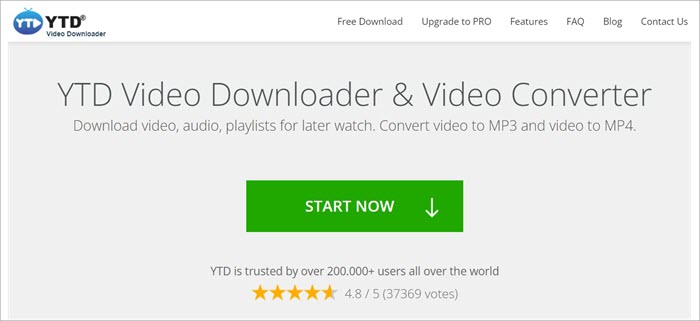
The YTD video downloader is one of the most used Vimeo video downloaders. This app comes with excellent features like easy navigation and a straightforward user interface. The best thing about this app is a trusted network. You can download videos successfully on the first attempt itself. You just have to copy and paste the selected link on the website.
The YTD video downloader provides a wide range of video download formats to choose from. It is compatible with several mobile devices and operating systems.
Features:
- Trusted network
- User-friendly interface
- Organized download tool
- Simple download process
- Unlimited download feature
Pros:
- Equipped with an integrated video player
- Completely free service
- Great performance
Cons:
- Download glitches may occur
Ratings: 4.7/5
Website: https://www.ytddownloader.com/
#5) FreeMake Video Downloader
Best for downloading videos from multiple sites.
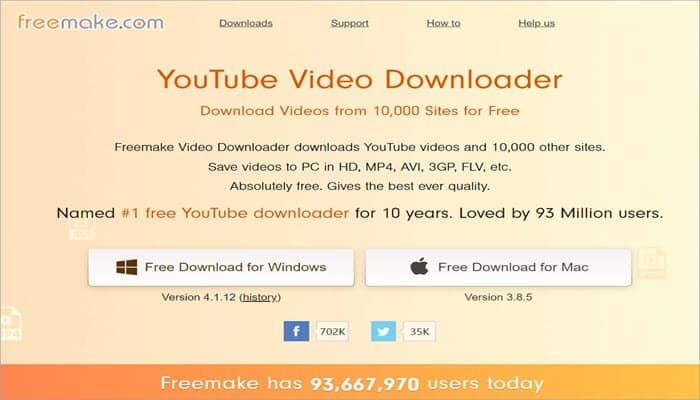
If you are searching for a good Vimeo video downloader, the FreeMake Video Downloader made by Ellora Assets Corporation is an excellent option. It is one of the most trusted applications with around 93 million users. This app is designed to fulfill the requirements of Vimeo and YouTube users.
According to app users, it is compatible with more than 10K websites. The app doesn’t have any additional charges. It offers the best features free of cost. You can access parental controls and other advanced features. You can even choose your video quality.
Furthermore, the Freemake app will let you download an entire channel or playlist in just one single click. You can download resolutions ranging from 180p to 4K.
Features:
- Limit download speed easily
- Choose your video quality
- Parental control feature
- Upload your downloaded videos to Google Drive or Dropbox
- Available for free
Pros:
- Superb wide compatibility
- Very easy to use
- Fast and efficient download process
Cons:
- Minor download issues may occur
Ratings: 4.6/5
Website: http://www.freemake.com/free_video_downloader/
#6) MacX YouTube Downloader for Mac
Best for offering a customized download feature that helps you download the files.

Are you a Mac user and looking for an effective Vimeo video downloader and converter? If yes, then the MacX YouTube Downloader for Mac is the perfect option for you. This app will let you download and convert all the Vimeo videos. You will also be able to download videos from around 300 other sites.
The app comes with an inbuilt video player. It lets you download Vimeo videos that you can view offline on your mobile device. The app is 100 percent safe and has a usable interface. Moreover, the app offers a reliable and secure network.
Features:
- Suitable for Mac users
- Easily usable interface
- Really fast download
- 100 percent safe
- Supports multiple video formats
Pros:
- Customized download feature
- Secured and reliable network
- Download videos along with subtitles
Cons:
- Network errors may arise sometimes
Website: https://www.macxdvd.com/free-youtube-video-downloader-mac/
Also Read =>> Comparison of the top Videos Converting Apps for Mac
#7) iTube Studio for Mac
Best for downloading videos to your Mac devices.
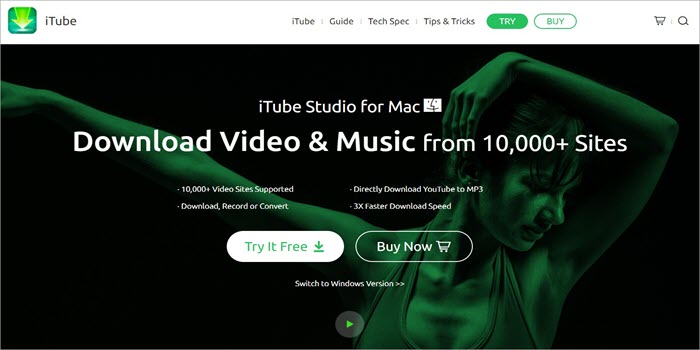
The iTube Studio for Mac is a great choice if you are looking for a Vimeo downloader for iOS devices. It will help you to download and save Vimeo videos very easily. What I like about this app is that you can get 3X faster downloading and it is completely free of cost.
You can extract the sound of any music video uploaded to Vimeo easily and even save the same as an audio file. This will protect all downloaded files using the Private Mode feature.
You also have a one-click download button to download the videos quickly. It is loaded with features such as screen recording, file conversion, file transfer to iOS, and more.
Features:
- Provides 3X faster download
- You can try it for free
- Transfer your downloaded videos easily
- Convert videos into different formats
- One-click the download button present
Pros:
- This downloader retains the original video quality
- No audio issues
- User-friendly application
Cons:
- To enjoy all the features, you need to buy the software
Website: https://itube.aimersoft.com/
#8) KeepVid
Best for downloading videos from all sources and making sure that they get a great result.
KeepVid is yet another amazing tool for downloading Vimeo videos. It is a great option for safe and secure software. It claims the security and quality of the application. With this software, you can get both online and offline versions. The online version is free of cost. You just need to get registered.
What I like about this software is that there is an option for audio extraction. It is compatible with Windows 10, Windows 8.1, and Android. The interface is user-friendly, and it will be a no-lagging experience.
Features:
- Online video download service
- Audio extraction feature
- Provides full piracy
- There are multiple download options
- Speedy download process
Pros:
- No data tracking
- Hassle-free download process
- Provides absolute free service
Cons:
- Server issues may occur
Website: http://keepvid.com/
#9) OnlineVideoConverter
Best for its fast and easy conversion of videos.
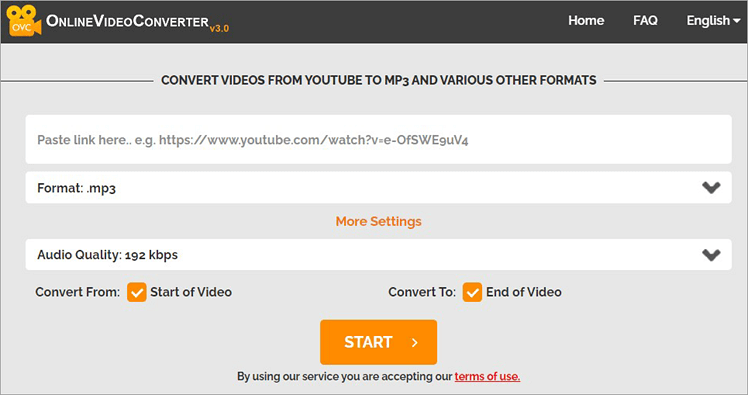
The OnlineVideoConverter will let you download and convert all your favorite Vimeo videos easily. What I like about this app is that you will be able to download it in several different formats including audio.
It is popular among the new generation as it offers high-speed downloads of great quality. It requires no registration and comes with an unlimited amount of downloads and conversions.
Features:
- Easily convert your videos
- Compatible with the latest web browsers
- Easy and straightforward download process
- Great audio and video quality
- It is a completely free service
Pros:
- No download limit
- Does not require third-party software
- No need to create an account
Cons:
- Lag issues may arise during the download process
Website: https://www.onlinevideoconverter.com/video-converter
#10) 4K Video Downloader
Best for downloading 4K videos.
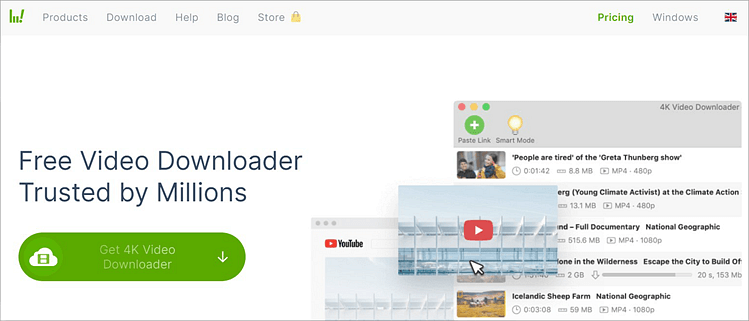
Speaking of Vimeo video downloaders, the 4K Video Downloader is yet another great one. If you are looking forward to downloading super high-quality videos, then a 4K video downloader is just ideal. This app is compatible with a huge variety of websites, and that includes Vimeo, Likee, Metacafe, Dailymotion, YouTube, and many more.
Apart from that, this app will work perfectly with Mac OS, Windows, and Ubuntu. You need to first install the software and then proceed with the registration. You can select the premium or free version.
The 4K downloader will let you download audio and videos in several formats and high-definition HD.
Another great feature is the Intelligent download function. You can select the “include caption” feature.
Features:
- Download videos in 4K quality
- Accessible from multiple devices
- Amazing data privacy
- Features of in-app proxy setup
- Smart mode feature
Pros:
- This downloader is available for free
- Superb download efficiency
- Great sound quality
Cons:
- Too many advertisements appear
Website: https://www.4kdownload.com/products/product-videodownloader
#11) All Video Downloader
Best for downloading all format types.
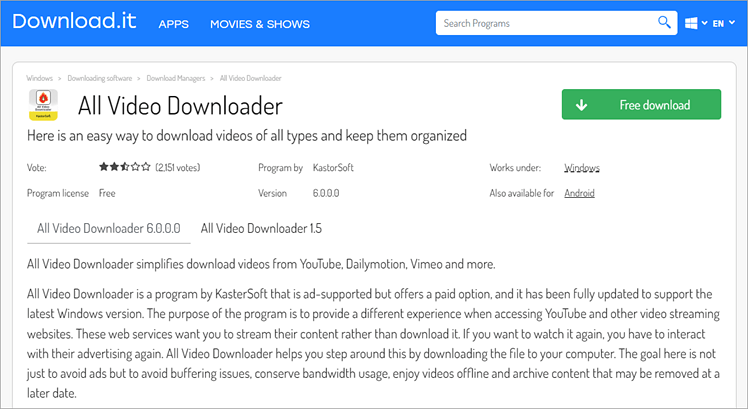
If you are looking for a good Vimeo video downloader for your Android device, then you can consider the All Video Downloader. It is a great app to easily download videos from anywhere on the web. All you need to do is copy and paste the link of the same video and press the download button.
Another amazing feature is that you can manage and organize all the media in files. It helps you to locate any videos when you want them. The best feature of this app is the simple and clean interface. You can download videos in HD quality very quickly.
Features:
- Clean and simple interface
- Reliable download service
- Provides a speedy video download feature
Website: https://all-video-downloader.jaleco.com/
#12) Gihosoft
Best for downloading videos without losing resolution.
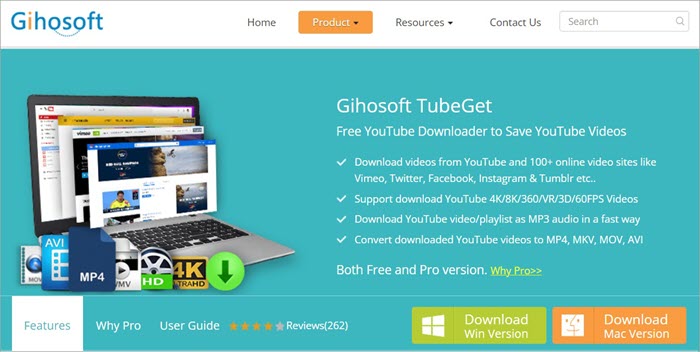
Gihosoft is yet another online platform that has become very popular among people who want to download high-quality videos from different platforms. With the app, you can download a complete playlist and have the option to convert the same into several formats of your choice.
This app is effortless to use. All you need to do is download and install the software. Once you register, you can download any video in HD, 4K, or SD.
Features:
- Multi-platform support
- Easy and speedy download process
- Great in performance and efficiency
Website: https://www.gihosoft.com/free-youtube-downloader.html
#13) Small SEO Tools
Best for rendering videos in all formats.
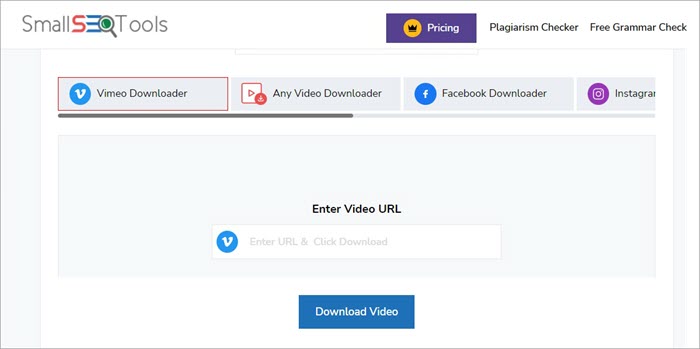
Small SEO Tools is an SEO tool and a web application that lets you download great quality videos from Vimeo and other websites. The app is easy to use and has a simple interface. What I like about this website is that you will have no buffering issues. The smooth and fast downloading process is amazing.
Features:
- No buffering issues
- Really great interactive UI
- It features a fast and smooth download process
Website: https://smallseotools.com/vimeo-video-downloader/
#14) aTube Catcher
Best for downloading videos from all sources.

The aTube Catcher has around 120 million downloads and is a very popular Vimeo video downloader. It lets you download videos from around 10,000 sites which includes Vimeo. What I like about this app is that it will let you download videos in different formats. It has a multi-language interface that makes it easy for people to use the app.
Features:
- The completely secure download process
- Download videos without paying anything
- Features multi-language interface
Website: http://www.atube.me/
#15) ClipConverter
Best for tripping clips easily and using them according to need.
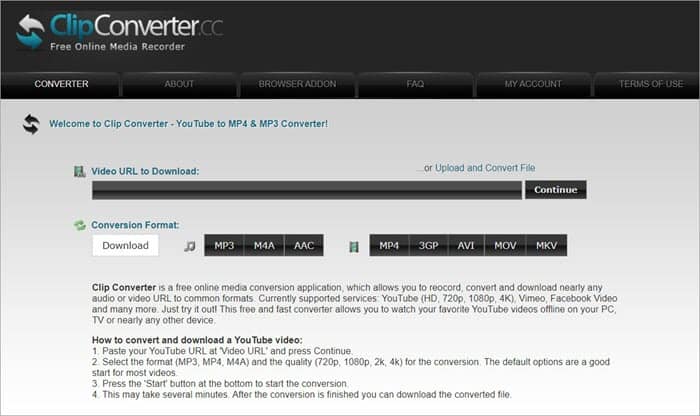
ClipConverter is yet another wonderful Vimeo video downloader that allows you to download and convert videos at the same time. You will be able to choose from several formats, such as MP3, MP4, MOV, and more. I like the fact that you can get a lag-free and fast downloading experience.
With ClipConverter, the videos get saved in larger files as it will download them in HQ resolution for 1080p. The tool is free and offers a simple conversion process.
Features:
- Great download efficiency
- Simple conversion process
- A lag-free fast download process
Website: https://www.clipconverter.cc/2
Vimeo Video Downloader – Simple Downloader
The Vimeo Video Downloader is an exceptional option when it comes to using extensions. This Chrome extension can work with minimal resource consumption which can give you great results. The tool also comes with minimal permission requests.
This allows you to get a great download option. You can easily download high-resolution videos with this with the injected buttons.
=> Click here to download
Vimeo Super Downloader
The Vimeo Super Downloader is another great tool to have for the Chrome browser. You can also easily download the videos directly to your device.
This extension from Vimeo Super Downloader helps you to easily render the video in just a single click. The best part is that you can open the extension and set the file extension to which you can download it.
=> Click here to download
Frequently Asked Questions
If you are wondering whether you can download videos from Vimeo, the answer is yes. You can easily download them. There are many online downloading tools or applications that allow you to download videos from Vimeo very easily without any problem.
Just copy and paste the video link and click the download button to download the video within minutes. It is essential to follow the proper steps for downloading Vimeo videos.
There are two Vimeo versions available in the market. One is Vimeo’s mobile app and the other is the web version. If you are using the mobile app, you don’t need a paid subscription to download the videos.
It should be noted that you will not get the video file if you are downloading the video on your mobile. It will be available if you are using the web version.
Yes, it is completely safe to use video downloaders to download Vimeo videos. These downloaders use a secure system to execute the download process. Your data is completely encrypted and this keeps your privacy intact.
Yes, you can share the downloaded Vimeo video without any problem. After downloading the video, simply upload it to an online platform or you can also transfer or store it on any other device. You also have the option to share it with others via a messaging app.
Most Vimeo video downloaders are available free of cost. However, there are a few features that are unavailable with the free version. You have to subscribe to the premium version to enjoy all the additional features. The premium version contains all the features that are required to effectively convert, edit and download Vimeo videos.
Suggested Read =>> Top YouTube Video Downloader Apps
The first thing is to search for a video that you want to download. Just tap on it to play. On the video page, tap on the three dots and select the Make Available Offline option. You will get a direct download to Chrome option.
Direct downloads of videos are not accessible on all devices. You can try to download the video directly by clicking on Save as or Save Target as. Hold the control key on the keyboard and click on the link. You can now download the linked file.
Use third-party apps to download the videos easily. If you are unable to download the videos, right-click on the video and tap on Inspect. You can reload the page and select the 9-digit numbered file.
Conclusion
Finding the right Vimeo video downloader really comes down to what works best for you. If the tool supports the formats you need, runs smoothly on your device, and keeps the video quality intact, you’re good to go. We hope the top Vimeo video downloaders reviewed on this page will help you pick the best one to download videos for you.
Suggested Reading => Explore the list of Most Commonly Downloaded Apps
Research Process:
- To put this list guide of Vimeo video downloaders together, we tested multiple Vimeo video downloaders by checking their supported formats, download quality, ease of use, and platform compatibility. We also reviewed user feedback and real-world performance to see which tools worked reliably without compromising video quality.
- Total time taken to research and publish this guide: 35 Hours (Approx)
- Total Vimeo video downloaders researched: 35
- Top Vimeo video downloaders Shortlisted: 10
Was this helpful?
Recommended Reading
-

List and comparison of the top Twitter Video Downloader. Select the Twitter Media Downloader software from this list per your requirements: Twitter has come a long way since its humble yet spectacular beginning back in 2006. What began as a simple platform to share one’s thoughts and feelings, has now…
-
Review and compare the most popular Video Downloader Apps for iPhone and iPad and select the best YouTube Video Downloader App for iPhone: Downloading videos on an iPhone or iPad device isn’t that simple compared to other platforms, especially if it’s for watching them offline. The rules imposed by Apple…
-
Review of the best video downloaders for Chrome in 2026, ranked by features, speed, supported sites, and ease of use to help you save videos safely and efficiently. The process of choosing a reliable video downloader or extensions for Chrome is time-consuming, considering the large number of options with varying…
-
List and comparison of the top Facebook Video Downloader with features and pricing. Select the FB Video Downloader software from this list per your requirements: You have to be living under a rock to not know what Facebook is. It is after all a behemoth amongst social media platforms. From…
-
Review and Comparison of the Best Video Converter Software with Features and Pricing. Select the from this list of top paid and free online video converter tools to convert any videos quickly and easily: What is a Video Converter? Video conversion tools allow you to convert a video from one…
-
Review and compare the top Video Hosting Sites with features and video upload specifications to select the suitable paid or free video hosting site: Online video hosting websites allow you to upload and share video content with your online audiences. Video-sharing sites have built-in video players that support adaptive playback…
-
Explore our list of top Video Streaming Services with pricing and comparison to select the best TV streaming service for your requirements: If the recent global health crisis has taught us anything, then it is that no matter what travesty befalls humanity, our thirst for good entertainment will remain firm.…
-
List of Top FREE Video Editing Software with Features and Comparison. Select the BEST Video Editing Software Based on Your Requirements: Video editing software can be used to create professional-quality videos. With this software tool, you can edit wedding movies, birthday party videos, travel clips, game videos, and much more.…