


Evaluate the top Cost Monitoring Software for Azure with features. Select the best Azure Cost Monitoring tools to analyze, manage, and monitor your overall costs across all Azure services:
In the ever-evolving landscape of cloud computing, managing costs efficiently as an organization grows its footprint in Microsoft Azure is a significant challenge.
This is because many companies cannot forecast and monitor the cost impact at the beginning of their migration journey. All their focus remains on building scalable and performance-rich applications while being less conscious about the cost of building that application.
Luckily, dozens of Azure cost-monitoring tools exist with their maturity model to help businesses gain control, proactively identify cost breaches, and optimize their Azure deployments.
=> Read Through the Series of Azure Tutorials
What is Azure Cost Monitoring: Explore the Top Tools

In this article, we’ll look into seven top Azure cost monitoring tools, each offering unique features to empower organizations in their cost management efforts.
Cost monitoring aims to evaluate costs incurred so far in the desired period and then raise an alert when something is not within the expected thresholds, letting the users navigate the cost issue and resolve it promptly.
There are two primary options when setting up monitoring for your Azure environment.
- Budget based monitoring
- Anomaly-based monitoring
#1) Budget-based monitoring is the simplest form of monitoring where the user has to create an expected cost prediction. Then, if the actual cost reaches the point where it breaches the threshold, the system will send an alert for further investigation.
This type of monitoring is more suitable during the development phase or when your Azure workload is small or predictable in the production environment.
#2) Anomaly-based monitoring is an advanced method of monitoring where the system will automatically detect unpredicted variation in the cost by deriving the regular cost pattern based on historic cost spent and alerts if the cost surpasses the prediction confidence interval. The monitoring solution specifically designed for intricate environments proactively alerts users.
Why should you use 3rd party tools while the native portal offers Azure cost monitoring?
In the Azure portal, within the Azure cost management + billing feature, there is a sub-feature called cost alerts, which can set up monitoring.
However, the challenge in the Azure portal is that the monitoring scope is limited to deployment-focused views, like subscriptions, resource groups, and resources.
What does this limitation mean when controlling cost-effectiveness?
Your Azure bill may be thousands to millions of dollars per month, covering many teams, applications, or even businesses.
In order to effectively manage expenses, it is crucial to monitor them within the framework of your budget allocations across various teams and products, rather than at the level of subscriptions or resource groups.
When you are notified about the cost alert to a centralized team, there is a high chance of missing out on the alert in the sea of notifications. So, the system should be able to democratize the alerts and send them only to the cost stakeholders with context on the business impact.
This supports implementing one of the core FinOps principles: “Everyone takes cost ownership for their cloud usage.”
Our TOP Recommendations:
 |  |  |
 |  | |
| Paessler PRTG | ManageEngine Applications Manager | Site24x7 |
| • Performance Monitoring • Intuitive Dashboard • Preconfigured Sensors | • Centralized Dashboard • Report Generation • Azure Cloud Migration | • Cloud cost visibility. • Effective spend analysis. • Automated bill processing. |
| Price: $2149/year Trial version: Available | Price: Starts at $395 Free Trial: 30 Days | Price: Starts at $9/month. Trial version: 30 Days |
| Visit Site >> | Visit Site >> | Visit Site >> |
List of the Best Azure Cost Monitoring Tools
Here are the popular tools available:
- Paessler PRTG
- ManageEngine Applications Manager
- Site24x7
- Turbo360
- Azure Cost Management + Billing
- CloudZero
- Vantage
- Granulate
- Apptio Cloudability
- Cloudcheckr
Comparing the Top Cost Monitoring Software for Azure
| Tools | G2 Review Rating | Best for | Business Size | Free Trial | Price |
|---|---|---|---|---|---|
| Paessler PRTG | 5/5 | Customizable alerting system and centralized dashboard | Small and Medium IT enterprises | 30 days | Starts at $2149/year |
| ManageEngine Applications Manager | 4.5/5 | Customizable monitoring dashboard. | Small to Large Business | 30 days | Starts at $395 |
| Site24x7 | 4.6/5 | Hassle-free billing management | SMEs and enterprises. | A 30-day free trial is available | Starts at $9 per month. |
| Turbo360 | 4.7/5 | Monitoring Azure cost And detect anomalies across multiple subscriptions and tenants and providing visibility into cost per team and customer. | Mid-market to Enterprise. Also, it is ideal for MSPs and CSPs. | A 15-day free trial is available with free cost assessment along with assistance from experts | Get Quote |
| Azure Cost Management + Billing | 4.0/5 | Monitor Azure cost with small budgets. | Small to Large Business | - | Request demo |
| CloudZero | 4.5/5 | Detecting anomalies and alerting engineers to visibility into cost spikes and optimize the spend. | Small to Large Business | Free trial available | Get Quote |
| Vantage | 4.6/5 | Autonomous cloud monitoring tool supporting multi-cloud, container-based services and other software. | Small to Large Business | 14-Free Trial available | Pro plans include $30/month, Business Plans include $200/month and Enterprise Plan include custom pricing. |
| Intel Granulate | 4.6/5 | Achieve real-time autonomous monitoring of the Azure workload and optimize. | Small to Large Business | A free cost assessment is available | Pro plan includes $0.003 per core/hr for virtual and containerized workload and Enterprise plans includes customized pricing. |
| Apptio Cloudability | 4.2/5 | Allocate cloud cost efficiently with business line items | Small to Large business | - | Request Demo |
| CloudCheckr | 4.1/5 | To monitor multiple cloud environments in single dashboard | Small to Large Business | - | Request demo |
Detailed review:
#1) Paessler PRTG
With Paessler PRTG, you get a robust network monitoring tool that comes loaded with advanced capabilities. You can rely on the tool for native sensors that can help you monitor Azure resources out-of-box. All you have to do is download and install PRTG and then connect your Azure account with it.

Features:
- Performance Monitoring: PRTG will ensure your Azure virtual machines are working 24/7. Its sensors report on the status of each virtual machine on your Azure subscription.
- Track Costs: The tool provides you with an overview of budget spending by helping you track your Azure subscription costs.
- Intuitive Dashboard: You are armed with a comprehensive dashboard, which gives you an overview of all monitoring data.
- Customizable Alerts: You can easily configure and set parameters. You will then be alerted based on these adjustments.
- Preconfigured Sensors: Each subscription of PRTG comes with over 250 pre-configured sensors which makes monitoring simple.
Price:
Paessler PRTG offers the following subscription plans:
- $2149/year to monitor 500 aspects of devices
- $3899/year to monitor 1000 aspects of devices
- $8099/year to monitor 2500 aspects of devices
- $14199/year to monitor 5000 aspects of devices
A 30-day free trial and a free demo of the tool are also available upon request.
#2) ManageEngine Applications Manager
ManageEngine Applications Manager is perfect for Azure Monitoring. Once deployed, the tool grants you complete 360-degree visibility into your entire Azure suite. This includes total visibility into your Azure cloud, VMs, network infrastructure, and databases.
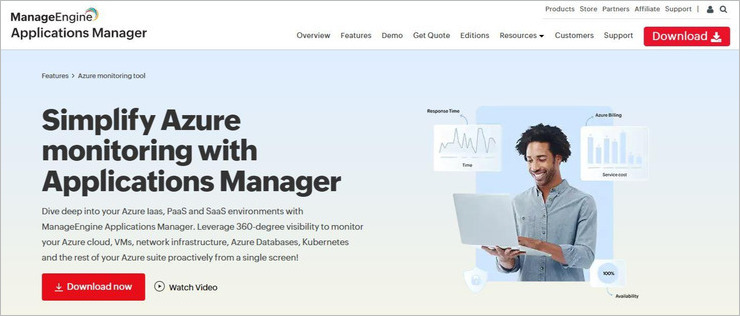
You can use Applications Manager to pinpoint the location of performance issues, identify their root cause, and take measures to fix them. The tool stands out for its user-friendly monitoring interface and advanced proactive monitoring techniques.
Features:
- Discover All Azure Instances: Discovering new Azure instances and components is simple with Applications Manager. You can start monitoring them immediately as you scale your Azure cloud.
- Centralized Management: Gain complete visibility into your application servers, web services, ERPs, databases, cloud apps, etc., through a centralized monitoring dashboard.
- Seamless Migration: The tool facilitates seamless migration to Azure cloud by helping you manage challenges associated with resource management and utilization.
- Optimize Azure Cloud Spending: You are provided with comprehensive billing data with detailed records of expenses connected to each instance and resource used in the Azure environment. You can rely on this information to make informed financial decisions.
- Smart Alerting and Reports: Get alerts directly on channels like SMS, email, and Slack. You are provided with actionable insights that do a better job of explaining the performance and requirements of your Azure suite.
Price: A subscription to ManageEngine Applications Manager starts at $395. A custom plan is also offered upon request. You can try this tool for free for the first 30 days. A Perpetual lifetime plan is also available, starting from $995.
#3) Site24x7
Site24x7 is a cost monitoring tool that can track all your Azure costs effectively in one tool. It helps its users in managing the entire billing of the organisation and does the cost management better in a more effective way. It includes hassle-free appointment billing management, effective spend management, cloud cost visibility, and more.

Features:
- Hassle-free billing management: With automated bill processing you can easily see the different costs with relevant cost categories from where you can effectively understand and manage costs.
- Effective spend analysis: It provides a transparent cloud cost visibility through which the users can analyse the cost spend effectively.
- Cost visibility: It shows the spending with various filters and grouping dimensions. It allows you to use its auto-generated tags to analyse the subsets of the costs.
- Budget and forecast: For cost optimisation you need to set certain budgets. It helps in setting up budgets and forecasts with its cloud cost management tools.
Price:
- Pricing plans are-
- Up to $3,000/month- Free
- Above $3000/month- 1% of cloud bill (Billed monthly)
- A 30-day free trial is available.
#4) Turbo360
Turbo360 is an advanced Azure cost management tool that offers robust cost monitoring capabilities to overcome all the challenges in the native Azure portal.

It provides real-time visibility into Azure spending across tenants, subscriptions, and tags. It allows organizations to monitor costs or automatically detect anomalies and notify only the relevant stakeholders to enhance your FinOps maturity.
Features:
- Automatic Anomaly Detection: Detects unpredicted cost variation by analyzing normal spent patterns and alerts on anomalous events.
- Enhances FinOps Maturity: Anomalies can be detected at any desired business unit level, such as per product or team, which means you can monitor cost across tenants and subscriptions.
- Budget Management: Set budget limits and receive alerts to prevent cost overruns, ensuring financial controls are met.
- Real-time Cost Allocation and Analysis: Turbo360 provides real-time visibility into Azure spending, allowing users to instantly track costs and analyze trends.
- Optimization Recommendations: Turbo360 offers actionable recommendations like Reservations and Right-sizing to optimize Azure spending, enhancing cost efficiency.
- Automatic Escalations: If alerts aren’t resolved within a set timeframe, they will automatically escalate to a higher-level team.
- Auto-Pause Workloads: Automatically pauses compute resources depending on the peak and off business hours of the week, and potential cost savings are displayed.
Price: Turbo360 offers a variety of pricing plans tailored to different business needs. For detailed pricing information and to sign up for a free trial, visit their site.
Website: https://www.turbo360.com/azure-cost-analysis
#5) Azure Cost Management + Billing
Azure Cost Management is a native Azure service that offers robust cost monitoring and optimization capabilities.
It provides organizations with visibility into their Azure spending, enabling them to track costs, analyze usage, and optimize their cloud investments effectively. Cost Alerts is a sub-set feature that helps in monitoring Azure costs.

Features:
- Native Azure Tooling: Azure Cost Management seamlessly integrates with Azure services, providing centralized visibility and control over costs.
- Cost Analysis: Analyze cost trends and usage patterns to identify optimization opportunities and enhance cost efficiency.
- Budgeting and Forecasting: Set budget limits, receive alerts, and forecast future expenses to effectively manage Azure spending.
Price: Azure Cost Management is included with an Azure subscription at no additional cost. For more information, visit Azure.
Website: https://learn.microsoft.com/en-us/azure/cost-management-billing/
#6) CloudZero
Cloud Zero is a cloud cost intelligence platform that offers advanced cost monitoring and optimization capabilities for Azure and other cloud platforms. It provides organizations with insights into their cloud spending, helping them optimize costs, improve resource utilization, and drive accountability.

Features:
- Cost Visibility: Cloud Zero provides detailed visibility into cloud spending across Azure and other cloud platforms, enabling organizations to track costs effectively.
- Anomaly Detection: Identify anomalies and optimize spending to improve cost efficiency and reduce waste.
- Cost Allocation: Allocate costs accurately to departments or projects, facilitating cost accountability and transparency.
Price: Cloud Zero offers customizable pricing plans to suit different business needs. For pricing details and to schedule a demo, visit Cloud Zero’s website.
Website: https://www.cloudzero.com/
#7) Vantage
Vantage is a cloud cost optimization platform that helps organizations manage and optimize their Azure spending effectively. It provides insights into Azure costs, identifies cost-saving opportunities, and helps organizations achieve their cost optimization goals.

Features:
- Cost Analysis: Vantage enables organizations to analyze Azure spending and identify areas for optimization, helping to reduce cloud expenses effectively.
- Optimization Recommendations: Receive actionable recommendations to optimize spending and improve cost efficiency based on usage patterns and trends.
- Reporting: Generate customized reports to track and analyze Azure spending, providing insights for informed decision-making.
Price: Vantage offers flexible pricing options tailored to various business requirements. To request a demo and discuss pricing, visit Vantage’s website.
Website: https://www.vantage.sh/
#8) Granulate
Granulate is a performance optimization platform that helps organizations improve the performance and efficiency of their Azure workloads. It uses machine learning to analyze workload behavior and optimize resource utilization in real-time, leading to cost savings and improved performance.

Features:
- Performance Optimization: Granulate focuses on improving the performance and efficiency of Azure workloads, ultimately leading to cost savings and enhanced user experience.
- Real-time Monitoring: Monitor workload behavior in real-time and optimize resource allocation, accordingly, ensuring optimal performance and cost efficiency.
- Automated Optimization: Automate resource optimization to maintain optimal performance levels while minimizing costs effectively.
Price: Granulate offers custom pricing plans based on workload requirements. For pricing information and to schedule a demo, visit Granulate’s website.
Website: https://granulate.io/#
#9) Apptio Cloudability
Apptio Cloudability is a cloud cost management platform that helps organizations manage and optimize their Azure spending effectively. It provides insights into Azure costs, identifies cost-saving opportunities, and helps organizations achieve their cost optimization goals.

Features:
- Cost Analysis: Apptio Cloudability enables organizations to analyze Azure spending and identify opportunities for cost optimization, helping to reduce cloud expenses and improve cost efficiency.
- Cost Allocation: Allocate costs accurately to departments or projects for better cost accountability and transparency.
- Optimization Recommendations: Receive actionable recommendations to optimize spending and improve cost efficiency based on usage patterns and trends
Price: Apptio Cloudability offers tailored pricing plans based on usage and requirements. To learn more about pricing options and request a demo, visit Apptio Cloudability’s website.
Website: https://www.apptio.com/products/cloudability/
#10) CloudCheckr
CloudCheckr is a cloud management platform that offers comprehensive cost monitoring and optimization solutions for Azure environments.
It provides organizations with insights into their Azure spending, helping them identify cost-saving opportunities and optimize their cloud investments effectively.

Features:
- Multi-Cloud Support: CloudCheckr offers comprehensive cost monitoring and optimization solutions not only for Azure but also for other cloud platforms.
- Security Monitoring: In addition to cost management, CloudCheckr provides security monitoring capabilities, ensuring a holistic approach to cloud management.
- Compliance Reporting: Generate compliance reports and ensure adherence to regulatory requirements, enhancing governance.
Price: CloudCheckr offers flexible pricing plans based on usage and requirements. To explore pricing options and start a free trial, visit CloudCheckr’s website.
Conclusion
These top Azure cost monitoring tools offer a range of features and capabilities to help organizations effectively manage their cloud finances.
Whether you’re looking for real-time cost monitoring, optimization recommendations, or multi-cloud support, there’s a tool available to meet your specific needs. By leveraging these tools, organizations can gain visibility into their Azure spending, identify cost-saving opportunities, and optimize their cloud investments for maximum efficiency and savings.
Further reading =>> Most Common Azure Interview Questions
Was this helpful?
Recommended Reading
-

This tutorial provides frequently asked Azure interview questions and answers with explanations to help you prepare for the interview. In this tutorial, we are going to discuss the top-most frequently asked Azure interview questions. This tutorial serves as a rich resource for a quick refresher or review as far as…
-

Microsoft VSTS DevOps features for automating the build (Continuous Integration) and release process (Continuous Delivery) to Azure Web App: In VSTS Part 1 Tutorial, we learned how Microsoft VSTS can be used as an ALM tool (Work Items, Agile Project Planning, Version Control) in the cloud. Suggested Reading => Thorough…
-
This is a complete guide to multiple Microsoft Azure Certification exams along with necessary details to help you identify the suitable certification: When you have a Microsoft Azure certification, you have the privilege of pursuing a wide range of career options like becoming a Solution Architect, Solution Developer, Cloud Architect,…
-
This tutorial explains concepts related to Microsoft Azure SQL Database like how to connect to and create a database, architecture, price, etc.: As per today's modern generation technology, a cloud solution is in high demand, and in the corporate world, they have already adopted modern data center technologies. Microsoft Azure…
-
In this Microsoft Azure tutorial, we will learn about Cloud Computing, Azure Cloud, Azure Marketplace, Azure DevOps, Continuous Integration, etc: Microsoft Azure is a cloud computing platform. It provides a set of services that you can use while developing your application and gives the best solutions to business users with…
-
Read this tutorial to understand how to monitor Azure Service Bus proactively to constantly track your services’ performance: Most of today’s enterprises rely on the cloud for developing their business applications. As the Azure footprint evolves, monitoring the resources becomes inevitable. It is mandatory to ensure the health and performance…
-

Azure is a job scheduling software that caters to various industries and businesses. Here you will review the top Azure Scheduler Alternatives along with a comparison: As far as job schedulers go, the Azure Scheduler by Microsoft was one of the best solutions that I had the privilege of using.…
-
Most popular interview questions on Azure Test Plan: Azure Test Plan is also known as Azure DevOps Test Plan or TFS (Team Foundation Server). I have been using Azure Test Plans at work as a test management tool for over 2 years now. Here, in this article, I will provide…


