Review and compare the list of the Best Chrome Extensions along with the features to select the must have Google Chrome Extensions:
Google’s Chrome browser is one of the most popular web browsers around. Millions of users across the globe use this browser daily. This browser’s functionality can be enhanced by installing Chrome extensions.
There are hundreds of thousands of Chrome extensions available in the present day, so choosing the right ones for your browser can be tricky.
We have reviewed multiple Chrome extensions to help you find the best ones for different uses.
Most Popular Chrome Extensions Review


List of the Best Chrome Extensions
Here are some popular and must-have Chrome extensions:
- Google Calendar
- HubSpot Sales
- Grammarly
- Loom
- LastPass
- Everhour
- Awesome Screenshot
- Checker Plus for Gmail
- StayFocused
- RescueTime
- Buffer
- Oberlo AliExpress Product Importer
- Scribe
- DealDazzle
- eesel
- TMetric
Comparison of the Top Essential Chrome Extensions
| Tool Name | Best For | Price | Ratings ***** |
|---|---|---|---|
| Google Calendar | Individuals and businesses that wish to stay more organized | Free |  |
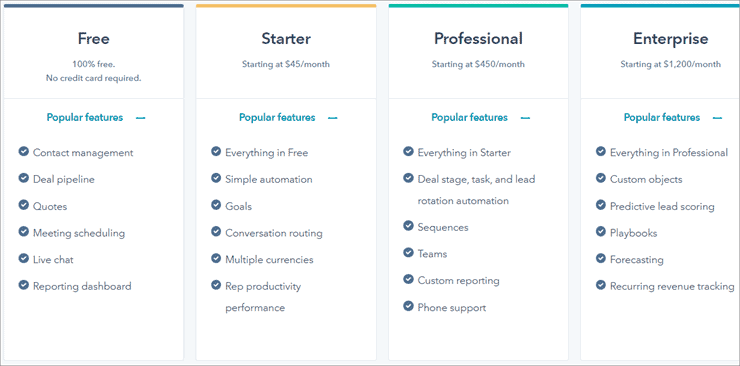
| HubSpot Sales | Businesses that want to manage customer relations more effectively | Free: $0 Starter: $45/month Professional: $450/month Enterprise: $1200/month |  |
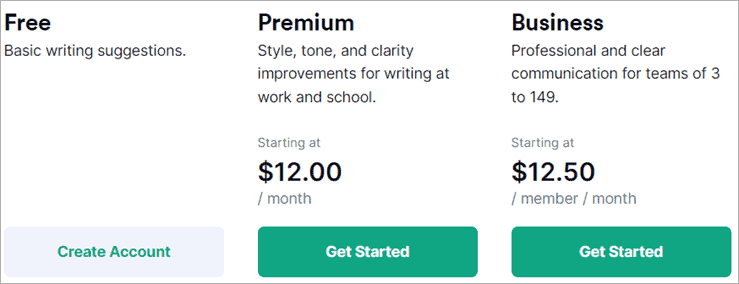
| Grammarly | Writers who require efficient spell checking and plagiarism checking. | Basic: Free Premium: $12/month Business: $12.50/month | |
| Loom | Screen and audio capture and file sharing | Starter: Free Business: $8/month Enterprise: Contact sales for details | |
| LastPass | Individuals and businesses that require a robust password manager | Free: $0 Premium: $3/month Families: $4/month Teams: $4/month Business: $6/month |  |
Detailed Review:
#1) Google Calendar
Best for anyone who wants to be more organized.

Google Calendar remains one of the best calendar tools out there. Users can easily keep track of events, schedule new ones, and share them with co-workers, friends, or family. You can also set up reminders, maintain track of RSVPs, and send invitations.
Features:
- Schedule view
- Year in view
- Schedule upcoming meeting rooms
- Add appointments
- World clock
Verdict: Google Calendar remains one of the best online calendar tools. It is easy to use, yet packs a range of features that just about anyone can use.
Price: Free
#2) Hubspot Sales
Best for large businesses that need an efficient way to manage customer relations.
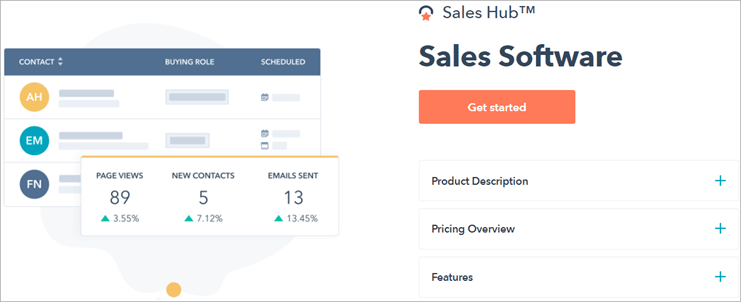
HubSpot Sales Hub offers a powerful Customer Relationship Management (CRM) system for large businesses that wish to store and manage customer information. It includes sales engagement and analytics tools to take your business to the next level.
The platform offers businesses better insight into their customers and provides tools to improve customer management efficiency.
Features:
- Automated sales force tools.
- Marketing automation tools.
- Customer support tools.
- Mobile user support.
- Social collaboration features.
Verdict: HubSpot Sales offers a wide range of tools for customer relationship and sales management. This is one of the best extensions for Chrome if you run a growing business that needs to stay on top of operations.
Trial: Yes | 14-day
Price:
- Free: $0
- Starter: $45/month
- Professional: $450/month
- Enterprise: $1200/month
#3) Grammarly
Best for writers who need to optimize their content and check for plagiarism quickly.

Grammarly is one of the most popular Chrome extensions around. It is a spelling and grammar checker with a clean and simple interface. Users can easily customize their spell-checking settings easily, and check for plagiarism with just one click.
Its premium version offers features for tone adjustment, word choice, and formality levels. Grammarly is the perfect fit for any writer that wants to clean up and optimize their written content.
Features:
- Spelling
- Grammar
- Punctuation
- Fluency check
- Plagiarism detection
Verdict: Grammarly’s clean and simple interface makes it both easy and enjoyable to use. Writers of all backgrounds can benefit from using this app for their written content.
Price:
- Basic: Free
- Premium: $12/month
- Business: $12.50/month
#4) Loom
Best for small to medium-sized businesses that require easy video communication between staff.
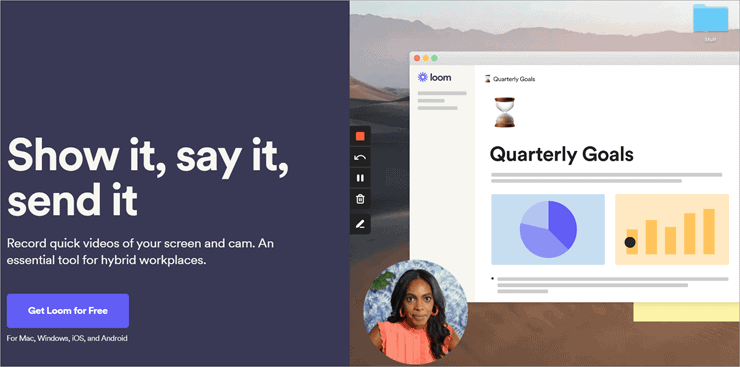
Loom is one of the most essential Chrome extensions. It is a video messaging tool created for the workplace. Users can record their screen, face, or voice and create videos in just a few clicks. This helps save time, as users can get straight to the point by creating and sharing their content.
Features:
- Video capture
- Screen capture
- Image editor
- Scrolling capture
- File sharing
- Platform search
Verdict: Loom is a useful tool for any business owner or employee that needs to communicate information via video or audio quickly.
Trial: Yes | 14-days for Loom Business
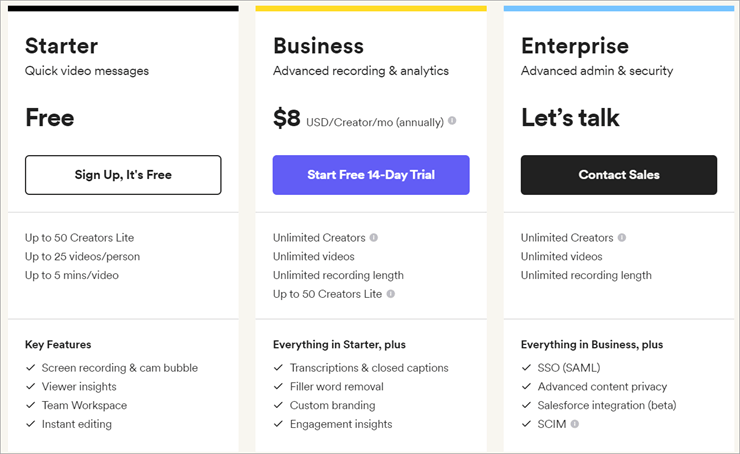
Pricing
- Starter: Free
- Business: $8/month
- Enterprise: Contact sales for details
Website: https://www.loom.com/
Chrome Extension: https://chrome.google.com/webstore/detail/loom-for-chrome/liecbddmkiiihnedobmlmillhodjkdmb
#5) LastPass
Best for anyone who needs a versatile and reliable password manager.

LastPass is a feature-packed password manager with all the tools needed to keep your passwords safe. Users can securely share their passwords with others, keep themselves safe using the handy dark web monitoring tools.
Features:
- Two-factor authentication
- Automatic form-filler
- Fingerprint login
- Password generator
- Mobile app unlock pin
Verdict: LastPass is a great password manager that can compete with other top-end password managers on the market. Its wide array of features will satisfy even the most cautious users.
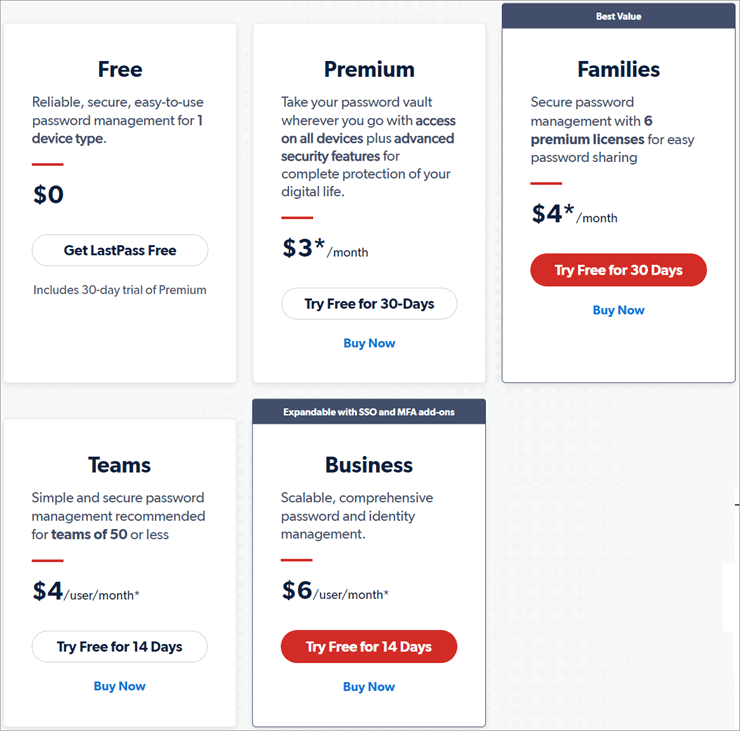
Trial:
- Free: 30-day access to Premium
- Premium: 30-day
- Families: 30-day
- Teams: 14-day
- Business: 14-day
Price:
- Free: $0
- Premium: $3/month
- Families: $4/month
- Teams: $4/month
- Business: $6/month
Website: https://www.lastpass.com/
Chrome Extension: https://chrome.google.com/webstore/detail/lastpass-free-password-ma/hdokiejnpimakedhajhdlcegeplioahd
#6) Everhour
Best for small business teams and freelancers who wish to keep track of time spent on projects.
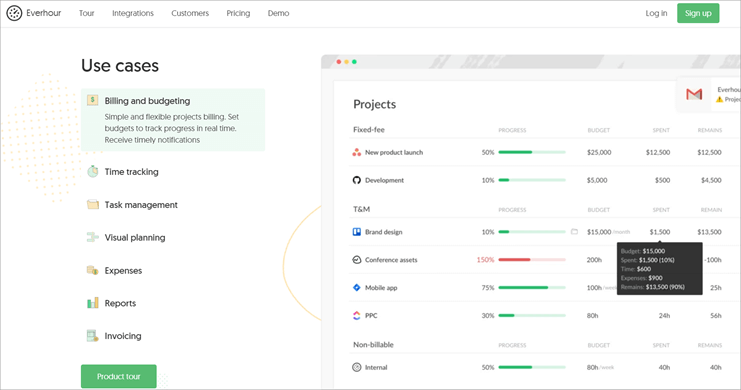
Everhour is an online time-tracking extension that is suitable for small business teams and freelancers who wish to track the time spent on different projects and create billable invoices based on them. The extension features a clean and simple interface but also packs a wide range of useful features.
Features:
- Project management tools
- Resource planning tools
- Reports and dashboards
- Expense tracking
- Sending invoices
Verdict: Everhour is a splendid choice for any small business team or freelancer that wants to keep track of their activities and convert their efforts to billable hours. This is one of the best Google Chrome extensions because of its simple interface that is easy for new users to pick up. Creating billable invoices is a breeze with Everhour.
Price:
- Premium: $8.50/month for each user.
- Trial: Yes | 14-days
Website: https://everhour.com/
Chrome Extension: https://chrome.google.com/webstore/detail/everhour-%E2%80%94-time-tracking/dnebklifojaaecmheejjopgjdljebpeo
Recommended Reading => List of the BEST YouTube Looper To Look For
#7) Awesome Screenshot
Best for users that require a high-quality screenshot and screen capture tool.
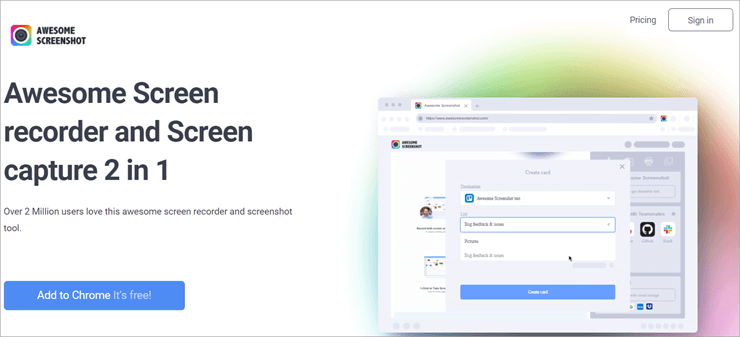
Awesome Screenshot is a Chrome extension designed for designers and casual users needing high-quality screen recording and screenshot capabilities. Users can add annotations and text to their screenshots to provide quick and easy feedback.
The extension allows you to upload captured images in many different ways. This includes uploading via the extension itself, choosing the image from your computer, dragging and dropping the image, and pasting your image via the clipboard.
Features:
- Screen capture
- Video capture
- Image editing
- Scrolling capture
- Screen recording
- File sharing
Verdict: Awesome Screenshot offers a great solution for designers and casual users seeking a quick and easy way to capture their screen. The annotations and text tool make providing feedback incredibly simple. This tool is a must-have for any designer.
- Price: Free
- Basic: $4/month for each user
- Professional: $5/month for each user
- Team: $25/month for five users

Website: http://awesomescreenshot.com/
Chrome Extension: https://chrome.google.com/webstore/detail/awesome-screenshot-screen/nlipoenfbbikpbjkfpfillcgkoblgpmj?hl=en
#8) Checker Plus for Gmail
Best for small to medium-sized businesses and entrepreneurs that need to stay up to date with email contacts.
Checker Plus for Gmail offers a quick and easy solution for businesses and users that need to monitor their emails without opening their Gmail app.
Users can view how many emails they have received by glancing at the extension’s button on their Chrome toolbar. You can also customize how you receive notifications. Users can choose to receive pop-ups, chime alerts, and even get part of their email read aloud.
Features:
- Monitoring Gmail.
- Customized notifications.
- Push notification support.
- Offline view.
Verdict: Checker Plus for Gmail is a great add-on for anyone that needs to keep track of a high volume of emails throughout the day. Its customizable notification feature makes it easy for users to choose an option that suits them.
Price: Free
Website: https://jasonsavard.com/Checker-Plus-for-Gmail
Chrome Extension: https://chrome.google.com/webstore/detail/checker-plus-for-gmail/oeopbcgkkoapgobdbedcemjljbihmemj?hl=en
#9) StayFocusd
Best for any user that requires a website blocking tool with custom features.
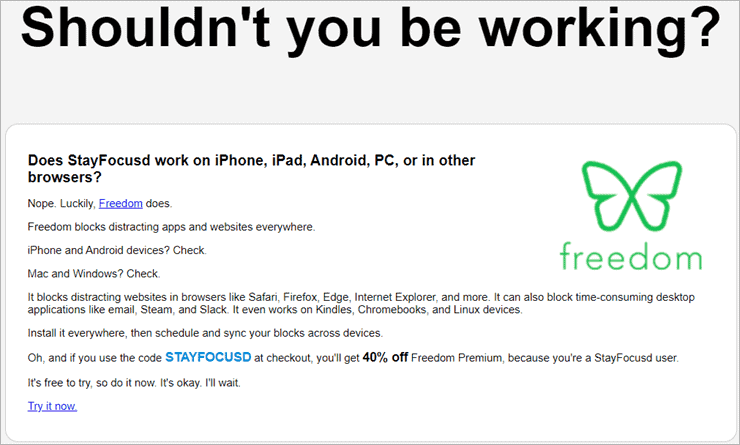
StayFocusd is a simple but useful website blocking tool. It offers a wide range of features, such as the ability to block websites for a specified amount of time. Users can also selectively block in-page content, such as images and videos, to help them stay focused on other tasks.
Features:
- Blocking websites for specified time intervals.
- Tracking time spent on a website.
- Simple pause and play feature.
- Block notifications.
- View app usage and history.
Verdict: StayFocusd is a website blocker that gets the job done. It is useful for increasing productivity while web browsing and an app tracking feature that helps users understand exactly where they are spending their time.
Price: Free
Website: http://www.stayfocusd.com/
Chrome Extension: https://chrome.google.com/webstore/detail/stayfocusd/laankejkbhbdhmipfmgcngdelahlfoji?hl=en
#10) RescueTime
Best for individuals who need to keep track of time spent on different online activities.
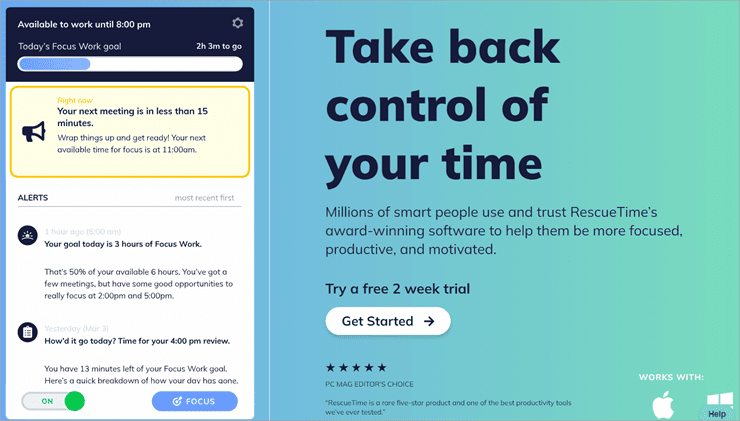
RescueTime is a great productivity app that offers insight into your activity. It is compatible with both desktop and mobile devices, so you can understand how your time is spent both at home and on the go. This app is best for personal use and isn’t touted as a time-tracking solution for businesses.
Features:
- Computer activity recording.
- Monitoring time spent on meetings and on phone calls.
- Weekly email summary of activity.
- Product vs unproductive days comparison tool.
- Website blocking.
Verdict: RescueTime is one of the must-have Chrome extensions because it runs on both desktop and mobile devices. It will help any user manage their time more effectively.
Trial: Yes | 14-day
Price:
- RescueTime Lite: Free
- RescueTime Premium: $9/month
Website: https://www.rescuetime.com/
Chrome Extension: https://chrome.google.com/webstore/detail/rescuetime-for-chrome-and/bdakmnplckeopfghnlpocafcepegjeap
#11) Buffer
Best for small businesses that require a versatile social media management tool.

Buffer is a versatile social media management platform that aims to drive customer engagement and offer great results. It includes tools for publishing, enhancing engagement, and analyzing social media performance.
These tools are essential for social media marketers that wish to stay on top of their business accounts and collaborate with others for an optimized social media presence.
Features:
- Publishing
- Analyzing
- Social Engagement
- Analytics
- Content calendar
Verdict: Buffer makes social media management a breeze. Users can plan ahead thanks to its handy post-scheduling feature. Its collaborative tools also help divide tasks for easier social media management.
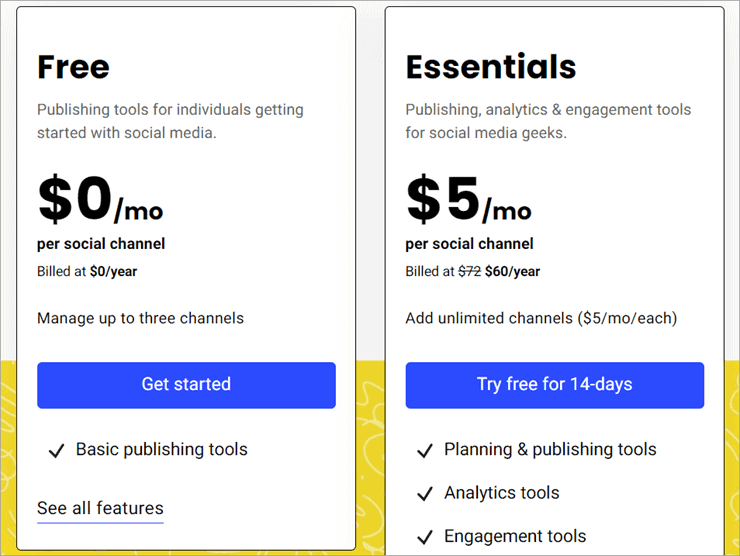
Price:
- Basic: Free
- Essentials: $5/month
Website: https://buffer.com/
Chrome Extension: https://chrome.google.com/webstore/detail/buffer/noojglkidnpfjbincgijbaiedldjfbhh?hl=en
#12) Oberlo AliExpress Product Importer
Best for e-commerce business owners that wish to purchase products from the AliExpress marketplace.

Oberlo AliExpress Product Importer offers e-commerce store owners a great interface for browsing products on AliExpress marketplace. They can purchase items directly through the app and run a dropshipping business from just about anywhere in the world.
Features:
- Quick product importing from AliExpress marketplace.
- Syncing imports between AliExpress and Shopify.
- Easy sample ordering.
Verdict: Oberlo AliExpress Product Importer is a brilliant choice for any e-commerce business owner that wants to make managing AliExpress imports easier.
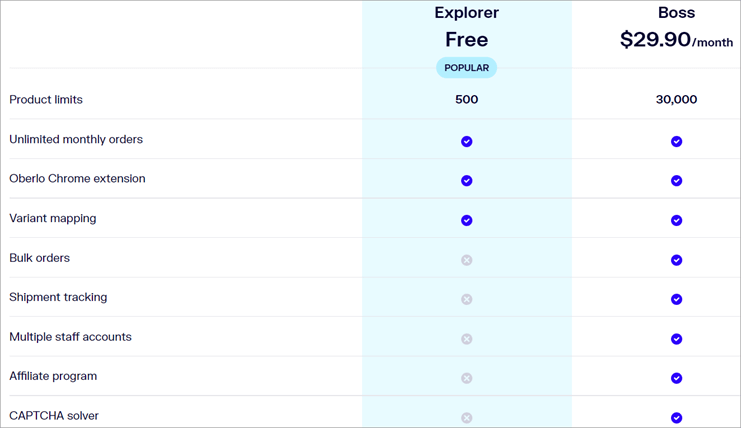
Price:
- Explorer: Free
- Boss: $29.90/month
Website: https://www.oberlo.com/
Chrome Extension: https://chrome.google.com/webstore/detail/ali-helper-aliexpress-pro/lgjchjneebpedgiljdmljfdjmmlabphg?hl=sr
#13) Scribe
Best for anyone who has to create step-by-step instructions and wants to save time editing screenshots and writing out steps.

Scribe is a popular new Chrome extension that instantly saves time for anyone creating step-by-step guides. It captures your screen while you complete the process, then creates highlighted screenshots and written instructions for you. No more writing out steps in Word.
Individual Scribes can be shared with anyone via a link, embedded within an existing knowledge base or other tool, or accessed by teammates with permission.
Features:
- Instant document creation
- Highlighted screenshots
- Screenshot editor
- Embeddable guides
- Recommended guides
- Integrations with CMS, project management, knowledge base, and more.
Verdict: Scribe is an easy-to-use tool that will increase productivity for any business when creating documentation or instructions.
Price:
Free: Chrome extension for web-based capture with unlimited guides and users.
Pro: $29/month per user, includes desktop recorder and screenshot editing.

#14) DealDazzle
Best for Automatic online shopping deal finder for Chrome browser
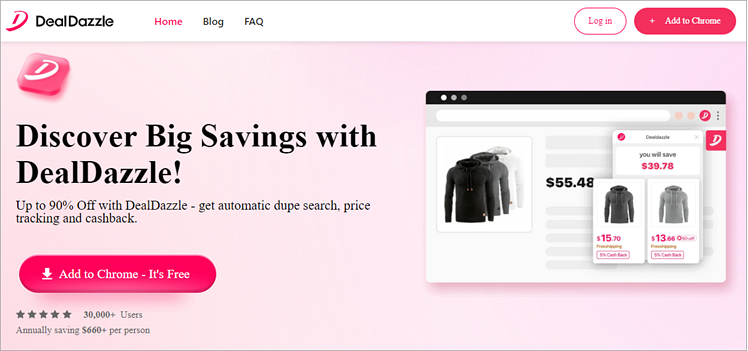
With DealDazzle, you get an AI-powered chrome extension that helps you find relevant coupon codes, cost-efficient alternatives, and cash-back offers while shopping online. You can sign up for DealDazzle’s services for free and add it to your chrome browser with a single click.
The software works discreetly in the background, helping you find coupons, special deals, budget-friendly alternatives, and more as you continue to shop online. Besides coupons and deals, DealDazzle also presents you with price comparison charts, which can help you find better deals on your favorite product.
Recently, it has joined the ChatGPT plugin store, thus making it more convenient for users who wish to find better offers to save considerably on their online shopping.
Features:
- AI-powered engine
- Auto detects coupons and cashback offers
- Free sign up and registration
- Presents users with price comparison charts
Verdict: The software takes the hassle out of searching for discount codes and coupons on the internet. Its AI-powered engine scours through more than 260,000 stores online to help you find better deals. It is a great chrome extension for users who want to save a ton of money on online shopping.
Price: Free to use
#15) eesel
Best for anyone who works across different applications and wants to save time and energy organizing documents.

eesel filters your browser history to show the documents you need to work on, right in your new tab. You can view recent docs, filter by app, or search by title or content. All in one clear place.
It’s one of Fast Company’s top new apps of 2024. There’s no need to create an account, -grant scary permissions, or connect to the different apps you use. Install eesel and it just works.
Whether it’s for a project or a customer, eesel will also automatically organize your work into Folders so you don’t have to worry about adding your docs to the right place.
Features:
- See recent docs, filter by app, or search by title or content.
- Folders that you don’t need to maintain.
- Create a shared source of truth for teams and projects.
- Commands to take actions like creating new docs.
- No setup
Verdict: eesel is a great tool for any business struggling to navigate and organise their documents across many apps.
Price:
- Free: Chrome extension to search links across any app, add unlimited apps
- Pro: Coming soon!
#16) TMetric
Best for individuals and teams that need to improve their time management and productivity.

TMetric is a time-tracking solution that works for both individuals and teams. Using it helps develop a roadmap that directs us toward greater efficiency, regardless of whether the goals we establish have to do with personal or professional productivity.
Features:
- Time tracking of work hours
- Time Off Management
- Billing and invoicing options
- Task management
- Integrations with popular services
Verdict: TMetric is the ideal assistance tool for anyone who struggles with time management and productivity because it improves deep work experience and aids in finding work-life balance.
Price: A team of up to 5 people can use the free plan for time tracking purposes, and small and large corporations can use the premium plans starting at $5 per user per month.
Frequently Asked Questions
Can I trust Chrome extensions?
Chrome extensions come from a wide variety of developers. Google considers most extensions to be safe for use. However, users should proceed with caution before installing extensions that have few downloads or reviews.
Are Chrome Extensions bad?
They offer added functionality for the Chrome browser. Some of these extensions may use a high amount of system resources and collect your data.
Are Chrome Extensions free?
There are many great free Chrome extensions available. However, many extensions also include paid versions with added features and functionality.
What is the purpose of Chrome extensions?
They offer added capabilities to the Google Chrome browser.
Can Chrome extensions steal your information?
Many extensions can view the different activities you do online. Some of these extensions may retain browsing activity information and potentially capture your passwords. Users should stick with trusted extensions from major developers to avoid such problems.
Conclusion
As you can see, there are plenty of great Chrome extensions out there. Many of the extensions and apps discussed above are related to productivity, both on a personal and business level.
RescueTime is a smart choice for users that want to manage their time effectively. Loom is great for anyone that wants powerful screen and audio capturing capabilities.
Google Calendar stands out for its simple but effective interface that helps keep things organized. Consider reviewing the above list the next time you want to enhance your Chrome browser capabilities.
Research Process:
- Time taken to research this article: We spent 9 hours researching the best Chrome extensions from different categories. The extensions we included in the list are helpful for many different users.
- Total tools researched: 25
- Top tools shortlisted: 12
Was this helpful?
Recommended Reading
-

What is an AIR file extension and how to open a .AIR file? Learn what AIR files are, which programs are used to open AIR files on Windows and Mac. An AIR file is a package file format used by Adobe AIR applications to distribute and install cross-platform apps. If…
-
Explore the top Visual Studio Extensions along with features and comparison to find out the best extension for visual studio: Visual Studio is an Integrated Development Environment (IDE) from Microsoft that is used for the development of web and Windows-based applications built for the .NET Framework. In addition to the…
-
Here we will explain the five easy methods with steps and screenshots to guide you in understanding How To Open a .Pages File: What is a .pages file? The .pages file extension is created by Apple's "Pages" application. Pages files are Apple’s proprietary word processing documents and are simpler to…
-

This Hands-on Tutorial Explains how to use GitHub Extension as Code Repository with Microsoft Visual Studio. Learn Installation Steps and Creation Of Github Repository: The teams working on .NET projects usually use Team Foundation Server (TFS) as the main code repository for version control activities. This is an expected way of…
-
Read this Review of Free & Commercial Pop Up Blockers along with their Features, Pricing, and Comparison to Select the Best Ad Blocker for your needs: We will review and rate the top 8 ad blockers that are available on the market today. Pop-up blockers are software products that block…
-
Want to block a website on Chrome? Refer to this step-by-step guide with screenshots and 6 easy methods to block websites on Chrome: You might have faced a situation where you need to block a website on Chrome, either while setting up computers for school or while setting up a…
-
This tutorial explains why do we need to clear browser cache and different methods to Clear Cache in browsers like Chrome, Firefox, etc.: A few decades back no one would have ever imagined that a connection of numerous computers can lead to an evolution of the world's largest network, which…
-
Learn the steps to enable Chrome Dark Mode as a customization feature on Chrome mobile, Chrome desktop, Mac, Windows, etc: We often personalize our things as per our desire, and similar is the case for personalizing our system. Personalizing our system includes changing themes and setting wallpapers and screensavers that…