


Seamlessly swap faces in photos within minutes with the Remaker AI Face app. Explore its AI-powered face-swapping features for a natural look and realistic results:
Remaker AI serves as a testament to the remarkable advancements in technology, thanks to the emergence of artificial intelligence in recent years. Of all the things Remaker AI does right, its face-swapping capabilities have earned it a loyal fan base in the last couple of years.
This tool was at the forefront of the deepfake phenomenon that caught fire just a few years ago. The power to swap out a face or multiple faces in an image is a remarkable feat. So, I understand why it is popular.
Table of Contents:
- Remaker AI: Ultimate AI-driven Face Swapper
- What is Remaker AI?
- How to Use Remaker AI Face Swap
- Top Features
- Pricing & Subscription Options for Remaker AI
- Limitations & Challenges of Remaker AI Face Swap
- Legal Implications of Using AI for Face-Swapping
- Best Remaker AI Alternatives
- Frequently Asked Questions
- Our Honest Verdict on Remaker AI App
- Conclusion
Remaker AI: Ultimate AI-driven Face Swapper
With similar AI-powered tools being launched in droves recently, it begs the question: Is Remaker AI still the best tool out there for face swapping?
Further Reading => Top-Rated Artificial Intelligence Software
That is the question I intend to answer for you and me with this in-depth review.
So, without much further ado, let’s dive in.
Here is the Legal Disclaimer they have added on their website, so you need to be careful while using the tool and follow all the legal guidelines:
What is Remaker AI?
Remaker AI is an AI-powered content generator. This web-based tool comes jam-packed with AI-driven tools that can be used to create as well as modify videos and images in a brisk and efficient manner. Simply put, the tool automates several key aspects associated with the creation and modification of video and image-based content.
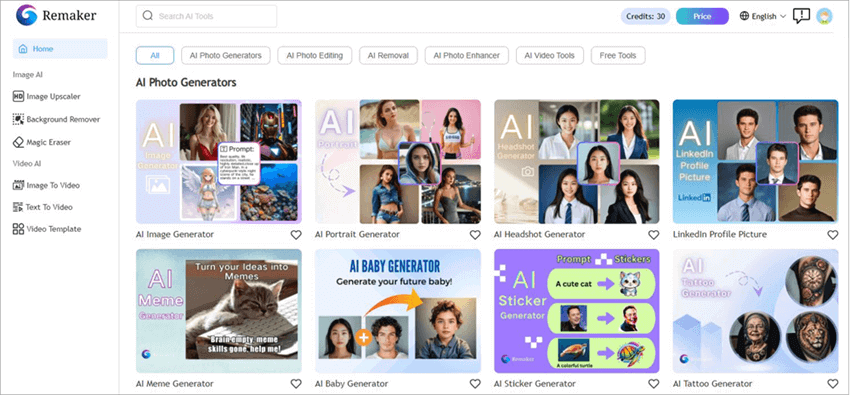
You can rely on the tool’s AI for background removal, image upscaling, generating headshots, and converting an image to video, among many other things. That said, the tool is perhaps best known and much raved about online for its face-swapping capabilities.
It makes the seemingly complex task of swapping out one face with another in an image or video look effortless. You could use this tool to swap out multiple faces in a single photo or video at once. Needless to say, Remaker AI Face Swap is a powerful tool.
Now that you know what Remaker AI is all about, let’s delve into how you can put it to good use to create memes, place yourself in an iconic movie scene, or simply have fun with pals.
How to Use Remaker AI Face Swap
Swapping faces with this AI remaker is probably the easiest thing some of you’ll be doing in life. The platform’s user-friendly web-based interface ensures you aren’t lost and done with the face-swap in a couple of quick steps. So, here’s how you use it:
1. Open Remaker AI Face Swap on your computer.
2. Upload the Original Image and the Target Image.
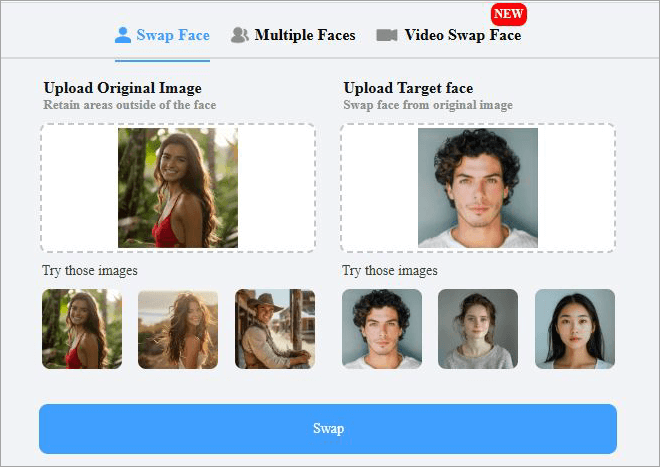
3. Finally, hit the giant blue “Swap” button below and wait for the results.
4. Preview the image.
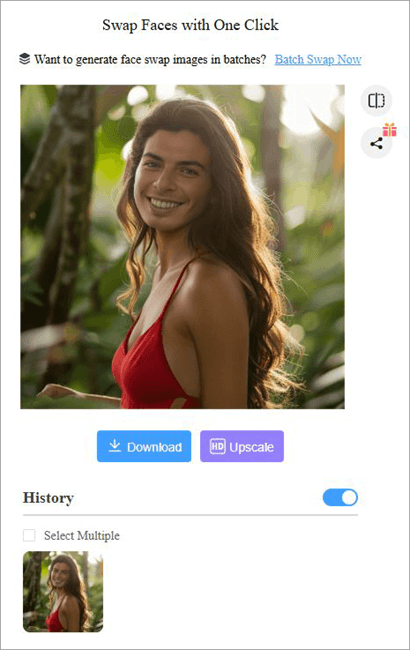
5. You can now choose to upscale the image’s quality or download it right away.
It is that simple, and the best part is that you don’t have to pay a dime to face-swap an image. Moreover, no need to sign up or register as well. Of course, you won’t be able to perform face-swaps on videos or access other interesting features offered by Remaker AI with the free plan.
Top Features
1. Multiple Face Swap
This is one of Remaker AI’s most endearing features, at least for me. It is one thing to swap a single face in an image, but being able to swap out multiple faces in what could be a group photo is an accomplishment. Remaker AI manages to do this flawlessly. Here’s how you do it:
1. Upload the image you want to change faces on.
2. Upload the target face pictures and align them with the faces you want swapped out.
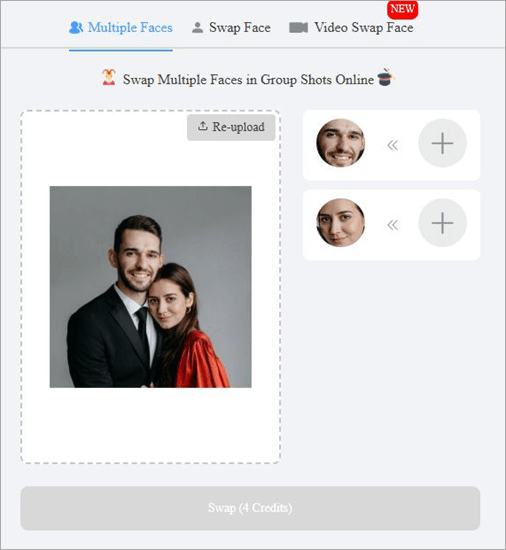
3. Finally, hit the “Swap” button.
4. Hit “Download”.
2. Batch Face Swap
Another amazing feature in Remaker AI is the ability to perform a “Batch Swap”. This means you can swap the faces in multiple images in one fell swoop. Remaker AI lets you upload up to 50 images alongside a lone target image. Once you’ve uploaded the images and hit the “Swap” button, the faces on all of these images will be replaced.
3. Video Face Swap
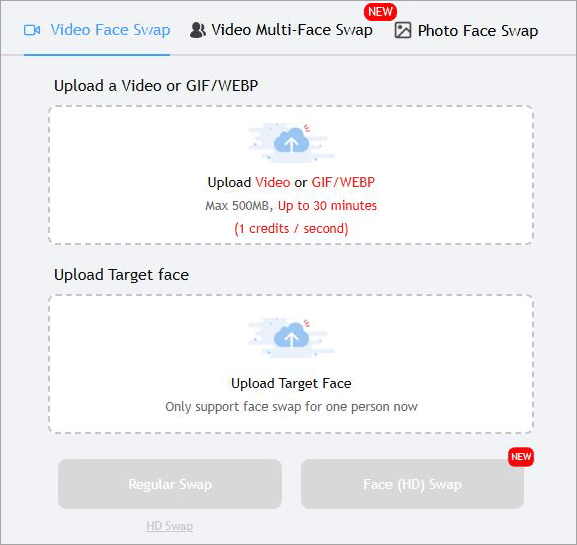
Besides swapping faces in an image, Remaker AI also lets you swap out faces in a video. Imagine having your face planted on the face of an actor in one of your favorite movie scenes. This fascinating feat is possible and easy to accomplish with Remaker AI.
All you have to do is upload a video and an image with the face that will be placed in the video. Just make sure the video isn’t longer than 30 minutes or larger than 500 MB in size.
4. Image Upscaling
Before you download a face-swapped image, you will be presented with an option to upscale that image. If you have an image in SD quality, you can use this AI image remaker to upgrade the picture quality to crystal-clear high-definition. This isn’t a free feature, though, and you’ll have to purchase credits to make use of it.
5. Art Generation
Remember those Ghibli-style images that were going viral just a few months ago. You can use Remaker AI to have your image converted into a Ghibli or any other popular art form. Remaker AI apparently makes use of multiple advanced AI image models to enable this effect.
Whether it is converting your image into a cartoon or Anime, Remaker AI will let you do that without hassle.
Further Reading => Best Online Photo Video Maker Tools
6. Talking Photo
If face-swapping doesn’t satisfy your heart, perhaps you can try modifying your photo even more by applying realistic lip-sync effects to it. Remaker AI can modify your image to make it appear as if the subject in that picture is talking. You can make a still image sing, emote, or tell a story.
Pricing & Subscription Options for Remaker AI
Remaker Face Swap AI is free to use, only if you are going to do single photo face-swaps. You are provided with free credits upon initial sign-up to employ some of Remaker AI’s other features. These credits exhaust quickly. So, I would suggest purchasing credits if you want to use the tool to its maximum potential.
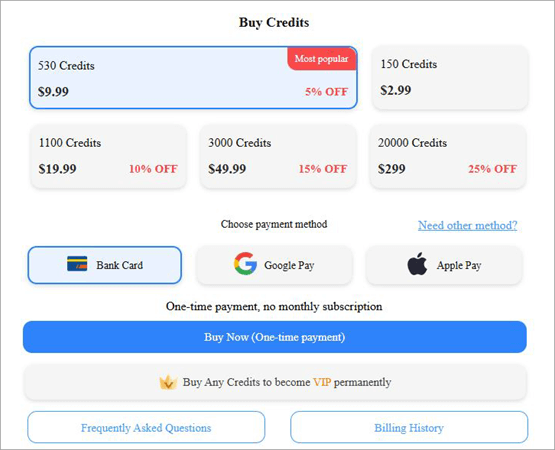
Its credits will cost you as follows:
- 150 Credits: $2.99
- 530 Credits: $9.99
- 1100 Credits: $19.99
- 3000 Credits: $49.99
- 20000 Credits: $299
If you want to use all of Remaker AI’s features for free, try to Google – Remaker AI download APK. You’ll be redirected to an unofficial APK file for Remaker AI. Be wary of such tools. They might serve their purpose well, but they also carry with them some serious risks.
I always recommend paying for the real thing because the value you get should ultimately outweigh the price you pay.
Customer Support
If you run into trouble while using Remaker AI, you could reach out to the support team via email, social media, or by raising a ticket. Although the response time is good, I would’ve still appreciated live chat assistance or direct phone support.
What I Like About Remaker AI Face Swap
- It features a neat, user-friendly interface that makes face-swapping child’s play.
- The processing time is super-fast, with results delivered in seconds.
- The face-swapping is flawless, with the AI seamlessly blending faces.
- You can preview the result in real-time and make adjustments on the fly.
- This is an online tool that works with all browsers, smartphones, and computers.
- There is no loss in picture quality once an image is processed.
What I Don’t Like About Remaker AI Face Swap
- The support isn’t that impressive. The absence of live chat assistance bothered me.
- Don’t expect in-depth customization as the tool lacks fine-tuning capabilities.
Limitations & Challenges of Remaker AI Face Swap
Although the tool is good at face-swapping, some users might be bothered by the absence of editing tools for fine-tuning the results. Once the face-swap is done, your ability to customize the image or video is limited.
Suggested Read => Best Photo Editing Software to Look For
Furthermore, the success of your face-swap will largely depend on the quality of your image or video. The results will be lackluster if the image you fed Remaker AI was of poor quality or low resolution. However, you can upscale an image’s quality. I recommend you improve the image’s quality before performing face swaps.
I was also bummed out with the absence of live-chat assistance. Remaker AI should consider making this option available, as responsive support is paramount to an excellent customer experience.
Legal Implications of Using AI for Face-Swapping
This goes without saying: one should be responsive when using such apps. Refrain from engaging in any of the following acts when using Remaker AI or any other app for face-swapping:
- Using the app and pretending to be someone else.
- Stealing a person’s identity
- Using the likeness of another person without their consent to create a deepfake video or image.
- Face swapping on copyright-protected images and videos.
If caught, you could be facing serious persecution, which could amount to to fine or long jail time.
Best Remaker AI Alternatives
While Remaker AI is a leading tool in the face-swapping category, it is important to acknowledge that it isn’t the only one out there. Many other solutions out there do the same thing Remaker AI does.
If you don’t find Remaker AI to be your cup of tea, try the following alternatives instead.
#1) Reface AI
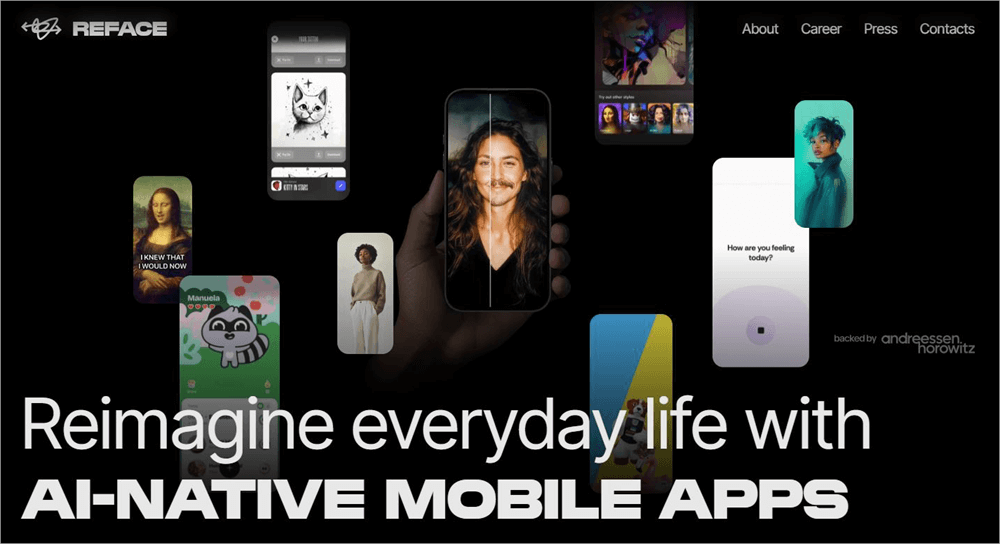
Reface AI is the very first alternative on my list because of its focus on realistic AI face swaps.
What you get with Reface AI is a tool that was tailored to perform face-swaps on mobile. You can use it for free if ads aren’t a bother. I would still recommend downloading the premium version of this tool to get the best results.
Website: https://reface.ai/
#2) Pixlr
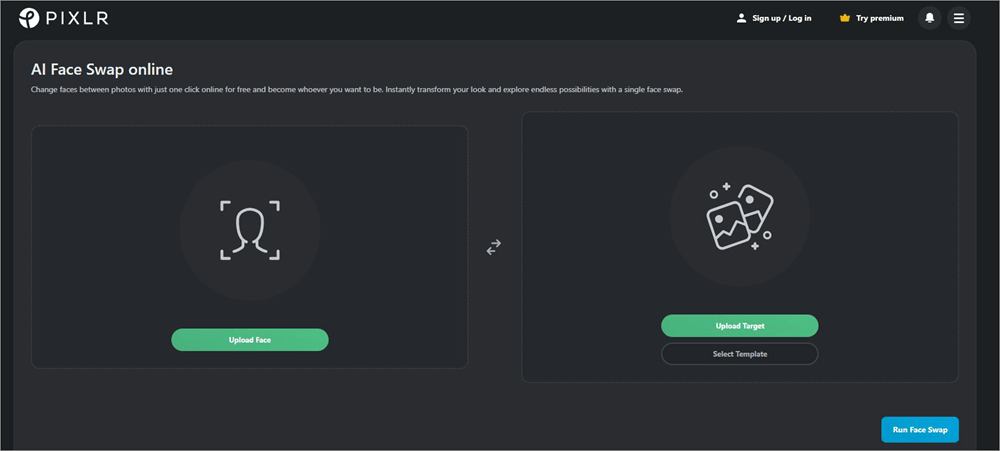
Pixlr was known as a popular video and image generator that recently introduced a face-swapping feature to its arsenal of capabilities.
Face-swapping is similar and just as simple as it is on Remaker AI. To make things more interesting, Pixlr serenades its users with a bunch of pre-made face swap templates. The results are quite realistic and polished.
Website: https://pixlr.com/face-swap/
#3) FaceFusion
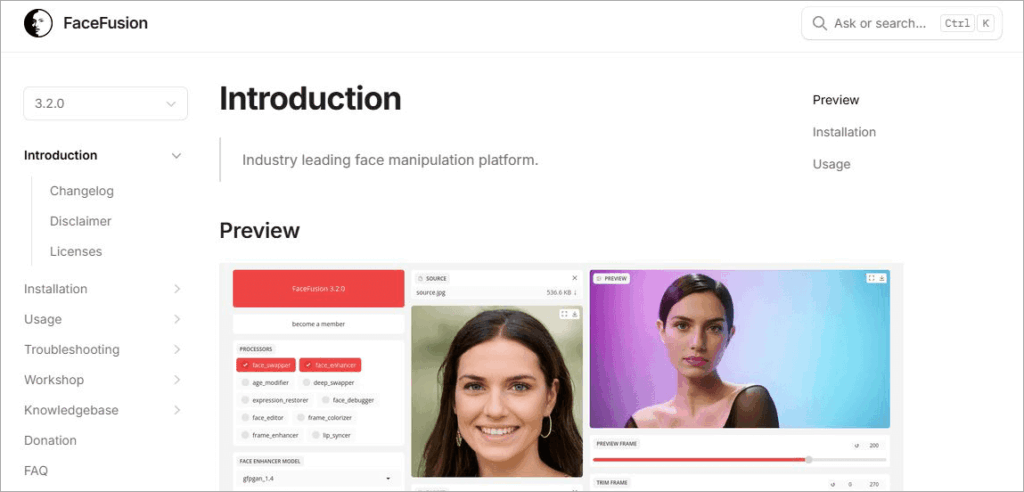
Sure, you can use FaceFusion to swap faces out from photos and videos. However, this tool shines the best when you are using it for morphing and blending.
As the name suggests, the tool allows you to fuse multiple faces to create an image with a distinct identity. The tool is adored by artists and is one that gets your creative juices flowing.
Website: https://docs.facefusion.io/
#4) Face Swapper AI
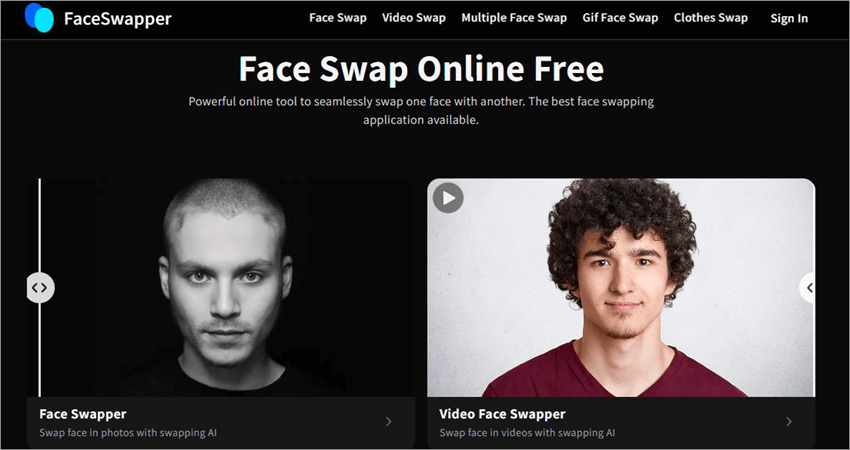
If instant, high-quality results are what you seek, Face Swapper AI is the tool for you. Like Remaker AI, the tool is beginner-friendly. The tool is also considerably automated.
Also Read => Best Cutout Pro Alternatives for Photo Editing
It automatically detects the faces on the images you upload. All you need to do is click once to initiate the swap. You can also use it to swap a subject’s clothes in a photo.
Website: https://faceswapper.ai/
Frequently Asked Questions
1. Who is Remaker AI for?
I think Remaker AI is right for just about anyone who wants to use a face-swapping tool for the correct reasons. A content creator could use it to modify their video or photo. Marketers can use it to do last-minute face-swaps on a video. It can be used for both casual and professional purposes.
2. Is Remaker AI free?
You can use Remaker AI for free in a very limited capacity. The tool puts no restrictions on basic photo-based face swaps. However, you’ll need to purchase credits to utilize some of its other features, like face-swapping on a video or swapping multiple faces in a single image.
3. Is Remaker AI safe?
Remaker AI is a safe tool to use. All images uploaded to this website are deleted automatically after a day. However, I would still suggest using such tools responsibly. Do not use Remaker AI to misrepresent a photo or video. Do not use it to spread information that you know isn’t true. You shouldn’t use this tool to create deepfake images or photos of individuals without their consent.
4. Is there a Remaker AI app?
Remaker AI is completely web-based. It doesn’t have an official app. You might encounter apps with links “Remaker AI app download” or “Remaker AI download apk” online. These are all fake apps that have no relation to the original tool.
5. Can you swap faces in videos with Remaker AI?
Yes, you can swap faces in videos using Remaker AI. To do this, you need to select the “Video Face Swap” option. Then, upload the video alongside an image containing the face you want placed in the video. Hit the “Swap” button and wait for the result to come out.
Also Read => Best Video Maker Apps & Tools
6. What is the most realistic AI face swap?
At this stage, almost all AI face-swap tools are capable of producing extremely realistic results. Remaker AI itself does a pretty good job of seamlessly blending one face into another to create an indistinguishable final result. You have to be very discerning to notice anything odd. It isn’t perfect, but it is getting there.
Our Honest Verdict on Remaker AI App
Remaker AI serves as a solid testament to the fascinating abilities of AI. This web-based AI-driven content creator is easy to use. I like the fact that you don’t have to pay a dime to perform a face-swap on an image. If you do choose to pay an affordable rate for credits, you’ll be able to use Remaker AI at its maximum potential.
You could use it to face-swap a single image or multiple images at the same time, at an impressive speed. The picture quality remains intact after processing. You are also provided with an option to upscale your image’s quality with just a single click.
In hindsight, Remaker AI is not only a great tool to create content, but also a better solution to perform a face-swap on any image or video. It is user-friendly, quite affordable, and produces a flawlessly face-swapped picture or video in no time.
Conclusion
Let me cut to the chase and say that yes, Remaker AI is one of the best face-swapping tools we have today. It deserves the hype and praise that have been heaped upon it in the past few years. It is user-friendly, quick, and flawless in the way it switches one or multiple faces in a video or image.
I suggest you give this tool a shot. You can perform basic face swaps for free. If the tool isn’t to your liking, I’ve also suggested a few alternatives that could end up winning you over instead.
Remaker AI is fun and fascinating in equal parts. Whether you are a content creator, marketer, or someone trying to have a good time, you’ll find an ally in this tool.
Was this helpful?
Recommended Reading
-

Dive deep into the capabilities and alternatives of getimg.ai's image generation platform. Effortlessly edit photos, and create stunning images or custom AI models after reading this getimage.ai review: Art isn't for everyone, but AI has revolutionized the game. Today’s reality is that anyone can create stunning visuals and modify them…
-

Quickly transform your dull photos with simple image background remover tools. Learn how to remove background from image to create professional images without Photoshop skills: So you’ve clicked a nice picture but aren’t too pleased with its background. Previously, you would have to download a special image background remover on…
-
Read this review if you're looking for a Photo Enhancer AI to Make Blurry Pictures Clear and look crisper as well as sharper than ever. A blurry picture is the worst nightmare for everyone. However, with Photo Enhance AI technology, you now know how to transform your blurry photos into…
-
Want to know how to improve video quality? Read this review to find out about the best Video Quality Enhancer Software for optimizing image and audio quality: Video enhancer software can increase the quality of the videos. You can use the video quality enhancer app to increase the quality of…


