


Edit and enhance your photos effortlessly with apps similar to Cutout Pro. Pick the best Cutout Pro Alternative with powerful features to revolutionize the world of image & video designs:
Are you looking for an app like Cut Out Pro? Go through this article to find reviews about the top Cutout.pro alternatives.
Cutout.pro is a popular visual design tool that offers a range of features for both personal and professional use. I would say it is an all-in-one AI-powered photo and video editor.
Cutout Pro Competitors: Hand-Picked List

It has been trusted by over 25,000 businesses, including Shopify, Facebook, Amazon, Udemy, LinkedIn in and more.
Here is a video on the Principles of creating Visual content:
Let’s have a look at the features offered by Cutout Pro:
- You can remove unwanted objects like skin blemishes, an unwanted person, etc., from an image, without even having to download the app.
- You can remove the background from a video or replace it with any other virtual background, or simply blur the background.
- Cutout.pro can make head cutouts of kids, adults, or pets.
- It offers an AI art generator, which is easy to use and helps in designing stunning images.
- With Cutout.pro, you can turn the background of your photo into art.
- They offer an image as well as a video upscaler, which fixes blurry images/videos, increases resolution, enhances face details, and more.
- It has a feature that lets you turn a photo into a small video, with different expressions to choose from.
- You can turn your black-and-white photos into coloured ones or convert your photos into cartoon images with different styles.
- You can create a passport photo by removing the background from an image.
- They offer millions of free images to be used for creating your masterpieces.
Pros:
- Easy-to-use tools for designing high-quality images
- Helps in restoring old photos
- Secure, scalable platform
- Guaranteed over 98% uptime
- 14-day money-back guarantee
- A free trial is offered for a 5-second video background removal
Further Reading => Clipdrop Review with Alternatives
Price: You can purchase their subscription plan or opt for a pay-as-you-go option. They have different prices for image editing and video editing.
- Image Pricing subscriptions start at $5 for 40 credits per month
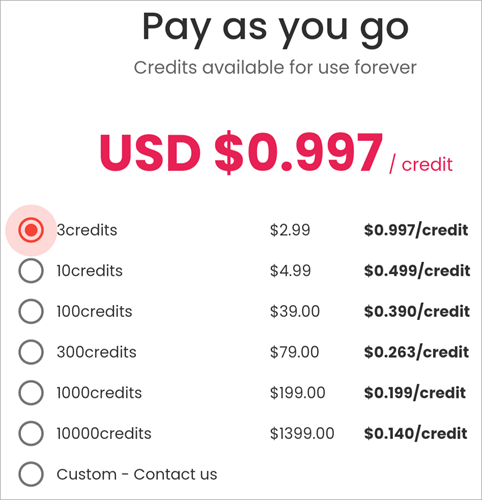
- Pay-as-you-go pricing starts at $2.99 for 3 credits
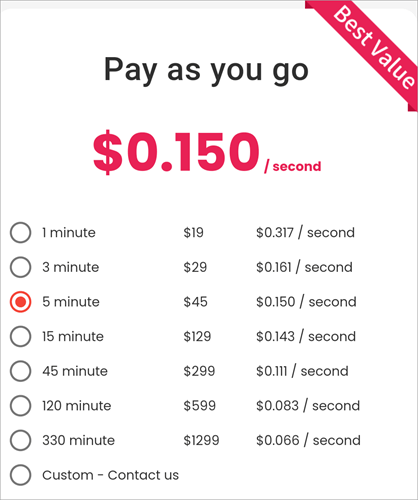
- Video pricing starts at $19 for 1 minute

Cutout.pro delivers solutions for Interior Designing, Image Designing, eCommerce, Developers, Customized Printing, ID Photo Making, Old Photo Restoration, and more. Most of the features can be used just by registering for Cutout.pro. But you’ll have to buy one of their subscriptions to download your edits.
If you are looking for applications like Cutout.pro, which can help you in editing your images and videos, then go through this article.
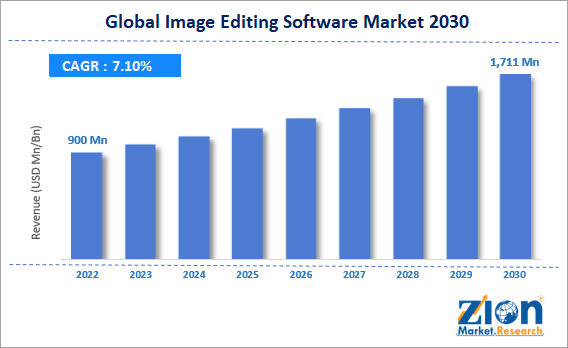
via Zion Market
How we selected these alternatives of Cutout Pro
We looked for the following features while selecting the top image editing apps like Cutout Pro:
- Ease of use
- A range of features is offered for editing the images
- Data security
- Value for money
- User reviews
List of the Best Cutout Pro Alternatives
- AnyEnhancer
- Remove.bg
- Erase.bg
- Photoroom
- Clipdrop
- PhotoKit
Comparing the Top Alternatives for Cutout Pro
| Platform | Best for | Price | Pros |
|---|---|---|---|
| Cutout Pro | Being an all-in-one photo and video editor. | Starts at $5 per month. | • Easy to use • Secure • A 14-day money back guarantee • A good range of features |
| AnyEnhancer | Enhance video quality | $28.99 for 1 month | • A 60-day money back guarantee • 24/7 support • Gives stunning results. • Easy to use |
| Remove.bg | Quick, automatic background removal. | Subscriptions start at $9 per month. | • 14-days money back guarantee • Data security • Flexible price structure |
| Erase.bg | Quick background removal and a free version for individuals. | $60 per year | • A free version • Data security features • Seamless API integration • Smart editing tools |
| Photoroom | Being a complete photo editing tool provider | Starts at $12.99 per seat per month | • Team collaboration • A comprehensive set of editing tools • Easy to use |
| Clipdrop | Offering cool features that help in creating stunning images | Starts at $11 per month. | • Easy to use • Offers cool editing features • You can request a free API key |
| PhotoKit | Being an intuitive, feature-rich platform with a useful free version. | $9.99 for 30 days. | • A library of over 2.3 million creative images, illustrations, and vector graphics • Flexible purchase options • A useful free version |
Detailed reviews about the top Cutout Pro Alternatives:
#1) AnyEnhancer
Best for enhancing video quality.
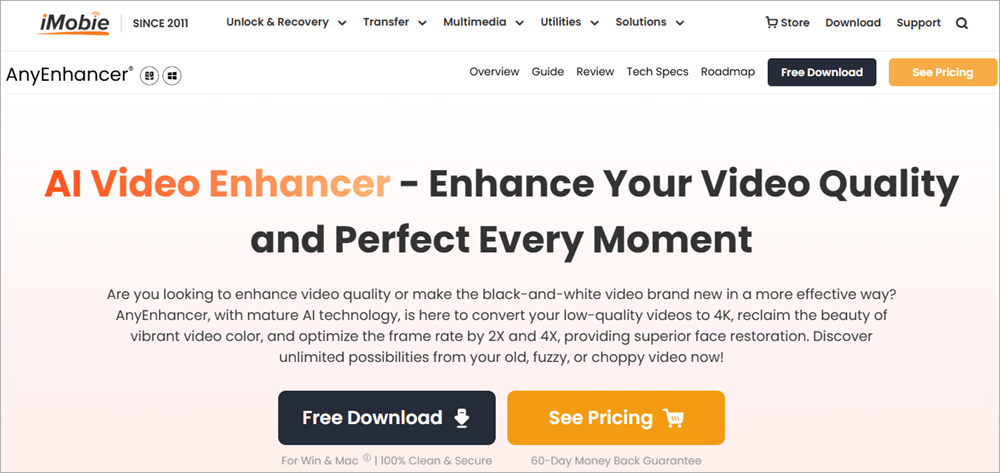
AnyEnhancer is built with mature AI technology and helps its users convert their low-quality, blurry videos to sharp videos with 4K resolution. With this application, you can work on your old, fuzzy, or choppy videos and make them perfect.
The platform offers 4K and 2K resolution improvement, 4X and 2X video frame insertion, fully automated AI processing, 24/7 customer support services, and GPU acceleration for faster performance.
Features:
- Intelligent Enhancement: The application has tools for improving the clarity and facial details in a video.
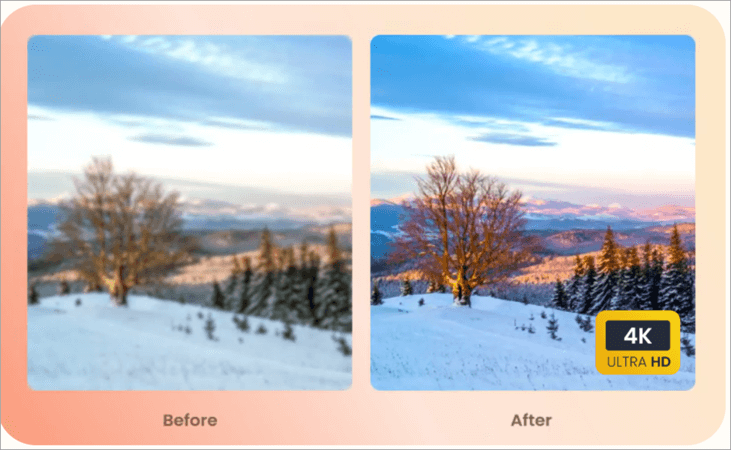
- Resolution Enhancement: Their advanced AI technology helps in uplifting the videos to Ultra HD 4K resolution.

- Face Restoration: You can restore and sharpen minute details in a blurry video.
- Colorize: You can convert your black and white videos into coloured ones.

- Color Enhancement: With AnyEnhancer, you can turn your videos with dull and pale colors into charismatic visuals.
- Video Denoiser: You can remove noise or unwanted audio from a video
- Framer Interpolation: This feature allows you to fix your stuttering and choppy video so that it runs smoothly. Frame rate can be increased by 2X and 4X.
Pros:
- A 60-day money-back guarantee
- 24/7 support
- Gives stunning results
- Easy to use
How AnyEnhancer is a good alternative to Cutout.pro: AnyEnhancer is very easy to use. Its AI-powered tools work like magic on your videos. It is basically a video enhancing tool, which is used for restoring old videos.
Sometimes a video loses its quality when it is edited; this problem can be solved with AnyEnhancer. The users of AnyEnhancer report that the software is user-friendly, it makes their videos look more professional, gives them a new level of clarity, and makes them more vibrant.
Price: AnyEnhancer costs $28.99 for 1 month.
Website: https://www.imobie.com/anyenhancer/
#2) Remove.bg
Best for quick, automatic background removal.
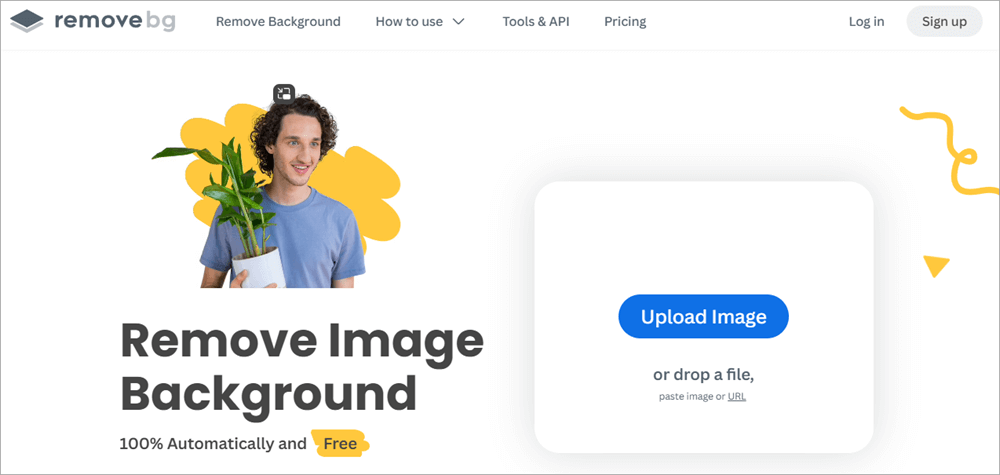
Remove.bg is a background removing application used by individuals, photographers, developers, advertisers, and other professionals for advertising, media, e-commerce, car dealership, and other purposes.
This AI-powered automatic background remover works a lot quicker than manually cutting out of images. Plus, it delivers stunning final results. The software handles the challenging borders of your images with maximum efficiency, thus delivering perfect results. They have 240 enterprise customers and claim to process over 150 million images and videos every month.
Features:
- Magic Brush: You can remove an unwanted object or person from an image or a video, or insert something into it.
- Remove Background: Removing the background from an image is very easy and quick. You’ll just have to upload the image, and the AI will automatically produce a downloadable image with its background removed, within 5 seconds. This feature works even if you want to remove the background from images in bulk.
- A cool picture library: They have a picture library consisting of several breathtaking pictures. You can use any of them in your images.
- Image Editing: You can add effects, enhance colours, and much more.
- API: Remove.bg integrates with Photoshop and more than 1,000 other applications, thus making your editing process smooth.
- Add a shadow: Adding a shadow to a product’s image would make the image look more professional. You can give this effect to your images within seconds.

Pros:
- A 14-day money-back guarantee
- Unused credits will roll over to the next month.
- The system does not keep your data. Each image file is usually discarded within 60 minutes after the result is received by the user.
- Encrypts all data in transit
Price: Remove.bg has 2 types of pricing:
1. Subscription-based: Starts at $9 per month (for 40 credits)
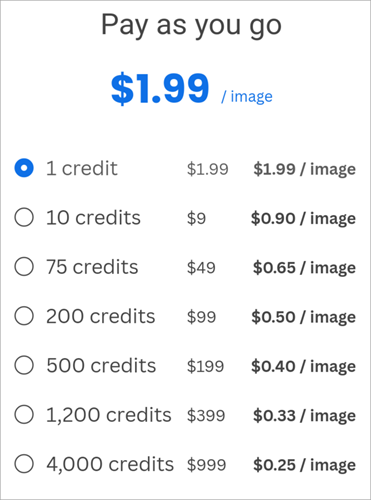
2. Pay as you go: You can buy as many credits as you want. If you buy 1 credit, it will cost you $1.99. 10 credits cost $9, 75 credits cost $49, 200 credits cost $99. The Price per credit goes down when you buy a larger number of credits at once.
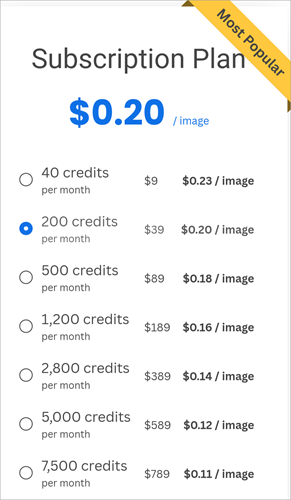
Why we like Remove.bg: Remove.bg is easy to use, secure, powerful, time-saving, and offers a flexible pricing structure. Their prices per image go down as the volume increases, so enterprises and professionals will find the platform to be quite a reasonable amount of money.
Have a look at their site for some of their amazing success stories to know how useful they have been for businesses like Aston Barclay, Bosch Cognitive Services and more.
Website: https://www.remove.bg/
#3) Erase.bg
Best for quick background removal and a free version for individuals.
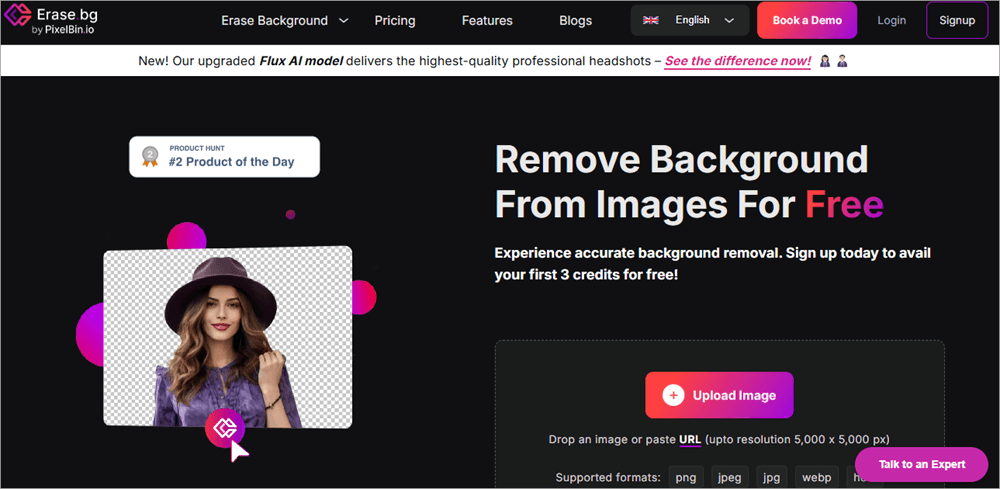
Erase.bg is a trusted and very useful tool for smart background removal and editing features. With Eraser.bg, you will get a number of useful tools, ranging from background removal and background changing to quality upgradation and smart editing.
Erase.bg supports PNG, JPG, JPEG, WebP, and HEICc images and allows bulk editing of over 1,000 images at once, which makes it a go-to option for professionals in the field. The platform supports a maximum of 25 GB of files and 5000 × 5000 px of output resolution and offers you storage for your media.
For removing the background from an image with Eraser.bg, you’ll just have to click on the Upload Image icon on their website, and the application will automatically process the image for you within a few seconds, available for download.
Features:
- Background Removal: You can get the background removed from your images automatically, within seconds.
- Change Background: You can get the background of an image changed into any image of your choice. You can even choose the background image from the vast library of images that they offer, or you can add a specific colour of your choice to the background.
- Smart Editing tools: You can add a new background to an image and edit the image using tools like blur, rotate, resize, tint, trim, and more.
- Image Upscaling: You can increase the sharpness and quality of your images, enhance brightness, and much more.
- AI Background Generator: You can get many unique backgrounds generated as per your request, just by describing the image you want.
- Shadow Creation: You can add a shadow to the picture to make it look more realistic.
- Apply Greyscale: A coloured photo can be converted into a black-and-white one.
Pros:
- Seamless API integration
- Free download of edited images
- Personal consultants and email support are available with all plans.
- You can save images in different formats.
Why we like Erase.bg: Erase.bg is an ISO/IEC 27001, AICPA-certified platform, used by individuals, agencies, and e-commerce businesses from all over the world. You can use it for free for personal use. For more advanced usage, you’d have to buy one of their subscription plans.
You can use the application from your Android or iOS mobile phone or through your desktop. I would recommend it to everyone because of its usability and affordability.
Price: Erase.bg offers the following plans:
- Free Forever: $0
- Erase.bg Pro: $60 per year
- Erase.bg Enterprise: Custom pricing
Website: https://www.erase.bg/
#4) Photoroom
Best for being a complete photo editing tool provider.
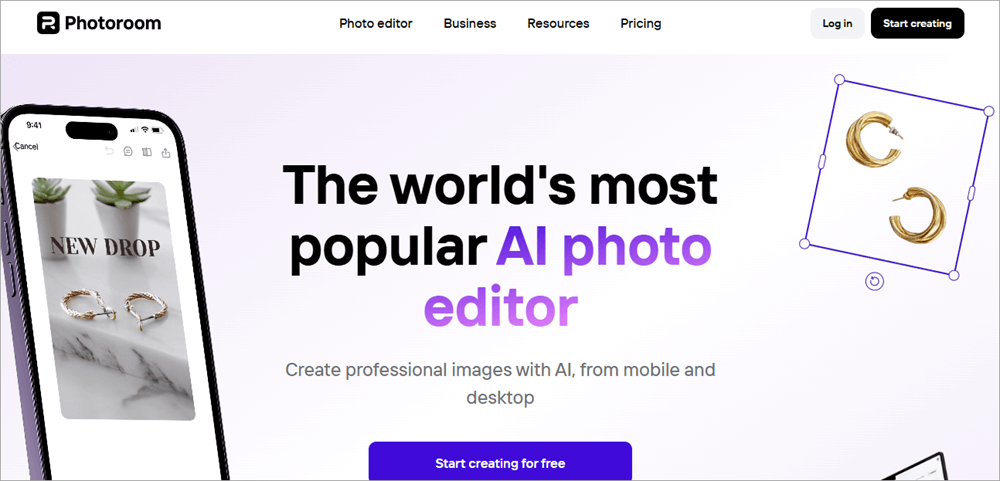
Photoroom is one of the best Cutout pro alternatives. It is easy to use, secure, and feature-rich. The platform is a bit expensive than its counterparts, but you’ll find it to be quite powerful, which makes it stand apart.
With Photoroom, you can work together with your team, and you’ll get access to a number of free templates, which will help you in exploring different designing capabilities. Their Android app lacks a few Pro features like AI Image Generator, so check the features carefully before buying.
Features:
- AI Background Remover: You can remove the background of any image in seconds, and even download it for free. If you want to store your media with Photoroom, you’ll need to create an account.
- AI Backgrounds: You can create realistic backgrounds with Photoroom by giving simple prompts.
- Blur Background: You can blur the background of an image or add a new background of any colour of your choice.
- AI Retouch: You can remove unwanted objects or people from a photo, watermark your images, and much more.
- Resize Image: You can choose to resize and expand your images, add text or stickers, and more.
- AI Image Generator: The platform has a text-to-image tool that generates images based on your prompts.
- Add text or a Sticker to a Photo: You can add text or stickers to any image with simple steps.
- Bulk Processing: You can edit images in bulk
- Templates: Get access to a number of templates that can be used for different purposes, like creating profile pictures for different social media platforms.
- Colour Splash: You can transform the background into black-and-white, so that the main object is highlighted.

- Motion Blur Effect: Adding the motion blur effect increases the visual appeal of an image.
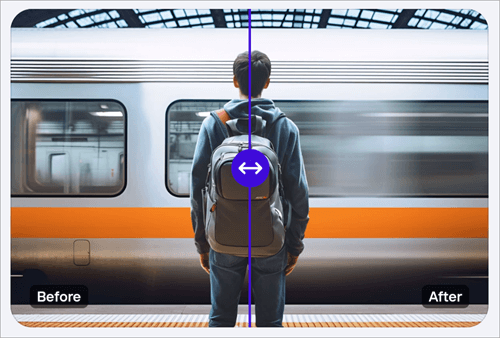
- Image Editing: You will get tools for adjusting colours, brightness, contrast, hue, shadows, saturation, and more.
- Image Enhancer: You can improve the quality of an image
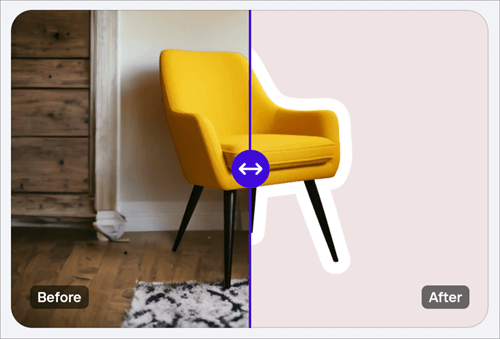
- Outline Image: You can create an outline of the image of an object to create stickers, etc.
Pros:
- A very useful free version
- Free trial for the paid plans
- Several useful features
- You can choose to pay weekly, monthly, or yearly.
- 100% money-back guarantee
Why we like Photoroom: With over 150 million downloads and a number of prestigious awards, Photoroom comes out to be quite a popular photo editor. It can be accessed through your mobile or desktop. They have a free version and offer free trials for their paid plans.
Brands like Netflix, Bvlgari, Doordash, and Shopify are their clients. Undoubtedly, the value they deliver for your money is unmatched, which is the reason for its popularity.
Price: Photoroom offers the following plans:
- Pro: $12.99 per month per seat
- Teams: $12.99 per month for 3 seats (with a special offer)
- Enterprise: Custom pricing
Website: https://www.photoroom.com/
#5) Clipdrop
Best for offering cool features that help in creating stunning images.
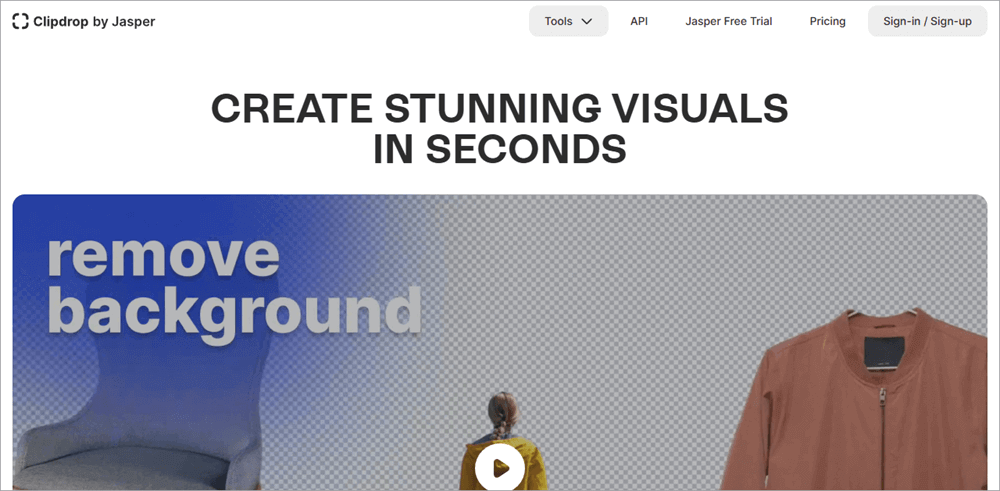
Clipdrop is used by designers, marketers, content creators, etc., for the purpose of creating spectacular images in seconds.
It offers you tools for adding or removing objects from an image, changing or removing backgrounds, improving the image quality, editing images, and much more. And the best part about Clipdrop is that anyone can use the platform without the need to go through a learning curve, because it is very easy to use.
Features:
- Generative Fill: You can replace, remove, or add objects in your images with simple prompts.
- Universal Resizer: You can resize images to make them fit for social media handles
- Text to Image: Clipdrop’s AI image generator will create images based on the text prompts you enter.
- Swap: You can swap faces in a photo.
Further Reading => Remaker AI Face Swap Online Tool
- Replace/Remove Background: You can remove the background from an image within seconds, and replace it with another one if you want. You can choose an image from their library to use as the background of your image.
- Uncrop: You can crop or uncrop a photo to any image format.
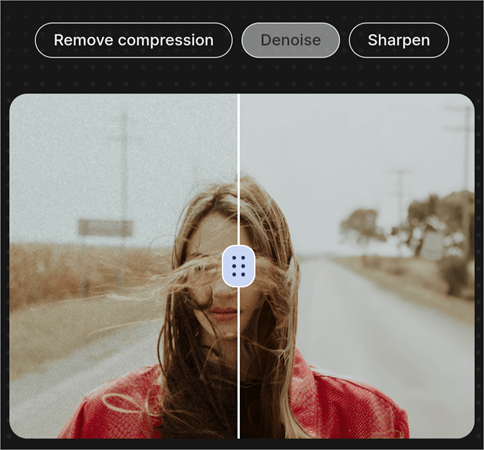
- Image Upscaler: The application allows you to upscale, denoise, and enhance your images within seconds.

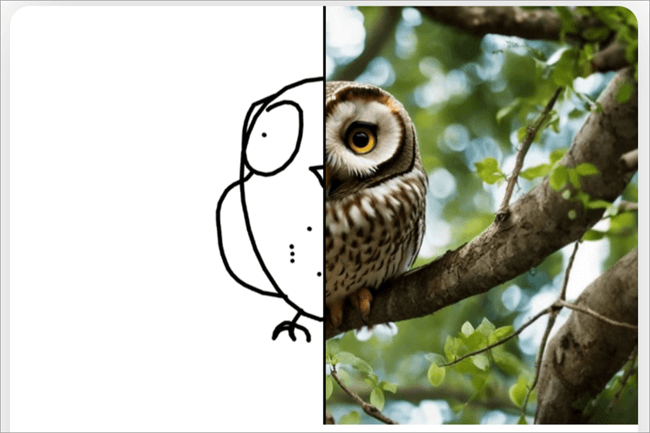
- Sketch to Image: You can convert your drawings, sketches, or doodles into images.
- Reimagine: You can recreate an image to make different images with some variations. This can be useful for designers who have to show different designs for approval from their clients.
Pros:
- You can request a free API key
- Easy to use
- A good range of features
Why we like Clipdrop: Clipdrop has some cool features to offer. And the features can be applied to bulk images using simple drag-and-drop tools. This AI-powered application has a comprehensive set of features, and it delivers breathtaking results.
Clipdrop does not have iOS or Android apps. It can be used online through your browser.
Price: Their Pro version costs $11 per month when paid annually, $15 per month when paid monthly.
Website: https://clipdrop.co/
#6) PhotoKit
Best for being an intuitive, feature-rich platform with a useful free version.
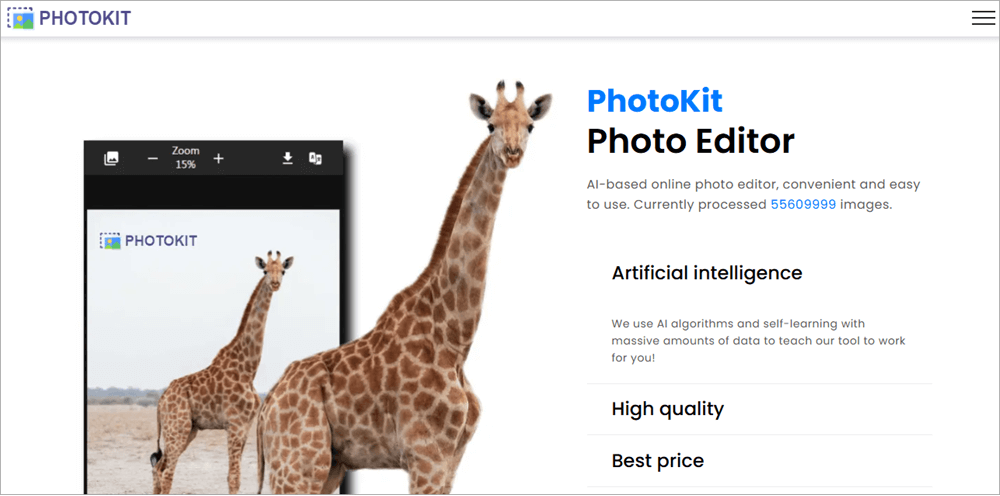
PhotoKit is a browser-based photo editing tool, suitable for beginners as well as professionals in the field. The platform is used for creating memes, editing photos, and improving their quality.
With PhotoKit, you can work on images in bulk and get the desired results within seconds.
Watch a small overview of PhotoKit below:
Features:
- Background Removal: PhotoKit removes backgrounds from images within seconds. Its advanced foreground detection and fine border detailing techniques deliver perfect results.
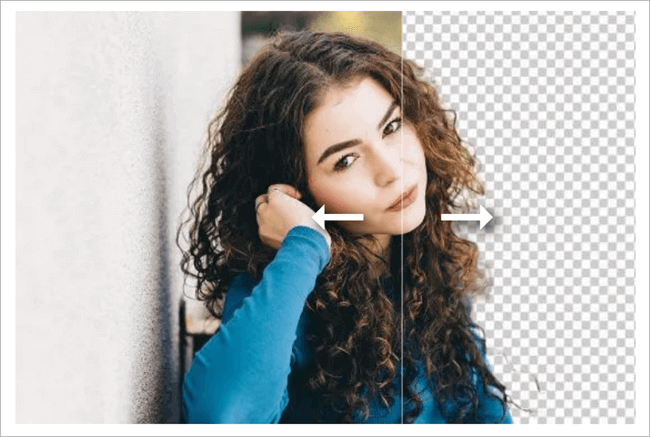
- Blur Background: You can blur the background of an image or change it with any image of your choice.
- Object Removal: You can remove any object or person from an image.
- Enhance Picture Quality: You can improve the picture quality of an image with a single click.
- Exposure: You can control the amount of exposure in an image, so as to improve the layer, quality, and color of the object.
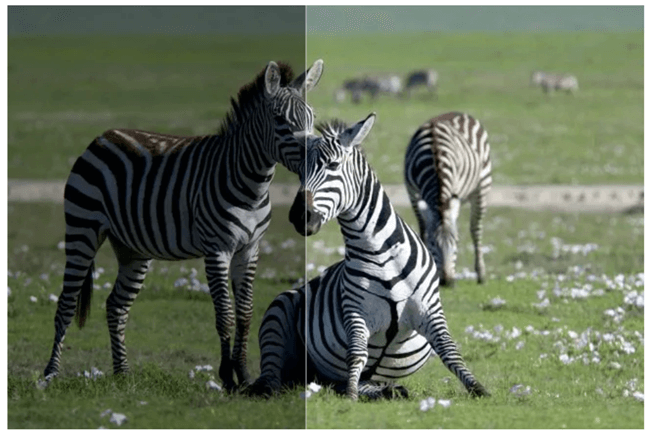
- Image Editing: You can edit images in bulk or one at a time. You can crop, resize, watermark, compress images, add text to them, and much more.
Further Reading => Top Video Compressor Software
Pros:
- Offers a library of over 2.3 million images, illustrations, and vector graphics.
- A free version that provides all the features.
- Flexible buying options
Why we like PhotoKit: PhotoKit claims to have edited over 55 million images to date. The platform uses AI algorithms to create high-quality results.
The user reviews about PhotoKit are amazing. They have a useful free version. Plus, the paid plans have a lot of flexibility to offer. You can buy a subscription for a month, a year, or a lifetime.
Price: PhotoKit has a free version. The paid version, which is called the VIP plan, costs as follows:
- 30 days: $9.99
- 365 days: $29.99
- Lifetime: $99.99
Website: https://photokit.com/
Frequently Asked Questions
1. Is Cutout Pro free?
Cutout Pro can be used for free, but with limited features; like you can not download the processed images without buying a subscription plan. They offer monthly subscriptions as well as pay-as-you-go plans. Monthly subscriptions start at $5 per month, and the pay-as-you-go pricing starts at $2.99 for 3 credits.
2. Which is the best software to cut out images?
I would recommend Cutout.pro, Remove.bg, Erase.bg, Photoroom, Clipdrop, and PhotoKit, if you want to remove backgrounds and cut out images.
4. How can I improve the quality of a picture and video?
You can enhance image resolution, restore blurry images and videos, and do much more, with the help of applications like AnyEnhancer, Eraser.bg, and Photoroom. You’ll just have to upload the image and select what you want to do with it, and get AI-backed, automated results.
3. Can AI remove the background?
Yes, AI can remove the background from an image perfectly, in just a few seconds. There are many applications like Cutoutpro and Remove.bg, which let you remove the background from an image, with just a few clicks.
With these apps, you can even process images in bulk and get quick results.
Conclusion
In this age of digital advancements, social media trends, digital advertising, online marketing, etc., the demand for tools that can make an image look breathtakingly stunning is at an all-time high.
We did a study on the trending AI-powered image editing applications and found that one of the most popular tools used for this purpose is Cutout.pro. We looked for more platforms like Cutout.pro, so that users with different requirements can also find a suitable platform.
Our study suggests that AnyEnhancer, Remove.bg, Eraser.bg, Photoroom, Clipdrop, and PhotoKit are some of the best available tools for this purpose. All of them are easy-to-use, AI-powered, feature-packed applications that deliver automated, perfect results very quickly.
Research Process
- Time taken to research this article: We have spent 23 hours researching and writing this article, so you can get a useful, summarised list of tools like Cutout.pro, that are used for image editing.
- Total alternatives researched online: 36
- Top tools shortlisted for review: 06
Was this helpful?
Recommended Reading
-

Through this tutorial, understand how to Increase the Resolution of the Image. Get to know more about Recommended Image Resolutions for various projects: A few times, I incorporated an exquisite image into my webpage, only to be disheartened by how small, grainy, and utterly unusable it looked. I am no…
-
Read this review if you're looking for a Photo Enhancer AI to Make Blurry Pictures Clear and look crisper as well as sharper than ever. A blurry picture is the worst nightmare for everyone. However, with Photo Enhance AI technology, you now know how to transform your blurry photos into…
-
List of Top FREE Video Editing Software with Features and Comparison. Select the BEST Video Editing Software Based on Your Requirements: Video editing software can be used to create professional-quality videos. With this software tool, you can edit wedding movies, birthday party videos, travel clips, game videos, and much more.…
-
Are you worried about how to remove background noise from audio recording on iPhone, Android, or other devices? Here, we have enlisted the top tools that can help you with the same: In today's world, where presence on social media is considered to be very important for individuals, businesses, and…


