Are you searching for a legal IPTV subscription service in the USA? Here is a detailed Review of the best legal IPTV Services in the USA that adhere to laws and regulations.
A reliable and legal IPTV service can be difficult to locate among so many unverified options in the United States. It is necessary since you may be looking for an IPTV subscription service that is legal within U.S. broadcasting regulations, piracy protection, and top-quality streaming performance.
In this post, I have done extensive research to compile a list of the most reliable legal IPTV options available within the United States for 2026. I have reviewed based on features, pros, and cons that make them safe, trustworthy, and worth your subscription.
Table of Contents:
Legal IPTV Providers in the USA

Accessing movie, sport, and TV show content from legal sources is absolutely crucial both for your safety and legal compliance. It is with this understanding in mind that I decided to write a guide on the best legal IPTV sources available in the United States based on my first-hand experiences with these sources.
It is true that with so many options floating around, some of which can be pretty dodgy, it is rather tough to tell which ones actually exist within the law, but this guide will help you to overcome this issue.

Via Pexels
The video below shows a detailed explanation of what IPTV is for Beginners:
Is IPTV Service Legal in the USA?
Yes, it is perfectly legal to use an IPTV service to stream TV channels over the internet. Most folks won’t know this if the only IPTV solutions they’ve encountered are the illegal ones. In reality, many online platforms have legitimate licenses and partnerships with big media companies in America to showcase TV content over the Internet.
The problem here is that many aren’t aware of such platforms. This is a problem I intend to fix in this article by reviewing the top legal IPTV services in USA.
Please refer to this video for understanding how to know the difference from Illegal IPTV Streaming Services:
A Better Alternative to Cable TV
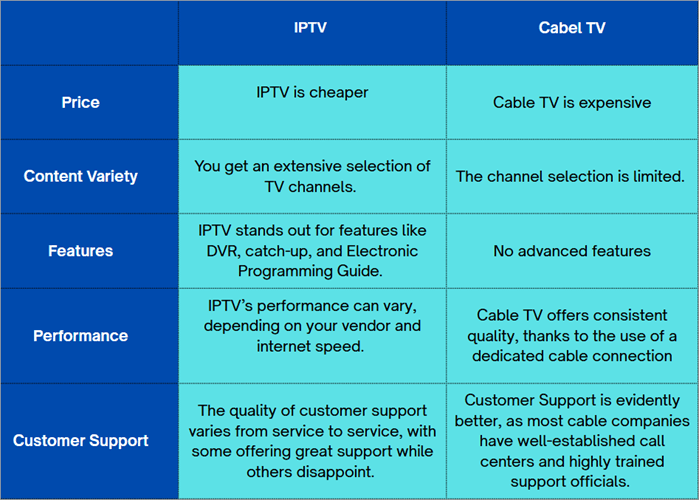
IPTV services are a great alternative to cable TV. I would even say that IPTV is better than your traditional cable subscription.
You are offered better features like the ability to record content or fast-forward, and rewind whatever you are watching. The picture quality is also much better, with some platforms offering 4K upgrades.
Suggested reading => Best Free IPTV Apps to watch live TV

Via Acumen
Expert Advice
The following checklist determines the legality of IPTV service providers.
List of the Best Legal IPTV Services
Here is the popular list to consider:
- Fubo
- YouTube TV
- Sling TV
- Hulu + Live TV
- Pluto TV
- CalmaHUB
- Guek HD IPTV
- Philo
Comparing Some Legal IPTV Providers
| Name | Best for | Number of Channels | Price & Free Trial | Rating |
|---|---|---|---|---|
| Fubo TV | Sports Channel Lineup and Unlimited DVR Storage | 400+ | Starts at $54.99/month. $84.99/month after the first month. 7-Day Free Trial |  |
| YouTube TV | Package customization and Sports features | 100+ | Starts at $82.99/month, 10-day free trial | |
| Sling TV | Auto-Record and Affordable Subscription plans | 60+ | Starts at $23/month. No free trial |  |
| Hulu + Live TV | Access to the streaming library of ESPN+ | 95+ | Starts at $82.99/month, 3-day free trial. | |
| Pluto | Free live TV Service | 250+ | Free | |
Detailed reviews:
#1) Fubo TV
Best for Sports Channel Lineup and Unlimited DVR Storage.

Fubo TV is my first pick for this list, notably because of its massive channel lineup and some amazing features. The platform offers everything you expect from a typical IPTV service. It has a massive lineup of live TV channels and a sizeable library of on-demand movies and shows to keep you entertained round-the-clock.
The platform notably stands apart because of its sports channel lineup, which includes all major events and leagues at the regional and international levels. The platform covers almost all popular local and international networks.
Fubo TV may now create a special lineup that includes live sports broadcasts like ESPN and ABC. Sports isn’t the only area where Fubo shines, though. Its news, entertainment, and lifestyle channel lineup is also quite impressive.
Fubo wraps its content library and presents it to you in a neat and well-organized interface. The main interface is easy on the eyes, with the main menu organized into 6 main sections for easy navigation. So, whether it is accessing your DVR-recorded content or managing account profiles, everything is as simple as a walk in the park.
How to get started with Fubo TV
Getting started with a Fubo TV subscription is very simple and will only take a few minutes of your time. Follow the guide below step by step:
1. Open fubo.tv/signup
2. Create your account by registering your email, password, and home ZIP code.
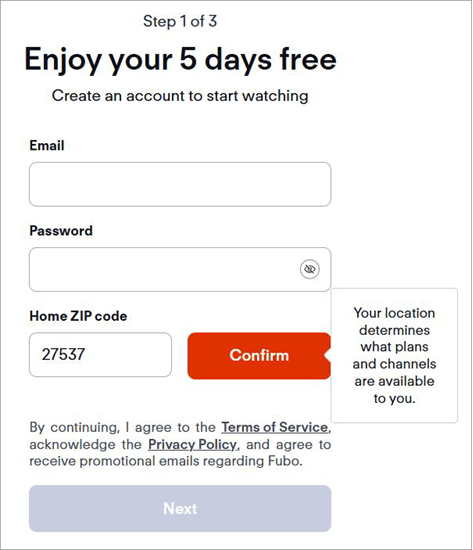
3. Choose your desired subscription plan and make the payment.
4. Once payment is done, select “Start Free Trial”.
Now, sign in with your registered email and password to start streaming. You’ll be charged automatically once your 7-day free trial expires.
Features:
- Channel Lineup: Offers over 400 live TV channels, including sports, news, kids, and lifestyle content from the USA and around the world.
- On-Demand Content: Fubo has a large on-demand library of movies and TV shows that you can easily browse or filter by genre, popularity, or release date.
- DVR: This feature lets you record unlimited live TV shows and keep them saved for up to 9 months.
- Lookback: The Lookback feature allows you to watch events that aired up to 72 hours earlier if you missed them.
- Startover: The Startover feature lets you restart a live program from the beginning, even if it is already in progress.
Why I Like It?
I think sports fans, especially those who like to catch events live, will find plenty to adore in Fubo. It offers a wide array of local and international sports channels. Its web interface is immaculate and easy to navigate. Plus, you can record live streams non-stop and don’t have to worry about running out of storage.
Pros:
- Unlimited DVR Storage
- Easy-to-navigate interface
- Impressive channel lineup
- Stream on multiple devices simultaneously.
Cons:
- Users will find the subscription expensive after the first month is over.
Verdict: Fubo perfectly embodies the qualities that make legal IPTV services great. Its channel lineup is stacked. You also have a massive library of on-demand movies and TV shows. Its subscription plans are affordable, and the initial set-up is simple.
I would emphasize two reasons to justify picking Fubo as my number one pick on this list – its sports channel lineup and unlimited DVR functionality.
Price: Fubo TV offers the following plans:
| Pro | Elite |
| $54.99/month | $64.99/month |
| The price after the first month will be $84.99/month | The price after the first month will be $94.99/month |
Various premium add-ons are also available if you’d like to expand your channel lineup even further. You are charged nothing when signing up for the first time until the 7-day trial period ends.
Website: https://www.fubo.tv/welcome
#2) YouTube TV
Best for package customization and sports features.
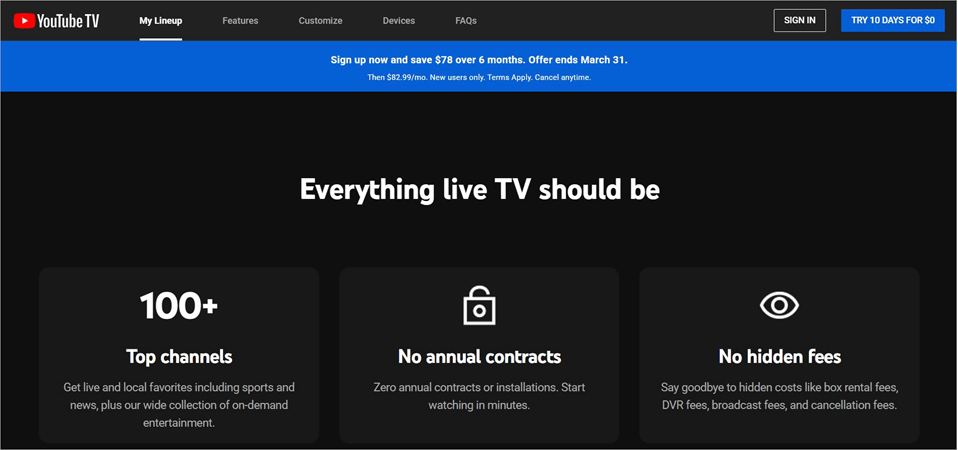
YouTube is a household name now as one of the most popular content-streaming platforms in the world. As such, it makes sense for me to include YouTube TV, the streaming giant’s contribution to today’s ever-growing IPTV industry. Right off the bat, you’ll notice that YouTube TV offers an amazing channel lineup.
Depending on your region, you get to pick from a lineup of over 100 of the top live TV channels in America. Almost all major American networks like NBC, FOX, and ABC are available here. It is also one of those rare legal IPTV providers in the USA that offers PBS channels to its audience. The platform also comes jam-packed with news and lifestyle-related channels as well.
Like Fubo, YouTube TV also sets itself apart with its sports streaming lineup. The platform is perhaps best for offering an array of features that enhance your experience of watching sports live.
Further Reading => Guide to Record Effortlessly on YouTube TV
For instance, you can access insights and stats related to the game while it is still live. You can also go back in time and watch some of the game’s best moments with the Key Plays View feature.
YouTube TV also possesses a user-friendly web interface, which is expected from a platform that has mastered content streaming. You can set the interface to dark mode to avoid straining your eyes. The interface is also mainly organized into three key categories – Library, Home, and Live Guide. This makes navigation simpler.
How to get started with YouTube TV
1. Sign up for YouTube TV with your Google Account and enter your ZIP code.
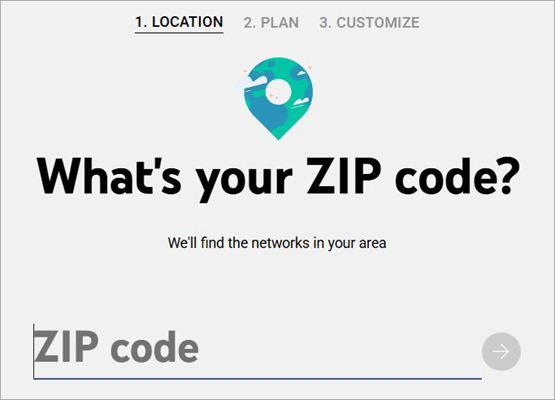
2. Select a subscription plan. Make the payment and start your 10-day free trial.
3. You’ll be charged automatically once this free trial period ends.
Features:
- Channel Lineup: YouTube TV offers over 100 popular US TV channels, including major news, sports, lifestyle, and kids networks.
- Sports Features: It provides sports features like Key Plays and live game insights to help you follow important moments easily.
- Multi-Screen View: You can watch up to four live streams at the same time on one screen.
- DVR: YouTube TV allows unlimited recording of shows and stores them for up to 9 months.
- Add-Ons: You can customize your channel lineup by adding extra channels and services through paid add-ons.
Why I Like It?
YouTube TV features an interface that I’ve grown accustomed to, thanks to the countless hours I’ve spent on YouTube. I also appreciate the exclusive sports features, such as real-time game insights and replays of key moments from live events. Finally, I think the add-ons do a good job of customizing your user experience on the platform.
Pros:
- Unlimited DVR Functionality
- Only Live TV Streaming platform to include PBS channels
- Exclusive sports-streaming features
- Add-ons to customize the line-up.
Cons:
- At $82.99/month, some users may find YouTube TV expensive.
Verdict: An extensive channel line-up, some advanced features, and a user-friendly web interface all come together to make YouTube TV one of the finest legal IPTV providers today. There is a lot to like here, especially if you are a fan of live sports. You also have add-ons to get a 4K upgrade or further embellish your lineup with more channels.
Price: A subscription to YouTube TV’s base plan will cost you $82.99/month. You can also get a special plan with NFL Sunday Ticket for $378. YouTube TV is free for the first 10 days.
Website: https://tv.youtube.com/welcome
#3) Sling TV
Best for auto-record and affordable subscription plans.
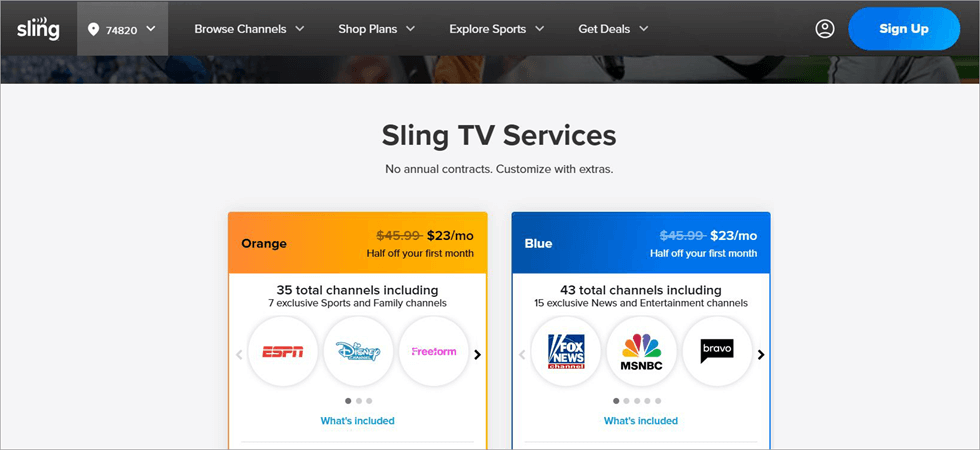
Sling TV distinguishes itself from many of its top contemporaries by offering relatively more affordable and flexible subscription plans. However, this affordability comes at the cost of several limitations. Sling TV’s channel lineup is limited when compared to YouTube TV and Fubo.
This doesn’t mean the channel lineup isn’t good. You get access to almost all popular networks across various genres and categories. You can follow basketball, NBA, and NCAA events via channels like ESPN and TBS. News channels like BBC and Fox News are also easily accessible.
Besides this, you also get to enjoy live TV channels from around the globe. The channel selection you get will largely depend on the plan you choose and the area you reside in. If you go with the blue plan, you’ll get access to 35 channels, whereas the orange plan offers you 43 channels.
Further Reading => Best IPTV Player For Windows
Whatever plan you choose between the two, you’ll be missing out on channels that the rejected plan offers. A wiser decision would be to go with the combined orange and blue plan that grants you access to all 46 channels, as well as 22 exclusive channels.
As for the interface, it is fine. It doesn’t have the same outstanding visual aesthetics as the top 2 on this list. It is still good, though, as I didn’t have any issues navigating and finding what I wanted to watch.
How to Get Started with Sling TV
1. Sign up by registering an email and a password.
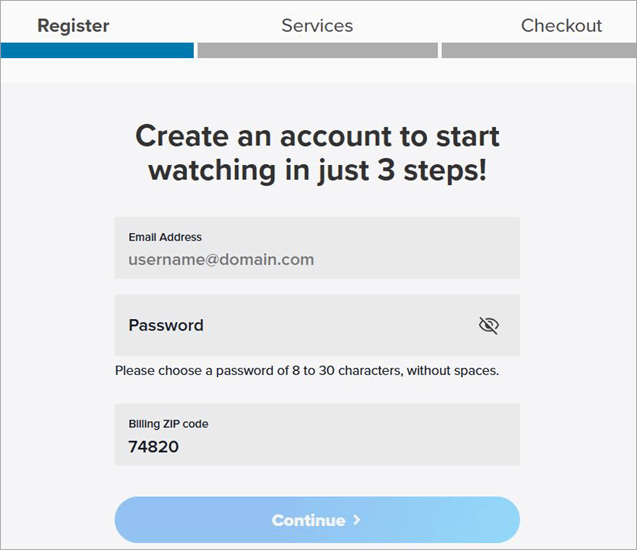
2. Choose your channel lineup. Choose any add-ons you like.
3. Proceed to payments.
4. Follow the instructions given to conclude the process.
5. Sign in with your registered email and password to start streaming.
Features:
- DVR: You get 50 free hours of recording with Sling TV, and you can get unlimited DVR for an extra charge of just $5 per month.
- Auto-Record: If you enable Auto-Record, Sling TV will automatically record professional sports events for you.
- Custom Channel Lineup: You can easily customize, upgrade, or downgrade your channel lineup with Sling TV.
- Premium Add-Ons: You can also get premium add-ons such as Starz, MGM+, and others for just $5 per month.
- Arcade: In addition, Sling TV also has a gaming section where you can get classic arcade games such as Pac-Man and Tetris and play them with your TV remote.
Why I Like It?
Sling TV’s biggest USP is its flexible subscription plans. You have the unique privilege of customizing your channel lineup anytime you like. You can also easily pause the service anytime you wish. Moreover, I like the new addition of retro video games to the package as well.
Pros:
- Flexible pricing plans
- Premium streaming service add-ons
- Auto-Record
- Pause the service at any time.
Cons:
- The channel distribution among different plans can be confusing.
Verdict: Sling TV offers a cheaper alternative to users by cutting back on the channel lineup being offered and limiting DVR functionality to 50 hours of recording. These limitations aren’t a deal-breaker, though, especially if you are looking for an affordable option to stream live TV. Plus, it more than makes up for what it lacks by offering some amazing features and benefits.
Price: Sling TV offers the following plans:
| Orange | Blue | Orange + Blue |
| $23/month | $23/month | $30.50 per month |
| Includes 35 channels with 7 exclusive sports and family channels | Includes 43 channels with 15 exclusive news and entertainment channels | Includes channels from both plans |
Website: https://www.sling.com/
#4) Hulu + Live TV
Best for accessing to the streaming library of Hulu and ESPN+
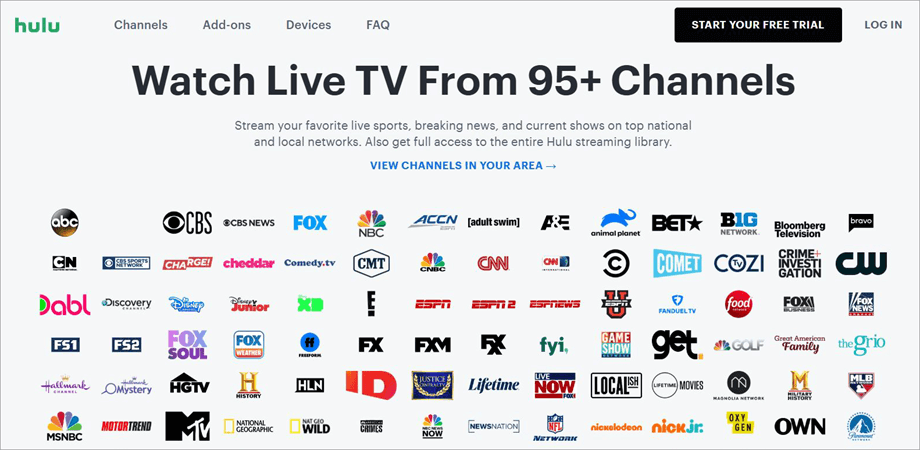
Hulu differs from the other platforms I’ve mentioned on this list. You not only get access to a plethora of top live TV channels but also get to enjoy the streaming library of Hulu and ESPN+. So think of Hulu + Live TV as a service that combines the merits of IPTV and streaming services for an amazing viewing experience.
Its channel lineup comes packed with almost all popular TV channels in the USA. You get sports, news, kids, and lifestyle networks all wrapped up in an affordable plan. Personalizing your profile is easy, as you get a ton of add-ons to further customize your experience on the platform.
You can opt for premium add-ons to channels. There are also special network add-ons to expand your sports and entertainment channel lineup. You get to watch Hulu + Live TV on 2 different screens at the same time. If you wish to watch on unlimited screens simultaneously, there is an add-on for that as well.
By far the best aspect of this service is the access you get to the entire streaming library of Hulu and ESPN+. This means you can watch original shows that are a staple of these platforms.
Features:
- Unlimited DVR: Hulu + Live TV lets you record unlimited shows and store them for up to 9 months.
- Download Content: With the upgraded plan, you can download selected shows and movies to watch offline.
- Live TV Guide: The platform provides a live TV guide to help you see the schedule of upcoming shows and events.
- Unlimited Screens: You can watch on two screens at once, or upgrade to stream on unlimited screens at home.
- Premium Add-Ons: You can add extra premium channels to customize your Hulu + Live TV channel lineup.
Why I Like It?
With Hulu + Live TV, you get more than a typical live TV streaming experience. You also get access to the entire streaming library of ESPN+ and Hulu. The sleek interface is another thing that sets it apart. It’s visually distinct, while also being robustly functional.
Pros:
- Unlimited DVR
- Access to Hulu and ESPN+ Library
- Compatible with almost all streaming players
- Sleek interface
Cons:
- The service is expensive.
Verdict: As the name suggests, Hulu + Live TV offers you the best of both worlds. You get to stream live TV channels while also getting access to original titles belonging to Hulu and ESPN+. There are over 95 channels for you to pick from. Although the price is steep, I think it is ultimately worth paying for the quality of service offered.
Price: Hulu + Live TV will cost you $82.99/month for streaming Hulu with ads and $95.99/month for Hulu without ads. A 3-day free trial is also available.
Website: https://www.hulu.com/live-tv
#5) Pluto
Best for free Live TV Service.

Pluto TV is stacked to the brim with content, all of which you can watch for free in the best picture quality possible. As soon as you sign up, you’ll be greeted by over 250 live TV channels broadcasting a wide range of content. This is signified by the categories you’ll see on the left side of Pluto TV’s screen.
There are channels for sports, entertainment, lifestyle, music, and even Anime on Pluto TV. There are also live TV channels dedicated to broadcasting only a single show. Besides live TV channels, Pluto TV also features a jam-packed on-demand content library. You’ll find movies and TV shows here, both old and new.
This on-demand library is updated regularly to feature newer titles. Navigating channels is also very simple in Pluto. The schedule of shows is right in front of you. You’ll know what’s airing now and what’s next as soon as you click on a particular channel.
Each title on Pluto TV is accompanied by its run time, genre, rating, and a brief synopsis. This helps you decide whether to give a particular movie or TV episode a shot.
Features:
- Channel Lineup: It provides access to hundreds of free live TV channels across a range of content genres through partnerships with media companies.
- On-Demand Content: Offers an extensive on-demand library of movies and TV shows, including both new and older titles.
- Live TV Guide: Offers a TV guide that helps users view the content that is currently playing and the content that will be playing next.
- Hide Channels: Pluto TV features the option to hide channels that users do not wish to view.
Why I Like It?
Pluto TV lets you stream hundreds of live TV channels for free. All you have to do is sign up. Its web interface is amazing, and the mobile app is perfect for on-the-move streaming.
Pros:
- Free to watch
- Massive Live TV channel library
- Excellent web interface.
- The mobile app
Cons:
- Lacks key IPTV features like DVR or add-ons.
Verdict: If you are running short on money but still want to experience the wonders of live TV streaming, I don’t think you can do any better than Pluto TV. You, of course, won’t enjoy the privilege that paid IPTV services offer. However, the platform is still great for folks who want to catch up on some classic shows and movies online for free.
Price: Free
Website: https://pluto.tv/
#6) CalmaHUB
Best for 99.95% Uptime and Channel Selection
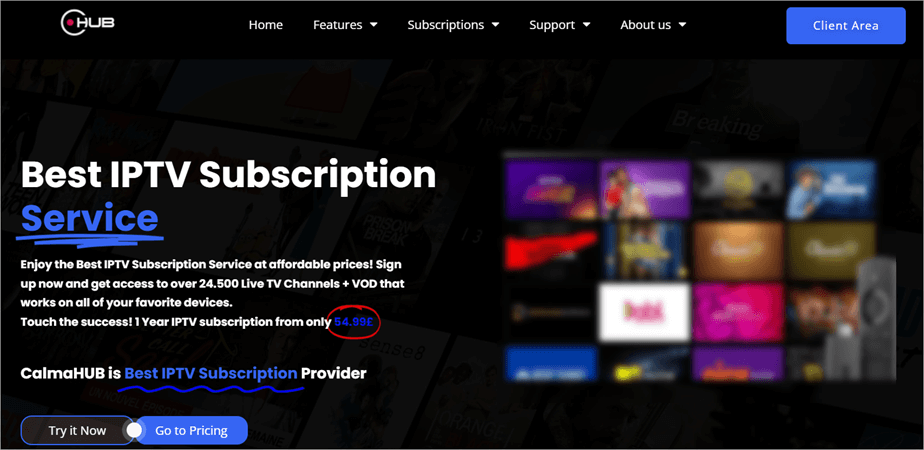
With CalmaHUB, you get a service that’s backed by premium servers all around the globe. These servers promise you a stable performance with little to no technical issues when streaming TV channels on the platform. You are guaranteed a near-perfect uptime of 99.9%. This makes Calma Hub perfect for streaming live events, PPVs, and sports broadcasts.
The strongest USP of any IPTV service is its channel selection. CalmaHUB doesn’t disappoint in this department as well. There are over 25000 live TV channels for you to choose from. The selection includes both local and international networks. You also get a massive library of on-demand movies and TV shows with your subscription to CalmaHUB.
Features:
- Channel Lineup: CalmaHUB offers over 25,000 live TV channels, including sports, kids, entertainment, news, and lifestyle networks.
- VOD Library: The platform provides a huge VOD library with over 100,000 movies and TV shows that is regularly updated.
- Streaming Services: CalmaHUB also gives access to several popular streaming services along with live TV and VOD content.
- EPG: It includes an electronic program guide (EPG) for more than 15,000 channels across 119 countries to help you check show schedules.
Why I Like It?
The very first thing that stood out to me about CalmaHUB was the strong performance. I got to stream in HD, and sometimes even in UHD, without any buffering or technical issues. The subscription plans are flexible, and you get responsive support round-the-clock.
Pros:
- Flexible pricing
- Perfect Uptime
- 24/7 Support
- Stream on multiple devices simultaneously.
Cons:
- You may encounter compatibility issues with older devices.
Verdict: CalmaHUB stands out among its contemporaries for its massive channel lineup and VOD library. You are guaranteed excellent support and stable streaming performance, thanks to the service being backed by premium servers worldwide.
Price: CalmaHUB offers the following subscription plans:
| 3 Months | 6 Months | 1 Year |
| £24.99 | £39.99 | £54.99 |
Website: https://calmahub.live/calmahub
#7) Guek HD IPTV
Best for Premium Channel Selection.

Like the best IPTV services on this list, Guek HD IPTV also offers a good selection of premium live TV channels to its subscribers. There are over 110,000 live TV channels for you to choose from, covering a diverse range of networks that are popular in America and International regions.
Guel HD IPTV relies on over 100 stable servers all around the world to bring impeccable service to users. You are promised little to no downtime. These stable servers also ensure you enjoy uninterrupted streaming round-the-clock with pristine picture quality.
Features:
- VOD Library: It offers an extensive on-demand library with more than 65,000 movies and TV shows.
- Channel Lineup: It has an extensive number of channels that cover various content types, including sports, news, lifestyle, and entertainment.
- TV Guide: Guek HD IPTV also comes with a TV guide that displays the schedule of all channels in an organized way.
- Anti-Freeze System: It uses an anti-freeze system that minimizes the buffering of the content.
- Multi-Device Streaming: Guek HD IPTV allows users to stream content on up to five devices simultaneously using the same Wi-Fi network.
Pros:
- 99.9% Uptime
- 24/7 Live Support
- Free updates
- All devices supported
Cons:
- The initial setup can be tedious
Verdict: Guek HD IPTV offers everything that’s emblematic of the best IPTV solutions out there today. You have access to a massive channel lineup, a regularly updated VOD library, and some prominent streaming services. You also have the privilege of watching all of your favorite shows and movies on the platform in UHD or 4K picture quality.
Price: Guek HD IPTV offers the following plans:
| Standard | Economic | Express | Platinum |
| $13.99 for 1 Month | $29.99 for 3 Months | $49.99 for 6 Months | $69.99 for 12 Months |
Website: https://www.guekhdiptv.com/
#8) Philo
Best for accessing Lifestyle channels.
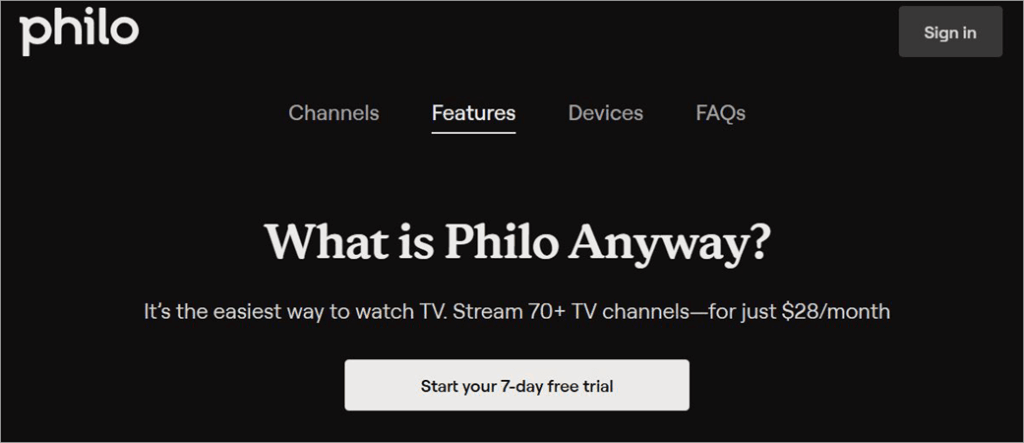
If you are a fan of lifestyle and entertainment channels, then it would be in your best interest to give Philo a shot. While most IPTV services emphasized sports and news programming, Philo is a platform that offers a vast selection of lifestyle channels.
There are over 70 channels for you to stream live in the best picture quality possible. The platform is also compatible with almost all streaming devices and players of today. There are also amazing add-ons to further embellish your account with more entertainment options.
Features:
- Live TV Channels: The platform has more than 70 channels of live TV content, mostly focused on lifestyle and entertainment content in the US.
- On-Demand Content: It has an extensive on-demand content library of more than 75,000 movies and TV shows that can be streamed anytime.
- DVR: It also allows users to record an unlimited number of TV shows. The recorded content is stored for up to 12 months.
- Add-Ons: Philo also provides users with the option of adding channels like AMC, Starz, and Hallmark.
Pros:
- Affordable plan
- Some networks are free to watch without a subscription plan
- Unlimited DVR
Cons:
- Some major sports channels are absent from the lineup
Verdict: Philo is a service I’d only recommend to fans of lifestyle and music networks. It is cheap, and some networks can be accessed without a subscription at all. However, it might not be for everybody, as some major sports networks are missing from the lineup. I suggest you go for Philo if sports isn’t at the top of your priority list with live TV streaming.
Price: $28 per month. Some networks can be accessed for free. A 7-day free trial is also available.
Website: https://www.philo.com/login/subscribe
Further Reading => Most Popular IPTV Services of Canada
Consequences of Using Illegal IPTV Services
Hidden Dangers of Illegal IPTV Streaming: People often underestimate just how damaging it can be to stream content illegally. I always recommend staying as far away as possible from illegal IPTV services, as the potential ramifications of using them can be gargantuan.
Copyright Infringement and Legal Consequences: For starters, you commit copyright infringement whenever you access content from anywhere other than the authorized channels. While the legal consequences of doing so are worse for service providers, there have been many examples in the past of customers finding themselves in hot water as well.
Privacy and Data Security Risks: Another reason to be cautious about illegal IPTV services is because of privacy concerns. Such services do not take the privacy or security of their users seriously. You could jeopardize sensitive information related to you by being a part of these platforms.
Exposure to Malware and Viruses: There is also a risk of downloading harmful malware and viruses when streaming through these services. This could damage your systems and even compromise any information stored in them.
How I Picked these IPTV Legal Services from the USA
I took a very straightforward approach to my research when picking IPTV services for this list. Of course, my top priority was to make sure an IPTV subscription is legal in the United States. Beyond that, I relied on the following key factors to help me find the perfect services online.

Those factors are as follows:
1. User-Friendliness
Anyone subscribing to a service that’s meant for entertainment shouldn’t have to deal with an interface that is tough to navigate. I made sure to only pick services that have a compact, easy-on-the-eyes interface with content neatly organized into various categories.
2. Channel Lineup
It is important to only choose a service that offers the channels that you need. If you are into sports, make sure the service’s sports channel lineup is strong. I’ve mentioned services on this list that offer a diverse range of networks that broadcast a variety of content, ranging from kids’ and lifestyle shows to sports and news broadcasts.
3. VOD Library
Almost all IPTV services I know of, both legal and illegal, offer a stacked VOD library to their users. It is a perk that most users expect from the service they subscribe to. I made sure only to include services that feature a VOD library that features a good amount of movies and TV shows.
4. Customization
Customization is a key aspect that encouraged people to drop cable TV in favor of IPTV services. I included services that offer a more personalized experience to their users, such as the ability to create their watch lists, record content, and get add-ons to premium channels, as well as streaming services.
5. Advanced Features
ITPV services must come loaded with advanced features that make the user experience much more convenient. I included services on this list that possess features like DVR, catch-up, and a live TV guide.
6. Price
Price mattered to me the most. I don’t mind paying more if I am getting an excellent streaming experience. I included services that are competitively priced, offer a free trial, and provide you with a value that’s equivalent to the money spent.
FAQs on Legal IPTV
1. Which IPTV is legal in the USA?
Many IPTV services are legal in the USA. These services offer live TV streaming privileges to users, thanks to their partnership with multiple major media companies in America and around the globe.
The most famous of these legal IPTV services in the USA are Fubo TV, Sling TV, YouTube TV, Hulu + Live TV, and Philo.
2. Can IPTV be blocked by an ISP provider?
Most ISP providers, like Verizon and Comcast, block IPTV services. However, these restrictions only apply to illegal services, which is another good reason for you to stay away from illegitimate IPTV providers. Legal IPTV services are not hard to find, and you don’t have to look any further than my list to find one that best meets your requirements.
3. Is there something better than IPTV?
Some people might argue that OTT services are a better alternative to both cable TV and IPTV. I don’t think it is even fair to compare an OTT platform with an IPTV service, as they differ a lot.
A typical IPTV service lets you access an entire network with its slate of programming over the internet. An OTT platform only offers you access to a limited library of movies and TV shows. An IPTV service also comes with features like a DVR and a TV guide. Such features are absent in OTT platforms.
4. Can you be tracked using IPTV?
Tracking and other privacy concerns are something you’ll have to risk when using an illegal IPTV service. Many illegal IPTV services ask for personal details during the initial registration, which can be misused. Therefore, I always recommend going with a legal IPTV service. They have clear privacy and security policies in place to protect their users.
5. What is the best VPN for illegal IPTV?
Although I do not condone using illegal services for your entertainment, I’d still like my readers to stay safe if they choose to do so. The best way to make sure you are protected when using an illegal IPTV service is with the use of a VPN.
I suggest only going for the best ones that do not log user data and throttle your internet speed. Nord and Express VPNs are the best at masking your internet activity.
What are the Legal IPTV providers in the USA for Firestick
For legal IPTV on Firestick in the USA, major players include YouTube TV, Hulu + Live TV, fuboTV, Sling TV, Philo, and DirecTV Stream, offering licensed content, while free options like Pluto TV & Xumo provide ad-supported channels.
Suggested reading => Best IPTV Services for Amazon FireStick
Conclusion
I hope this article serves as a good enough answer to the often-asked question: Is IPTV legal? The internet has opened up many exciting venues, and entertainment has never been as accessible as it is today. You can easily enjoy your favorite TV channel, watch live events and sports broadcasts, or watch a movie on demand anytime with a good IPTV service.
They are a better alternative to traditional cable subscriptions. They offer you better customization benefits along with some interesting features like DVR, thus truly adding to an all-around enhanced viewing experience.
As for my recommendation, I’d suggest you opt for YouTube TV or Fubo TV for their channel lineup, VOD library, and amazing web interface.
Research Process:
- Time taken to research this article: Approximately 50 hours were spent on comprehensive research, evaluation, verification, and final preparation to ensure accurate and reliable information.
- Total IPTV services researched: 20.
- Top IPTV services shortlisted: 8.
Was this helpful?
Recommended Reading
-

In this post, I’ve reviewed and compared the top IPTV providers in the UK by highlighting their key features, along with clear pros and cons for each service. The demand for IPTV services in the UK continues to rise in 2026. With a growing number of IPTV providers, it can…
-

Review of the best IPTV services available worldwide, compare the features and pricing of the top-rated IPTV providers, and select the best IPTV subscription. Picking an IPTV service in 2026 gives you choices from all kinds of live sports to big on-demand libraries. But it's not easy to find a…
-
Learn more about Canada's leading IPTV Services and dive into the details of each provider to identify the best IPTV Canada service providers that best suit your home. If you are looking for the Best and legal IPTV in Canada, then this article will help you select an affordable IPTV…
-
Discover the most popular IPTV Free Trial Services and dive into the world of premium channels of high-quality. Pick the best IPTV Services that offers free trial before you buy the services. Choosing the right IPTV service can be confusing, especially with so many providers claiming to offer high-quality streams…