Stay GDPR and CCPA-compliant with the best Consent Management Platforms on the market. Compare and pick the right CMPs for your websites and online stores to build trust and boost customer confidence:
Nearly every website and app on this planet collects user data via cookies and trackers, and they are allowed to. However, this collection comes with a responsibility.
Websites need to demonstrate compliance with the relevant privacy laws. This is where things get complicated. Failure to abide by these regulatory standards can land businesses in hot water.
Top Consent Management Platforms (CMP) for Websites & Online Stores

This is why consent management is invaluable today. These platforms can help businesses record preferences, deploy consent banners, and block cookies until consent is obtained.
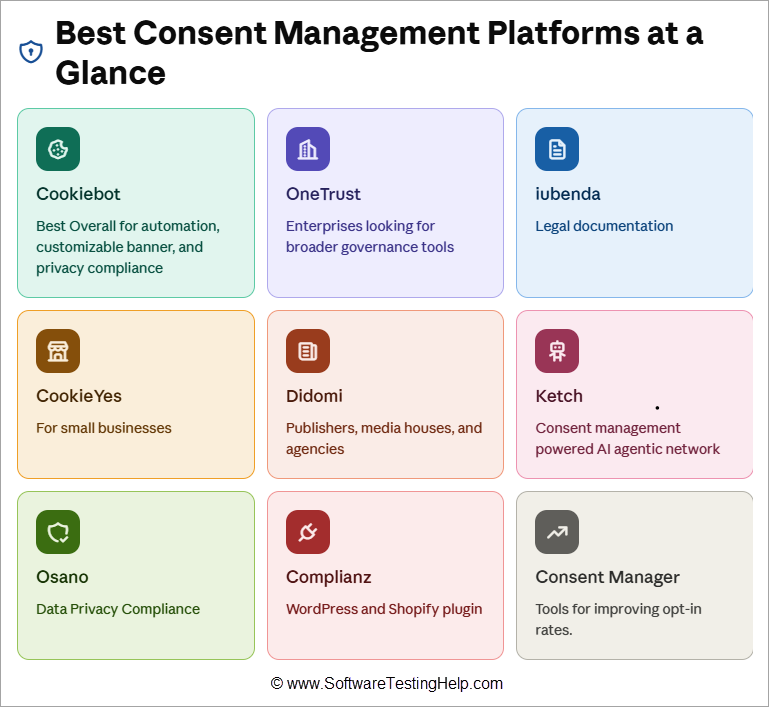
With so many options, great consent management platforms can be tough to find. This is where my expertise comes in. I’ve curated a list of the 9 best consent management platforms based on my experience and the experience of those who’ve used them.
How We Evaluated These Platforms
I pit some of the best and most raved-about consent management platforms against each other based on several factors.
Those factors are as follows:
- Regulatory Intelligence: I made it my mission to find CMPs that featured extensive regulatory intelligence. My goal was to list platforms that honored the privacy laws GDPR, CCPA, etc.) applicable to your audience.
- Integration with Consent-Tools: I picked tools that facilitate seamless integration with platforms like Google Consent Mode v2 for efficient ad targeting.
- Automation: The best CMPs today offer automated cookie scanning and categorization. Those were the tools I prioritized.
- Customizable Banners: Platforms that offered pre-built banner templates or banners that are fully customizable based on geography or languages were chosen.
- Ease of Use: Setting up the platform to deploy cookies or scan a website shouldn’t be complicated, and only those platforms that do not unnecessarily complicate these capabilities were chosen.
- Auditable Logs and Real-Time Analytics: Only tools that maintained detailed logs for consent were picked. I also emphasized the tool’s ability to provide insights on consent performance with real-time analytics.
- Price: Based on your business’ requirements, I believe CMP tools have to be transparent in their pricing or, at the very least, offer scalable plans. The platforms that fulfilled these requirements were picked.
List of the Best Consent Management Platforms
We have reviewed some of the top Consent Management platforms here:
- Cookiebot by Usercentrics
- OneTrust
- iubenda
- CookieYes
- Didomi
- Ketch
- Osano
- Complianz
- Consent Manager
Comparing Some of the Top CMPs
| Name | Suitable for | USP | Price | Rating |
|---|---|---|---|---|
| Cookiebot | Small to mid-sized enterprises | Automated Consent Management, Privacy Compliance | Free tier available. Plans start at $10/month | 4.9/5 |
| OneTrust | Large enterprises handling multiple domains, regions, and brands | Real-time consent signal propagation across CRM, AdTech, and AI systems. | Contact for a quote | 4.5/5 |
| iubenda | Small businesses | Automatically generate legal documentation and cookie policies. | Starts at $6.66 per site/month | 4.5/5 |
| CookieYes | Small to mid-sized enterprises | Create cookie policies in compliance with various privacy laws like GDPR and CCPA. | Starts at $10/month/domain | 4/5 |
| Didomi | Publishers, media houses, and agencies | Collects zero- and first-party data directly from users | Contact for a quote | 4/5 |
Detailed Review of Consent Management Platforms
#1) Cookiebot by Usercentrics
Best for Automated Consent Management and Privacy Compliance.
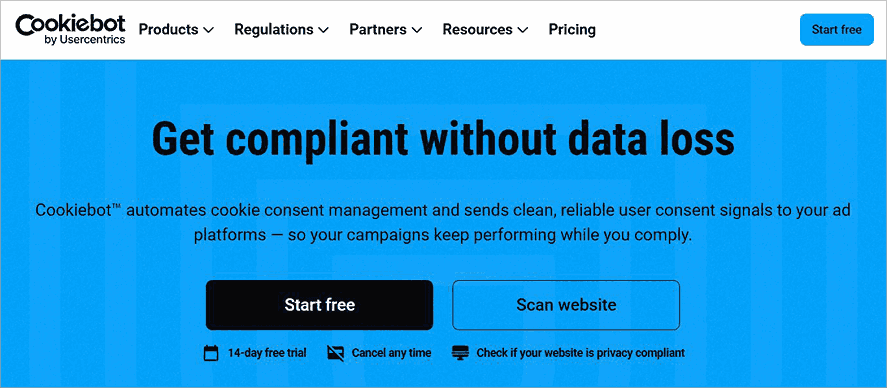
Cookiebot by Usercentrics deserves the top spot here as I genuinely believe it is one of the finest automated consent management platforms out there. It features a patented scanner that can automatically find cookies and trackers on any website.
Besides tracking, Cookiebot also does a fine job of categorizing detected cookies by their purpose, preference, statistics, etc.
The platform is also great for creating cookie banners. You can customize the color, content, and elements of these banners to ensure they match your website’s brand design.
Why Choose Cookiebot
Cookiebot’s strongest aspect is its automation. Almost everything about consent management, from scanning a website and identifying cookies to ultimately categorizing them, is automated.
The platform also supports geographic customization of cookie banners. Banners can be localized in over 47 languages. Plus, Cookiebot does a fine job of helping websites stay compliant with global privacy laws, as evidenced by its support for multiple privacy frameworks.
Cookiebot also has a free privacy policy generator, which lets you create a CCPA- or GDPR-compliant privacy policy in minutes.
Key Features
- Patented Scanner for Automated Cookie and Tracker Scanning.
- Automated categorization of detected cookies.
- Fully customizable cookie banners and pre-designed templates.
- Integrates seamlessly with CMS platforms like Shopify, WordPress, Wix, etc.
- Blocks cookies until visitors give consent.
- Supports IAB TCF v2.4 framework for publishers.
- Supports Amazon Consent Signal, Microsoft UET Consent Mode, and Google Consent Mode v2.
| Pros | Cons |
| Simple set-up | Price scales depending on how many sub-pages and domains you want scanned |
| Automated cookie scanning, blocking, and categorization | A limited free tier |
| Backed by a repository of 13,000+ cookie entries. | |
| Pre-built cookie banner templates for US, GDPR, POPIA, and LGPD | |
| Google Gold Tier certified |
API Integrations: Cookiebot offers a plethora of API and developer integrations. It supports integration with Google Consent Mode, Google Tag Manager, IAB TCF, and several CMS platforms like WordPress and Shopify.
User Reviews: Cookiebot has enjoyed generally rave reviews online. Its score on G2 and TrustPilot currently stands at 4.2/5 and 3.9/5, respectively. Praise is often directed towards the platform’s ease of use, simple setup, and compliance capabilities, whereas grievances highlight the platform’s expensive plans and some issues with the interface.
Price: Pricing depends on the number of subpages and domains you want scanned. Cookiebot’s free tier can scan up to 50 subpages while being limited to 1 domain.
Its premium plans are as follows:
| Plan Name | Monthly | Yearly | Subpages |
| Lite | $10 | $120 | Up to 50 |
| S | $20 | $240 | Up to 350 per domain |
| M | $43 | $516 | Up to 3500 per domain |
| L | $70 | $840 | Up to 7000 per domain |
| XL | $120 | $1440 | More than 7000 per domain |
#2) OneTrust
Best for Enterprises with complex compliance requirements.
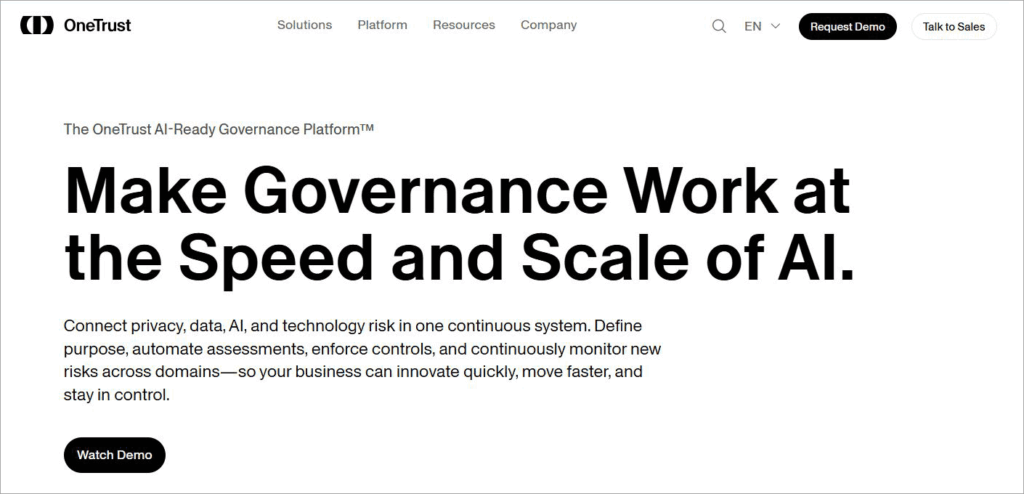
With OneTrust, you get standard consent and preference management capabilities within a broader compliance platform. OneTrust can help businesses collect, track, categorize, and block cookies. It can also help businesses deploy multilingual, geographically compatible cookie banners.
The platform also offers you pre-built templates for GDPR, CCPA, and other regulatory standards. This allows businesses to create a flexible consent experience across websites, applications, and OTT/CTV devices.
Key Features
- Automated discovery of cookies and trackers across websites, apps, and devices.
- Create geographically aware consent banners that facilitate multilingual support.
- Direct activation into CRM, CDP, and AdTech via 250+ pre-built integrations.
- Real-time consent signal propagation across CRM, AdTech, and AI systems.
- Real-time permission signals for AI agents and models.
| Pros | Cons |
| A/B Tested Layout for consent banners | The setup can be complex |
| Extensive regulatory intelligence | May not be suitable for smaller businesses that only require base consent management features. |
| Simplified reporting with centralized logs | It can be too expensive. |
| Excellent at collecting and maintaining consent consistency across domains, geographies, and devices. |
API Integrations: OneTrust supports multiple API integrations with several CRM, advertising, analytics, and data privacy systems.
User Reviews: OneTrust has enjoyed favorable reception among users online and currently sits at a comfortable score of 4.3/5 on G2. Users praise the tool for its ability to ensure regulatory compliance. It has also drawn criticism for the steep learning curve involved.
Pricing: You’ll need to contact OneTrust’s team for a custom quote based on your requirements. A free demo is offered upon request.
Website: https://www.onetrust.com/products/consent-management/
#3) iubenda
Best for Help with consent management and legal documentation.
iubenda distinguishes itself from many of its contemporaries by also focusing on the legal documentation that goes on websites. It is great at scanning websites for cookies and creating fully customizable banners.
What it also does best is automatically generate legal documents or cookie policies based on how your website or app handles user data.
Key Features
- Cookie scanner that automatically detects trackers, pixels, and cookies
- Customize banner with region-specific settings.
- Automatically generate legal documentation and cookie policies.
- Real-time compliance monitoring.
- Support for Google Consent Mode v2 and the IAB Framework.
| Pros | Cons |
| Supports up to 27 languages | Features like geo-targeting are only available on the more expensive plans |
| Google Certified CMP Partner. | Certain features or configurations can be complicated for some users. |
| Seamless integration with more than 800 ad partners. | |
| Excellent round-the-clock support | |
| Almost all major global compliance frameworks covered. |
API Integrations: iubenda supports seamless integration with several CMS platforms like WordPress and Magento, alongside supporting connections with other consent management tools like Google Consent Mode.
User Reviews: iubenda has attained universal praise among users, as evidenced by its G2 score of 4.5/5 and TrustPilot score of 4.4/5. Most users frequently praise the platform’s compliance and responsive customer support, though they criticise its complexity in certain settings.
Price: iubenda’s plans start at $6.66 per site/month for its core compliance solution. For advanced features like geo-targeting and analytics, you’ll need to subscribe to its Advanced or Ultimate plan, which can cost $27.99 and $119.99 per seat per month, respectively.
A 14-day free trial, as well as a free demo of the tool, is also offered upon request.
Website: https://www.iubenda.com/en/
#4) CookieYes
Best for Automated Consent Management and Policy Generation.
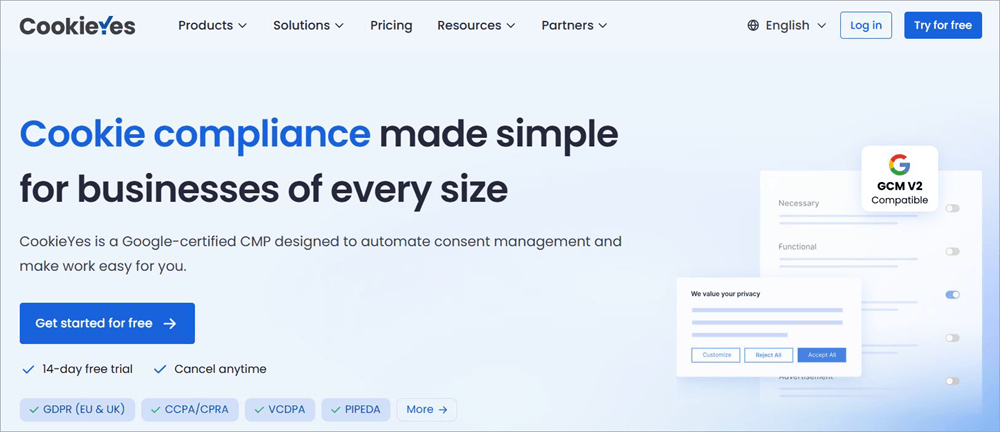
CookieYes is yet another that I would recommend to small businesses, freelancers, or smaller agencies who need help with consent management. This platform can help you with both end-to-end consent management and generating policies for privacy and cookies.
Unlike iubenda or OneTrust, CookieYes ensures a considerably simpler setup, especially when it comes to deploying cookie banners on a website.
Key Features
- Automated cookie scanning and categorization.
- Automatically block cookies until consent is obtained.
- Deploy geographically aware and multilingual consent banners.
- Support for Google Consent Mode v2 and IAB TCF.
- Create cookie policies in compliance with various privacy laws like GDPR and CCPA.
| Pros | Cons |
| Simple one-line code to deploy cookie or consent banners | Sometimes the platform can miscategorize a detected cookie |
| Simple setup | Occasional lags and performance issues |
| Integrations for various CMS and ad platforms | Not a fan of its per-domain pricing. |
| Preview policies before publishing | |
| Good free tier |
API Integrations: CookieYes supports integration with various CMS platforms alongside Google Tag Manager, IAB TCF, and Google Consent Mode v2.
User Reviews: Reviews for CookieYes have been impressive across platforms that aggregate user experiences. It enjoys a 4.8 rating on G2 and a 4.9 rating on Trustpilot, with a vast majority of praise highlighting its easy setup and excellent customer support. It has received a fair share of criticism, as well, mainly in the performance and pricing department.
Price: CookieYes offers a free-forever plan that can be used to scan up to 100 pages.
To realize its full potential, I suggest subscribing to any one of the plans below:
- Basic: $10/month/domain
- Pro: $25/month/domain
- Ultimate: $55/month/domain
A 14-day free trial is also offered upon request.
Website: https://www.cookieyes.com/
#5) Didomi
Best for Agencies and media publishing companies.
Didomi is yet another enterprise-grade consent and preference management platform. Like the best platforms on this list, Didomi is exceptional when it comes to collecting zero and first-party data from across websites, applications, and devices.
Didomi offers the tools businesses need to customize consent experiences for different markets, and therein lies its greatest strength.
Key Features
- Automatically deploy consent banners that comply with local privacy laws.
- Collects zero- and first-party data directly from users.
- Facilitates consent management for both websites and mobile applications.
- Maintains consent records for auditing.
- Monitors banner performance and opt-in rates via an intuitive dashboard.
| Pros | Cons |
| Supports multiple global regulatory standards | The setup may appear complicated for some users |
| In-depth reporting and analytics | Some users may find the platform expensive |
| Run A/B tests to refine banners | Many users have complained about the support team’s slow response time. |
| Seamless integration with Google Consent Mode and IAB framework |
API Integrations: Didomi supports API integration across various app and web environments. I suggest getting in touch with Didomi’s team to confirm whether the platform supports integration with the tech used by your organization.
User Reviews: Didomi enjoys near-universal praise across major review-aggregate websites. For instance, it has garnered a score of 4.5 on G2 and 4.7 on Gartner. While it has received praise for its core consent management capabilities, it has drawn flak for poor customer support and initial setup difficulty.
Price: You’ll need to contact Didomi’s team for a custom quote. A free demo of the tool is also offered upon request.
Website: https://www.didomi.io/
#6) Ketch
Best for Consent Management backed by an AI agentic network.
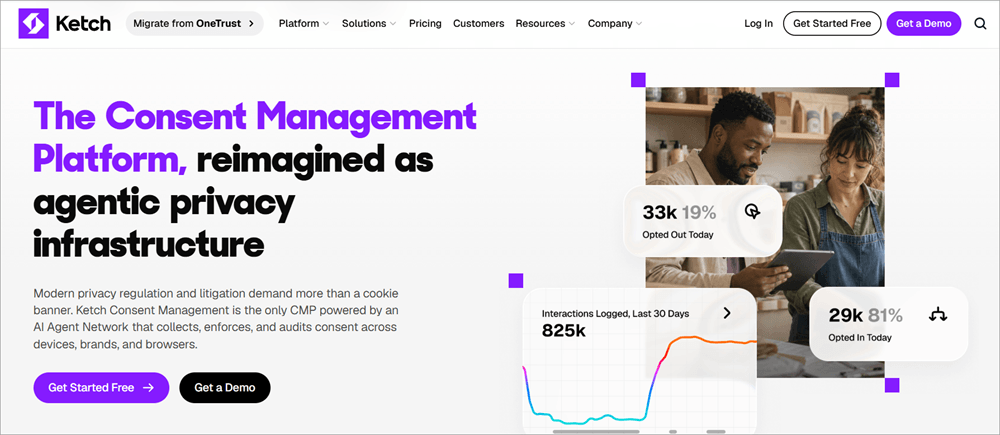
As a CMP powered by an AI agent network, Ketch manages to be unique in a certain sense. This added advantage of AI makes the task of collecting, enforcing, and auditing consent across devices and websites considerably simpler.
As is the case with all the tools I’ve mentioned here, Ketch also does not fail when it comes to establishing compliance with privacy regulations.
Key Features
- Comprehensive cookie and tracker scanning/categorization.
- Maintains consent logs at an individual level
- Continuous tag scanning.
- Offers banners and templates for all global privacy laws.
- 360 Analytics records to track consent.
| Pros | Cons |
| Policy templates to ensure adaptive compliance with each privacy law | Initial configuration can be challenging |
| Get audit-ready reports at an individual level | Steep learning curve |
| Hundreds of pre-built integrations | Expensive. |
| Decent Free tier |
API Integrations: Pre-built APIs for seamless connection with 1000+ systems, apps, and models. Ketch also offers responsive SDKs for iOS and Android.
User Reviews: Ketch enjoys a 4.6 rating on G2 and a 4.8 rating on Gartner, with praise highlighting its intuitive interface and privacy compliance. Most negative feedback I could find focused on the learning curve involved or just how difficult it is to configure certain settings.
Price: Ketch offers a free tier that is mostly suitable for small businesses with basic needs.
Its premium plans are as follows:
- Starter: $150/month (Ideal for moderate-traffic websites)
- Plus: $499/month (Ideal for high-traffic websites)
A custom plan alongside a free demo is also offered upon request.
Website: https://www.ketch.com/platform/consent-management
#7) Osano
Best for Data Privacy Compliance.
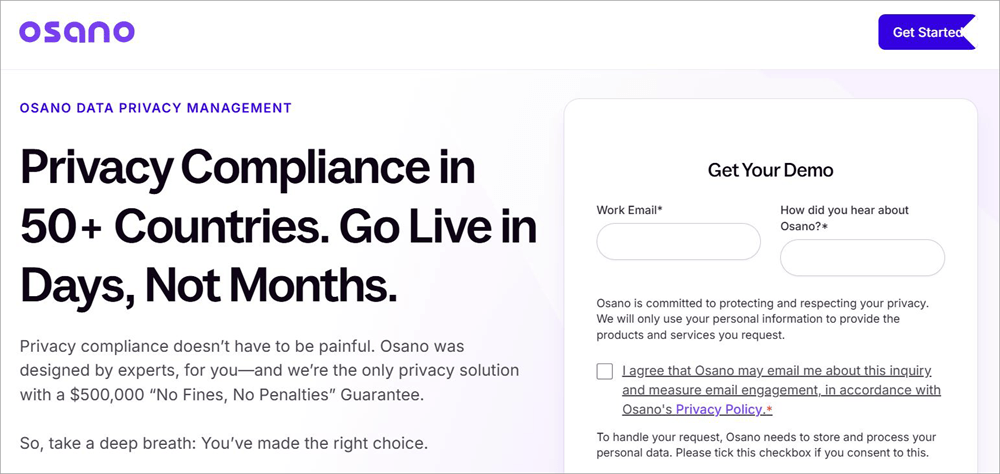
Osano offers you a lot more than what a simple consent management platform would. It is, first and foremost, a privacy compliance platform that can help businesses achieve compliance in more than 50 countries worldwide.
Osano accomplishes this for your websites or applications by localizing cookie consent banners. Osano can localize banners for more than 45 languages and over 95 regulations.
Key Features
- Customize cookie consent banners according to language and regulations.
- Automate and customize Subject Rights Requests.
- Seamless integration with DSAR systems.
- Centralized consent and preferences management across different channels.
| Pros | Cons |
| Covers up to $500,000 in regulatory fines | The dashboard doesn’t offer granular insights |
| Centralized dashboard | Scaling can feel expensive |
| Extensive regulatory intelligence | Lackluster banner customization |
| Localize banners in terms of geography |
API Integration: Osano facilitates API integration with several analytics, CMS, advertising, and consent-related systems like Google Tag Manager.
User Reviews: With a score of 4.5 on G2, Osano is well-received by a majority of users who have praised it for easy setup and responsive customer support. On the other hand, negative reviews mostly focus on limited customization and the expensive plans.
Price: You’ll need to contact Osano’s team for a custom quote
Website: https://www.osano.com/l/osano
#8) Complianz
Best for WordPress and Shopify site owners.
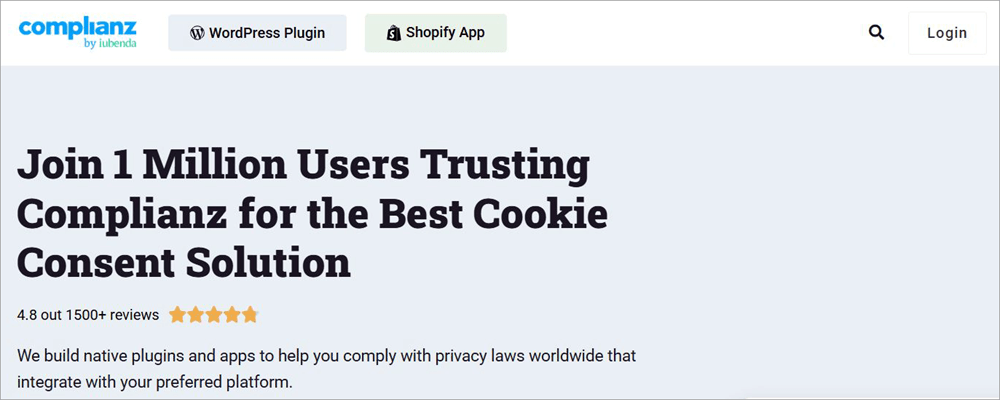
We’ve already talked about iubenda on this list. Complianz is a privacy platform developed by iubenda. Complianz offers highly adaptive cookie consent plugins for both WordPress and Shopify websites.
In fact, its integration with these websites makes it perfect for businesses or e-commerce store owners who wish to manage consent directly through their existing CMS.
Key Features
- Multi-regional privacy compliance
- Automated cookie scanning and categorization
- Maintaining consent records for auditing
- Support for Google Consent Mode v2
| Pros | Cons |
| WordPress and Shopify Plugins | The built-in scanner is not perfect and can miss scripts |
| Insightful documentation for guided setup | Only supports WordPress and Shopify |
| Consent configuration on a regional level | |
| Legal document generation |
API Integrations: Complianz offers 250+ out-of-the-box native integrations, including Google Consent Mode, Tag Manager, WordPress, etc.
User Reviews: Reviews for Complianz have been generally positive. It has garnered a respectable score of 4.4 on G2 and 4.2 on TrustPilot. Most reviewers praise the tool for how seamlessly it works with Shopify and WordPress, while some have criticized it for minor configuration issues.
Price: The privacy suite for WordPress starts at $59 for a single website. The plugin for Shopify costs 5.99 per month. The Shopify plugin can also be availed on a 14-day free trial.
Website: https://complianz.io/
#9) Consent Manager
Best for Improving Opt-In Rates.
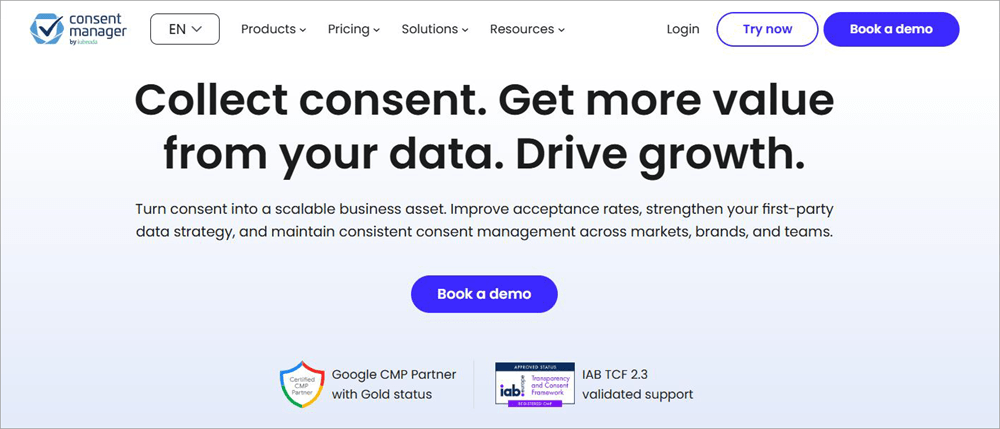
Consent Manager is yet another tool developed by iubenda. Consent Manager positions itself as a platform specifically designed to help businesses improve opt-in rates. I believe it succeeds in this endeavor.
For A/B tested banners to automated cookie blocking and an integrated cookie crawler backed by 3M+ cookie entries, it offers tools that work hand-in-hand to improve your consent performance.
Key Features
- Audit-ready consent documentation
- Auto cookie blocking
- Deploy cookie consent banners by device, region, language, and browser.
- Track page views, bounce rates, acceptance rates, and traffic.
| Pros | Cons |
| Sync with Google Consent Mode v2 | Some advanced features locked behind expensive plans |
| Generate GDPR and FADP-compliant policies | The dashboard can feel overwhelming |
| Built-in A/B and AI-powered testing | Setting policies based on region can be challenging. |
| Audit-ready reporting |
API Integrations: Like other iubenda tools, Consent Manager also offers seamless integration with several analytical, advertising, and consent-related tools.
User Reviews: Reviews for Consent Manager have been positive, although not enough user data exists to determine its reception with certainty.
Price:
Consent Manager’s plans are as follows:
- Starter: $25/month
- Essential: $64/month
A custom enterprise plan, as well as a free trial and demo, are offered upon request.
Website: https://www.consentmanager.net/en/
How to Choose the Best Consent Management Platforms
To choose the right platform, I have suggested some of the expert tips in this section.
#1) Understand Your Website
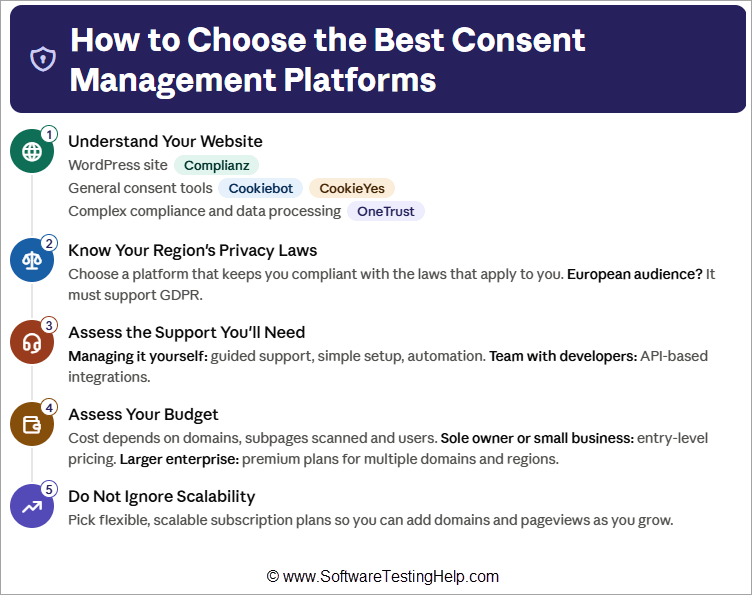
The kind of website you operate will ultimately determine the type of consent management platform that’ll suit you the best. If you are running a WordPress site, for instance, it will be in your best interest to go with a tool like Complianz.
Similarly, if you need general consent management tools for your website, then Cookiebot or CookieYes should suffice. On the other hand, OneTrust would be a better option for complex privacy compliance and data processing.
#2) Know Your Regions’ Privacy Laws
One of the primary purposes of CMPs is to ensure your website or app remains compliant with the local privacy laws applicable to your business. If your core audience is European, you’ll need a CMP that ensures compliance with GDPR. Simply put, choose a platform that helps you comply with relevant privacy laws.
#3) Assess the Support You’ll Need
Do you manage a website yourself, or do you have a team for the task? Those managing websites themselves should opt for platforms that offer guided support with simple setup and automation. If you have a team with developers in it, go for platforms that offer API-based integrations.
#4) Assess your Budget
This is where things usually come to a standstill. The price you pay for a CMP will depend on the number of domains and sub-pages you wish to scan or the number of users you wish to accommodate.
Go for tools that offer entry-level pricing if you are a sole entrepreneur or own a small business. Look for premium plans with advanced features if you own a larger enterprise and handle multiple domains and regions.
#5) Do Not Ignore Scalability
Most people start businesses with the hope of growing later on. There may come a time when you’d like to add more domains or expand your Pageview allowance. As such, pick a tool that offers you flexible, scalable subscription plans.
Essential CMP Features to Look Out For
Modern consent management platforms should offer the following features:
| Scanning | To detect cookies and trackers on websites |
| Auto-blocking | To block scripts or cookies before consent is obtained |
| Granular Consent | Grant visitors the privilege of choosing the purpose |
| Preference Management | Allows visitors the chance to review or edit their choices anytime |
| Fully Customizable Templates | Banners that can be customized by color, elements, and branding. |
| Multi-lingual Support and Geographical Awareness | Deploying banners that can cater to international audiences. |
| Google Consent Mode | Sending consent signals to relevant Google services |
| IAB TCF Support | To ensure consent is collected and shared across advertising businesses. |
| APIs and Integrations | To support integration with relevant advertising, CMS, CRM, and consent-related systems. |
Which is the Best CMP for Small Businesses & Enterprises
Some of the best CMPs for Shopify, WordPress, Small Businesses and Enterprises are explained here.
If I had to choose the best overall CMP for Shopify, WordPress, and Small Businesses, I would pick Cookiebot by Usercentrics without hesitation.
I think Cookiebot by Usercentrics is incredibly reliable for consent management on WordPress because of the automation it facilitates and its script-blocking capabilities. It is also great for Shopify websites that are in dire need of strict privacy laws or Google Consent Mode compliance.
If we have to talk about tools specifically good for a single purpose, then my list would look something like this:
- Best for Large Enterprises: OneTrust
- Best for Shopify and WordPress: Complianz
- Best for Smaller Businesses: CookieYes and iubenda
How to Set Up and Test a CMP on Your Website
Here are the step-by-step instructions to follow while testing a CMP on your website.
Step 1: Configure the CMP
The very first thing you’ll need to do is configure your CMP. Start by setting geotargeting rules, as this will ensure your banners appear for visitors from specific regions.
Now, move on to the cookie consent banner. Customize its color, elements, and content to match your website’s overall design. Make sure Google Consent Mode v2 is enabled on your CMP.
Step 2: Deploy the Script on your Website
There are multiple ways to deploy a CMP script. Most people use Google Tag Manager, while others choose to paste the JavaScript tracking snippet provided by the CMP into the <head> section of a website’s HTML.
If you are running a WordPress or Wix website, then the CMP plugin could prove sufficient.
Step 3: Testing
Clear your browser cookies or open an incognito window. Hit the F12 button to open Developer Tools > Console. Now, make sure that the Google tags or tracking cookies are set to denied.
Move on to the banner. First, you’ll test Acceptance by clicking “Accept All” on the banner. Go to the Network tab or GTM view to ensure consent is updated to granted.
Clear cookies again, reload the page, and now test Rejection by clicking on “Reject All”.
Finally, review the footer or bottom of the page to ensure a link for “Cookie Settings” appears, thus allowing visitors to change their preferences anytime.
Common Mistakes to Avoid During CMP Implementation
Even the tiniest of mistakes during CMP implementation could result in a violation of privacy laws. That could end up costing you dearly.
Here are a few common mistakes I suggest you avoid for your own peace of mind:
#1) Implementing Pre-Selected Checkboxes
Implementing pre-selected checkboxes assumes consent from a visitor. Privacy laws demand affirmative action from visitors. As such, do not implement pre-selected checkboxes. Instead, give visitors an explicit option to opt in or opt out.
#2) Manipulative Banner Design
I’ve come across consent banners that have the “Accept All” button laid out in bright colors while the “Reject” or “Deny” button is barely visible. Regulators will view these kinds of banner designs as rightfully manipulative. You need to give both options equal weight and not use visual cues to manipulate visitors into giving their consent.
#3) Making Consent Modification Difficult
A link to edit or modify consent should be available to all visitors. It should be present within the footer of the website. Not having this link or making it difficult to find will violate privacy laws.
#4) Loading a Script Prematurely
Loading cookies or trackers even before a CMP has launched is a grave error, which can result in user data being collected even before consent has been obtained. Make sure the CMP is in place before tags, cookies, and trackers are loaded.
#5) Not Updating the Banner
Another grave mistake that most people make is customizing their banners just once and leaving it be. One should adjust the settings of their CMP and modify their consent banners each time a new widget, feature, or marketing pixel is added to the site.
#6) Using Legal Jargon in Policies
Cookie policies must be easy to comprehend for your average website visitors. They should be devoid of complicated legal jargon. Remember, consent needs to be informed, and that can only happen when people understand what they are reading.
#7) Ignoring Custom Triggers and Consent Mode
Without properly setting up custom triggers or Google Consent Mode, your tags will fire blingly, ignoring and violating regional rules in the process. Make sure you set up both basic and advanced Google Consent Mode in your CMP, as well as map out triggers for various categories like marketing and analytics.
Frequently Asked Questions
1. What is a consent management platform?
A consent management platform can be best described as software that collects, centralizes, and manages consent obtained from visitors on websites or applications via cookie consent banners.
2. What are some popular cookie consent management platforms?
I would consider the following to be some of the best cookie consent management platforms out there:
• Cookiebot
• OneTrust
• iubenda
• CookieYes
• Didomi
You’ll find a detailed review of each in the article above.
3. What is the best GDPR compliance software?
All the tools I’ve mentioned on this list can help you with GDPR compliance. As for the best among them, that’ll depend on individual preference.
If you are a larger enterprise handling multiple regions and domains, then OneTrust would be the better option. If you need a GDPR compliant software that simplifies privacy compliance while automating consent management, then Cookiebot takes the cake.
4. How does a CMP work?
A CMP tool essentially automates the task of collecting and managing user consent for cookies and tracking.
First, a script from the CMP is installed on the website. This results in a banner being displayed to all visitors asking them to accept or deny cookies. Depending on the visitor’s choice, the CMP will disable restricted scripts and unblock scripts that are approved.
5. Is consent management mandatory?
Most major privacy regulations require websites to have a lawful basis for collecting user data, which for non-essential cookies and tracking typically means obtaining consent.
Conclusion
So, there you have it: the best consent management platforms, as I see it. Of course, the platform that’ll suit you best will depend on your website, business, and your own preferences.
Personally, I believe Cookiebot by Usercentrics is the best overall consent management platform for small and mid-sized businesses because of its simplicity and automation. If you are running a larger enterprise and need broader regulatory intelligence, OneTrust may be the best option.
If you need help with managing cookie consents and legal policies, then iubenda or CookieYes may be to your liking.
I would suggest looking beyond price and banner customization to choose a platform that’ll ultimately serve your best interests.
Research Process: The total time involved to complete and publish this article is approximately 41 hours. This content was created through a structured research approach to ensure accuracy and reliability.
For more-related guides, you can explore our range of tutorials below:
- Usercentrics Cookie Consent Management Platform Review
- The 15 Best Customer Data Platform (CDP) Companies
- Can’t Take Screenshot Due to Security Policy: Easy Fixes
- Data Breach Tutorial And Top 5 Data Breach Service Providers
- Best Cybersecurity Compliance Services & GRC Firms
Was this helpful?
Recommended Reading
-

A complete hands-on review of Usercentrics Cookie Consent Management Platform. Learn more about its features, pricing, and integration to decide if it’s the right CMP for GDPR compliance on your website: There’s been a lot of chatter going around recently on the topic of data privacy online. In the wake…
-
This Comprehensive Guide Explains What is a Data Breach, its Types, Examples, Data Breach Response Plan Template & Top Service Providers to Handle it: “In July 2019, nearly 6.2 million email Idsd were unveiled through the Democratic Hill committee (for United States Senate) because of a poorly configured AWS S3…
-
Comparison of top Customer Data Platforms with features, pros, cons, client details, etc. to identify the best CDP software as per your requirements: CDP stands for Customer Data Platform. It refers to the software that provides its users with the features like collecting and classifying customers' data, 360° view of…
-
Dive deep to explore the crucial role of software testing in establishing & upholding robust data privacy standards, and thereby pushing the boundaries of what's possible in data protection: In today’s world, the primary role of software testing has become ensuring data privacy. Modern applications constantly interact with users’ data,…