Elevate your streaming experience with the Top Windows IPTV Players that offer a wide range of channels. Pick the Best IPTV Player with powerful video options for unlimited fun:
Do you use a Windows-powered laptop or desktop for entertainment? Are you looking for an IPTV player that’s compatible with your Windows-based device? I understand just how stressful it can be to find a reliable IPTV player that works well with your chosen IPTV subscription and Windows device.
One Google search for the best Windows IPTV player and you’ll be greeted with dozens of options, each promising the moon. Only a few of these options align with the lofty promises their promotional materials make.
IPTV Players for PC: Top Recommendations

A great IPTV player would come with advanced features. These include the ability to fine-tune audio/video, encoding/decoding, built-in support for live TV streaming, and more.

I’ve coasted through more such players than I can count on my two hands. So, it only makes sense that I use my own experiences to recommend a few IPTV players that truly work great with Windows.
What is an IPTV Player?
An IPTV Player is any device or software that allows users access to an IPTV service’s video and audio gallery. These players directly connect to IPTV providers. They will decode the M3U playlists provided by your IPTV subscription, thus making it easier to stream the TV channels and movies that a typical IPTV service harbors.
Suggested Read => What is IPTV: In-Depth Study
Are IPTV Players Legal?
IPTV Players themselves are legal to use. However, it is important to note that the internet is replete with both legal and illegal IPTV players.
Now, which ones are legal and which ones aren’t is hard to answer. I would recommend going with an IPTV player that’s popular and enjoys a revered reputation to remain on the safer side.
How We Chose These IPTV Players for Windows
I considered certain non-negotiable factors when creating my shortlist. Those factors are as follows:
1. Customizable UI: An IPTV player should offer convenience to its users. It does so by offering an interface that can be personalized to one’s preference. All players mentioned on this list do that.
2. Easy Installation: An IPTV Player should be simple to set up and install. It should work with the modern Windows OS versions. The IPTV Players mentioned on this list work well with Windows 10 and 11. You can use them right away after the installation is done.
3. Playlist Management: Most IPTV Service providers support M3U file formats. As such, I made sure to only mention names on this list that let you source a playlist in M3U format. Each player on this list also makes it easier to add, manage, and switch between multiple playlists.
4. Advanced Features: I would recommend always looking for certain key features in an IPTV player. It must have EPG support, let you stream in HD, and feature a robust DVR.
5. Price: You are going to find IPTV Players here that are free to use or offer their services at a reasonably affordable price. Each player on this list offers value for the money it asks.
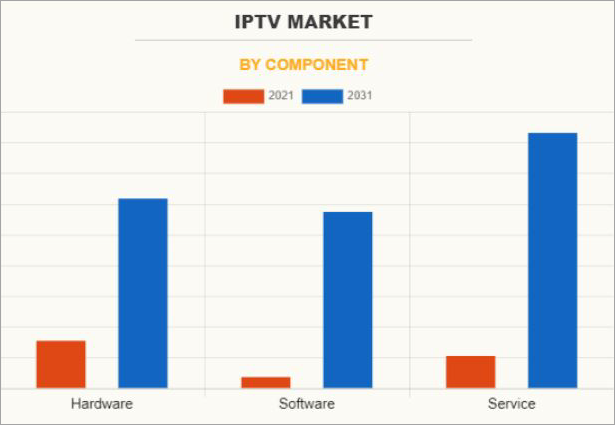
via Allied Market Research
Expert Advice
List of the Best IPTV Players
- MaxPlayer IPTV
- VLC Media Player
- Plex
- TiviMate
- Neutro IPTV
- MyIPTV Player
- IPTV Smarters
Comparing the Top Windows IPTV Players
| Name | Best for | Top Features | Price | Ratings |
|---|---|---|---|---|
| MaxPlayer IPTV | Cross-Platform compatibility and Multi-Device Access | Multi-Device access, M3U Support | Starts at € 1.50/month. 7-day free trial | 5/5 |
| VLC Media Player | Free and open-source player that supports multiple video codecs. | All files are supported. Audio customization | Free to use | 5/5 |
| Plex | A personalized and comprehensive user experience. | Content discovery, Customization | Free to use. Premium plans start at $1.99/month | 4.5/5 |
| TiviMate | Multi-view and Playlist management. | Catchup, DVR, UI Customization | Free to use | 4.5/5 |
| Neutro IPTV Player | User-friendly settings | Universal search, Lock Content | Free to use, starts at $24.99 | 4.5/5 |
Detailed Review of the Top IPTV Player for Windows
#1) MaxPlayer IPTV
Best for Cross-Platform compatibility and Multi-Device Access.
Kicking off this list is a player that I truly believe to be one of the finest out there for Windows. MaxPlayer is an official partner with Microsoft, which lends it a reputation that many IPTV players lack.
You can get it directly from the Microsoft Store. This is where I suggest you download the software from if you are going to use it on your Windows PC or Laptop.
It works well with both Windows 10 and Windows 11. One of the things that instantly stands out about this player is its interface. It is sleek and user-friendly. You can easily add your M3U channel playlist to the player and personalize the UI at your convenience.
Another thing I like about this player is the multi-device access you are granted. You can access your IPTV provider’s content through a single MaxPlayer account on up to 5 devices simultaneously. This also means you can create 5 sub-users through a single account. Moreover, each sub-user account can be personalized individually.
How MaxPlayer IPTV Works
1. Download MaxPlayer IPTV from the following link.
2. Open and Log in.
3. Download and add your M3U playlist from your IPTV provider or copy-paste it.
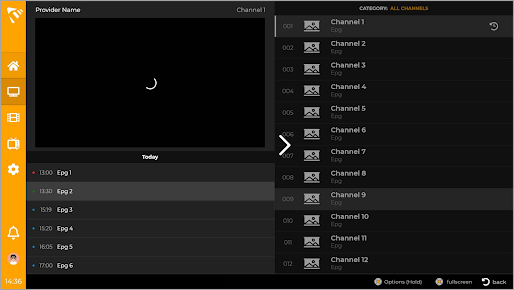
4. Personalize your channel and VOD library and start watching.
Features:
- M3U Support: MaxPlayer supports M3U text URL, which makes it perfect for streaming content from your IPTV provider. You can copy-paste this M3U playlist or download and add it directly to the player.
- Multi-Device Access: You can share access to a single MaxPlayer account with up to 5 sub-users. Furthermore, each sub-user can enjoy their personalized content library with this player.
- Universal Device Compatibility: MaxPlayer works well with Windows 10 and 11. That’s not all, though, as you can download and use MaxPlayer to stream content via IPTV subscriptions on other devices like smartphones, MAG Box, Smart TVs, etc.
- Catch Up: MaxPlayer further makes entertainment convenient with this feature. It lets you rewind and replay TV shows or live events that have already aired.
Why I Like It
It can be tough to find an IPTV player that’s trustworthy. This isn’t something I have to worry about with MaxPlayer, as you can find it on the Microsoft Store. It is easy to install on a Windows OS, affordable, and secure.
Pros:
- Official Microsoft Partner
- Excellent Security
- Tech support is provided in real-time
- Multiple languages supported
Cons:
- The official site needs to feature more documentation for self-support and guidance.
Verdict: MaxPlayer represents everything that makes an IPTV player great. It is reliable, as evidenced by the fact that it is officially recognized by Microsoft itself. It also comes jam-packed with a ton of features that make streaming content via IPTV subscriptions all the simpler. This is one of, if not the best, IPTV players available today.
Price: MaxPlayer offers the following subscription plans:
| Premium | Premium+ |
| € 1.50/month | € 2.50/month |
A 7-day free trial is also offered.
Website: https://maxplayer.tv/
#2) VLC Media Player
Best for Free and open-source player that supports multiple video codecs.
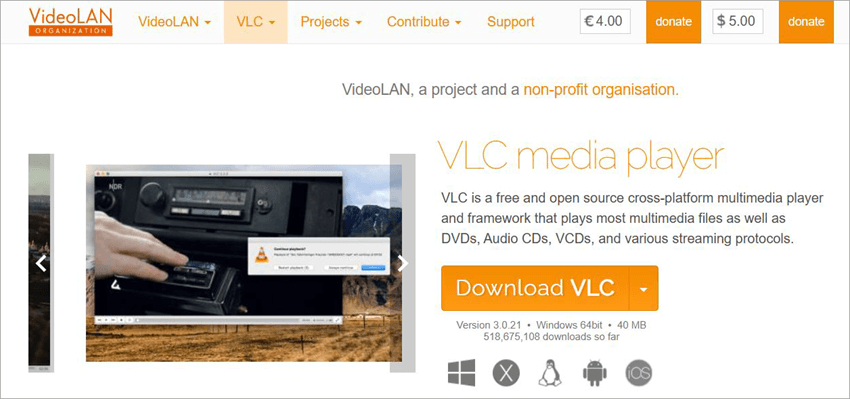
At this point, VLC has become a household name that’s available on almost all Mac and Windows-enabled PCs. While it is largely used to play video and audio files, not many know that VLC can also serve as a great medium to stream content via IPTV subscriptions.
This is largely because this media player can play most codecs, and the best part, it can do so without demanding any codec packs. VLC also works on all versions of Windows, right from Windows XP to the latest version of the operating system.
VLC also happens to be free and open-source. You can download and use the software for free, which further adds to the player’s allure. Despite being free, the software doesn’t annoy its users with unnecessary ads or spyware, which is mostly the case with freeware. It is also highly customizable.
You can personalize the look of the interface if that’s something you are interested in doing. This customization, alongside some intriguing features, makes this very popular media player something you should definitely give a try to stream your IPTV content.
How VLC Media Player Works
1. Download VLC media player on your Windows system.
2. Navigate to “Media” at the top of your VLC media player’s interface.
3. Select “Open File”

4. In the “File” menu, select “Open Network Stream.”
5. Select the preferred protocol and your channel list URL.
6. You should find the preferred channel in the left panel.
7. Play it to start streaming.
Features:
- Advanced Features: VLC media player blows every other media player out of the water by offering a ton of advanced features. You can use the tool to cut clips from your video, synchronize subtitles to video, and perform other basic edits.
- Audio-Customization: The software lets you tweak the audio of any file you add to it. It features an in-built audio equalizer, which you can use to enhance the quality of a file’s audio or even customize it for added effect.
- File Compatibility: VLC Media Player can play almost anything. This includes streams, webcams, discs, and files in various formats. These formats include MPEG, MP3, MP4, MKV, WebM, and much more.
- Customization: The interface itself is highly customizable. You can change the aesthetic of this media player’s interface via the built-in skin editor.
Pros:
- Work with all versions of Windows.
- Free and safe to use
- Plays everything
- Useful audio and video editing features.
Cons:
- Don’t expect advanced editing capabilities.
Verdict: Convenient, free, and safe are three things that perfectly describe the appeal VLC Media Player holds among its die-hard user base. You can use it to play multiple codecs. Plus, you are also offered modules that can help you control or display an output as per your wishes.
Price: Free to use
Website: https://www.videolan.org/vlc/
#3) Plex
Best for Personalized and comprehensive user experience.
Plex is a streaming platform/media player that you can use to watch movies, TV shows, and stream live TV. It features content from over 600 channels popular across America. The platform possesses an interface that’s designed to prioritize accessibility. You’ll find its content library categorized neatly based on various parameters.
As such, it is easier to look for content on the platform based on title name, featured artists, release date, genre, and more. Plex also offers a very unique community-based viewing experience. You can connect with your friends via the Plex platform, share your reviews for certain titles on the platform, and then decide what to watch.
This makes Plex unique in a way. These sharing features work hand-in-hand with the Discovery feature to render a more comprehensive user experience. You can use the tool like you would IMDB. You can learn what content is streaming on a popular OTT platform, what TV shows or movies feature your favorite artists, and other such information via the platform.
How Plex Works
1. Download Plex for Windows
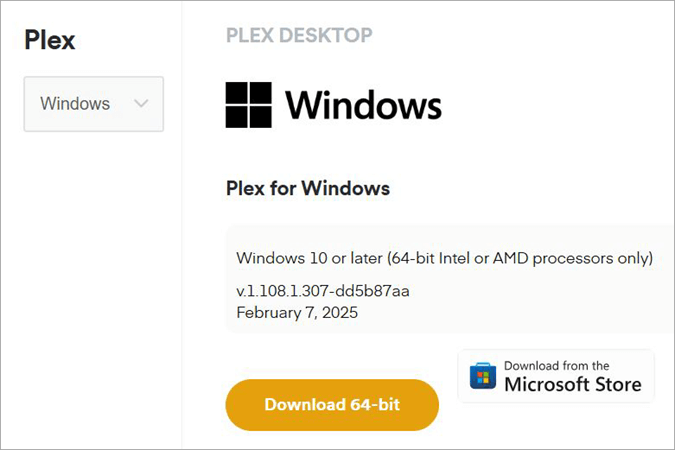
2. Ensure an appropriate M3U proxy is already installed on your device.
3. Now open the app and navigate to “Live TV and DVR.”
4. Select “Set-up DVR” and click “View Guide”.
5. Pick channels that you would like to stream and start watching.
Features:
- Content and Information Sharing: You can connect with your friends who are also using Plex to stream content. You can share your content collection in the form of a media folder, recommend titles, and get tailored recommendations as well.
- Content Discovery: Plex can be used as a tamer version of IMDB. This means you can use it to discover titles based on who is acting in them. You can also learn what is being streamed on various popular OTT platforms.
- Customization: It is very easy to customize one’s media library in Plex. You can let Plex automatically personalize your interface based on viewing habits. On the other hand, you can customize the media library yourself to ensure the content you watch is easily accessible.
- Watchlist: You can create a single, unified Watchlist featuring content you wish to watch later with your free Plex account. All you have to do is click on the “Add to Watchlist” button presented to you below each listed title.
Why I Like It
If you don’t mind ads, then Plex is an amazing media player to stream TV channels and movies online. It can be accessed around the world, and its media library can be organized based on your preference. The “Discovery” option makes this player even more appealing.
Pros:
- Free to use
- Worldwide availability
- Highly customizable
- Connect with friends
Cons:
- Some amazing features, like DVR, are locked behind a paid plan.
- The ads in the free plan can be annoying.
Verdict: Plex is first and foremost an online platform that lets you legally stream live TV channels and movies for free. You can use it without signing up or registering. That said, I would still recommend using it with a premium plan to enjoy the player at its maximum potential.
Price: Plex is free to use. Its premium packages are as follows:
| Remote Watch Pass | Plex Pass |
| $1.99/month | $6.99/month |
Website: https://www.videolan.org/vlc/
#4) TiviMate
Best for Multi-view and Playlist management.
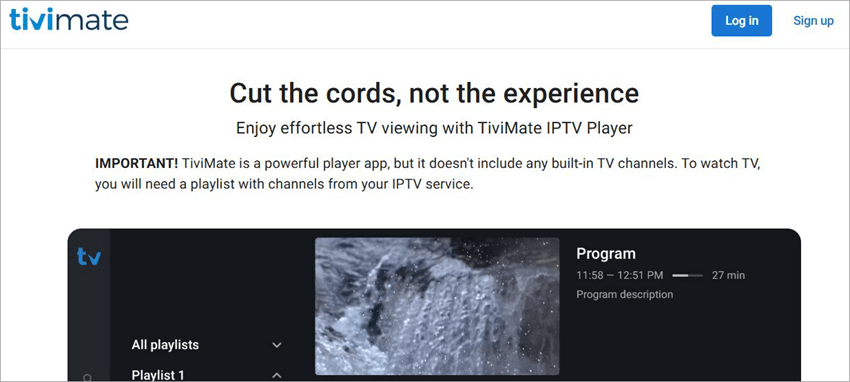
TiviMate is yet another media player that shines because of its interface and the way it curates your channel selection. The player features an interface that was designed to adapt to your PC and Android phone’s screen.
It is free to use. All you need to do is sign up, download the software on your Windows system, and provide it with a playlist from your IPTV subscription. The platform’s sleek, minimalistic interface takes the headache out of navigating or browsing through the gallery to find the content you like.
It features an intuitive search functionality, which will aid you in finding titles as quickly as possible. It also comes jam-packed with all the advanced features an IPTV service demands. This includes an electronic programming guide, a robust DVR, and parental control. As is the case with the best IPTV players on this list, TiviMate is highly customizable.
Once your playlist is added, you can customize the lineup and VOD content as per your preference for easy access. You can add multiple playlists to this player and switch between them effortlessly at will.
Features:
- DVR: Recording your favorite shows via TiviMate is quite simple. Simply select the title you wish to record and hit the record option. The recordings will be stored in your library.
- Catch-up: TiviMate makes it convenient to catch up on shows you’ve missed. You are rewarded with convenient access to shows that have already been broadcast in the past.
- MultiView: Are two of your favorite shows airing at the same time? TiviMate’s got you covered in this regard. It will let you watch two different channels simultaneously on a single screen.
- Parental Control: If you wish to block certain channels on your playlist, you can do so easily. You can manage access to certain channels airing inappropriate content with a single click of a button.
Why I Like It
For starters, TiviMate lets you manage multiple playlists with ease. Its UI’s customizability is impressive, and it also helps that the player is completely free to use.
Pros:
- Customizable UI
- Manage multiple playlists
- Free to use
- Bookmark channels.
Cons:
- The mobile app is only available for Android phones.
Verdict: TiviMate wins you over by offering a ton of advanced features that make streaming content via IPTV subscriptions more convenient. From recording content to blocking access, you can do it all with ease through this IPTV player. The fact that this player is free to use also makes it easier for me to recommend.
Price: Free to use
Website: https://tivimate.com/
#5) Neutro IPTV
Best for User-friendly settings.
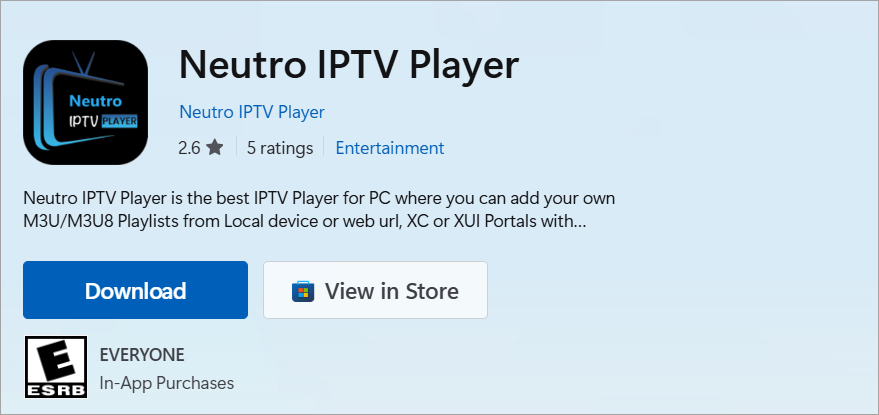
Neutro IPTV offers you everything that one has come to expect from a traditional IPTV player. To use it appropriately, you’ll need an operating system that’s higher than Windows 10. You can also easily find the app and download it from the official Microsoft Store. Once the app makes its way into your system, it is smooth sailing thereafter.
The player supports M3U and M3U8 files. So, you’ll need to add M3U or M3U8 playlists to the player to live stream shows and movies on it. Alternatively, you can access content from an IPTV provider by leveraging a web URL, XC, or XUI portal via a username and password. The player shines because of its interface, which facilitates easy navigation.
Once playlists are added, you should have no issue managing them. Although the player is free to use, you’ll need to upgrade to one of its premium plans to enjoy some advanced features. That said, I found the free version quite handy. Almost all the basic features that you’ll need for an amazing user experience streaming live TV are accessible to you without paying a dime.
Features:
- DVR: Neutro IPTV Player offers a robust DVR function. You can record any show or live event easily and watch it later at your convenience.
- Universal Search: The platform’s search functionality is one of the best I’ve experienced. You can easily look for a title by name, genre, release date, and more using the universal search function.
- Lock Content: Lock and unlock content whenever you like. If there are adult channels in your lineup, you can lock them in an instant and render them inaccessible.
- Favorite Content: You can bookmark content as well with a single click. If you find something that catches your interest, you can add it to the “Favorites” section. You can access the content from this section later on.
Why I Like It
I like the fact that you can easily download the software from the ever-reliable Microsoft Store. The setup process is easy, and you are also provided with a ton of advanced features. Plus, the player is free to use.
Pros:
- Free to use
- Available on the official Microsoft store
- Easily configurable
- EPG Support
Cons:
- Some interesting features are locked behind a paywall.
Verdict: Neutro IPTV Player managed to leave a lasting impression on me with how effortlessly it was to manage playlists on it. Besides that, all of its other features also add to a satisfying user experience in the end.
Price: Neutro IPTV Player is free to use. Its premium plan starts at $24.99.
Website: https://apps.microsoft.com/detail/9p8w9z0zxt9h?hl=en-US&gl=US
#6) MyIPTV Player
Best for HLS and MPEG TS Support.
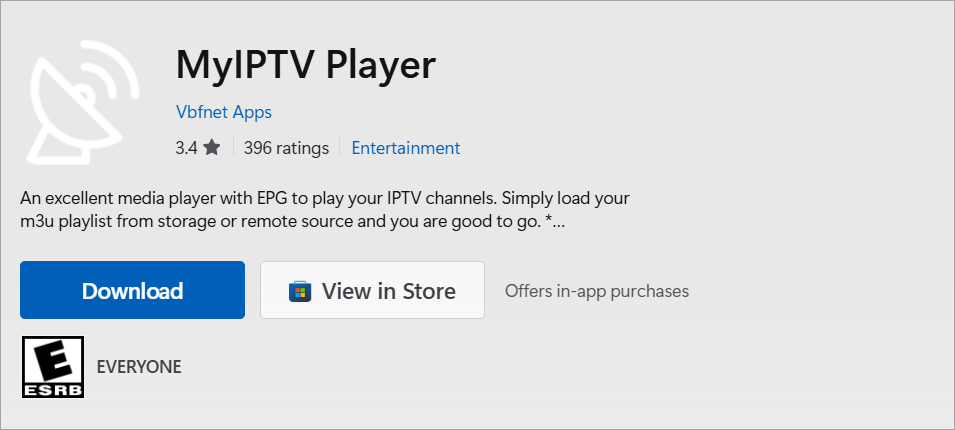
MyIPTV Player is another player you can easily download from the official Microsoft Store. Using it is also quite simple. Once installed, you’ll need to load your M3U source to the player from either the storage or a remote source. You should be good to go once your M3U playlist is added to this player.
The player also lends you EPG support. You can rely on this comprehensive electronic programming guide to navigate through the broadcasting schedule of various channels on your playlist. The player also stands out for supporting HTTP Live Streaming and MPEG TS. The player receives constant updates, which have only improved it further.
Features:
- VOD: MyIPTV Player is ideal for managing one’s VOD library. You can download VOD streams via this player. You can download the history for VOD files as well.
- Channel Filtering: If you are looking for a specific kind of channels, MyIPTV Player has you covered. You can rely on its advanced filtering capabilities to unearth channels based on their title, release date, genre, etc.
- Recording: Like most IPTV players, MyIPTV Player also lets you record channels. You can mark a channel for recording, and all content airing on it will automatically get recorded.
- Favorites: If you come across something you like, you can immediately add it to your Favorites list. This is a useful feature to bookmark content you want to watch later.
Why I Like It
I like the fact that you are greeted by a channel lineup that is automatically categorized. You also get strong security, thanks to the PIN protection. You can also trust the player as it can be downloaded from the official Microsoft Store.
Pros:
- Automatic channel categorization
- Available on the Microsoft Store
- PIN Protection
- Built-in EPG Support
Cons:
- The ads can get annoying.
Verdict: MyIPTV Player could’ve been higher on this list if it wasn’t for the pesky ads you’ll find using this app. Everything else about the service is quite impressive. Adding and managing playlists is effortless. Plus, you get built-in EPG support to plan your viewing schedule.
Price: Free to use, In-App Purchases.
Website: https://apps.microsoft.com/detail/9pjj2nmbf0tr?hl=en-US&gl=US
#7) IPTV Smarters
Best for DVR, 4K Streaming, and Playlist management.
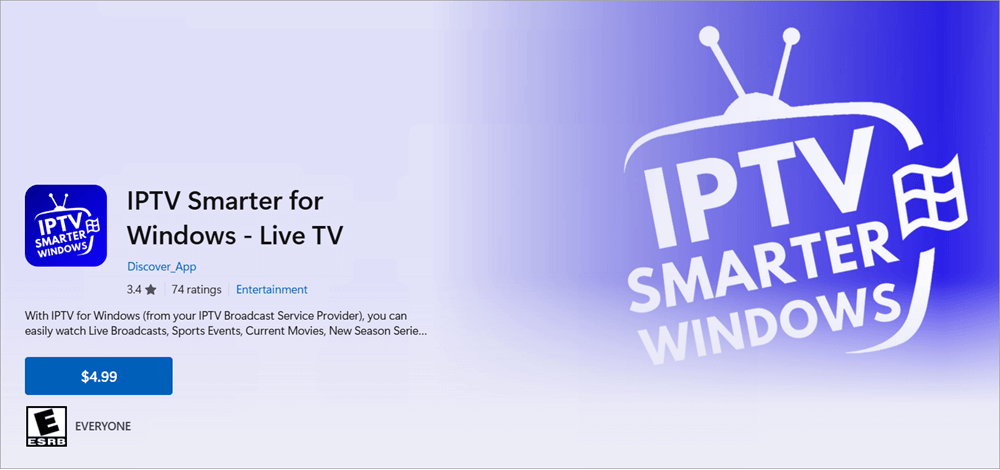
IPTV Smarters has been a leading name in the realm of IPTV Players ever since the concept of live TV streaming services has existed.
You can use IPTV Smarters to access content via your IPTV Subscription on not only a Windows PC but also other streaming devices as well. This player lets you stream shows, movies, and live broadcasts in high definition.
You can also use it to enjoy streams in 4K. The player also comes loaded with advanced features. You get a user-friendly EPG to check show timings, a robust DVR for live recordings, and advanced parental control to block content. It works well with most IPTV Providers by sourcing M3U Playlists from them or through Xstream API Support.
Features:
- Anti-Freeze: IPTV Smarters comes equipped with anti-freeze tech. This means you are bound to experience little to no screen freezes or buffering when streaming through this player. However, a good stream will largely depend on your internet speed.
- Multi-Screen: The platform makes sure you don’t miss out on your favorite shows, even if they are airing at the same time. You can watch two shows or live broadcasts at once on a single screen via this player.
- Catch-Up: This feature empowers you with the ability to rewind already broadcast content. You can replay certain content on this platform in a specific time slot.
- Dynamic Language Switching: The platform supports multiple languages. If content is available in multiple languages, you can easily switch the languages to experience a show or movie in your preferred language.
Why I Like It
IPTV Smarters is stacked with features, each adding to your user experience in the best way possible. It is also user-friendly and quite affordable.
Pros:
- Multi-Language support
- Download movies and TV shows
- Built-in speed test
- Modern UI
Cons:
- Setting it up with your IPTV provider can be tedious in the beginning.
Verdict: IPTV Smarters is a player that many IPTV Service Providers themselves recommend. It is reliable, comes loaded with features, and you get lifetime access to the service with a one-time affordable fee.
Further Reading => Top IPTV Services Worldwide
Price: $4.99
Website: https://apps.microsoft.com/detail/9nl7dl48rhzn?hl=en-US&gl=US
Here is the video on Troubleshooting Steps when IPTV is not working:
Frequently Asked Questions
1. Can I Watch IPTV on Windows?
Yes, any modern device available today should let you stream online via an IPTV subscription. However, you’ll need an IPTV Player to ensure a hassle-free, flexible viewing on PC. This is where IPTV Players come into play.
You can rely on these players to source M3U Playlists or a URL from your IPTV Provider and watch movies, TV Shows, or live broadcasts on your Windows laptop or desktop.
2. Is Smarters Pro an IPTV player for Windows?
Smarters Pro is an IPTV Player for not only Windows but many other streaming devices as well. You can access your IPTV Provider’s content via Smarters Pro on Windows 10 and 11. Smarters Pro is available on the Microsoft Store. You can download, install it on your system, source your playlist, and start streaming in no time.
3. What is the best player for IPTV?
The answer to this question will be subjective. In my opinion, the best players for IPTV are as follows:
• MaxPlayer
• VLC
• Plex
• TiviMate
• Neutro IPTV Player
4. Is my IPTV legal?
It is very tricky to know whether an IPTV service is legal or not, as the market is saturated at this point. I don’t want to make any claims as to the legality of any service or player. Just know that if an IPTV player is available on the official Google Play Store, Microsoft Store, or Apple Store, it is legal.
5. Is VLC an IPTV Player?
VLC is an open-source and free media player that can also be used as an IPTV player. This is largely because it supports multiple codecs. You can easily watch M3U playlist files by adding them to VLC. This ability to play almost any type of file makes VLC one of the best media players out there.
6. What is the best M3U8 player for Windows?
If you are talking about Windows specifically, then VLC is widely considered the best IPTV player for M3U8. Besides VLC, Neutro IPTV and TiviMate IPTV are also great options. You’ll find my in-depth review of all these IPTV players in this article.
Conclusion
Flexibility and convenience are two things that warrant the use of an IPTV Player. These two elements are what convinced me to include the names you’ll find on this list. Each IPTV Player on this list has garnered rave reviews from folks who’ve had the pleasure of using them. They make the prospect of streaming content via your IPTV Subscription simpler.
Adding and managing playlists is as easy as a walk in the park via this player. You are provided with a ton of advanced features like DVR, catch-up, and EPG for a user experience that one cannot complain about.
As for my recommendation, I would suggest going with MaxPlayer as it is an official Microsoft Partner that works well with modern Windows systems.
Research Process
- I spent 16 hours researching and writing this article to provide you with summarized and insightful information on which Windows IPTV Player will best serve your needs.
- Total IPTV players researched: 15
- Total players shortlisted: 7
Was this helpful?
Recommended Reading
-

If you are looking for the Best and legal IPTV in Canada, then this article will help you select an affordable IPTV subscription. Getting a subscription for a reliable IPTV service in Canada can be a bit of a daunting task as there are so many providers offering various pricing…
-
Review and compare the top popular and best IPTV Apps (IPTV Player) to Watch Live TV on Android. IPTV apps or IPTV players let you stream live TV channels directly on your Android device without relying on traditional cable or satellite services. With so many options available, choosing a reliable…
-

Discover the most popular IPTV Free Trial Services and dive into the world of premium channels of high-quality. Pick the best IPTV Services that offers free trial before you buy the services. Choosing the right IPTV service can be confusing, especially with so many providers claiming to offer high-quality streams…
-
A perfect guide on IPTV USA Services with the prime factors to consider while choosing the best IPTV USA Service Providers in the market: IPTV or Internet Protocol Television is a service or technology that enables its users to stream their choice of content easily on their devices without the…