Create your own Disney world with Snapchat’s Cartoon filters. Explore the simple and fun-filled ways to send a snap with the cartoon face lens in Snapchat using your iPhone and Android from this guide:
I would argue that no other social media platform today embodies the idea of pure fun quite like Snapchat. Launched in 2011, this photo and video-sharing app has managed to thrive for over a decade despite stiff competition from the likes of Instagram and TikTok.
By the end of 2024, Snapchat boasted over 400 million active users. You could attribute many different things to Snapchat’s towering success. One thing that has made the platform so addictive is its filter and lens feature
Snapchat Cartoon Filter: Need of the Hour?
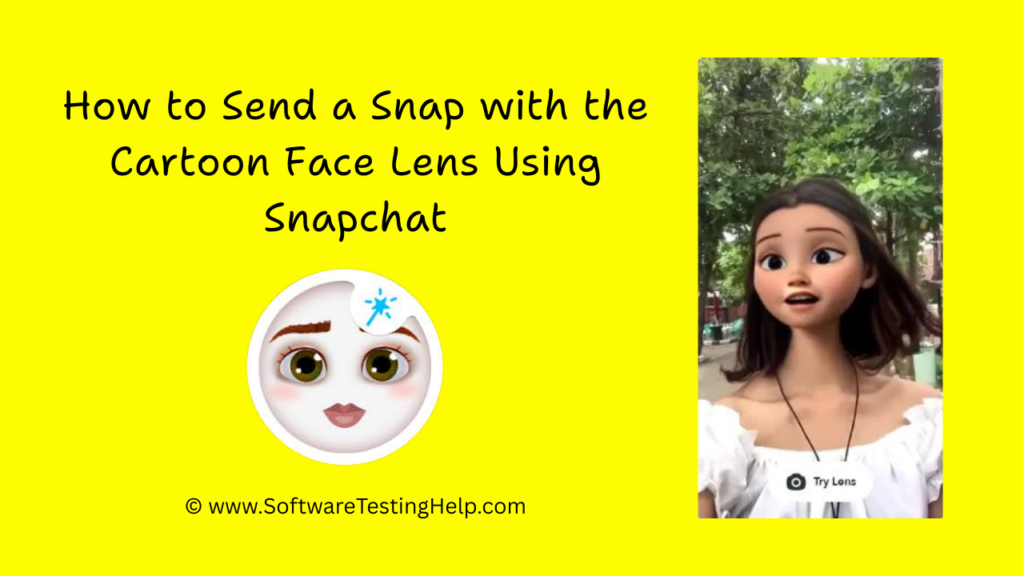
The mere idea of tweaking the visual style of your image or animating your face with a single tap is astonishing. This has garnered it a massive fan base among millennials and Gen Z.
Come late 2020, Snapchat decided to take it up a notch by introducing Cartoon Lenses. It didn’t take much time for this new feature to become a trend. Many people became instant viral sensations by simply using this feature to morph their faces and look like cartoon characters.
Here is the video on What is Snapchat and what are its features?
Also Read => How to Get Snapchat on Windows
If you wish to partake in this trend but don’t know how to send a snap with a cartoon face lens, consider this little guide tailor-made for you.

[image source]
Quick Steps to Send a Snap With the Cartoon Face Lens Using Snapchat

Notable Difference Between Snapchat Filters and Lenses
Filters and Lenses are similar to each other in the way they help a user morph and Snap’s visuals. However, they are not the same and serve different purposes.
For instance, Filters are overlays that one can apply to their video and image to enhance its visual appeal. These overlays are static and involve the application of stickers, text, or frames. Filters could also involve adjusting the color of your Snap after it has been taken.
On the other hand, Lenses are more interactive. This feature leverages advanced augmented reality and can be applied to a user’s face or environment. Lenses typically involve elements like animation, facial recognition, and other types of special effects.
Snapchat makes the application of lenses and filters super simple. All you have to do is take a snap and select the filter or lens you wish to apply from the array of options presented to you. It is that simple.
What are Cartoon Lenses
Now that you know how lenses differ from filters, let’s jump back to our main subject. Cartoon Lenses are perhaps the most popular of the various filters and face lenses Snapchat has in store. Put a Cartoon Face transforms your facial features, making them look animated or cartoonish.
You could use the Cartoon Face Lens to alter everything from your eyes, eyebrows, and ears to your entire face. You could morph your face to look like a character straight out of Pixar or Disney. Recent updates also let you give your face an anime-style makeover.
Applying this face lens is very easy. Here’s how you do it:
How to Send a Snap With the Cartoon Face Lens Using Snapchat
#1) Open Snapchat on your phone. Make sure your app is updated to find the latest face lenses.
#2) Navigate to the camera screen. There, you’ll find a face icon right next to the giant shutter button. Tap on it.
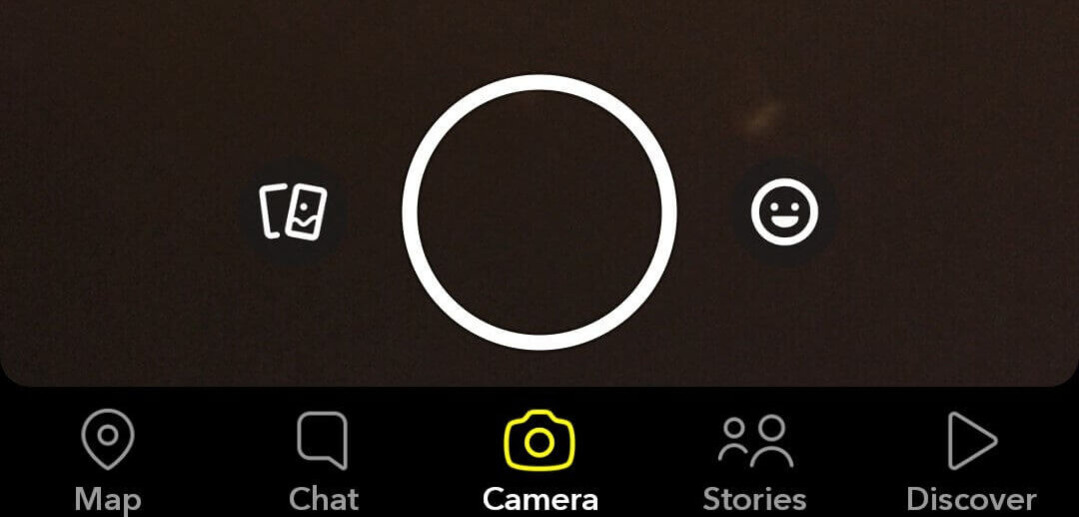
#3) You’ll now be greeted with a ton of face lenses. Swipe up on the screen to explore more lenses.
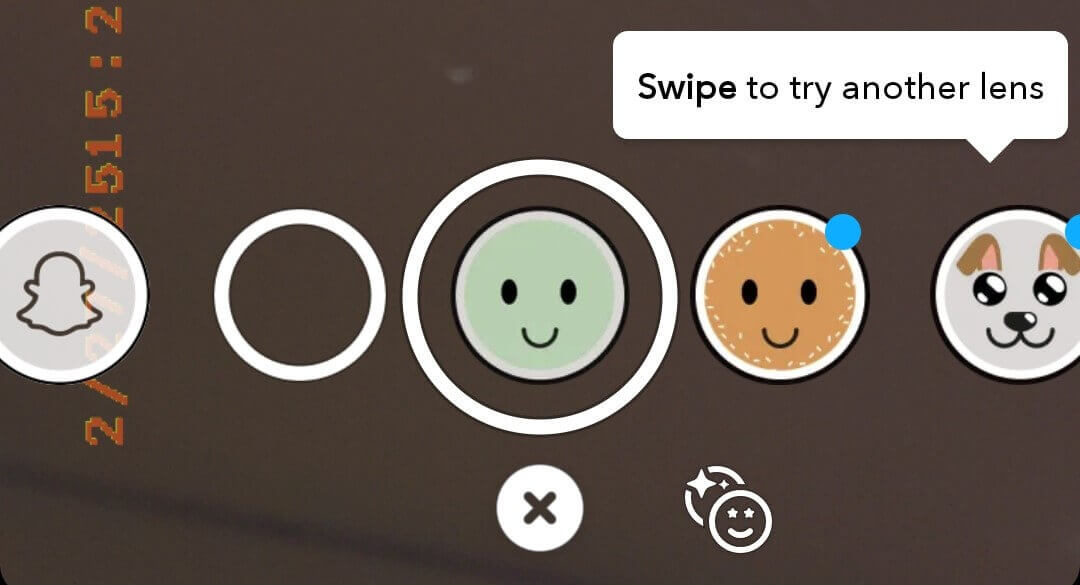
#4) On the ensuing page, type “Cartoon” in the search box.

#5) Try out all the Cartoon Face lenses you are presented with. Tap on the one you like and hit the shutter button to take a snap.
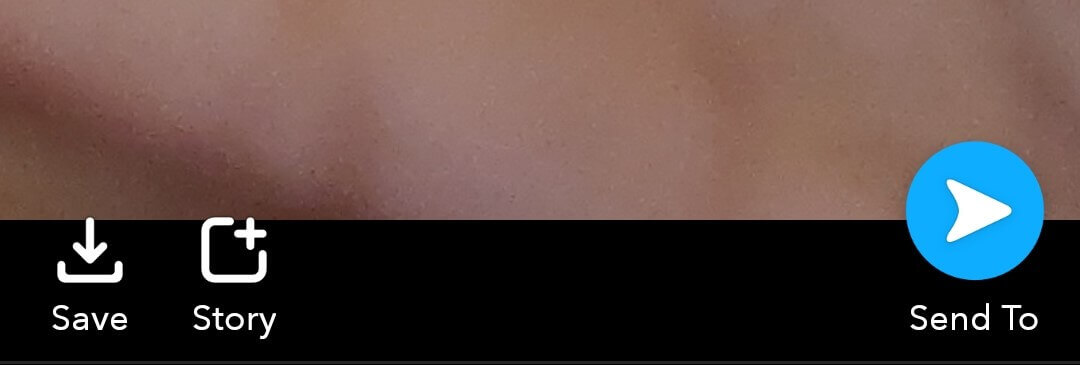
#6) Now tap on the blue arrow icon to send this snap to your friends. It is that simple.
When browsing through the lenses, you’ll come across options that are created by independent users. I would suggest only opting for lenses that were created by Snapchat for better results.
Also Read => How To Get Snapchat On Windows
Most Popular Cartoon Face Lenses You Will Find on Snapchat
You will find a diverse range of cartoonish face lenses when browsing through Snapchat’s library. The options are exhausting. I would still suggest taking some time out of your busy day to go through this library. Scrolling through the options – going from one face lens to the other – can be fun.
Out of all the options, a few variants are a clear standout- for me, at least.
#1) Cartoon Face Lenses
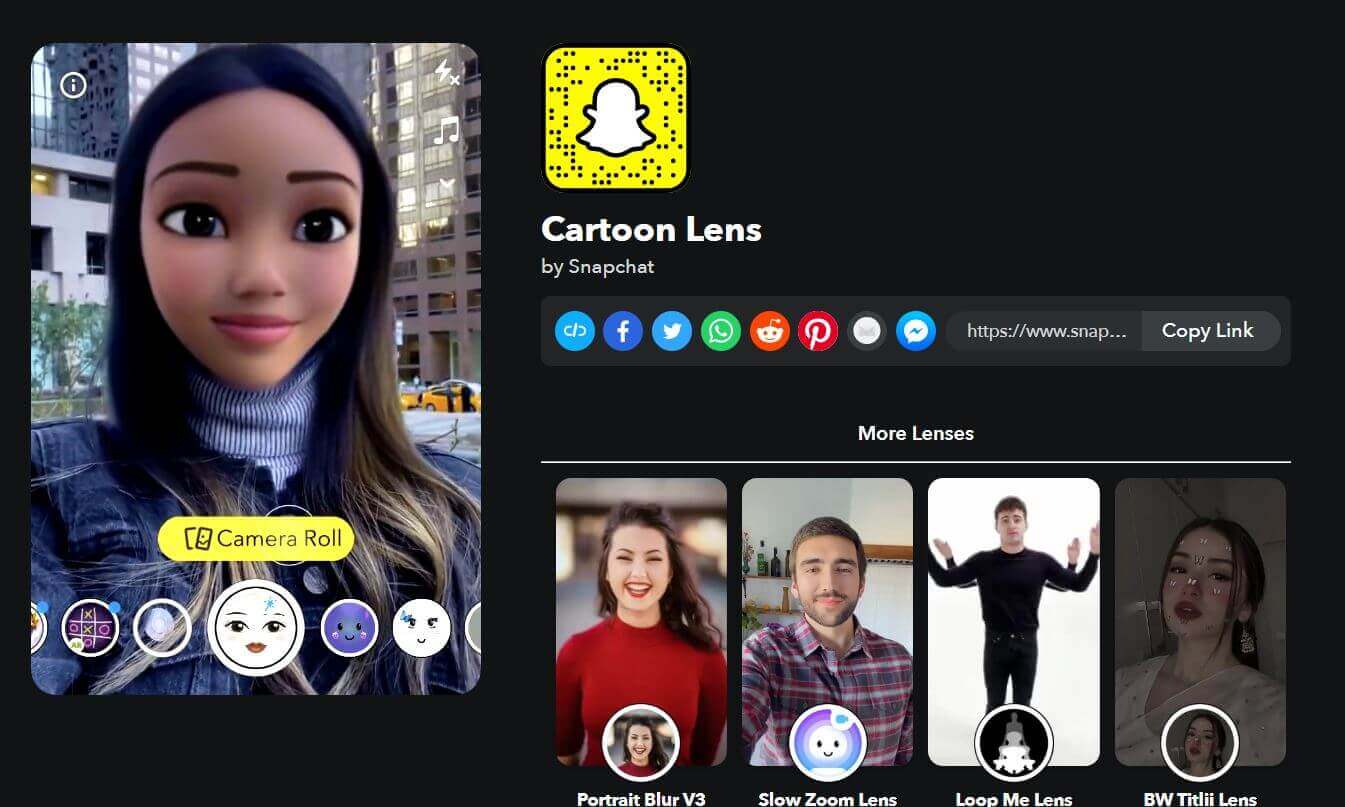
This is the most basic version of cartoon face lenses you’ll find on Snapchat, and maybe this is why they are my favorite. If you are a fan of Pixar or Disney-style character animations, then you’ll adore these lenses. It replaces your eyes with large, animated counterparts. It also smoothens your face to make it look cuter.
Give this lens a try: https://www.snapchat.com/lens/449d01c9513c40288d74397352cb304e
#2) Sparkling Cartoon Style Lens
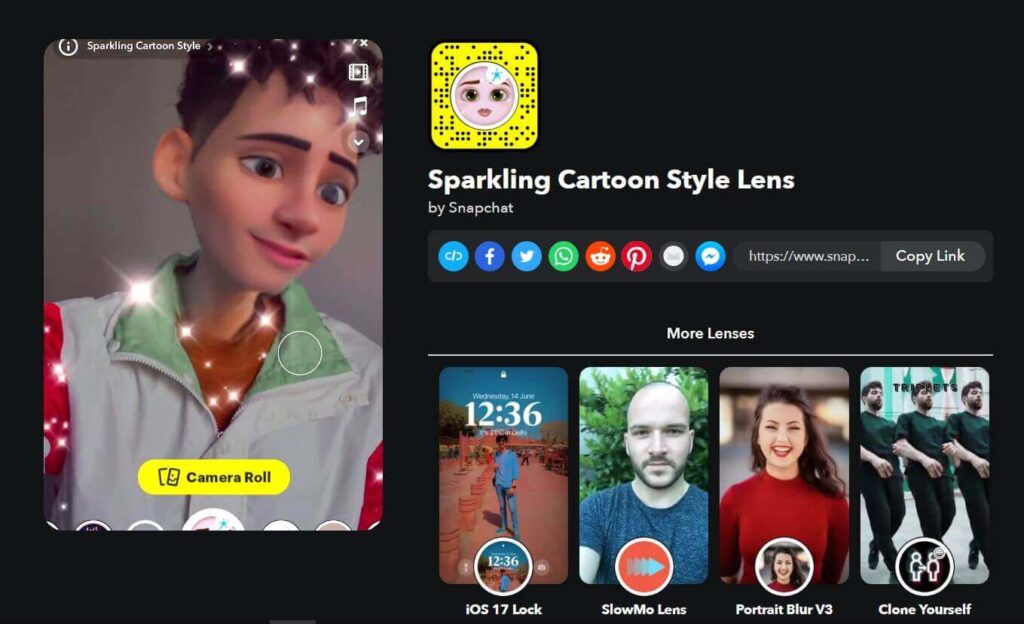
This lens also morphs your face and gives it a Pixar-like appearance. However, the animation here is considerably more profound as more than your eyes and ears are tweaked. You will also notice a glittering sparkle over your morphed animated picture. I would advise to go for this option if you wish to alter your facial features from hair to chin.
Give this lens a try: https://www.snapchat.com/lens/f217025dd98941d98943bfa3d49b17f2
#3) Anime Style Lens
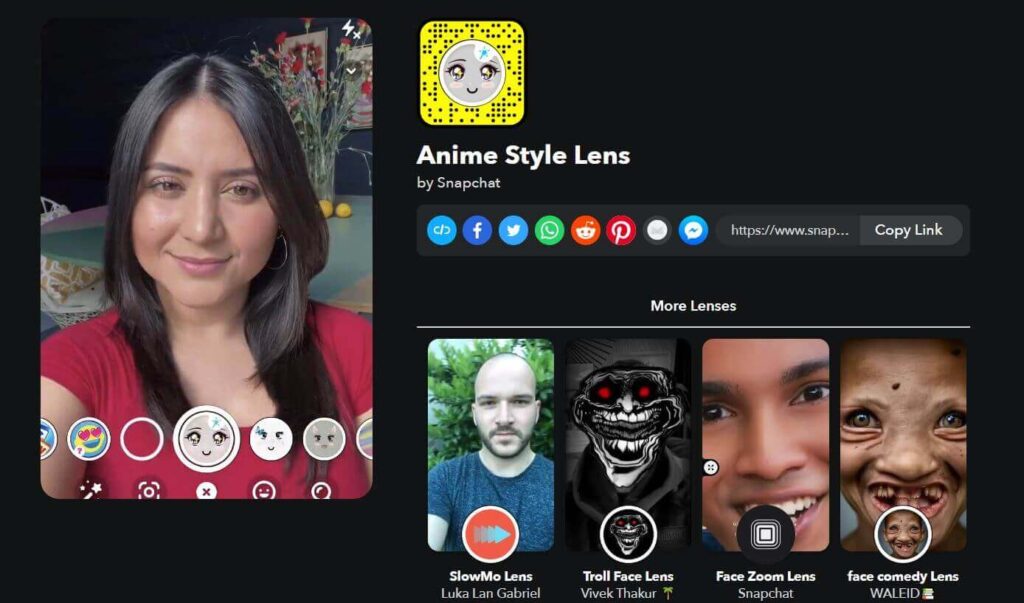
Anime is a global phenomenon nowadays. So it makes sense that Snapchat would capitalize on this trend and offer Anime-style lenses to its users. These lenses perfectly mimic the distinct visual style of an anime character. Besides your face, this lens also modifies your voice. I cannot recommend this lens enough, especially to fans of Japanese 2D-style animation.
Give this lens a try: https://www.snapchat.com/lens/b8c89687c5194c3fb5db63d33eb04617
#4) Cartoon 3D Style Lenses
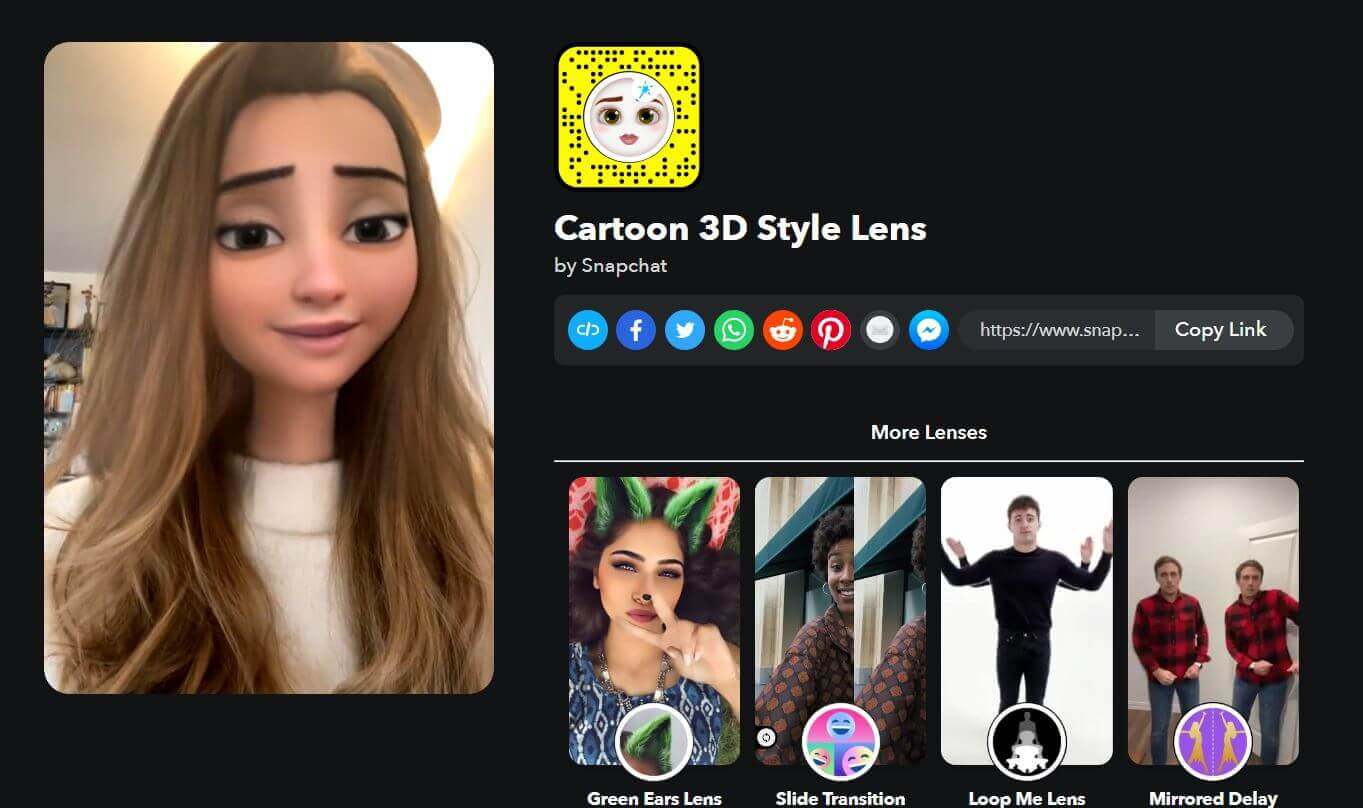
If you are a fan of popular Disney animated characters, this is the lens bound to impress you the most. This is the closest you’ll get to getting a makeover that resembles a favorite Disney character of yours. I like how the facial animations change as you move your face in front of the camera.
Give this lens a try: https://www.snapchat.com/lens/bad1396b0f8d494d845b1d6438c115f2
You can further enhance the visuals of your Snap after the lens is applied with the help of stickers, visual effects, and music.
Why People Use Cartoon Lenses
I can think of many good reasons behind the popularity of Cartoon Lenses.
#1) Pure Entertainment: Cartoon Face Lenses perfectly encapsulate everything interesting about Snapchat. It is just fun to send a snap with the cartoon face lens using Snapchat on iPhone or Android. You could spend hours trying on different cartoon faces before you even decide to take and send a snap to someone. It is that addictive.
#2) It is Funny: Some effects a cartoon face lens can create are downright hysterical. People gravitate towards folks on social media who are funny. It helps you laugh and makes others laugh as well. It is goofy in all the right ways.
#3) Visual Enhancement: Lenses and Filters offer you an alternative to the usual, bland pictures one clicks. Using any cartoon lens could lend your snap a distinct aesthetic appeal. It can set your snaps apart from others. You can create stunning and visually captivating pictures with the face lenses Snapchat has in store.
#4) Self-Expression: Most people fail to see a Snap as anything other than a mundane activity done for fun. I see it as self-expression. There is something artistic about using a cartoon lens to morph one’s face. You could use these lenses as an expression that conveys a message without words.
#5) Boost Social Profile: If you want to become the next big thing online, I can’t think of a better way than using Cartoon lenses. It has been a very popular viral trend since 2020. A Snap using a cartoon face lens is more likely to get more attention than a normal picture. It can help you stand apart in the crowded online space and get some admirers as well.
Further Reading => Snapchat Planets and Friends Solar System – Explained
How Businesses Can Benefit from Snapchat Cartoon Lenses
While most folks I know use Snapchat for entertainment, there is a lot more you can accomplish with this app if used correctly. As I mentioned before, Snapchat has over 400 million active users as of today. Most of these users belong to the millennial and Gen-Z demographics.
Businesses can use Snapchat to reach out to this audience with the help of cartoons or any other type of face lens.
Here’s how I see businesses benefiting from Snapchat’s face lenses.
#1) Creating a Lasting Impression
People who are perpetually online are used to seeing ads at regular intervals. They see so many ads in a single day that it can be difficult for them to remember anyone once the day is over. Snapchat’s face lenses help you create something unique.
Imagine an advertisement that’s presented by a person who’s animated to look like a Pixar character. Such visuals are bound to create a lasting memory among viewers.
#2) Engagement Boost
Anything interactive in nature is bound to receive more engagement online. That is true for Snapchat’s face lenses as well. Face lenses use advanced AR technology. You can create lenses that your viewers can interact with as well. This leads to a sharp rise in engagement on social media, which businesses can capitalize on to spread awareness about their brand.
#3) Targeting a Younger Audience
Most of Snapchat’s user base is replete with Gen Z and millennials. As such, you have a platform on Snapchat that not only allows you to reach this audience but also provides you with the tools necessary to engage with them.
#4) Assess Results
Like most social media platforms today, Snapchat also allows you to launch a marketing campaign whose performance you can measure with stats and analytics. You could launch a lens campaign and then assess how it is performing.
#5) Beating the Competition
Cartoon face lenses are goofy and funny. Ask yourself – how many brands today do anything different to stand out in the online sphere that’s over-saturated with advertisements? Using such lenses could very well be the answer to standing out from the tough competition businesses face on the internet today.
You could very well be starting a trend where other businesses in your industry also start using face lenses to promote their products or services.
Suggested Reading => Top App to Hack into Someone’s Snapchat
Frequently Asked Questions
1. What is the cartoon face on Snapchat?
Cartoon Face is an AR-powered face lens filter introduced by Snapchat in late 2020. It allows you to morph one’s face so they look more like a cartoon character. The original cartoon face lens transformed your face and gave it a more Pixar-like animated style. More versions of this lens have been introduced ever since.
You can now add a sparkling effect to your morphed picture and even have it turned into a 2D Anime-style face.
2. How do you send a snap with the cartoon face lens using Snapchat on Android and iPhone?
You can use the cartoon face lens on your Android or iPhone Snapchat app easily. The steps on both of these devices will be the same. All you have to do is follow the below process:
1. Open your Snapchat.
2. Navigate to the Camera.
3. Tap on the face icon next to the giant camera shutter.
4. Swipe up to explore more options.
5. Type “Cartoon” in the search box.
6. Browse through the various options, select the one you like, and take a snap.
7. Hit the blue arrow icon to send the Snap you’ve just taken.
3. How does Snapchat’s cartoon lens work?
You can attribute the efficiency of Snapchat’s face lenses to the algorithms and augmented reality technology at play behind the scenes. Thanks to these features, Snapchat can recognize animal and human facial features accurately. Snapchat’s advanced facial recognition features help the lens mimic every little expression or tweak on your face.
4. How many types of lenses does Snapchat offer?
When using lenses, you need to understand that this feature falls into two different categories. First, you have the face lens. This lens uses AR to mimic, transform, and modify one’s facial features in real-time. You could use the face lens to smoothen your face or morph it completely into a cartoon character.
Secondly, you have the world lens. This lens relies on a phone’s rear camera and modifies the surrounding environment captured by it. You can use a world lens to make Snaps more interactive. You could superimpose an object into the Snap that your viewers can interact with.
5. Does Instagram have a cartoon filter?
Yes, Instagram also offers a cartoon filter, which users can use to transform their faces into cartoon characters for reels and photos. This feature works in the same way Snapchat does.
Further Reading => How to Deactivate Snapchat – Simple Steps
Conclusion
Snapchat introduced cartoon lenses almost 5 years ago. The fact that it is still popular to this day tells you just how much you benefit from using this feature. As you’ve hopefully learned by now, it is very simple to apply a cartoon lens to your face. I would suggest mixing the lens up with a static picture to truly stand apart.
I would also suggest giving all the lenses you find a good shot. If you are anything like me, you’ll have a good time simply perusing through the various cartoon lenses. It is pure fun and entertainment, while also proving quite lucrative if you wish to use it for marketing campaigns.
Regardless, get on the hype train and start sending Snaps with a cartoon lens to entertain your friends and followers.
Was this helpful?
Recommended Reading
-

In this guide, we shall provide you with legal working methods that can be used to track your child’s Snapchat activities through snipping into the Snapchat account. If you are a worried parent or trying to retrieve your lost data from Snapchat, it is important that you know how to…
-
Review of the best Private Instagram Viewer to View Account and profiles. A private Instagram account viewer tool will allow you to view private profiles on Instagram easily. The Instagram private profile viewer will be invaluable to parents as they make sure their children don’t indulge in dangerous activities to…
-
Are you looking for any compelling caption descriptions that can go along with your post? Here you will find 300+ BEST Instagram Captions to draw attention to: They say a picture is worth a thousand words and I couldn’t agree more. This is perhaps why Instagram has emerged as one…
-
This tutorial will quickly educate you on how to deactivate Snapchat and delete your account across various platforms and devices with step-by-step screenshots of Snapchat deactivation: Snapchat has been a very popular social media app since its launch in 2011. For over a decade, there has been a sanctum of…
-
Through this tutorial, get to know the best possible ways to address your query: How to Get Snapchat on Windows 10: Three former students developed Snapchat, a communication app at Stanford University. It is only used on mobile devices. But can you get Snapchat on a computer? Yes, there are…
-
Are you looking for websites to watch cartoons online for free? This guide reviews Free, legal and safe best cartoon streaming websites to help you find the best website to watch cartoons online free. The following guide covers the best and free cartoon viewing sites with official direct links, pros…